Most people install an SEO plugin, turn on every toggle, and wonder why nothing ranks. The plugin was never the problem.
What the right SEO plugin for WordPress actually does is stop you making technical mistakes: broken titles, missing schema, indexed junk pages, redirects nobody set. It won’t write good content for you. It will keep bad markup from wasting the content you already wrote.
Seven options below, honestly compared, with one plugin removed because it’s been shut down. If your rankings are stuck for other reasons, start with our guide to black hat SEO techniques to avoid.
Quick answer
- Best overall Rank Math
- Best for beginners Yoast SEO
- Best value for multiple sites SEOPress
- Best for content teams All in One SEO
Rank Math gives away schema types, redirects, 404 monitoring and multiple focus keywords in its free version, which is where Yoast puts its paywall. Yoast still wins on documentation and hand-holding, so beginners lose nothing by choosing it.
Best SEO plugins for WordPress in 2026
You only need one of these. Running two at once produces duplicate meta tags and duplicate schema, which is worse than running none. Pricing below was checked in July 2026.
Rank Math, the most generous free version
Rank Math passed four million installs by being blunt about it: features that cost money elsewhere are free here. Multiple focus keywords, schema markup for a dozen content types, a redirect manager, 404 monitoring and Search Console data all sit in the free plugin.
The setup wizard is the best in the category, and the import tools move your existing Yoast or AIOSEO data across without losing metadata. That last part matters more than people expect. Switching SEO plugins badly is how sites lose titles overnight.
Key features
- Up to five focus keywords per post, free
- Built-in redirection manager and 404 log, so you skip two extra plugins
- Rich schema types including FAQ, HowTo, Product, Recipe and Software
- Role manager and per-module toggles, so you can switch off what you don’t use
Pricing: free core plugin. PRO is EUR 95.88/year for solo bloggers, Business EUR 299.88/year, Agency EUR 659.88/year. Renewals cost more than the first term, so read the small print.
Best for: anyone who wants professional SEO controls without a subscription.
Not ideal for: people who find dense settings screens stressful, because Rank Math shows you everything at once.
Our take: this is what we run on DroidCrunch. The FAQ schema alone earns its place, and the free tier has never nagged us into upgrading.
Yoast SEO, the safest first plugin

Ten million sites run Yoast, and the reason isn’t features. It’s that Yoast explains itself. Every warning links to a plain-English article, the traffic-light system tells a beginner exactly what to fix next, and a two-week release cycle means it rarely breaks after a WordPress update.
The catch is the paywall. Internal linking suggestions, redirect management, multiple keyphrases and the content insights all sit in Premium, and Rank Math hands most of that over for nothing. You’re paying for guidance and stability rather than capability.
Key features
- Readability and keyphrase analysis with genuinely useful explanations
- Clean XML sitemaps and schema output with almost no configuration
- Crawl optimisation settings that strip WordPress cruft from what Google fetches
- Internal linking suggestions and a redirect manager in Premium
Pricing: free core plugin. Yoast SEO Premium is $118.80 per year, per site, excluding VAT. That per-site licensing gets painful fast if you manage a portfolio.
Best for: first-time site owners, and anyone who wants the most-documented plugin on the market.
Not ideal for: agencies, because the per-site price scales badly. Pair it with solid cloud hosting for WordPress if speed is also on your list, since no SEO plugin fixes a slow server.
All in One SEO, built for content teams
AIOSEO is the oldest name here and has been rebuilt from scratch since. Three million sites use it, and its strength is breadth: local SEO, WooCommerce SEO, news sitemaps, link assistant and a genuinely good SEO audit checklist, all in one interface.
It’s the one we’d pick for a site where several people publish. The audit score gives editors something concrete to hit, and the writing assistant is less nagging than Yoast’s readability scoring.
Key features
- Site-wide SEO audit with a prioritised fix list
- Local SEO, WooCommerce and news sitemap modules
- Link Assistant that finds internal linking opportunities across the whole site
- Redirection manager with full 404 logging on paid tiers
Pricing: free core plugin, then Basic, Plus, Pro and Elite tiers. Introductory pricing is roughly half of what you’ll pay on renewal, so budget against the renewal figure rather than the sticker price.
Best for: multi-author blogs and eCommerce sites that need the extra modules.
Not ideal for: a one-page brochure site, where you’re paying for modules you’ll never open.
SEOPress, the best deal if you run several sites
SEOPress is the quiet one: 300,000 installs, weekly releases, no upsell banners inside the free plugin. That last point is not a small thing when the competition plasters the editor with upgrade prompts.
Its selling point is the licence model. SEOPress PRO is sold as one flat annual fee covering unlimited websites, where Yoast charges per site. For a freelancer maintaining ten client builds, that difference is hundreds of pounds a year.
Key features
- White-label mode, which agencies actually use
- Full schema builder with conditional display rules
- Content analysis with unlimited keywords in PRO
- No advertising inside the plugin interface
Pricing: free core plugin. PRO is a single flat annual licence covering unlimited sites. Check the current figure on seopress.org before you buy, because they adjust it.
Best for: freelancers and agencies managing multiple WordPress installs.
Not ideal for: beginners who want their hand held, since the documentation is thinner than Yoast’s.
Squirrly SEO, now aimed at AI search

Squirrly has repositioned. The plugin now ships as a GEO tool focused on getting your pages cited by AI answer engines as well as ranked in classic search, with LLM indexing controls alongside the usual on-page checks.
Honest caveat: it’s a 30,000-install plugin competing with four-million-install rivals, and the interface has always been busier than it needs to be. The live assistant that grades a post while you type is still the friendliest coaching tool of any plugin here.
Key features
- Live SEO assistant that scores a draft sentence by sentence
- LLM indexing controls for AI answer engines
- Keyword research and competitor snapshots inside WordPress
Pricing: free tier with monthly limits, then paid plans on the vendor site.
Best for: writers who want coaching while drafting.
Not ideal for: anyone who wants the leanest possible plugin, as this one does a lot.
SEOPressor Connect, on-page only
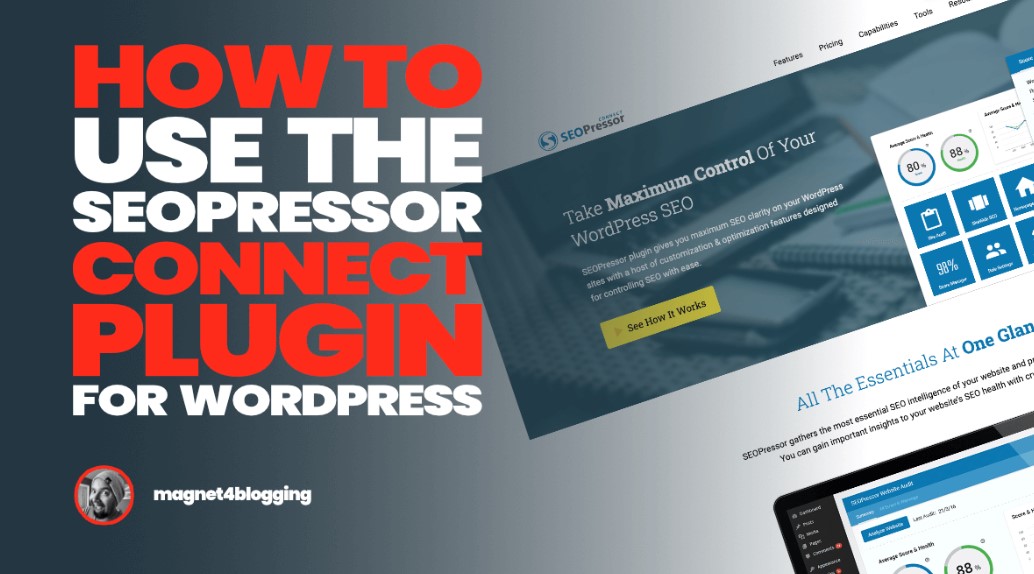
SEOPressor is narrow by design. It grades on-page optimisation, suggests semantic keywords, manages internal link rules and checks over-optimisation. It doesn’t do sitemaps, redirects or Search Console, so it sits alongside a main SEO plugin rather than replacing one.
It’s also not on the WordPress repository, which means updates arrive from the vendor rather than your dashboard. Worth knowing before you commit.
Key features
- On-page score with semantic keyword suggestions
- Over-optimisation warnings, which most plugins skip
- Automated internal linking rules across the site
Pricing: $9 per month for unlimited domains, which is unusually generous licensing for a paid-only tool.
Best for: writers obsessive about on-page scoring across many sites.
Not ideal for: anyone expecting a complete SEO suite, because this is a bolt-on.
Analytify, the reporting companion
Analytify isn’t an SEO plugin and we should stop pretending otherwise. It’s a Google Analytics dashboard that lives inside WordPress, showing per-post traffic under each article instead of making you open GA4.
That’s still worth having. GA4 is hostile to casual users, and seeing sessions per post next to the post itself changes what you decide to update. Install it alongside Rank Math or Yoast, not instead of one.
Key features
- Per-post and per-page GA4 statistics inside the admin
- Scheduled email reports and exports to PDF, CSV or Excel
- Cookie consent plugin compatibility, which matters for GDPR
Pricing: free core plugin with paid tiers for eCommerce tracking, forms and campaign reports.
Best for: bloggers who avoid GA4 because it’s confusing.
Not ideal for: replacing a real SEO plugin, which it was never built to do.
Two corrections to older versions of this list
SEOquake is not a WordPress plugin
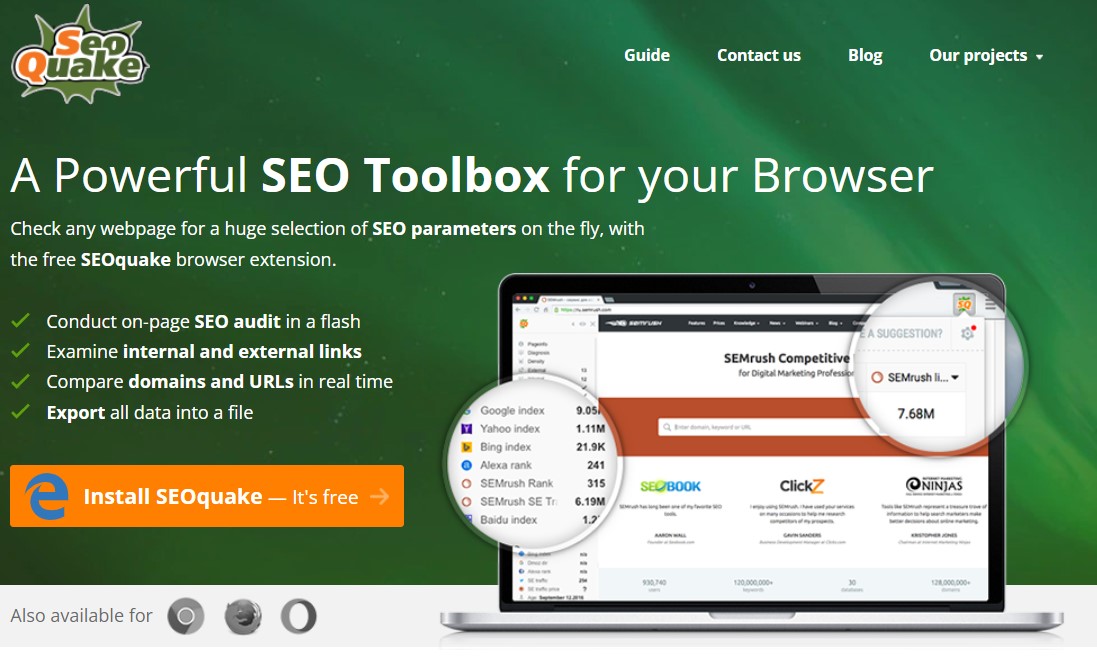
Plenty of roundups list SEOquake as an SEO plugin for WordPress. It isn’t one. SEOquake is a free browser extension from Semrush for Chrome, Firefox and Opera that overlays SEO metrics on search results and on any page you visit.
It’s a good tool. Install it, use it for competitor checks and quick SERP analysis, and understand that it does nothing to your website. There’s no WordPress version to install.
WP Meta SEO has been shut down
WP Meta SEO was closed permanently on the WordPress repository on 17 June 2026 at the author’s request, and is no longer available for download. Its last release was tested against WordPress 6.8.
If it’s still installed on a site you manage, export your metadata, migrate to Rank Math or SEOPress using their import tools, then delete it. A closed plugin gets no security patches, which is the same risk profile we warn about in our WordPress security plugins roundup.
How the big four compare
| Feature |
Best OverallRank MathFree / EUR 95.88 per yearBest for: Most sites |
Yoast SEOFree / $118.80 per yearBest for: Beginners |
All in One SEOFree / paid tiersBest for: Content teams |
SEOPressFree / flat PRO licenceBest for: Agencies |
|---|---|---|---|---|
| Active installs | 4,000,000+ | 10,000,000+(winner for this row) | 3,000,000+ | 300,000+ |
| Multiple focus keywords free | Yes(winner for this row) | No | No | No |
| Redirect manager free | Yes(winner for this row) | No | No | Yes |
| Schema types free | Extensive | Basic | Basic | Good |
| Licence covers unlimited sites | No | No | No | Yes(winner for this row) |
| Ads inside the free plugin | Yes | Yes | Yes | No(winner for this row) |
| Beginner friendliness |
We may earn a commission when you buy through links on this page. This does not affect our reviews.
Yoast wins on installs and hand-holding. Rank Math wins on what you get for nothing. SEOPress wins on licensing. AIOSEO wins when several people publish on the same site.
Mistakes that cost people rankings
- Running two SEO plugins at once. Duplicate title tags, duplicate canonicals, duplicate schema. Deactivate one properly and let the other rebuild the sitemap.
- Switching plugins without importing. Every plugin here has a migration tool. Use it, then spot-check twenty posts before deleting the old plugin.
- Chasing the green light. A green readability score is not a ranking factor. Writing something worth linking to is.
- Leaving tag and author archives indexed. Most blogs generate hundreds of thin archive pages. Set them to noindex on day one.
- Skipping the backup before migration. Metadata lives in your database. Take a copy first, using one of the WordPress backup plugins we rate.
What a plugin can’t do for you
Here’s the part most roundups skip. An SEO plugin controls your technical output: titles, descriptions, canonicals, schema, sitemaps, redirects. That’s the floor, not the ceiling.
It cannot earn you links, it cannot make a thin page useful, and it cannot fix a two-second server response. If you’re stuck on page three with perfect green lights, the problem is content depth or authority, and a content tool like Surfer SEO answers a different question than any of these plugins do.
How we picked these
We checked each plugin’s repository listing for last update, tested-up-to WordPress version, install count and support responsiveness, then read the vendor pricing pages directly. Anything closed or abandoned was removed from the list rather than quietly left in place. Two entries in the previous version of this article failed that test.
DroidCrunch runs Rank Math on this site and has run Yoast and SEOPress on client builds. AIOSEO, Squirrly, SEOPressor and Analytify are assessed on their public records, documentation and pricing rather than long-term hands-on use. Pricing verified July 2026.
Frequently asked questions
Is Rank Math better than Yoast SEO?
For value, yes. Rank Math gives you multiple focus keywords, a redirect manager, 404 monitoring and rich schema in its free version, all of which Yoast charges for. Yoast wins on documentation and predictability, which is why we still recommend it to complete beginners.
Do I need to pay for an SEO plugin?
Most sites never need to. The free versions of Rank Math, Yoast, AIOSEO and SEOPress all handle titles, descriptions, sitemaps and basic schema. Pay when you specifically need internal link suggestions, advanced schema, or per-site support, not because the dashboard suggests it.
Can I run two SEO plugins at the same time?
No. Two plugins output two sets of title tags, canonicals and schema, which confuses crawlers and can suppress your snippets. Pick one, deactivate the other, and regenerate the sitemap afterwards so search engines get a single clean signal.
How do I switch SEO plugins without losing my metadata?
Use the destination plugin import tool before deleting anything. Rank Math, AIOSEO and SEOPress all import from Yoast and from each other. Take a database backup first, run the import, then check twenty published posts for correct titles before removing the old plugin.
Do SEO plugins slow down a WordPress site?
Slightly, and less than most people fear. The measurable cost is in the admin area rather than on the front end. Turn off modules you do not use, such as redirects or local SEO, and the difference for visitors is negligible.
Which SEO plugin is best for a WooCommerce store?
All in One SEO or Rank Math. Both output product schema, handle product category archives sensibly, and generate WooCommerce-aware sitemaps. AIOSEO edges ahead if you also need local SEO for a physical shop, since that module is included on its paid tiers.
Will an SEO plugin get me to page one?
On its own, no. It fixes technical signals so your content is not held back by bad markup. Ranking still depends on content depth, page speed, and links from other sites. Treat the plugin as hygiene, not as a strategy.
Our pick for 2026
Install Rank Math and don’t pay anyone. It’s the most capable of the free SEO plugins for WordPress, and the features Yoast puts behind a $118.80 subscription are sitting in its free tier.
Choose Yoast SEO if this is your first website and you want every warning explained. Choose SEOPress if you look after several sites and the per-site licensing maths is killing you. Choose All in One SEO when a team publishes and you need an audit score everyone can aim at.
One warning: whichever you pick, set tag and author archives to noindex in the first ten minutes. Thin archive pages are the most common self-inflicted WordPress SEO wound we see, and no plugin fixes it by default.
Next step: install one plugin, connect Search Console, run the setup wizard properly instead of clicking through, then check your sitemap loads at /sitemap_index.xml. That’s twenty minutes of work that outranks a month of tinkering.