

Most “best SEO plugin” advice still defaults to Yoast out of habit. We don’t — we migrated DroidCrunch off Yoast years ago, and this very site runs on Rank Math. So this isn’t a spec sheet we copied from a press release; it’s what we’ve learned running Rank Math across multiple live WordPress sites, every day.
Here’s the honest question worth answering: Rank Math’s free plan gives away features Yoast charges for — but does that make it the better plugin, or just the more generous one? And is the Pro upgrade actually worth paying for?
This Rank Math review covers what it does brilliantly, where it frustrates, how it really compares to Yoast, what it costs, and who should skip it. Let’s get into it.
⚡ Quick Verdict
Our rating: 4.6 / 5. Rank Math is the SEO plugin we actually use, and it’s our top pick for most WordPress sites. The free version is genuinely the most feature-packed in its class — schema, redirections, multiple focus keywords and a clean module system — and it stays light if you only switch on what you need. The catch is that all those toggles can overwhelm beginners, and the dashboard pushes Pro and Content AI harder than we’d like.
- Best for: bloggers and site owners who want maximum SEO features for free, plus room to grow.
- Skip it if: you want the absolute simplest, set-and-forget plugin — Yoast’s guardrails suit some beginners better.
- Price: Free plan (very capable); Pro from a few dollars a month billed annually.
- The most generous free plan of any SEO plugin
- Built-in schema, redirections & 404 monitor
- Up to 5 focus keywords (Yoast free gives 1)
- Modular — switch off what you don’t use to stay light
- Easy one-click import from Yoast or AIOSEO
- So many options it can overwhelm beginners
- Dashboard pushes Pro & Content AI upsells hard
- Content AI uses a separate credit system
Rank Math Overview
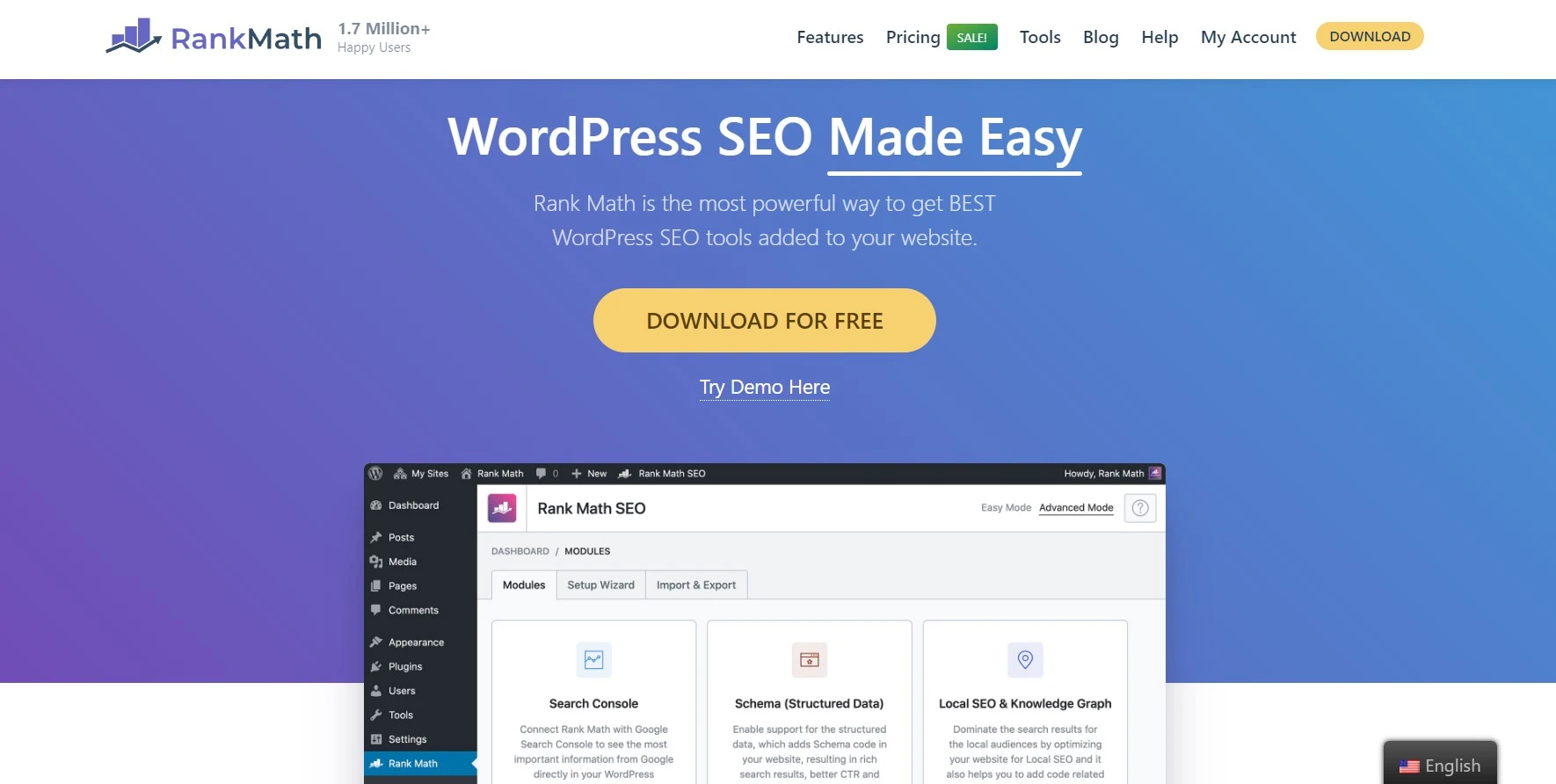
Rank Math is a WordPress SEO plugin built by the team at One.com, designed to handle everything from titles and meta tags to sitemaps, schema, redirections and keyword analysis — in one plugin. Its standout trait is how much it hands you for free, and its modular design: you toggle features on and off, so the plugin only loads what you actually use.
If you’re weighing up the whole category first, see our roundup of the best SEO plugins for WordPress — Rank Math is our overall pick there, and below is exactly why.
ℹ️ How we tested: We run Rank Math on DroidCrunch and several other live WordPress sites, after migrating from Yoast. This review is based on daily use — configuring schema, writing meta with variables, managing redirections and reading the analytics — not just the feature list. Where a feature is one we use less (like AMP or Content AI’s heaviest tiers), we say so.
Rank Math Key Features
On-Page SEO Analysis

As you write, Rank Math scores your post out of 100 and flags issues — missing or duplicate titles, thin keyword usage, readability, internal links. It’s the day-to-day feature you’ll touch most. A word of caution we’ll repeat below: the 100 score is a checklist, not a ranking guarantee. Treat it as a helpful nudge, not gospel.
Schema & Rich Snippets
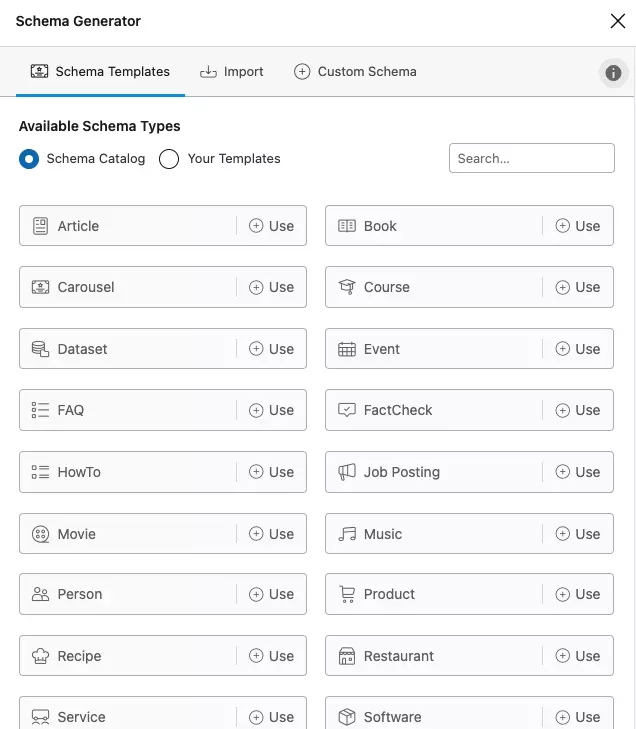
This is where Rank Math genuinely beats most rivals on the free plan. Its schema generator supports Article, Product, Recipe, Review, FAQ, How-to and more, plus reusable schema templates. Rich snippets (those star ratings and FAQ drop-downs in search results) can lift your click-through rate, and Rank Math makes adding them painless without touching code.
Content AI
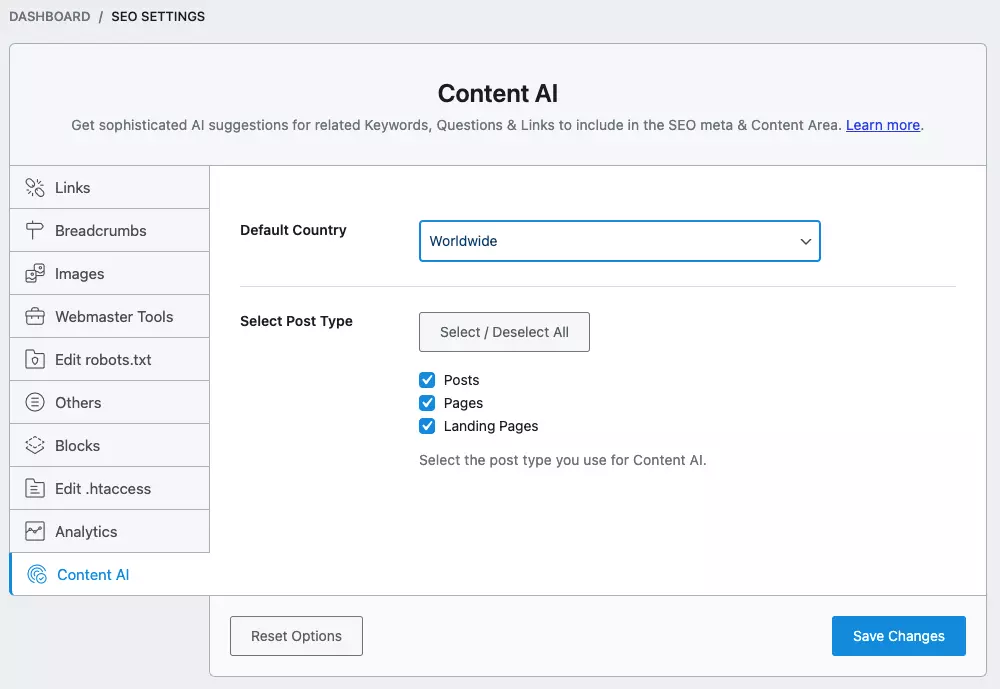
Content AI suggests related terms, questions and a target word count based on what’s currently ranking, so your content covers a topic more fully. It’s useful for briefs and on-page optimisation. The catch: it runs on a separate credit system, so heavy use means paying beyond your plan. Handy, not magic — and not a reason to upgrade on its own.
Dynamic Variables in Titles & Meta
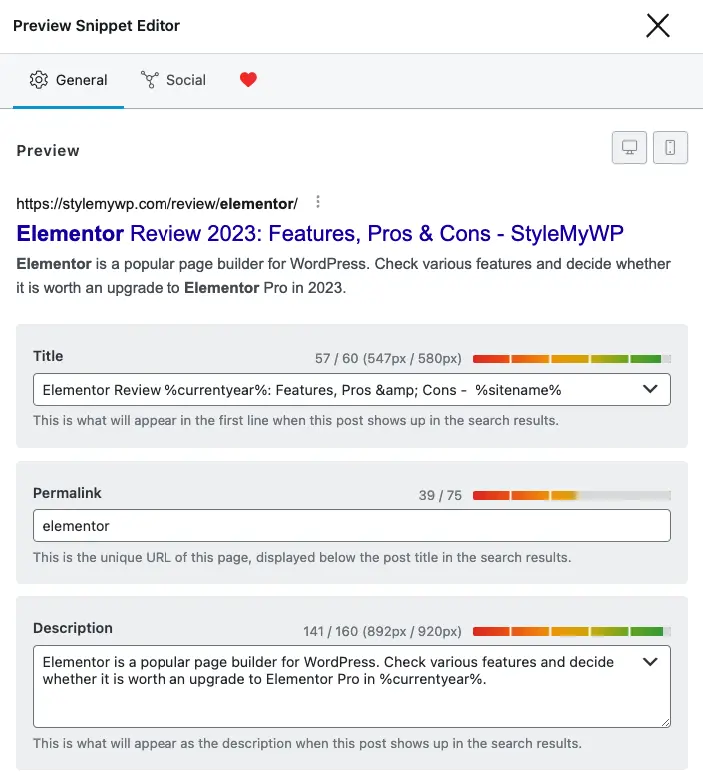
One feature we lean on constantly: variables let you write titles and meta descriptions dynamically. Drop in %currentyear%, %currentmonth%, %category%, %post_author% and more, and they render live — so a title like “Best Tools in %currentyear%” stays current forever without manual edits. It’s a small thing that saves real time across a big site.
Sitemaps, Redirections & 404 Monitor
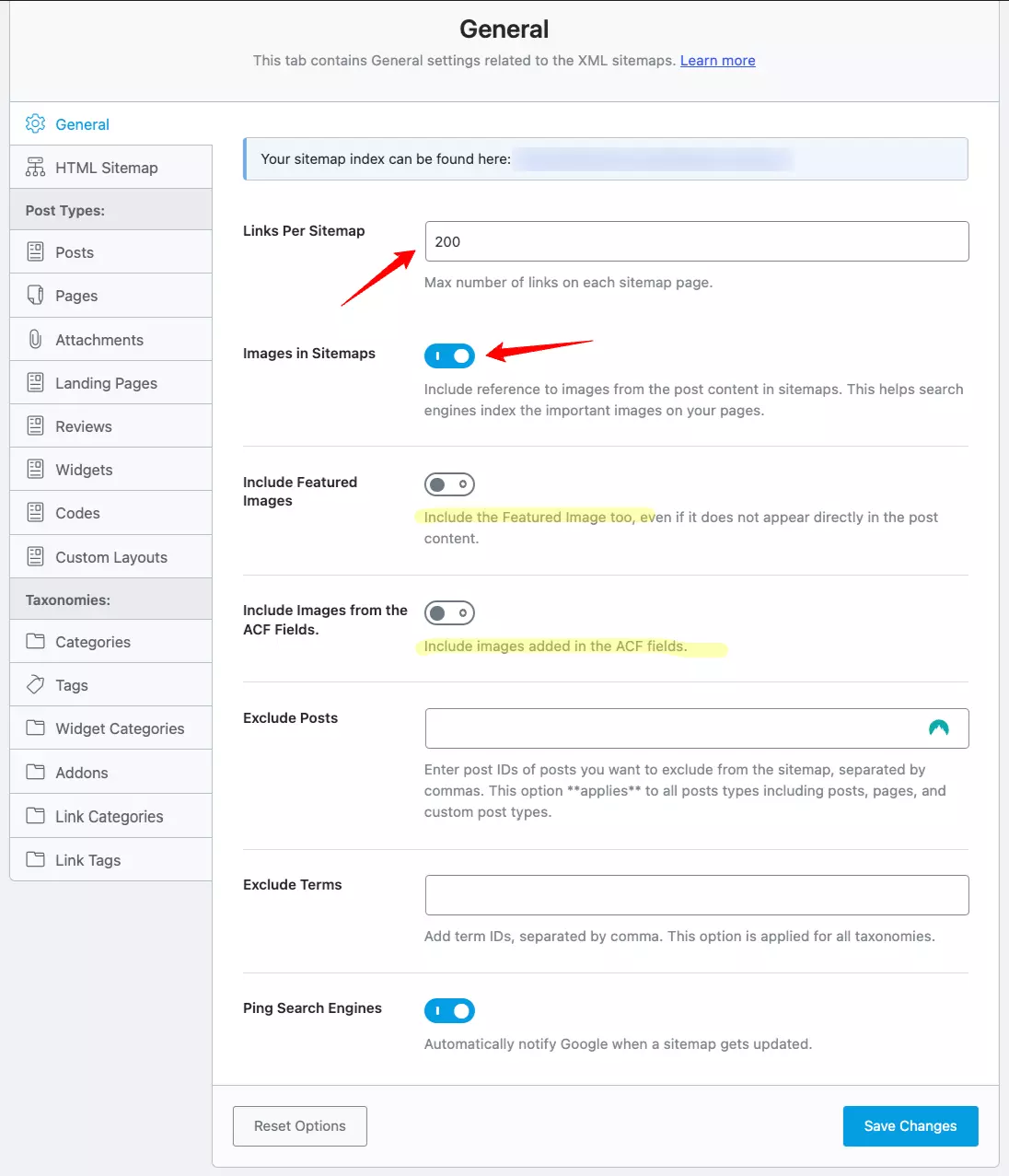
Rank Math auto-generates XML sitemaps (and an optional HTML one) and includes a built-in redirection manager — a feature Yoast locks behind Premium. Change a URL and you can 301 it in seconds. The 404 monitor (Pro) then flags broken links so you can redirect them before they hurt UX or rankings. For anyone restructuring a site, this combo alone is worth the switch.
Beyond these, Rank Math covers image SEO (auto alt/title), social/Open Graph tags, local SEO, breadcrumbs, Google Search Console analytics, and deep WooCommerce SEO. One honest note: it still markets “LSI keywords,” a concept Google has said isn’t really a thing — in practice it just means “related terms,” which is still useful. And while it supports AMP, AMP itself has faded since Google dropped its preference for it, so don’t pick a plugin for that alone.
Rank Math vs Yoast SEO
This is the comparison everyone actually wants. Both are excellent, and Yoast’s huge install base and simplicity keep it a fair choice. But on raw value, Rank Math’s free plan is hard to argue with:
| Feature | Rank Math (Free) | Yoast SEO (Free) |
|---|---|---|
| Focus keywords | Up to 5 | 1 |
| Schema types | Many, built-in | Limited |
| Redirection manager | Included | Premium only |
| 404 monitor | Yes (Pro) | Premium only |
| Modular features | Yes (toggle on/off) | Limited |
| Best for | Features & value | Simplicity, familiarity |
Our take: if you want the most capability for free and don’t mind a busier interface, Rank Math wins. If you value a stripped-back, hand-holding setup over features, Yoast is still perfectly good. We chose Rank Math — and the one-click Yoast importer made switching painless.
Rank Math Pricing

The headline is the free plan, which is enough for most blogs and small sites — schema, sitemaps, redirections, up to 5 keywords and more. Paid tiers (Pro, Business, Agency) add Content AI credits, the 404 monitor, advanced schema, Google Analytics integration and tracking for more keywords. Pro starts at a few dollars a month billed annually.
What to check before buying: SEO-plugin pricing changes often, so confirm the current numbers on the official pricing page. For most readers, start free — upgrade to Pro only when you genuinely want Content AI or advanced analytics, not because the dashboard nudges you.
Setting Up Rank Math (Quick Walkthrough)
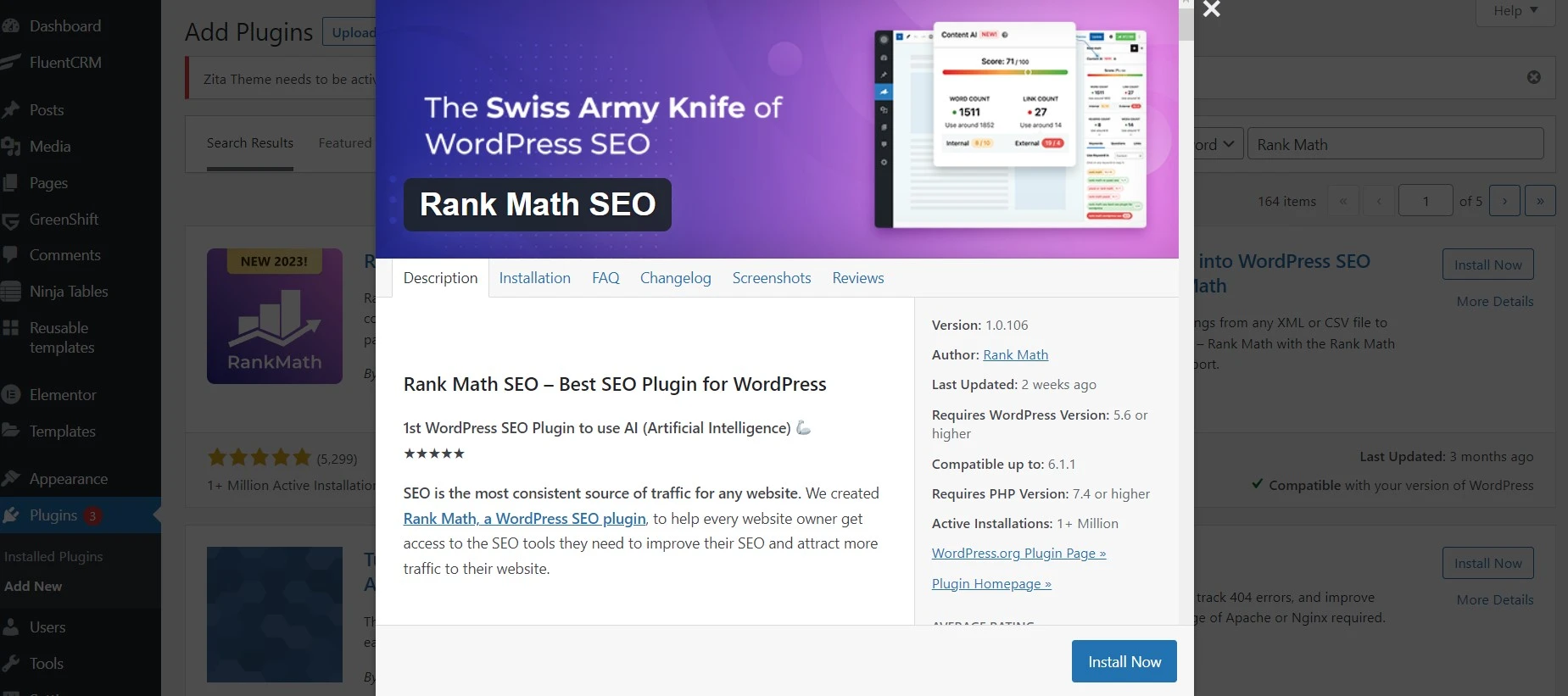
- Install & activate — from Plugins → Add New, search “Rank Math SEO,” install and activate.
- Connect your account — a free Rank Math account unlocks the setup wizard.
- Pick Easy or Advanced — Easy is fine for most; the advanced settings stay accessible either way.
- Import & connect — import settings from your old plugin (Yoast/AIOSEO), add your site details, and connect Google Search Console.
- Enable only what you need — in the Modules dashboard, toggle off features you won’t use to keep things lean, then fine-tune titles, sitemaps and redirections.

Support & Community
Rank Math has a deep knowledge base covering schema, sitemaps, redirections, analytics and troubleshooting — start there, since it answers most questions. If the docs don’t cut it, you raise a ticket on the support forum, where the team is responsive.
There’s also a large Facebook community (well over 100k members) for swapping SEO ideas. One honest heads-up from us: it’s not a support channel — we tested it by posting a support question and it was declined, with a polite nudge to use the official support page. Good for discussion, not for fixing your site.
Rank Math Alternatives
- Yoast SEO — the household name. Simpler and beginner-friendly, but the free version is more limited and key features (redirects, multiple keywords) need Premium.
- All in One SEO (AIOSEO) — a strong, polished all-rounder that sits between Yoast and Rank Math on features and price.
- SEOPress — clean, no-upsell interface and very affordable Pro; a great low-key alternative if Rank Math feels busy.
Pair whichever you choose with the right supporting tools — see our picks for the best keyword research tools and image optimization plugins, since no SEO plugin does those jobs alone.
Frequently Asked Questions
Is Rank Math better than Yoast SEO?
For features and value, yes — Rank Math’s free plan includes schema, redirections and up to 5 focus keywords, where Yoast free gives 1 keyword and gates redirects behind Premium. Yoast still wins on simplicity and familiarity, so beginners who want fewer options may prefer it.
Is Rank Math free, and is the free version enough?
Yes, Rank Math has a genuinely capable free plan that covers most blogs and small sites: schema, sitemaps, redirections, social tags and multiple keywords. You only need Pro for Content AI credits, the 404 monitor, advanced schema and deeper analytics.
Does Rank Math slow down your website?
Not noticeably if you set it up well. Its modular design lets you switch off features you don’t use, so the plugin only loads what’s active. Disable unused modules, pair it with good hosting and caching, and the SEO benefit far outweighs the tiny overhead.
Can I migrate from Yoast to Rank Math without losing data?
Yes. Rank Math has a built-in importer that pulls your titles, meta descriptions, focus keywords and settings from Yoast or AIOSEO in a few clicks. We migrated DroidCrunch this way with no lost data — just back up your site first, as you would for any major change.
Do you need a 100 SEO score in Rank Math to rank?
No, that’s a myth. The score is a checklist of on-page best practices, not a ranking guarantee — plenty of pages rank well below 100, and a perfect score won’t rescue thin content. Use it as a helpful nudge, then focus on genuinely useful, well-structured content.
Is it worth upgrading to Rank Math Pro?
Only if you’ll use what it adds: Content AI, the 404 monitor, Google Analytics integration, advanced schema and more keyword tracking. For a typical blog the free plan is plenty, so upgrade when you hit a real limit rather than because the dashboard suggests it.
The Bottom Line
After years of running it on real sites, Rank Math is the SEO plugin we recommend to most WordPress users — and the one we trust on our own. The free plan genuinely out-features the competition, the modular design keeps it light, and schema plus built-in redirections are the features you’ll appreciate most over time.
Here’s the decision in one line: install the free version — for most blogs it’s all you’ll ever need. Migrating from Yoast? The importer makes it a five-minute job. Upgrade to Pro only when you actually want Content AI or advanced analytics, and consider Yoast or SEOPress instead if a simpler, quieter interface matters more to you than features. One warning: don’t chase the 100/100 score — write for readers first, and let the plugin tidy up the technical SEO behind you.
Disclosure: this review contains affiliate links. If you buy Rank Math Pro through them, we may earn a commission at no extra cost to you. We run this site on Rank Math, and our opinion is based on that hands-on use — not the payout.
The Review
Rank Math
Rank Math SEO is a free-to-use WordPress SEO plugin that enables users to enhance their websites for better search engine placement. It is made to be simple to use and comprehend while still being effective in boosting your website's SEO. You may maximize the results of your SEO efforts with the aid of Rank Math SEO's full feature set. With Rank Math Pro you can enable more modules and features to have better SEO coverage.
PROS
- Integration with Buddypress, bbPress, ACF and Google Web Stories
- Gives Rich Search Results by customizing Structured Data
- Image SEO, Video Sitemap, and News Sitemap
- Gives Local SEO settings and Capabilities for Local Businesses
- Sophisticated AI suggestions for related Keywords
- Generates Podcast RSS feed and Schema Markup
- Allows you to Redirect non-existent content easily with 301 and 302 status code
- Optimize WooCommerce Pages for Search Engines
- IndexNow Integration for Instant Indexing
- Suggestions to Improve Content based on Focus Keyword
CONS
- Many Features are limited to Rank Math Pro Users




