

You want Canva Pro’s background remover and premium templates without paying for them yet. Fair enough. The trial hands you the whole toolkit, but it also asks for a card up front, and that is where people get caught.
Below: how long the trial actually runs, what Pro unlocks that Free doesn’t, how to cancel before a charge lands, and an honest answer to whether you need Pro at all.
Quick verdict
Start the Canva Pro trial when you have a specific job lined up: a launch, a pitch deck, a month of social posts. You get the premium asset library and the one-click tools for the whole window. Do not start it just to have a look, because the renewal date is what everyone forgets. And be honest first: Canva’s free plan is genuinely capable, and for a lot of people Pro is a convenience upgrade rather than a capability unlock.
Best for: freelancers and small business owners with a batch of branded work to ship, anyone who needs transparent PNGs or background removal, and teams that want one shared brand kit.
Not ideal for: casual users making the odd Instagram post, students who only need basic templates, and anyone who wants print-grade control or layered PSD output.
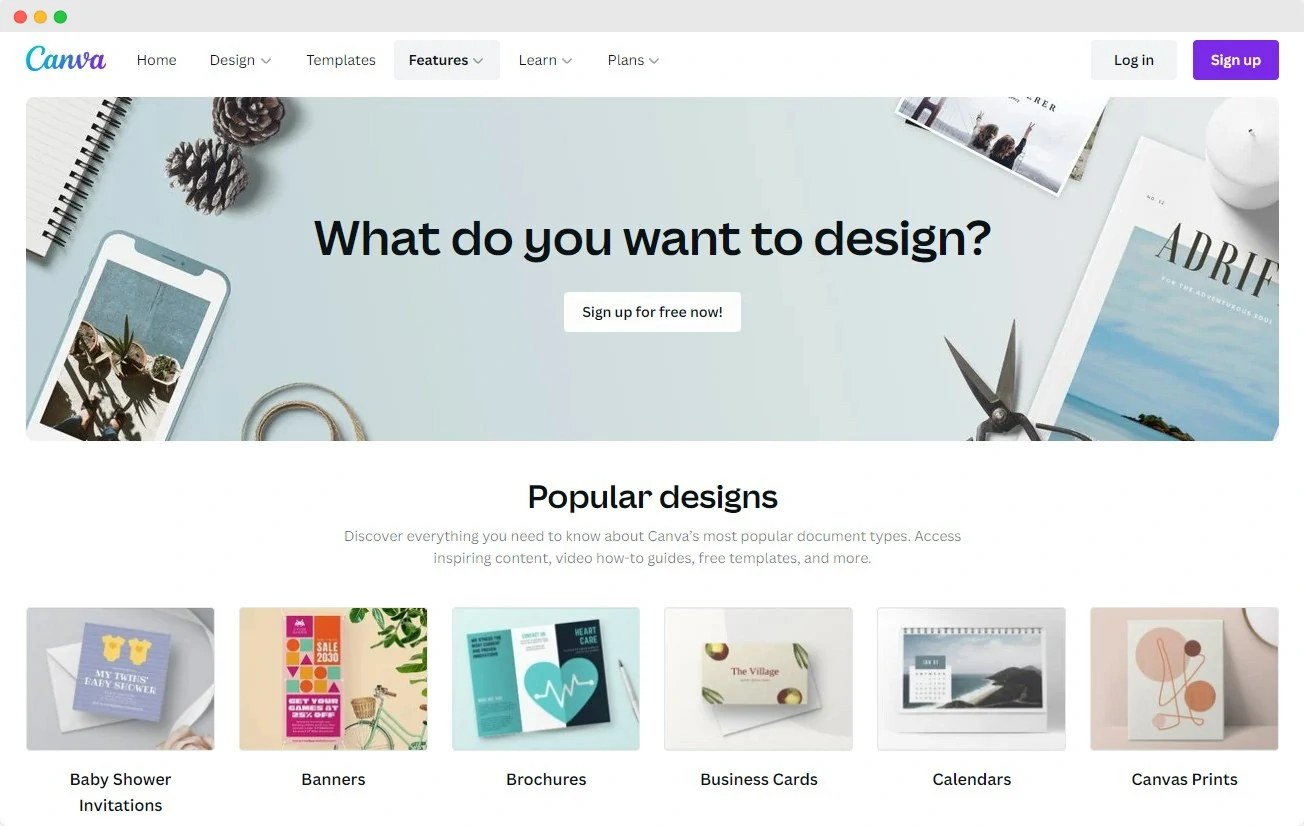
How long is the Canva Pro free trial?
Canva has offered a 30-day Pro trial for years, and 30 days is what most people see at signup. Treat that as typical, not guaranteed. Canva adjusts trial terms by region and by promotion, so shorter windows do appear, and accounts that have already used a trial are often not offered another.
The number on your own confirmation screen is the only source of truth. Read it before you enter card details, and write the end date somewhere you will actually see it.
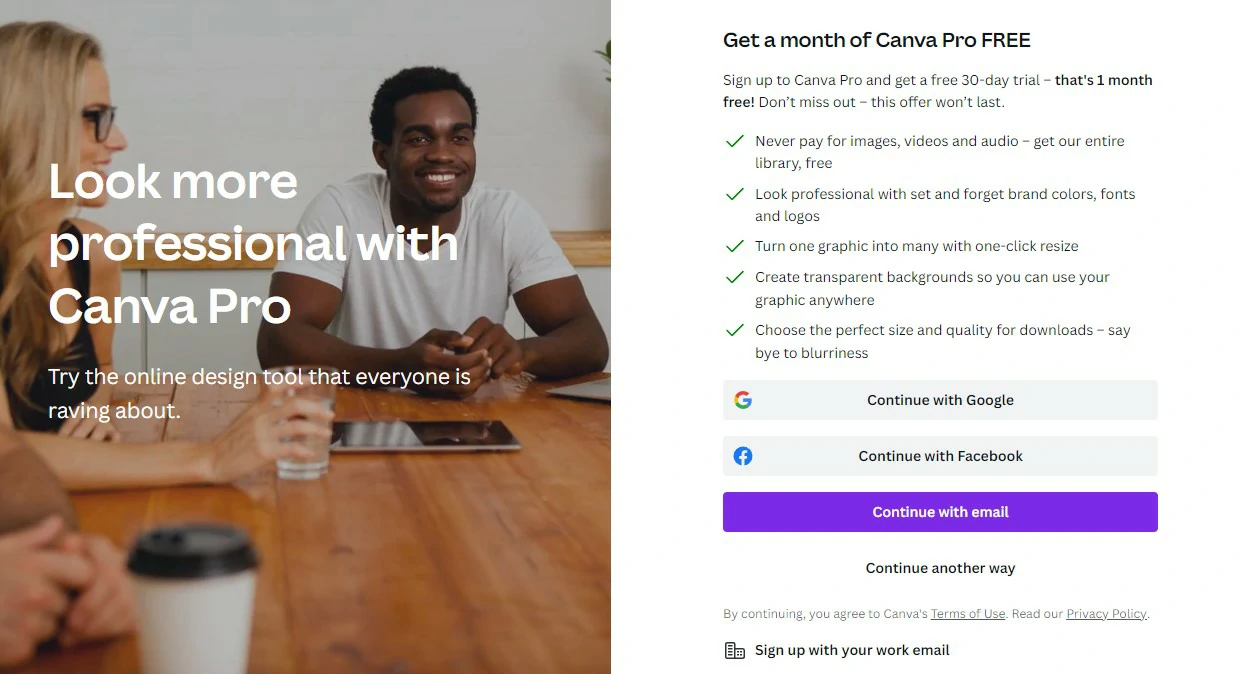
Does the Canva trial need a credit card?
Yes. Canva asks for a payment method before the trial starts, and the plan converts to paid on the day it ends unless you cancel first. You are not billed on day one, though your bank may briefly show a small verification hold that clears by itself.
If handing over a card for something you might not keep bothers you, skip the trial. Canva’s free plan needs no payment details at all, and it is not a crippled demo. Here is how to claim the trial if you do want it:
- Step 1: Click the button below to open the Canva Pro trial offer.
- Step 2: Sign up with Google, email, Facebook or Apple.
- Step 3: Choose the free trial option on the plan screen and check the stated trial length.
- Step 4: Enter your payment details and confirm.
- Step 5: Note the renewal date, then cancel before it or keep the plan.
What Canva Pro unlocks over the free plan
The editor itself is the same on both plans. What changes is the asset library, the shortcuts, and the brand controls.
| Capability | Canva Free | Canva Pro |
|---|---|---|
| Templates | Large free library | Full library, including premium designs |
| Stock photos, video, audio | Free-tier assets only | Premium library included |
| Background Remover | No | Yes, one click |
| Magic Resize | No | Yes, resize a design to every format at once |
| Brand Kit | Limited | Multiple kits with custom fonts, logos and colours |
| Transparent PNG export | No | Yes |
| Cloud storage | Modest allowance | Substantially larger allowance |
| Social scheduling | No | Content Planner |
Two of those matter more than the rest in daily use. Background Remover saves a trip to another tool every time you cut out a product or a headshot, and transparent PNG export is the difference between a logo you can drop anywhere and one stuck on a white square. If neither applies to your work, the case for Pro thins out fast.
How to cancel before you are charged
Cancelling does not end your trial early. Canva keeps Pro active until the last day of the window and simply stops the renewal, so there is no reason to wait.
- Open Canva on the web and go to Settings, then Billing and plans.
- Find the Canva Pro subscription and choose Cancel subscription.
- Confirm, then check for the cancellation email. If it does not arrive, the cancellation did not go through.
- If you subscribed through the App Store or Google Play, cancel in that store’s subscriptions screen instead. Cancelling inside the Canva app will not stop a store-managed charge.
- Set a calendar reminder for two days before the end date, not the day itself. Time zones have caught people out.
Who genuinely needs Canva Pro
Pro earns its money if you design regularly and your time has a price on it. A freelancer producing client social packs, a shop owner cutting out product photos weekly, a small team pulling from one brand kit: for all of them it costs less than the hours it saves, and the bundled stock library replaces a separate photo subscription.
Plenty of people do not need it, and it is worth saying plainly. If you make a handful of graphics a month, build the odd slide deck, or run a hobby account, the free plan covers you. The free template selection is large, the editor is identical, and nothing you make on Free is watermarked. Registered nonprofits and eligible schools can also apply for Canva’s free premium access.
The honest test is this: run the trial on real work, then note how many times you actually reached for a Pro-only feature. If the answer is once or twice, cancel and stay on Free.
Canva pricing after the trial
Canva sells four tiers: a free plan, Canva Pro for one person, Canva Teams charged per seat with a minimum number of seats, and Enterprise on a custom quote. Pro can be billed monthly or annually, and the annual option works out cheaper per month.
Actual figures move. Canva has changed its pricing and seat rules more than once, and what you pay depends on your country and currency, so numbers printed in articles age badly. Check the live figure on Canva’s plans page before you commit, and confirm the renewal amount shown at checkout matches it.
How we evaluated this
This is a practical guide to the trial’s terms, not a lab test. The comparison above is based on Canva’s published plan differences and hands-on use of the editor on web and mobile. We did not benchmark export quality or verify trial length in every country, which is why this page tells you to read your own signup screen. For a closer look at the editor itself, read our Canva review.
Pros and cons of Canva
Pros
- Genuinely easy to pick up with no design training.
- The free plan is usable on its own, not a crippled demo.
- Team folders and shared brand kits make collaboration simple.
- Strong value on Pro: premium stock, video and audio bundled with the design tools.
- The mobile app can finish real work on the go.
Cons
- Browser-based, so an unstable connection stalls your work.
- Support is chat and email only, with no phone line.
- Free users cannot export transparent backgrounds.
- No layered PSD export, which frustrates anyone handing files to a designer.
- Templates are widely used, so designs can look familiar unless you customise heavily.
Frequently Asked Questions
Is the Canva free trial really free?
Yes, for the length of the trial. You get full Canva Pro access with no watermarks and nothing to pay during the window. It is not free after that: the plan renews automatically at the standard rate unless you cancel before the end date.
Can I get the Canva trial without a credit card?
No. Canva requires a payment method before the trial starts. If you do not want to hand one over, use the free plan instead, which needs no card and has no time limit.
What happens to my designs if I cancel Canva Pro?
Your designs stay in your account. Anything that used premium elements will show a watermark or prompt for payment if you re-export it, and Pro-only features such as Background Remover stop working. Download the finished files you care about before the trial ends.
Can I get the Canva free trial twice?
Usually not on the same account. Canva generally offers one trial per account, and returning subscribers are often taken straight to a paid checkout with no trial option. If no trial is offered on your signup screen, that is why.
Is Canva Pro worth it, or is the free plan enough?
It depends on how often you design. If you produce branded content weekly, remove backgrounds regularly, or need transparent logo files, Pro is worth it. If you make a few graphics a month, the free plan covers you comfortably and there is no reason to pay.
Canva Pro or Canva Teams: which one do I need?
Pro is a single-user plan. Teams adds shared brand kits, shared folders and approval workflows, and is billed per seat with a minimum number of seats. If you are one person, Pro is enough. If two or more people need the same brand assets, Teams is usually cheaper and less messy than separate Pro accounts.
Can I cancel on the last day of the trial?
You can, but do not cut it that fine. Renewals run on Canva servers in their own time zone, so a last-day cancellation can land after the charge. Cancel a day or two early instead: you keep Pro until the trial actually expires either way.
The verdict
If you are a freelancer, marketer or small business owner with branded work to ship, start the trial and use it hard: the background remover, transparent exports and brand kit repay themselves in saved hours. If you are a student, hobbyist or occasional poster, stay on Free and stop feeling like you are missing out, because you mostly are not. If you run a team, look at Canva Teams rather than stacking individual Pro seats.
One warning before you sign up: this trial auto-converts to a paid plan, and the charge is easy to miss. Set the reminder the moment you enter your card, not later.
Next step: check the trial length on the signup screen, claim it, and give yourself one real project to finish inside the window. That will tell you whether Pro is worth keeping better than any feature list can.




