

You have been renting your own files for years. Every month, Dropbox or Google Drive charges your card again — and the day you stop paying, your storage shrinks and your photos get locked behind a paywall. pCloud sells a different deal: pay once, own the space for good.
This pCloud review breaks down what you actually get for that one-time price in 2026 — the storage, the zero-knowledge Crypto add-on, sync speed, and the rough edges — so you can decide whether pCloud’s lifetime plan is the escape from forever-monthly cloud bills you have been waiting for.
Quick verdict: pCloud is the best mainstream cloud storage for people who want to stop paying monthly. You get a genuine one-time lifetime plan, fast sync, unlimited file sizes and optional zero-knowledge encryption. It loses points because that encryption costs extra, there is no live document co-editing, and support runs through email only. Our score: 8.6/10.
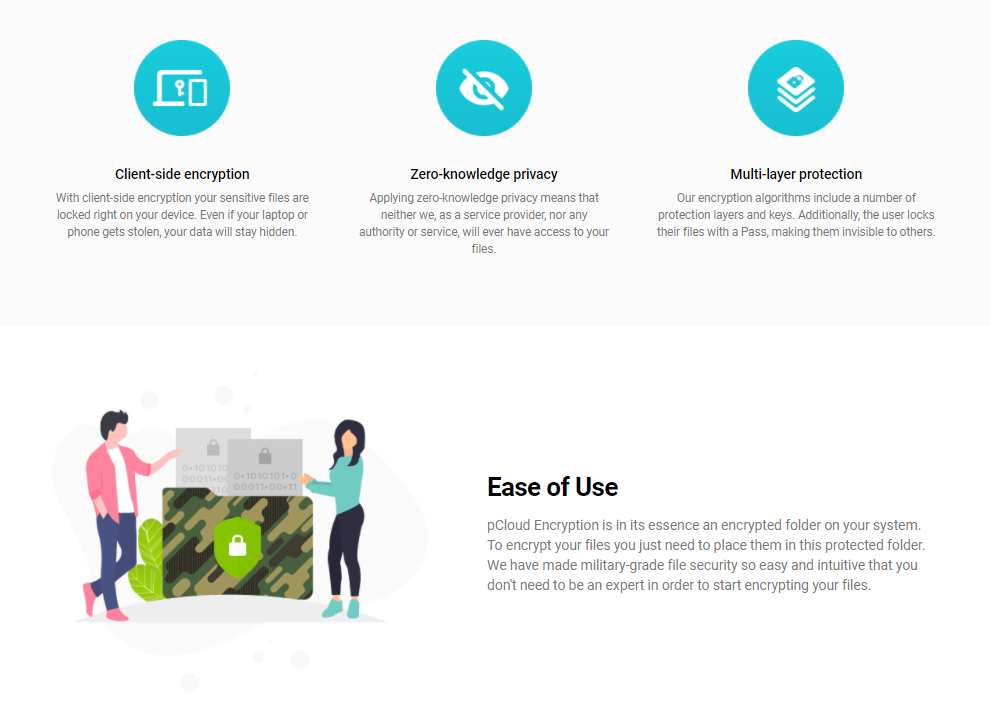
Two things are worth understanding up front. pCloud Crypto is an optional paid add-on that encrypts files on your own device before they ever upload — the keys stay with you, so nobody at pCloud can read them. pCloud Drive mounts a secure virtual drive on your computer that behaves like a normal folder without eating local disk space, and deleted files sit in the Trash for up to 180 days before they are gone for good.
Heads up: some links below are affiliate links. If you buy through them we may earn a small commission, at no extra cost to you — it never changes our verdict.
pCloud Overview
pCloud is a straightforward cloud-storage service: up to 10GB free, lifetime plans up to 2TB, and all your photos, videos and documents in one place, reachable from any device you own. Its standout trick is letting you choose exactly which files get zero-knowledge encryption — instead of forcing it on everything or nothing, the way most rivals do.
The Upload Link lets you receive large files from people who don’t even have a pCloud account, and every change you make shows up on your computer, phone or tablet in near real time. In plain English: it is easy to use, syncs quickly, and the price is fair.
Features of pCloud
- File syncing — pCloud handles background sync well across desktop and mobile.
- pCloud Rewind — roll your account back in time to recover files that were deleted or changed, handy after an accidental overwrite.
- pCloud Save — a browser extension for Chrome, Firefox and Opera that saves images straight to a “pCloud Save” folder with a right-click.
- Invite to Folder — share folders with contacts and control whether they can edit or only view, with permissions you can change at any time.
- Automatic Upload — continuously back up new photos and videos from your phone, and pick computer folders to back up too.
- Embedded music player — stream audio straight from the cloud, build playlists and share them, no extra plugins.
- Branded download links — add your logo, style and description to shared links for a more professional look.
- Unlimited upload and download speed — speeds are capped only by your own internet connection, not by pCloud, whether you are on a free or paid plan.
- Unlimited file size — upload anything from documents to full HD video collections, something most rivals restrict on the web.
Our take: the feature list is long, but the two that actually change daily use are pCloud Rewind (file version history) and the optional Crypto folder for zero-knowledge encryption — the rest is standard for modern cloud storage.
How to use pCloud
Setup takes a few minutes and no card details. Here is the short version:
- Register a free pCloud account (no card required).
- Download pCloud Drive for Mac, Windows or Linux.
- Install it — the default location is your C: drive, but you can change it under “options,” then hit “install.”
- Once installed, select “launch” to start configuring it.
- Log in with your pCloud account details.
- Drag and drop files into your pCloud folder to upload them to the cloud.
- The virtual drive is not stored locally. To keep a folder offline too, open the “sync” tab and choose “add new sync.”
- Pick the pCloud folder you want to keep synced with your computer.
- Choose where those synced files live on your device with “choose local folder.”
- Confirm with “add sync.”
- From now on, any change in one folder mirrors in the other — so deleting a local synced file also deletes it from the cloud.
Alternatives to pCloud
Here is how pCloud stacks up against the two names most people are actually deciding between:
| pCloud | Dropbox | Google Drive | |
|---|---|---|---|
| Payment model | One-time lifetime or subscription | Subscription only | Subscription only |
| Free storage | Up to 10GB | 2GB | 15GB |
| Zero-knowledge encryption | Yes, paid Crypto add-on | No | No |
| Live document co-editing | No | Limited (Paper) | Yes, best in class |
| Support channels | Email only | Chat and email | Chat, email, phone |
| Best for | Backups, media, escaping monthly bills | Sharing and integrations | Teams living in Google Workspace |
Box
Box stores your content online so you can access, manage and share it anywhere. It integrates with Google Workspace and Salesforce and works on mobile — stronger on business workflows than on lifetime value.
Dropbox
Dropbox keeps your files in one place, safely synced across devices. It is the most polished for sharing and app integrations, but it is subscription-only — the exact monthly bill pCloud is trying to kill.
Microsoft OneDrive
OneDrive stores your files and makes them available across your phone and computers automatically, with no cables or manual syncing. It shines if you already live inside Microsoft 365.
Apple iCloud
iCloud does more than store files — it syncs music, photos, calendars, contacts and documents across your Apple devices. Great for iPhone and Mac users, limited for everyone else.
Nextcloud
Nextcloud gives you Dropbox-style file sync and share with the privacy and control of self-hosting, combining ease of use with the security a business needs — if you can run your own server. It also pairs well with Google Drive alternatives worth a look.
Pricing of pCloud
You can sign up and download the mobile and desktop apps for free. Basic accounts (Free Forever) come with up to 10GB. If you outgrow that, you can upgrade to Premium (500GB) or Premium Plus (2TB) — monthly, yearly, or as a one-time lifetime purchase.
| Premium 500 GB | Premium Plus 2 TB |
| Annual | Annual |
| $49.99 | $99.99 |
| 500 GB Storage | 2 TB Storage |
| 500 GB Shared link traffic | 2 TB Shared link traffic |
| Fair Share | Fair Share |
| Shared link branding | Shared link branding |
| 30 days trash history | 30 days trash history |
| Buy here | Buy here |
Choose the lifetime plan and the price becomes roughly $175 for Premium 500 GB and $350 for Premium Plus 2 TB. It stings up front, but it pays for itself in about three to four years versus a monthly rival — and then it keeps paying.
pCloud’s plans and lifetime deal prices change, and pricing depends on your billing country (GBP in the UK, EUR across the EU). Verify current pricing on pcloud.com before you buy.
What Makes pCloud Stand Out
pCloud works as both a backup vault and a work-sharing tool, on any device, with the option to lock sensitive files behind manual zero-knowledge encryption. The real differentiator is the pay-once lifetime model — very few reputable providers still offer it. It aims to sit between the too-technical tools and the too-basic ones: enough control for power users, simple enough that most people can set it up without a manual.
Best for: people who hate paying monthly forever and want a one-time lifetime plan for photos, backups and personal files, with the option to lock the sensitive stuff behind zero-knowledge Crypto.
Not ideal for: teams that need heavy real-time document collaboration the way Google Workspace or Microsoft 365 do it — pCloud is built around storage and sharing, not live co-editing.
Pros and Cons of pCloud
Pros
- Pay-once lifetime plans — no monthly rent for your storage.
- You choose which files get zero-knowledge encryption.
- Fast sync, unlimited file size, and no speed caps from pCloud’s side.
- Clean, beginner-friendly setup on any device.
- 10GB free to start, plus a 14-day money-back guarantee.
- Strong for backups, media and file sharing across platforms.
Cons
- Zero-knowledge Crypto is a paid add-on, not included in the base plan.
- No built-in real-time document collaboration — no live co-editing like Google Docs.
- Sync can lag or hiccup on very large file libraries.
- Support is email/ticket only — no live chat or phone line.
- Frequent in-app prompts to upgrade can feel nagging.
How We Evaluated pCloud
Being straight with you matters more than sounding authoritative. This review is built on hands-on use of the free plan and pCloud Drive on desktop and mobile, plus pCloud official documentation, its public pricing page and its published security details. We have not stress-tested a multi-terabyte migration or the business tier on a live client project, so treat the notes on large-library sync as reported behaviour rather than our own benchmark.
Pricing and plan details shift often, so we date-check them against pcloud.com rather than quoting numbers from memory. We earn a commission if you buy through our links, which is exactly why the cons list above is as long as it is — an affiliate payout is not worth your trust.
Frequently Asked Questions
Is pCloud safe and secure?
Yes. pCloud moves your data over TLS/SSL and stores every file on at least three server locations in a certified data centre, and it earned an A+ on the Qualys SSL Labs test. For total privacy you can add pCloud Crypto, which encrypts files on your own device so nobody, not even pCloud, can read them.
Is the pCloud lifetime plan really a one-time payment?
Yes. You pay once and keep the storage for the lifetime of the account, with no monthly or yearly renewal. That is the main reason people pick pCloud over Dropbox or Google Drive, which keep billing you every month for as long as you use them.
pCloud vs Dropbox and Google Drive: which is better?
For most people pCloud wins on price, because the lifetime plan removes the endless subscription. Dropbox and Google Drive still lead on live document collaboration and third-party app integrations, so pCloud is the better pick if you mainly store, back up and share files rather than co-edit documents all day.
Is pCloud Crypto worth it?
If you store sensitive files such as IDs, contracts or financial records, yes. Crypto adds zero-knowledge, client-side encryption, so the keys never leave your device and pCloud can see only the file names. If you mostly keep photos and everyday documents, the standard encryption is usually enough.
Where are my pCloud files stored?
You choose your data region when you sign up. pCloud keeps files in certified data centres in the United States (Dallas, Texas) or the European Union (Luxembourg), and every file is copied to a minimum of three server locations for redundancy.
Can you get a refund on pCloud?
Yes. pCloud offers a 14-day money-back guarantee on both subscription and lifetime plans, so you can try it risk-free. The one exception is Bitcoin payments, which are non-refundable.
How much does pCloud cost?
pCloud gives you up to 10GB free. Paid tiers cover 500GB and 2TB, available as a yearly subscription or a one-time lifetime purchase, and business plans add pCloud Crypto plus team features. Lifetime plans cost more upfront but work out far cheaper than paying monthly for years.
The Verdict: Is pCloud Worth It?
If you are tired of renting storage forever, pCloud is one of the few names that actually fixes that — a one-time payment for space you keep for life. For photos, backups and everyday file sharing across your devices, it is an easy recommendation, and the option to lock your most sensitive files behind zero-knowledge Crypto is genuinely rare at this price.
Buy the lifetime plan if you want to stop paying monthly and you mostly store, back up and share files. Stick with Google Drive or Microsoft 365 if your day revolves around live document co-editing. On a tight budget, the free 10GB is a fair way to test the apps before you commit a rupee or a dollar.
Warning: the Crypto zero-knowledge add-on and extended file history are paid extras, not part of the base plan — price them in before you assume pCloud is all-inclusive. And keep anything irreplaceable backed up in a second location; no single cloud replaces a real backup routine.
Ready to escape the monthly bill? Check the current lifetime pricing and the 14-day money-back guarantee, and start on the free plan if you want to try the sync first.
The Review
pCloud
pCloud is a powerful cloud storage solution that is more secure and reliable. It is very affordable when compared to its competitors. pCloud offers you to sync your system files on the cloud and access them whenever you want. It ensures that your data is not lost and you are always on the safe side. Its utmost security and encryption make it a strong option to Mega, OneDrive, and Dropbox at the moment.
PROS
- Pay-once lifetime plans, no monthly rent
- You choose which files get zero-knowledge encryption
- Fast sync, unlimited file size, no speed caps
- Clean, beginner-friendly setup on any device
- 10GB free plus a 14-day money-back guarantee
- Strong for backups, media and cross-platform sharing
CONS
- Zero-knowledge Crypto is a paid add-on, not included
- No built-in real-time document collaboration
- Sync can lag on very large file libraries
- Support is email/ticket only, no live chat or phone
 Appsumo




