

Your support inbox is chaos. Live chat pings in one tab, emails pile up in another, and half your team is answering the same question for the tenth time today. You have heard Intercom can fix that—pull every conversation into one place and let AI quietly handle the easy tickets—but you have also heard the bills can sting. So is it actually worth it? We dug into Intercom’s features, real pricing, and the fine print so you can decide before you hand over a card.
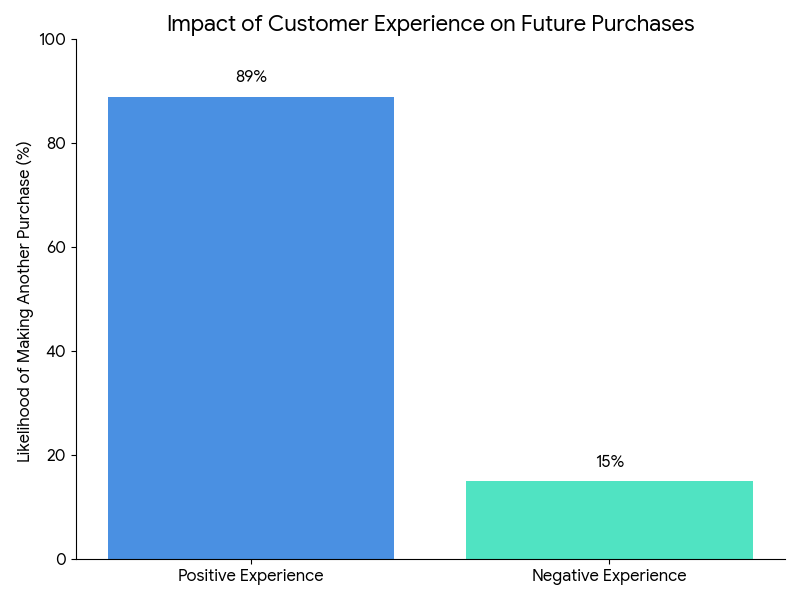
Quick verdict: Intercom is the most polished all-in-one support, messaging and AI platform we’ve looked at—and one of the priciest. If you’re a funded SaaS or e-commerce team that will actually use the automation, it earns its keep. If you’re a small team on a budget, the usage-based bills will scare you off.
- Best for: growing SaaS and e-commerce teams that want support, onboarding and AI deflection in one tool—and can budget for it.
- Not ideal for: startups, solo founders, or anyone on a tight budget who mainly needs simple live chat and a ticket queue.
Intercom Overview

Intercom is an AI-first customer communication platform used by growing businesses to run support, sales and onboarding from one shared inbox. Founded in 2011 by Eoghan McCabe, Des Traynor, Ciaran Lee and David Barrett, it started as a simple messaging widget and has grown into a full suite that now leans heavily on AI—its Fin AI Agent and Copilot are the headline features today.
Here’s the short version: it does a lot, it does most of it well, and you pay for that breadth. The table below is the quick reference; we get into where it actually shines—and where the cost bites—further down.
| Product Name | Intercom |
| Official Website | https://intercom.com |
| Category | Customer Communication & Support Platform |
| Unique Selling Points | AI-first support, Fin AI Agent, omnichannel messaging, custom bots |
| Key Integrations | Salesforce, HubSpot, Slack, Jira, Stripe, Zapier, Google Analytics |
| Best For | Growing SaaS companies, e-commerce, enterprise support teams |
| Starting Price | $29/month per seat (Essential plan, annual billing) |
| Add-ons | Fin AI Agent ($0.99/resolution), Copilot ($35/seat/mo), Proactive Support ($99/mo) |
| Free Trial / Refunds | 14-day free trial, no credit card · no money-back guarantee |
| Mobile App / API | iOS & Android apps · full developer API |
| Alternatives | Zendesk, Freshdesk, Help Scout, HubSpot, Drift |
Intercom Features
Intercom bundles AI automation, live chat, ticketing and proactive messaging into one platform. Here are the features that actually matter when you’re deciding.
Fin AI Agent
Fin is Intercom’s AI support agent, and it’s the reason most teams look here first. It reads your help articles and past conversations to answer common questions instantly, 24/7, and escalates anything tricky to a human. You pay $0.99 per resolution—only when Fin actually solves something. That sounds fair until volume climbs; more on that in pricing.
Copilot (AI for Agents)
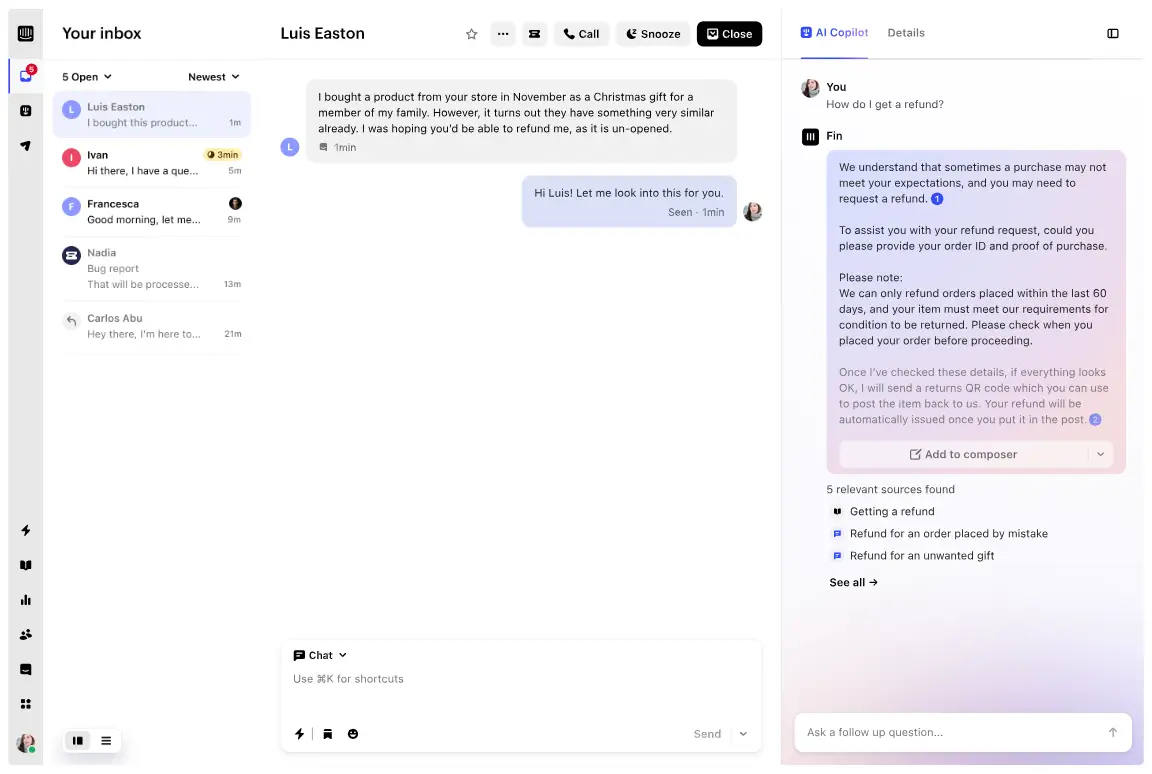
Copilot sits beside your agents, suggesting replies and surfacing the right help content mid-chat so they resolve tickets faster. It’s $35/seat/month on top of your plan—useful for busy teams, an easy skip for small ones.
Shared Inbox & Team Collaboration
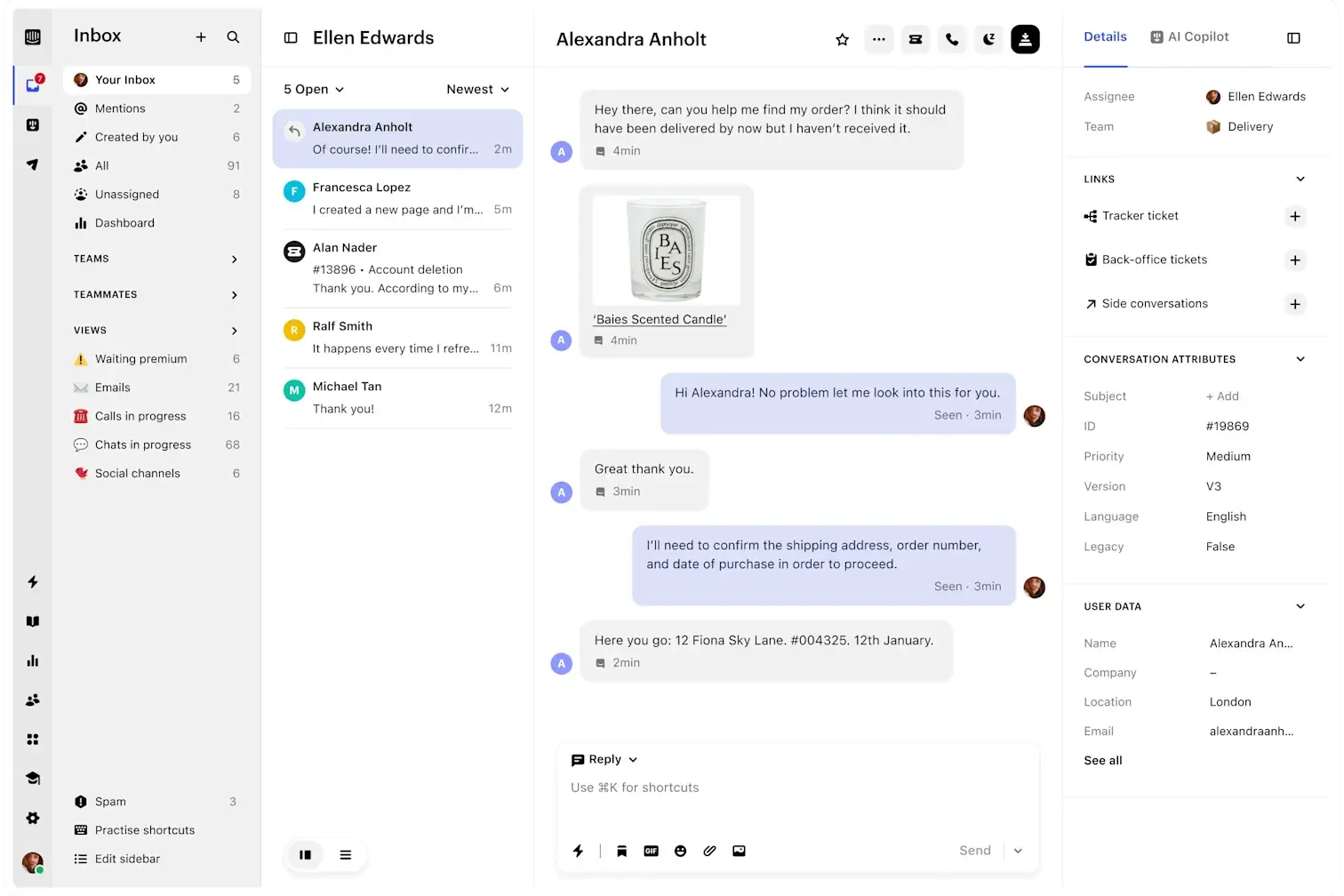
Email, live chat and social conversations land in one inbox where agents assign tickets, leave internal notes and collaborate in real time. SLA tracking, CSAT and workload reports keep the team honest. This is the part Intercom nails—it genuinely feels like one conversation, not a pile of tickets.
Custom Chatbots & Workflows
Build no-code chatbots that qualify leads, answer instantly and route conversations by rules you set. Pair them with workflow automation—auto-assign, tag, trigger follow-ups on user behavior—and you cut a lot of repetitive manual work.
Help Center & Knowledge Base
Spin up a branded, multilingual, SEO-friendly help center that plugs straight into chat and suggests articles in real time. It’s also what feeds Fin, so a well-built knowledge base makes your AI noticeably smarter.
Product Tours
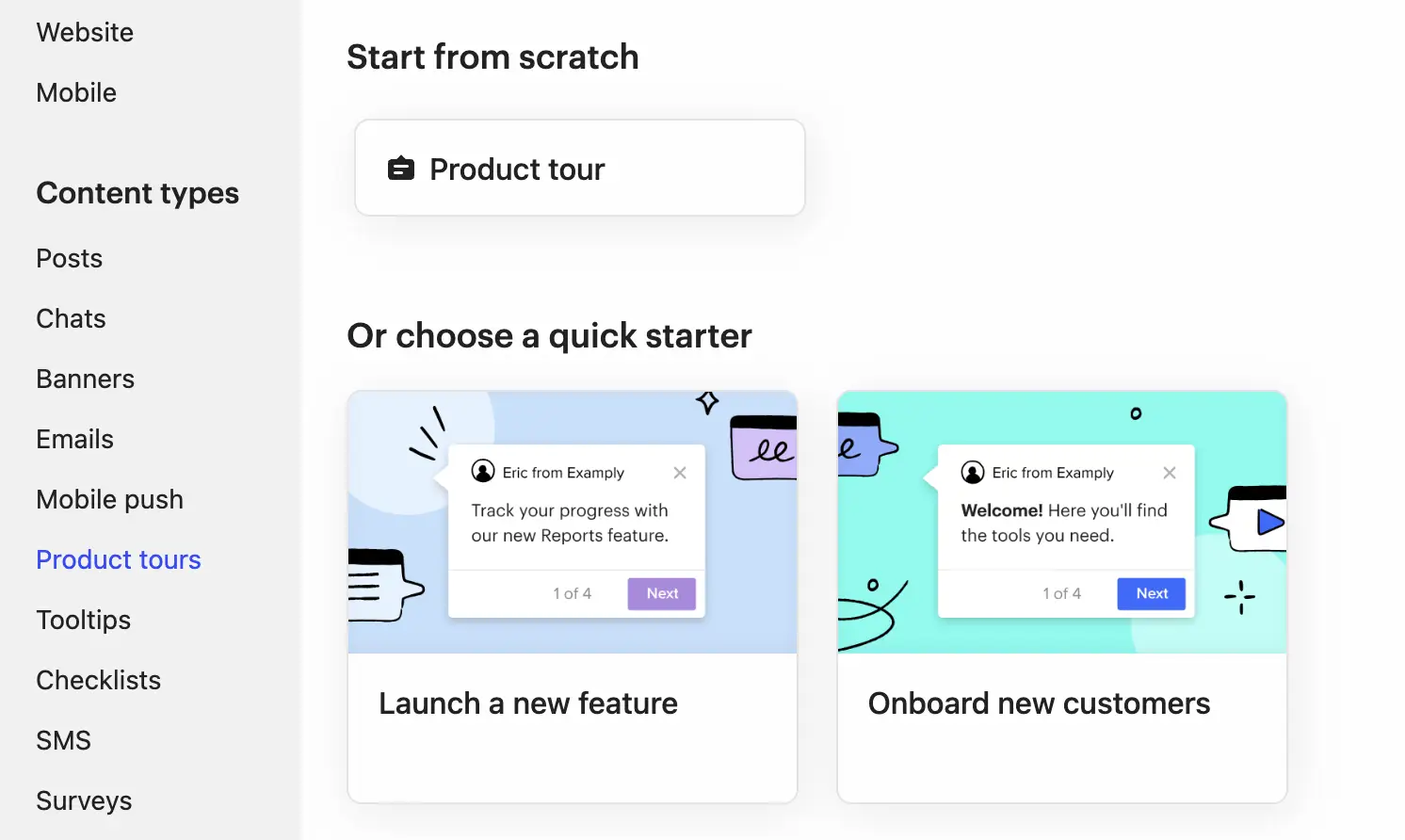
Interactive in-app walkthroughs guide new users through features step by step, triggered by behavior. For product-led SaaS teams, this onboarding layer is a real differentiator over plain support tools.
Omnichannel Messaging
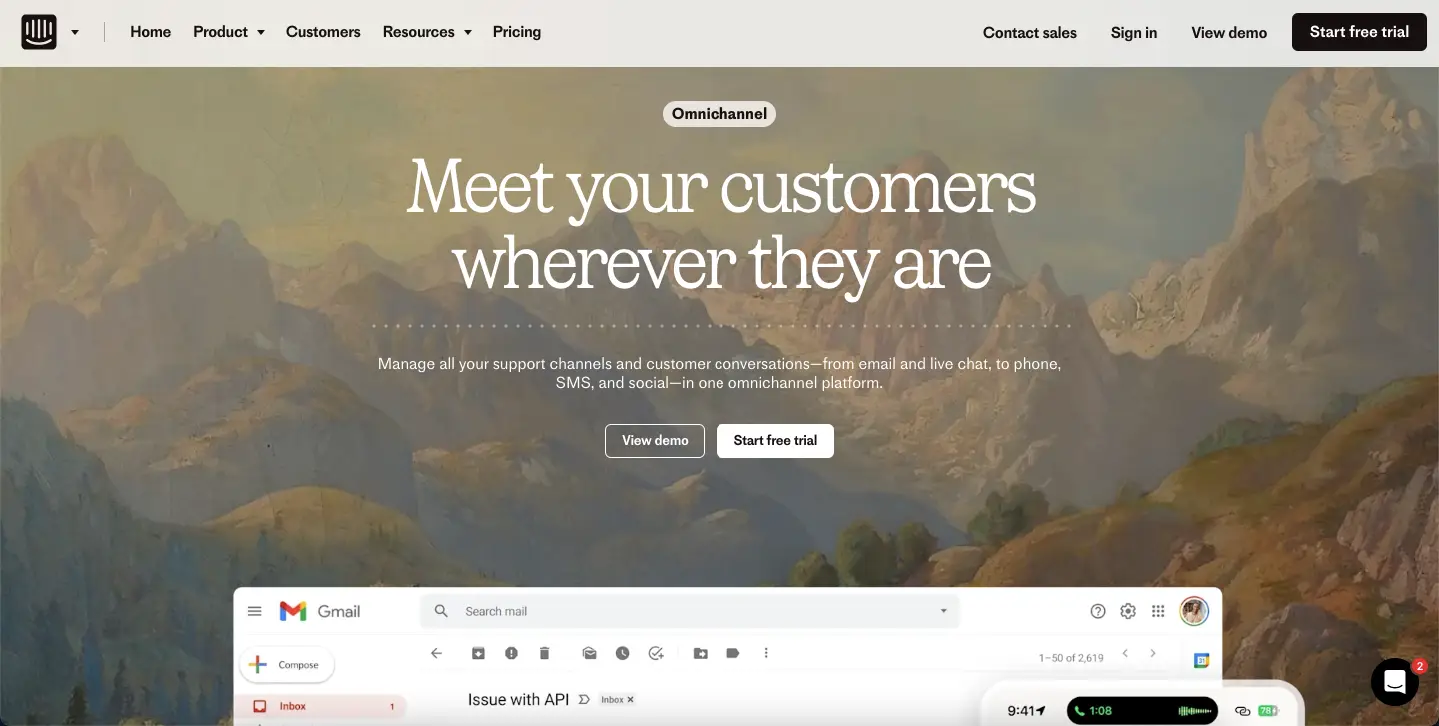
Email, in-app chat, mobile push, SMS and WhatsApp all flow into a single conversation view, so context never gets lost when a customer jumps channels.
Reporting & Analytics
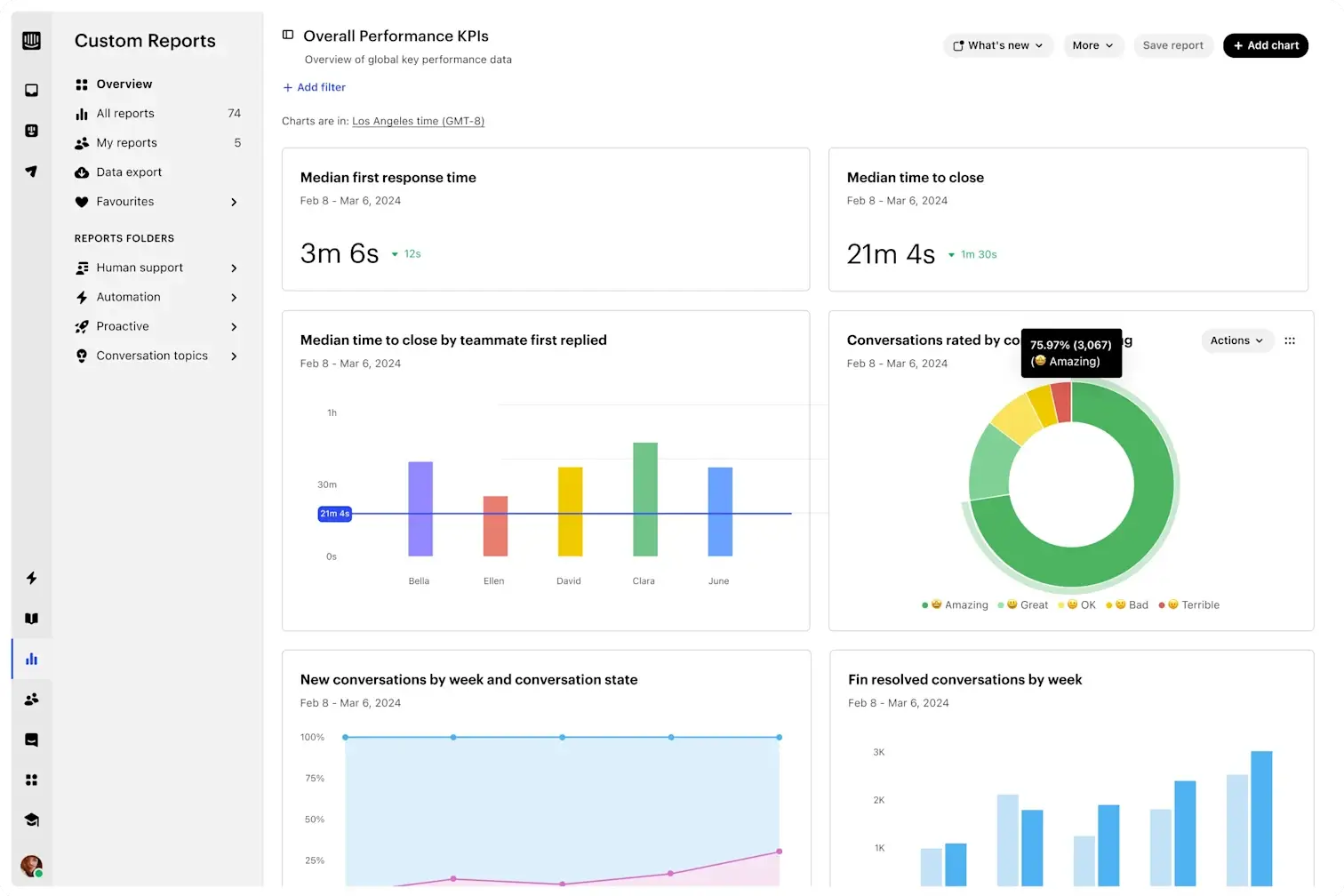
Dashboards track conversation volume, response and resolution times, team productivity and CSAT, with exportable reports. It’s solid for day-to-day monitoring, though power users often want deeper custom reporting than the built-in tools offer.
450+ Integrations
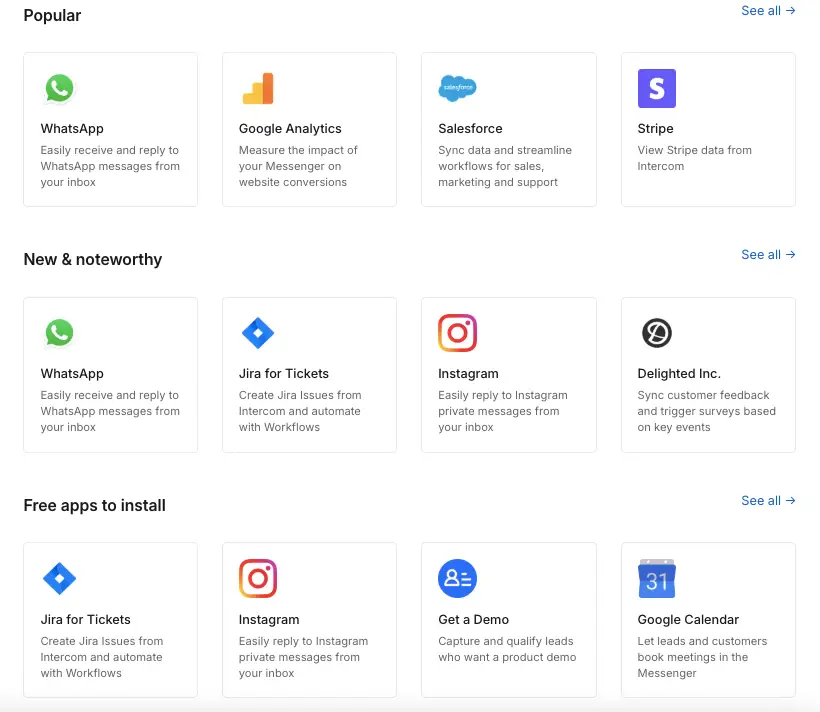
The App Store connects Intercom to 450+ tools—Salesforce, HubSpot, Stripe, Jira, Slack, Zapier and more—so customer data syncs across your stack. If you live in one of those tools, the integration is usually first-class.
Security & Mobile Support
Enterprise-grade security covers SSO, two-factor auth, role-based access, audit logs and GDPR/SOC 2, with HIPAA on the Expert plan. On mobile, iOS and Android SDKs embed the Messenger into your app, though some developers find the mobile SDKs less mature than the web experience.
How to Use Intercom
Setup is refreshingly quick—you can be live in an afternoon. Here’s the short version of getting up and running.
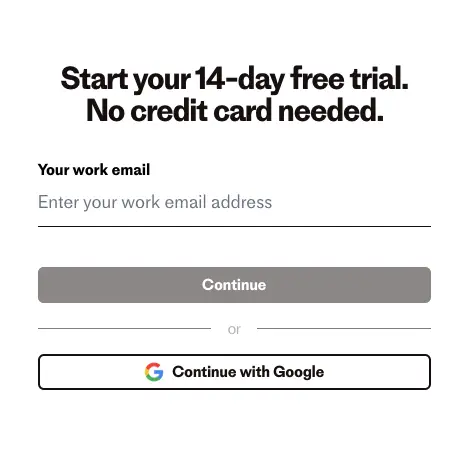
- Sign up & install the Messenger. Start the 14-day trial (no card needed), then drop the JavaScript snippet on your site—or use the WordPress, Shopify, iOS or Android integrations.
- Add your team & the shared inbox. Invite agents, set roles, and configure inbox rules that route conversations to the right people automatically.
- Build bots & train Fin. Use the no-code builder to route leads and handle FAQs, then connect your help center and past chats so Fin can resolve queries on its own.
- Launch tours & proactive messages. Onboard users with Product Tours and trigger targeted messages on actions like inactivity or an ending trial.
- Connect your stack & lock down access. Wire up your CRM, billing and productivity tools, then enable SSO and permissions—plus HIPAA on the Expert plan if you need it.
- Watch the reports. Track response time, resolution time and CSAT, and—this one matters—keep an eye on Fin usage so your bill doesn’t surprise you.
Intercom Pricing
This is where you need to pay attention. Intercom runs three seat-based core plans, and then layers usage-based AI add-ons on top—which is exactly where surprise bills come from. Prices below are per full seat on annual billing; verify the latest on Intercom’s official pricing page.
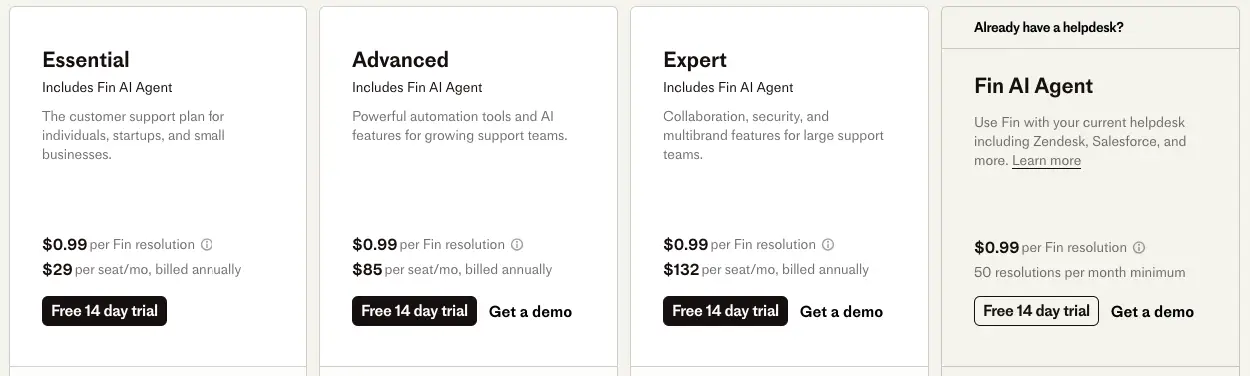
| Plan | Per Full Seat/Month | Lite Seats | Key Features |
|---|---|---|---|
| Essential | $29 | 0 | Inbox, Messenger, help center, basic reporting |
| Advanced | $85 | 20 | Automated workflows, multilingual support, advanced inbox rules |
| Expert | $132 | 50 | SLA rules, HIPAA, SSO, advanced reporting & analytics |
Then the add-ons, billed on top of your seats:
| Add-On | Price | Notes |
|---|---|---|
| Fin AI Agent | $0.99 / resolution | Charged per resolved query; scales with your ticket volume |
| Copilot | $35 / seat / month | AI assistant for agents |
| Proactive Support Plus | $99 / month | 500 proactive messages; extras billed separately |
Warning — watch the bill. That $29 headline is misleading. A real setup—a few seats, Fin resolving hundreds of tickets a month, maybe Copilot and Proactive Support—climbs into the hundreds or thousands fast. The per-resolution Fin fee is great when volume is low and brutal when it isn’t. Model your actual ticket volume before you commit, and set usage alerts.
- Small teams & startups: start on Essential and add Fin only if the ticket math works out.
- Growing teams: Advanced unlocks automation, multilingual support and 20 Lite seats.
- Enterprise & regulated industries: Expert adds HIPAA, SSO, deep analytics and 50 Lite seats.
Intercom Alternatives
Intercom isn’t right for every team—if the pricing scares you or you need something simpler, these are the alternatives worth a look.
| Tool | Best For | Starting Price | Free Plan | AI Features |
|---|---|---|---|---|
| Zendesk | Enterprise support teams | $55/agent/mo | ❌ | AI ticket routing |
| Freshdesk | SMBs and startups | $15/agent/mo | ✅ | Freddy AI |
| Help Scout | Simplicity & affordability | $20/user/mo | ❌ | AI Assist |
| Drift | B2B sales-focused teams | Custom | ❌ | AI chatbots |
| HubSpot | All-in-one CRM & marketing | $50/mo (Service Hub) | ✅ | ChatSpot AI |
| LiveChat | Real-time website chat | $20/seat/mo | ❌ | ChatBot add-on |
- Pick Freshdesk for budget-friendly support with strong automation.
- Pick Help Scout if you want a clean, human-first inbox without the complexity.
- Pick Zendesk for enterprise-grade ticketing infrastructure.
- Pick HubSpot if you want CRM, support and marketing under one roof.
Who Should Use Intercom
Intercom is more than live chat—it’s where support, onboarding and sales messaging meet. It’s a strong fit if you land in one of these camps:
- SaaS teams onboarding users: Product Tours plus in-app messaging shorten time-to-value and cut early churn.
- Support teams drowning in repeat tickets: Fin and custom bots deflect FAQs, password resets and returns so agents handle the hard stuff.
- E-commerce & sales: real-time chat and lead-qualifying bots catch buyers at the decision moment and route hot leads fast.
- Teams re-engaging users: proactive messages win back inactive customers and drive feature adoption.
- Regulated & global businesses: the HIPAA-ready Expert plan and multilingual help center suit healthcare, finance and international teams.
Intercom Pros and Cons
Here’s the honest balance, pulling from Intercom’s own strengths and the recurring gripes users raise across review sites.
What People Love
- One platform for everything—chat, bots, help desk and onboarding in a single, well-designed inbox.
- Genuinely easy to use. The interface is clean and you don’t need a technical background to get productive.
- Strong AI. Fin is among the better support bots out there when your help content is solid.
Common Complaints
- Expensive and unpredictable. The usage-based model is the number-one gripe—bills jump as volume grows and are hard to forecast.
- Overkill for small teams. The depth of features means a real learning curve you may not need.
- Reporting has limits. Built-in analytics can feel shallow if you want deep custom reports.
- Mobile SDKs lag. Some developers find the mobile and node SDKs less capable than the web experience.
Frequently Asked Questions
What is Intercom used for?
Intercom is an AI-powered customer communication platform used by businesses to manage support, sales, and engagement through live chat, email, and automated messaging. It brings every conversation into one shared inbox, automates common questions with bots, and helps teams onboard and re-engage users at scale.
Does Intercom offer a free trial?
Yes, Intercom offers a 14-day free trial with access to core features, including the Messenger, inbox, bots, and analytics. No credit card is required to start, so you can test it before paying.
Is Intercom good for small businesses?
It can be, but with caveats. The Essential plan starts at $29 per seat per month, which is approachable, but the AI add-ons are usage-based and add up quickly. Small teams that mainly need simple live chat often find lighter tools like Help Scout or Freshdesk more cost-effective.
How does Intercom’s Fin AI Agent work?
Fin is an AI chatbot that answers customer queries automatically by pulling from your help center and past conversations, then escalates anything complex to a human. It costs $0.99 per resolution, so you only pay when it actually solves a query, though that cost scales with your ticket volume.
Why is Intercom considered expensive?
Intercom charges per seat and then layers usage-based add-ons on top, like Fin at $0.99 per resolution and Copilot at $35 per seat. The low $29 starting price rarely reflects a real setup, and bills can climb into the hundreds or thousands as ticket volume grows, which is the most common complaint from users.
Does Intercom offer a money-back guarantee?
No, Intercom does not offer refunds. The 14-day free trial is your window to test the platform thoroughly before committing to a paid subscription.
Can Intercom integrate with other tools?
Yes, Intercom supports over 450 integrations, including Salesforce, HubSpot, Slack, Stripe, Jira, Google Analytics, and Zapier, so you can sync data and automate workflows across your existing tech stack.
Final Verdict
Intercom is the most complete customer communication platform we’ve looked at, and it earns its 8.4. The shared inbox, Fin AI and onboarding tools are genuinely excellent—the catch is the price, and it’s a big one. That $29 starting figure is a mirage; a real setup with AI add-ons runs far higher, and the usage-based billing can catch you off guard.
So, who should buy it? If you’re a funded SaaS or e-commerce team that will actually use the AI and automation to deflect tickets and onboard users, Intercom pays for itself. If you’re a startup or small team that mainly needs live chat and a tidy ticket queue, start with Freshdesk or Help Scout—you’ll get 80% of the value at a fraction of the cost. Whatever you choose, run the 14-day trial, model your real ticket volume against Fin’s per-resolution fee, and set usage alerts before you commit. That one step will save you from an ugly surprise on your first invoice.
The Review
Intercom
Intercom is cutting-edge customer service software that transforms how companies assist their clients. The platform uses robust messaging and automation to link companies with customers directly. It provides teams the ability to grow assistance without using more resources, which makes customers happier and support teams more effectively.
PROS
- Best-in-class messenger and help desk
- Fin AI genuinely deflects repetitive tickets
- Deep integration ecosystem
- Strong reporting and workflow automation
- Scales with serious support teams
CONS
- Expensive, and the bill grows fast
- Usage-based pricing makes costs hard to predict
- Per-resolution AI fees add up on top of seats
- Overkill for small teams or simple support needs




