

You’ve already written the docs. They’re sitting in Notion, neatly organised, and nobody outside your team can read them. Copying all of it into a separate docs platform feels like a punishment for being organised in the first place.
Notaku’s pitch is that you shouldn’t have to. Point it at your Notion workspace and it publishes a searchable help center, blog or changelog on your own domain. This Notaku review 2026 covers what it genuinely does well, where it frustrates people, and who should skip it.
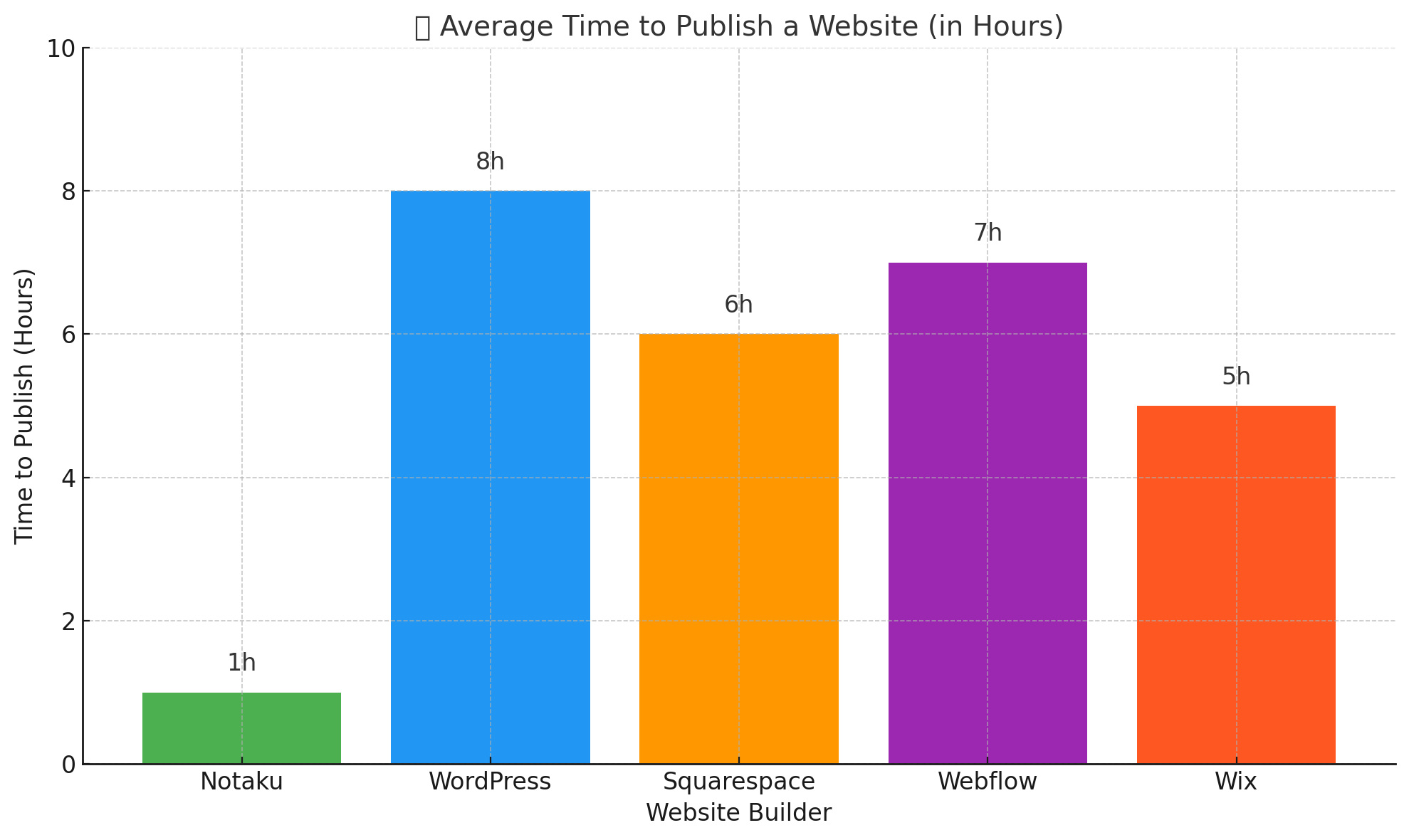
Notaku Review 2026: The Quick Verdict
Notaku is worth paying for if Notion is already where your team writes and you want a public docs site live this week rather than next quarter. Setup is genuinely fast, the search works, and updating an article needs no deploy step.
It is the wrong call if you need pixel-level design control, if you are publishing hundreds of pages where load time is part of your SEO plan, or if you want to stop depending on Notion. Every site you publish stays tied to a Notion workspace and its own subscription.
- Best for: indie hackers, small SaaS teams and technical writers who live in Notion and need docs, a changelog or a help center without hiring a developer.
- Not ideal for: teams needing versioned API references, heavy custom design, multi-language docs, or anyone running five or more separate public sites on a tight budget.
How we evaluated Notaku
This review is based on hands-on use of Notaku’s free tier, a walk through of live Notaku-built sites, and its official documentation and pricing page, cross-checked against what users report in Notion and indie-maker communities. We did not run a paid Business Plus deployment, so version history, subdirectory hosting and multi-seat permissions are assessed from documentation rather than daily use. Plans and page limits change, so verify pricing on Notaku’s own site before you buy.
Notaku Overview
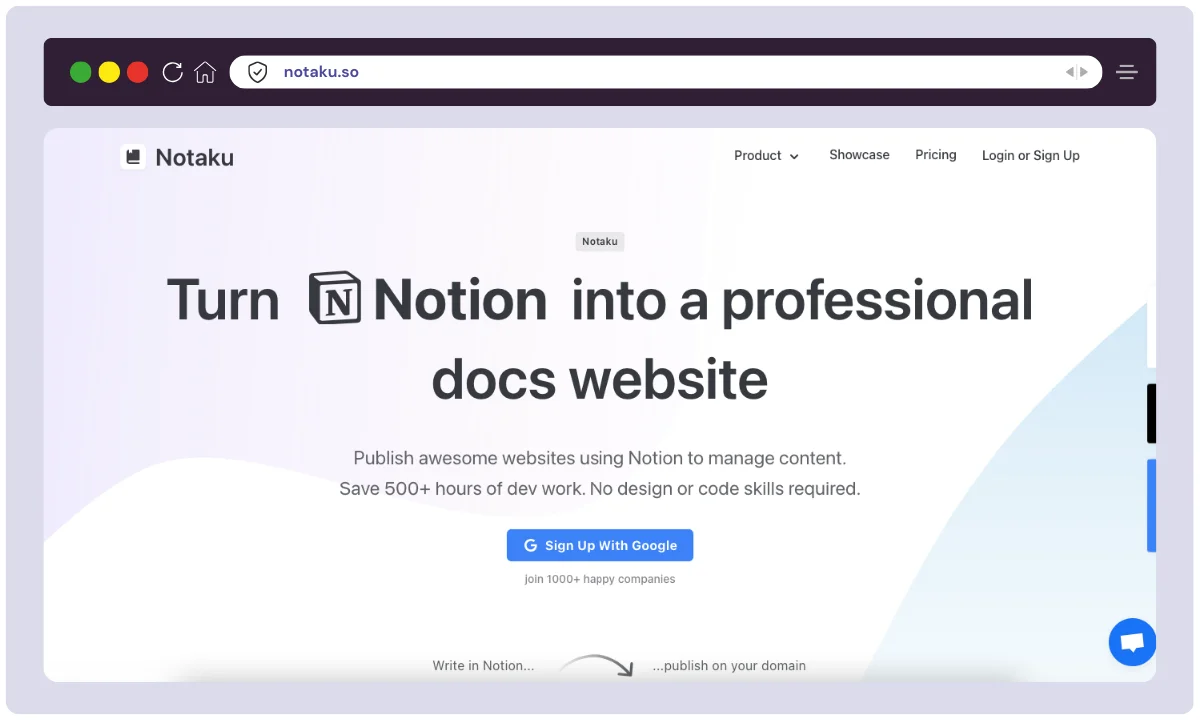
Notaku is a no-code documentation and blog site builder for people who already write in Notion. It launched in 2022 with one goal: turn Notion pages into public, SEO-friendly websites without a developer in the loop.
It targets a real annoyance. Most small teams already keep their product knowledge in Notion, but Notion’s own public sharing gives you an awkward URL, no custom domain, thin SEO control and no real site navigation. Notaku sits on top of that same content and renders it as a proper site with a sidebar, full-text search and your own branding.
Docs, blogs, changelogs and help centers all come from a single Notion workspace. Here is the product at a glance:
| Product Name | Notaku |
| Official Website | https://www.notaku.so |
| Developer | Notaku |
| USPs | Notion-based publishing, SEO optimized, no-code, fast page load |
| Category | Website Builder / Documentation Tool / Blog Publisher |
| Integrations | Notion, Google Analytics, Disqus, Custom Domains |
| Best for | Indie hackers, startups, SaaS teams, technical writers |
| Support Options | Email support, Live chat, Twitter DM |
| Documentation | Extensive guides, help center, and quick-start tutorials |
| Starting Price | Free tier available; paid plans billed per site (check current pricing) |
| Alternatives | Super, Potion, Goblin, CopyDocs, HelpKit |
| Affiliate Program | ✅ Yes |
| Affiliate Commission | Recurring commission — see the official program page for current terms |
| Money-back Guarantee | Refund policy applies — confirm current terms before buying |
| Launched In | 2022 |
| Content Types Supported | Docs, Blogs, Changelogs, Help Center |
Notaku Features
Notaku is deliberately narrow. It does not try to be a general website builder; it tries to be the fastest route from a Notion page tree to a documentation site people can actually search. Here is what that gets you.
Notion as a Headless CMS
The core of Notaku is its direct integration with Notion. You can manage all your content—be it help articles, blog posts, or feature updates—directly from your Notion databases and pages. Any changes made in Notion are automatically synced and updated on your live Notaku site, eliminating the need for manual content transfer.
Custom Domains
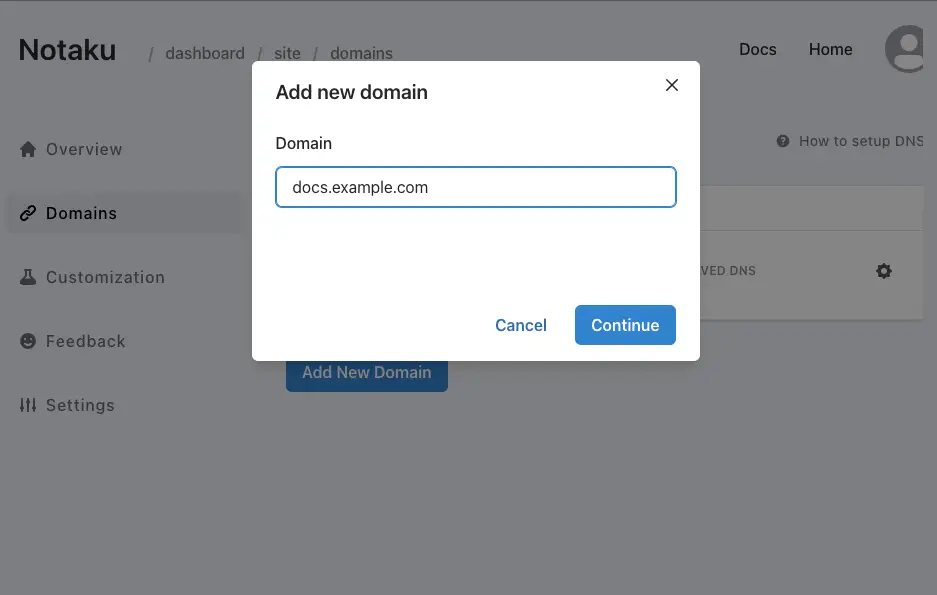
Enhance your brand’s professionalism by connecting your own domain or subdomain (e.g., help.yourcompany.com). This essential feature ensures a consistent brand experience for your users.
Themes and Customization
Themes are clean, modern and responsive out of the box, and you can change colours, logo, favicon and fonts to match your brand. Higher plans add custom CSS. Layout itself is fixed, which is the trade-off covered further down.
Fast & Powerful Search
Search is instant and site-wide, which is the single feature that decides whether a knowledge base actually deflects support tickets or just looks tidy. Notaku indexes every synced page automatically.
Password Protection, Live Chat and Analytics
Three small features that matter more than they sound. A site password turns any Notaku site into a private wiki or a client-only guide. Intercom, Crisp and Tawk.to widgets embed directly, so a stuck reader can ask a human. A Google Analytics connection shows which articles get read and which get abandoned.
Performance and SEO
Notaku sites are optimized for speed and search engine visibility. They generate static pages that load quickly, which is a significant factor for both user experience and SEO rankings.
What You Can Build With Notaku
Documentation sites
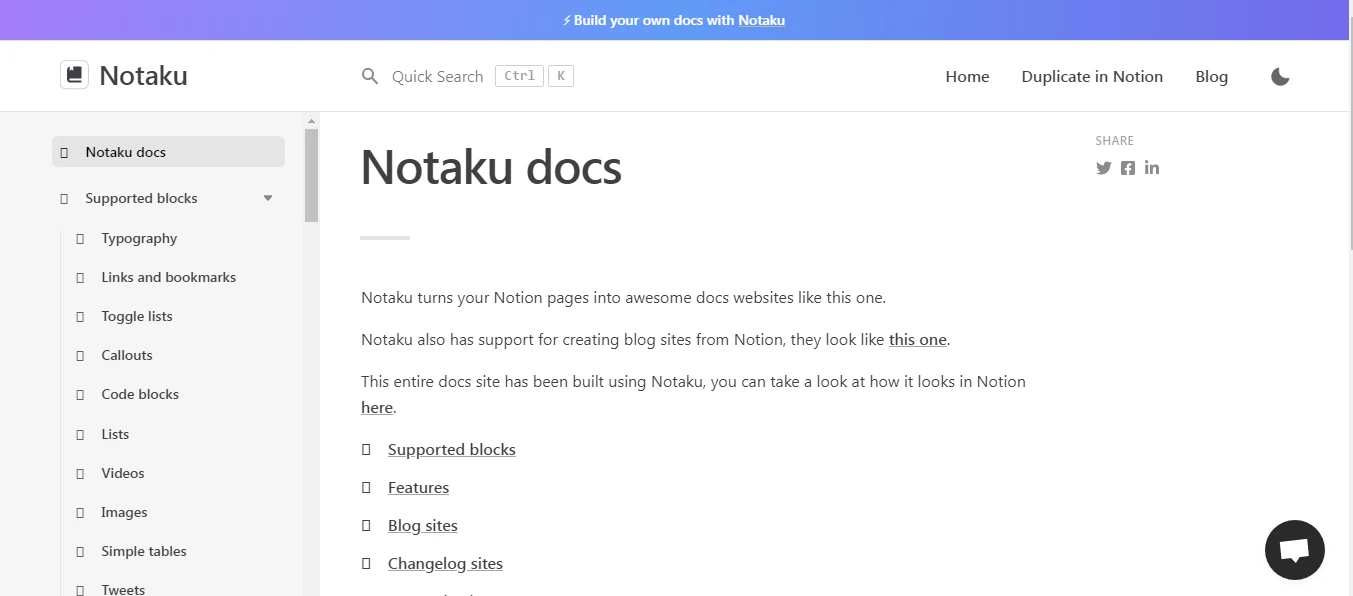
Point Notaku at a Notion page tree and it builds the sidebar and table of contents for you, so nested pages become real navigation instead of a wall of links. Every page is indexed for search, and per-page feedback buttons show which articles help and which quietly generate support tickets.
Blogs
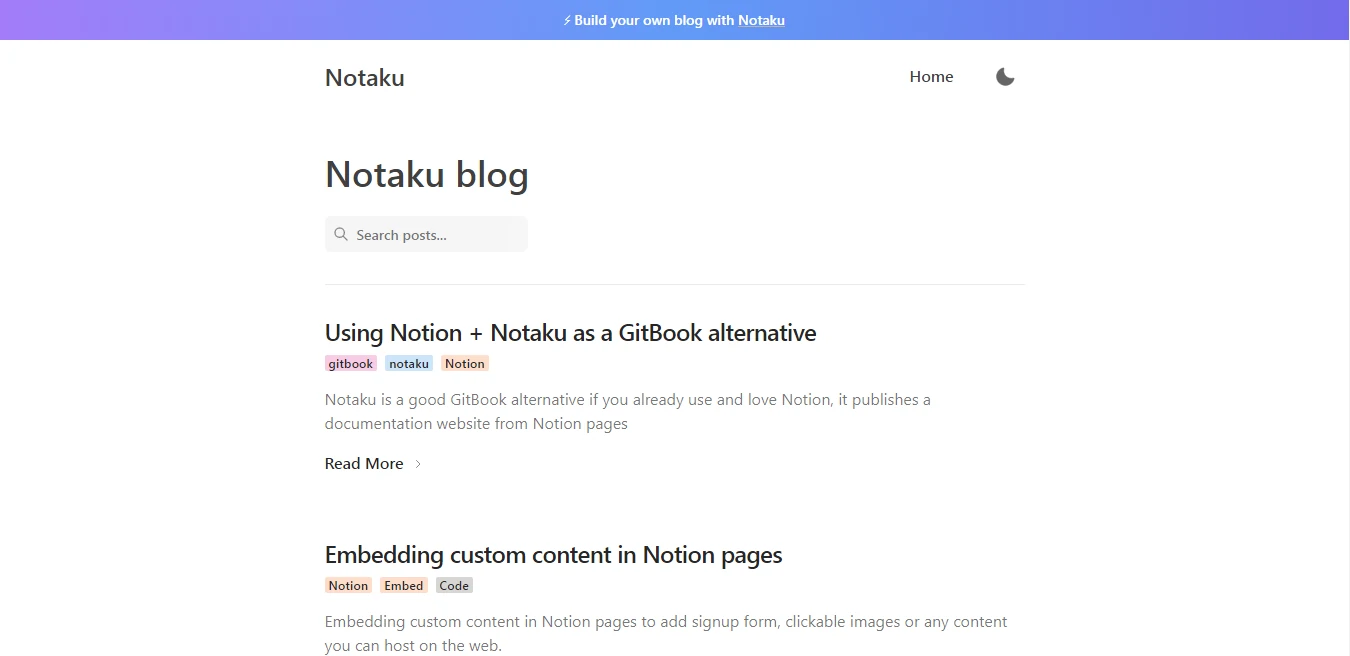
Notaku reads a Notion database as your post list, so drafting and publishing happen inside Notion. Posts land on your own domain rather than a notion.site URL, which matters if the blog feeds organic traffic to a product. What you give up is the plugin ecosystem of a real CMS: no email capture, no comments, no schema control.
Changelogs and help centers
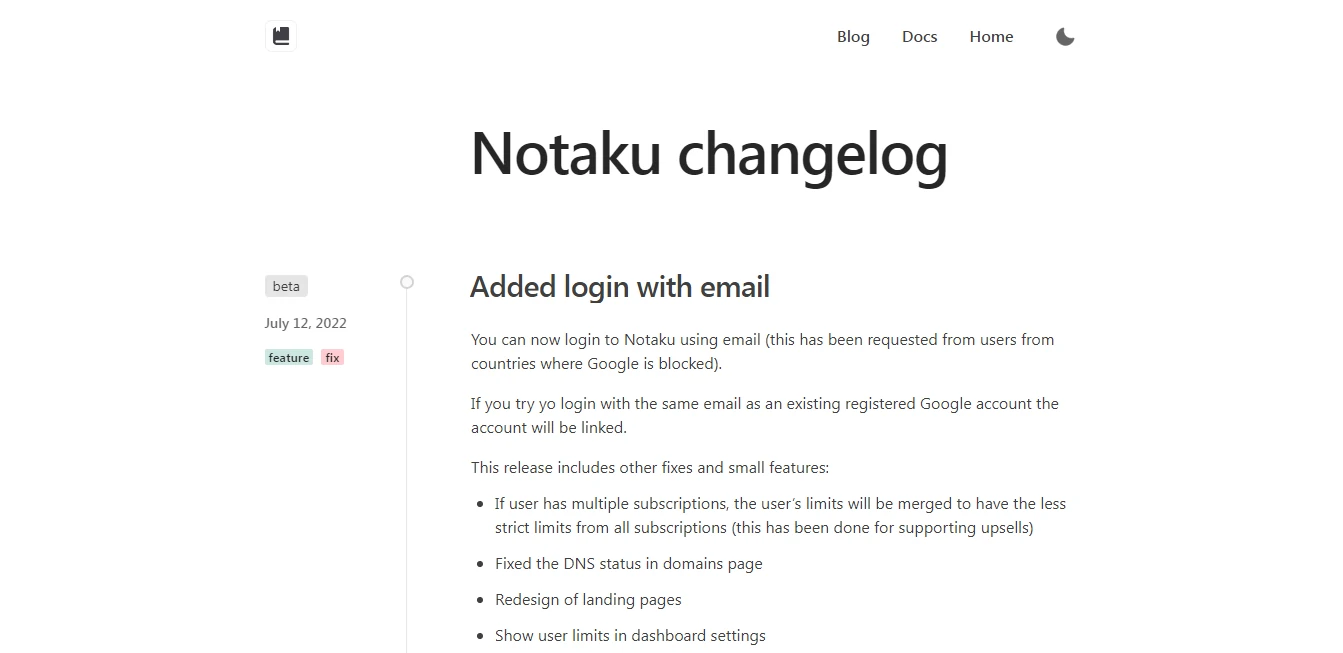
A changelog is the lowest-effort win here. Add a row to a Notion database when you ship and the public updates page refreshes itself, no deploy required. The same mechanism powers a help center: categorised articles, instant search and an optional live chat widget, maintained by whoever is closest to the customer.
Notaku also ships a free Notion icon generator for tidying up workspace page icons. It is a pleasant extra rather than a reason to subscribe.
Notaku Pricing
Notaku prices by how much you publish, not by how many people read it. The tiers below reflect what was listed at the time of writing. Pricing on tools like this moves, so treat the table as a guide and check the current pricing page before you commit.
One detail is worth reading twice: plans are charged per site. A docs site and a separate blog on their own domains are two subscriptions, not one. Budget for the full set of sites you intend to publish, not just the first.
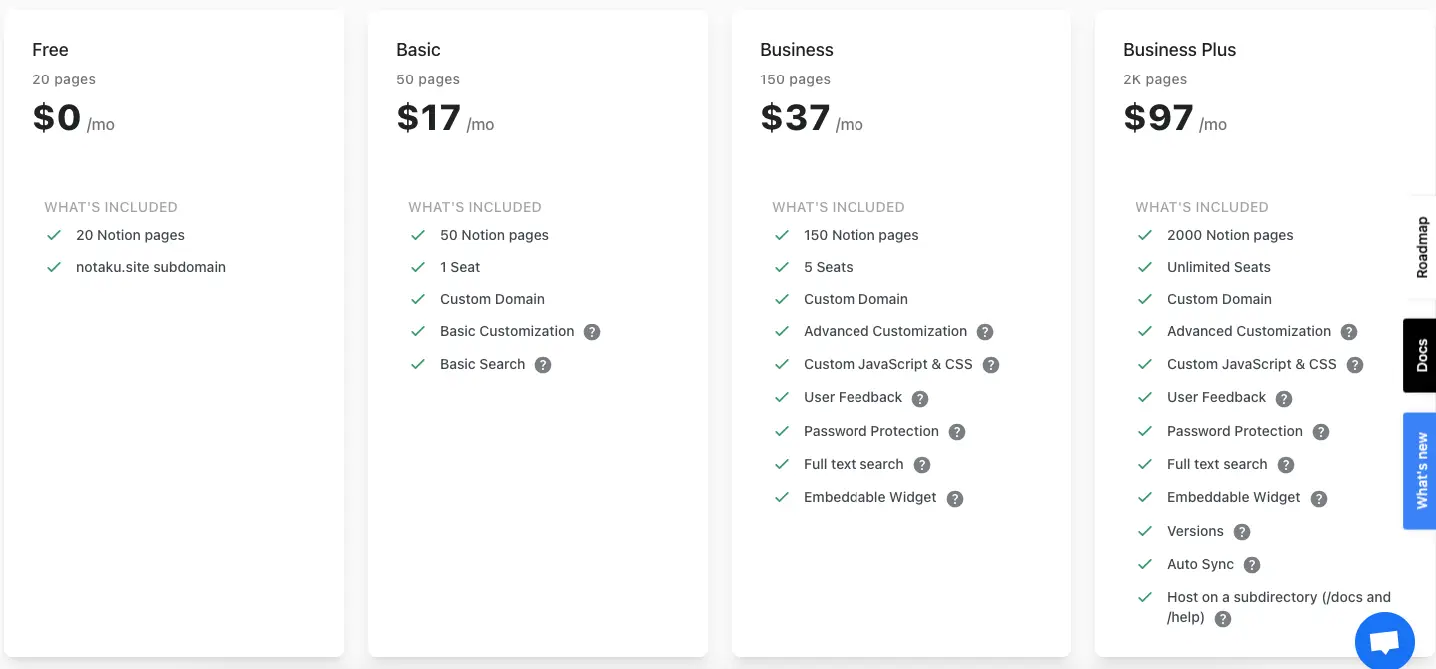
| Plan | Price / Month | Included Notion Pages | Included Seats | Key Features |
|---|---|---|---|---|
| Free | $0 | Up to 20 pages | Unlimited | Notaku subdomain, basic setup |
| Basic | $17 | Up to 50 pages | 1 user | Custom domain, basic customization, search |
| Business | $37 | Up to 150 pages | 5 users | Domain, advanced custom CSS/JS, user feedback, password protection, full-text search, embeddable widgets |
| Business Plus | $97 | Up to 2,000 pages | Unlimited | All Business features plus version history, auto-sync, subdirectory hosting (/docs or /help) |
Which Plan Suits You Best?
- Free for testing whether your Notion formatting survives the conversion.
- Basic for a solo creator who needs one site on a custom domain.
- Business for a small team wanting custom CSS, feedback collection and password protection.
- Business Plus for large docs sets needing version history and subdirectory hosting such as /docs.
Notaku Alternatives
Notaku is not the only way to publish Notion as a website, nor always the right one. Here is how the main alternatives compare.
| Feature / Tool | Super | Potion | HelpKit | Feather | Fruition |
|---|---|---|---|---|---|
| Base Platform | Notion | Notion | Notion | Notion | Notion |
| Use Cases | Websites, Blogs | Websites, Blogs | Help Centers | Blogs, Docs, Landing Pages | Docs (via Cloudflare) |
| Custom Domain | ✅ Yes | ✅ Yes | ✅ Yes | ✅ Yes | ✅ With setup |
| SEO Tools | Basic | Moderate | Strong | Moderate | ❌ Manual setup required |
| Templates | Limited | A few | Help center-focused | Modern, clean | Basic |
| Design Control | Advanced (via code/CSS) | Basic tweaks | Limited | Customizable themes | Very limited |
| Site Export | ❌ No | ❌ No | ❌ No | ❌ No | ❌ No |
| Analytics Support | ✅ | ✅ | ✅ | ✅ | ❌ Manual |
| Pricing | From $12/month | From $6/month | From $29/month | Free & Paid Tiers | Free (manual setup) |
| Free Plan | ❌ No | ✅ Yes | ❌ No | ✅ Yes | ✅ Yes |
| Best For | Custom websites with design control | Indie devs, personal sites | SaaS product support pages | Blogs and landing pages | Hobbyists / Tech users |
- Choose Notaku if you want a feature-rich, SEO-optimized documentation or blog site directly from Notion without code.
- Choose Super if you need more design flexibility and want to build full-fledged websites.
- Choose HelpKit if you are focused purely on a professional help center and do not mind the higher price.
Where Notaku Falls Short
Every Notion-to-site tool trades control for speed. These are the trade-offs worth knowing first.
You are locked into Notion as the backend
Notaku has no editor of its own. Your content lives in Notion and only in Notion, which is fine right up until it is not. If Notion has an outage, your publishing workflow stops. If Notion changes how a block renders, your live site changes with it. And if you ever want to move off Notaku, you are exporting from Notion and rebuilding the site structure by hand, because there is no clean migration path into a native docs platform.
Design control stops where the theme stops
You get colours, logo, favicon and fonts, plus custom CSS on the higher plans. What you do not get is layout control. If your brand needs a specific docs layout, a custom landing page or components Notion cannot express, you will be fighting the tool rather than using it. Notaku sites look like Notaku sites, and CSS only papers over so much of that.
Pricing is per site, not per account
This one catches people out. A docs site, a blog and a changelog on separate domains are typically separate subscriptions, so the monthly figure you budgeted can double or triple fast. Price the whole set before comparing Notaku with a platform that charges one flat account fee.
Page speed trails a native docs tool
Notaku caches and serves static pages, and for a Notion-backed site it is quick. Measured against a purpose-built documentation platform, though, there is overhead: content still originates from Notion, images are served through Notion storage, and long or image-heavy guides can feel sluggish on mobile. If Core Web Vitals matter for a large docs set, test with your real content before you commit.
Notion formatting is your ceiling
Anything Notion cannot do, your site cannot do. Code tabs, callout variants, complex tables and proper API reference blocks are limited by what Notion supports and what Notaku can map to HTML. Writers arriving from Docusaurus or GitBook usually notice this within the first afternoon.
What Reviewers Report
What comes up positively
Speed of setup dominates: people describe getting docs, a blog and a changelog live in a single working day. Automatic sync is the second theme, since publishing afterwards means writing in Notion and nothing else. Small SaaS teams often add that non-technical colleagues can update the help center without filing a ticket.
What comes up as a complaint
Design flexibility is the most common grumble, usually phrased as wanting more templates or more layout control. Reliance on Notion structure is second: formatting quirks inside Notion surface on the live site, and fixing them means restructuring the Notion page. Some users also mention Notaku branding persisting on lower tiers.
What Makes Notaku Stand Out?
Notaku wins by being narrow. Most Notion-to-website tools hand you a blank canvas and let you figure out navigation, search and structure yourself. Notaku assumes you are building documentation and ships the parts that implies: an automatic sidebar, a table of contents, full-text search, per-page feedback and live chat hooks, all working on day one.
That focus is also the honest limit of the product. If you want a marketing site, a store or a bespoke layout, the narrowness that makes Notaku fast becomes the thing you fight. Judge it as a documentation tool that happens to use Notion as its editor, not as a website builder, and the value is easy to see.
Frequently Asked Questions
Is Notaku worth it if I can already share Notion pages for free?
Notion sharing gives you a long URL, no custom domain, no sidebar navigation and very little SEO control. Notaku adds all of that plus site-wide search. If your docs are internal only and branding does not matter, free Notion sharing is enough.
Does Notaku have a free plan?
Yes. The free tier publishes a limited number of Notion pages on a Notaku subdomain, which is enough to test whether your formatting survives the conversion. Custom domains sit on the paid plans, so treat the free tier as a trial rather than a permanent home.
How much does Notaku cost, and is it charged per site?
Paid plans scale by page count and seats, and they are billed per site rather than per account. Docs, a blog and a changelog on separate domains mean separate subscriptions, so add up every site you plan to run and confirm current figures on the official pricing page.
Notaku vs Super: which one should I choose?
Super is the better pick for a full marketing website, because it exposes far more CSS and layout freedom. Notaku is the better pick for documentation, since the sidebar, table of contents, full-text search and feedback buttons are built in rather than bolted on.
Can I cancel Notaku, and what happens to my content?
You can cancel whenever you like, and your writing is unaffected because it never left Notion. What you lose is the published site, the custom domain mapping and the generated navigation, all of which you would rebuild on whatever you move to.
Is Notaku suitable for a complete beginner?
Yes, and this is its strongest argument. Connecting a workspace and picking a template takes minutes, and publishing an article afterwards just means writing in Notion. Custom CSS exists on the higher plans but is entirely optional.
Will a Notaku site rank in Google?
It can. Pages are served statically with meta tags, sitemaps and clean URLs, which covers the technical basics. For a large documentation set, test real page speed with your own content first, because a purpose-built docs platform will usually be faster.
Notaku Review Verdict: Who Should Buy It
If you already run your team on Notion and need docs, a help center or a changelog live quickly, Notaku is a straightforward yes at the Basic or Business tier. If you are a solo maker testing an idea, start on the free tier and only pay once you need a custom domain. If you are a technical writer maintaining versioned API references, multi-language docs or a heavily branded portal, look at a purpose-built platform instead, because you will hit Notion’s ceiling within weeks.
One warning before you buy: pricing is per site, and your entire publishing workflow depends on Notion staying available and stable. Both are acceptable trade-offs for most small teams, but neither should be a surprise three months in.
The sensible next step is to connect one real Notion page tree to the free tier and publish it. Twenty minutes with your own content will tell you more about whether the formatting holds up than any review can, including this one.
The Review
Notaku
Notaku transforms Notion pages into sleek, SEO-friendly websites—perfect for docs, blogs, and changelogs. With one-click sync, custom domains, and responsive templates, it’s a no-code solution built for speed and simplicity. Ideal for creators and SaaS teams wanting polished, live content without the technical hassle.
PROS
- Fastest route from a Notion page tree to a live docs site
- Automatic sync means publishing needs no deploy step
- Genuinely good site-wide full-text search
- Sidebar and table of contents generated automatically
- Non-technical teammates can maintain it unaided
- Free tier lets you test your formatting before paying
CONS
- Fully dependent on Notion as the backend
- Design control stops at the theme; no layout freedom
- Billed per site, so multiple sites multiply the cost
- Page speed trails purpose-built documentation platforms




