

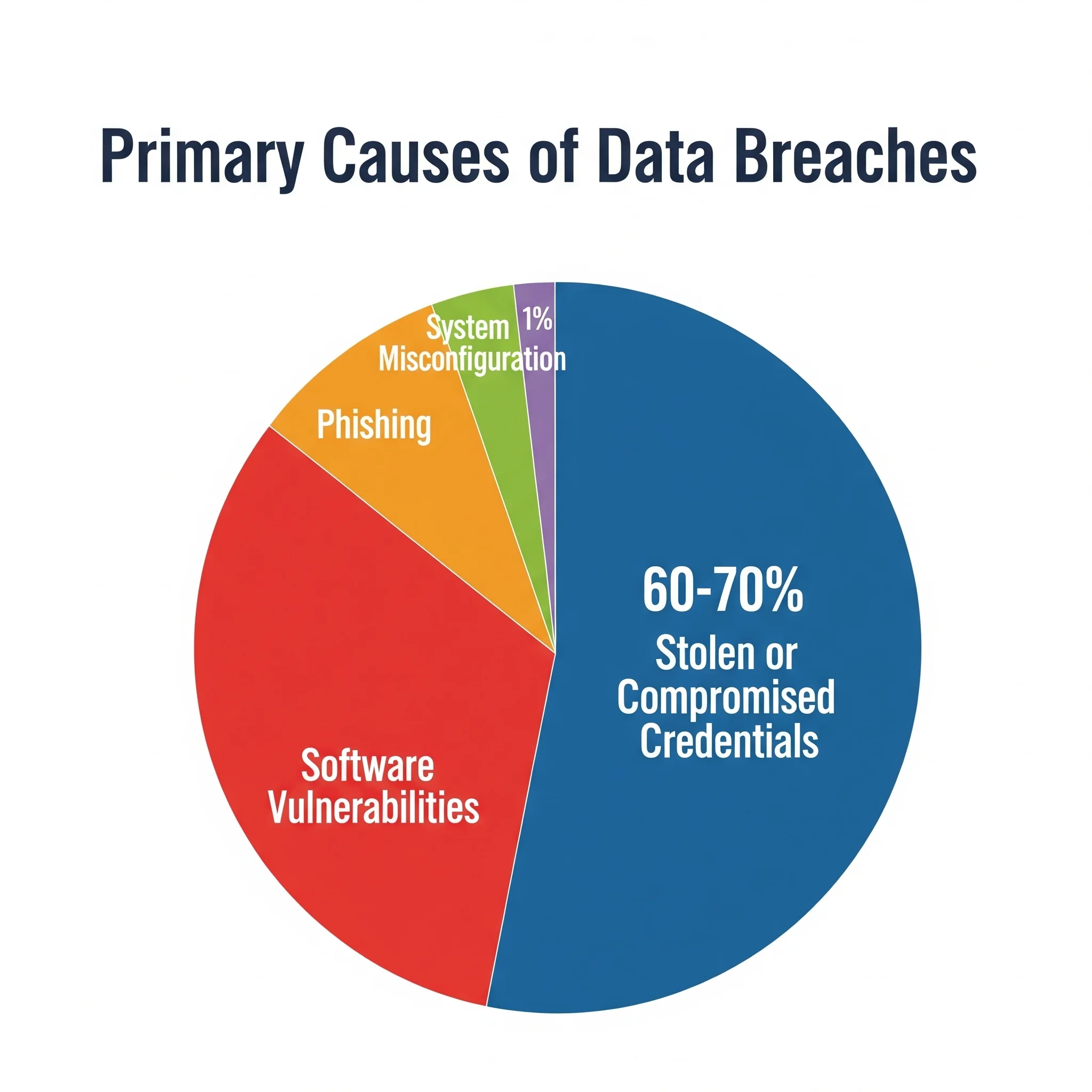
You have dozens of logins and no realistic chance of remembering them. So you reuse one password, or keep a list in your notes app, and hope nobody notices. That’s exactly how accounts get taken over.
Dashlane promises to end that with one vault, one master password and autofill that actually works. This Dashlane review covers what it does well, where it annoys people, and whether it’s worth paying more than rivals charge.
Dashlane Review 2026: The Short Verdict
Verdict: Dashlane is one of the easiest password managers to actually live with, and its autofill is noticeably better than most. You pay for that polish. It costs more than Bitwarden or NordPass, the free plan is capped at a single device, and Dashlane has retired its standalone desktop app in favour of a web-first experience. If a smooth setup matters more to you than the last few dollars, it earns its price. If you just want a cheap vault, it doesn’t.
- Best for: people moving off browser-saved passwords for the first time, households that want one subscription covering everyone, and small teams that need an admin console without hiring a security specialist to run it.
- Not ideal for: budget-first buyers, open-source fans who want a self-hostable vault, and anyone who wants a native desktop app rather than a browser-based one.
Dashlane Overview
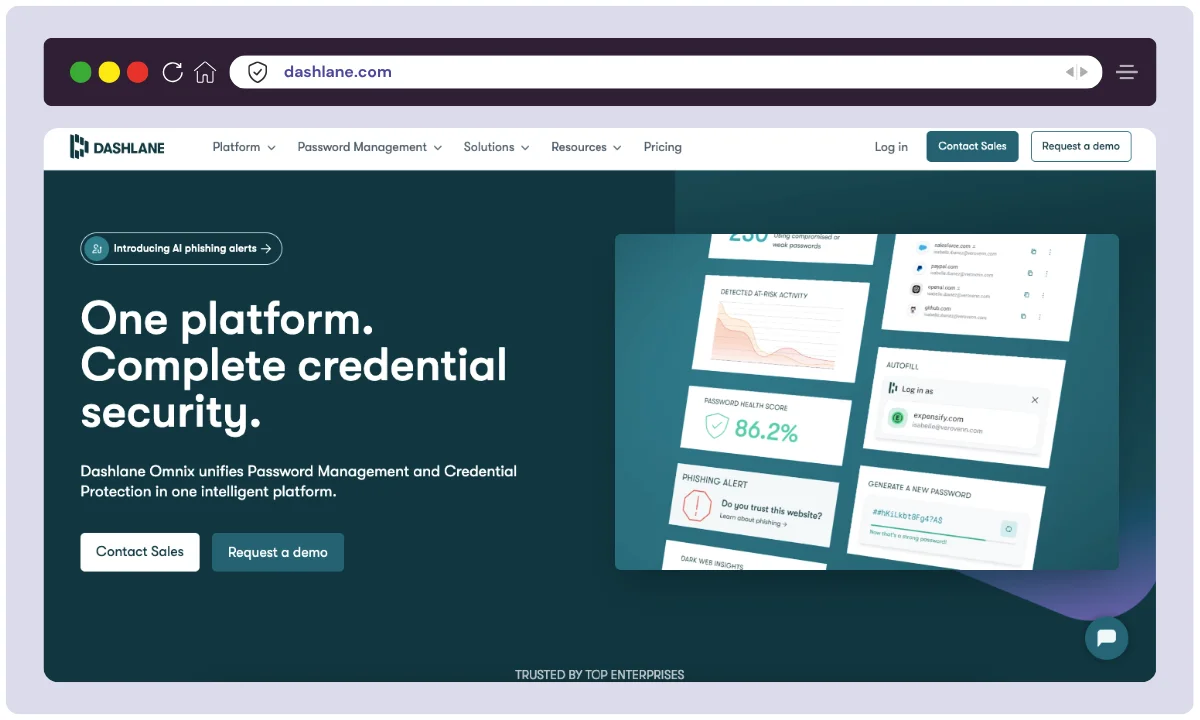
Dashlane has been around since 2009, and it spent those years turning a plain password vault into a wider security bundle: a VPN, dark web monitoring, emergency access for a trusted contact, and a health score that grades every credential you’ve saved. Very few consumer password managers put all of that behind one subscription.
The trade-off is direction. Dashlane has moved to a web-first product and retired its standalone desktop app, so your vault now lives in the browser extension and the web app. Day to day that keeps every platform consistent, but if you liked having a native program you could open with the browser closed, that option is gone.
The fundamentals hold up: reliable auto-save and autofill, clean credential sharing that never reveals the password, and mobile apps among the better ones in this category. Paid plans include a trial and a 30-day money-back window.
Dashlane Features
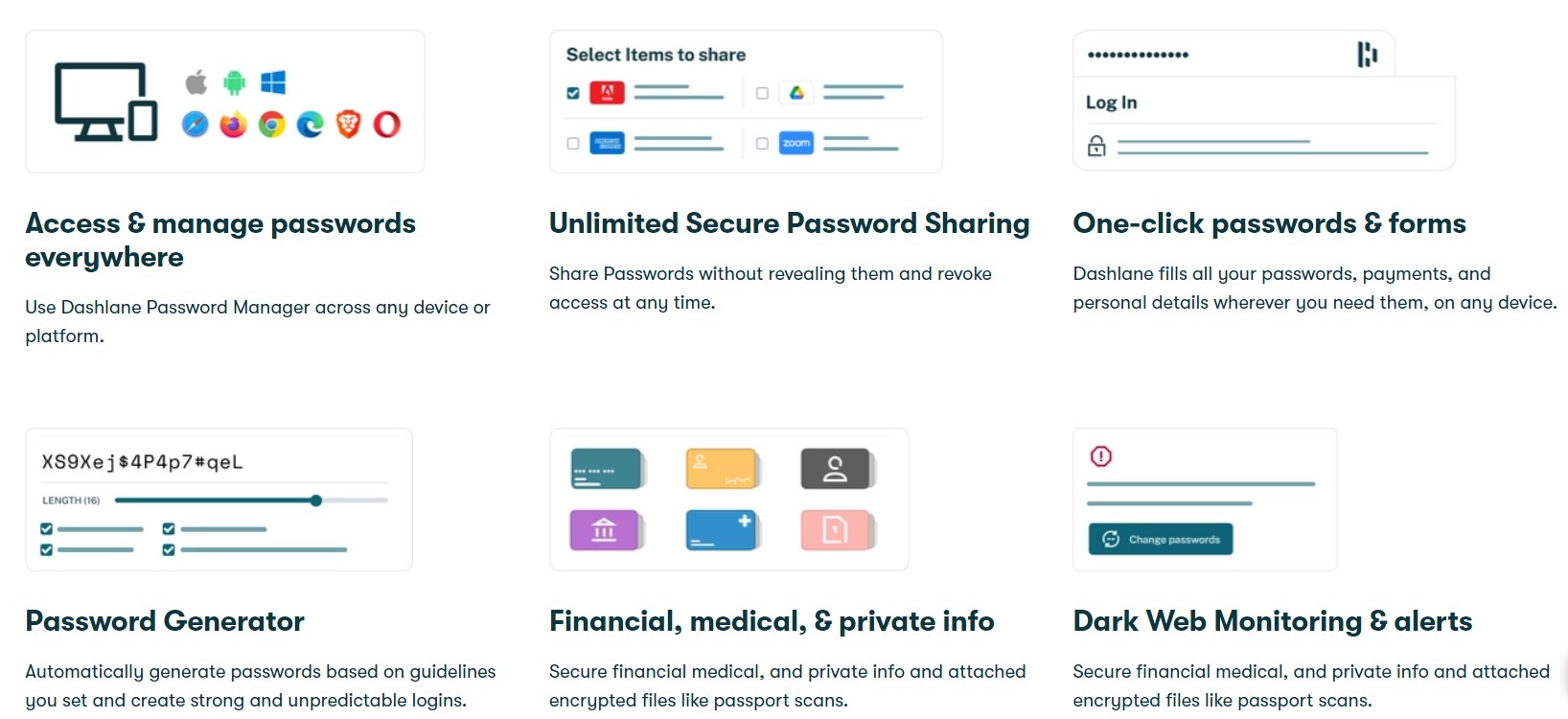
Here is what you actually get, and which tier each feature sits on.
Password Vault & Generator
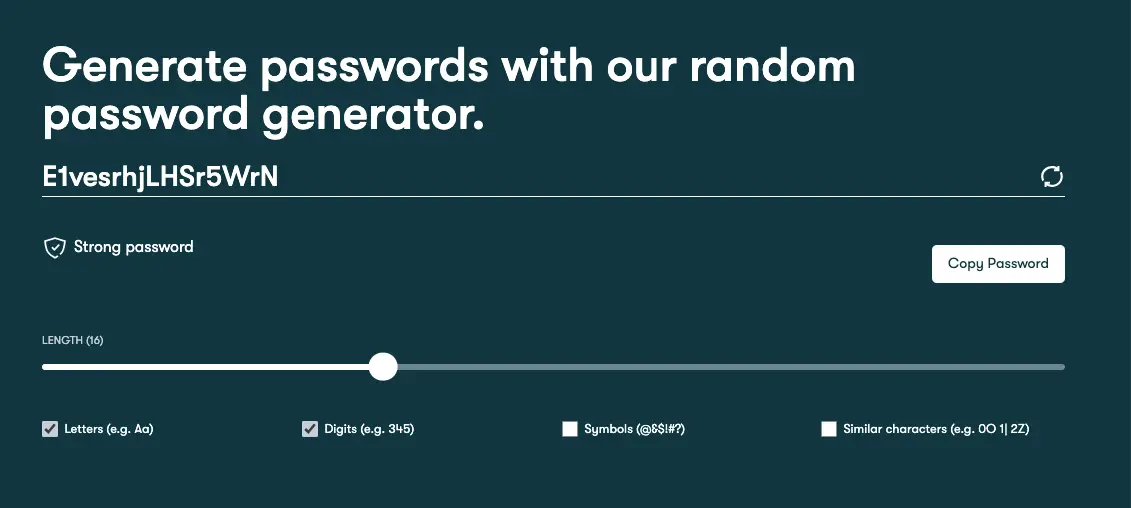
Dashlane’s core is its encrypted vault, where you can securely store an unlimited number of passwords (on paid plans). Its built-in password generator creates strong, unique, and customizable passwords with a single click, eliminating the need to think of new ones yourself.
Autofill & Auto-login
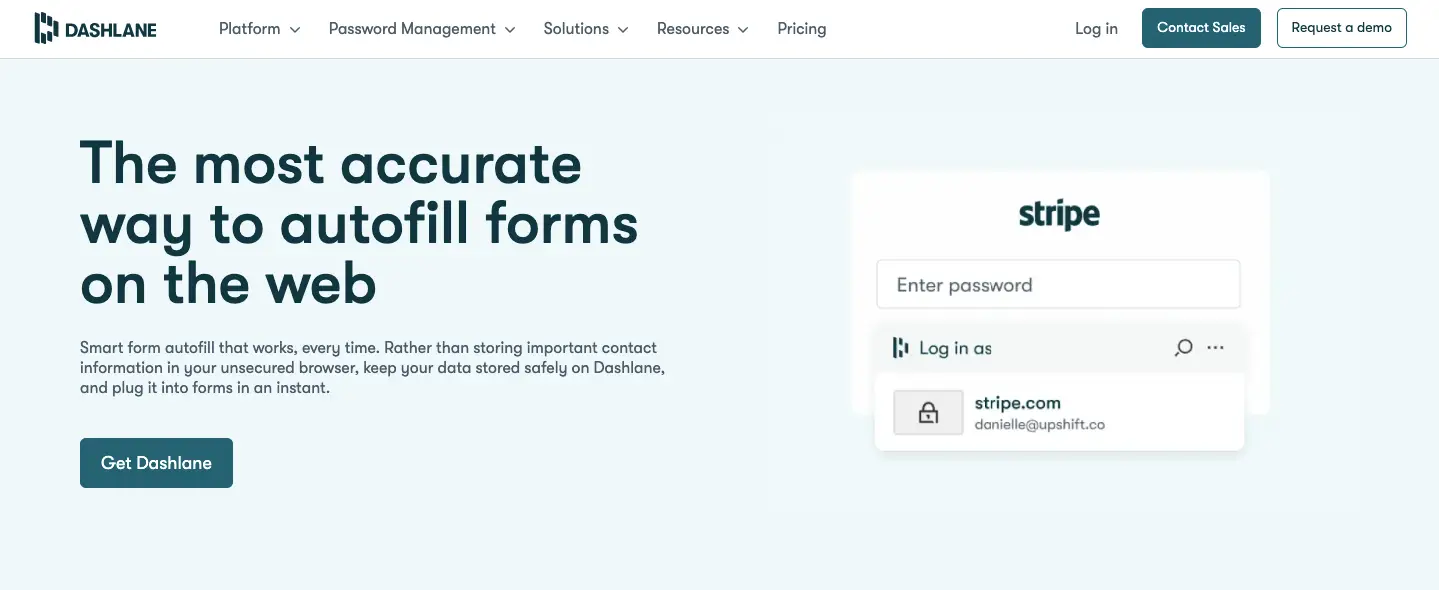
This feature saves significant time by automatically filling in login credentials, addresses, contact information, and payment details on websites and apps. Dashlane’s autofill is widely regarded as one of the most accurate and reliable in the industry.
Password Health Score
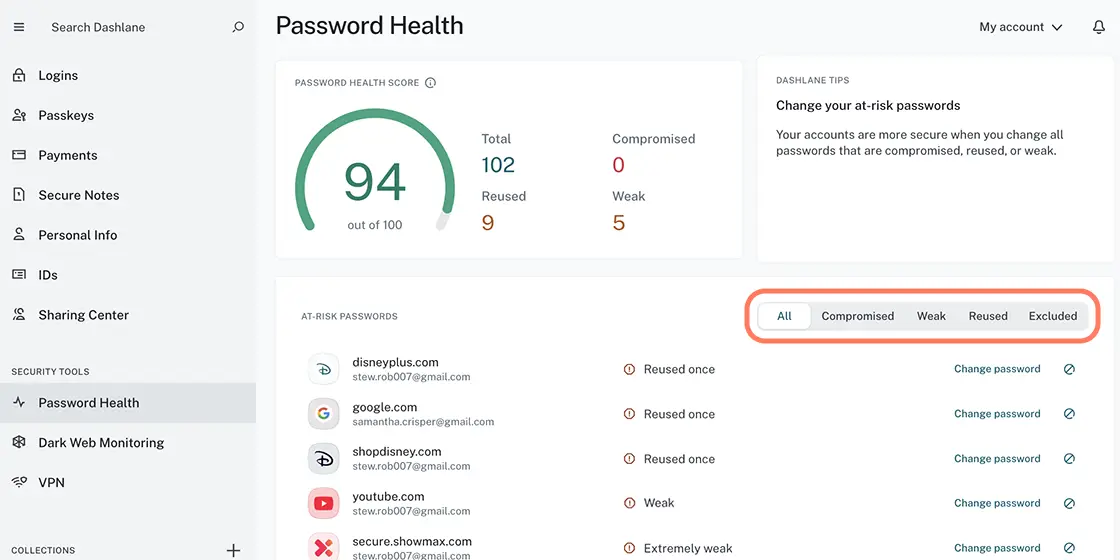
The Identity Dashboard provides a “Password Health Score” that analyzes all your stored passwords. It flags any weak, reused, or compromised passwords, allowing you to identify and update them immediately to improve your overall security posture.
Dark Web Monitoring
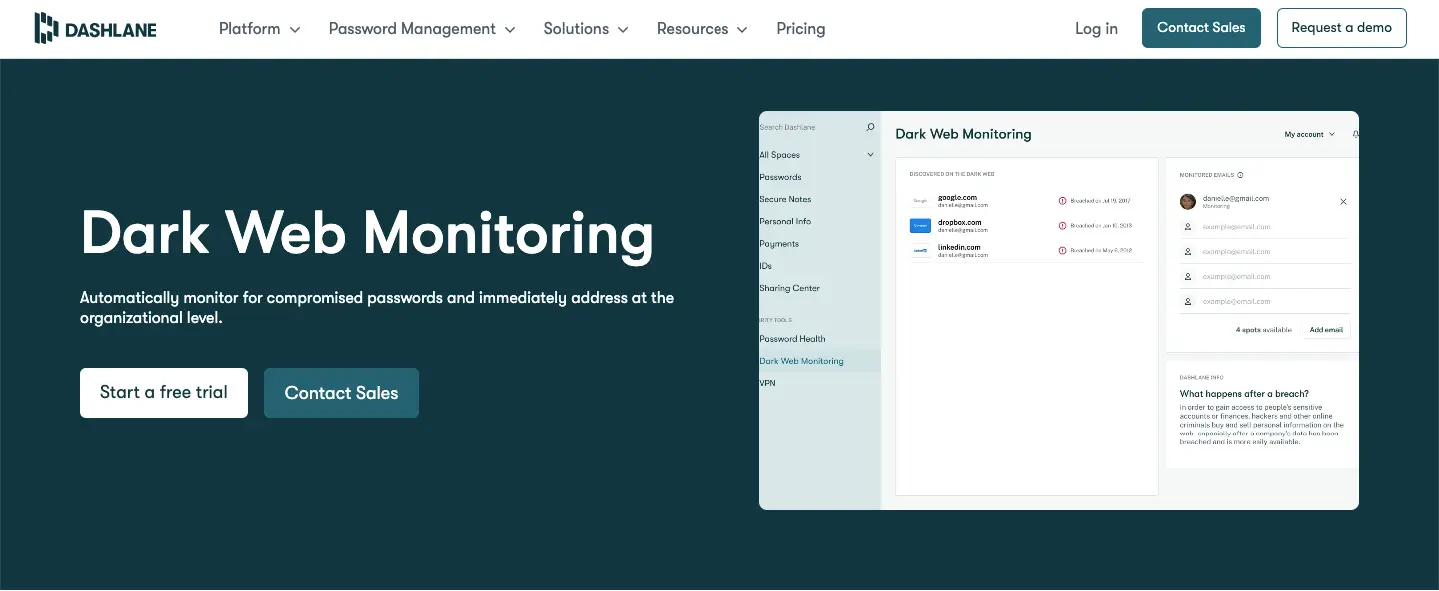
Dashlane actively scans the dark web for your email addresses and other stored data. If any of your information appears in a known data breach, you receive an immediate alert, enabling you to take swift action to secure the affected accounts.
VPN for Wi-Fi Protection
Premium plans include a Virtual Private Network (VPN) for enhanced privacy and security, especially when using public Wi-Fi networks. It encrypts your internet traffic, protecting your data from potential snoops and hackers.
Secure Notes & File Storage
Beyond passwords, you can store sensitive information like software licenses, Wi-Fi passwords, and important documents in Secure Notes. The premium plan includes 1 GB of encrypted file storage for your most confidential files.
Emergency Access
You can designate trusted contacts who can request access to your Dashlane vault in case of an emergency. You set a waiting period, during which you can decline the request. If you don’t, access is granted, ensuring your important data isn’t lost.
Phishing Alerts
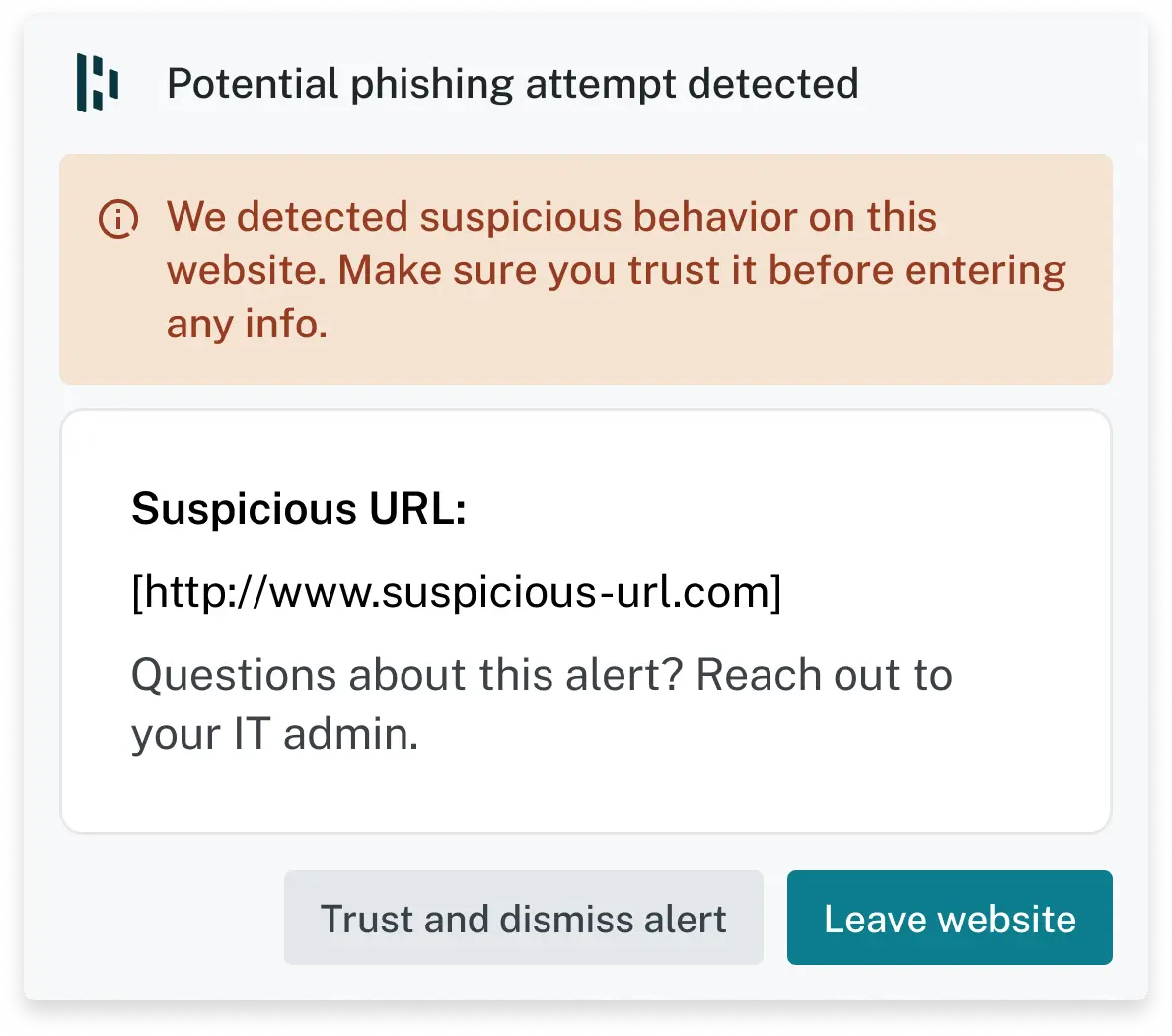
Dashlane provides real-time alerts about phishing attacks, malicious links, and unsafe websites, adding an extra layer of protection against online scams.
How to Use Dashlane
Setup takes about ten minutes. The migration step is the one people put off, so do it first.
Step 1: Create your account and master password
- Sign up at dashlane.com and set a long, unique master password. Dashlane uses zero-knowledge encryption, so this password is never stored on its servers and nobody can recover it for you.
- Save the recovery options offered during setup. Losing the master password with no recovery route means losing the vault.
Step 2: Install the extension and mobile app
- Add the extension for Chrome, Firefox, Safari or Edge and install the app on iOS or Android. With no desktop program, the extension is your main interface on a computer.
- Turn on biometric unlock (Face ID or fingerprint) so you are not typing a long master password all day.
Step 3: Import your existing passwords
- Import straight from your browser, or from another manager using a CSV export. Do this before you cancel anything else.
- Delete the CSV afterwards. It is a plain-text copy of every password you own.
Step 4: Switch on the security layers, then clean up
- Enable two-factor authentication and dark web monitoring, plus the VPN if you are on a paid plan.
- Run the Password Health report and fix the reused and compromised entries first. This is the step that actually improves your security, and it is the one most people skip.
- Use secure sharing for household or team logins instead of messaging passwords around.
Dashlane Alternatives
Dashlane will not suit everyone. If the price, the web-first setup or the lack of open-source code puts you off, these are the alternatives worth comparing it against. Prices move, so check each vendor before you buy.
| Tool | Best For | Key Features | Starting Price | Open Source | Free Plan | Multi-Device Sync |
|---|---|---|---|---|---|---|
| 1Password | Families & Teams | Watchtower security insights, passkey support, Travel Mode | $2.99/mo | ❌ | ❌ | ✅ |
| LastPass | Personal Use | Autofill, password sharing, emergency access | $3.00/mo | ❌ | ✅ | ✅ (Premium) |
| Bitwarden | Open-Source Lovers | End-to-end encryption, self-hosting options, secure notes | $0 (Free) | ✅ | ✅ | ✅ |
| Keeper | Enterprise Security | Advanced breach monitoring, encrypted file storage, role-based access control | $2.91/mo | ❌ | ✅ | ✅ |
| NordPass | NordVPN Users | Biometric login, encrypted vault, data breach scanner | $1.79/mo | ❌ | ✅ | ✅ |
| RoboForm | Form Filling & Simplicity | Advanced auto-fill, bookmark manager, application password support | $1.99/mo | ❌ | ✅ | ✅ |
Short version: Bitwarden for free and open source, 1Password for a proper desktop app, Keeper for enterprise admin controls, NordPass or RoboForm if price decides it.
Dashlane Pricing
Business Plan
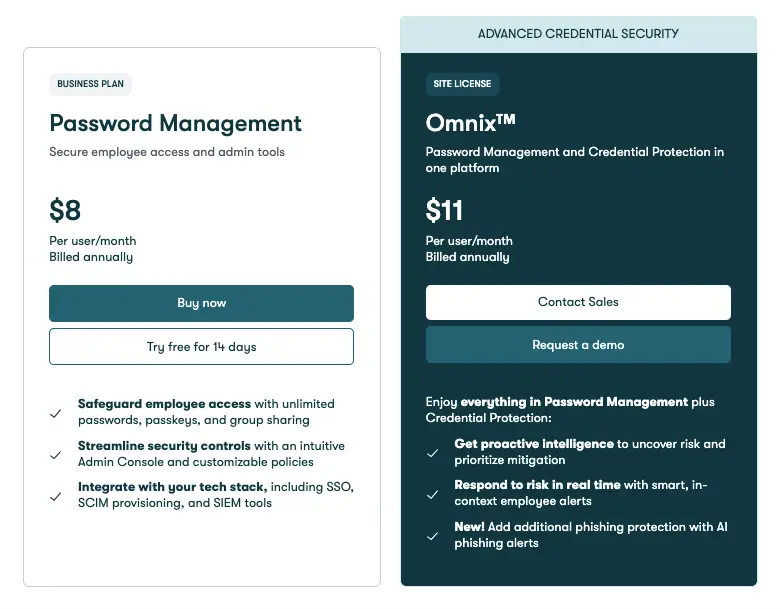
Business buyers choose between two tiers. The Password Management plan covers employee vaults plus the admin console and policy controls; Omnix™ adds a proactive credential-security layer and is sold through sales rather than self-serve.
| Feature | Password Management Plan | Omnix™ Plan |
| Price | $8 /user/month | $11 /user/month |
| Core Function | Secure password management & admin controls | All core functions + proactive threat protection |
| Advanced Security | Not included | Proactive intelligence, real-time risk alerts, AI phishing protection |
| Purchasing Model | Self-serve online purchase or free trial | Contact sales or request a demo |
Personal Plan
Two personal tiers matter. Premium covers one person and includes the VPN and dark web monitoring. Friends & Family covers up to ten people for a little more, which is where Dashlane becomes competitively priced. The figures below were accurate at the time of writing. Confirm them on Dashlane’s pricing page, as introductory rates rarely carry over to renewal.
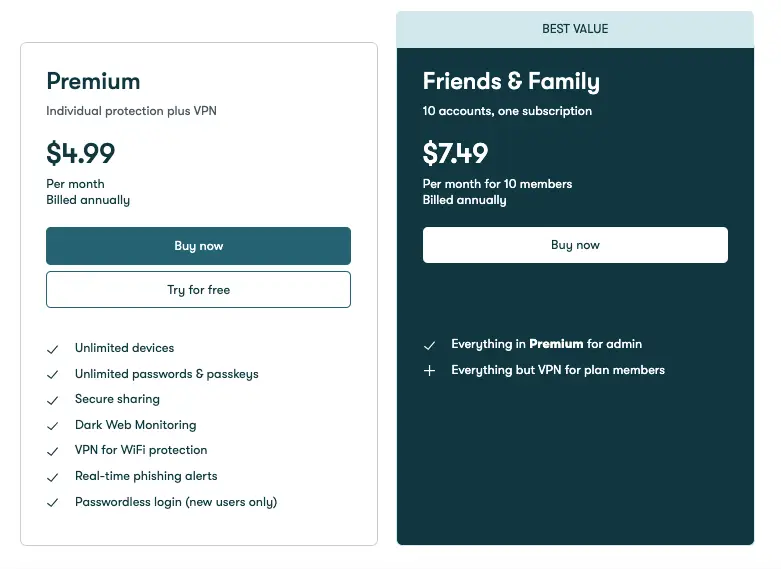
| Feature | Premium Plan | Friends & Family Plan |
| Number of Users | 1 | Up to 10 |
| Price | $4.99 / month | $7.49 / month |
| VPN Access | Included for the user | Included for the admin only |
| Best For | An individual user | A family or group of up to 10 people |
Who Dashlane Is Actually For
- The individual escaping browser-saved passwords. Real-time sync, password health scoring and breach alerts, with almost no learning curve. This is Dashlane’s strongest case.
- Households. Friends & Family covers up to ten people on one subscription, which is where the per-person cost finally looks reasonable. Note that VPN access goes to the plan admin, not everyone.
- Small teams without a security specialist. SSO, SCIM provisioning, group sharing and an admin console that shows credential risk across the company, without needing someone to babysit it.
- People who work on other people’s Wi-Fi. The bundled VPN is basic, but it is right there when you are on hotel or café networks, and you are not paying a second subscription for it.
What Reviewers Consistently Report
The same themes repeat across software directories, app stores and forums. We have not verified individual reviewers, so treat this as sentiment rather than proof.
The praise clusters around three things. Autofill accuracy comes up most: it recognises the right site and the right field more often than rivals, which is the difference between a password manager you keep and one you uninstall. Second is how fast non-technical people get set up, often without opening a help article. Third is having dark web alerts and a VPN inside one subscription rather than buying them separately.
The complaints cluster around four. Price is by far the loudest, particularly renewal increases that land after a discounted first year. Support response times draw regular criticism, a smaller group reports autofill or vault search misbehaving after updates, and a vocal group dislikes the move away from a standalone desktop app. Those who leave mostly go to Bitwarden on cost or 1Password for the desktop experience.
What Makes Dashlane Stand Out?
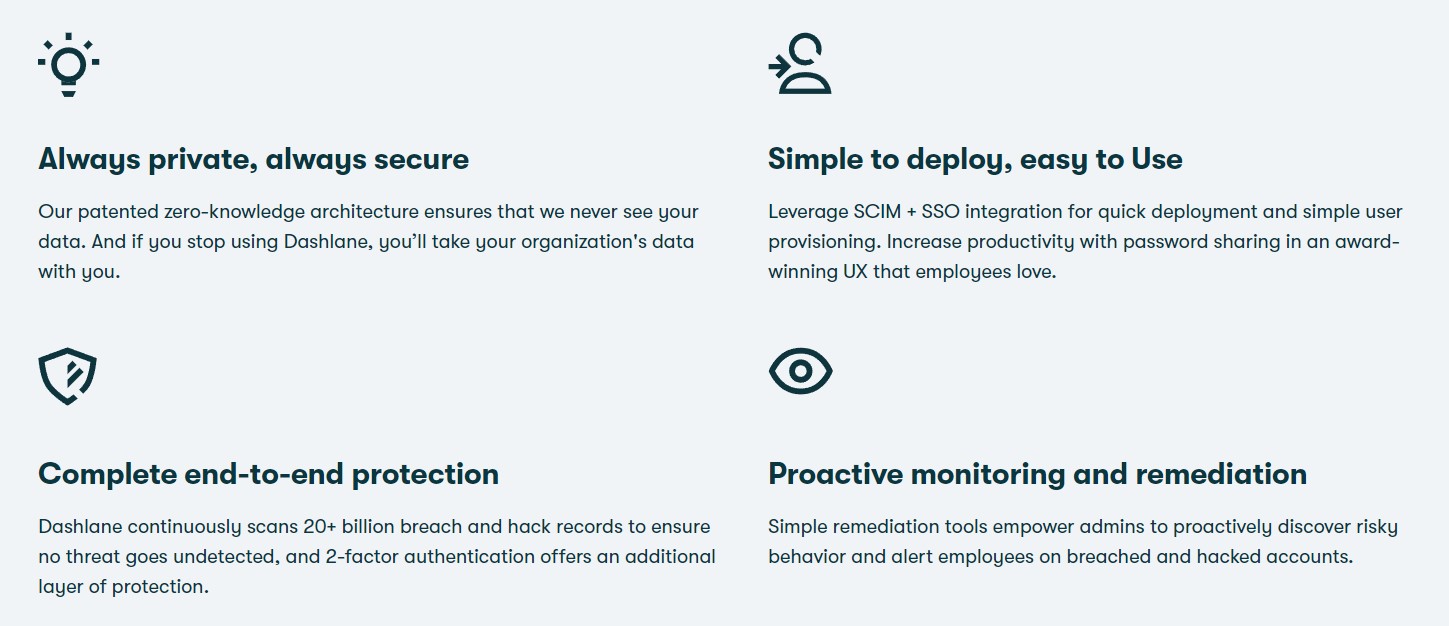
Dashlane’s edge is packaging plus polish. Most rivals sell you a vault and stop; Dashlane folds dark web monitoring, a VPN and emergency access into the same consumer plan, so the gap against a cheaper manager shrinks if you would otherwise buy those separately. Add autofill accurate enough that you stop thinking about it, and you get the one password manager people tend not to quietly abandon.
Where Dashlane Falls Short
- No standalone desktop app. Dashlane retired it in favour of the browser extension and web vault. Everything still works, but you are tied to a browser session and offline access is more limited. If that is a dealbreaker, 1Password and Bitwarden still ship desktop clients.
- It sits above the field on price. Bitwarden’s free tier syncs across unlimited devices and its paid plan costs a fraction of Dashlane’s; NordPass and Keeper also undercut it. You are paying for the extras, so the question is whether you will use them.
- The free plan is a demo, not a plan. It is limited to one device with a cap on stored logins. A password manager you can only use on your phone, or only on your laptop, solves almost nothing. Budget for the paid tier or start elsewhere.
- The bundled VPN is basic. It is fine for encrypting a hotel or café connection, but it offers fewer servers and settings than a dedicated VPN service. Treat it as a bonus, not as a reason to choose Dashlane.
How We Evaluated Dashlane
This review draws on hands-on use of Dashlane’s vault, generator, autofill, import flow and Password Health scoring in the browser extension and web app, alongside Dashlane’s own documentation and pricing pages and a read of public user feedback.
What we did not test: the business admin console at scale, SSO or SCIM provisioning, VPN throughput under load, and long-term support response times. Where those come up we are reporting what Dashlane documents or what users describe, not our own measurements. Pricing also changes regularly, so confirm current figures on Dashlane’s site before you buy.
Frequently Asked Questions
Is Dashlane worth paying for when Bitwarden is free?
If you have abandoned a password manager before because it got in the way, yes. Dashlane costs more and gives you sharper autofill, a clearer security dashboard, dark web monitoring and a VPN in one subscription. Bitwarden does the core job well for nothing, but the interface is plainer and autofill less forgiving.
What are the limits of the Dashlane free plan?
One device, plus a cap on stored logins. That is why most people upgrade: a vault that only exists on your laptop is no help when you are signing in on your phone. Use the free tier to test the import, then check current caps on Dashlane’s site.
Dashlane vs 1Password: which should you choose?
1Password still ships native desktop apps and is the favourite among technical users. Dashlane counters with easier onboarding and the bundled VPN and dark web monitoring. Want software that runs outside the browser? Pick 1Password. Want the fastest route from browser-saved passwords to a real vault? Pick Dashlane.
Can I cancel Dashlane and get a refund?
Yes. Paid plans carry a 30-day money-back guarantee, and you can stop a subscription renewing from account settings. Export your vault before cancelling so you are never locked out of your own logins.
Is Dashlane a good choice if I am not technical?
It is one of the better options for beginners. The import wizard pulls passwords out of your browser, autofill needs almost no setup, and Password Health explains what to fix in plain language. Just get the master password right, because nobody at Dashlane can reset it for you.
Does Dashlane still have a desktop app?
No. Dashlane retired its standalone desktop application in favour of a web-first experience, so you use the browser extension and web vault. Nothing is missing functionally, but you are tied to a browser and offline access is more restricted. Long-time users complain about this more than anything else.
Is the Dashlane VPN good enough to replace a paid VPN?
Not really. It is fine for encrypting a hotel or airport Wi-Fi session, but it has fewer servers and controls than a dedicated provider and is not built for streaming. Treat it as a bonus that lowers the effective cost.
What happens to my passwords if I stop paying?
Nothing is deleted. A lapsed subscription drops the account to free-tier limits, so you face restricted device access rather than a wiped vault, and you can still export everything elsewhere. Take an export after any big change so you always hold an independent copy.
Dashlane Review: Final Verdict
Buy Dashlane if you want the least painful route out of reused passwords, or you are covering a household on one subscription and will genuinely use the dark web alerts and VPN. Buy something else if price is the deciding factor, since Bitwarden does the core job well for free; if you want an open-source or self-hostable vault; or if you insist on a native desktop app, where 1Password is the better fit.
One warning before you sign up: the price you pay in year one is often not the price you pay in year two. Renewal increases are the most common complaint about Dashlane, so look up the standard rate rather than the promotional one and decide whether you would still pay it.
Next step: start on the trial, import your browser passwords, and run the Password Health report. If the number of reused and compromised logins it finds makes you wince, you have your answer about whether this is worth paying for. If you are still weighing options, compare it against the rest of the field in our guide to the best password managers.
The Review
Dashlane
Dashlane is one of the top password managers that is simple to use and incredibly safe, has a wide range of high-security features (including a VPN), unbreakable end-to-end encryption to protect user data, and provides many useful extras than most of the other competitors.
PROS
- Autofill is more accurate than most rivals
- Easiest setup for non-technical users
- Dark web monitoring and VPN included in one subscription
- Password Health turns vague risk into a fix list
- Friends and Family plan covers up to 10 people
- Secure sharing never reveals the actual password
CONS
- No standalone desktop app since the move to a web-first experience
- Pricier than Bitwarden, NordPass and Keeper
- Free plan is limited to a single device
- Bundled VPN is basic compared with a dedicated service




