

You hit record, and your mind goes blank. Or you glance sideways to read your notes, and every viewer can tell. That awkward tug-of-war between remembering your lines and looking human on camera is why most people quit making videos before they ever hit publish.
BIGVU is built to end that struggle: a teleprompter, an AI script writer, auto-captions, and light branding stitched into one app. In this BIGVU review, we break down what it genuinely nails, where it trips up, and who should actually pay for it.

Quick verdict: BIGVU is the fastest way to go from a blank page to a captioned, on-brand talking-head video without opening a real editor. The teleprompter and AI eye-contact fix are the real draw. It loses marks for buggy long recordings, basic editing, and prices that climb once you want the AI features.
- Best for: creators, coaches, marketers, and sales or real-estate pros who record short, script-based talking-head videos.
- Not ideal for: heavy editors, long-form producers, or anyone who relies on flawless mobile recording for long takes.
How We Evaluated BIGVU
A quick note on honesty before we go deeper. This BIGVU review is built from hands-on time inside the app on both mobile and desktop, plus a careful read of verified user feedback on Capterra, Software Advice, G2, and Reddit. We focused on the jobs BIGVU is actually sold for: writing a script, reading it off the teleprompter, recording a talking-head clip, auto-captioning it, and exporting something you’d be happy to post.
What we didn’t stress-test is heavy multi-track editing or hour-long production runs, because that isn’t what BIGVU is built for, and pretending otherwise wouldn’t help you decide. Everything below, the praise and the gripes, comes through that lens.
BIGVU Overview
BIGVU started life in 2016 as a mobile teleprompter app and has since grown into a full script-to-publish video studio, with offices in New York and Barcelona. Instead of juggling a separate prompter, editor, and captioning tool, you script, record, caption, brand, and share from one place, on your phone or in the browser.
The pitch is simple: if your videos are mostly you talking to a camera, BIGVU removes almost every excuse not to hit record. Here’s the quick reference sheet before we dig in.
| Product | BIGVU |
| Official Website | https://bigvu.tv |
| Category | AI video creation & teleprompter app |
| Best For | Creators, marketers, coaches, educators, small businesses |
| Key AI Features | AI teleprompter, script generator, eye-contact fix, voice clones, avatars, auto-captions |
| Captions | 70+ languages |
| Mobile App | iOS & Android |
| Starting Price | Free plan; paid from $16.58/mo (billed annually) |
| Alternatives | Descript, VEED, Loom, Promo, Wistia |
BIGVU Features
BIGVU folds scripting, recording, editing, captioning, and publishing into one workflow. These are the features that actually matter day to day.
AI Teleprompter
The heart of the app: your script scrolls on screen while you record, at a speed you control, so you stay on message and keep your eyes near the lens. It works on both mobile and desktop, and it’s the reason most people stick around. Best for anyone who freezes or starts rambling the moment the red light comes on.
AI Script Generator
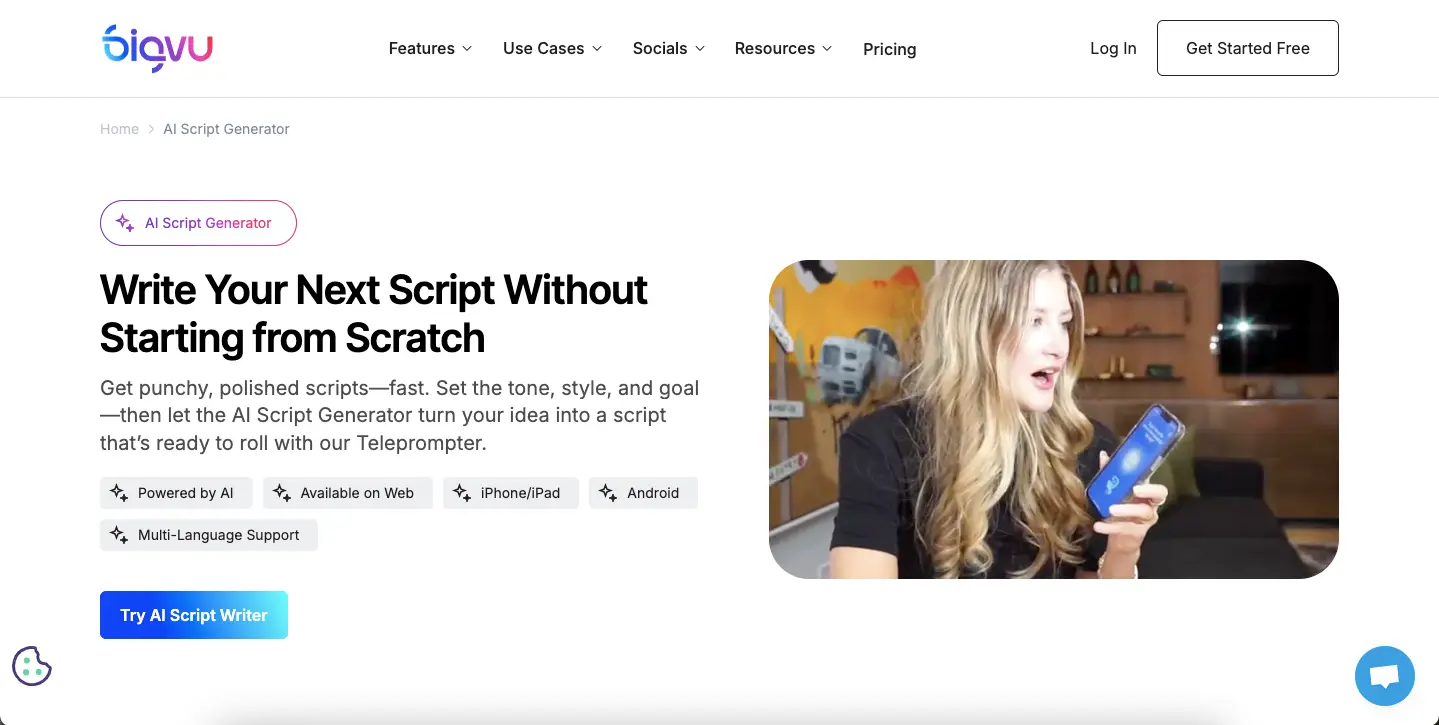
Stuck on what to say? Feed it a topic and a tone and it drafts a script. You get 3 scripts on the free plan and unlimited ones on the paid AI tiers, handy for intros, ad copy, or lesson outlines when the blank page is winning. It won’t win a copywriting award, but as a first draft you can trim down, it saves real time.
AI Eye-Contact Correction
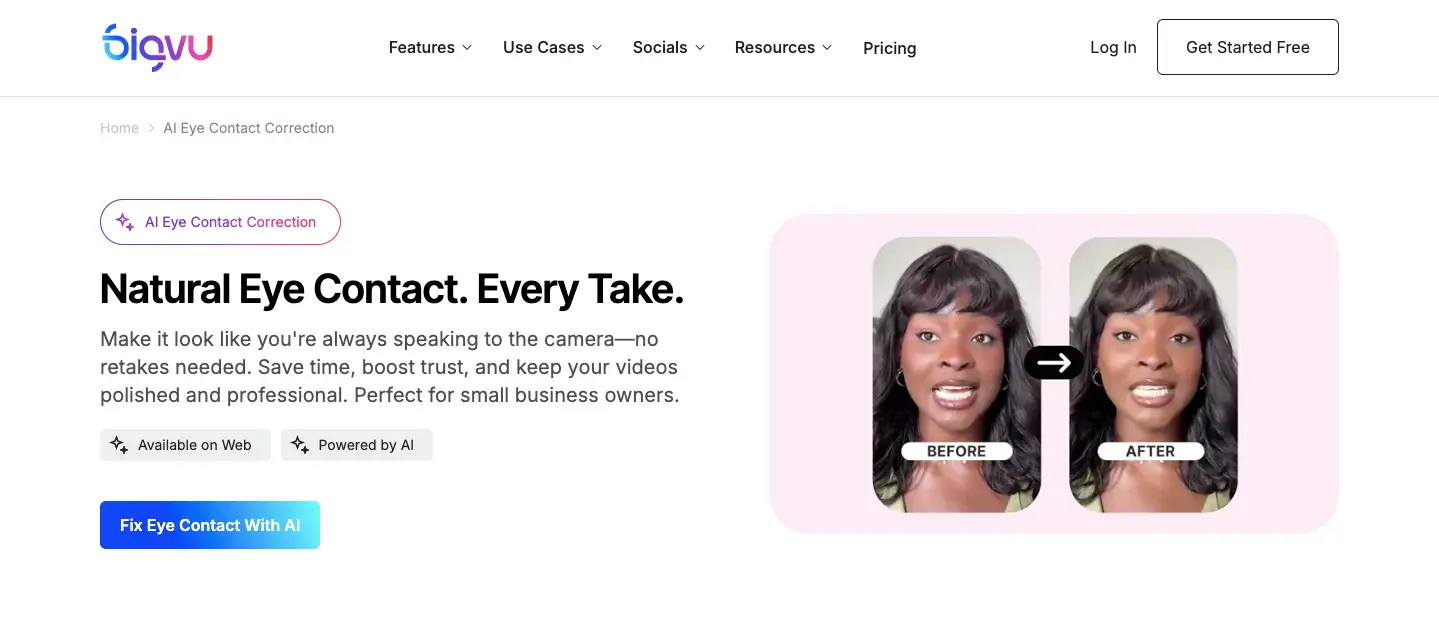
This is the party trick: even while you read the teleprompter, the AI nudges your eyes so you appear to look straight down the lens. On corporate and course videos, it genuinely reads as more direct and trustworthy. One caveat: it can look slightly off if you move your head a lot, so keep your movements calm.
AI Voiceover & Avatars
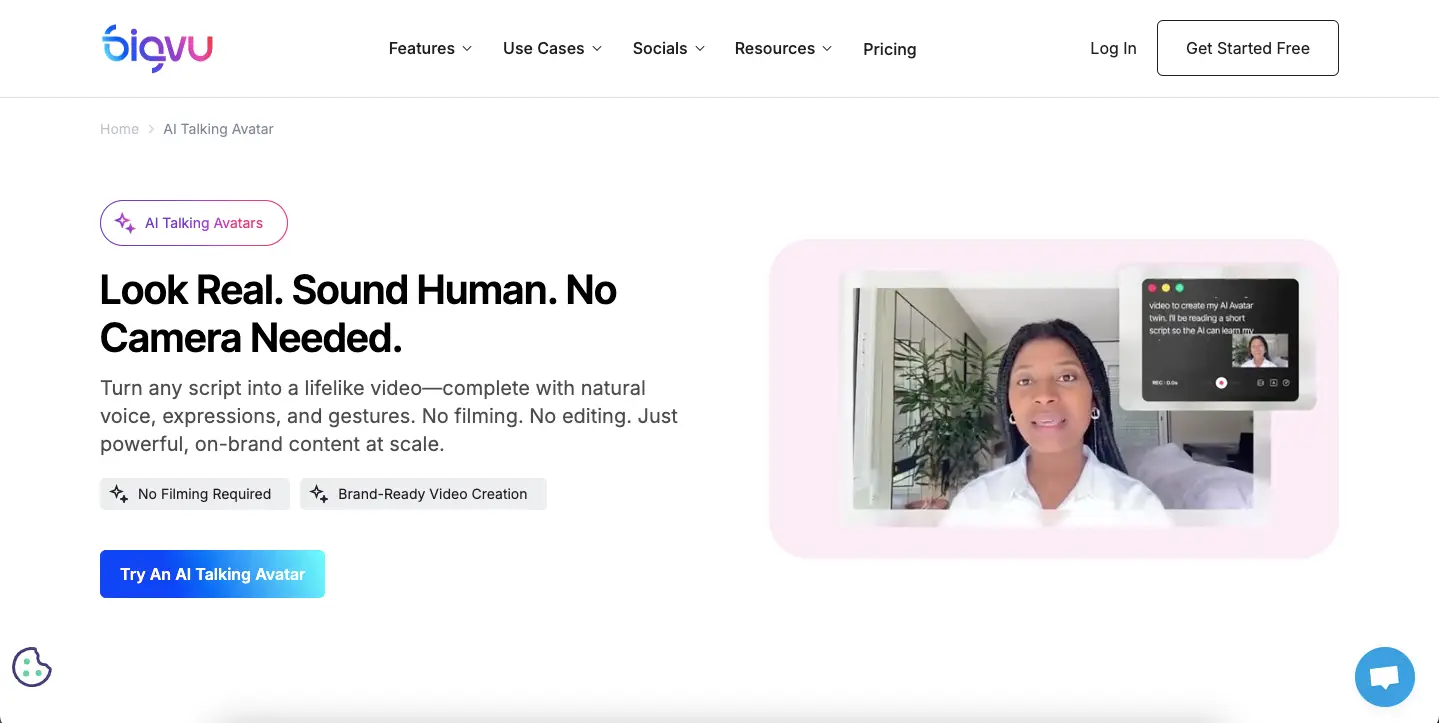
Clone your voice, use a ready-made AI narrator, or build an AI avatar to present for you. Custom avatars are reserved for the top AI Max plan, useful for agencies, overkill for most solo creators.
Automatic Captions in 70+ Languages
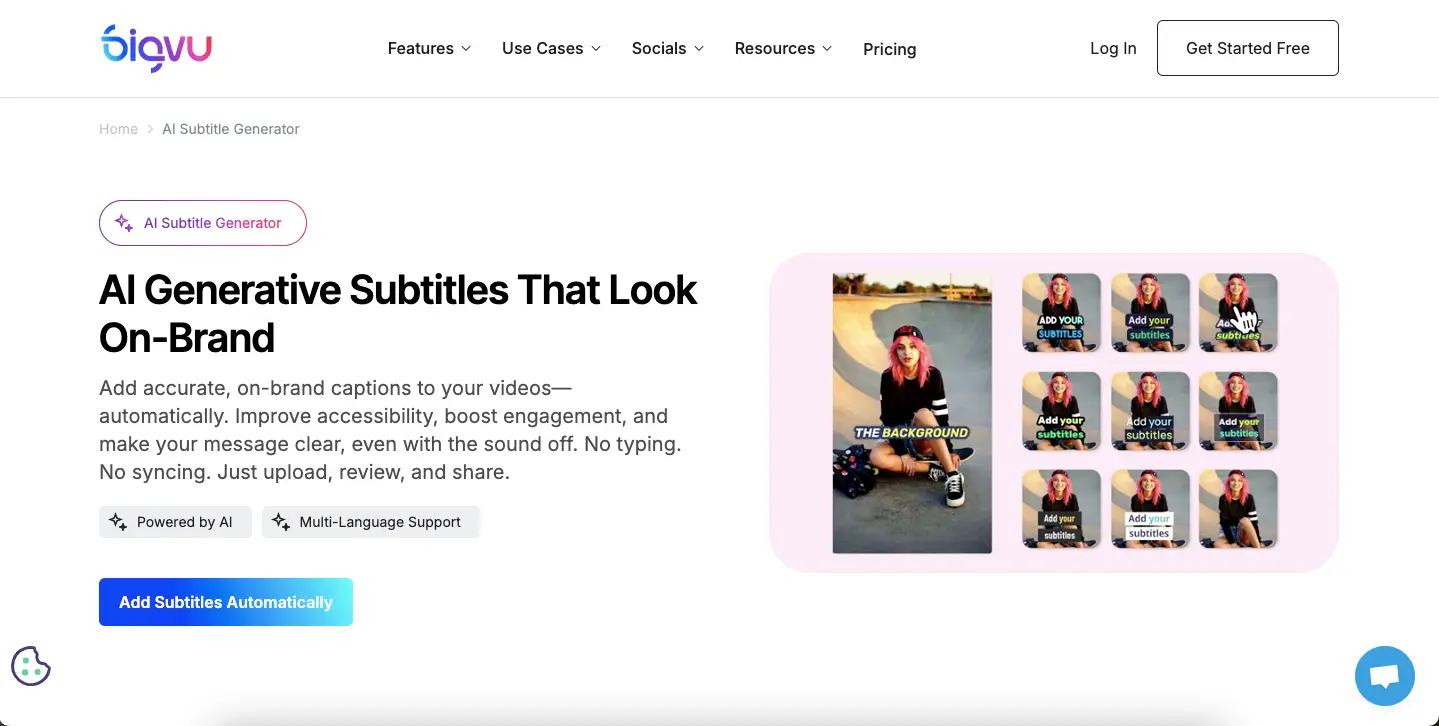
BIGVU auto-generates captions and subtitles in 70+ languages and lets you highlight keywords for scroll-stopping social clips. Great for accessibility and silent-autoplay feeds, just proof the timing, which can drift a beat off.
Auto-Zoom, Framing & Branding
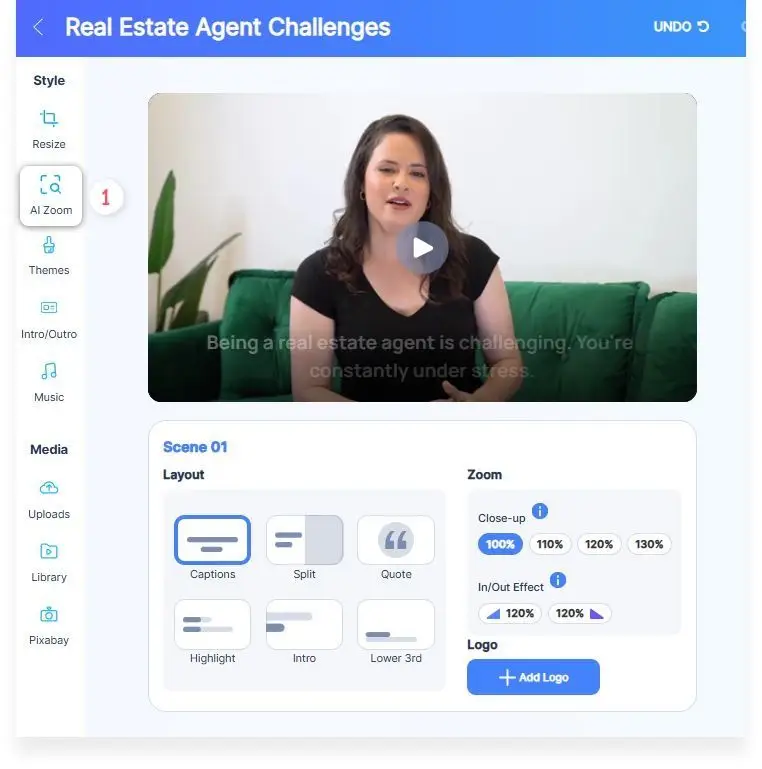
Auto-zoom keeps your face framed even on a basic webcam, and the branding kit adds logos, fonts, lower thirds, colors, intros, outros, and green-screen backgrounds, enough to look professional without hiring an editor.
Real-world tip: record in short segments rather than one long take. BIGVU handles a series of tight clips far more reliably than a single 20-minute recording, and it sidesteps most of the audio-sync complaints users run into.
Scheduling, Landing Pages & Team Workspace
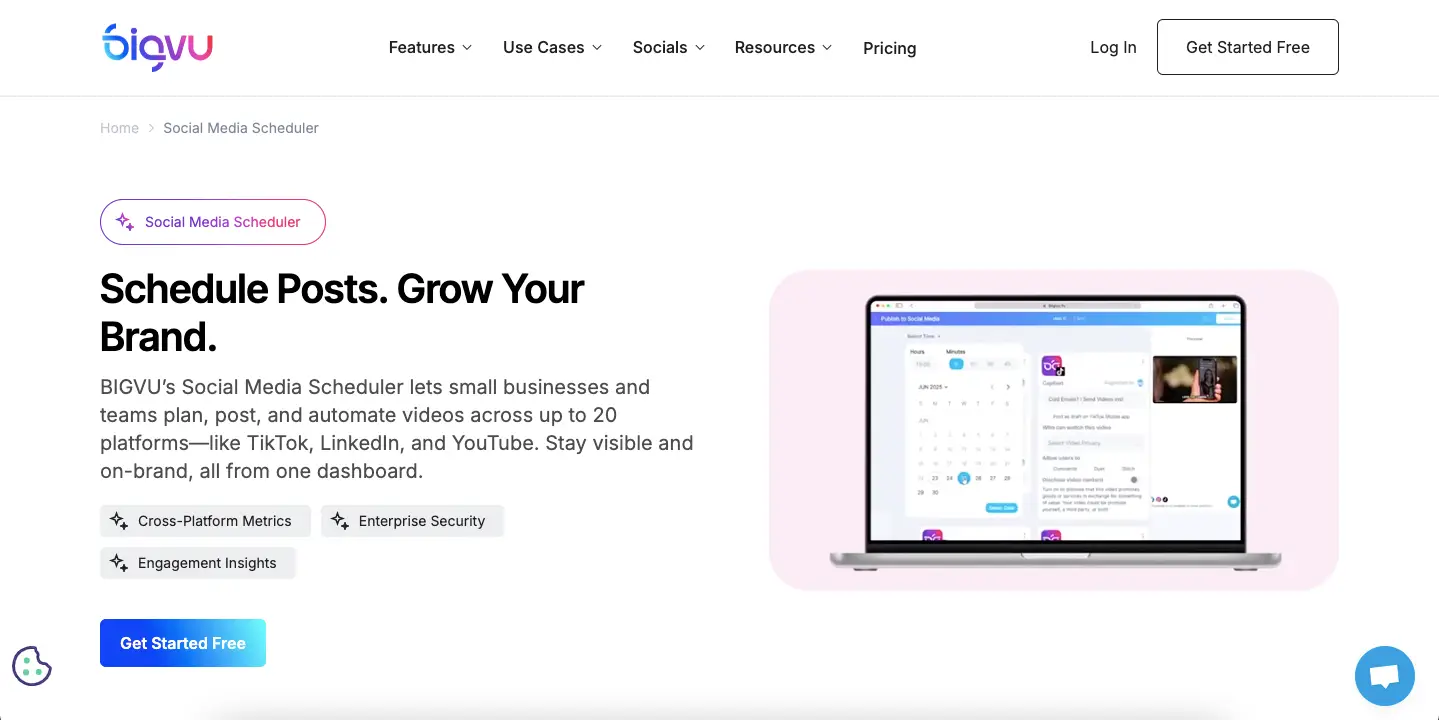
Schedule posts straight to YouTube, LinkedIn, Facebook, TikTok, and X, wrap videos in CTA landing pages for lead-gen, and share a team workspace with role-based access. Everything syncs to the cloud, so you can start on your phone and finish in the browser.
How to Use BIGVU
Getting your first video out takes about five minutes:
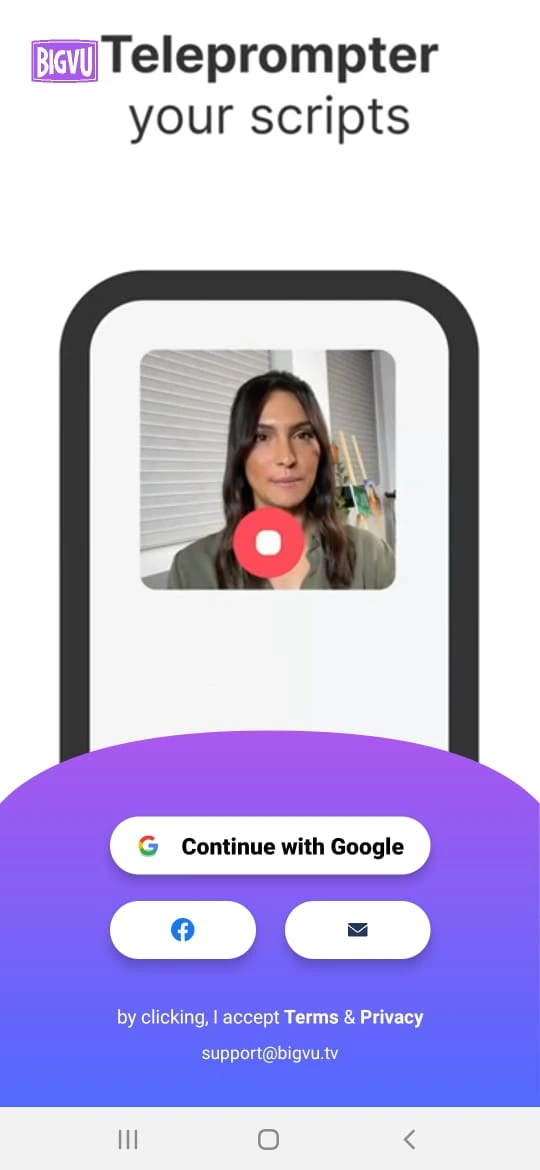
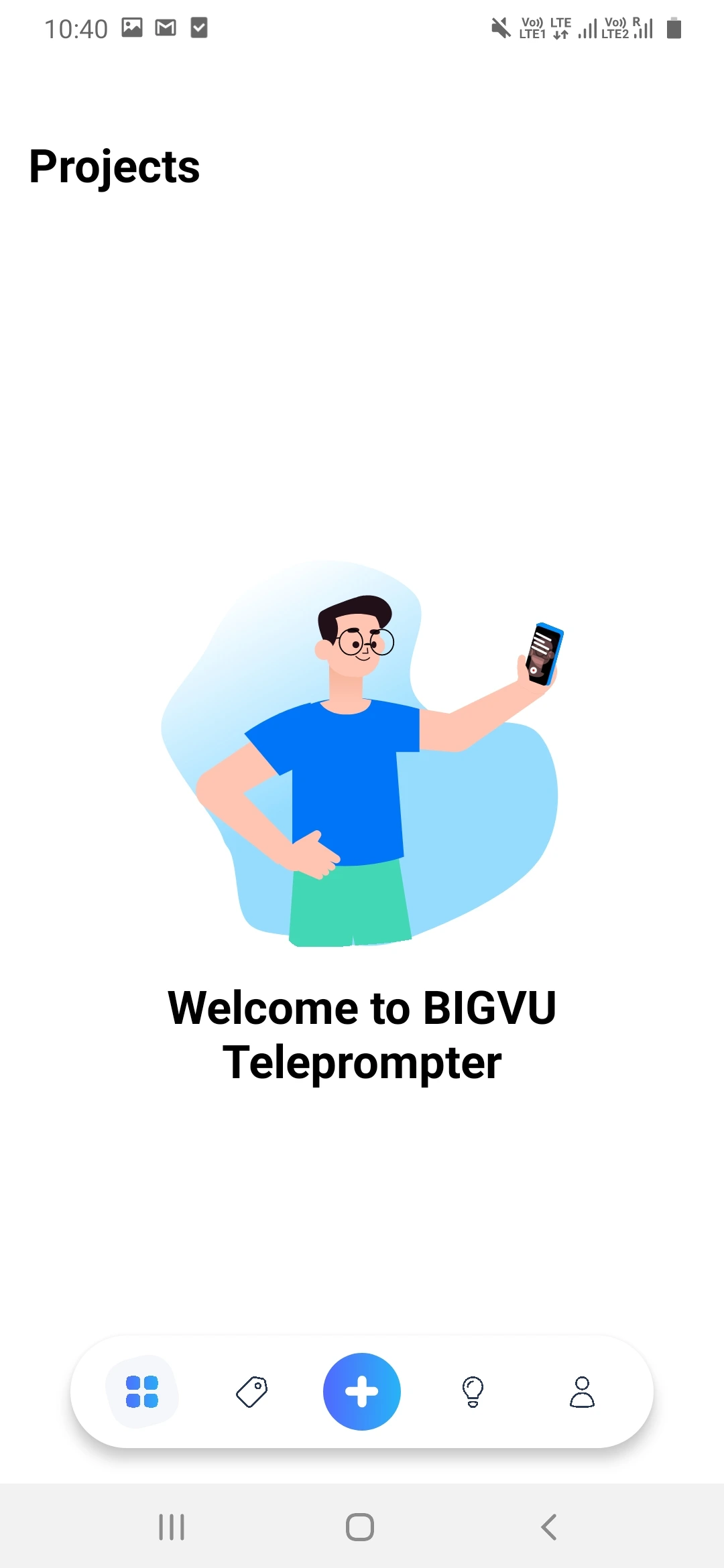
1. Sign up and start a new project.
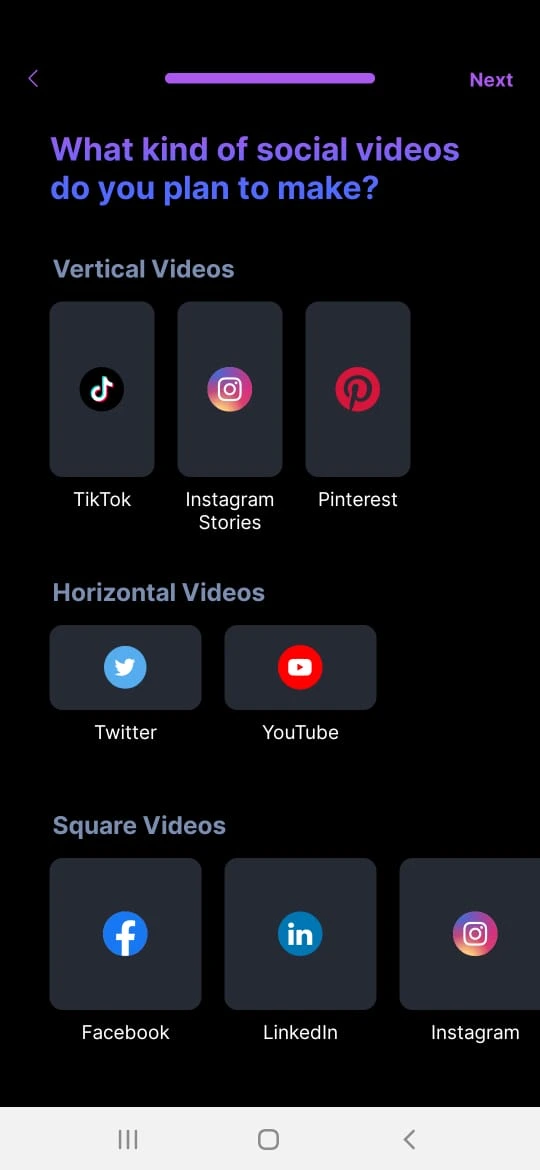
2. Pick your role and the type of video you want to make.
3. Write or generate your script, then record straight from the teleprompter, or import a clip you already shot.
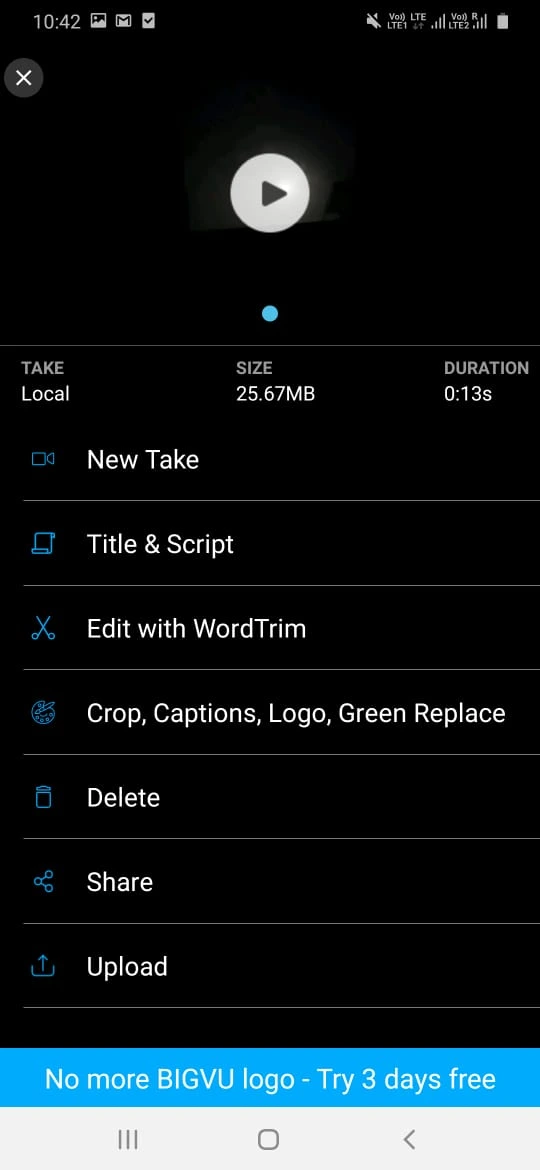
4. Edit the title, script, captions, and branding.
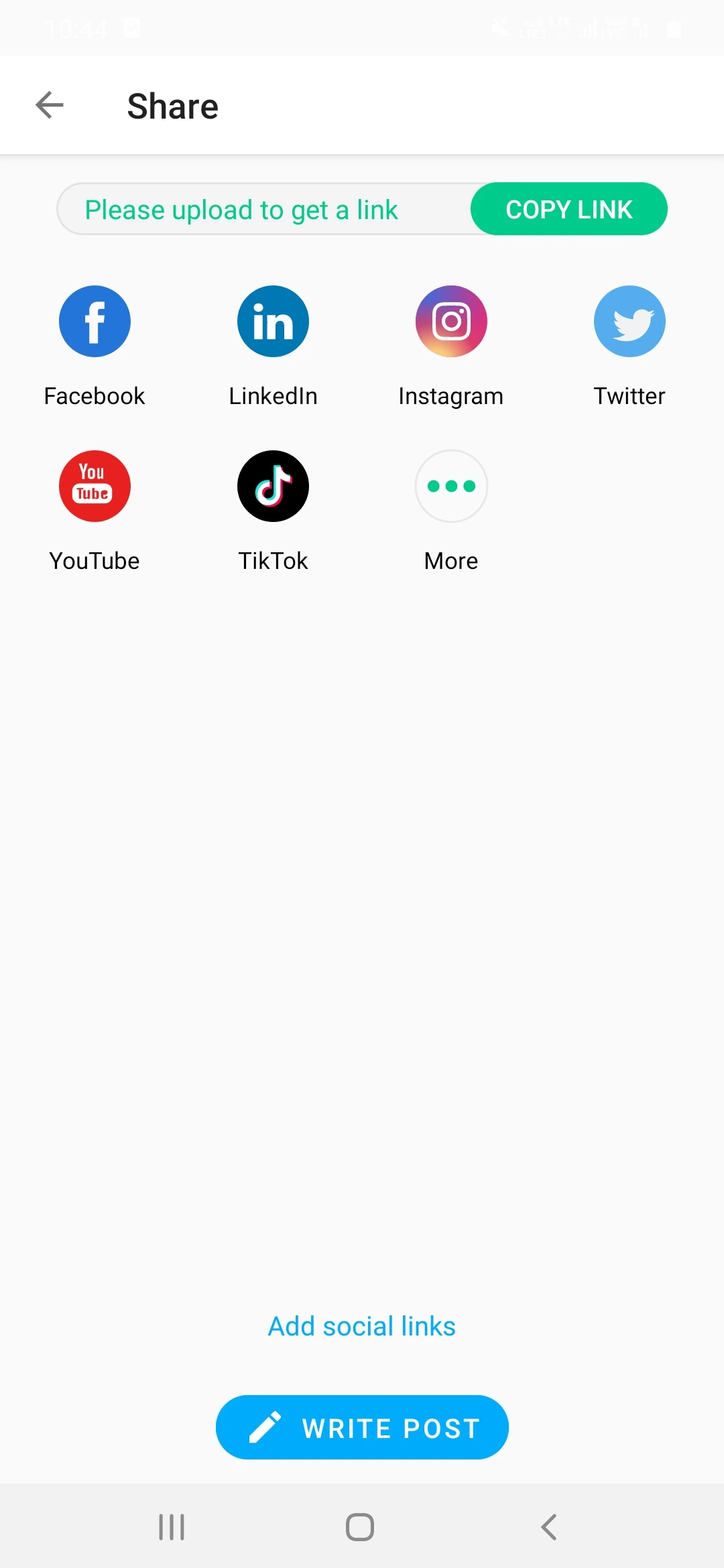
5. Export and share to social or embed it on your site.
BIGVU Pricing
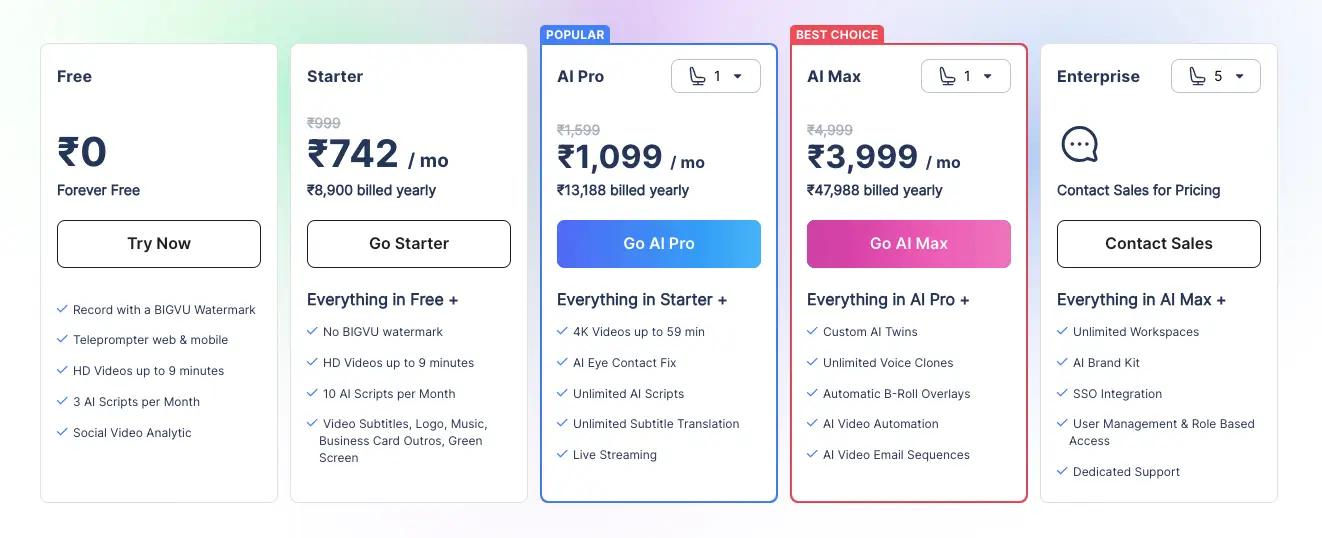
BIGVU runs a free plan plus four paid tiers. The jump you’ll actually feel is from Starter (watermark-free branding) to AI Pro, where the AI features and 4K live.
| Plan | Price | Quality & Length | Key Features |
|---|---|---|---|
| Free | $0 | HD, up to 9 min, watermark | 3 AI scripts total, teleprompter, beauty filters, social sharing |
| Starter | $16.58/mo annual ($24.99 monthly) | HD, up to 9 min, no watermark | 10 AI scripts/mo, auto-captions, green screen, styling, landing pages |
| AI Pro | from $39/mo | 4K, up to 59 min | Starter plus eye-contact fix, unlimited scripts, voice clones, AI voiceover, livestreaming, analytics |
| AI Max | from $79.90/mo | 4K, up to 59 min | Pro plus custom AI avatars, unlimited voice clones, unlimited storage & brand kits |
| Enterprise | Custom | 4K, flexible | SSO, unlimited workspaces, team permissions, onboarding |
Annual billing shaves up to ~20% off. For most solo creators, Starter is the sweet spot for clean, watermark-free branding; step up to AI Pro only when you genuinely need 4K, long-form runtimes, and the AI polish. AI Max and Enterprise are agency and team territory.
Warning: the free plan stamps a BIGVU watermark on your videos and caps clips at nine minutes, and the AI features you probably came for (eye-contact fix, unlimited scripts, voice clones) sit on the pricier AI Pro and AI Max tiers. Budget for a paid plan if this is more than a test.
What to Check Before You Buy
Before you commit to a paid plan, run through this quick gut-check:
- Are your videos mostly short and talking-head style? If yes, BIGVU fits beautifully. If they’re long, multi-clip edits, you’ll outgrow it.
- Which AI features do you truly need? Eye-contact fix, voice clones, and unlimited scripts only unlock on AI Pro and above, so don’t pay for Starter expecting them.
- Do you record mostly on mobile? Test a full-length take on the free plan first, because that’s where the sync bugs tend to show up.
- Will HD do, or do you need 4K? 4K export starts at AI Pro, so factor that into the price.
BIGVU Alternatives
BIGVU is strongest at script-and-teleprompter video. If you need heavier editing, screen recording, or hosting analytics, one of these may fit better. Here’s how the top BIGVU alternatives in 2026 compare.
| Tool | Key Features | Starting Price | Best For | Watch Out |
|---|---|---|---|---|
| Descript | Text-based editing, screen recording, AI voices, filler-word removal | Free (paid from $12/mo) | Podcasters, editors, course creators | Steeper learning curve |
| VEED.IO | Online editor, subtitles, effects, brand kits | Free (paid from $18/mo) | Social media marketers, influencers | Weaker scripting tools |
| Loom | Instant screen & webcam recording, team collaboration | Free (paid from $12.50/mo) | Internal comms, product demos | Limited editing & branding |
| Promo.com | Templates, licensed stock footage, social support | Paid from $29/mo | Small businesses, advertisers | No scripting, limited AI |
| Wistia | Video hosting, marketing analytics, email integration | Free (paid from $19/mo) | Marketing teams, SaaS companies | Built for hosting, not creation |
Short version: for scripting and teleprompting, BIGVU still leads. For deep editing, reach for Descript; for quick screen recordings, Loom; for polished hosting and analytics, Wistia.
Who BIGVU Is Really For
- Social media creators – script, shoot, caption, and schedule Reels, Shorts, and LinkedIn videos without leaving the app.
- Coaches & course creators – record structured lessons off a script, then auto-caption and translate them for a wider audience.
- Marketing & sales teams – testimonial, explainer, and outreach videos with logos, brand colors, and CTA landing pages attached.
- Personal brands – batch-record talking-head videos with confident delivery and corrected eye contact.
- Remote leaders – send clear video updates instead of another long email, with subtitles for multilingual teams.
Expert take: the sweet spot for BIGVU is the creator who publishes weekly and hates editing. If you’re batching four LinkedIn videos on a Sunday, the teleprompter, captions, and scheduler together can save you an entire afternoon.
What Real Users Say
Dig through Capterra, Software Advice, and the r/VideoEditing threads and the pattern is consistent. People love the teleprompter, the AI captions, and how quickly a rough idea becomes a finished clip, and the support team earns repeat praise.
The gripes are just as consistent, and worth taking seriously before you commit:
- Caption timing. Auto-captions are fast but occasionally land a beat early or late, so you’ll sometimes nudge them by hand.
- Editing is basic. Trimming, B-roll, and fine control are limited – it’s a finishing tool, not a full editor.
- Long recordings can be flaky. Several users report audio-video sync drifting on long takes, especially on mobile and in the web editor.
Our take: BIGVU is excellent at short, script-driven video and shaky at heavy, long-form editing. Keep your takes tight and it rarely lets you down; push it like Premiere and you’ll feel the ceiling fast.
BIGVU Pros and Cons
Here’s the honest scorecard after weighing what BIGVU does well against where it frustrates:
- Pros: a teleprompter and AI eye-contact fix that genuinely work in one app; an AI script generator that kills the blank page; auto-captions in 70+ languages; a truly beginner-friendly workflow with no editing skills required; and cloud sync so you can start on your phone and finish on your desktop.
- Cons: the AI features most people want sit behind AI Pro and AI Max pricing; the free plan adds a watermark and caps clips at nine minutes; editing is basic and long recordings can get buggy or drift out of sync; and caption timing sometimes needs a manual nudge.
Common Mistakes to Avoid with BIGVU
- Paying for AI Max when AI Pro covers you. Most solo creators never touch custom avatars, and Pro’s feature set is plenty for serious work.
- Shooting one giant take. Long single recordings are where the bugs live. Break your script into segments and stitch them together.
- Skipping the caption proof-check. The auto-captions are good, not flawless. A 30-second scan saves you an embarrassing typo burned onto the screen.
- Ignoring the free plan. Record two real videos before you pay. It’s the only honest way to know BIGVU fits how you actually work.
FAQs
What problem does BIGVU actually solve?
BIGVU tackles the friction of creating professional talking-head videos quickly. It combines a teleprompter, AI scriptwriting, automatic captions, and simple branding in one workflow, so you stop forgetting your lines, avoiding the camera, and burning hours in an editor.
Does BIGVU have a free version?
Yes. The free plan lets you test the teleprompter and core features on HD clips up to nine minutes, though your videos carry a BIGVU watermark and AI scripts are capped at three. It is a genuine way to try the app before you pay.
How does the BIGVU teleprompter work?
Your script scrolls on your phone or computer screen as you record, at a speed you control. That keeps your eyes near the lens and your delivery smooth, so you never have to memorize a word.
Who is BIGVU best suited for?
Social media creators, marketers, coaches, educators, and sales or real-estate pros who regularly record short, script-based videos. If you shoot long, complex sequences or need deep editing control, BIGVU will feel limiting.
Can I remove the BIGVU watermark?
Yes. Any paid plan (Starter, AI Pro, or AI Max) removes the watermark and lets you apply your own branding. The watermark only appears on free-plan videos.
What does AI Eye-Contact Correction do?
It analyzes your footage and subtly adjusts your eyes so you appear to look straight into the lens, even while you read the teleprompter. The result feels more direct on camera, which helps on corporate and course videos.
Is there a money-back guarantee?
Refund terms depend on the plan and where you bought it, whether the BIGVU website, the Apple App Store, or Google Play. Check the exact terms at checkout, and start on the free plan first so you can decide before spending anything.
Conclusion
After putting BIGVU through its paces and weighing it against the alternatives, here’s the honest bottom line: it’s one of the fastest ways to turn a script into a polished, captioned, on-brand video, and the teleprompter-plus-eye-contact combo is genuinely hard to beat in a single app.
If you’re a creator, coach, or marketer who lives on talking-head video, the Starter plan pays for itself in saved time; move up to AI Pro when you need 4K, longer runtimes, and the AI polish. If you’re a heavy editor or you shoot long, complex sequences, treat BIGVU as a front-end and keep a real editor in your kit. Whatever you pick, start on the free plan and record a couple of real videos before you pay – that’s the quickest way to know if it fits how you actually work.
Disclosure: some links above are affiliate links. If you upgrade through them we may earn a commission at no extra cost to you – it never changes our verdict.
The Review
BIGVU
BIGVU is a simple-to-use and highly affordable teleprompter app for even new creators. No expensive camera is required to use this application, just a smartphone is enough. It is very easy to understand, just read the instructions, and you are all set to shoot your video without any stress.
PROS
- Teleprompter + AI eye-contact fix in one app
- AI script generator for fast drafts
- Auto-captions in 70+ languages
- No editing skills needed
- Cloud sync across phone and desktop
CONS
- Pro AI features need a paid subscription
- Free plan has a watermark and 9-min cap
- Editing tools are basic; long recordings can be buggy
- Caption timing occasionally needs manual fixing




