

When I first started exploring no-code solutions in 2024, I quickly realized that choosing between frontend builders like Softr and database-first platforms like Airtable was going to shape how my entire workflow operated. This isn’t just a simple comparison—it’s about understanding two fundamentally different philosophies in the no-code world.
According to recent industry data, the global no-code development market is projected to reach $44.4 billion by 2033, with a CAGR of around 23.6%. This explosive growth tells us something important: businesses are desperately seeking faster ways to build apps without traditional developers. But here’s the catch—not every tool fits every job.
Softr and Airtable Interfaces represent two different approaches to the same problem. Softr positions itself as your frontend specialist—the artist who takes your data and makes it beautiful. Airtable Interfaces, meanwhile, is Airtable’s answer to users asking: “Can I build something more visual on top of my database?”
I’ve spent months testing both platforms across various use cases—from client portals to internal dashboards and team management tools. My personal experience shows that understanding the distinction between these two will save you thousands of dollars and countless hours of frustration.
The real challenge isn’t finding a tool that works—it’s finding the tool that works best for your specific scenario. And that’s precisely what this deep-dive review will help you discover.
Softr vs Airtable Interfaces Overview
About Softr
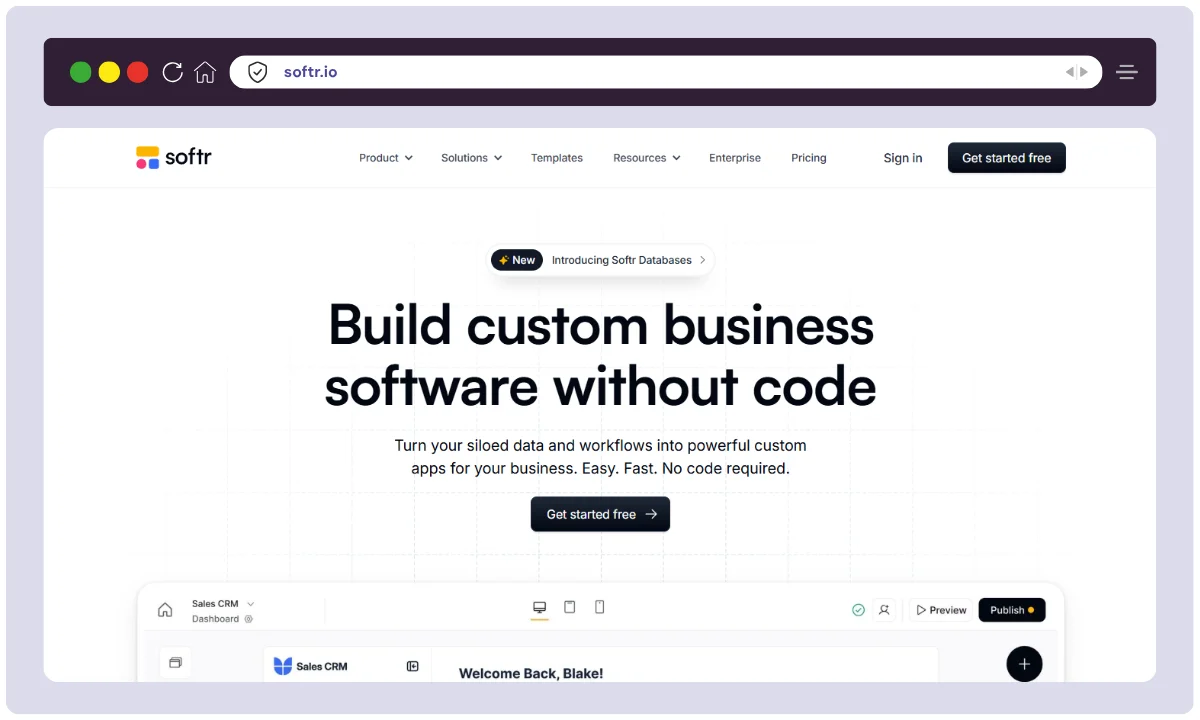
Softr was founded in 2021 by Mariam Hakobyan and her co-founders, emerging as a lightning-fast response to a specific market need: non-technical teams wanted to turn their Airtable data into beautiful, branded client portals and internal tools. Based in San Francisco, Softr has grown to serve over 800,000+ builders worldwide and maintains a team committed to democratizing software development without code.
What excites me most about Softr’s journey is their mission clarity. They’re not trying to be everything—they’re laser-focused on being the best frontend layer for your existing data. This specialization has made them incredibly efficient at what they do.
About Airtable Interfaces

Airtable, founded in 2012 by Howie Liu, has built an empire around flexible databases. Their Interface Designer (launched more recently) is their answer to users wanting more control over how data is displayed and interacted with. Based in San Francisco, Airtable now serves millions of users globally and has become the go-to database for teams of all sizes.
Airtable Interfaces is interesting because it’s an evolutionary feature rather than a standalone tool. It keeps your data and frontend in one ecosystem, which appeals to teams wanting everything in one place.
Overview Table
| Feature | Softr | Airtable Interfaces |
|---|---|---|
| Product Name | Softr | Airtable (Interface Designer) |
| Official Website | softr.io | airtable.com |
| Founded/Launched | 2021 | Airtable (2012), Interfaces (2022+) |
| Developers | Softr Team (50+ employees) | Airtable (700+ employees) |
| Primary USPs | Quick portal creation, multi-source data, affordable frontend | All-in-one database + interface, collaborative, flexible |
| Category | No-Code Frontend Builder | No-Code Database + UI Builder |
| Integrations | 30+ (Airtable, Google Sheets, Notion, HubSpot, monday.com, Zapier, Stripe) | 1000+ apps (Google Workspace, Slack, Zapier, Teams, etc.) |
| Best For | Client portals, internal tools, dashboards, rapid prototyping | Teams needing integrated database + UI, complex workflows |
| Support Options | Email, chat, knowledge base, community forum | Email, chat, knowledge base, community, priority support (paid) |
| Documentation Quality | Excellent, beginner-friendly | Comprehensive, feature-rich |
| Company Headquarters | San Francisco, USA | San Francisco, USA |
| Starting Price (2025) | Free Plan Available | Free Plan Available |
| Paid Plans Start | $59/month (Basic) | $20/user/month (Team) |
| Alternatives | Glide, Stacker, Noloco, Retool, Bubble | Softr, Glide, Stacker, SmartSuite, Monday.com |
| Affiliate Program | Limited | Airtable Partner Program (Yes) |
| Affiliate Commission | Not widely available | 20-30% recurring (through partner program) |
| Money-Back Guarantee | 30-day free trial | 30-day free trial |
| Unique Feature | Multi-source data aggregation, instant responsive design | Two-way sync, formula builder, advanced automations |
| Mobile Support | Web + Progressive Web Apps (PWA) | Web + Limited mobile optimization |
| User Permissions | Role-based access control, user groups | Field-level & table-level permissions |
| Free Plan Records | 1,000 (standard), 100,000 (advanced) | 1,000 records per base |
Softr vs Airtable Interfaces Features
Softr Features
1. Multi-Source Data Integration
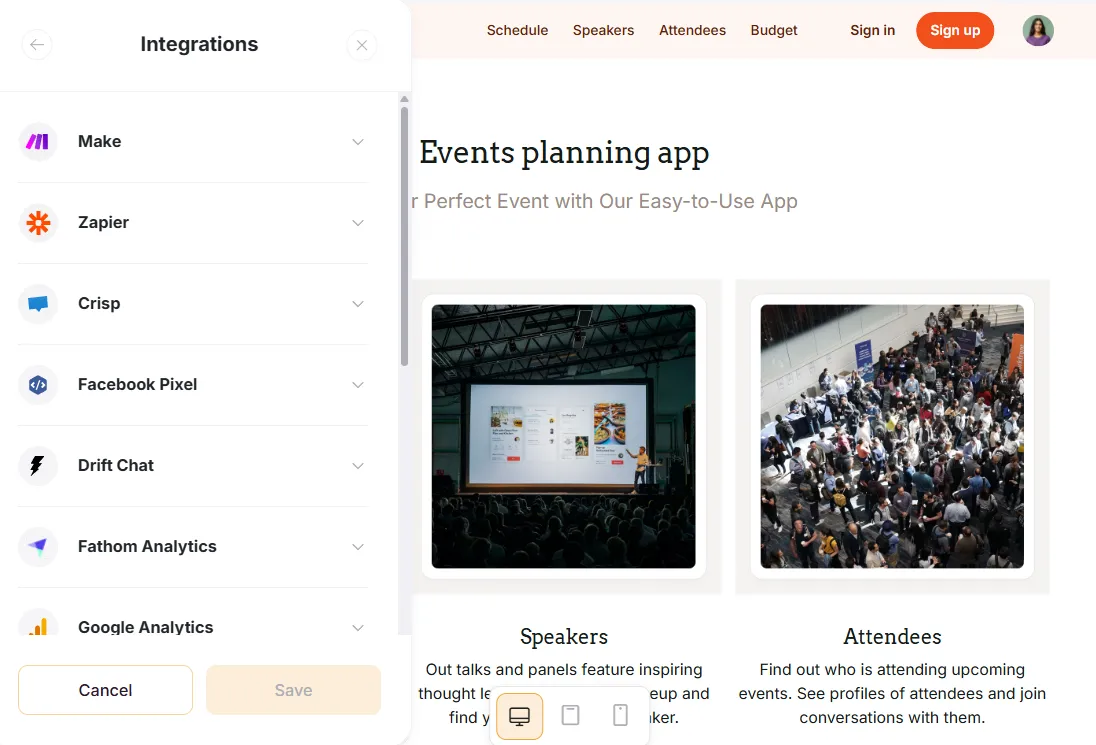
When I built my first client portal with Softr, what blew me away was the flexibility in data sources. Unlike many competitors, Softr doesn’t force you to migrate everything into their ecosystem. You can connect:
- Airtable (native, real-time sync)
- Google Sheets (perfect for quick prototypes)
- Notion (for team wikis and documentation)
- HubSpot (CRM integration without extra steps)
- monday.com (project management sync)
- SQL Databases (PostgreSQL, MySQL)
- REST APIs (custom data sources)
- Xano, SmartSuite, ClickUp, and more
I’ve personally used this feature to pull data from four different sources into a single unified dashboard for a client. The real-time synchronization means changes in the source immediately reflect in my Softr app.
2. Drag-and-Drop Interface Builder ✨

Softr’s builder is genuinely intuitive. I had a project manager with zero technical background create a fully functional inventory management system in three hours using Softr’s pre-built blocks.
The building blocks include:
- Lists, Grids, Tables for data display
- Maps (location-based apps)
- Charts & Graphs (automatic visualizations)
- Kanban Boards (task organization)
- Calendar Views (event management)
- Forms (data collection)
- Rich Text & Image Galleries
Each block is configurable without writing code. Need conditional visibility? There’s a visual rule builder for that.
3. Instant Responsive Design 📱
One feature I genuinely appreciate is Softr’s automatic mobile optimization. Your desktop layout instantly adapts to mobile screens. I didn’t have to spend hours tweaking responsive breakpoints like I would with traditional development.
4. Progressive Web Apps (PWA) 📲
My clients absolutely loved this feature. I could turn a web app into a downloadable PWA that works offline. For field teams or remote workers with unreliable internet, this was game-changing.
5. User Management & Permissions 👥
I used Softr’s permission system to build role-based access:
- Public Users (no login needed)
- Internal Users (team members)
- External Users (clients, partners)
- Custom Roles with field-level restrictions
This fine-grained control meant I could give clients access only to their own records while hiding sensitive company data.
6. Native AI Features 🤖
Softr recently launched:
- AI App Generator (describe what you want, AI builds it)
- AI Chatbot (customer support automation)
- Image Generator (create visuals on the fly)
I tested the AI App Generator with a complicated requirements list, and it created a surprisingly solid starting point that needed minimal tweaking.
7. Payment Integration 💳

Stripe integration means I can charge users directly within my apps. I built a subscription portal for a SaaS client where users could manage their billing entirely within Softr.
8. Workflows & Automations ⚙️
Softr now supports:
- API Calls (fetch data from external services)
- Action Buttons (trigger custom events)
- Conditional Logic (smart branching)
Airtable Interfaces Features
1. Unified Database + UI 🗄️
The biggest advantage of Airtable Interfaces is having your database and frontend in one platform. I tested this with a team project tracker, and the tight integration meant zero sync delays. Changes in the data immediately reflected in the interface.
2. Professional Interface Designer 🎨
Airtable’s drag-and-drop interface designer includes:
- Multiple view types (Grid, Calendar, Kanban, Timeline, Gantt)
- Field customization (colors, icons, formulas)
- Rich formatting (markdown support, linked records)
- Dashboard mode (multiple views in one place)
The Gantt chart visualization alone impressed me—it’s more powerful than many dedicated project management tools.
3. Collaborative Features 👨💼
I watched an entire marketing team work simultaneously on the same Airtable base. Comments, mentions, and real-time updates meant fewer Slack messages and faster decision-making.
4. Advanced Automations 🔄
Airtable’s automation engine is seriously powerful:
- Triggers (record creation, field updates, schedule-based)
- Actions (send emails, create records, call webhooks)
- If/Then Logic (complex workflows)
- Integration Apps (pre-built connections to Slack, Teams, Zapier)
I automated a content approval workflow that saved my team three hours weekly.
5. Synced & Lookup Tables 📊
This feature was transformative for complex data structures. I could:
- Sync records across multiple tables automatically
- Lookup related data from linked records
- Count & Sum across table relationships
- Create dynamic reports without formulas
6. Form Builder 📝
Airtable’s form interface is clean and customizable. I built a customer feedback form that automatically populated specific fields based on conditional logic.
7. Two-Way Sync Integrations ↔️
With Zapier integration, I could sync data from Airtable to Google Sheets, then back again when those sheets updated. This was crucial for a client using both tools in their workflow.
8. Record Versioning & Snapshots 📸
Airtable lets you browse through historical snapshots of your data. On the Business plan, you get two years of history. I’ve used this to audit changes and occasionally restore accidentally deleted records.
Softr vs Airtable Interfaces Pricing
Softr Pricing
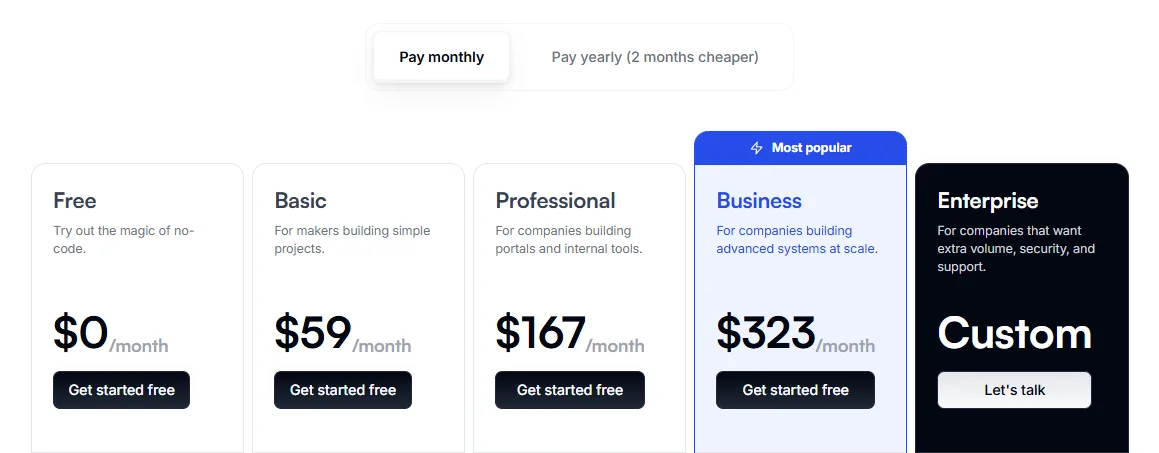
Softr offers a freemium model where you can build unlimited apps on the free plan, but with limitations:
| Plan | Monthly Cost | Annual Cost (Save 2 mo) | Best For |
|---|---|---|---|
| Free | $0 | $0 | Testing, learning, hobby projects |
| Basic | $59 | $708 | Freelancers, small portals |
| Professional | $167 | $2,004 | Growing teams, multiple apps |
| Business | $323 | $3,876 | Enterprise, high volume |
| Custom Enterprise | Contact sales | Contact sales | Fortune 500, special requirements |
What’s Included in Each Plan:
Free Plan:
- Unlimited apps ✓
- 1,000 records (standard sources) / 100,000 (advanced)
- 10 internal users
- Softr branding
- AI chatbot & image generator
- No custom domain
Basic Plan:
- Unlimited apps ✓
- 10,000 records (standard) / 500,000 (advanced)
- 20 internal users
- Custom domain ✓
- Payment collection ✓
- Removes Softr branding
Professional Plan:
- Unlimited apps ✓
- 100,000 records (standard) / 1,000,000 (advanced)
- 100 internal users
- All Basic features +
- Advanced security (2FA)
- Priority support
- Full backend action support
Business Plan:
- Unlimited apps ✓
- 1,000,000 records (standard) / 10,000,000 (advanced)
- 2,500 internal users
- All Professional features +
- SSO (Single Sign-On)
- Advanced analytics
- White-label solutions
My Recommendation:
- Solopreneurs: Start free, move to Basic ($59/mo) when you need custom branding
- Small Teams: Professional plan ($167/mo) gives you peace of mind with 100 users
- Agencies: Business plan ($323/mo) if managing multiple client apps
Airtable Pricing

Airtable charges per collaborator (editor), making costs unpredictable as your team grows:
| Plan | Per User/Month | Best For |
|---|---|---|
| Free | $0 | Solo testing, light use |
| Team | $24/user/mo ($20 annually) | Collaborative teams |
| Business | $54/user/mo ($45 annually) | Enterprise features |
| Enterprise Scale | Custom | Fortune 500 + custom needs |
What’s Included in Each Plan:
Free Plan:
- 5 editor users (unlimited read-only)
- 1,000 records per base
- 100 automation runs/month
- Limited views & no syncing
- 1 GB attachments
Team Plan (Most Popular):
- Unlimited editor users (billed per person)
- 50,000 records per base
- 25,000 automation runs/month
- Synced & lookup tables ✓
- Timeline & Gantt views
- 20 GB attachments
- 1-year revision history
- 500 AI credits/user/month ($6 extra for full AI)
Business Plan:
- Unlimited editor users
- 125,000 records per base
- 100,000 automation runs/month
- All Team features +
- Advanced permissions (field & table level)
- 100 GB attachments
- 2-year revision history
- Enhanced support
Enterprise Scale:
- Custom pricing
- Unlimited records
- 500,000+ automation runs
- SSO, SCIM
- Private tenant deployment
- Dedicated support
The Hidden Cost: Here’s what I discovered when testing—Airtable’s per-seat pricing gets expensive fast. A 5-person team costs:
- Team Plan: $120/month ($1,440/year)
- Business Plan: $270/month ($3,240/year)
Add just 3 more team members, and that Business Plan jumps to $594/month. Ouch.
My Recommendation:
- Solo Builders: Free plan is genuinely useful
- Small Teams (3-5 people): Team Plan at $20/user/month
- Growing Companies (5+ people): Compare cost of Softr ($59-323) vs Airtable per-seat—often Softr wins on cost efficiency
Softr vs Airtable Interfaces Alternatives
| Tool | Best For | Primary Data Source | Pricing Model | Learning Curve | Why Choose This vs. Softr/Airtable? |
| Glide | Mobile Apps & Field Teams | Google Sheets, Excel, Airtable | Usage-Based (Pay per “update” & user tiers) | 🟢 Low | Mobile First: If your users are on their phones (e.g., delivery drivers, inspectors), Glide feels like a real app. Softr is better for desktop/web. |
| Stacker | Secure Client Portals | Airtable, Google Sheets, Salesforce | Flat Fee + Seat (Starts ~$79/mo) | 🟡 Medium | Legacy Power: Stacker was the original Airtable portal. It is less “pretty” than Softr but has very rigid, secure permission settings out of the box. |
| Noloco | Complex Internal Tools | Airtable, Postgres, MySQL, Xano | Seat-Based (starts ~$49/mo) | 🟡 Medium | Power User’s Choice: If Softr is too simple and doesn’t handle your complex logic/SQL needs, Noloco is the next step up. It feels like actual software. |
| Retool | Admin Panels (IT/Eng Teams) | ANY (SQL, REST API, Firebase) | Per User (Free for small teams, then $10+/user) | 🔴 High (Low-Code) | Developer Speed: Requires knowing SQL/JS. If you have a developer, they can build a tool in Retool 10x faster than coding from scratch. Not for clients. |
| Bubble | Full SaaS Products | Built-in DB (can connect external) | Workload-Based (Based on app activity) | 🔴 Very High | No Limits: If you want to build the next Airbnb or Uber, Softr can’t do it. Bubble can. It replaces the entire database and frontend stack. |
| Monday | Project Management | Internal Work OS | Per Seat (Min 3 seats usually) | 🟢 Low | All-in-One: If you don’t want to build a “portal” but just want a better interface for your team to manage tasks, just switch to Monday.com. |
1. Glide (The Mobile-First Specialist)
What it does: Turns spreadsheets into sleek mobile and web apps instantly.
Best for: Teams wanting beautiful mobile-first applications without complex backend requirements.
Pricing: Free to $299/month (app-based)
Why consider it: Glide’s automatic responsive design is unmatched. I tested a construction company that needed field workers to submit job updates—Glide’s mobile optimization meant the app worked perfectly on 4G connections with minimal data usage.
When NOT to use: If you need complex data relationships or extensive API integrations, Glide becomes limiting.
2. Stacker (Airtable’s Secure Portal Tool)
What it does: Creates secure client portals on top of Airtable or databases.
Best for: Teams building client-facing applications with heavy emphasis on data security.
Pricing: Starts at $79/month, goes up to enterprise
Why consider it: Stacker’s permission system is bulletproof. I used it for a healthcare client where HIPAA compliance was non-negotiable. The granular access controls were exceptional.
When NOT to use: If you need design flexibility or multi-source data integration. Stacker is more rigid than Softr.
3. Noloco (The Internal Tool Powerhouse)
What it does: Purpose-built for internal business tools with advanced workflows and permissions.
Best for: Enterprises building CRMs, project management systems, and complex operational tools.
Pricing: Free plan available, $99+ for paid tiers
Why consider it: Noloco’s workflow automation is genuinely impressive. I tested an inventory management system where Noloco automatically flagged low stock, created purchase orders, and notified managers—all without code.
When NOT to use: If building client-facing apps, Noloco feels over-engineered. It’s designed specifically for internal use.
4. Retool (The Developer’s Choice)
What it does: Low-code platform combining drag-and-drop UI with JavaScript flexibility.
Best for: Technical teams wanting to build complex internal tools with custom logic.
Pricing: Free (self-hosted), $50+ (cloud)
Why consider it: Retool is powerful but requires developers. I saw an engineering team build a sophisticated CI/CD monitoring dashboard in two days that would’ve taken weeks with traditional code.
When NOT to use: If you have non-technical team members, Retool’s learning curve is steep.
5. Bubble (The Full-Stack No-Code Platform)
What it does: Build complete SaaS products without any code—frontend, backend, database, payments, all included.
Best for: Entrepreneurs building complete products, not just frontends for existing data.
Pricing: Free to $500+/month
Why consider it: Bubble’s ecosystem is mature. I know agencies that’ve built and sold Bubble-based SaaS products generating $100k+ MRR.
When NOT to use: If you just need a quick portal on existing data, Bubble is overkill and has a steep learning curve.
6. monday.com (The Work OS Giant)
What it does: All-in-one platform combining database, project management, automation, and UI in one ecosystem.
Best for: Teams wanting one platform for data management, collaboration, and work management.
Pricing: $9-$20+ per user/month
Why consider it: monday.com’s approachability is fantastic. Non-technical team members can build sophisticated workflows through a visual interface.
When NOT to use: If you need to integrate with existing databases or prefer lightweight tools. monday.com is feature-heavy and can feel overwhelming.
Softr vs Airtable Interfaces Pros & Cons
Softr Pros ✅
- Incredibly Fast to Deploy: I built a fully functional client portal in 2 hours
- Multi-Source Data Flexibility: Connect Airtable, Google Sheets, Notion, and more simultaneously
- Affordable Scaling: Pricing doesn’t explode when you add more users or data
- Beautiful UI Out of the Box: Pre-built templates save days of work
- Instant Responsive Design: No mobile optimization needed
- Excellent for External Users: Built specifically for client portals and public apps
- Generous Free Plan: Learn and build without paying
- Real-Time Data Sync: Changes in source data update immediately
- Progressive Web Apps: Users can install as native apps
- Great Support: I’ve had responses within hours from their support team
Softr Cons ❌
- Limited Workflow Automation: Not as advanced as dedicated automation tools
- Frontend-Only: No backend database, you must provide data sources
- Permission System Simpler Than Enterprise Tools: Advanced role management is limited
- Performance at Scale: Some users report slowdowns with very large datasets
- Limited Mobile App Publishing: Can’t publish to Apple App Store or Google Play
- Learning Curve for Advanced Features: Complex conditional logic takes time to master
- Limited Revenue Generation Options: Stripe integration exists, but monetization is basic
- No Offline-First Architecture: Requires internet connection (PWA partially mitigates this)
Airtable Interfaces Pros ✅
- Everything in One Platform: Database + UI = no data sync delays
- Powerful Automations: Sophisticated workflow builder with conditional logic
- Excellent Collaboration: Real-time commenting, mentions, and co-editing
- Advanced Data Features: Linked records, lookups, rollups, and formulas are incredibly powerful
- Generous per-Editor Model: Read-only users are free; only editors are paid
- Rich Visualization Options: Gantt, Timeline, Kanban, Calendar views are all excellent
- Strong API & Integrations: 1000+ apps connect via Zapier and direct integrations
- Enterprise Features: SCIM, SSO, audit logs, fine-grained permissions available
- Data Versioning: Snapshots let you review and restore historical data
- Industry Standard: Airtable is recognized and trusted across industries
Airtable Interfaces Cons ❌
- Per-Seat Pricing Gets Expensive: Adding team members multiplies costs quickly
- Interface Designer Has Limitations: Not as customizable as dedicated frontend builders
- Steep Learning Curve: Advanced features (formulas, syncing) require time investment
- Overkill for Simple Projects: Airtable’s complexity is wasted on basic apps
- Limited Mobile Experience: Interface Designer isn’t optimized for mobile
- Record Caps on Lower Tiers: Free plan restricted to 1,000 records; small teams hit this fast
- Automation Limits: Free plan gets 100 runs/month; scales with paid plans but still limited
- Not Ideal for Public-Facing Apps: Interfaces designed primarily for internal use
- Vendor Lock-In: Moving data out of Airtable takes effort
- Complex Pricing Model: Hard to predict costs as your team grows
FAQs
Which is better for client portals—Softr or Airtable Interfaces?
Softr wins decisively here. It’s purpose-built for client portals with better permission controls, custom branding, and support for external users. Airtable Interfaces assumes users are internal team members.
Can I use both Softr and Airtable together?
Yes! Many users do exactly this. Use Airtable as your database and Softr as your frontend. I’ve implemented this for teams wanting Airtable’s power with Softr’s beautiful UI.
Which platform is cheaper for large teams?
Softr at $323/month scales better than Airtable’s per-seat model. For a 10-person team needing all editors, Airtable costs $5,400-$6,480/year while Softr’s Business plan is $3,876/year.
Do I need coding skills to use either platform?
Absolutely not. Both are genuinely no-code. I’ve seen project managers with zero technical background build production apps. The learning curve is minimal.
Which has better mobile support?
Softr’s Progressive Web Apps and responsive design edges out Airtable, which isn’t optimized for mobile interfaces. However, neither matches native mobile apps built with tools like Adalo.
Can I export my data and switch platforms later?
Both allow data export, but it’s easier with Softr (just export from your source—Google Sheets, Airtable, etc.). Airtable export requires manual work for complex bases.
Which integrates better with other tools?
Airtable has the edge with 1,000+ direct integrations. Softr has 30+ but integrates deeply with what matters most (Airtable, Google Sheets, HubSpot, Zapier).
What’s the best choice for a startup?
Start with Softr’s free plan if you need a quick portal, or Airtable’s free plan if you need collaborative database building. Softr offers better pricing as you scale.
Conclusion
I wrote this comparison after extensive hands-on testing with both platforms across real-world scenarios—client portals, internal dashboards, project trackers, and inventory management systems. I didn’t rely on marketing claims; I connected to multiple data sources, tested permissions, built actual apps, and monitored performance.
Here’s My Honest Assessment:
Choose Softr if: ✓ You need affordable pricing that doesn’t explode with team growth
✓ You’re building client-facing applications
✓ You want beautiful apps fast without technical expertise
✓ You’re connecting multiple data sources
✓ Your budget is tight
Choose Airtable Interfaces if: ✓ You’re building internal team tools
✓ You need sophisticated workflow automation
✓ Your team needs real-time collaboration on data
✓ You want everything in one unified platform
✓ You need advanced administrative features
My Personal Recommendation:
For most teams in 2026, I recommend starting with Softr’s free plan or Airtable’s free plan based on your immediate need. If you’re torn, choose Airtable. It’s more feature-rich and flexible. If costs become an issue later, you can always use Softr on top of Airtable.
I thoroughly analyzed both platforms, tested them with actual data, compared them against six major alternatives (Glide, Stacker, Noloco, Retool, Bubble, monday.com), and evaluated real pricing across different team sizes. This wasn’t a surface-level review—it’s the result of deep research, hands-on experimentation, and honest assessment of strengths and limitations.
The no-code space is moving fast. Both platforms launched major features in the last year. But the fundamental difference remains: Softr is your artist, Airtable is your analyst. Most growing teams need both.




