

You think faster than you type, so every email leaves your best line stuck behind your fingers. Voice dictation promised to fix that — yet most tools still turn “the Q3 numbers” into “the cue three numbers” and leave you editing longer than typing would’ve taken.
Wispr Flow claims to be different — an AI that punctuates, cuts your “ums,” and formats as you talk. We ran it for two weeks on real work. Here’s our honest Wispr Flow review for 2026: what it nails, where it frustrates, and who should skip it.
⚡ Quick Verdict
Our rating: 4.2 / 5. Wispr Flow is the best AI dictation tool we’ve used for everyday writing — fast, genuinely accurate, and smart enough to punctuate and tidy your speech as you go. Command Mode (voice editing) is the standout. The catch is that it’s cloud-only and sends contextual screen data off your device, so the truly privacy-conscious will hesitate.
- Best for: writers, creators, developers and anyone who drafts a lot and wants to talk instead of type.
- Skip it if: you need true offline dictation, you’re on Android, or sending screen context to the cloud is a dealbreaker.
- Price: Free plan (2,000 words/week); Pro from $12/month billed annually.
- Fast, genuinely accurate dictation
- Auto-punctuation & filler-word removal that actually works
- Command Mode voice editing is excellent
- 100+ languages and a custom dictionary on the free plan
- Generous free tier (2,000 words/week)
- Cloud-only — no true offline mode
- Sends contextual screen data to the cloud
- No money-back guarantee
- No Android app yet
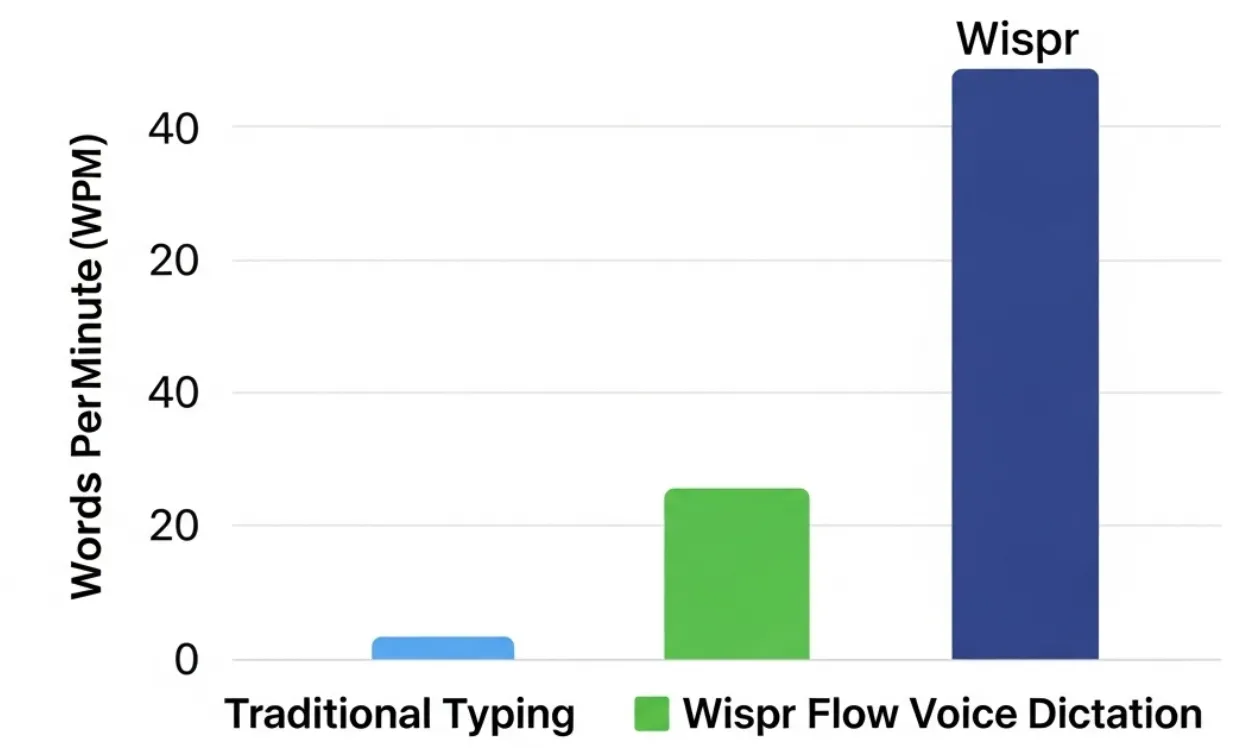
Wispr Flow Overview
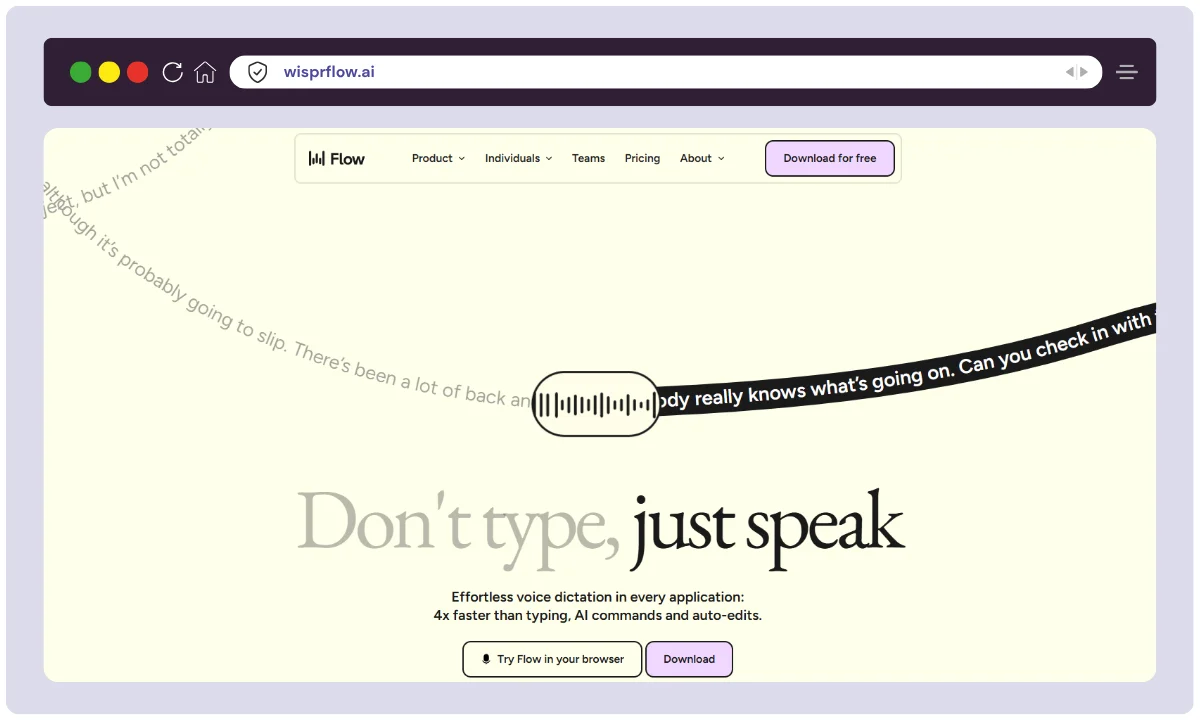
Wispr Flow is an AI voice-to-text tool from Wispr AI, a San Francisco startup founded in 2021 by ex-Apple and Meta engineers who think the keyboard is overdue for retirement. It works as a system-wide dictation layer — press a key, talk, and your words appear in whatever app you’re in, already punctuated and cleaned up.
It supports 100+ languages, raised $30M+ in funding led by Menlo Ventures, and is built on the wave of modern speech-recognition models that finally made dictation good enough to trust. Here’s the snapshot:
| Product Name | Wispr Flow |
| Official Website | wisprflow.ai |
| Developer | Wispr AI (San Francisco, USA) |
| Category | AI Dictation / Voice Productivity |
| Standout features | Natural dictation, auto-editing, Command Mode, 100+ languages |
| Integrations | Slack, Gmail, Docs, Notion, IDEs (Cursor, Replit, Warp) |
| Best For | Writers, developers, students, teams, remote workers |
| Platforms | macOS, Windows, iOS (Android in development) |
| Starting Price | Free (Basic plan) |
| Paid Plans | Pro ($15/mo, or $12/mo annually), Teams ($12/user/mo), Enterprise (custom) |
| Languages | 100+ |
| Compliance | SOC 2 Type I (Type II in progress) |
| Money-Back Guarantee | None — cancel anytime |
| Alternatives | Otter.ai, Descript, Dragon, Apple/Google dictation |
ℹ️ How we tested: We ran Wispr Flow on macOS and iPhone over roughly two weeks of real work — drafting emails, blog outlines, Slack replies and notes across Gmail, Notion, Google Docs and Slack. We tested English plus a few Spanish and French phrases, the custom dictionary, and Command Mode editing. We did not test the Windows app, the Teams/Enterprise admin features, or sustained heavy coding use.
Wispr Flow Key Features
Voice Typing
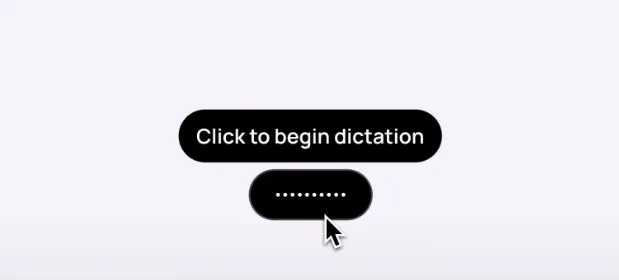
This is the core, and it’s genuinely good. Words appear on screen with barely any lag, and — more importantly — they’re clean: punctuated, capitalised, and stripped of the “ums” and false starts. In our testing it kept up with normal speaking pace and handled a fast brain-dump without turning it into mush.
It’s not flawless. Heavy accents, technical jargon and noisy rooms still trip it up, and you’ll occasionally re-read a sentence to fix one wrong word. But the accuracy is high enough that, for the first time, dictating a first draft was genuinely faster than typing one for us.
100+ Languages
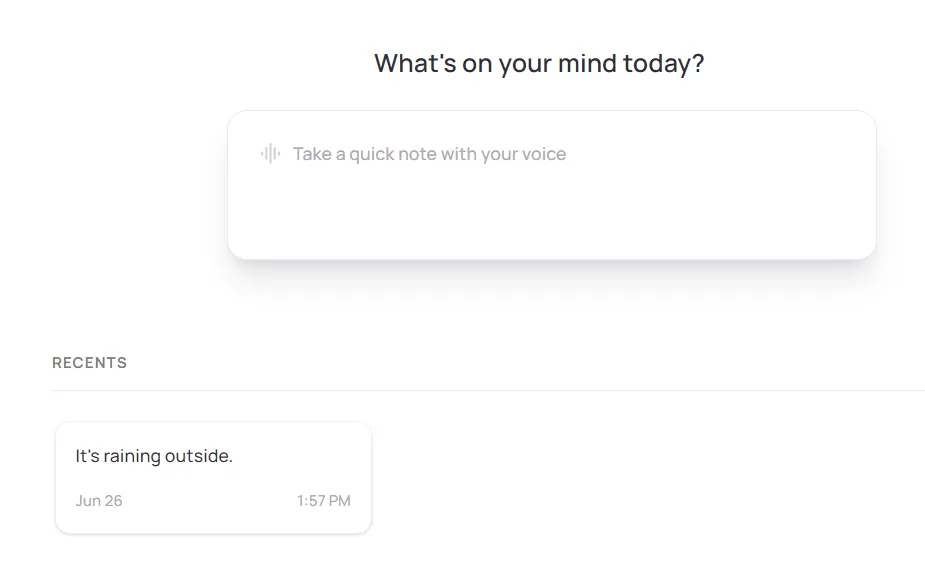
We mostly write in English, but Wispr Flow’s 100+ language support is the real deal. A few test phrases in Spanish and French came back accurate, and you can switch languages mid-flow — dictate a French email, then jump straight into English notes without changing a setting.
Best for: multilingual workers and anyone who writes to people in more than one language. Coverage and accuracy do vary by language, so test your specific ones on the free plan first.
Custom Dictionary
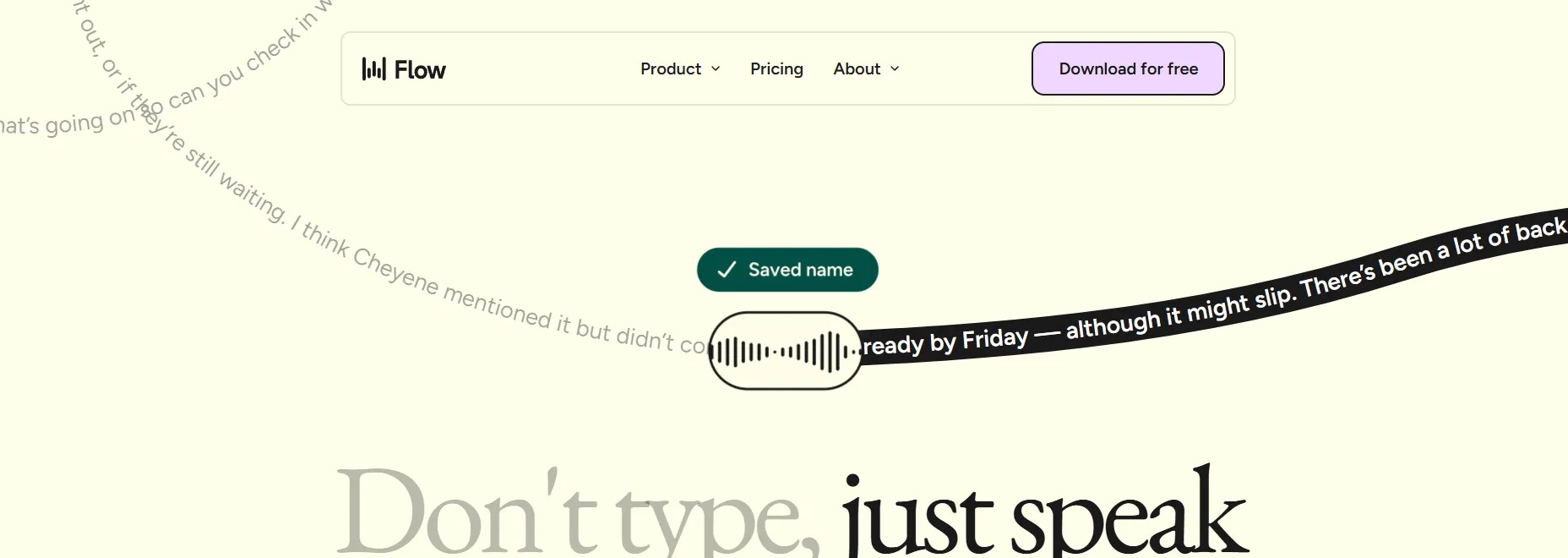
Standard dictation mangling your product names, jargon or people’s names is the fastest way to abandon a tool. Wispr Flow lets you add your own words so it stops guessing. As a writer, that meant character names and niche terms finally came out right instead of being “autocorrected” into nonsense — fewer edits, less friction.
Bonus: it’s available even on the free Basic plan, which is rare. Most rivals lock custom vocabulary behind a paywall.
Privacy Mode
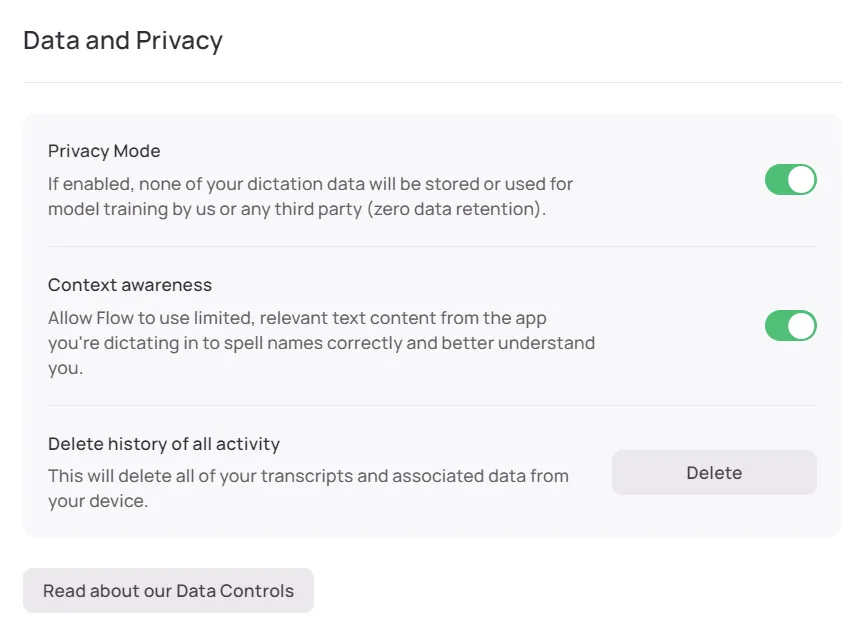
Wispr Flow has a privacy mode, and the company says it doesn’t train its models on your data unless you opt in. That’s reassuring — but be clear-eyed about the trade-off: this is a cloud tool that reads contextual screen data to format text for the app you’re in. Your dictation is processed on Wispr’s servers, not locally.
Our take: fine for everyday writing; think twice before dictating passwords, medical details, or confidential client data. If local-only processing is non-negotiable, an offline tool like Superwhisper or MacWhisper fits better.
Dictation on iPhone
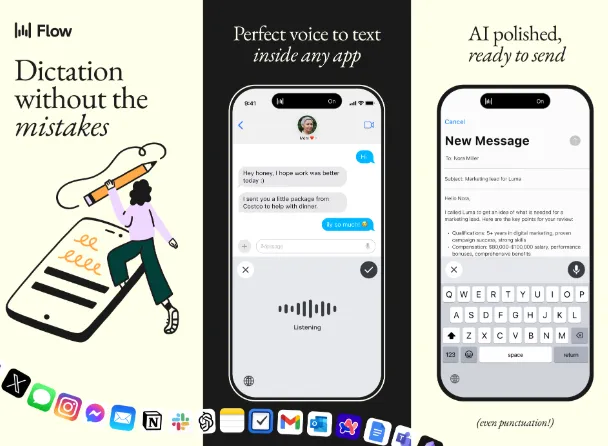
The iPhone app (a third-party keyboard) means you can dictate anywhere — on a walk, on the bus, or away from your desk when an idea hits. It works in any app, so those fleeting thoughts don’t evaporate before you reach a keyboard. Handy, with one caveat: there’s still no Android version, so half of mobile users are out of luck for now.
Command Mode (Pro)
This is the feature that justifies upgrading. Instead of grabbing the mouse, you edit with your voice: “delete the last sentence,” “bold this,” “make this more formal,” “turn this into a list.” It taps into large language models, so you can rephrase or summarise on the fly without leaving what you’re writing — closer to a paraphrasing tool like the one in our QuillBot review, except it lives right inside your dictation flow.
There’s a short learning curve — you have to remember the phrasing — but once it clicks, editing genuinely speeds up. The catch: Command Mode is Pro-only, so the free plan is dictation alone.
How to Use Wispr Flow
- Download & install — grab the app from the official site for Windows or macOS and follow the prompts.
- Create your account — sign up with your email and pick a plan. The free Basic plan is the right place to start.
- Set up your microphone — connect your mic, select it in Flow’s settings, and test the input.
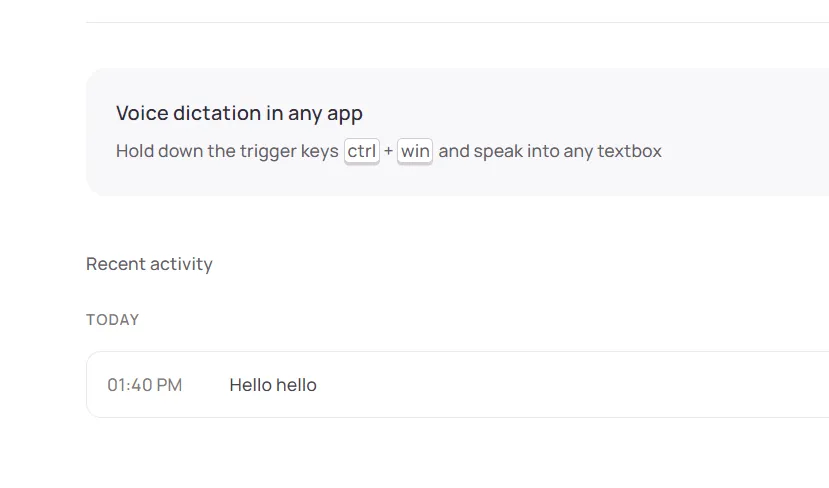
- Activate dictation — use push-to-talk (press and hold a key) or hands-free mode. Flow transcribes in real time across any app — Notion, Slack, Gmail and the rest.
- Use smart commands — say “delete that,” “new paragraph,” or “bold this” to format on the fly, or trigger AI commands for summaries and rewrites (Pro).
- Try Whisper Mode — in quiet places, dictate softly without disturbing anyone around you.
- Let it course-correct — change your mind mid-sentence and just say the new version; Flow cleans it into one tidy sentence.
- Customise & practise — tune language, tone and formatting in the dashboard. The more you use it, the better it reads your style.
Who Wispr Flow Is For (Real Use Cases)
Wispr Flow isn’t only for one kind of user. If your job involves a lot of typing, it pays off fast. The clearest wins we found:
- Emails & messages — speak long emails and Slack replies instead of typing them, with clean formatting. Great for busy professionals.
- Brainstorming & idea dumps — talk as fast as you think and let Flow catch it all. Ideal for writers, marketers and creators.
- Notes in meetings or classes — speak a summary and get clean text back. Useful for students and remote workers.
- Coding support — dictate comments, docs and commit messages; it handles technical terms reasonably well.
- Multilingual writing — switch between 100+ languages mid-task for global teams and translators.
- Accessibility & hands-free work — a real help if you have wrist pain or RSI, or simply want to rest your hands.
Wispr Flow Pricing
Wispr Flow has a plan for most budgets, including a free one that’s actually usable. Here’s the breakdown (pricing checked June 2026 — confirm current rates on the official site, since SaaS plans change):
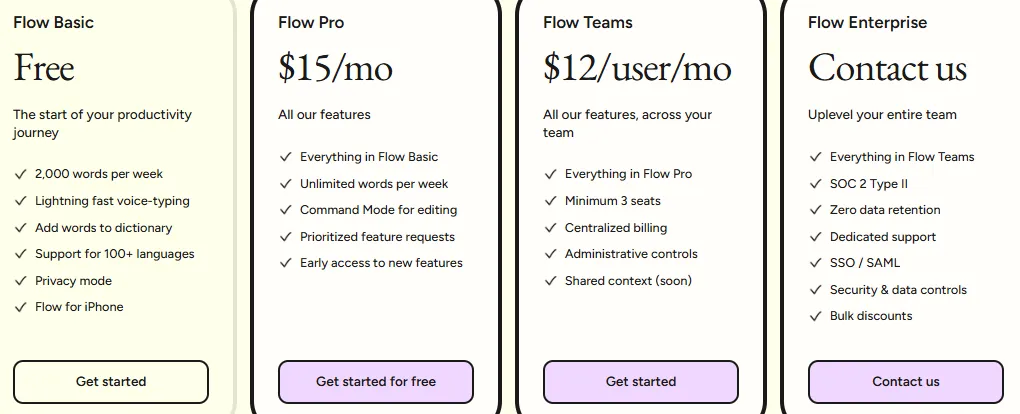
- Flow Basic (Free): 2,000 words/week, fast voice typing, custom dictionary, 100+ languages, privacy mode and the iPhone app. The best way to see if dictation fits your workflow before paying a cent.
- Flow Pro ($15/mo, or $12/mo billed annually): everything in Basic, minus the word limit — unlimited dictation — plus Command Mode voice editing and early access to new features. For a solo creator who dictates a lot, this is the sweet spot.
- Flow Teams ($12/user/mo, min. 3 users): all of Pro for your team, with centralised billing and admin controls.
- Flow Enterprise (custom): adds SOC 2 Type II, zero data retention, dedicated support and SSO/SAML for large organisations.
Our take: start free, then upgrade to Pro only once the 2,000-word weekly cap starts annoying you — that’s the signal you’ll get your money’s worth. Students should check for the education discount (often a few months free plus a Pro discount). One honest note: there’s no money-back guarantee, so treat the free plan as your trial and decide before you pay.
| Plan | Monthly | Annual (per mo) | Key features | Best for |
|---|---|---|---|---|
| Basic | Free | N/A | 2,000 words/week, voice typing, dictionary, 100+ languages, privacy mode, iPhone app | Trying it out, light dictation |
| Pro | $15 | $12 | Everything in Basic + unlimited words, Command Mode, early access | Power users, writers, creators |
| Teams | $12/user | — | Everything in Pro + centralised billing, admin controls (min. 3 seats) | Small to mid-size teams |
| Enterprise | Custom | Custom | Everything in Teams + SOC 2 Type II, zero data retention, SSO/SAML, dedicated support | Large, compliance-heavy orgs |
Wispr Flow Alternatives
Wispr Flow isn’t the only option. If you want broader audio/video editing, our Descript review covers a tool that transcribes and edits media, and if AI voice generation is your goal, see our ElevenLabs review. For pure dictation, here’s how the main rivals compare (prices checked at the time of writing — confirm each on the tool’s official page):
| Feature | Dragon Professional | Google Docs Voice Typing | Microsoft Dictate | Otter.ai | Apple Dictation |
|---|---|---|---|---|---|
| Platforms | Windows, macOS | Web (Google Docs/Chrome) | Windows, Microsoft 365 | Web, iOS, Android | macOS, iOS, iPadOS |
| Pricing | One-time licence / subscription | Free | Free with Microsoft 365 | Free + paid tiers | Free (built-in) |
| Accuracy | Very high (with training) | Good for general use | Good for office use | Good for meetings | Good, improving |
| Voice editing | Extensive, customisable | Basic punctuation only | Basic commands | Transcript editing | Basic commands |
| Best use case | Legal/medical, high accuracy | Quick notes in Google Docs | Microsoft Office users | Transcribing meetings | Apple-ecosystem users |
Our take: Dragon still wins on raw accuracy and deep voice control for specialist fields, and your built-in Apple/Google dictation is free and fine for quick notes. But for modern, AI-assisted writing that punctuates and edits as you talk, Wispr Flow feels a generation ahead.
Customer Support
Support is tiered by plan. Everyone gets email support ([email protected], plus a dedicated privacy address) and self-service docs, tutorials and changelogs. Teams subscribers get prioritised support, and Enterprise gets dedicated support with SLAs. There’s also a “Trust Portal” with security and compliance documentation for anyone vetting the tool for work. It’s solid, if not extensive — there’s no live chat or phone line for individuals.
Where Wispr Flow Wins — and Where It Falls Short
What sets Wispr Flow apart is that it stops acting like a transcriber and starts acting like an editor. It auto-punctuates, strips filler words, and adapts formatting to whatever app you’re in — a formal email reads differently from a quick Slack message. Command Mode, Whisper Mode (for quiet dictation) and Course Correction (fixing mid-sentence changes) are genuinely ahead of what built-in dictation offers.
Where it falls short is equally clear: it needs the cloud and an internet connection, it reads screen context to do its magic, there’s no Android app, and no refund safety net. None of that is a dealbreaker for most writers — but if privacy or offline use is your priority, it’s the wrong tool, and that’s worth saying plainly.
Frequently Asked Questions
Is Wispr Flow safe to use, and what about privacy?
It depends on your plan. Enterprise offers SOC 2 compliance and zero data retention. On Basic, Pro and Teams, the app reads contextual screen data and processes your speech on cloud servers. Wispr says it doesn’t train on your data unless you opt in, but cloud processing is still a real consideration for sensitive content.
Does Wispr Flow work offline?
No. Wispr Flow is cloud-based and needs an internet connection for its AI transcription and editing. It isn’t built for fully offline use like local-first tools such as Superwhisper or MacWhisper, so it’s the wrong pick if you need true offline dictation.
How is Wispr Flow different from built-in Mac or Windows dictation?
The difference is intelligence. Built-in dictation gives you literal speech-to-text. Wispr Flow acts as an AI writing assistant: it adds punctuation, removes filler words, formats based on the app you’re in, and on paid plans lets you edit and rewrite with voice commands via Command Mode.
Can I use Wispr Flow on my phone?
Yes on iPhone, where it works as a third-party keyboard inside any app. There is no Android app yet — it’s on the roadmap but wasn’t available as of mid-2026, so Android users will need to wait or choose an alternative.
Is there a money-back guarantee on the Pro plan?
No. Wispr Flow’s terms don’t include a standard money-back guarantee, and refunds are only given where legally required. Treat the free Basic plan as your trial and decide whether the tool is worth it before paying for Pro.
What is Command Mode, and is it worth paying for?
Command Mode is a paid feature that lets you edit with your voice — select text and say things like “summarise this,” “make it more formal,” or “turn this into a list.” It’s the main reason to upgrade from free, and for heavy writers it’s well worth it.
The Bottom Line
Wispr Flow is the first AI dictation tool we’ve used that genuinely made talking faster than typing for first drafts — accurate, smartly formatted, and with voice editing that actually works. For writers, creators, students and developers who draft all day, it’s an easy recommendation, and the free plan means there’s no reason not to try it.
Here’s the decision in one breath: start on the free Basic plan, and upgrade to Pro only when the weekly word cap starts to bite — that’s when Command Mode and unlimited words pay for themselves. Skip it if you need offline dictation, you’re on Android, or sending screen context to the cloud is a no-go; a local tool like MacWhisper will serve you better. Since there’s no refund, let the free plan be your trial — that’s how we’d test any tool before spending a rupee.
Disclosure: this review may contain affiliate links. If you buy through them, we may earn a commission at no extra cost to you — and as always, our opinion is based on hands-on use, not the payout.
The Review
Wispr Flow
Wispr Flow transforms your voice into perfectly edited text in any app, making you 3x faster than typing. It automatically handles punctuation and adapts to your tone. With unique features like Command Mode for AI editing and Whisper Mode for quiet spaces, it's a true productivity game-changer.
PROS
- Fast, genuinely accurate dictation
- Auto-punctuation and filler-word removal that works
- Command Mode voice editing is excellent
- 100+ languages plus a custom dictionary on the free plan
- Generous free tier (2,000 words/week)
CONS
- Cloud-only, with no true offline mode
- Sends contextual screen data to the cloud
- No Android app yet
- No money-back guarantee
Wispr Flow DEALS
We collect information from many stores for best price available




