Kajabi costs more than every rival on this list, and it does not apologise for it.
The pitch is simple: stop paying for a course platform, an email tool, a funnel builder, a website host and a checkout, because Kajabi is all of them. Whether that maths works depends entirely on what you sell. This Kajabi review covers what the platform genuinely does well, the fee that most reviews leave out, and who should walk away. Want to try it first? Our guide to the Kajabi free trial covers that.
Quick verdict
Kajabi is the best all-in-one platform for people selling high-ticket courses, coaching and memberships to an audience they already have. The funnel, email and checkout tools are properly integrated rather than bolted on, and that saves real time. At $179 a month for the entry plan, it is also indefensibly expensive for anyone still testing whether their course will sell.
Best for: coaches, consultants and creators doing four figures a month or more, who want one login and one support team.
Not ideal for: first-time course creators, anyone selling a cheap course to a small list, and developers who want deep customisation. Teachable or Thinkific cost a fraction of this.
Our full score, pros and cons are in the review box below.
Kajabi at a glance
- Product
- Kajabi, all-in-one course and coaching platform
- Official Website
- kajabi.com
- Category
- Online course platform, LMS and marketing suite
- Our Rating
- Starting Price
- $179/month, or $143/month billed annually (Basic)
- Free Plan
- No 30-day free trial instead
- What Is Included
- Courses, memberships, coaching, website, email marketing, funnels, checkout, communities
- Payments
- Kajabi Payments, Stripe and PayPal
- Refund Window
- 30 days from your first payment
- Best For
- High-ticket courses, coaching and memberships with an existing audience
We may earn a commission when you buy through links on this page. This does not affect our reviews.
What you are actually paying for
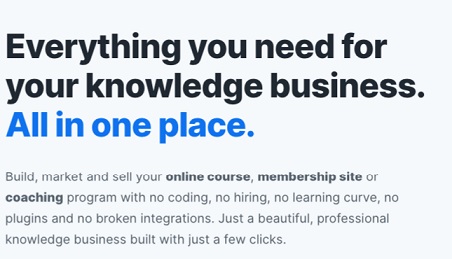
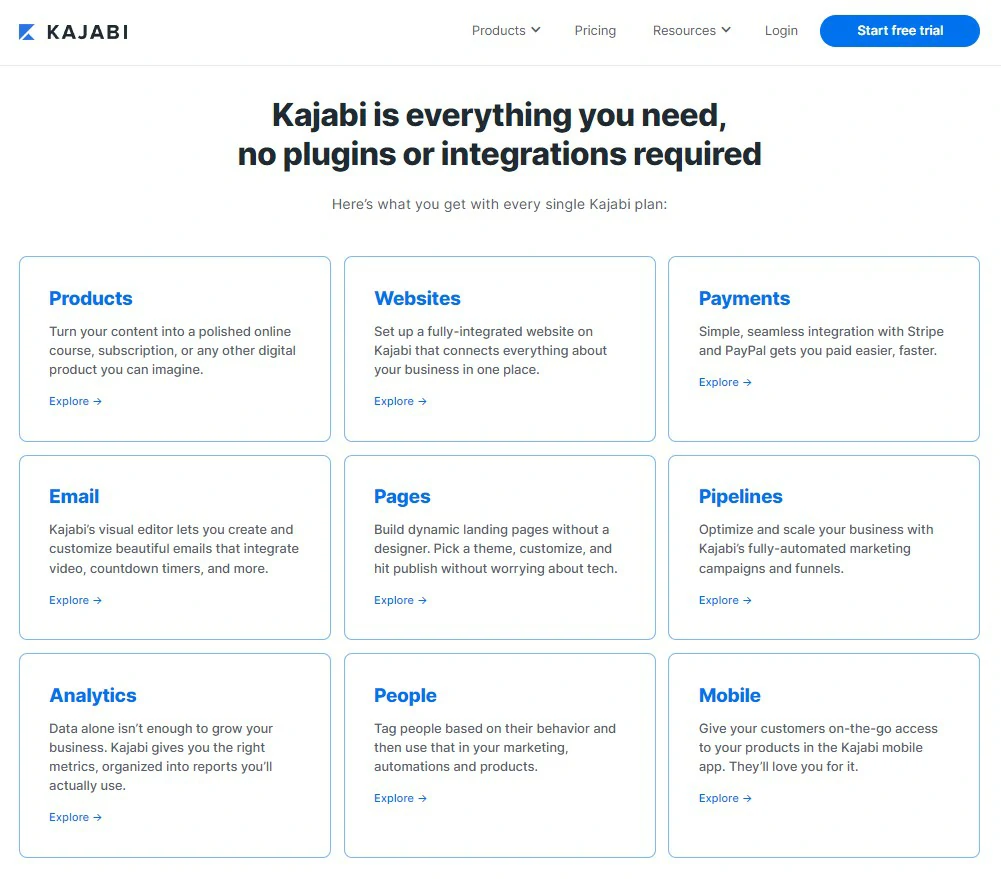
Kajabi replaces a stack. Course hosting, a website with a blog, landing pages, email broadcasts and sequences, sales funnels, an affiliate program, communities and a checkout all live behind one login. Nothing here is a first-in-class product on its own. Together they remove the part of the job that eats your week, which is making five tools talk to each other.
That is the whole argument for Kajabi, and it holds up. When a purchase triggers an email sequence, tags the buyer, grants course access and fires an upsell offer, none of that needs Zapier and none of it breaks when an API changes.

Building and selling a course
Products in Kajabi are built from templates: mini course, drip course, full online course, membership, coaching program, community. Pick one, and you get a pre-built structure with placeholder content that you replace. For anyone who has stared at an empty course builder wondering how many modules is normal, that scaffolding is worth more than it sounds.
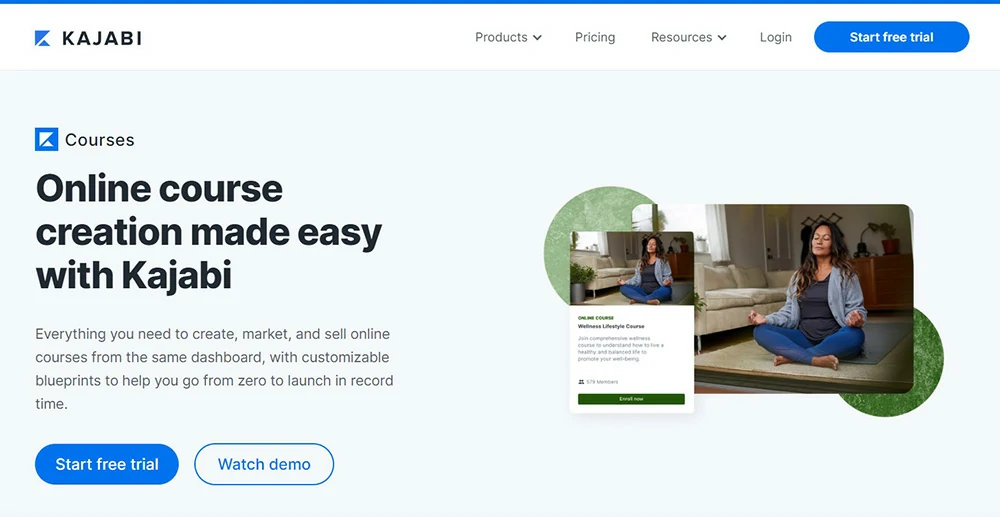
Video hosting is included, so there is no separate Vimeo or Wistia bill, and playback adapts to the learner connection. Quizzes and assessments exist but stay basic. If you need timed exams, question banks or serious certification workflows, Kajabi is not the right LMS.
Payment flexibility is a genuine strength. One-time fees, payment plans, subscriptions, trials and upsells are all native to the checkout, which matters a lot when you sell a $2,000 program that people pay for in four instalments.
The website and page builder
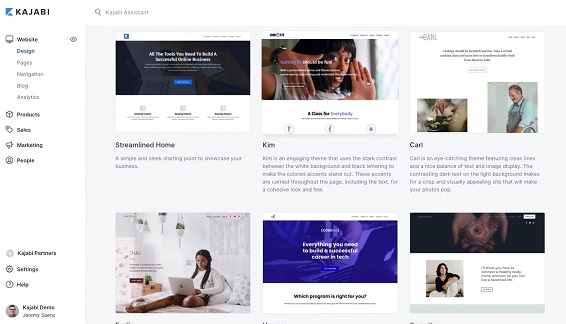
Kajabi wants to be your whole web presence, not just a course backend. You get themes, a section-and-block editor, a blog, and a landing page builder stocked with sales page, opt-in and checkout templates.
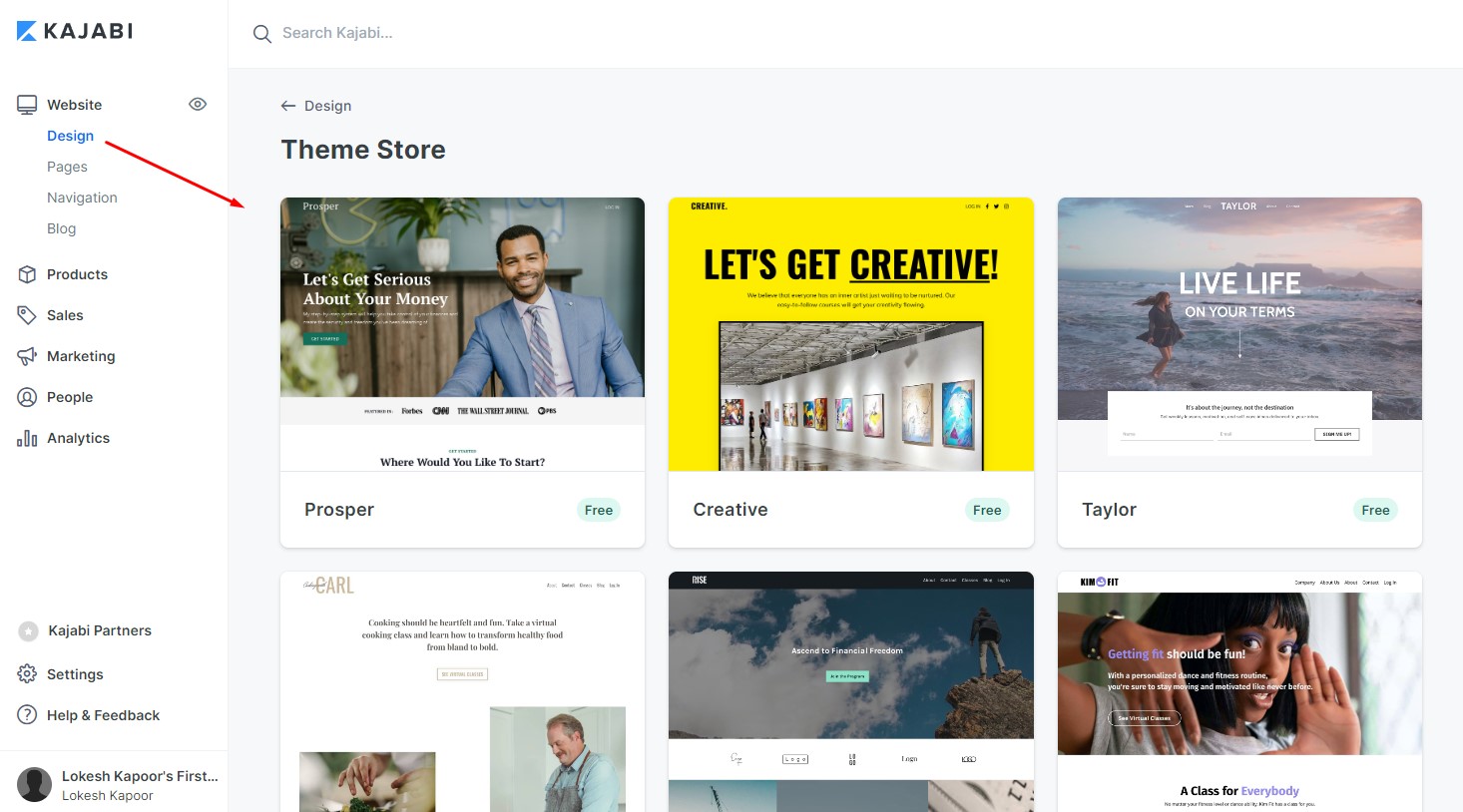
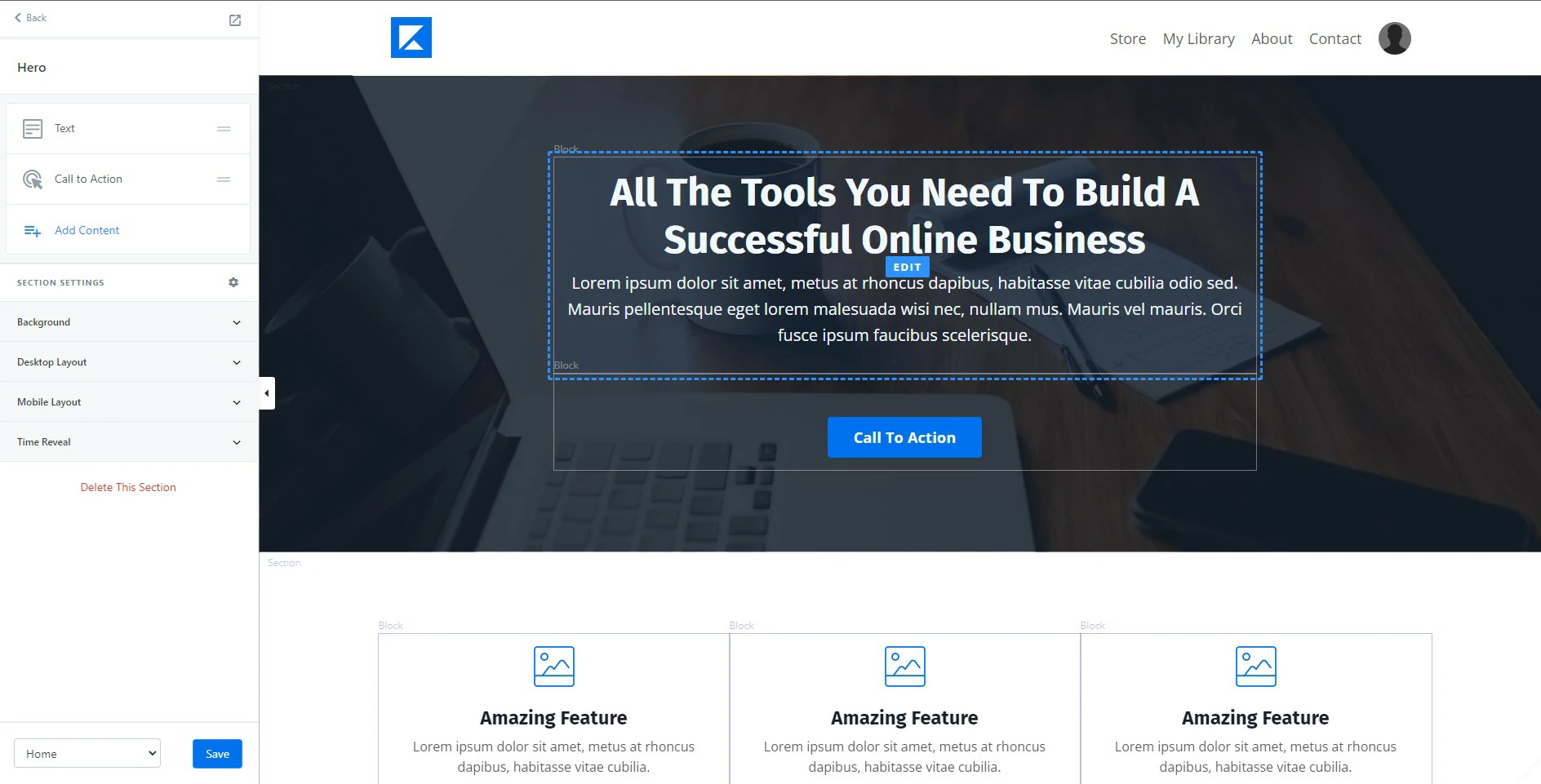
The editor works in sections, and you drop blocks inside them. It is comfortable and quick for standard layouts. It is also nowhere near WordPress for control: no custom post types, limited CSS, and you build inside the boundaries the theme allows. If your site is a content operation with hundreds of posts, keep it on WordPress and use Kajabi for the courses. Our roundup of landing page builders covers the standalone alternatives if you only need pages.

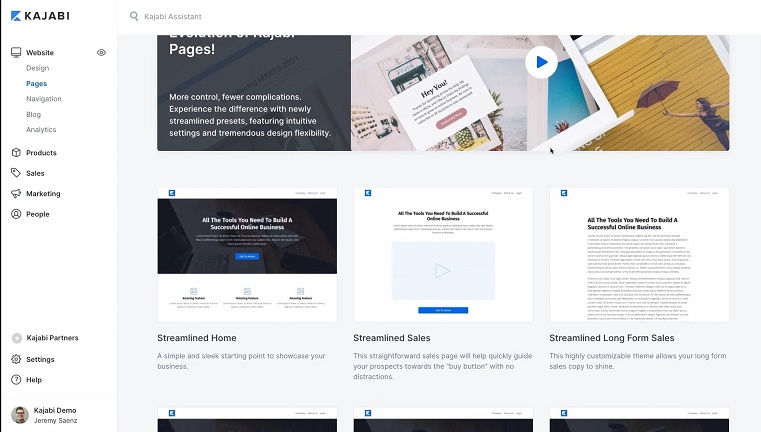
Blogging is included and works, which is more than several rivals manage. Do not expect it to compete with a properly optimised WordPress setup on SEO.
Email, pipelines and the automation layer
This is where Kajabi earns its price. Email broadcasts and sequences are built in, with segmentation by tag, purchase and behaviour, and they are wired directly to your products.
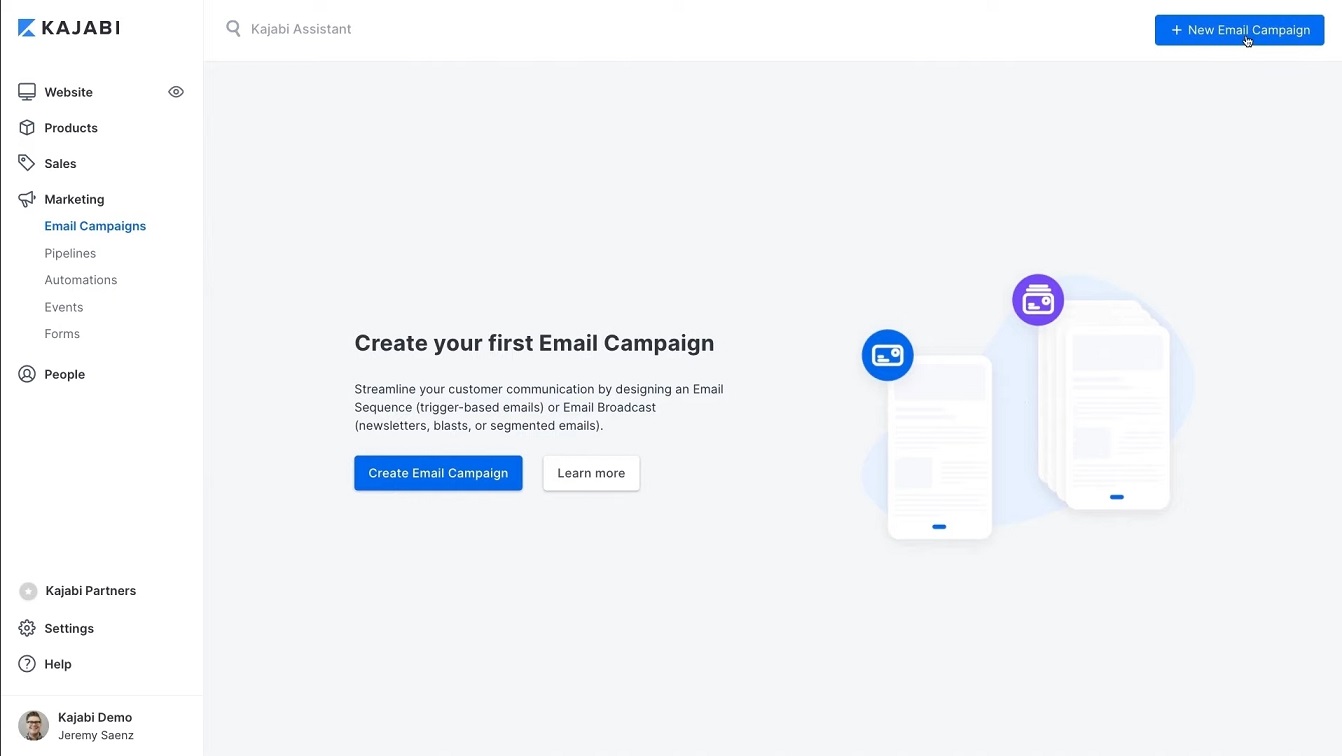
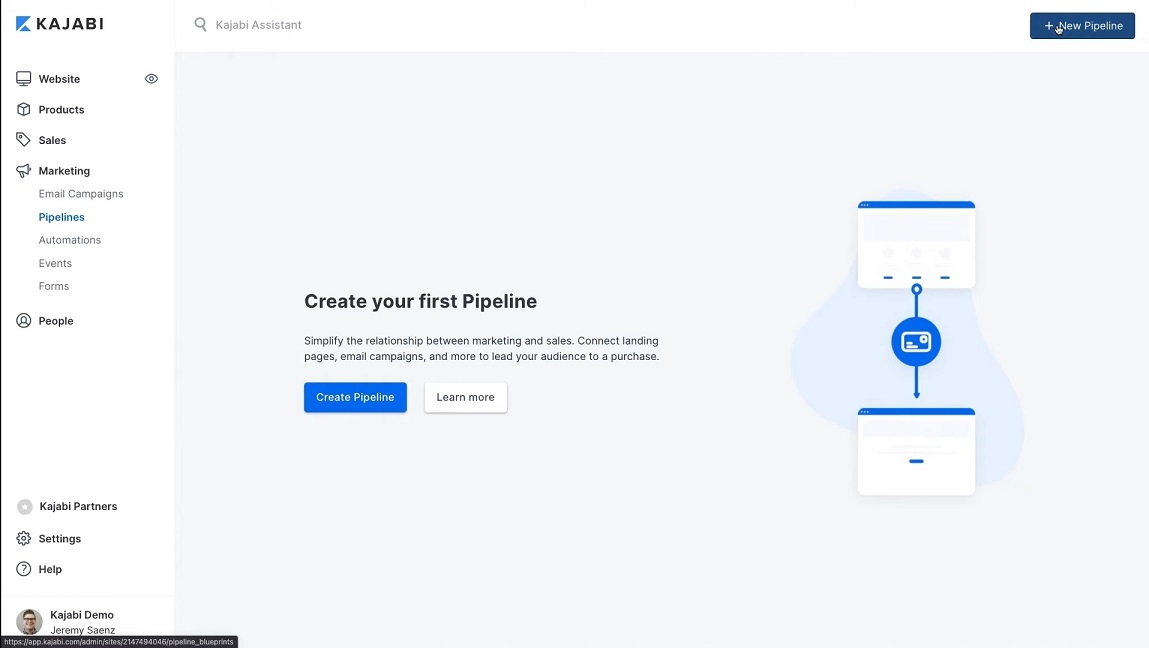
Pipelines are the funnel builder. Pick a blueprint such as free download, webinar or product launch, and Kajabi generates the landing pages, the emails and the offer pages as one connected asset. Editing text and dropping in a Zoom link is genuinely all it takes to get a webinar funnel live.
Expert take: the deliverability of a built-in email tool is never as good as a dedicated ESP. If your list is large and email is your main channel, run Kajabi for the product side and keep your ESP. If your list is under a few thousand, use the built-in tool and save the subscription.
Getting set up
Onboarding is one of the better ones in this category. Connect Stripe or PayPal, or switch on Kajabi Payments. Point your domain, set the sending address and the physical postal address that anti-spam law requires, upload a logo, pick brand colours.
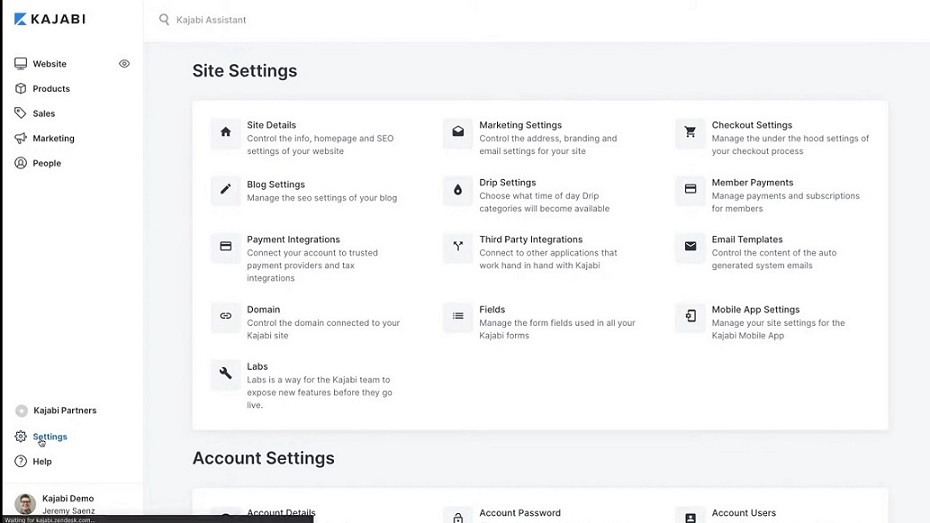
Then build the product, then the site, then the funnel. Kajabi University and the support team fill most gaps. Expect a weekend to get a first course live, not an afternoon.
Kajabi pricing
Monthly rates, checked July 2026
- Included: 5 products and 5 funnels
- Included: 2,500 contacts, 2 admin users
- Included: Unlimited emails and landing pages
- Not included: 2% surcharge on third-party gateways
- Not included: Advanced automations
- Included: 50 products and 50 funnels
- Included: 25,000 contacts, 11 admin users
- Included: Affiliate program and advanced automations
- Not included: 1% surcharge on third-party gateways
- Included: Remove Kajabi branding
- Included: Unlimited products and funnels
- Included: 100,000 contacts, 26 admin users
- Included: Code editor access
- Not included: 0.5% surcharge on third-party gateways
- Included: Priority support
Annual billing cuts roughly 20 percent: Basic $143, Growth $199, Pro $399 per month. There is no free plan, but every tier comes with a 30-day free trial and a 30-day refund window on your first payment. Kajabi also runs a limited-availability Kickstarter tier at around $89 per month for a single product, which is not always on offer.
We may earn a commission when you buy through links on this page. This does not affect our reviews.
The fee most reviews skip
Kajabi markets itself on no revenue sharing, and older reviews of this platform, including our previous version of this one, repeated the line that there are no transaction fees. That is not accurate.
If you process payments through your own Stripe or PayPal account, Kajabi adds a platform surcharge on top of what the processor already charges you: 2 percent on Basic, 1 percent on Growth and 0.5 percent on Pro. Use Kajabi Payments instead and that surcharge disappears, but you pay Kajabi Payments processing rates of roughly 2.9 percent plus 30 cents, easing to 2.7 percent on Pro.
Run the numbers before you pick a plan. On $10,000 a month through Stripe, the Basic surcharge alone is $200, which is more than the difference between Basic and Growth. That is a plan upgrade that pays for itself, and nobody tells you at signup.
Where Kajabi disappoints
The entry price is brutal. $179 a month before you have sold anything means Kajabi needs to generate roughly $2,150 a year just to break even. New creators should not start here.
Contact limits bite quickly. Basic caps you at 2,500 contacts. Run one decent lead magnet campaign and you are upgrading, whether or not your revenue grew.
The LMS is shallow. Basic quizzes, no timed assessments, no question banks, limited reporting on learner progress. Fine for a coaching program, weak for anything resembling formal training.
You are locked in. Courses, pages, emails and audience all live inside Kajabi. Leaving means exporting contacts and rebuilding everything else somewhere new. That is the real cost of an all-in-one, and it grows every month you stay.
Kajabi against Teachable and Thinkific
| Feature | |||
|---|---|---|---|
| Entry price | $179/mo | $29/mo(winner for this row) | $36/mo |
| Built-in email marketing | Yes(winner for this row) | No | No |
| Sales funnel builder | Yes(winner for this row) | No | No |
| Full website and blog | Yes | No | Yes |
| Communities included | Yes | No | Yes |
| Cut of your sales on entry plan | 2% via Stripe | 7.5% | 0%(winner for this row) |
| Best suited to | $1k+ programs | First launches | Course-first sellers |
We may earn a commission when you buy through links on this page. This does not affect our reviews.
Our recommendation by situation: launching your first course, start on Teachable and accept the transaction fee while you validate demand. Selling courses as the core business with no funnel obsession, Thinkific gives you the cleanest student experience for the money. Running launches, webinars and a coaching program off one audience, Kajabi is worth every bit of the premium.
Frequently Asked Questions
Does Kajabi charge transaction fees?
Not on Kajabi Payments, but there is a catch reviews often miss. Use your own Stripe or PayPal account and Kajabi adds a platform surcharge of 2 percent on Basic, 1 percent on Growth and 0.5 percent on Pro, on top of the processor fee. Kajabi Payments avoids that surcharge but charges roughly 2.9 percent plus 30 cents, dropping to 2.7 percent on Pro.
How long is the Kajabi free trial?
Kajabi currently runs a 30-day free trial on every plan, and it has used 14-day trials at other times, so check what the signup page offers on the day. You also get a 30-day money-back window on your first payment, which effectively gives you two months to decide.
Is Kajabi worth it for a beginner with no audience?
No. At $179 a month you need consistent sales before the platform pays for itself, and a first-time creator usually does not have them. Validate the course somewhere cheaper, then move once revenue is steady. Migrating later is annoying, but it is cheaper than paying Kajabi for a year while you figure out whether anyone wants the course.
Can I keep my WordPress site and still use Kajabi?
Yes, and for content-heavy businesses that is the better setup. Run WordPress for the blog and SEO, and use Kajabi purely for products, checkout and email. You can link straight to Kajabi sales pages, or embed the checkout. You lose nothing except the tidiness of a single dashboard.
What are the contact limits on each plan?
Basic allows 2,500 contacts, Growth 25,000 and Pro 100,000, with 5, 50 and unlimited products respectively. Contacts are the limit that usually forces an upgrade, since a free lead magnet can add thousands of people who have not bought anything yet.
Can I sell physical products or a shop on Kajabi?
Not properly. The checkout is built for digital products, memberships and coaching. There is no inventory, shipping or tax handling for physical goods. If you sell both, run a separate store and keep Kajabi for the digital side.
What happens to my courses if I cancel Kajabi?
Your site goes offline and students lose access. You can export contacts and download your own video files, but courses, landing pages, funnels and email sequences do not export in any format another platform can import. Plan a migration over weeks, not days, and keep master copies of every video and worksheet outside the platform from day one.
The bottom line
Kajabi is not overpriced so much as narrowly priced. If you sell a $997 program to an audience you already own, the integrated funnels, email and checkout will make you back the subscription in one launch, and this is the best all-in-one course platform available.
If you are selling a $49 course to a list of 300, it will quietly drain you. Start on Teachable or Thinkific, prove the demand, then move. One warning before you sign up: work out your payment processing route first, because the Stripe surcharge on Kajabi pricing can cost more than a plan upgrade. Take the 30-day trial, build one real funnel, and judge it on that.
Pricing checked July 2026 on the official Kajabi pricing page. Some links here are affiliate links, which may earn us a commission at no extra cost to you and do not affect our score.
The Review
Kajabi
Kajabi bundles courses, email marketing, funnels, a website and checkout into one platform, and the integration is the real product. It suits creators selling high-ticket coaching or programs to an audience they already have. For a first course on a small list, the entry price and contact limits make it the wrong starting point.
PROS
- Courses, email, funnels, website and checkout genuinely work as one system
- Pipelines build a whole webinar or launch funnel from a blueprint
- Flexible checkout: one-time, payment plans, subscriptions, trials and upsells
- Video hosting included, so no separate Vimeo or Wistia bill
- Product templates give you a course structure to start from
- Built-in blog, which several rivals still lack
- 30-day free trial plus a 30-day refund window on the first payment
CONS
- $179 a month entry price is punishing before you have made a sale
- A 2% surcharge applies on Basic if you use your own Stripe or PayPal account
- Basic caps you at 2,500 contacts and 5 products
- Shallow LMS: basic quizzes, no timed assessments or question banks
- No free plan
- Website builder is far more limited than WordPress
- Heavy lock-in, since courses, pages and funnels do not export anywhere useful
Kajabi DEALS
We collect information from many stores for best price available