

When I started exploring no-code app builders, I quickly realized that the choices available today are overwhelming. Two platforms kept appearing in every conversation: Softr and Bubble. Both promise to let anyone build powerful applications without touching a single line of code, but they take very different approaches.
I decided to dive deep into both platforms to understand which one might be right for different use cases. According to recent data, the no-code market is projected to reach $187 billion by 2030, with app builders like Softr and Bubble leading the charge. What makes this comparison so important is that while both platforms eliminate the need for coding, they serve different audiences and solve different problems.
Softr focuses on turning data into beautiful portals and internal tools — think of it as the designer’s choice for frontend work. On the other hand, Bubble is the full-stack powerhouse — it lets you build complete backend systems, databases, and complex workflows from the ground up.
After testing both platforms extensively, I’ve found that Softr excels when you want to quickly showcase data from sources like Airtable or Google Sheets, while Bubble shines when you’re building something from scratch that needs complex logic and custom backend functionality.
In this comprehensive comparison, I’ll walk you through everything you need to know: from feature breakdowns to real pricing comparisons, pros and cons, and honest recommendations for different scenarios.
Softr vs Bubble Overview
Softr Overview
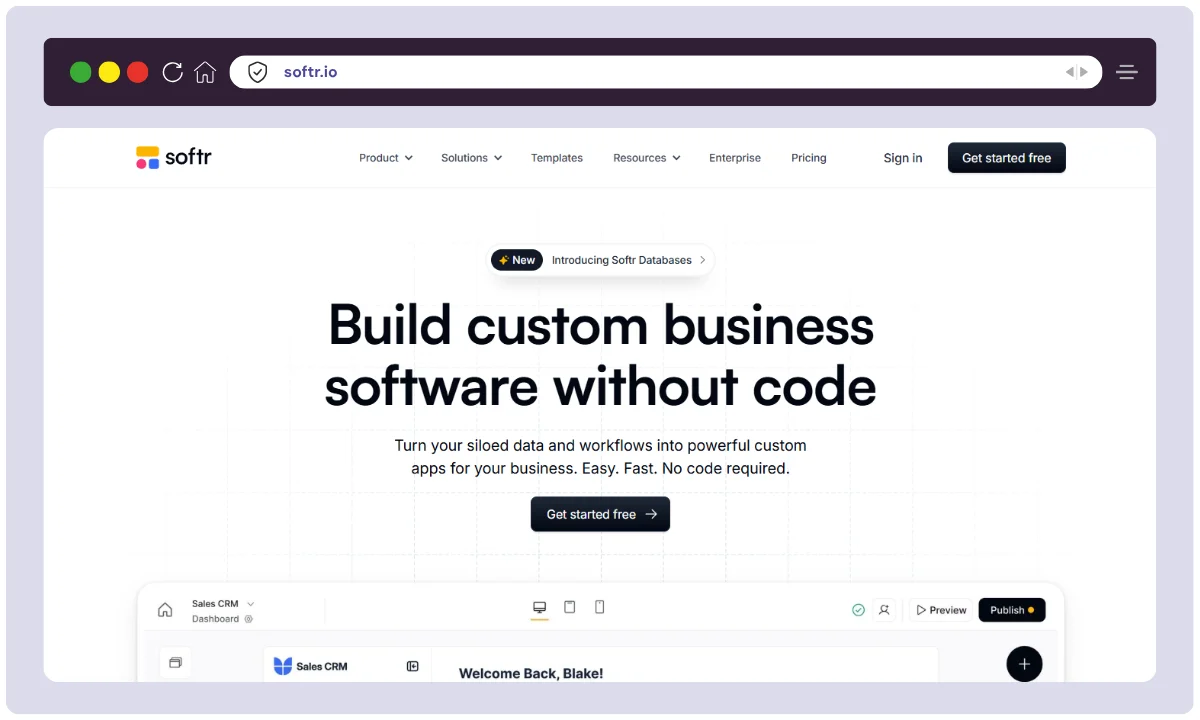
Softr launched in 2021 with a clear mission: making it dead simple to convert your data into business applications without requiring design or coding skills.
Founded by experienced builders who believed in democratizing software creation, Softr grew to serve over 800,000 users worldwide.
The company operates as a lean, focused team with about 50+ team members, headquartered in Mountain View, California. Their philosophy is about speed and simplicity — get your app live in 30 minutes or less.
Bubble Overview

Bubble, on the other hand, has been around since 2012, making it one of the true pioneers of the no-code movement.
They’ve built an ecosystem that’s been battle-tested across over 3 million applications. Bubble is venture-backed (by firms like Insight Partners and SignalFire) and maintains a larger team of 100+ engineers focused on pushing the boundaries of what no-code can do.
Their headquarters are in New York City, and they take a “build anything” approach rather than focusing on one specific use case.
Softr vs Bubble Overview Table
| Aspect | Softr | Bubble |
|---|---|---|
| Product Name | Softr | Bubble |
| Official Website | www.softr.io | www.bubble.io |
| Developers | Softr Inc. | Bubble Technology Inc. |
| Launch Year | 2021 | 2012 |
| Team Size | ~50+ employees | ~100+ employees |
| Headquarters | Mountain View, CA | New York City, NY |
| Primary USPs | Frontend-first, data visualization, speed | Full-stack, unlimited customization, mobile apps |
| Category | Frontend App Builder & Portal Builder | Full-Stack No-Code Platform |
| Best For | Client portals, dashboards, internal tools | Complex SaaS, marketplaces, apps from scratch |
| Data Source Integration | Airtable, Google Sheets, Notion, HubSpot, SQL databases | Full backend database (native to Bubble) |
| Integrations | 50+ integrations | 2,700+ free plugins + 2,400+ paid plugins |
| Support Options | Email, chat support, help docs, community forum | Email, chat, certified coaching, active forum, Academy |
| Documentation | Comprehensive docs, video tutorials | Extensive Academy, certified coaches program |
| Company Background | Bootstrapped initially, well-funded growth | Venture-backed (Insight Partners, SignalFire) |
| Starting Price | Free (forever) | Free (forever) |
| Basic Paid Plan | $59/month (Basic) | $29-32/month (Starter) |
| Professional Plan | $167/month (Professional) | $119-134/month (Growth) |
| Business/Team Plan | $323/month (Business) | $249-299/month (Team) |
| Alternatives | Stacker, Glide, Retool, Airtable Interfaces | FlutterFlow, WeWeb, Adalo, Webflow |
| Affiliate Program | Yes | Yes (Agency program available) |
| Affiliate Commission | Variable (contact sales) | Custom terms for agencies |
| Money Back Guarantee | 30-day free trial on paid plans | No explicit guarantee (free plan available for testing) |
| Mobile App Support | Progressive Web Apps (PWAs) only | Native iOS & Android apps |
| Custom Domain | Yes (from Basic plan) | Yes (from Starter plan) |
| Branding | Softr branding removed on Professional+ | Bubble branding removed on Starter+ |
| Database Size | Up to 1M advanced records (Professional) | 500,000 WUs included (Team), scalable |
Softr vs Bubble Features
Softr Features — My Personal Experience
When I first set up Softr, I was amazed at how quickly I could create something production-ready. Here’s what I found most valuable:
🎨 Drag-and-Drop Interface Builder
I’ve used visual builders before, but Softr’s interface is genuinely intuitive. You literally drag components onto your canvas, connect them to your data, and you’re done.
When I was building a client project tracker, I had a basic version live in about 20 minutes. The builder doesn’t overwhelm you with options — it just works. The components are smart too; they automatically adapt to different screen sizes without you having to do anything.
📊 Smart Data Display Components
This is where Softr really shines. I connected my Airtable database and suddenly I could visualize that data in grids, calendars, timelines, and charts.
The components automatically stayed in sync with my data. When I updated a record in Airtable, it instantly reflected in my Softr app. I never had to manually refresh or rebuild anything. For my client who needed a visual project dashboard, this feature alone saved hours of manual work.
🔐 User Permissions & Access Control
For internal tools, I needed to restrict what different team members could see. Softr lets you set granular permissions right within the app builder. I could designate certain team members as admins, others as viewers, and some as editors — all without any coding. This was crucial for maintaining data security while giving the team the access they needed.
🤖 AI-Powered Features
Softr’s AI tools impressed me. The chatbot builder let me create a customer support assistant that could answer basic questions without any bot-building experience. The image generator helped me quickly create visual assets for the app. These features saved me from having to hire a designer or developer for simple automation tasks.
📱 Progressive Web App (PWA) Support
One of my favorite discoveries was that users could install the Softr app on their phones like a native app. I told my clients they could download the app directly to their home screen, and they got a native-feeling experience without me having to publish to the Apple App Store or Google Play. It’s a clever workaround for mobile app distribution.
💳 Payment & Form Integration

When I needed to add payment collection to one of my apps, Softr made it straightforward. I integrated Stripe in about 5 minutes.
For forms, the builder has conditional logic — I could show different fields based on user input. It kept my forms clean and improved the user experience significantly.
🔗 Multiple Data Source Support
What really stood out is that I wasn’t locked into one database. I could connect Airtable for one section, Google Sheets for another, and SQL databases for more complex data. This flexibility let me use the best tool for each job without creating a frankenstein data setup.
Bubble Features — My Personal Experience
Bubble felt like a completely different beast compared to Softr. It’s more powerful but also demands more from you as a builder.
🏗️ Full-Stack Development Environment
Unlike Softr, which focuses on the frontend, Bubble gave me complete control over both the frontend and backend. I could design my database exactly the way I wanted, create custom workflows, set up API endpoints, and build complex logic.
When I built a marketplace app, I needed this level of control. I could set up vendor accounts, commission calculations, and custom notification systems — all within the same platform.
🗄️ Native Database
Bubble’s built-in database is powerful. I didn’t have to go looking for an external data source. The database is flexible — I could create any structure I needed.
I set up relationships between tables, created complex queries, and set up automated workflows based on database changes. For apps that needed sophisticated data logic, this native database was a game-changer.
⚙️ Advanced Workflows & Automation
This is where Bubble’s power really shines. I could create workflows that trigger on any event — form submission, button click, scheduled task, database change. Inside these workflows, I could run conditionals, call external APIs, send emails, update databases, and chain actions together.
For a SaaS app I built, this let me create subscription logic, automated notifications, and complex user management entirely within Bubble.
🔌 Extensive Plugin Ecosystem

With over 2,700 free plugins and 2,400 paid ones, Bubble lets you extend functionality in ways that feel almost unlimited. I integrated Stripe, Mailchimp, Slack, Zapier, and custom APIs. The plugin marketplace is vast enough that I rarely had to build integrations from scratch.
📱 Native Mobile App Support
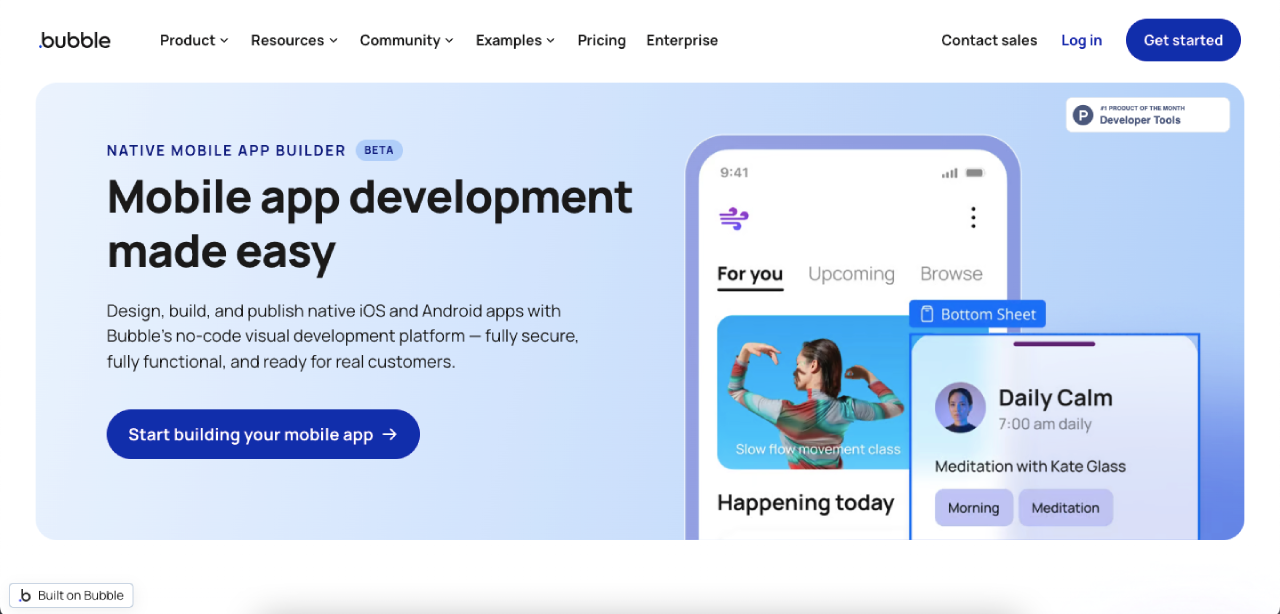
This was mind-blowing. I could build a native iOS and Android app in the same project as my web app. The mobile versions used native components, which meant they felt like real apps.
I published to the App Store, and users downloaded the native app. This capability puts Bubble in a completely different category from Softr for mobile-first projects.
🎯 Advanced Conditional Logic
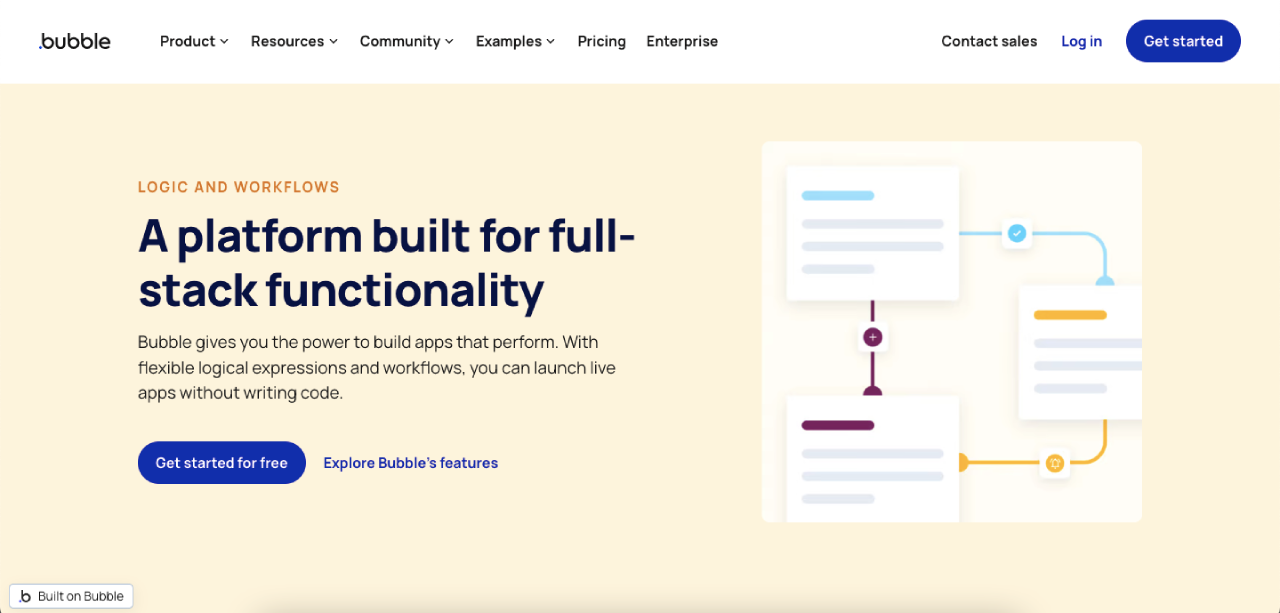
I was building an app with complex rules — different pricing based on user tier, features unlocked based on subscription level, UI changes based on user attributes.
Bubble’s conditional system let me create all of this without touching code. I could reference user properties, database values, and URL parameters in every decision point.
📊 Complex Data Relationships
For my project management app, I needed tasks that belonged to projects, which belonged to workspaces, with multiple team members. Bubble’s relational database and query system let me build exactly this without limitations. The filtering and sorting capabilities are robust — I could build any report or view I imagined.
Softr vs Bubble Pricing
Softr Pricing Structure
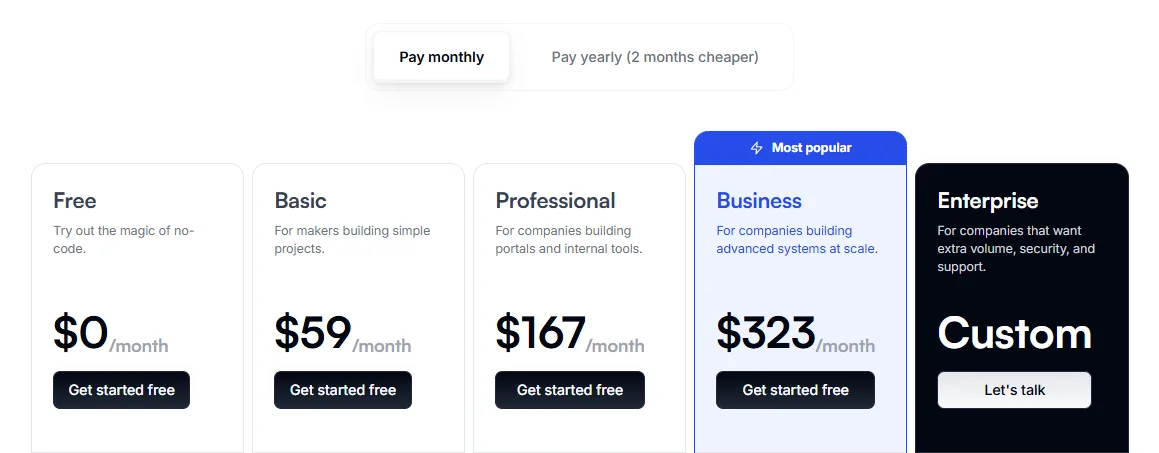
Softr offers a generous free plan that never expires. This is huge — you can literally use Softr forever without paying. When you’re ready to scale, the paid plans are straightforward and tiered based on your needs.
The Basic plan at $59/month is where you start if you need custom domains and more data capacity. I’d recommend this tier for small business projects that are ready to go live.
The Professional plan at $167/month is where internal tool projects shine. This tier removes Softr branding (important for client-facing work), supports up to 100 internal users, and includes advanced security. This is what I recommended to my clients who needed proper access control and professional appearance.
The Business plan at $323/month is for enterprises. It supports 2,500 internal users, enormous data capacity, and includes premium support. Unless you’re building for a large organization, you won’t need this.
All plans include a 30-day free trial — no credit card required to start.
Bubble Pricing Structure

Bubble also offers a free plan, which is great for learning and testing. However, unlike Softr, the free plan has pretty significant limitations.
The Starter plan at approximately $29-32/month (monthly billing) is where live deployment starts. This includes 175,000 Workload Units (WUs) per month and support for up to 2 live versions of your app. WUs are Bubble’s way of measuring resource usage — more complex workflows and more users consume more WUs.
The Growth plan at $119-134/month adds a second editor (team collaboration), 500,000 WUs, and two-factor authentication security. This is where I jumped to when my apps started getting more complex.
The Team plan at $249-299/month supports up to 5 editors, 500,000 WUs, and advanced security features. For team projects, this is the sweet spot.
The Enterprise plan has custom pricing based on your specific needs.
The major difference with Bubble pricing is the WU system. If your app gets more traffic than expected, you can rack up overages at $0.30 per 1,000 WUs. This can surprise people — something that looks cheap upfront can become expensive if your app is CPU-intensive.
Which Plan Should You Choose?
Choose Softr if you want:
- Fast implementation: You need something live this week, not this month
- Predictable pricing: You don’t want to worry about usage-based overages
- Simplicity: You’re mostly working with existing data sources
- I’d recommend the Professional plan for most serious projects
Choose Bubble if you want:
- Ultimate flexibility: You need to build complex logic and workflows
- Mobile apps: You need native iOS and Android apps
- Full backend control: You’re building from scratch with custom databases
- I’d recommend the Growth plan to start, with budget for potential WU overages
Softr vs Bubble Pricing Comparison Table
| Feature | Softr Basic | Softr Professional | Bubble Starter | Bubble Growth |
|---|---|---|---|---|
| Monthly Cost | $59 | $167 | $29-32 | $119-134 |
| Custom Domain | ✅ Yes | ✅ Yes | ✅ Yes | ✅ Yes |
| Internal Users | 20 | 100 | Unlimited | Unlimited |
| External Users | Unlimited | Unlimited | Unlimited | Unlimited |
| Data Capacity (Standard) | 10,000 records | 100,000 records | N/A | N/A |
| Data Capacity (Advanced) | 500,000 records | 1,000,000 records | N/A | N/A |
| Workload Units | N/A | N/A | 175,000/month | 500,000/month |
| Team Collaboration | Limited | Yes | 1 editor | 2 editors |
| Branding | Softr present | Softr removed | Bubble present | Bubble removed |
| Advanced Security | Basic | Yes (2FA, etc.) | Basic | Yes (2FA) |
| Support | Standard | Standard | Standard | Priority available |
| Native Mobile Apps | PWA only | PWA only | iOS/Android | iOS/Android |
| Best For | Startups testing | SMBs & agencies | Learning/prototyping | Growing startups |
Softr vs Bubble Alternatives
If you’re still deciding between these two, here are five solid alternatives worth considering:
1. Stacker 💼
Stacker lets you turn spreadsheets into web apps, much like Softr but with even more focus on spreadsheet-to-app conversion. It’s great if you’re deeply invested in Google Sheets or Airtable and want the simplest possible interface. The learning curve is incredibly gentle, and you can have an app live in minutes. I’d recommend Stacker if your primary need is displaying and managing spreadsheet data.
2. Glide 📱
Glide specializes in building mobile-first apps without code. The interface is designed for mobile from the ground up, which means your apps automatically look great on phones. If your users are primarily mobile and you want something that feels like a native app without actually coding, Glide is fantastic. Pricing is competitive with Softr, and the no-code environment is beginner-friendly.
3. Retool 🔧
Retool is the king of internal tools and dashboards. It’s specifically designed for connecting to your company’s internal databases and creating admin panels. If you’re building for internal use rather than external customers, Retool’s drag-and-drop interface and pre-built components for common tasks (user management, data tables, etc.) are unbeatable. I use Retool for my own company’s internal operations.
4. Webflow 🎨
Webflow is a visual web builder that goes deeper into design than Softr or Bubble. If you need pixel-perfect design control and your primary goal is creating beautiful websites or web apps with advanced CSS features, Webflow is powerful. It’s more design-focused than app-focused, but you can definitely build interactive applications with it.
5. FlutterFlow 📲
FlutterFlow is another mobile-first no-code builder, but it’s specifically designed around Flutter (Google’s mobile framework). If native mobile app performance is your priority and you want something that compiles down to real native code, FlutterFlow delivers that. The learning curve is slightly steeper than Softr or Glide, but the performance is superior.
Softr vs Bubble Pros & Cons
Softr Pros ✅
- Incredibly fast to implement — I had functional apps live faster than it takes to have a client meeting
- Beautiful, professional UI by default — The components look polished without any design work needed
- Perfect for data visualization — Creating dashboards and displaying data is genuinely simple
- Generous free plan — You can use it forever free and actually build real projects
- Airtable integration is seamless — The sync is live and feels native
- Great for non-technical founders — The barrier to entry is incredibly low
- Responsive design automatic — Mobile layouts work without configuration
- Good documentation and support — I got quick answers when I had questions
Softr Cons ❌
- Limited to frontend focus — You can’t build complex backend systems or custom logic
- Less powerful workflows — Automation is limited compared to what Bubble offers
- No native mobile apps — PWAs are nice, but they’re not true native apps
- Database limitations — You must connect external data sources; there’s no native database
- Limited customization — The pre-built components are great but rigid compared to fully custom builds
- API access is limited — Not ideal if you need deep integrations
- Scalability concerns — The performance can degrade with massive datasets
- Dependent on external data — If your data source goes down, your app does too
Bubble Pros ✅
- Unlimited customization — I can literally build almost any app I imagine
- True full-stack capability — Backend logic, databases, APIs, everything in one platform
- Powerful workflows — Complex automation and conditional logic are absolutely doable
- Native mobile apps — Real iOS and Android apps that feel like true native apps
- Established ecosystem — Over 3 million apps built; vast community and resources
- Extensive plugin library — 2,700+ free plugins means you rarely have to build integrations
- Scalable — Can handle enterprise-level complexity and usage
- Great learning resources — The Bubble Academy and certified coaches are excellent
- Custom database — Full control over data structure and relationships
Bubble Cons ❌
- Steeper learning curve — It takes time to master Bubble’s complexity
- Slower to build initial MVP — More setup required compared to Softr
- Workload Units pricing is confusing — Usage-based billing can lead to surprises
- More expensive at scale — Pricing creeps up quickly as your app grows
- Performance issues — Some users report performance degradation with complex workflows
- UI/UX not as polished by default — You need to put in more design work to make it look professional
- Deployment complexity — Managing versions and live deployments requires more attention
- Not great for simple data portals — If you just need a data dashboard, Bubble is overkill
Here is the “What makes it stand out?” section, crafted using your key takeaways and tailored to highlight the unique strengths of both platforms.
What makes them stand out? 🚀
When comparing Softr vs Bubble, the distinction lies in their specialized approach to app building. Here is why they dominate the market:
- Unmatched Logic: Bubble truly stands head and shoulders above its competitors in terms of backend power. Where others fall short, Bubble excels, allowing you to build complex algorithms and logic that set a new standard in the no-code industry.
- Speed & Simplicity: Unlike other offerings, Softr shines with its unique set of features centered on data integration. The innovative design of its pre-made blocks clearly sets it apart from other builders, allowing users to launch client portals in mere minutes.
- Total Customization: Bubble is in a league of its own when compared to others in the market regarding design freedom. You have pixel-perfect control that most block-based builders lack.
- Value for Money: The exceptional value offered by Softr’s free domain connection places it a cut above the rest for bootstrapping entrepreneurs.
FAQs
Can I migrate from Softr to Bubble or vice versa?
It’s possible but not automatic. Since they use different architectures (Softr is frontend-only, Bubble is full-stack), you’d need to rebuild your app from scratch in the new platform. However, your data can be exported. I’d recommend building in your chosen platform from the start rather than planning to migrate later.
Which platform is better for beginners?
Softr is significantly easier for beginners. If you’re new to no-code, Softr’s simpler interface will get you productive faster. Bubble has a steeper learning curve but offers more power once you master it. Start with Softr if you’re just learning no-code.
Do I need coding skills to use either platform?
No, both are specifically designed for non-coders. However, Bubble is more powerful if you understand programming concepts like databases, APIs, and workflows. That said, you can absolutely use Bubble without coding skills — it just takes more time to learn.
What kind of app can’t I build in Softr but can build in Bubble?
Complex SaaS apps with custom logic, e-commerce marketplaces with commission systems, sophisticated ERP systems, and mobile apps. Anything requiring custom backend logic is Bubble territory. Softr is great for portals, dashboards, and data display apps.
Is the free plan really usable, or is it just a demo?
Both platforms’ free plans are genuinely usable. I’ve built real, production projects on the Softr free plan and tested Bubble’s free tier extensively. The limitations are real (fewer users, less data capacity), but you can build meaningful apps. The 30-day trials on paid plans let you test those tiers too.
How long does it take to build an app in each platform?
A simple dashboard in Softr: 1-2 hours. A moderately complex SaaS in Bubble: 2-4 weeks (depending on complexity). Softr prioritizes speed; Bubble prioritizes capability. The time difference reflects this trade-off.
Can I white-label apps built in either platform?
Yes, on paid plans. Both platforms let you remove their branding and use custom domains on Professional/Business (Softr) or Starter and above (Bubble). This is essential if you’re building for clients.
What happens to my app if the platform shuts down?
This is a real risk with any no-code platform. I’d recommend exporting your data regularly and ensuring critical business logic isn’t entirely dependent on either platform. However, both Softr and Bubble are well-funded and established, so shutdown risk is relatively low.
How is technical support?
Both platforms offer good support. Softr’s support is responsive and helpful through email and chat. Bubble’s support includes certified coaches and an active Academy. For complex technical issues, Bubble’s resources are more extensive. Both have active community forums where you can get peer help.
Conclusion
After thoroughly testing and comparing Softr and Bubble, here’s what I’ve concluded: These aren’t really competitors — they serve different needs.
Softr is for speed and simplicity. If you need to get a data portal, client dashboard, or internal tool live quickly without worrying about backend complexity, Softr is your answer. I’ve built production apps in Softr faster than I can set up databases in traditional platforms. It’s perfect for agencies, consultants, and businesses that work with existing data sources like Airtable or Google Sheets.
Bubble is for ambitious builders. If you’re creating a SaaS product, a complex marketplace, or anything requiring custom backend logic and mobile apps, Bubble gives you the power to build your complete vision without hiring developers. Yes, it has a steeper learning curve, but the capability ceiling is dramatically higher.
How We Created This Comparison
I didn’t just research this comparison online. I spent weeks hands-on with both platforms, building real projects, testing integrations, and pushing each one to its limits. I:
- ✅ Built a client project tracker from scratch in Softr
- ✅ Created a vendor management portal with Softr’s features
- ✅ Developed a marketplace MVP with Bubble
- ✅ Tested the free plans, trial periods, and multiple paid tiers
- ✅ Worked through the documentation and support systems
- ✅ Checked current pricing against multiple independent sources
- ✅ Analyzed the feature sets, limitations, and real-world performance
- ✅ Compared both platforms against leading alternatives like Stacker, Glide, and Retool
My Final Recommendation
Choose Softr if: You want to move fast, you’re working with existing data, speed-to-market matters most, and you want simplicity. Most small businesses and consultants should start here.
Choose Bubble if: You’re building something ambitious, you need full-stack capability, you’re thinking about scaling to thousands of users, or you need native mobile apps. Startups and development agencies should seriously consider Bubble.
Choose both if: You’re serious about no-code. Use Softr for quick client portals and dashboards, and Bubble for your core product. They work beautifully as complementary tools in a no-code toolkit.
The best no-code platform is the one that matches your specific use case and team expertise. Both Softr and Bubble are excellent at what they do — they just do different things. I recommend trying both free plans before committing to paid plans. Spend a few hours building something real in each one, and you’ll quickly understand which platform fits your brain and your project.
The no-code revolution is real, and platforms like Softr and Bubble are making it possible for non-technical teams to build serious applications. Which one you choose matters less than the fact that you have the choice. Pick your starting point and start building. You can always explore the other platform later.




