Scattered ideas across email threads, stale slide decks, and video calls where nobody sees the same picture — that’s the mess Miro sets out to fix. It hands your team one endless canvas to sketch, plan, and decide together, whether you’re in the same room or six time zones apart.
But an infinite whiteboard can just as easily become an expensive place to lose work. This Miro review 2026 cuts through the marketing to show what actually earns its keep, where the free plan bites, and who should pick something else.
Quick Verdict
Miro is the most complete visual collaboration canvas you can buy right now, and its async tools — TalkTrack, voting, and AI note-clustering — make it genuinely useful for hybrid teams. The catch is cost and clutter: per-seat pricing climbs fast, and the free plan’s three-board cap forces an upgrade sooner than you would like.
Best for: product, UX, and agile teams that live in workshops and want one shared canvas wired into Jira, Slack, and Teams.
Not ideal for: solo users, tiny budgets, or teams that only need precise technical diagrams — a lighter or cheaper tool will serve you better.
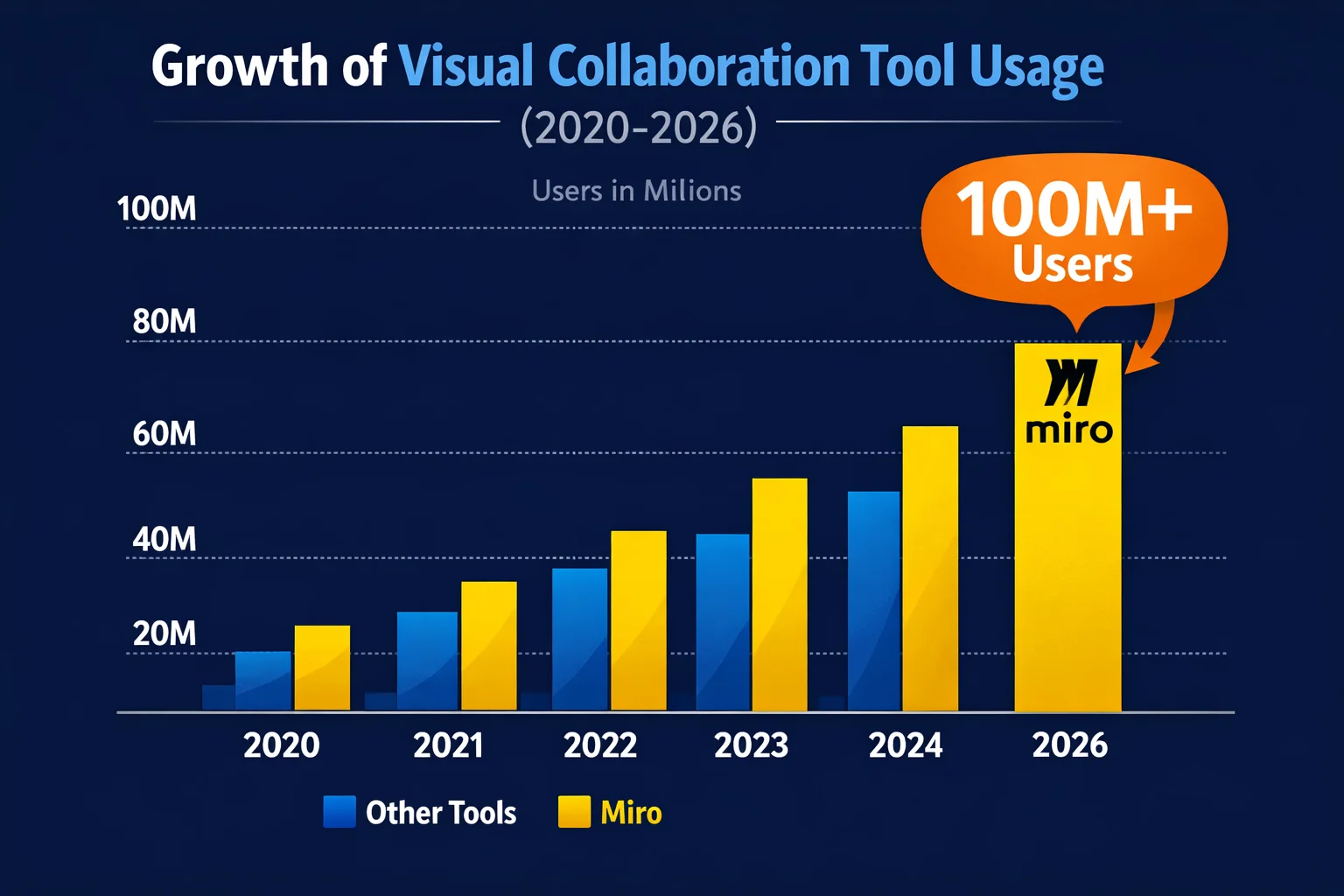
Miro Overview

Miro (formerly RealtimeBoard) has solidified its position as the titan of the visual collaboration space. Launched in 2011 by Andrey Khusid and Oleg Shardin, it has grown into a powerhouse with co-headquarters in Amsterdam and San Francisco.
What started as a digital canvas has transformed into an enterprise-grade platform designed to support the entire innovation lifecycle. In 2026, Miro isn’t just about sticky notes; it’s about AI-driven workflows, tight integrations, and bridging the gap between strategy and execution.
Below is a quick snapshot of what Miro brings to the table this year:
| Feature | Details |
| Product Name | Miro |
| Official Website | miro.com |
| Founders | Andrey Khusid, Oleg Shardin |
| Launch Year | 2011 |
| Headquarters | Amsterdam & San Francisco |
| Category | Visual Collaboration / Digital Whiteboard |
| Best For | Agile Teams, Product Management, UX/UI Design, Brainstorming |
| Starting Price | Free (Basic Plan) / $8 per user/mo (Starter) |
| Key Integrations | Jira, Slack, Microsoft Teams, Zoom, Notion, Asana |
| Support Options | Community (Free), Email (Paid), Premium 24/7 (Enterprise) |
| Money Back Guarantee | No explicit guarantee; Free plan available for testing |
| Affiliate Program | Yes (via Impact) |
| Affiliate Commission | CPL Model (Earn ~$10–$40 per qualified corporate lead) |
| Top Alternatives | FigJam, Mural, Lucidspark, ClickUp |
Who is Miro Best For? (Use Cases)
Miro isn’t just for designers. Over the years, I’ve seen it adapt to various roles. Here is who gets the most value out of it:
- 🚀 Product Managers: For road-mapping and user story mapping. The ability to visualize dependencies between tasks beats a Jira list any day.
- 💻 Engineering Teams: For technical architecture diagrams and retrospective meetings. The syntax highlighting in code blocks is a nice touch developers appreciate.
- 🎓 Educators & Trainers: I’ve used it to run remote workshops. The “Facilitator Mode” lets you seize control of every student’s screen to ensure they are looking at the right slide. For an ongoing cohort or community rather than a one-off session, a purpose-built platform like Skool is a better long-term home.
- 📢 Marketing Agencies: For mood boards and campaign planning. dragging and dropping high-res assets directly from a drive makes assembling visual concepts incredibly fast.
Miro Features
Having used Miro extensively for project planning and team workshops, I’ve found its feature set to be incredibly deep. Here is a breakdown of the essential features that define the 2026 experience:
The Infinite Canvas

The core of Miro is its zoomable, infinite canvas. Unlike a physical whiteboard, you never run out of space. I’ve used a single board to host a year’s worth of sprint retrospectives, keeping everything in one searchable place. You can drop images, PDFs, and videos directly onto the board.
Miro AI & Sidekicks

In 2026, Miro’s AI capabilities have matured significantly. The “Sidekicks” feature acts like an intelligent co-pilot. If I’m stuck during a brainstorming session, I can ask Miro AI to “generate ideas for a marketing campaign,” and it creates a cluster of sticky notes in seconds. It can also summarize huge boards into actionable tasks, which is a massive time-saver.
Robust Template Library

Miro’s “Miroverse” is a community-driven library with over 6,000+ templates. Whether you need a Customer Journey Map, a Kanban Board, or an Icebreaker game, it’s there. I personally love the pre-built Agile Rituals templates—they save at least 15 minutes of setup time per meeting.
Deep Integrations
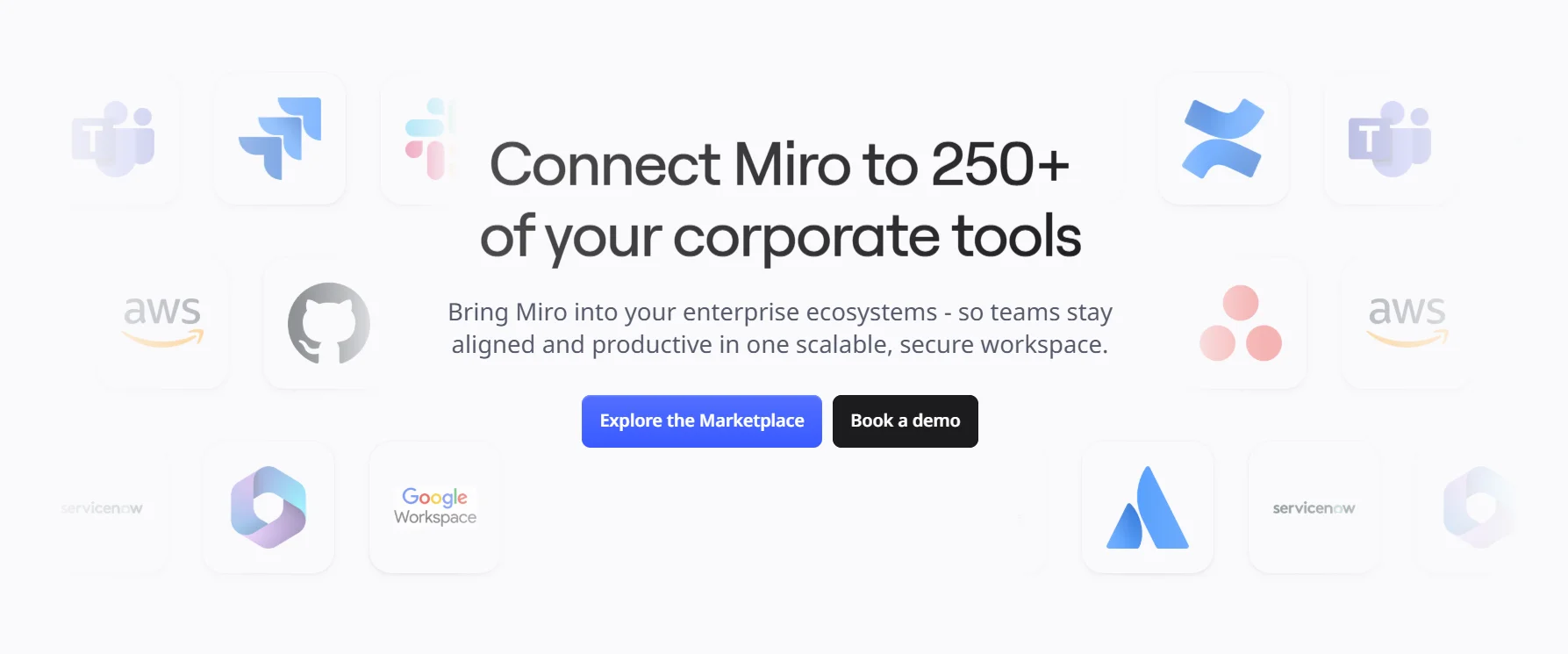
Miro plays nice with almost everything. The two-way sync with Jira and Azure DevOps is a real time-saver for engineering teams. You can convert a sticky note on Miro directly into a Jira ticket without leaving the board. For teams wiring Miro into a wider stack, our roundup of the best workflow automation tools shows how to link these apps without manual copy-paste.
Wireframing & Diagramming

While not a replacement for Figma, Miro’s wireframing library is excellent for low-fidelity mockups. I use it often to sketch out rough UI ideas during meetings before handing them off to designers. The connector lines and “smart alignment” tools make flowcharts look professional with minimal effort.
Talk Track
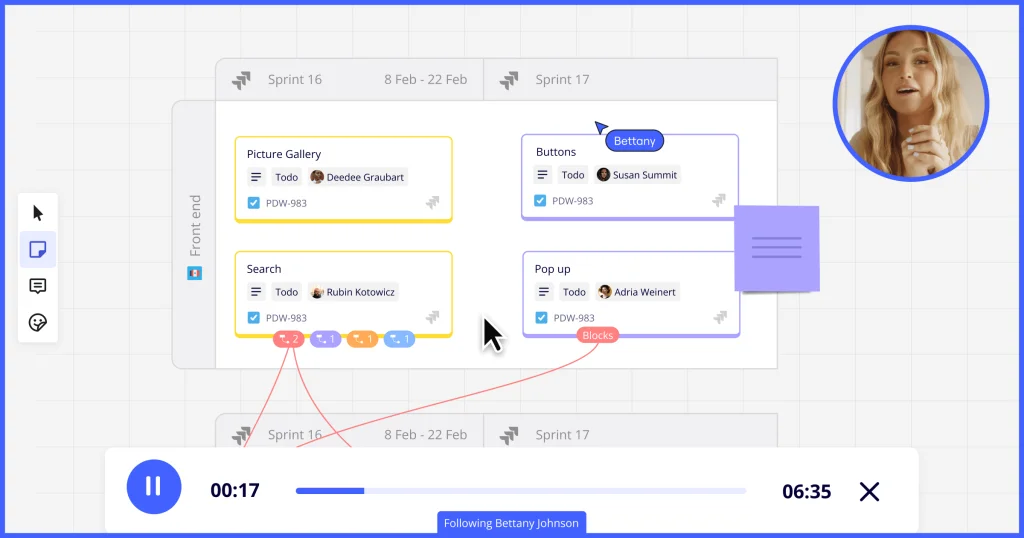
This feature allows you to record an interactive video walkthrough of your board. It’s perfect for asynchronous updates. Instead of scheduling another meeting, I record a 3-minute TalkTrack explaining the roadmap, and my team watches it when they wake up in their respective time zones.
Miro Pricing
Miro offers four pricing tiers billed per user per month, with discounted rates on annual billing.

🆓 Free — $0/month
- 3 active/editable boards
- Unlimited team members
- Access to 5,000+ templates
- 10 AI credits/month (shared)
- 160+ app integrations
- Public board sharing
🚀 Starter — $8/user/month (annual) | $10/user/month (monthly)
- Everything in Free, plus:
- Unlimited editable boards
- Private boards and workspaces
- 25 AI credits/member/month
- Custom templates
- Voting, timer, and facilitation tools
- Public board editing for anonymous visitors
💼 Business — $16/user/month (annual) | $20/user/month (monthly)
- Everything in Starter, plus:
- SSO via OKTA, OneLogin, Auth0
- Guest editing for external collaborators
- Bi-directional Jira, Azure DevOps & Asana sync
- 50 AI credits/member/month
- Miro AI Workflows (Sidekicks + multi-step Flows)
- Miro MCP — connect boards with external AI tools
- Multiple private workspaces
🏢 Enterprise — Custom Pricing
- Everything in Business, plus:
- SCIM for automated user provisioning
- 100 AI credits/member/month
- Data residency controls
- Enterprise Guard for board governance
- Centralized admin controls & billing groups
- Dedicated Customer Success Manager
- Custom contract terms and volume discounts
- Minimum ~30 seats typically required
💡 Best Plan: The Starter plan at $8/user/month is the best value for most small-to-medium teams. Step up to Business if you need external guest editing, SSO, or deep Jira integration. Large organizations with compliance needs should contact Miro for an Enterprise quote.
Note: Miro offers a 14-day free trial on the Business plan. 30% nonprofit discounts and free plans for educators and students are also available.
Pricing Comparison Table
| Feature | Free | Starter ($8/mo) | Business ($16/mo) | Enterprise |
|---|---|---|---|---|
| Active Boards | 3 boards | Unlimited | Unlimited | Unlimited |
| Private Boards | ❌ | ✅ | ✅ | ✅ |
| Guest Editing | ❌ | ❌ | ✅ | ✅ |
| SSO | ❌ | ❌ | ✅ | ✅ |
| Jira/Asana Sync | Basic | Basic | Bi-directional | Bi-directional |
| AI Credits/month | 10 shared | 25/member | 50/member | 100/member |
| Miro AI Workflows | ❌ | ❌ | ✅ | ✅ |
| SCIM Provisioning | ❌ | ❌ | ❌ | ✅ |
| Data Residency | ❌ | ❌ | ❌ | ✅ |
| Priority Support | ❌ | ❌ | ❌ | ✅ |
| Annual Billing | $0 | $8/user/mo | $16/user/mo | Custom |
| Monthly Billing | $0 | $10/user/mo | $20/user/mo | Custom |
Miro Alternatives
A quick note on the prices below: they were checked at the time of writing — confirm current rates on each tool’s official page before you commit, since SaaS pricing shifts often.
1. 🖌️ Mural
Best for: Facilitated workshops and structured design thinking | From $12/user/month
Mural is Miro’s closest direct competitor and is particularly popular among enterprise UX teams and workshop facilitators. It offers strong facilitation tools like guided templates and timed activities. Where Miro feels free-form, Mural is slightly more structured — which some teams prefer. It integrates well with Microsoft Teams and is a common choice for organizations deep in the Microsoft ecosystem.
2. 🎨 FigJam (by Figma)
Best for: Design and product teams already using Figma | Free for education; $5/editor/month paid
FigJam is Figma’s collaborative whiteboard, and if your team already lives in Figma, the tight integration makes it a natural extension. It is simpler and more focused than Miro — great for quick design sprints and product brainstorms, but lacks Miro’s depth in project management, diagramming, and enterprise controls.
3. 📊 Lucidchart / Lucidspark
Best for: Technical diagramming, flowcharts, and system architecture | Free plan; paid from $7/month
Lucidchart excels at precise technical diagrams, ERDs, network maps, and org charts. Lucidspark is its collaborative whiteboard companion. If your primary need is structured diagramming over open-ended collaboration, Lucidchart often delivers superior precision. It also imports Visio files, making it a go-to for Microsoft shop transitions.
4. 📝 Notion
Best for: Teams that want docs + collaboration + project management in one | Free plan; $10/user/month (Plus)
Notion is not a whiteboard, but for teams that find Miro too visual-heavy, it offers structured collaboration with databases, wikis, and project tracking in a more text-forward format. Notion AI adds smart writing and summarization. It is a great choice for knowledge management, but falls short for real-time visual workshops.
5. 🗂️ Confluence (by Atlassian)
Best for: Engineering and product teams with Jira-heavy workflows | Free for up to 10 users; from $5.16/user/month
Confluence is the documentation and collaboration hub of the Atlassian ecosystem. If your team runs on Jira, Confluence pairs naturally for meeting notes, specs, and wikis. It recently added whiteboard features. Its native Jira integration remains tighter than Miro’s for Atlassian-first teams.
6. ✅ ClickUp
Best for: All-in-one task management with whiteboard features | Free plan; $7/user/month (Unlimited)
ClickUp bundles whiteboards, docs, task management, sprints, and goals into one platform. If you want to reduce your app stack and get basic visual collaboration alongside robust project management, ClickUp is compelling. Its whiteboards are less mature than Miro’s, but the all-in-one value is hard to beat for cost-conscious teams.
How We Evaluated Miro
This review is based on hands-on time inside Miro’s free and paid tiers — building boards, working through templates, testing the AI features, and loading large boards to see where they slow down. Pricing and plan limits were checked against Miro’s official pages at the time of writing. We did not run a months-long enterprise rollout, so governance and admin controls are judged from documentation and the Business-tier experience rather than a full Enterprise deployment.
Miro Pros & Cons
✅ Pros:
- Intuitive Interface: The learning curve is almost non-existent for basic features.
- Miroverse Community: The sheer volume of high-quality, free templates is unmatched.
- Performance: Even with hundreds of items on a board, it handles zoom and pan smoothly (mostly).
- Asynchronous Tools: Features like TalkTrack and voting make it king for remote teams.
- Visual Appeal: It simply looks better and feels more polished than most competitors.
❌ Cons:
- Cost: It can get expensive quickly for large teams, especially compared to “bundled” tools like MS Whiteboard.
- Overwhelming Features: For a simple user just wanting a sticky note, the UI can feel a bit cluttered with tools.
- Mobile Experience: While the iPad app is great, the phone app is practically usable only for viewing, not creating.
- Board Limits (Free Plan): The 3-board limit is very restrictive; you’ll find yourself deleting old work constantly.
FAQs
Is Miro really free?
Yes. The free Forever plan is genuine and never expires. You get unlimited team members, but you are capped at three editable boards, which is the main reason most teams eventually upgrade.
Can I use Miro offline?
Mostly no. Miro is cloud-first, so you need an internet connection for full functionality. The tablet app has a limited offline mode, and your changes sync once you reconnect.
Is Miro secure for sensitive company data?
Yes, particularly on the Business and Enterprise plans, which add SSO, guest controls, and Enterprise Guard for data classification and governance. On the free plan, keep anything confidential off public boards.
Can I invite clients to my board without them paying?
It depends on your plan. On Free and Starter, guests must sign up for their own account. On Business and above, you can invite guests who edit boards without needing a paid seat.
Does Miro have a desktop app?
Yes. Miro has native desktop apps for macOS and Windows, and they are usually faster and more stable than running the board in a browser tab.
Can I export my Miro board?
Yes. You can export individual frames or a whole board as a high-quality PDF or image, and export sticky-note content as a CSV file for use elsewhere.
Is Miro AI worth the hype?
For brainstorming and summarizing long workshops, it genuinely helps. It clusters similar notes, drafts starter ideas, and turns messy boards into action items, though it will not replace your own judgement.
Conclusion
For product, UX, and agile teams that run on workshops, Miro is still the canvas to beat. Nothing else matches its blend of visual freedom, real-time collaboration, async tools, and a growing AI layer that saves real time on grunt work like clustering notes and drafting summaries. If you facilitate sessions and already live in Jira, Slack, or Teams, it will feel built for you.
The catch is cost and weight. Per-seat pricing stacks up fast once your team grows past a handful of people, and the free plan’s three-board limit pushes you to pay sooner than you would expect. Big, dense boards can stutter, and casual users may find the toolbar heavier than they need. If you mainly want precise technical diagrams, Lucidchart is a sharper fit; if you already live in Figma, FigJam is cheaper and simpler.
Our advice: start on the free plan and push it until you hit the three-board wall — most active teams do within a week or two. From there, Starter at $8/user/month is the sensible upgrade, while Business at $16/user/month adds the guest editing, SSO, and two-way Jira sync that growing organizations need. And if what you really want is to turn those plans into a working internal app your team uses daily, a no-code builder like Noloco solves a different problem than a whiteboard.
⭐ Our Final Rating: 8.2 / 10 — a top-tier collaboration canvas with real trade-offs on price and simplicity.
The Review
Miro
Miro is an exceptional digital whiteboard that makes team brainstorming effortless. Its infinite canvas and rich templates allow teams to map out ideas, build workflows, and collaborate in real time. It is a highly intuitive tool that transforms messy brainstorming sessions into structured, actionable plans.