

You already know you should stop reusing the same password. The reason you have not is that most vaults are either clunky or expensive, and Keeper has a reputation for being both.
It is also one of the most seriously engineered password managers you can buy, with zero-knowledge encryption, real compliance certifications and admin controls that IT teams actually use.
So who is it worth paying for? Here is the honest version, including the add-on pricing nobody mentions until checkout. If you are still comparing options, start with our roundup of password managers.
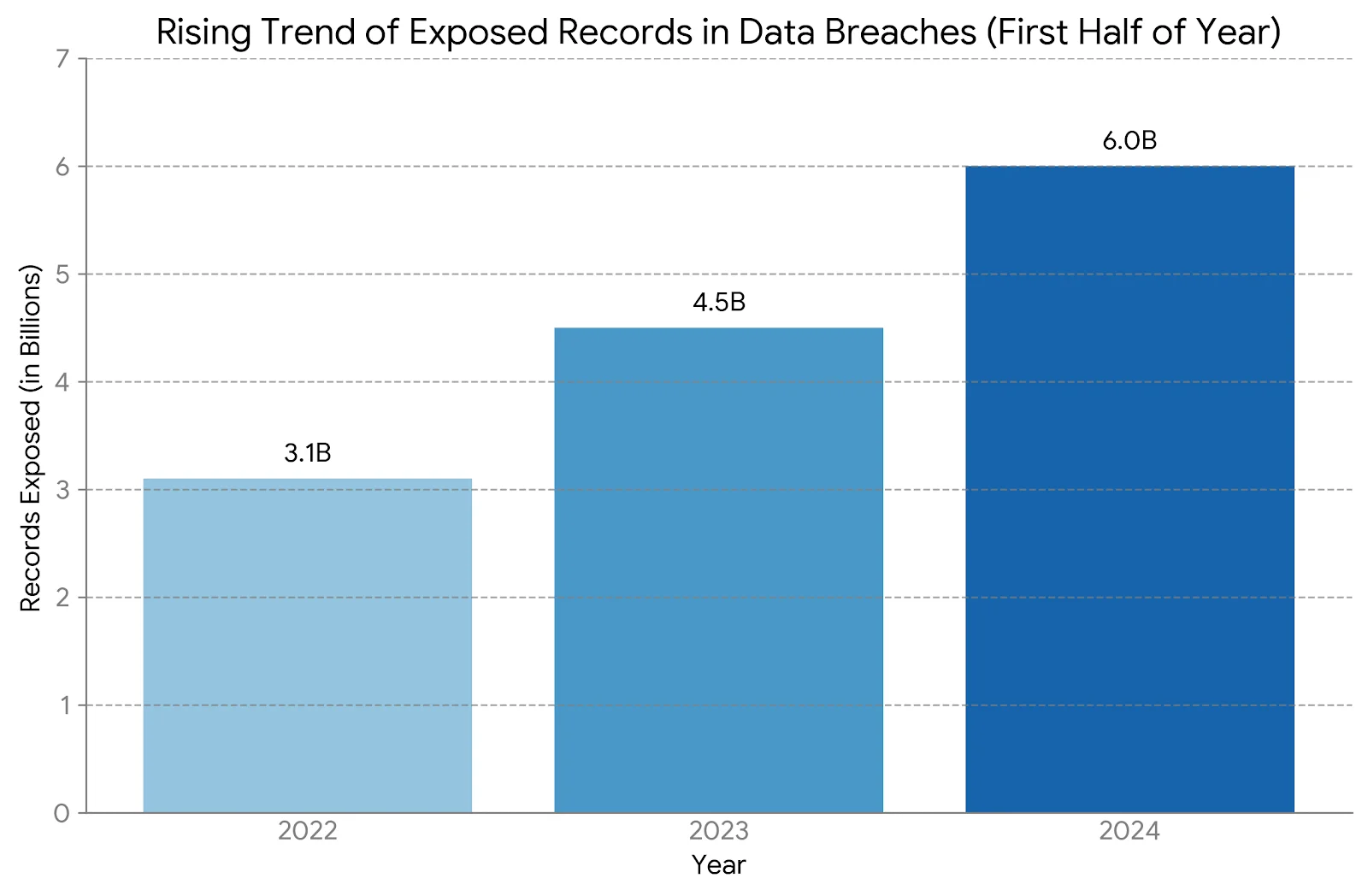
Our verdict in 30 seconds
Keeper is the password manager to pick when someone else audits your security. The encryption model is sound, the certifications are real, and the admin console is the deepest of the mainstream options. Individuals and families get a solid vault at a price that is no longer cheap.
The sting is the add-ons. BreachWatch dark web monitoring is not included in the standard plans, so the number you compare against rivals is usually not the number you end up paying. Cancelling also means emailing support rather than clicking a button.
Best for: IT teams, managed service providers, regulated businesses, and families who want five genuinely separate vaults.
Not ideal for: anyone shopping on price, people who want breach alerts bundled in, or users who value interface polish above everything. The full score with pros and cons sits in the review box below.
Keeper at a glance
- Product
- Keeper Password Manager and Digital Vault
- Official Website
- keepersecurity.com
- Category
- Password manager and privileged access platform
- Starting Price
- $42.99/year (Keeper Unlimited) (list price, April 2026)
- Free Plan
- Yes one mobile device, no sync, effectively a demo
- Security
- AES-256 with PBKDF2, zero-knowledge architecture, SOC 2 Type 2 and ISO 27001 certified
- Platforms
- Windows, macOS, Linux, iOS, Android, plus Chrome, Firefox, Edge, Safari and Brave extensions
- Standout Features
- BreachWatch dark web monitoring, granular sharing, security audit, admin console, KeeperChat, KeeperPAM
- Enterprise Integrations
- SAML 2.0 SSO (Okta, Entra ID, Ping), SCIM provisioning, AD and LDAP
- Best For
- IT teams, MSPs and compliance-driven businesses
- Support
- 24/7 chat and email, knowledge base, paid concierge tier for business
- Trial and Refunds
- 30-day trial of premium features. No self-service cancellation, you have to contact support
- Alternatives
- Bitwarden, 1Password, NordPass, Dashlane
We may earn a commission when you buy through links on this page. This does not affect our reviews.
What Keeper does well
Keeper Security was founded in 2011 by Darren Guccione and Craig Lurey and is headquartered in Chicago. Fifteen years in, the product has grown from a consumer vault into a full credential-security platform, and the enterprise DNA shows in almost every feature below.
Encryption that never leaves your device

Records are encrypted and decrypted locally with AES-256 and PBKDF2 key derivation. Keeper stores ciphertext and nothing else, so a server-side breach would hand an attacker unreadable blobs. That is the same architecture the better rivals use, and Keeper backs it with SOC 2 Type 2 and ISO 27001 audits rather than a blog post.
The practical consequence is that nobody can recover your account for you. Set up your recovery phrase properly on day one.
BreachWatch tells you when a password leaks
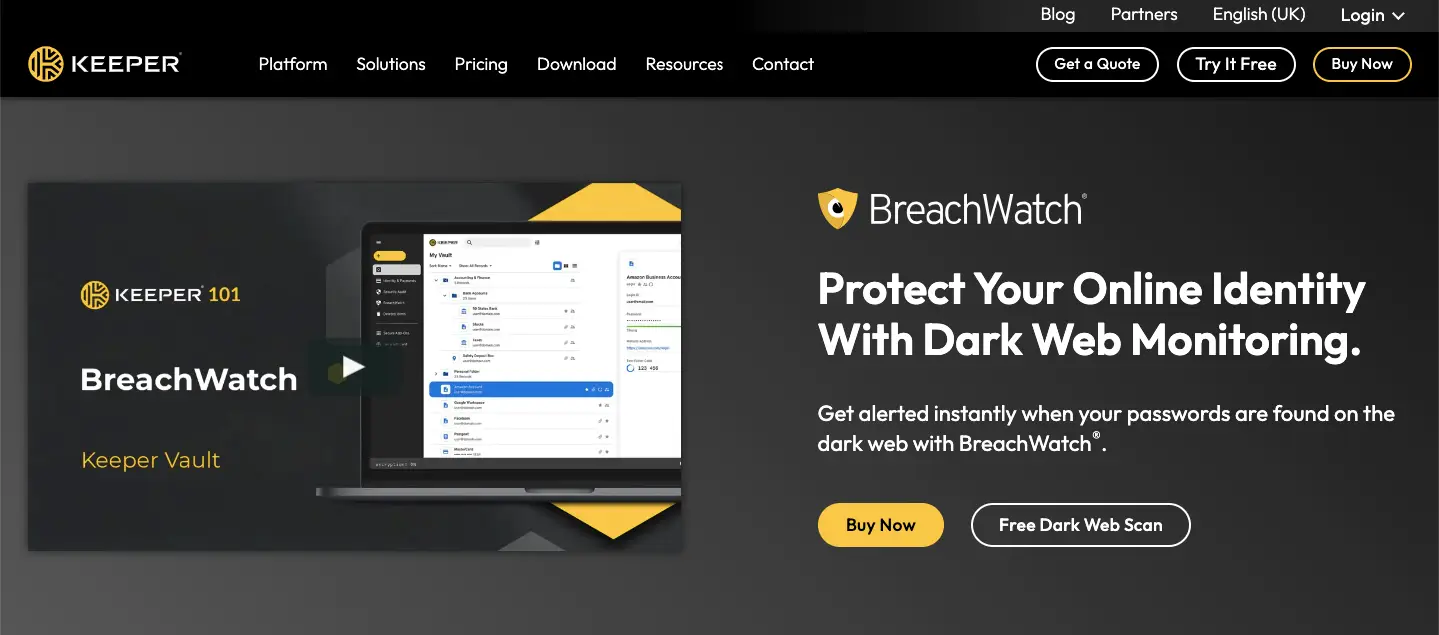
BreachWatch scans breach dumps for credentials matching your vault and flags them so you can rotate before someone else does. It works well. It is also sold as an add-on or inside a Plus bundle rather than being part of the base subscription, which is the single most common complaint we found about Keeper pricing.
One vault for passwords, cards and documents
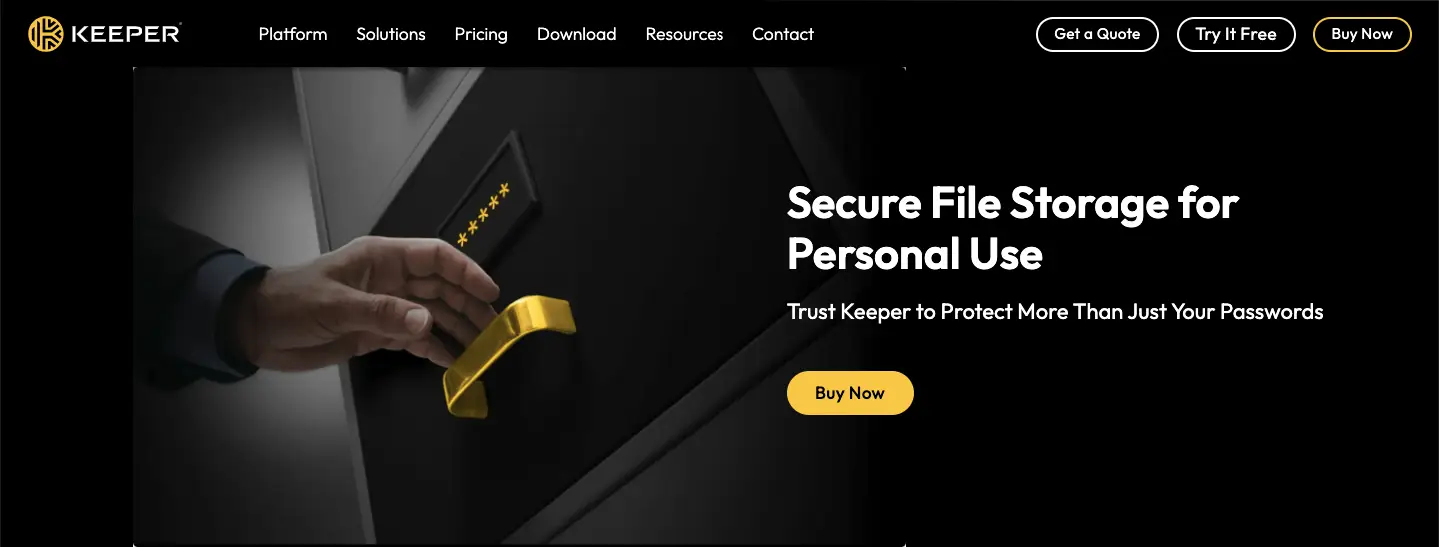
Records take custom fields, tags and file attachments, so passports, licence keys and insurance PDFs live alongside logins. Folders and subfolders keep it navigable once you cross a couple of hundred entries.
Two-factor options that go past SMS
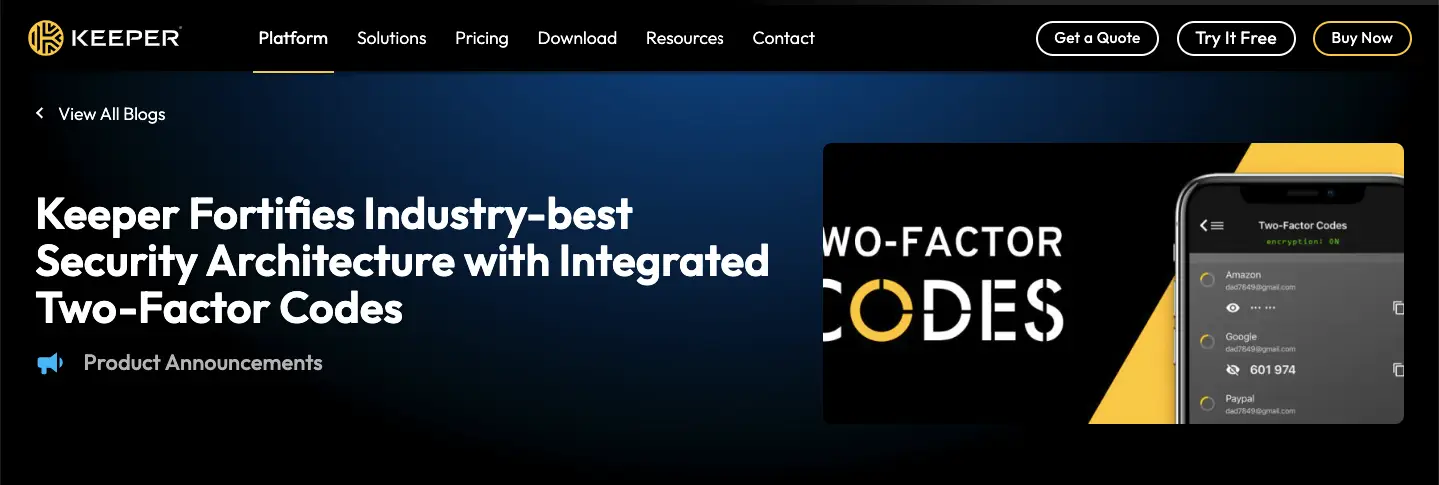
TOTP apps, Face ID and fingerprint, hardware keys including YubiKey and FIDO2, plus Duo and RSA on business plans. Keeper also stores TOTP codes for other sites, so the vault fills the login and the six-digit code together. If you care about locking down a WordPress admin, pair this with proper WordPress security plugins.
Sharing without emailing a password
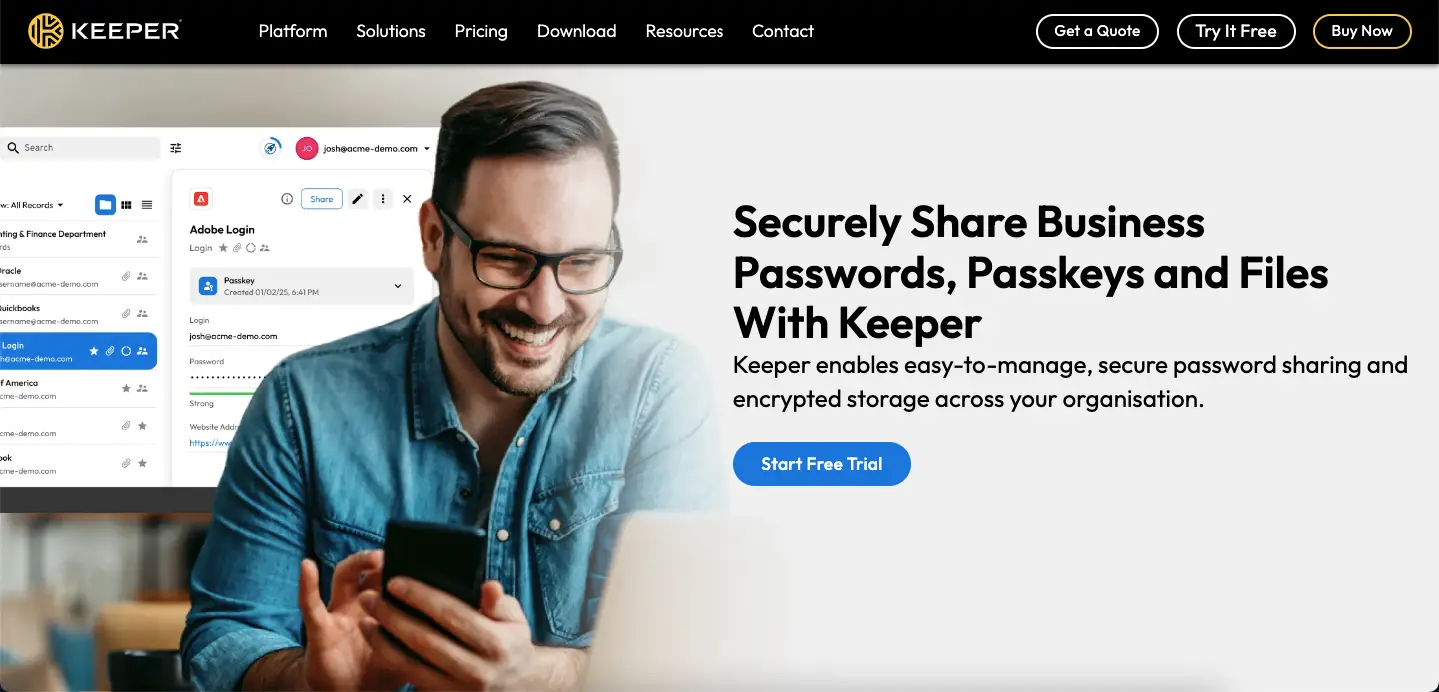
Share a record or a folder with view, edit or full-control permissions and revoke it later. One-Time Share sends a time-limited link to someone with no Keeper account, which is the feature that finally kills the WhatsApp password message.
The admin console is why IT teams choose it
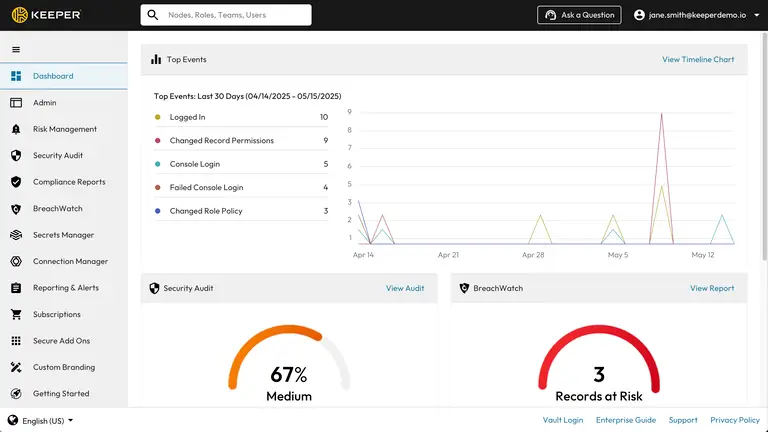
Role-based permissions, enforced password policies, audit logs, vault transfer when someone leaves, and reporting that maps onto compliance questions. SAML 2.0 single sign-on covers Okta, Entra ID and Ping, and SCIM handles joiners and leavers automatically.
This is where Keeper genuinely beats the consumer-first alternatives. If your security review has a spreadsheet attached to it, Keeper answers more of the rows.
Encrypted file storage
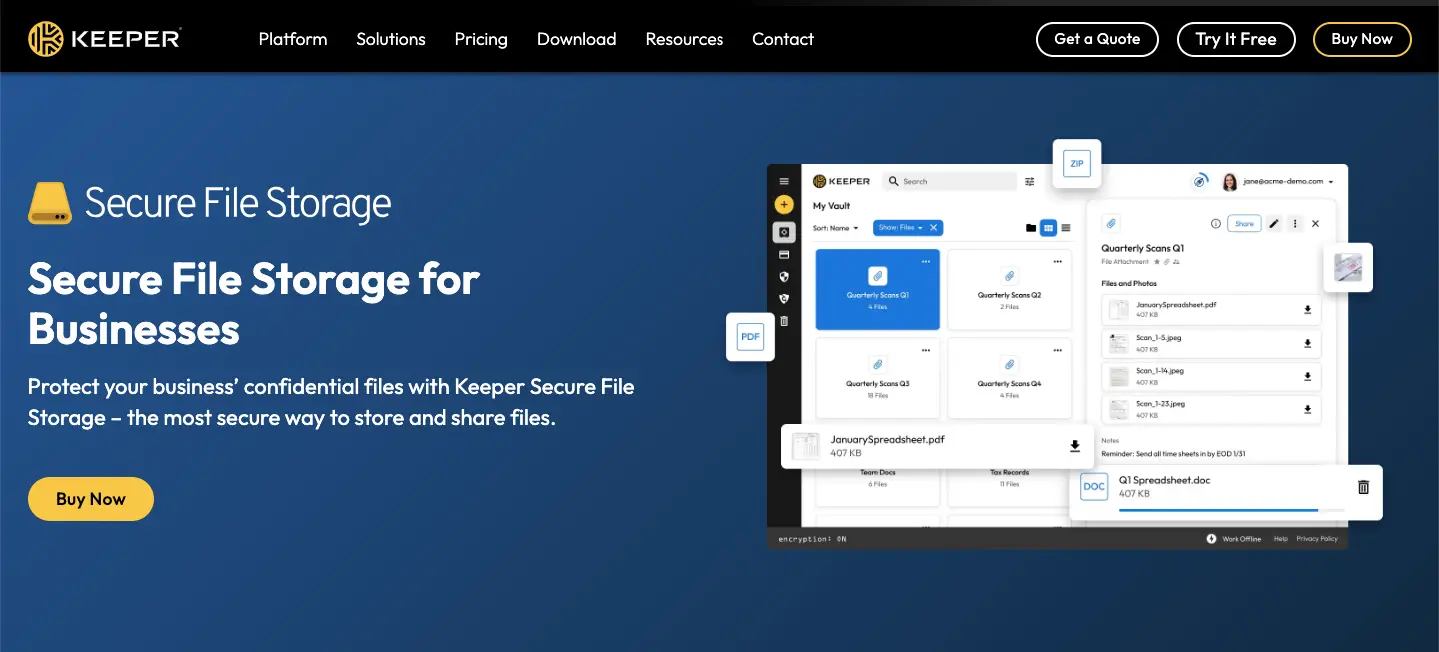
Family plans include 10 GB of encrypted storage and larger allowances are available as paid upgrades. Useful for tax records and contracts, though it is a safe deposit box rather than a Dropbox replacement.
KeeperChat, the feature nobody else has
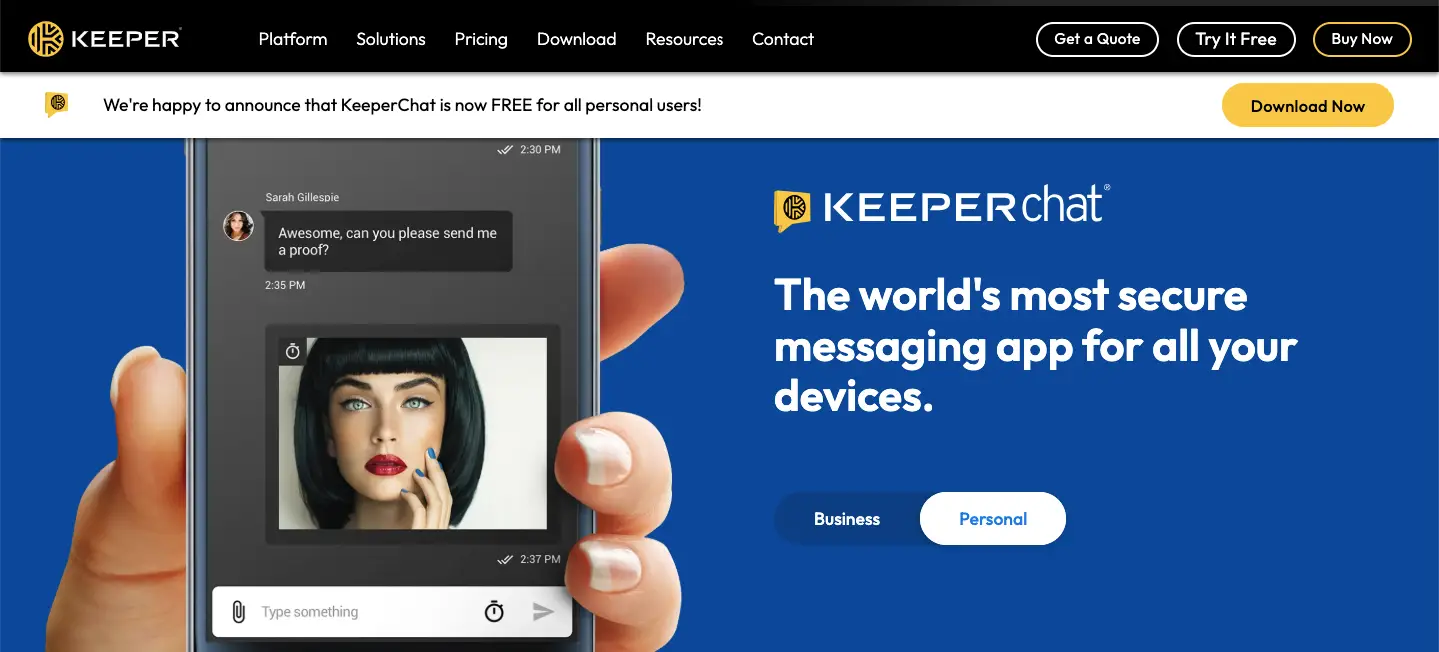
An encrypted messenger with self-destructing messages, bundled into the ecosystem. Whether you need it depends entirely on your job. Most families will never open it. Some legal and finance teams love it.
The security audit is quietly the best feature
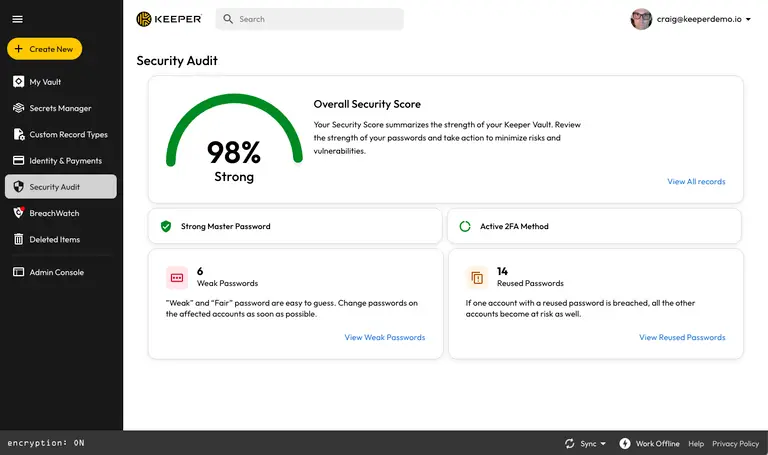
It scores your vault and lists every weak, reused or ancient password. Fixing the top ten entries takes twenty minutes and does more for your security than any other feature on this page.
White-label options for MSPs
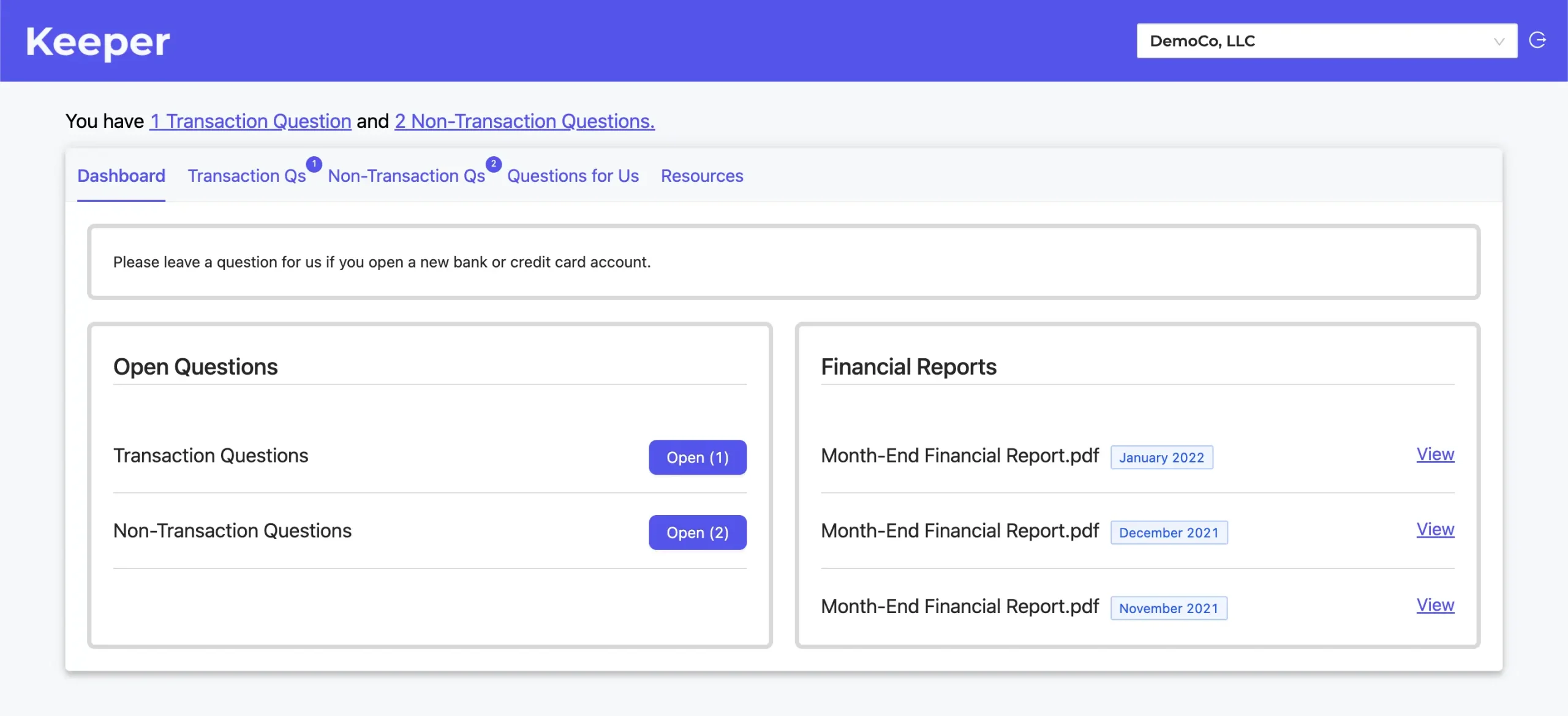
KeeperMSP lets providers resell the platform under their own branding with per-client configuration. It is a niche capability, and it is a large part of why Keeper shows up in so many managed IT stacks.
Setting Keeper up properly
Half an hour once, then you never think about passwords again.
-
Step 1 of 7
Create the account and a real master password
Use a long passphrase you can actually type on a phone. Keeper cannot reset it, so write down the recovery phrase and store it somewhere physical.
-
Step 2 of 7
Install everything before you import
Desktop app, mobile app and the browser extension. Importing first and installing later is how people end up with half a vault on one machine.
-
Step 3 of 7
Import from your browser or old manager
Keeper takes CSV exports plus direct imports from Chrome, Firefox, Safari, Edge, LastPass and Bitwarden. Delete the exported CSV afterwards, it is plain text.
-
Step 4 of 7
Turn on two-factor authentication
Settings, then Security. A FIDO2 key or a TOTP app is the right answer. SMS is supported and is the weakest of the options.
-
Step 5 of 7
Run the security audit and fix the red entries
The audit scores your vault and flags reused or weak passwords. Work through the worst ten, regenerate them, and your score moves fast.
-
Step 6 of 7
Set emergency access
Nominate up to five trusted contacts with a waiting period before they can open the vault. This is the feature people wish they had configured after something happens.
-
Step 7 of 7
Decide about BreachWatch
It is a paid add-on, not part of the base plan. If you want dark web alerts, price the Plus bundle before you commit to the standard tier.
Keeper pricing and the add-on trap
Keeper raised personal prices in early 2026. Any review still quoting $34.99 a year is out of date, and that includes a lot of them.
Keeper pricing
- Included: One mobile device
- Included: Limited number of records
- Not included: Sync across devices
- Not included: Desktop autofill
- Included: Unlimited passwords and devices
- Included: Emergency access for 5 contacts
- Included: Security audit and sharing
- Not included: BreachWatch dark web monitoring
- Included: 5 separate vaults
- Included: 10 GB encrypted file storage
- Included: Shared folders and permissions
- Not included: BreachWatch dark web monitoring
- Included: Encrypted vault and admin console
- Included: Credential sharing and autofill
- Not included: Shared team folders
- Not included: SSO and SCIM provisioning
Personal and family list prices confirmed on Keeper help centre, updated April 2026 and rechecked July 2026. New customers are often offered around 50 percent off the first year; renewals return to list price. Business prices are per user, billed annually.
We may earn a commission when you buy through links on this page. This does not affect our reviews.
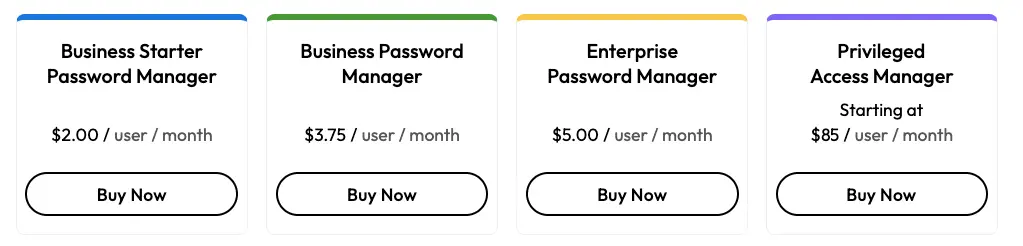
Two things to plan for. First, the discount you see on signup is a first-year offer and the renewal bills at list. Second, BreachWatch and extra storage are priced separately, so a like-for-like comparison with Bitwarden or NordPass needs the bundle price, not the headline. Businesses should also confirm seat pricing in writing before adding users mid-term.
Where Keeper falls short
Nickel-and-diming. Charging separately for dark web monitoring when cheaper rivals include it is the weakest part of the offer, and it is why the value score below is not higher.
Interface inconsistency. The desktop app, web vault and extension do not always behave the same way, and the extension in particular feels a generation behind 1Password. If polish matters to you, our 1Password review covers the smoother option.
Autofill can be fussy. Multi-step logins and unusual form layouts sometimes need a manual fill. It is not broken, it is just not invisible.
Cancellation friction. No self-service cancel button. You email support and wait. For a security company that is a strange choice.
The free plan is not a plan. One mobile device with no sync is a trial in disguise. Compare it with a genuinely free option such as the one in our Dual Safe password manager review before assuming Keeper free will do.
Keeper vs the alternatives
Four vaults dominate this market and each one wins on a different axis. Prices below are approximate and were checked in July 2026.
| Feature |
Bitwardenfrom ~$10/yrBest for: Budget and self-hosting |
1Passwordfrom ~$2.99/moBest for: Everyday polish |
NordPassfrom ~$1.79/moBest for: Simple personal use |
|
|---|---|---|---|---|
| Usable free plan | No | Yes(winner for this row) | No | Yes |
| Breach monitoring in base paid plan | No | Yes | Yes | Yes |
| Self-hosting option | No | Yes(winner for this row) | No | No |
| Encrypted messaging app | Yes(winner for this row) | No | No | No |
| Admin console and SSO | Deepest on test(winner for this row) | Good | Good | Basic |
| Self-service cancellation | No | Yes | Yes | Yes |
We may earn a commission when you buy through links on this page. This does not affect our reviews.
Our read: choose Keeper if compliance, admin control or MSP delivery is part of the job. Choose Bitwarden if you want the strongest free tier and the option to self-host. Choose 1Password if you want the nicest daily experience and will pay for it. Choose NordPass if you already run NordVPN and want one bill.
Who should actually buy Keeper
Businesses with an auditor. Role-based access, enforced policies, audit logs and vault transfer answer the questions security questionnaires ask. This is Keeper natural home.
Managed service providers. White-labelled delivery plus per-client policy control is rare, and it is a real reason to pick Keeper over a consumer-first rival.
Families who want separation. Five genuinely private vaults with selective shared folders beats one shared vault, especially with teenagers involved.
Anyone storing more than passwords. Documents, licence keys, recovery codes and identity records in one encrypted place is worth more than the vault itself.
If you are a single user who only needs logins on a phone and a laptop, you are paying for enterprise plumbing you will never touch. Bitwarden does that job for a fraction of the money.
Frequently Asked Questions
How much does Keeper cost now?
Keeper Unlimited is 42.99 dollars a year and Keeper Family is 91.99 dollars a year for five vaults, per Keeper own help centre as of April 2026. Business Starter runs about 2 dollars per user a month and the full Business plan about 4 dollars, both billed annually.
Is BreachWatch included in the price?
No, and this catches people out. Dark web monitoring is a paid add-on or part of a Plus bundle rather than a feature of the base Unlimited or Family plan. Several cheaper rivals include equivalent monitoring at no extra cost.
Is the Keeper free plan usable?
Barely. It covers one mobile device and a small number of records with no syncing, so treat it as a demo rather than a real free tier. Bitwarden is the password manager to look at if you genuinely want to pay nothing.
Can Keeper be hacked?
Nothing is immune, but Keeper encrypts and decrypts everything on your device and never holds your master password, so a server breach would expose ciphertext rather than logins. The realistic weak point is a poor master password or an unprotected recovery route.
How do I cancel a Keeper subscription?
You have to contact support rather than clicking a button in your account, which is a genuine annoyance. Do it well before the renewal date, because auto-renew charges at the standard rate rather than the promotional one.
Does Keeper support passkeys and hardware keys?
Yes. You can store and use passkeys in the vault, and protect the vault itself with FIDO2 security keys such as a YubiKey, plus TOTP apps and biometrics. SMS codes are supported but are the weakest option on the list.
Is Keeper better than 1Password or Bitwarden?
Keeper wins on admin controls, compliance certifications and enterprise features. Bitwarden wins on price and self-hosting. 1Password wins on day-to-day polish. For a family or a solo user, Keeper is rarely the cheapest answer.
What happens if I forget my master password?
Keeper cannot reset it for you, which is the trade-off of zero-knowledge design. Recovery depends on the recovery phrase and account recovery options you set up in advance, so configure those on day one.
Does Keeper work offline?
Yes. The desktop and mobile apps keep an encrypted local copy of your vault, so you can read records without a connection and changes sync when you are back online.
The bottom line
Keeper is a serious security product wearing a consumer price tag it does not quite justify. The zero-knowledge encryption, certifications and admin console are all genuinely strong, and for a business the total cost still compares well against a breach.
For individuals the maths is tighter. At $42.99 a year without BreachWatch, you are paying a premium for capabilities aimed at IT departments. Price the Plus bundle you actually want, compare it against Bitwarden and 1Password on that basis, and take the 30-day trial before you commit. Whichever password manager you land on, using one at all is the decision that matters.
This review is based on Keeper official documentation, its published pricing and help centre entries checked in July 2026, and publicly reported user feedback. We have not deployed Keeper across a business tenant of our own, so the admin notes reflect documented capability rather than a hands-on rollout. Some links on this page are affiliate links.
The Review
Keeper
Keeper is one of the best-engineered password managers around, with zero-knowledge encryption, real compliance certifications and an admin console that IT teams genuinely use. The catch is the pricing: personal plans went up in 2026 and dark web monitoring is a paid add-on rather than standard. Excellent for businesses and MSPs, expensive for a single user.
PROS
- Zero-knowledge AES-256 encryption with SOC 2 Type 2 and ISO 27001 audits
- Deepest admin console and SSO/SCIM support of the mainstream vaults
- Granular sharing plus One-Time Share for people without an account
- Security audit makes fixing weak passwords quick
- Family plan gives five genuinely separate vaults
CONS
- BreachWatch dark web monitoring costs extra, rivals include it
- Personal pricing rose in 2026 and renewals drop the intro discount
- No self-service cancellation, you must contact support
- Browser extension and autofill are less polished than 1Password
- Free plan is one mobile device with no sync
Keeper DEALS
We collect information from many stores for best price available




