

Tired of copying data between apps by hand, or paying Zapier-level prices just to connect your WordPress site to the tools you already use? OttoKit — the automation platform formerly known as SureTriggers — wires your apps together with no code and a friendlier bill.
This OttoKit review breaks down where it genuinely saves you time, where it still trails older rivals, and who should pick it over the big names. If your stack runs on WordPress, pay close attention.
Quick Verdict
OttoKit is a no-code automation platform that links your apps and WordPress plugins so routine tasks run themselves. For a WordPress-centred stack it is one of the more affordable workflow automation tools going, and the visual builder is genuinely beginner-friendly. The catch: its app library is younger and thinner than Zapier or Make, and triggers can occasionally lag.
Best for: WordPress and WooCommerce owners, solopreneurs, and small teams who want affordable no-code automation.
Not ideal for: Teams that need a huge catalogue of niche SaaS integrations, or mission-critical workflows that must fire with zero delay.
Ottokit Key Highlights
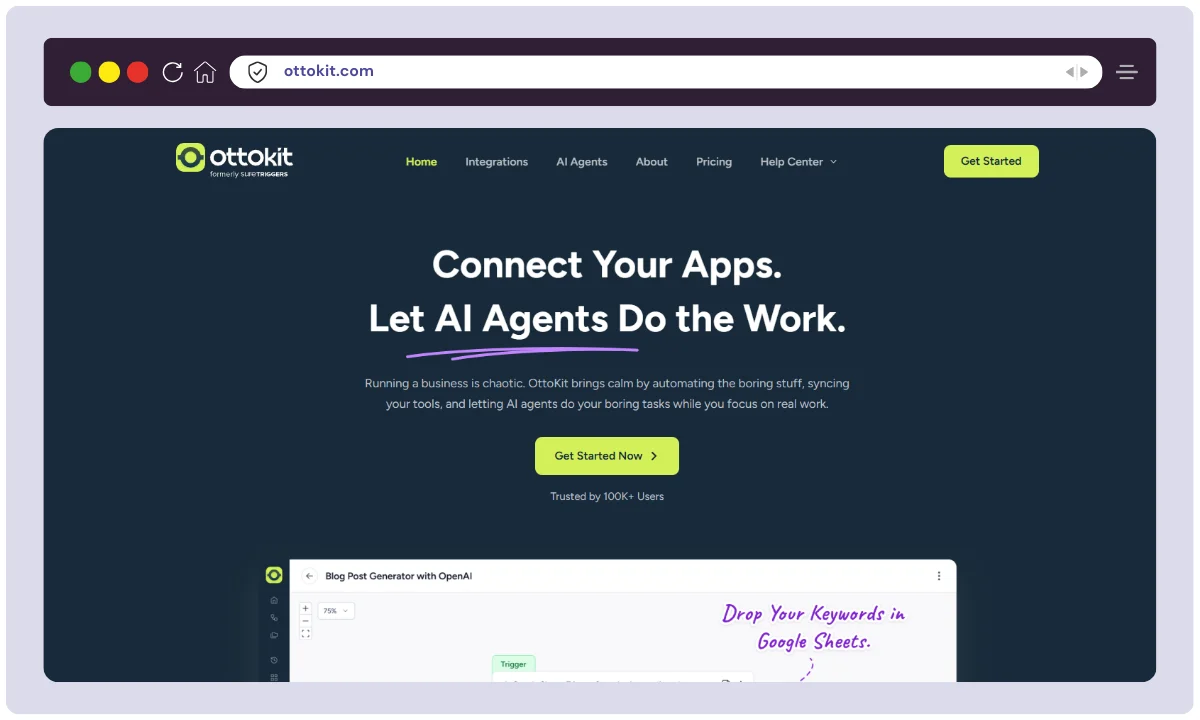
OttoKit started life as SureTriggers, built by Brainstorm Force — the same team behind the popular Astra theme and a wide range of WordPress products. That heritage matters: unlike Zapier or Make, OttoKit was designed with WordPress and WooCommerce at its core, and it can run as a plugin on your site as well as a standalone cloud app.
The idea is simple. You connect a trigger (something happens, such as a new WooCommerce order or a form submission) to one or more actions (send a Slack message, add a row to Google Sheets, tag a user, call an API), and OttoKit runs the sequence for you — no code and no server to babysit.
| Feature | Details |
|---|---|
| Product Name | OttoKit (formerly SureTriggers) |
| Category | No-code automation & app integration (iPaaS) |
| Developer | Brainstorm Force (makers of Astra) |
| Official Website | ottokit.com |
| Key Integrations | WordPress, WooCommerce, Google Sheets, Slack, OpenAI, Mailchimp, webhooks & a growing app library |
| Standout | Deep WordPress integration, no-code visual builder, task-based pricing |
| Best For | WordPress & WooCommerce users, solopreneurs, small teams |
| Free Plan | Yes (250 tasks/month, up to 5 automations) |
| Starting Price (paid) | From $9/month, billed annually |
| Alternatives | Zapier, Make, n8n, Pabbly Connect |
| Support | Documentation, email/ticket support, community |
| Money-Back Guarantee | 14-day |
| Affiliate Program | Yes |
Ottokit Features
The OttoKit feature set revolves around one job: moving information between the tools you already use, without you lifting a finger. Here are the parts that actually matter when you are weighing it up.
1. No-Code Visual Workflow Builder
Build automations by connecting triggers, actions, and conditions on a visual canvas, with no scripting required. It is quick to learn, and most people can ship a first working workflow within a few minutes.
2. Deep WordPress & WooCommerce Integration
This is the real edge OttoKit holds over Zapier and Make. It hooks directly into WordPress core, WooCommerce, and many popular plugins, so events on your site can trigger actions anywhere else in your stack, and the other way round.
3. Multi-Step Workflows With Logic
Chain several actions together and shape the flow with conditions, filters, delays, and paths. That is enough to model real business processes, not just one-off if-this-then-that shortcuts.
4. App & Plugin Integration Library
OttoKit connects to a growing catalogue of apps such as Google Sheets, Slack, Mailchimp, and OpenAI, plus WordPress plugins. It is expanding quickly, though it is still smaller than what Zapier or Make offer, which we cover under alternatives below.
5. Pre-Built Templates (Recipes)
Ready-made recipes cover common jobs like syncing new orders to a spreadsheet or sending welcome messages, so you rarely start from a blank canvas.
6. AI Actions
You can drop AI steps into a workflow, for example generating or summarising text through an OpenAI connection. That is handy for content and support automations without bolting on a separate tool.
7. Run Logs, Retries & Error Handling
Every run is logged, so you can see what fired and what failed, then re-run or debug the ones that broke. It is basic next to enterprise iPaaS tooling, but enough for most small teams.
How to Use Ottokit: A Step-by-Step Guide
Getting a first automation live in OttoKit is refreshingly quick. Here is the core loop you will repeat for almost every workflow.
1. Connect Your Apps
Authorise the apps and plugins you want to link, such as your WordPress site, WooCommerce store, Google account, and Slack workspace. OttoKit stores these connections so you can reuse them across workflows.
2. Choose a Trigger
Pick the event that starts the automation, such as a new order, a new form entry, or a scheduled time. The trigger is what OttoKit watches for.
3. Add Actions and Logic
Drop in the actions that should follow, then add conditions, filters, or delays if you need the flow to branch or wait. This is where a simple alert becomes a genuine multi-step process.
4. Test, Turn On, and Monitor
Run a test to confirm the data maps correctly, switch the workflow live, then keep an eye on the run logs for the first few days. Testing before you rely on a workflow is the single best habit here, because triggers can occasionally be flaky.
Ottokit Pricing

Ottokit offers a variety of flexible pricing plans tailored to meet the needs of individuals, small businesses, and enterprises alike. Each plan provides access to powerful automation features designed to boost productivity and streamline workflows. Here’s a detailed breakdown of Ottokit’s pricing for 2026:
Free Plan
- Price: $0/month
- Tasks Included: 250 tasks per month
- Automations: Up to 5 automations
- Best For: Individuals and small businesses starting with automation
- Features: Basic access to automation tools to test the platform
Pro Plan
- Price: $9/month (billed annually at $108/year)
- Tasks Included: 5,000 tasks per month
- Automations: Unlimited workflows with multi-step capabilities
- Best For: Growing businesses needing advanced automation features
- Features:
- Access to pre-built automation recipes
- 15-day data logs
- Priority customer support
Business Plan
- Price: $19/month (billed annually at $228/year)
- Tasks Included: 10,000 tasks per month
- Best For: Agencies and larger teams with comprehensive automation needs
- Features:
- All Pro Plan features plus
- Advanced integrations
- Custom branding
- Enhanced support
Business Plus Plan
- Price: Custom pricing
- Tasks Included: Up to 100,000 tasks per month
- Best For: Enterprises with high-volume automation requirements
- Features:
- All Business Plan features
- Higher task limits
- Additional customization options
Lifetime Plans
- Pro Lifetime Plan: One-time payment of $399
- Business Lifetime Plan: One-time payment of $699
- Tasks Included:
- Pro Lifetime: 5,000 tasks per month
- Business Lifetime: 10,000 tasks per month
- Best For: Businesses looking for long-term automation solutions with a single upfront cost
- Features: Lifetime access to all features included in respective plans
Bonus Info:
- All plans come with a 14-day money-back guarantee, allowing you to try Ottokit risk-free.
- You can upgrade or downgrade plans anytime with prorated billing, making it easy to adjust as your business grows.
OttoKit Alternatives Worth Considering
OttoKit is not the only way to automate your stack. If you want the full landscape, our roundup of the best workflow automation tools compares the main players; here are the three most worth weighing against OttoKit.
Zapier
The market leader, with by far the largest app library. If you need a connector for an obscure SaaS tool, Zapier probably has it. The trade-off is cost, which climbs quickly as your task volume grows. Best for: teams that value breadth of integrations over price.
Make (formerly Integromat)
Make pairs a powerful visual builder with granular control and competitive pricing, which appeals to people who like to tinker. It is less WordPress-focused than OttoKit and has a steeper learning curve. Best for: hands-on builders who want deep control at a fair price.
n8n
n8n is open-source and can be self-hosted, which makes it the natural pick if you want to control your own data or avoid per-task fees entirely. It is more technical to run, and our full n8n review covers who it suits. Best for: developers and privacy-conscious teams comfortable self-hosting.
Pricing across all of these tools, OttoKit included, changes often. Treat the figures here as a starting point and confirm the current numbers on each vendor’s official pricing page before you buy.
How We Evaluated OttoKit
To write this review, we worked hands-on with the OttoKit free plan and visual builder, and built a handful of common WordPress and WooCommerce automations: order-to-spreadsheet syncing, form-to-Slack alerts, and a simple multi-step flow with conditions. We compared its integration breadth, pricing, and reliability against Zapier, Make, and n8n using each tool’s public documentation.
What we did not test: high-volume enterprise workloads, every one of the OttoKit integrations, or long-term reliability over many months. Trigger behaviour and app coverage change over time, so verify anything mission-critical on your own account before you commit. This review is independent and not sponsored.
FAQs
What is OttoKit and what does it do?
OttoKit is a no-code automation platform that connects your apps and WordPress plugins. You set a trigger and one or more actions, and it moves data or performs tasks between those tools automatically, so you do not have to do them by hand.
Is OttoKit the same as SureTriggers?
Yes. OttoKit is the rebranded name for SureTriggers, the automation tool from Brainstorm Force. The core product is the same; only the branding changed.
Does OttoKit have a free plan?
It does. The free plan includes 250 tasks per month and up to 5 automations, which is enough to test the platform and run a few light workflows before you pay.
How is OttoKit different from Zapier?
OttoKit is cheaper and far more WordPress-focused, and it can run as a plugin on your site. Zapier has a much larger app library and a longer track record. If your workflows centre on WordPress or WooCommerce, OttoKit often wins on value; if you need many niche SaaS connectors, Zapier still leads.
Do I need coding skills to use OttoKit?
No. The visual builder is designed for non-developers, and most simple automations take only a few minutes to set up. Developers can go further with webhooks and API calls, but that is optional.
What are the main limitations of OttoKit?
The biggest ones are a smaller integration library than Zapier or Make, task limits on lower tiers that can bite as you scale, occasional flaky or delayed triggers, and documentation that is still maturing for newer integrations.
Is OttoKit a good fit for WooCommerce stores?
Yes, this is one of its strongest use cases. Because it integrates directly with WooCommerce, you can automate order syncing, customer tagging, notifications, and follow-ups without stitching together several separate tools.
OttoKit Review: The Verdict
If your business runs on WordPress or WooCommerce, OttoKit is an easy recommendation. The native integration and low price make it the most sensible no-code automation tool for that world. Solopreneurs and small teams on a budget will also get real value, especially with the free plan and the occasional lifetime deals.
If you depend on a long tail of niche SaaS integrations, or you need workflows that fire instantly and never miss a beat, a more mature platform like Zapier or Make is the safer bet for now. Prefer to own your data and skip per-task fees? A self-hosted option is worth a look, and our n8n review walks through that route.
One warning before you commit: keep an eye on the task caps on the lower tiers, and test your most important triggers on the free plan first, because occasional delays and flaky fires are the most common complaint.
The smart next move is to start free, rebuild your single most annoying manual task, and see how it holds up over a week. If it saves you time, and for WordPress users it usually does, upgrading is easy. You can try OttoKit free here and decide from there.
The Review
Ottokit
Ottokit is a powerful no-code automation platform designed mainly for WordPress users to connect apps and automate workflows effortlessly. It stands out for its deep WordPress integration, visual workflow builder, and 1,000+ app integrations, making it a strong alternative to tools like Zapier. The platform is user-friendly, cost-effective, and highly rated, with users praising its flexibility, strong support, and ability to handle complex automations without coding. However, it may have a slight learning curve for advanced workflows, and some users note occasional reliability or onboarding issues.
PROS
- Genuinely no-code visual builder that beginners pick up fast
- Deep, native WordPress & WooCommerce integration
- Affordable task-based pricing with a usable free plan
- Multi-step workflows with conditions, filters, and delays
- Pre-built recipes to start quickly
- Runs as a WordPress plugin or a cloud app
CONS
- Smaller app-integration library than Zapier or Make
- Task and automation caps on lower tiers can bite as you scale
- Triggers can occasionally be flaky or delayed
- Documentation is still maturing for newer integrations




