

You spin up a scraper, point it at a few hundred Amazon product pages, and feel like a genius — for about ninety seconds. Then the CAPTCHAs start. Then the 503s. Then every request from your server gets a polite “robot check” and your data pipeline flatlines. If you’ve been there, you already know the hard truth: scraping Amazon without IP bans isn’t about sending requests faster, it’s about not looking like a bot in the first place.
Here’s the good news — price-intelligence teams and market researchers pull Amazon data every single day without getting nuked. The difference is method, not magic. In this guide we break down exactly how Amazon spots scrapers and the practical, step-by-step setup that keeps your requests flying under the radar. Let’s skip the fluff and get to it.
⚡ Quick Answer
To scrape Amazon without IP bans: use residential or ISP proxies (never raw datacenter IPs), rotate IPs across requests, randomize timing (4–12s, not fixed delays), rotate user agents and browser fingerprints, mimic real browsing (search → product → reviews, not A→B→C), persist sessions/cookies, and monitor your CAPTCHA and block rates so you can throttle before you get flagged. Quality and authenticity beat speed and volume every time.
⚠️ Scrape responsibly. Automated scraping conflicts with Amazon’s robots.txt and its Conditions of Use. Stick to publicly visible data (prices, titles, ratings), never personal data, respect rate limits, and check the legal landscape around web scraping for your region. For commercial use, get legal advice. This guide is for legitimate price intelligence and research — not abuse.
Who This Guide Is For (and What You’ll Need)
This is for eCommerce teams doing price monitoring, brands tracking MAP violations and unauthorized sellers, market researchers analyzing trends and reviews, and developers building data pipelines. If you just want a handful of prices once, a manual check or an official API is simpler — this guide is for repeatable, at-scale collection.
What you’ll need:
- A pool of residential or ISP proxies (see our best residential proxy providers).
- A scraping stack — Python (
requests/httpx) for simple pages, or a headless browser (Playwright/Selenium) for JavaScript-heavy ones. - Basic comfort with HTTP headers, cookies, and rate limiting.
- A way to log success/CAPTCHA/block rates so you can adapt.
Why Amazon Actively Detects and Blocks Scrapers

Amazon’s defenses aren’t arbitrary. Uncontrolled scraping piles server load that’s meant for real shoppers, and its marketplace data — rankings, pricing, inventory signals, reviews — is valuable intellectual property. So Amazon runs one of the most advanced anti-bot systems on the web, and modern detection looks at far more than your IP address. Understand what it watches, and the rest of this guide makes sense.
How Amazon Detects Scraping Activity
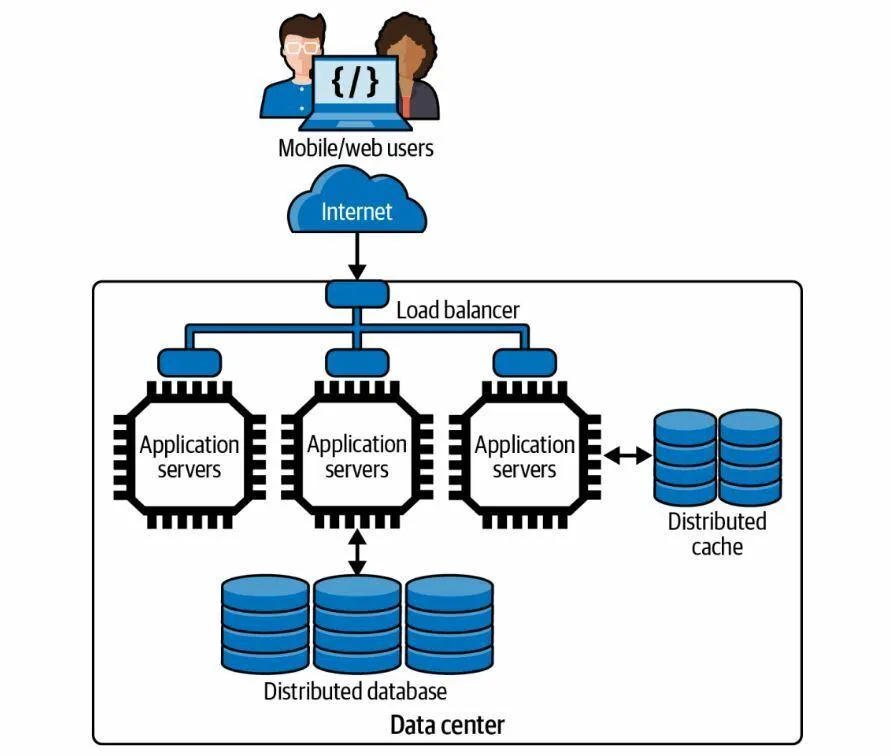
Most beginners assume Amazon only counts requests. In reality it scores several signals at once:
- IP reputation — known datacenter and proxy ranges start with a poor score before you send a single suspicious request. This is why cloud-server scraping gets blocked almost instantly.
- Request patterns — perfectly even timing, sequential product hits, no category browsing, and sessions that never pause scream “bot.” Humans are messy and unpredictable.
- Browser fingerprinting — even when your IP changes, Amazon can recognize identical device signatures across sessions.
A browser fingerprint stitches together dozens of attributes:
| Fingerprint Element | Example |
|---|---|
| Screen Resolution | 1920×1080 |
| Operating System | Windows 11 |
| Browser Version | Chrome 137 |
| Installed Fonts | Device-specific |
| WebGL Rendering | GPU signature |
| Canvas Data | Unique rendering output |
| Language Settings | en-US |
| Time Zone | UTC+5:30 |
When hundreds of sessions share one fingerprint, Amazon knows they came from automated infrastructure, not independent shoppers.
How to Scrape Amazon Without IP Bans: 8 Steps
Put these together and you stop looking like a script and start looking like a crowd of ordinary shoppers. Here’s the playbook, in order.
Step 1: Use Residential or ISP Proxies — Not Datacenter
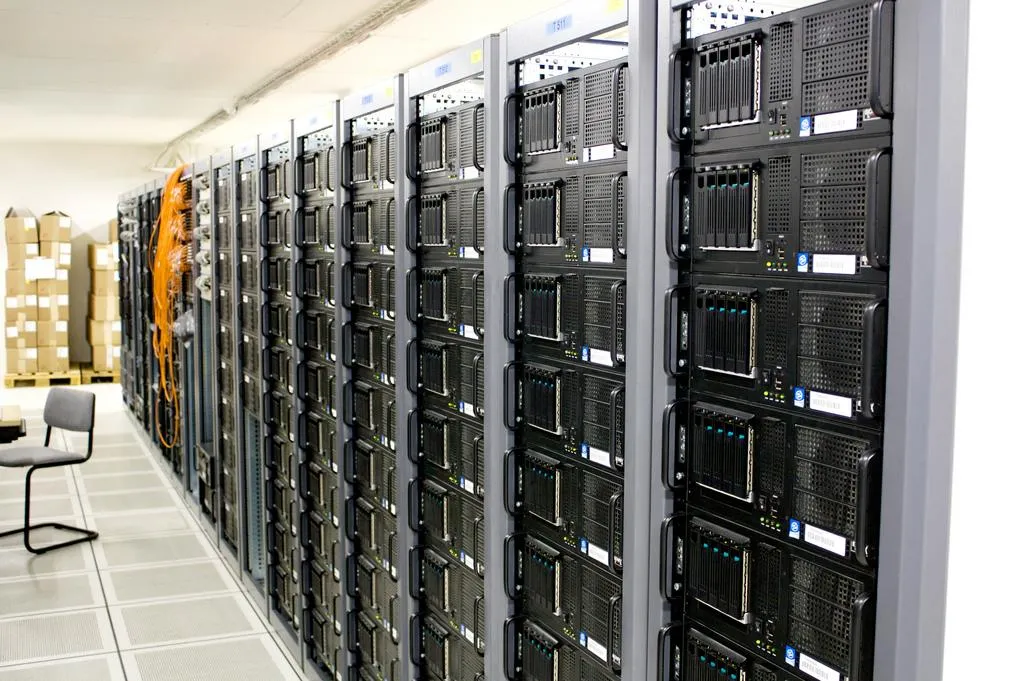
Proxies are the foundation — without them, every request comes from one IP and Amazon spots the volume instantly. But the type matters more than people think. Residential proxies use IPs from real ISP-assigned households, so they read as genuine shopper traffic. Datacenter proxies (AWS, DigitalOcean, Azure) are fast and cheap, but Amazon recognizes those ranges on sight.
| Residential / ISP Proxies | Datacenter Proxies |
|---|---|
| High trust score — looks like real consumer traffic | Often flagged instantly by IP range |
| Lower detection & CAPTCHA rates | Higher CAPTCHA rates, needs aggressive rotation |
| Better localization per marketplace | Cheaper and faster |
| More stable for long-term, large-scale jobs | Fine for small, low-risk jobs |
Our take: for serious, ongoing Amazon monitoring, residential or ISP proxies aren’t optional — they’re the single biggest factor in staying unbanned. Datacenter IPs are fine only for small, throwaway jobs.
Step 2: Rotate IPs the Smart Way
Even a premium residential IP gets flagged if it sends too much. Rotation spreads traffic so no single address looks hyperactive. You’ve got two models (we compare them in depth in rotating vs static proxies):
| Request Count | Static Rotation → Assigned IP |
|---|---|
| 1–100 | IP A |
| 101–200 | IP B |
| 201–300 | IP C |
Static rotation swaps IPs after a set number of requests; dynamic rotation assigns a fresh IP per request or per session. Dynamic generally protects better because Amazon sees a wider spread of traffic — use it for high-volume jobs, and keep a sticky session when you need cart/login continuity.
Step 3: Throttle and Randomize Request Timing
Request frequency is one of the loudest bot tells. Fixed delays are a dead giveaway — real users don’t click exactly every 5 seconds. Add randomness.
| Scale | Suggested Delay (randomized) |
|---|---|
| Small projects | 5–15 seconds |
| Medium projects | 3–10 seconds |
| Large projects | Distributed across rotating proxies |
Here’s a minimal Python pattern that combines rotating proxies, rotating user agents, and randomized delays:
import requests, random, time

PROXIES = [
    "http://user:[email protected]:7000",  # rotating residential
]
USER_AGENTS = [
    "Mozilla/5.0 (Windows NT 10.0; Win64; x64) Chrome/137.0 Safari/537.36",
    "Mozilla/5.0 (Macintosh; Intel Mac OS X 10_15_7) Chrome/137.0 Safari/537.36",
    "Mozilla/5.0 (Windows NT 11.0; Win64; x64) Firefox/128.0",
]

def fetch(url):
    proxy = random.choice(PROXIES)
    headers = {
        "User-Agent": random.choice(USER_AGENTS),
        "Accept-Language": "en-US,en;q=0.9",
    }
    return requests.get(url, headers=headers,
                        proxies={"http": proxy, "https": proxy}, timeout=20)

for url in product_urls:
    resp = fetch(url)
    if resp.status_code == 200:
        parse(resp.text)        # extract your data
    time.sleep(random.uniform(4, 12))   # human-like, never fixed
Step 4: Rotate User Agents and Browser Fingerprints
Years ago, rotating IPs was enough. Today, fingerprinting catches scrapers that forget to vary everything else. If every session shares the same screen size, fonts, and canvas signature, the IP rotation is wasted. Professional setups rotate browser versions, screen resolutions, operating systems, language settings, and hardware signatures so each session looks like a different person.
💡 Real-world tip: match the pieces. A US residential IP paired with a UTC+5:30 time zone and a Hindi language header is a contradiction Amazon can spot. Keep IP geography, time zone, and language consistent within a session.
Step 5: Mimic Human Browsing Behavior
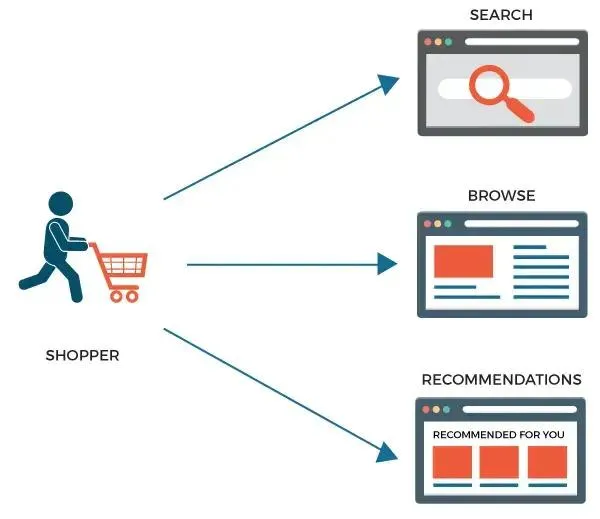
This is the step most scrapers skip — and it’s the one that separates pros from the perma-banned. A real shopper searches, opens a few listings, reads descriptions, compares prices, scrolls reviews, and backtracks. A bot that hammers 500 product pages a minute behaves nothing like that.
Instead of Product A → B → C → D, a realistic path looks like:
Search results → Product A → Reviews → back to Search → Product B → Related product → Product C. Add scrolling, variable dwell time, and the occasional dead-end. It’s slower — and it’s exactly why it works.
Step 6: Persist Sessions and Cookies
Genuine users accumulate cookies and keep a session alive over time. Scrapers that spin up a brand-new session for every request look unnatural — nobody resets their browser every five seconds. Maintaining cookies and session state makes your traffic read like a returning customer and quietly boosts your trust score.
Step 7: Prevent CAPTCHAs — Don’t Just Solve Them
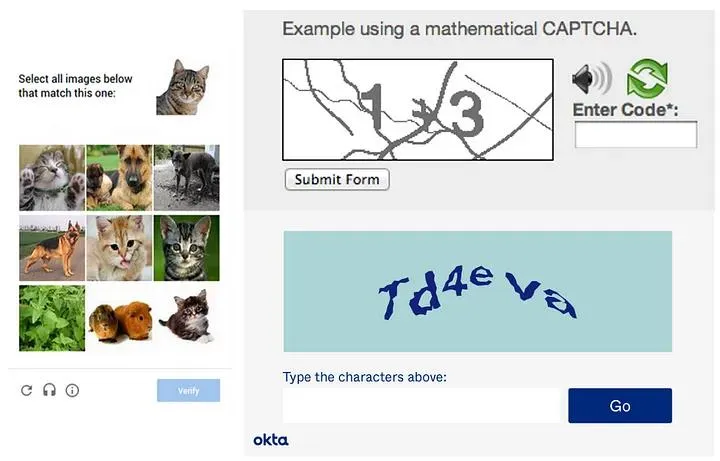
A rising CAPTCHA rate is Amazon’s warning light — it means you’ve already been flagged as suspicious. Solving them is a band-aid; preventing them is the cure. Here’s what moves the needle most:
| Strategy | Impact on CAPTCHAs |
|---|---|
| Residential / ISP proxies | High |
| Humanized behavior | High |
| Fingerprint rotation | High |
| Sensible rate limiting | High |
| Session persistence | Medium |
| Geographic consistency | Medium |
Step 8: Monitor, Measure, and Adapt
Amazon scraping is never “set and forget” — detection evolves, so your setup has to. Track these metrics and adjust before a small problem becomes a full block:
| Metric | What it tells you |
|---|---|
| Success rate | Overall scraper health |
| CAPTCHA rate | How suspicious you look right now |
| Block frequency | Whether detection is escalating |
| Response time | Performance and proxy speed |
| Proxy failure rate | Proxy pool quality |
Common Mistakes to Avoid
- Scraping from a cloud server with no proxy. The fastest way to an instant ban — datacenter IPs are pre-flagged.
- Fixed delays. Exactly 5 seconds between every request is a bot signature. Randomize.
- Rotating IPs but nothing else. Same fingerprint across IPs defeats the whole point.
- Relying on free proxies. Slow, unreliable, and already blacklisted — see common proxy errors.
- Chasing volume over authenticity. 500 pages/minute will always lose to a slower, human-like crawl.
Tools & Services We Recommend
You can build everything yourself, or lean on infrastructure that handles the hard parts. Based on our hands-on proxy testing, here’s where to start:
- Proxies: our roundups of the best residential proxy providers and ISP proxy providers — the two best fits for Amazon.
- Scraping APIs: if you’d rather not manage proxies and CAPTCHAs at all, a managed scraper handles rotation for you — see our Scraper API review.
- Tooling: compare options in our best web scraping tools guide, and read the role of proxies in web scraping for the fundamentals.
✅ How we know: we haven’t run an industrial Amazon scraping farm ourselves, so this guide is research-based — but it draws directly on our hands-on testing of residential, ISP, and datacenter proxies across real data-collection projects. Where we’re stating proxy behaviour we’ve verified, we say so; the Amazon-specific detection details are drawn from documented anti-bot practice.
Frequently Asked Questions
Why does Amazon block scraping IP addresses?
Amazon blocks IPs to protect its platform from excessive automated traffic, data harvesting, and potential service disruptions.
Are residential proxies better for Amazon scraping?
Yes. Residential proxies generally have higher trust scores and lower detection rates than datacenter proxies.
How often should I rotate IP addresses?
The ideal frequency depends on scraping volume, but rotating after a reasonable number of requests helps prevent detection.
Can Amazon detect headless browsers?
Yes. Amazon can identify many headless browser environments through browser fingerprinting techniques.
What causes Amazon CAPTCHAs?
Common triggers include excessive requests, poor-quality proxies, suspicious browser fingerprints, and repetitive behavior patterns.
Do free proxies work for Amazon scraping?
Free proxies are generally unreliable, slow, and frequently blacklisted, making them unsuitable for serious scraping projects.
Is user-agent rotation enough to avoid bans?
No. User-agent rotation helps, but it should be combined with IP rotation, fingerprint management, and session persistence.
What is the safest proxy type for Amazon scraping?
Residential and ISP proxies are usually considered the safest and most effective options.
How can I reduce CAPTCHA frequency?
Use high-quality proxies, maintain sessions, randomize behavior, and avoid aggressive request rates.
What is the biggest mistake Amazon scrapers make?
Sending too many requests from a single IP address too quickly remains one of the most common causes of IP bans.
Final Verdict
Scraping Amazon without IP bans comes down to one principle: look like a crowd of real shoppers, not a script. Proxies are the foundation, but modern detection weighs fingerprints, timing, sessions, and behavior just as heavily. Get those right and your success rate climbs while your CAPTCHA rate falls.
Where to start by use case: for a small one-off pull, datacenter proxies with randomized delays may be enough. For ongoing price monitoring, invest in residential or ISP proxies with dynamic rotation. For large-scale or hands-off collection, a managed scraping API saves you the anti-bot arms race entirely.
One honest warning: stay on the right side of the line — public data only, respect rate limits, and get legal advice before commercial use. Next step: start small with a quality residential proxy, watch your CAPTCHA rate, and scale only once it stays near zero.




