

Let’s be honest: nobody buys a proxy to stare at error messages. But if you run scrapers, manage multiple social accounts, or do serious SEO research, you will meet “Connection Refused,” 407, 403, and 429 — usually right in the middle of a job that mattered. We’ve spent years running residential, ISP, datacenter, and mobile proxies on live projects, and almost every “broken proxy” we’ve diagnosed came down to a handful of fixable causes. This guide walks through the most common proxy errors and exactly how we fix them, in plain English.
📌 Key Takeaways
- Most proxy errors aren’t the proxy’s fault — a typo in the port, IP not whitelisted, or a request rate that’s too aggressive cause the majority of what we see.
- 403, 429, CAPTCHAs and IP blocks are detection problems. The fix is almost always a better IP type plus slower, more human-like behaviour — not a new provider.
- 502, 504, timeouts and “Connection Refused” are infrastructure problems. Retry, switch endpoint, or change provider.
- If the same error hits across multiple sites at once, the problem is your proxy provider, not the target.
- For blocks and CAPTCHAs, residential and mobile proxies beat datacenter IPs almost every time.
Understanding Proxy Errors
A proxy error is simply a breakdown somewhere in the chain between your device, the proxy server, and the website you’re trying to reach. Because a proxy sits in the middle, things can break at more than one point: wrong settings, failed authentication, a server outage, network congestion, a DNS misconfiguration, or a site’s own security flagging your traffic as suspicious. New to proxies entirely? Start with our explainer on what a proxy server is and how it works, then come back here.
Here’s what actually matters: the error message tells you where in the chain it broke. Once you can read that, fixing it takes minutes instead of an afternoon of guessing. The fastest way we diagnose any new error is to ask one question first — is this a detection problem or an infrastructure problem? That single split decides almost every fix below.
How Proxy Connections Work
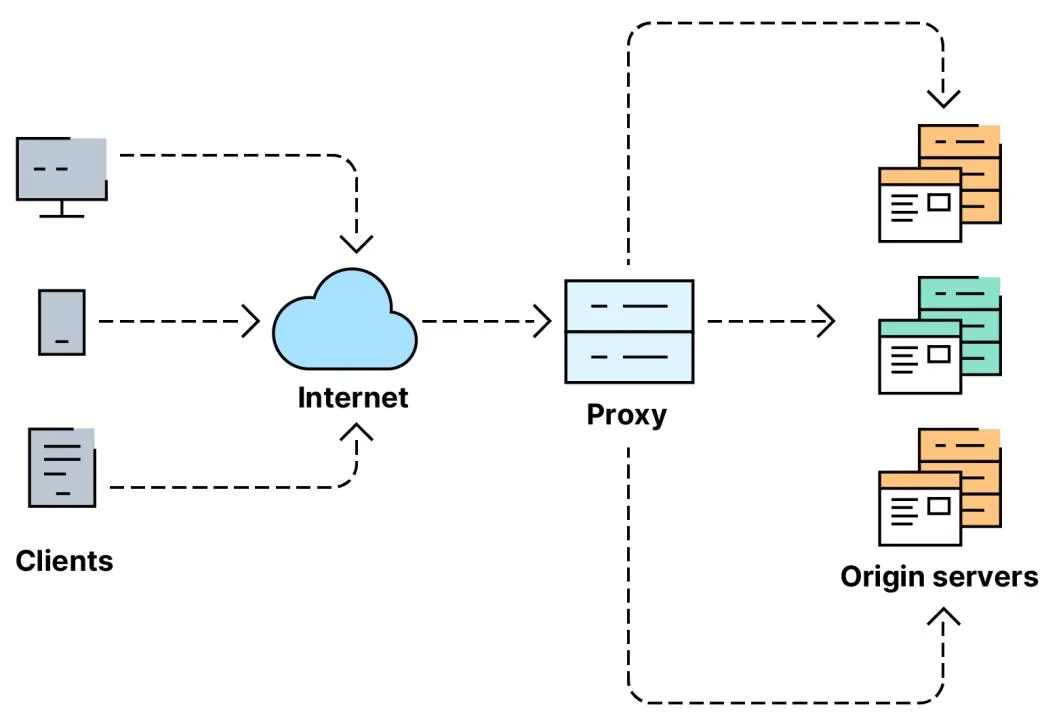
The basic workflow is short. You request a page, the request goes to the proxy server first, the proxy forwards it to the target site on your behalf, the site responds to the proxy, and the proxy relays that data back to you. If any link in that chain stumbles, you get an error — and knowing which link failed is the whole game.
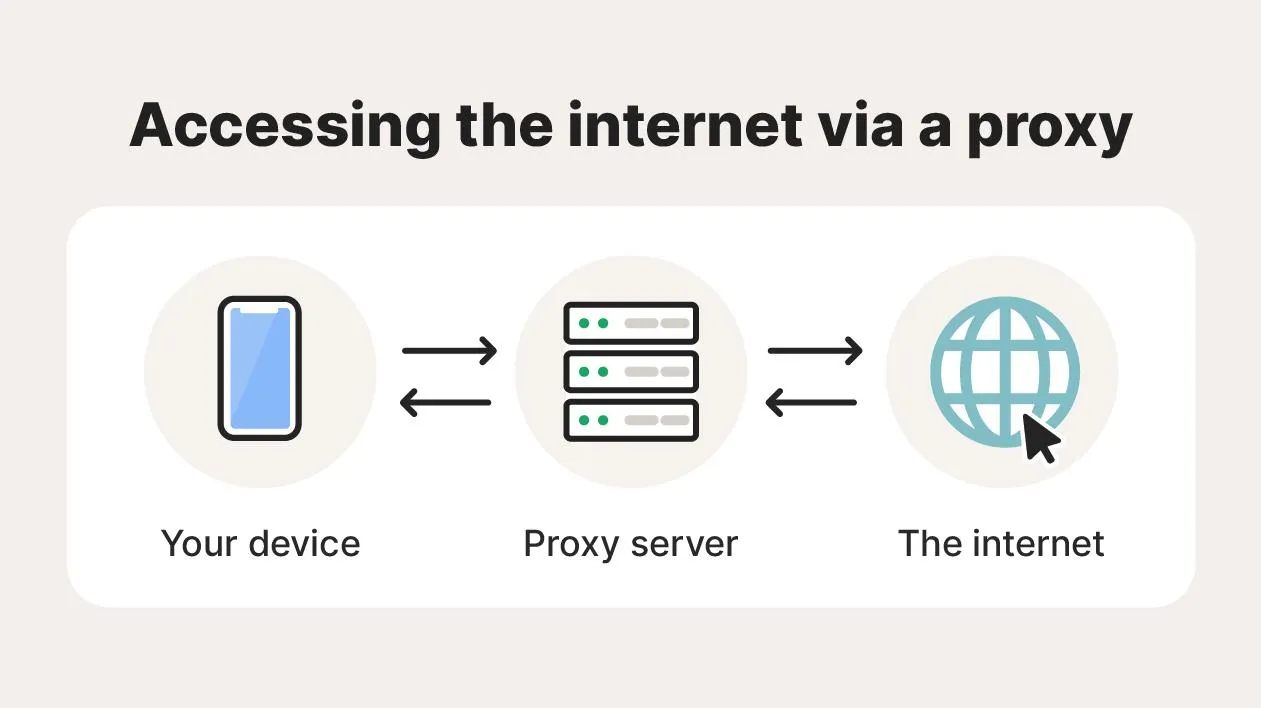
Proxy Connection Refused Error
“Connection Refused” means the proxy server actively rejected your request. Nine times out of ten in our experience it’s one of three things: the server is offline, the IP or port is wrong, or a local firewall is blocking the connection. This is an infrastructure error, not a detection one — the target site never even saw you.
Start by re-checking every config detail: IP address, port, username, password. A single transposed digit in the port is the most common culprit we find. Confirm the proxy service is actually up, and if your provider gives you multiple ports or endpoints, switch to a spare to rule out a dead node. Finally, make sure your own firewall or antivirus isn’t quietly killing the connection.
⚠️ Common mistake: Copy-pasting the proxy string with a trailing space, or mixing up the HTTP and SOCKS5 port. We’ve lost more time to this than to any real outage. Paste into a plain-text editor first and eyeball both ports before blaming the provider.
Proxy Authentication Failed (407 Error)
The 407 Proxy Authentication Required error means the proxy can’t verify who you are. It’s especially common on premium proxies that gate access behind credentials or IP whitelisting.
Usually it’s a wrong username or password — review them character by character against the provider’s dashboard. But here’s the catch most beginners miss: many providers use IP-based authentication instead of (or alongside) credentials. If your network’s public IP changed — common on home connections and almost guaranteed on mobile — your old whitelisted IP no longer matches and every request fails with 407, even though your password is perfect. Re-whitelist your current IP, and if it still fails, regenerate the credentials before you open a support ticket.
403 Forbidden Error
A 403 Forbidden means the site understood your request and chose to refuse it. This is a pure detection problem, and it’s the one that frustrates people most because the proxy itself is working fine — the website just doesn’t trust the IP.
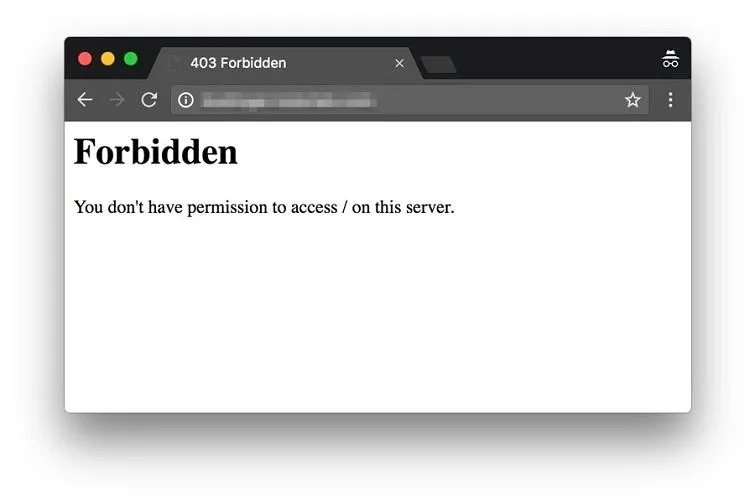
If a proxy IP has a poor reputation or a history of abuse, modern bot-detection denies it automatically. The reliable fix is to switch to a higher-trust IP — preferably a residential or mobile proxy, because those originate from real ISPs rather than data centres and look like genuine users. Pair that with realistic behaviour: keep cookies, send normal headers, and don’t hammer the site. When we moved a stuck scraping job from datacenter to residential IPs, the 403 wall disappeared on the same target within minutes.
429 Too Many Requests Error
The 429 Too Many Requests error means you’ve blown past the site’s allowed request rate. It’s the signature error of scraping and automation that runs too fast from too few IPs.
Slow down and add delays between requests. Randomising those intervals matters more than the average speed — a perfectly steady request every 2.0 seconds looks more robotic than a human-like spread of 1–6 seconds. The bigger lever is rotation: rotating proxies spread requests across many IPs so no single address looks greedy. For large jobs, treat rate management as part of the design, not an afterthought.
💡 Real-world tip: A 429 often ships with a Retry-After header telling you exactly how many seconds to wait. Read it and honour it — backing off on the site’s terms gets you unblocked far faster than rotating into a fresh IP and getting flagged again.
Connection Timeout Errors
A connection timeout means the proxy or the target site took too long to respond. Network congestion, an overloaded node, or sheer geographic distance between the proxy and the destination are the usual causes.
First, raise the timeout setting in your tool or browser so slow-but-working servers get a chance to answer. Second, pick a proxy located closer to the target’s region — a request bouncing from Asia to a US site through a European exit will time out far more often. In our testing, timeout rates track provider quality more than any other error: cheap, oversubscribed pools time out constantly, while well-run networks barely do.
DNS Resolution Errors
DNS errors happen when a domain name can’t be translated into its IP address. No resolution, no connection — and the quality of your proxy is irrelevant if the lookup never completes.

The cause is usually bad DNS settings, a flaky ISP resolver, or a proxy misconfiguration. Switching to a reliable public resolver like Google Public DNS or Cloudflare’s 1.1.1.1 fixes most of these, and flushing your local DNS cache clears out stale or corrupted entries that quietly break browsing.

SSL Certificate Errors
SSL certificate errors appear when a secure HTTPS connection can’t be established cleanly. Since nearly every site now runs on TLS, these are especially disruptive.
The usual suspects: an expired certificate, a wrong system clock, an outdated browser, or a proxy that interferes with encrypted traffic. Check that your device’s date and time are correct (a surprising number of SSL errors are just a clock that drifted), update the browser, and confirm your proxy actually supports HTTPS. Some setups need SSL support enabled explicitly before they’ll pass encrypted traffic.
Proxy IP Blocked
A blocked proxy IP is the most demoralising error because everything looks correct on your end. The site has simply decided this IP is suspicious and either denies access outright or buries you in endless CAPTCHAs.
Blocks usually follow excessive scraping, spammy patterns, or repeated automation from the same address. The fix is to rotate to a fresh IP — and to use a higher-trust type. Residential, ISP, and mobile proxies carry far more trust than datacenter IPs and get blocked less. Then fix the behaviour that caused the ban, or your shiny new IP joins the old one. If blocks are a recurring theme for you, our guide on avoiding account bans with proxies goes deeper.
CAPTCHA Challenges
CAPTCHAs aren’t technically an error, but they stop proxy-based work just as hard. They’re the site asking you to prove you’re human.
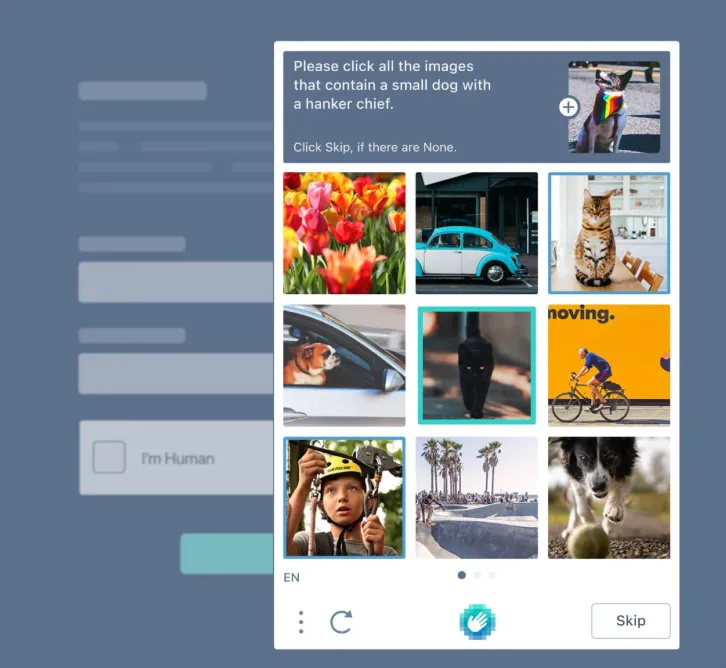
They fire when a site spots unusual traffic, a rapid request rate, or a low-trust IP. Better residential or mobile proxies cut CAPTCHA frequency dramatically. So does looking human: keep a consistent browser fingerprint, leave JavaScript enabled, preserve cookies across a session, and ease off aggressive automation. A clean, persistent profile gets challenged far less than a fresh, empty one hammering the site.
Socket Errors and Connection Resets
Socket errors mean the connection dropped before the data transfer finished — you’ll often see “Connection Reset by Peer.” Network instability, an overloaded server, or a firewall rule are the common causes.
Often the interruption is momentary, so a simple retry works. If resets keep coming, switch proxy servers, check your own network stability, and review firewall rules to make sure legitimate proxy traffic isn’t being cut off mid-stream.
HTTP 502 Bad Gateway Error
A 502 Bad Gateway means the proxy received an invalid response from an upstream server. Either the target site or the proxy itself is having a bad moment.
These are often short-lived overloads, so refreshing or switching to a different endpoint usually clears it. Here’s the useful tell: if 502s hit many different sites at the same time, the problem is your proxy provider, not the destinations — and that’s worth logging if it becomes a pattern.
HTTP 504 Gateway Timeout Error
A 504 Gateway Timeout means an upstream server didn’t respond in time. Unlike a 502 (an invalid response), a 504 is specifically about delay.
Increase your timeout settings, choose a faster proxy, or switch to a server location closer to the target. Sometimes the destination site itself is simply overloaded, and the honest answer is to wait it out until it recovers.
Proxy Error Quick-Reference Table
Keep this handy. When an error pops mid-job, the type column tells you whether to fix your behaviour (detection) or your connection (infrastructure).
| Error | Meaning | Type | Fastest Fix |
|---|---|---|---|
| Connection Refused | Proxy rejected you | Infrastructure | Recheck IP/port, switch endpoint |
| 407 | Authentication failed | Infrastructure | Fix credentials or re-whitelist IP |
| 403 | Access denied | Detection | Rotate to residential IP |
| 429 | Rate limited | Detection | Slow down, honour Retry-After |
| Timeout | Server too slow | Infrastructure | Raise timeout, pick closer server |
| DNS Error | Domain won’t resolve | Infrastructure | Switch to 1.1.1.1 / 8.8.8.8 |
| SSL Error | Certificate issue | Infrastructure | Fix system clock, update browser |
| 502 | Bad gateway | Infrastructure | Refresh or change proxy |
| 504 | Gateway timeout | Infrastructure | Retry later, faster proxy |
| CAPTCHA | Suspicious traffic | Detection | Residential IP + human behaviour |
| IP Block | Proxy banned | Detection | Rotate IP, fix the behaviour |
Best Practices for Preventing Proxy Errors
Preventing proxy errors is cheaper than chasing them. The single biggest factor, in our experience, is the provider you start with. Strong networks invest in larger IP pools, faster servers, better uptime, and smarter routing — and it shows up as a quieter error log. If you’re still choosing, our roundups of the best proxy networks and residential proxy providers are where we’d point you.
From there, a few habits keep things stable: use rotating proxies to dodge bans and rate limits, monitor success rates so you catch a degrading pool early, keep automation human-paced, and keep your software updated. And revisit your config now and then — authentication methods, DNS settings, and fingerprints drift out of sync, and small misconfigurations cause a surprisingly large share of “random” proxy failures.
Our take: If you’re seeing constant errors and you’ve ruled out your own config, stop fighting the proxy and change the proxy. We’ve watched teams burn weeks tuning retries on a cheap datacenter pool when a better residential plan would have solved it on day one. Test a small plan first — that’s how we vet every provider we recommend.
DroidCrunch — tested on live projects
Frequently Asked Questions
Is a 403 error the proxy’s fault or the website’s?
It’s the website’s decision, not a proxy malfunction. A 403 means the site recognised your proxy IP and chose to block it, usually because the IP has a low trust score. Switching to a residential or mobile proxy and behaving more like a real user clears most 403s.
How do I fix a 407 proxy authentication error?
First confirm your username and password match the provider dashboard exactly. If they’re correct, the issue is usually IP whitelisting: your public IP changed, so re-add your current IP in the provider’s panel. Regenerating credentials is the last step before contacting support.
Are residential proxies worth it for avoiding errors?
For detection-based errors like 403s, CAPTCHAs, and IP blocks, yes. Residential and mobile proxies come from real ISP connections, so sites trust them far more than datacenter IPs and block them less. For pure speed or low-sensitivity tasks, datacenter proxies are cheaper and fine.
Why do I keep getting 429 Too Many Requests errors?
You’re sending requests faster than the site allows. Add randomised delays between requests, honour any Retry-After header the site returns, and spread traffic across rotating proxies so no single IP looks greedy. Rate management is the real fix, not just changing IPs.
Can changing my DNS fix proxy connection problems?
Often, yes. If domains won’t resolve, switching to a reliable public resolver like Cloudflare (1.1.1.1) or Google (8.8.8.8) and flushing your DNS cache fixes most lookup failures. It won’t help with detection errors like 403s, which are unrelated to DNS.
How do I know if the error is my proxy provider or the target site?
Test the same proxy against a different, simple website. If that loads fine, the original site is blocking you (a detection issue). If every site fails at once with timeouts or 502s, the problem is your proxy provider’s infrastructure, and it’s time to switch endpoint or provider.
Conclusion
Proxy errors are part of the job, but they’re rarely mysterious. Almost everything you’ll hit traces back to a short list of causes: bad config, failed authentication, IP blocks, DNS failures, SSL hiccups, rate limiting, or server timeouts. Split each one into detection (the site distrusts your IP — change IP type and behave like a human) or infrastructure (the connection broke — retry, switch endpoint, or change provider), and the fix is usually obvious.
If you’re troubleshooting one job, work the quick-reference table top to bottom. If you’re hitting the same errors week after week, the real fix is upstream: get on a better network. Whatever you choose, test it on a small plan first against your actual targets — that’s how we’ve avoided plenty of expensive proxy mistakes, and it’s the cheapest insurance you’ll buy all year.




