

Teachable will take 7.5 percent of every sale on its cheapest plan. Nobody puts that on the homepage.
It is still one of the easiest ways to get a course online and taking money, and for a first launch that speed beats almost everything else. This Teachable review covers what the platform does well, what the Teachable pricing actually costs once fees are included, and the point at which you should move somewhere else. Testing first? See our notes on the Teachable free trial.
Quick verdict
Teachable is the fastest route from an idea to a paid course. The builder is genuinely simple, the checkout handles payment plans and subscriptions without fuss, and course compliance tools such as enforced lecture order and drip scheduling are better than most rivals at this price. The catch is the fee structure. On Starter you pay $29 a month and hand over 7.5 percent of revenue on top of card processing, which quietly becomes the most expensive plan on the list once you start selling properly.
Best for: first-time course creators who want to launch this month and validate whether anyone will pay.
Not ideal for: designers who want control over how the school looks, institutions needing SCORM, and anyone already selling consistently who should be on a zero-fee plan or a rival.
Our full score, pros and cons sit in the review box below.
Teachable at a glance
- Product
- Teachable, hosted online course and coaching platform
- Official Website
- teachable.com
- Category
- Course platform, coaching and digital downloads
- Our Rating
- Starting Price
- $29/month billed annually, or $39 monthly (Starter)
- Free Plan
- No Teachable retired the old free tier
- Transaction Fee
- 7.5% on Starter, 0% on Builder and above, plus card processing
- Standout Features
- Enforced lecture order, drip scheduling, graded quizzes, native VAT handling
- Student Limits
- 100 active students on Starter, 1,000 on Builder, 5,000 on Growth
- Best For
- A first course launch, validated fast and cheaply
We may earn a commission when you buy through links on this page. This does not affect our reviews.
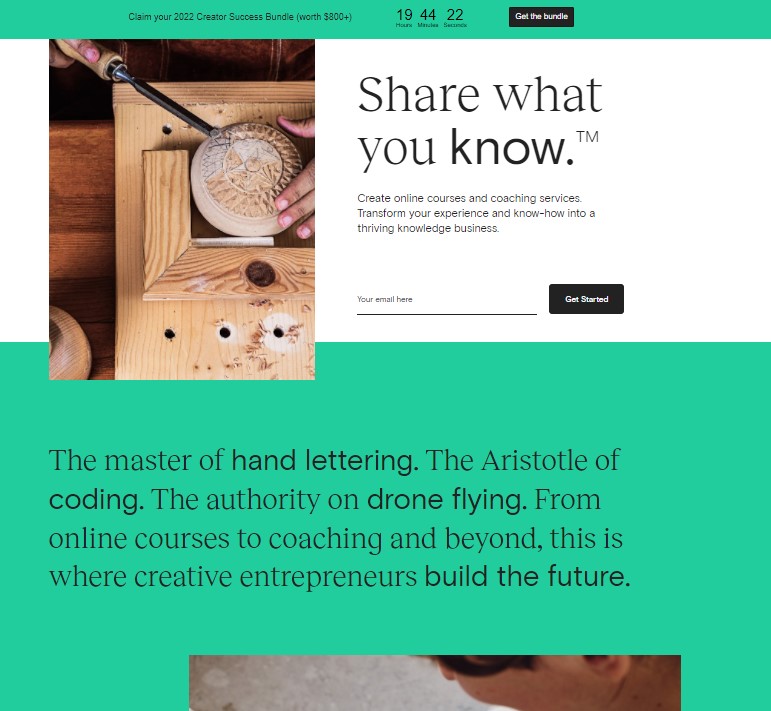
Getting a course live
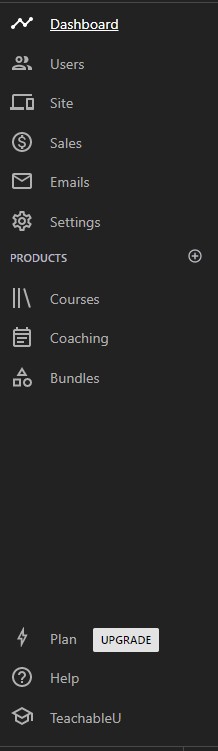
Signup asks what you teach, how big your audience is and what stage you are at, then arranges the dashboard around those answers. It is a small touch that makes the first hour less intimidating.
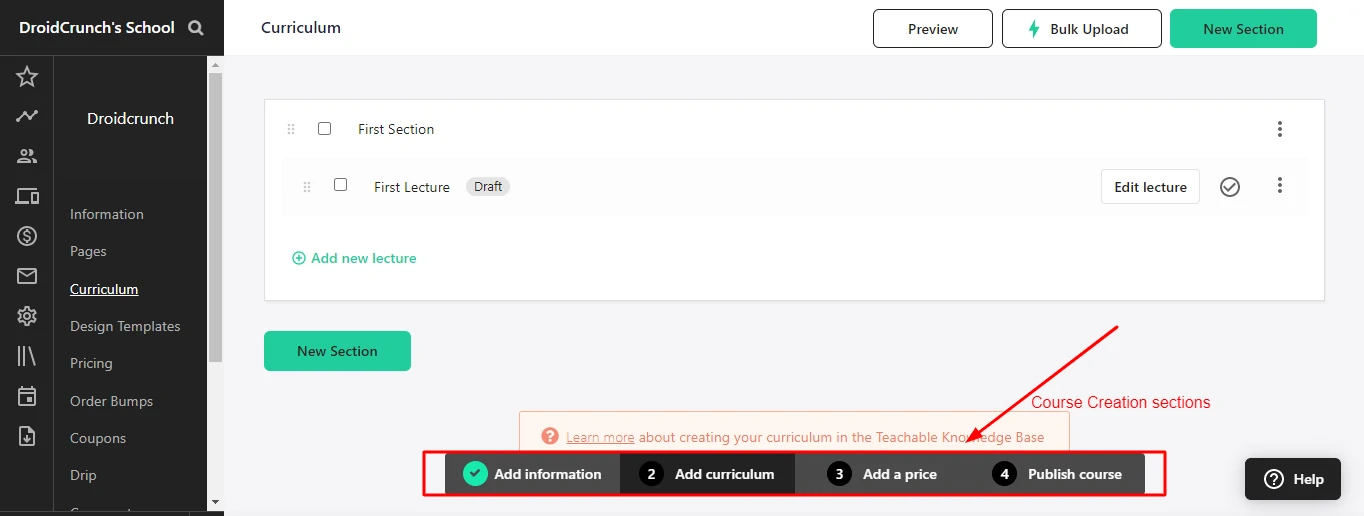
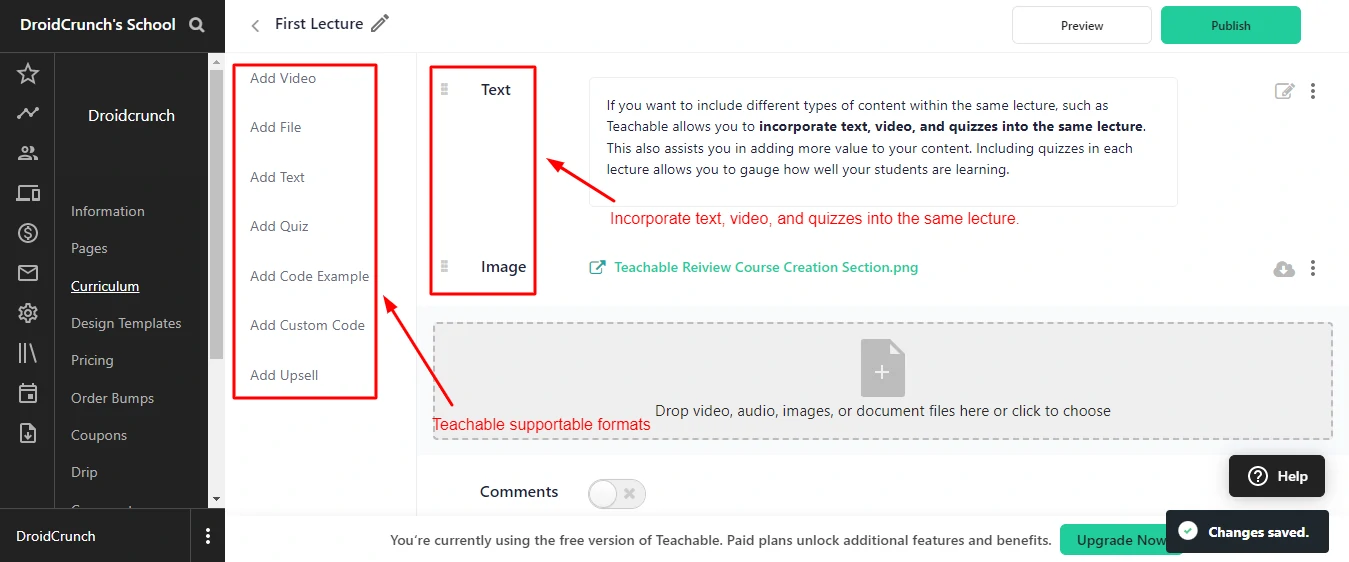
Course building runs through four steps: information, curriculum, price, publish. Curriculum splits into sections and lectures, and a single lecture can hold text, video, files, quizzes, code samples and custom HTML together. That last part matters more than it sounds, because it lets you close a lesson with a quiz instead of shunting assessment into its own module.
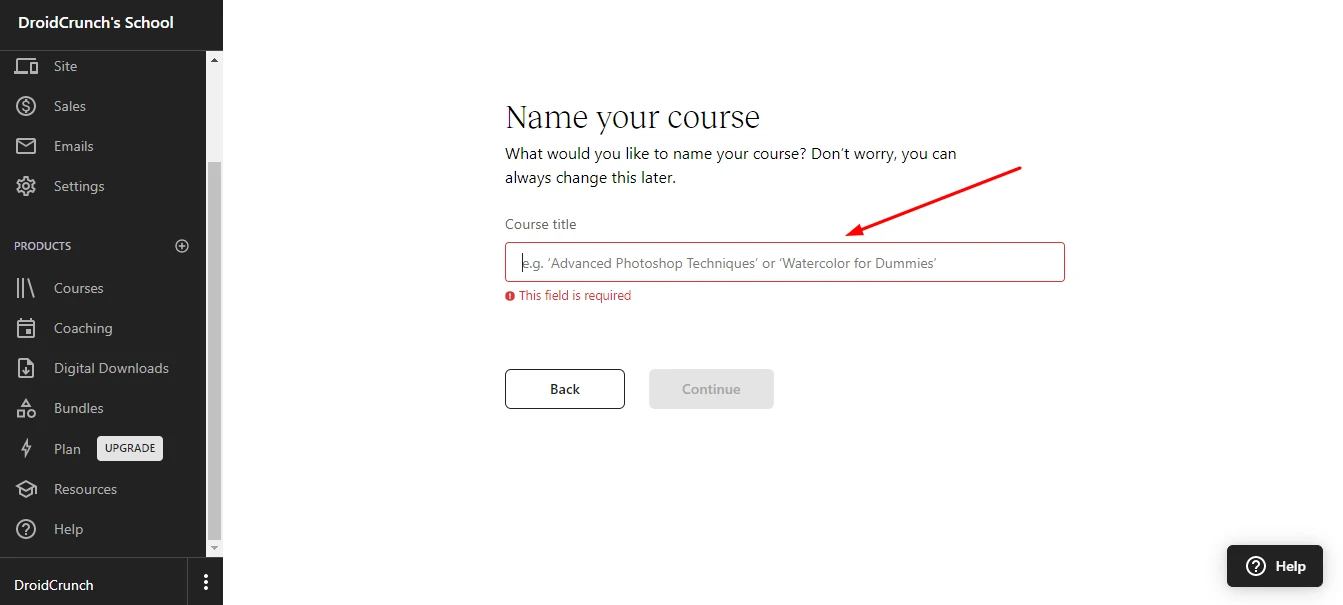
There are no course templates. Every course starts blank. If you have never structured a course before, that empty screen is the hardest part of the job, and Kajabi handles it better with pre-built product blueprints.
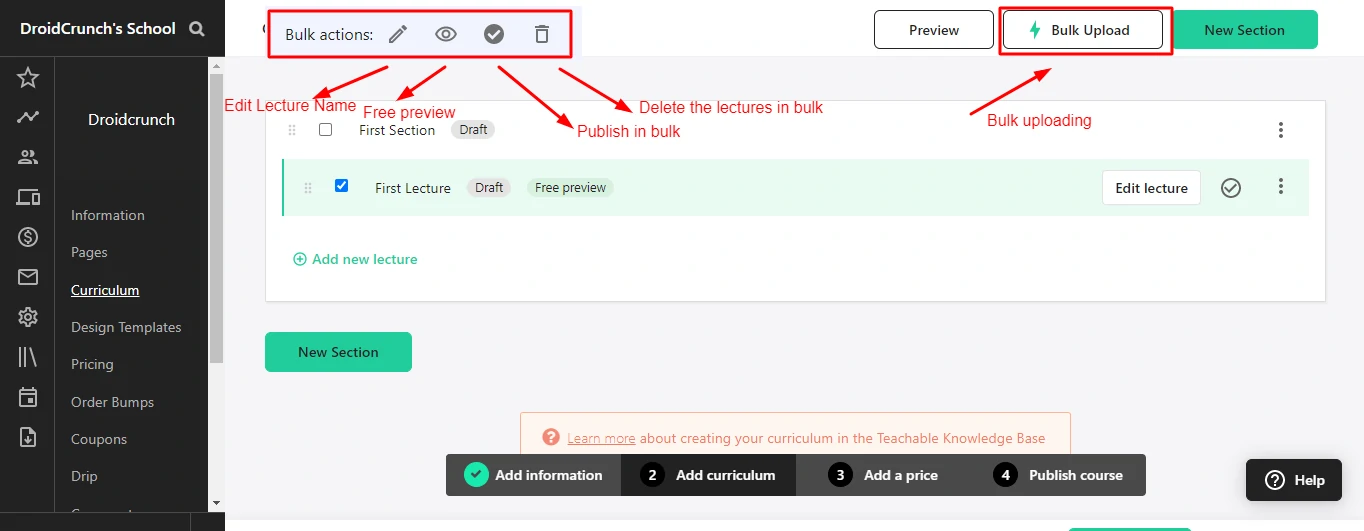
Bulk upload on paid plans turns a folder of videos and PDFs into individual lectures automatically, then lets you rename, publish, delete or mark them as free previews in bulk. Cloud upload pulls from Google Drive, Dropbox and OneDrive so you are not re-uploading files you already have online.
What Teachable will not take is SCORM, Adobe Captivate or Articulate Storyline. If you are packaging corporate training built in those tools, this is the wrong platform and no plan upgrade fixes it.
Students, enrolments and keeping people moving
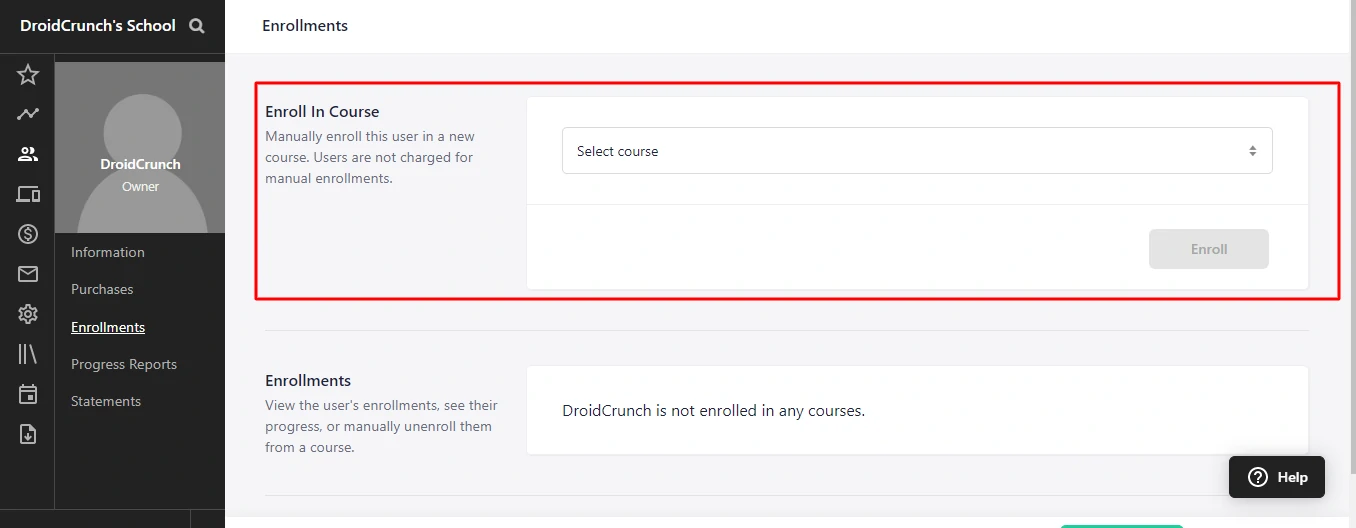
Checkout enrols students automatically, and you can enrol or remove people manually at any time. Bulk enrolment arrives on the higher plans, which is the feature that matters if you sell to companies rather than individuals.
Drip scheduling releases sections on a fixed date or a number of days after enrolment, with automatic email notification. Note the limit: you can drip sections, not individual lectures.
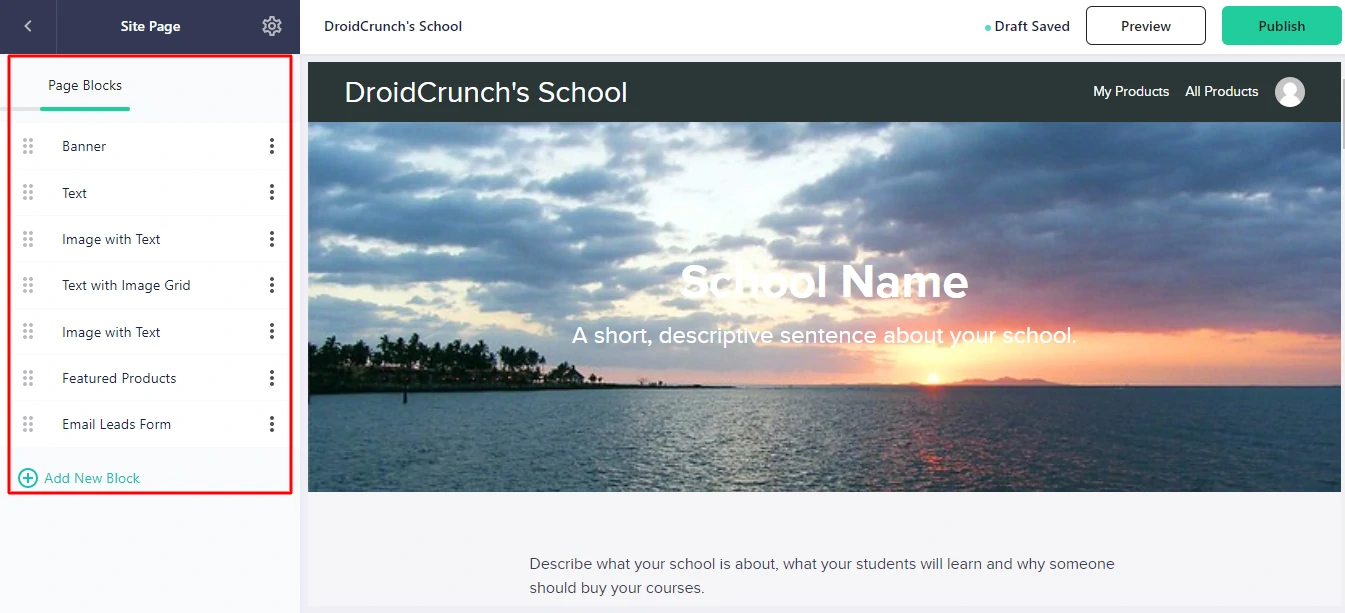
Comments sit under each lecture with multi-level threading, moderation and attachments. It is not a community, and Teachable does not pretend otherwise. If community is central to your offer, look at Kajabi or a separate Circle-style tool.
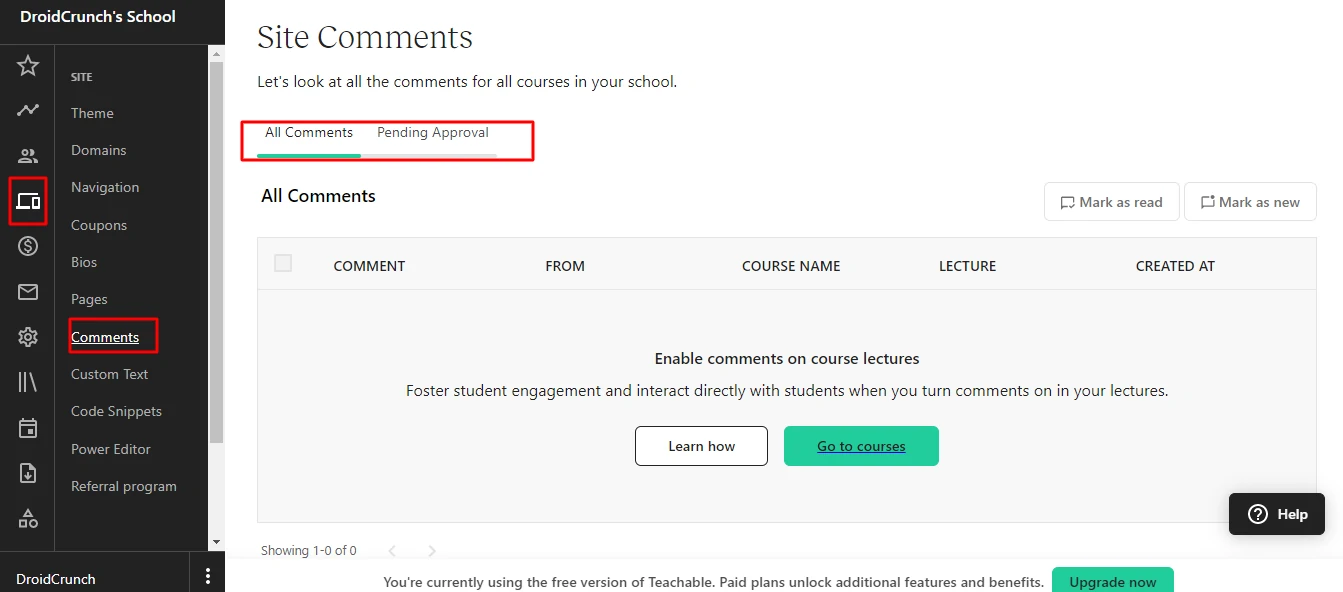
Course compliance is where Teachable genuinely leads. You can enforce lecture order, require students to watch a video through before continuing, and gate progress behind graded quizzes. For anyone selling a certification or a program with an outcome attached, that is the difference between a course people finish and a course people forget.
Design, and the ceiling you will hit
Two course page templates, a set of themes, a page builder for sales and landing pages, and custom domain support. The course player is solid: speed control, quality control, subtitles you upload yourself, autoplay and a note-taking panel students can revisit.
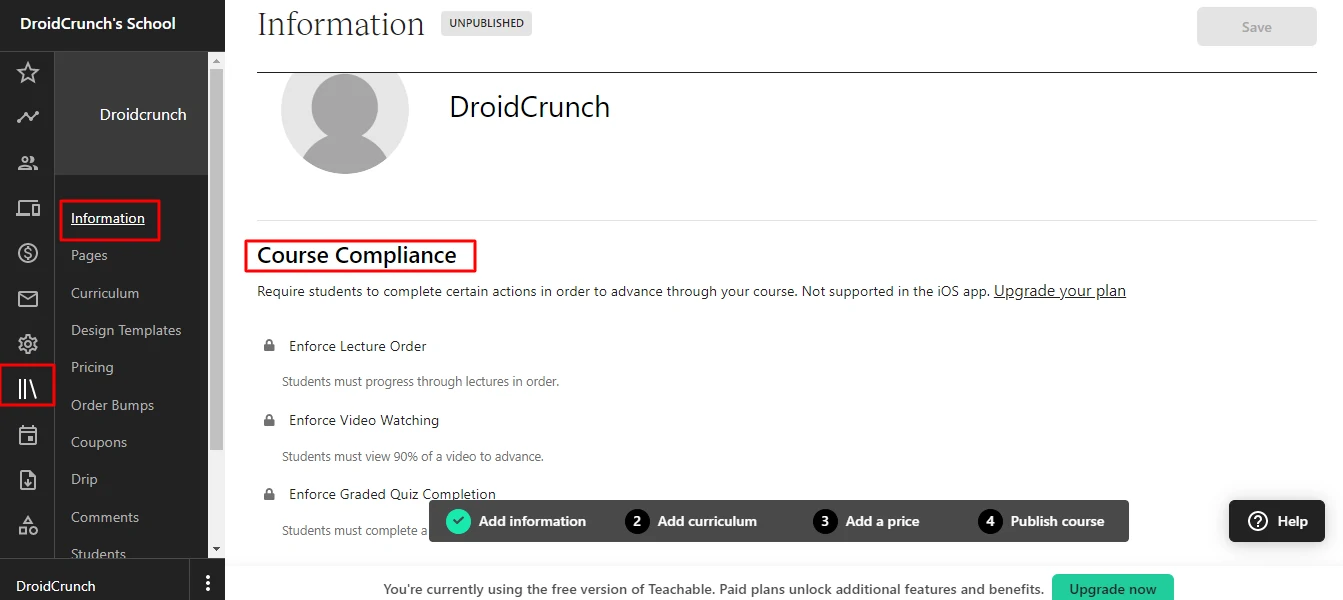
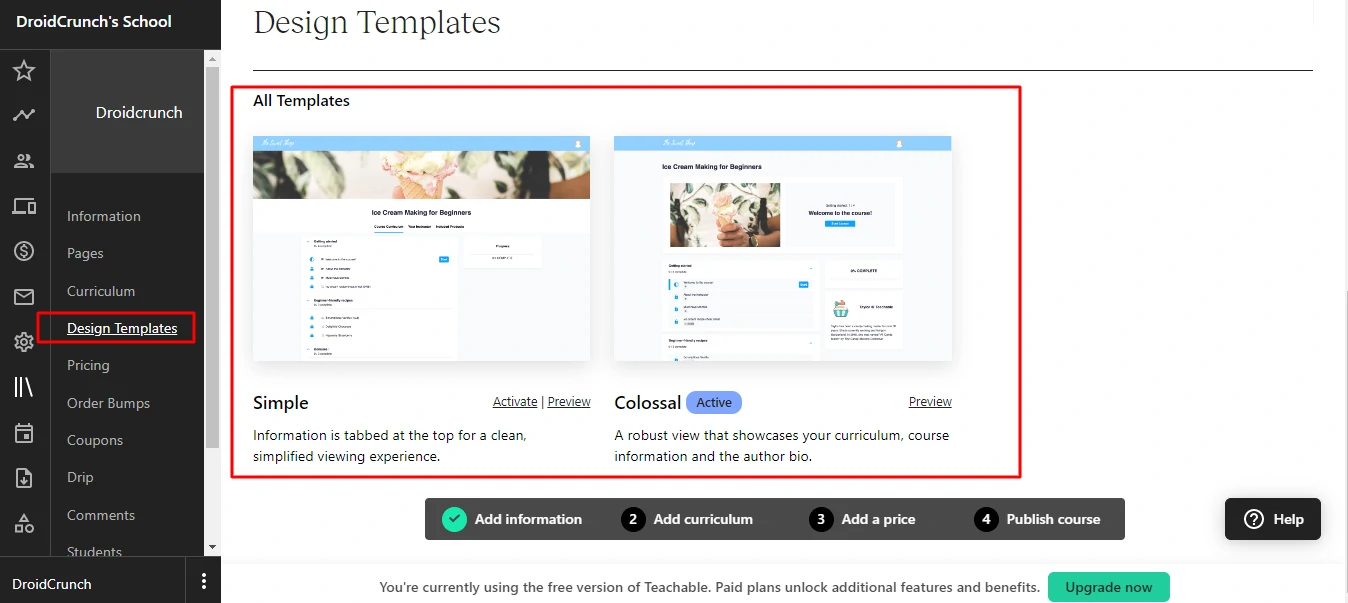
Beyond that you need CSS. The power editor accepts custom styling, which is fine if you write CSS and infuriating if you do not. Two schools built on Teachable look like two schools built on Teachable. Compare that with the flexibility in our Thinkific review if the visual side matters to you.
Selling, pricing options and getting paid
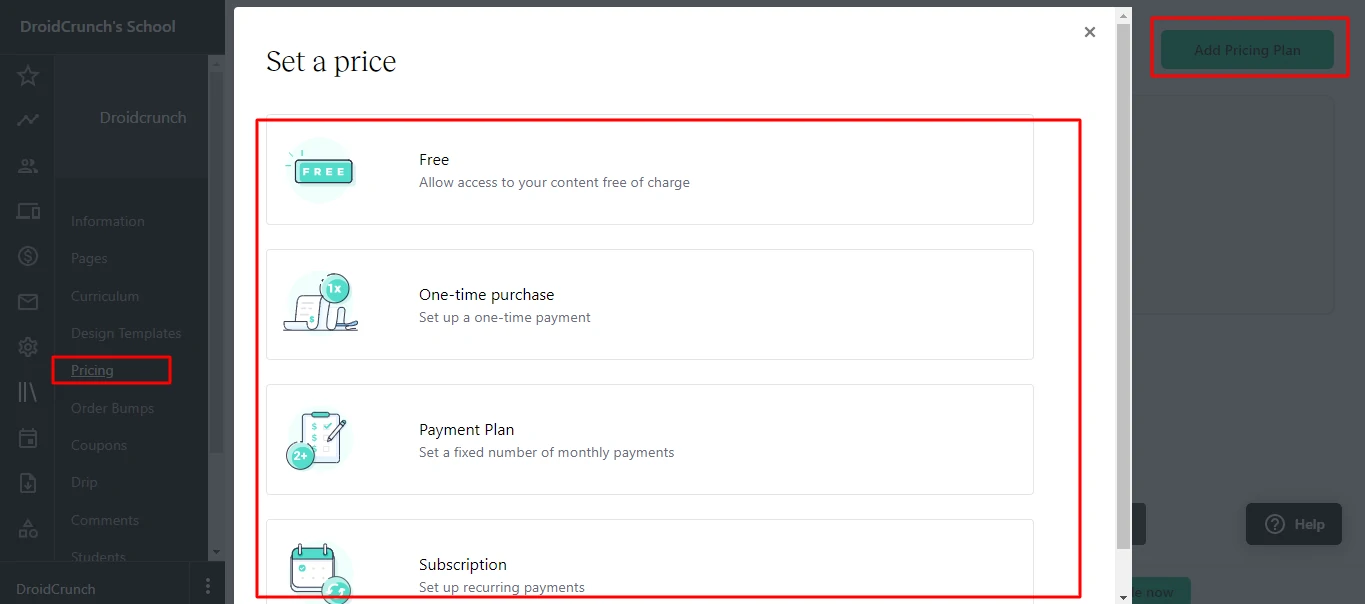
You can price a product as free, a one-time purchase, a payment plan or a subscription, and attach a free trial to any subscription. VAT handling is built in, which sounds dull until you sell into the EU and discover what the alternative costs.
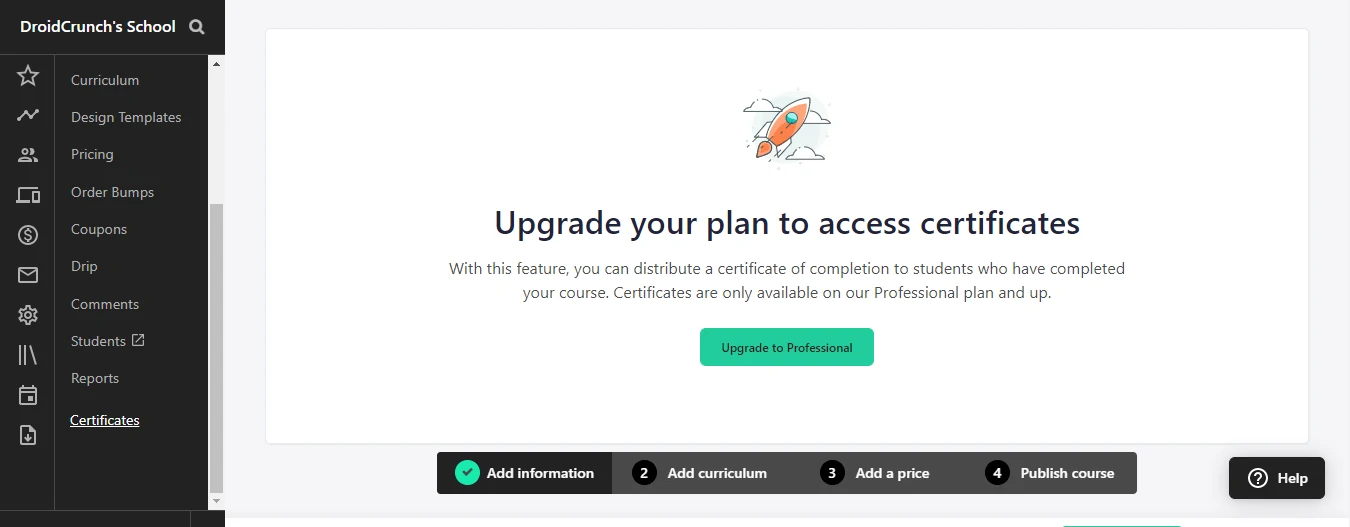
Certificates are automated and templated. Affiliate marketing is built in, so other people can sell your course for a cut without you bolting on separate software.
Payments run through Teachable rather than your own Stripe account by default, and payouts follow a schedule rather than landing instantly. Card processing costs 2.9 percent plus 30 cents on US cards and 3.9 percent plus 30 cents on international ones, with a $15 chargeback fee. That is before the plan-level transaction fee.
Teachable pricing
Annual billing rates, checked July 2026
- Included: 5 products, 100 active students
- Included: 1 admin user
- Included: Up to 1TB video storage
- Not included: 7.5% transaction fee
- Not included: Zero transaction fees
- Included: 10 products, 1,000 active students
- Included: Zero transaction fees
- Included: Course compliance and certificates
- Included: 1 admin user
- Not included: Multiple admin seats
- Included: 50 products, 5,000 active students
- Included: Zero transaction fees
- Included: 5 admin users
- Included: Bulk student import
- Included: Advanced reporting
- Included: Flexible seats and products
- Included: Zero transaction fees
- Included: Dedicated success manager
- Included: Migration assistance
- Included: Priority support
Monthly billing costs more: $39, $89 and $189 respectively. Card processing is charged separately at 2.9% plus 30 cents on US cards and 3.9% plus 30 cents internationally. Active student caps are lifted once your annual sales on the platform pass $10,000. There is no free plan any more.
We may earn a commission when you buy through links on this page. This does not affect our reviews.
Do the fee maths before you pick a plan
This is the section every Teachable review should lead with, and almost none do.
Starter costs $29 a month plus 7.5 percent of revenue. Builder costs $69 a month and takes nothing. The break-even point is $40 of monthly fee difference divided by 7.5 percent, which is roughly $533 a month in sales. Sell more than that and Starter is costing you money every single month.
At $3,000 a month in sales, Starter takes $225 in fees plus the subscription. Builder takes nothing beyond $69. That is a difference of nearly $2,300 a year, for the same product.
Our recommendation: launch on Starter, and the moment you clear roughly $500 a month, move to Builder that week.
Where Teachable disappoints
The active student cap. 100 students on Starter sounds generous until you run a free lead-magnet course. The cap lifts once annual platform sales pass $10,000, which helps successful sellers and not beginners.
One admin user until Growth. Bringing in a virtual assistant or a co-instructor means jumping two plans.
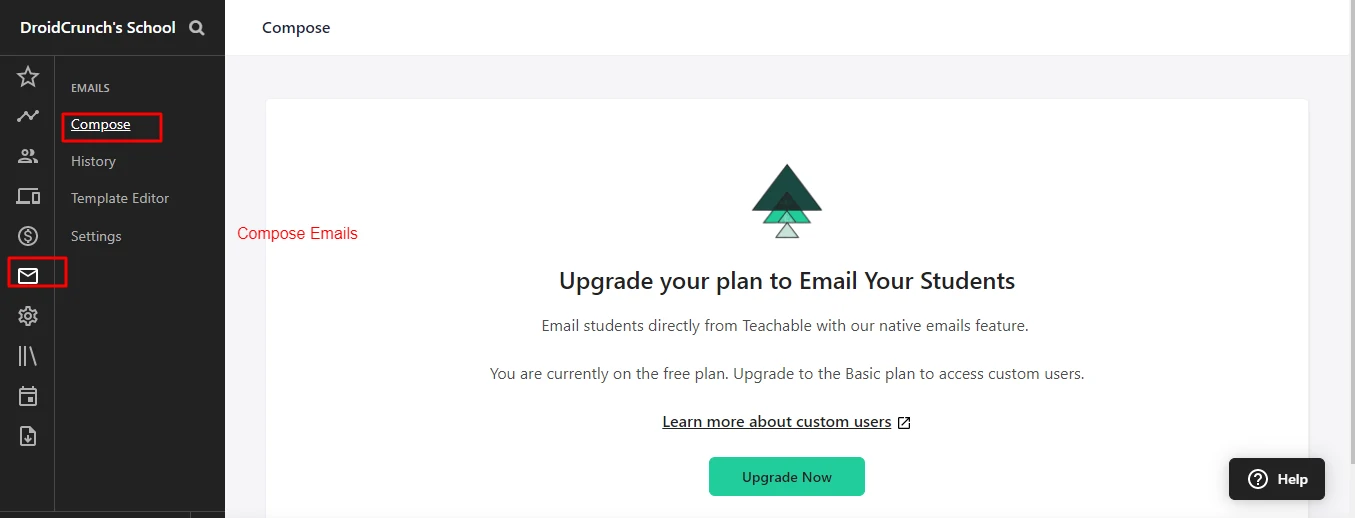
No email marketing worth the name. You can email students, but there is nothing resembling sequences, segmentation or automation. Budget for a separate email tool, and remember that when you compare the price against an all-in-one.
Design is templated. Without CSS, your school looks like everyone else running Teachable.
Payouts are on a schedule. Using Teachable as the merchant of record simplifies your tax admin and slows your cash flow. Know which of those you care about more.
Teachable against Kajabi and Thinkific
| Feature | |||
|---|---|---|---|
| Entry price | $29/mo(winner for this row) | $36/mo | $143/mo |
| Transaction fee on entry plan | 7.5% | 0%(winner for this row) | 2% via Stripe |
| Course templates to start from | No | Yes | Yes |
| Enforced lecture order and video gating | Yes(winner for this row) | Yes | No |
| Built-in email marketing | No | No | Yes(winner for this row) |
| Design flexibility without code | Limited | Good | Good |
| Active student cap on entry plan | 100 | Unlimited | 2,500 contacts |
We may earn a commission when you buy through links on this page. This does not affect our reviews.
Our take, plainly: Thinkific is the better value at the entry level because it takes no cut of your sales. Teachable wins on course compliance and on how quickly a complete beginner gets to a live checkout. Kajabi is a different category of spend and only makes sense once you are running launches and funnels. If none of the three fit, we compared the rest in our roundup of Teachable alternatives.
Frequently Asked Questions
Does Teachable still have a free plan?
No. The old free tier is retired, and Starter at $29 a month billed annually is the cheapest way in. Older reviews and comparison tables that still list a Teachable free plan are out of date, so check the current pricing page rather than trusting a listicle.
How much does Teachable really take from each sale?
On Starter, 7.5 percent as a transaction fee plus card processing of 2.9 percent and 30 cents on US cards, or 3.9 percent and 30 cents on international ones. On a $200 international sale that is roughly $23 gone. Builder and above drop the 7.5 percent entirely and you pay only processing.
What counts as an active student?
Anyone currently enrolled in one of your courses, including students on a free course. Starter caps this at 100 and Builder at 1,000. The cap is lifted once your annual sales on the platform pass $10,000, which is worth knowing before you build a free lead magnet that fills your allowance with non-buyers.
Can I move my course off Teachable later?
You can export student data and download your own video files, but there is no export that another platform imports cleanly. Course structure, sales pages and settings get rebuilt by hand. Keep master copies of every video, worksheet and email outside the platform from day one and the migration becomes tedious rather than painful.
Does Teachable handle EU VAT?
Yes, and this is one of its quieter advantages. Teachable calculates and applies VAT for EU students and acts as merchant of record on its own payment gateway, which removes a real compliance headache for solo creators selling internationally.
Does Teachable support SCORM or corporate training packages?
No. It will not accept SCORM, Adobe Captivate or Articulate Storyline files on any plan. If you are delivering compliance training or anything built in an authoring tool, you need a proper LMS instead of a creator platform.
Is Teachable or Thinkific better for a beginner?
Thinkific if you care about how the school looks and want no transaction fee at entry level. Teachable if you want the strongest tools for making students actually finish the course, and the fastest path to a working checkout. Both offer enough to test properly, so run your outline through each and pick the builder you find less annoying.
The bottom line
Teachable remains a good place to launch a first course. The builder stays out of your way, the checkout handles payment plans and VAT properly, and its course compliance tools genuinely help students finish what they paid for.
Start on Starter, and treat it as temporary. Once you clear around $500 a month, the 7.5 percent fee makes the Builder plan cheaper on the same revenue. Want design control and no cut of your sales from day one, go to Thinkific. Selling a high-ticket program with funnels behind it, Kajabi earns its premium. Whatever you choose, keep your videos and worksheets backed up outside the platform, because leaving is the part nobody plans for.
Pricing checked July 2026 on the official Teachable pricing page. Some links here are affiliate links and may earn us a commission at no extra cost to you, which does not affect our score.
The Review
Teachable
Teachable is the quickest way to get a first course online and taking payments, and its course compliance tools beat most rivals at this price. The problem is the fee structure: the entry plan takes 7.5 percent of every sale on top of card processing, so it turns expensive the moment you start selling. Launch on Starter, then move up fast.
PROS
- Fastest route from a blank page to a live, paid course
- Course compliance tools: enforced lecture order, video gating and graded quizzes
- One lecture can mix video, text, files, quizzes and custom code
- Bulk upload plus cloud import from Drive, Dropbox and OneDrive
- Flexible pricing: one-off, payment plans, subscriptions and free trials
- EU VAT calculated and handled for you
- Affiliate marketing and certificates built in
CONS
- 7.5% transaction fee on the Starter plan, on top of card processing
- No free plan any more
- Starter caps you at 100 active students and 5 products
- Only one admin user until the Growth plan
- No course templates, so every course starts from an empty screen
- Design is templated and real customisation needs CSS
- No SCORM, Captivate or Storyline support on any plan
- Email tools are basic, so budget for a separate ESP
Teachable DEALS
We collect information from many stores for best price available




