

You have knowledge people will happily pay for. What you don’t want is to hand a marketplace a cut of every sale, or burn your first month wiring together plugins instead of teaching. That is the gap Thinkific tries to fill: your own course site, your own prices, no revenue share. I ran a real course business on it across three plan tiers to see where it delivers and where it quietly pushes you toward add-ons. Here is the honest breakdown for 2026.
Thinkific Overview
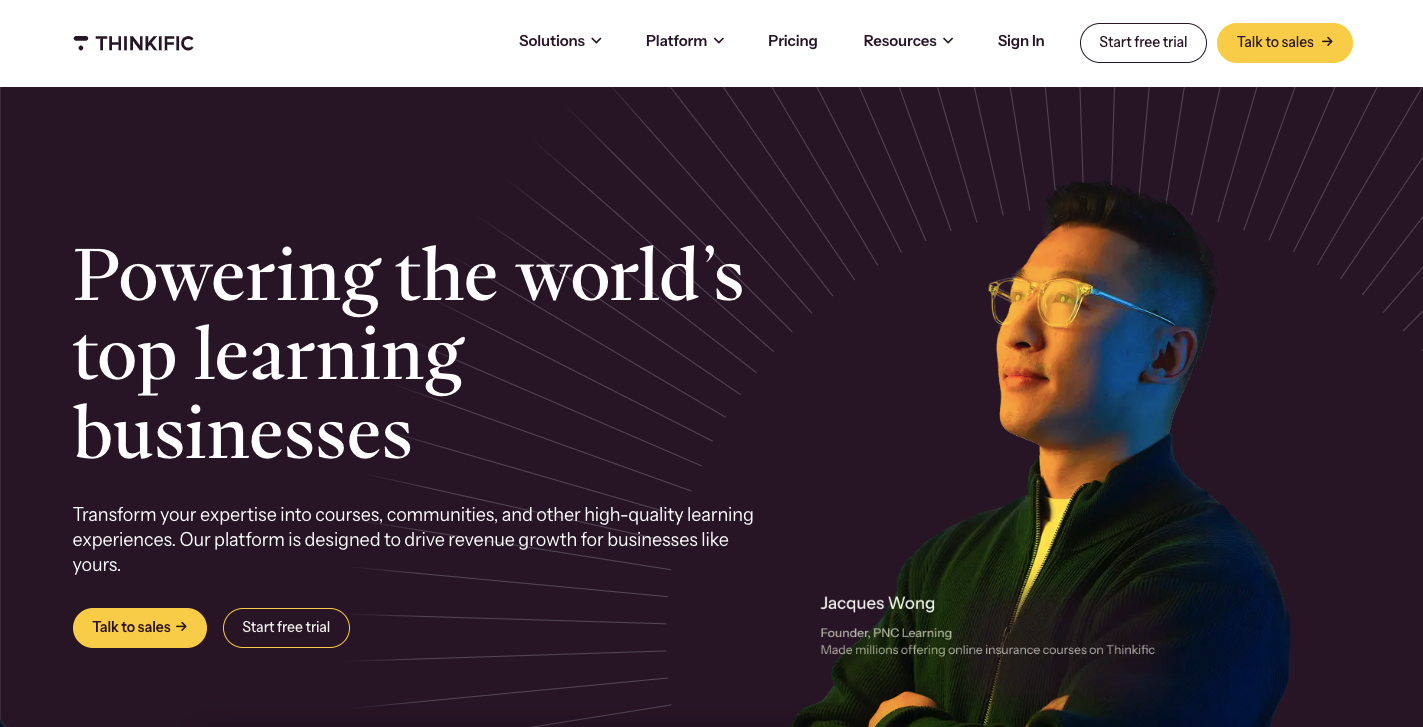
Thinkific started in 2012 when Greg Smith, then a corporate lawyer, built an online course for law-school applicants and watched it out-earn his legal work. With co-founders Matt Payne and Miranda Lievers, he turned that into a platform for people in the same position. Today it is a publicly traded company (TSX: THNC) based in Vancouver, powering course businesses for names like Hootsuite, Samsung, and Shopify alongside tens of thousands of solo creators.
The reason it keeps showing up on shortlists is scope. Thinkific is not just a place to host videos; it bundles courses, communities, memberships, digital downloads, coaching, and payments into one dashboard. That breadth is its biggest strength and, as you will see, the source of most of its trade-offs.
| Category | Online course platform / LMS |
| Founded | 2012, Vancouver, Canada |
| Best For | Course creators, coaches, academies, and corporate training teams |
| Starting Price | $49/month, or $36/month billed annually |
| Free Trial | 30 days, no credit card required |
| Transaction Fees | None on plans; 2.9% TCommerce processing; 5% gateway fee for Stripe/PayPal on Basic (US, CA, UK) |
| Key Integrations | Zoom, Mailchimp, HubSpot, Zapier, Stripe, PayPal, WordPress, Salesforce, Shopify |
| Alternatives | Kajabi, Teachable, Podia, LearnWorlds, Mighty Networks, Circle |
| Affiliate Program | Yes, 30% recurring commission, 90-day cookie |
Thinkific Features
Course building
The drag-and-drop builder is where most creators will live, and it is genuinely beginner-friendly. You arrange modules and lessons visually, drop in video, PDFs, audio, presentations, and embedded content, and preview exactly what a student sees. On paid plans there are no file-size limits, so a video-heavy course does not force you into workarounds.
Two features earned their keep during testing. The AI outline generator turns a topic into a starter module-and-lesson structure you then edit, which beats staring at a blank page. And content dripping lets you release lessons on a schedule instead of dumping everything on day one, which keeps a cohort moving together and helps completion rates. You also get quizzes and surveys, assignments with instant or manual grading, and branded completion certificates from the Start plan up. The certificate alone noticeably raised how much people felt a course was worth.
Lesson types are flexible enough that you are not boxed into video. I mixed text lessons, downloadable resources, and audio-only modules for a podcast-style course, and each rendered cleanly on desktop and mobile. Reordering content is a simple drag, so restructuring a course after early student feedback took minutes rather than a rebuild.
Communities and engagement
Every plan includes at least one community space with discussions, direct messaging, and automatic weekly activity digests that pull members back in when they have drifted. Higher tiers add more spaces, so you can split a forum by topic, product, or cohort. You can also gate a community behind a paid membership, which is the simplest way to turn a one-time course sale into recurring income. It works well and keeps students inside your site rather than a scattered Facebook group, though it is not as deep as a dedicated tool like Circle or Mighty Networks.
What kept students active was less any single feature and more the notification loop: weekly digests, replies, and direct messages all nudged people back without me chasing anyone manually. For a solo creator, that automated pull is often the difference between a course people finish and one that quietly gets abandoned.
Selling and payments
TCommerce, the built-in payment system, is the standout. It handles checkout, subscriptions, tax calculations, and reporting in one place at a 2.9% processing fee, so you skip the 5% third-party gateway surcharge that applies to Stripe or PayPal on the Basic plan. Not juggling separate gateway settings and tax spreadsheets saved real time.
On the selling side you can offer one-time purchases, payment plans, subscriptions, memberships, and bundles, then layer on order bumps and post-purchase upsells (which lifted my average order value noticeably), coupons for launches, and automatic abandoned-cart emails that recovered sales I would otherwise have lost. Group orders and invoicing make bulk licensing and corporate training realistic, which is a genuine edge if you want to sell to companies, not just individuals.
Website, branding, and design
You can connect a custom domain, pick from templates, and adjust colors, fonts, logos, and layout so the site reads as your brand rather than a rented tool. Landing pages come together without code, and the Grow plan lets you strip Thinkific branding entirely for a fully white-labeled experience. That said, the site builder is the weakest part of the platform. It is fine for a clean course storefront, but it does not approach WordPress or a dedicated page builder for flexibility, and anything truly custom means editing HTML and CSS yourself.
Marketing, analytics, and integrations
Thinkific now ships native email tools, including welcome sequences, completion emails, bulk messages to student segments, and behavior-triggered sends based on enrollment or inactivity. They cover the basics, but they are noticeably thinner than a platform like Kajabi, and most creators keep a dedicated email tool as their list grows. Reporting follows the same pattern: lower tiers show enrollments, revenue, and progress, while the Grow plan unlocks the engagement, completion, and revenue-trend insights that actually change decisions, plus CSV exports.
For everything Thinkific does not do natively, the app store covers 50-plus integrations such as Mailchimp, ConvertKit, ActiveCampaign, Google Analytics, and Zoom. Zapier, webhooks, and API access are the catch: they are reserved for Grow and above, so anyone needing custom automation early will feel the paywall.
One gap worth planning around: there is no built-in way to A/B test pages or run advanced funnel tracking, so serious conversion work still means bolting on external tools. That is fine for most creators early on, but it is a real reason marketing-heavy sellers eventually weigh Kajabi against Thinkific.
Delivery, coaching, and the student experience
There are no caps on courses or students on any plan, which is rare and matters as you scale. Students get a personalized dashboard with progress bars, mobile-responsive access on any device, and discussion threads on lessons. Beyond recorded courses you can run live events and webinars through Zoom, sell one-on-one coaching booked inside the platform, and offer digital downloads like ebooks, templates, and workbooks, so a single Thinkific site can hold several income streams at once.
Reliability, support, and AI
Uptime was a non-issue across testing, which matters when your storefront is also your classroom. Support covers email and live chat on every plan, with phone and priority help added on Grow, and the Thinkific Academy plus a deep knowledge base meant I rarely had to open a ticket in the first place. On the AI side, beyond the outline generator the platform suggests improvements to course descriptions and lesson titles, and Thinkific has announced an AI teaching assistant for student support. These are helpers rather than headline reasons to choose the platform, but they take friction out of the setup grind.
Thinkific Pricing
All plans include unlimited courses, unlimited students, and no transaction fees. Annual billing saves 25%. These are the 2026 rates.

Basic – $49/mo ($36 annually)
One community, 5 digital downloads, custom domain, and core sales tools (order bumps, coupons, abandoned-cart recovery). No certificates, white-labeling, or API, and Stripe/PayPal carries the 5% gateway surcharge. It is enough to launch and validate a first course, but you will feel the missing certificates fast.
Start – $99/mo ($74 annually) – most popular
Adds certificates, assignments, memberships and subscriptions, unlimited live events and coaching via Zoom, HTML/CSS editing, and unlimited digital downloads. It also drops the third-party gateway fee. This is the sweet spot for most creators: memberships and certificates tend to pay for the jump quickly.
Grow – $199/mo ($149 annually)
White-labeling, advanced analytics, API and webhooks, phone and priority support, invoicing, three communities, and revenue sharing with partners. Worth it once you are past roughly a thousand students and need real engagement data or full brand control for corporate clients, but overkill before that.
Expand – $499/mo (annual only) and Plus – custom
Expand adds more admin seats, 10 communities, and unlimited spaces for larger teams and multi-brand academies. Plus is the enterprise tier, layering on SCORM courses, SSO, learning paths, CRM integrations (HubSpot, Salesforce), email white-labeling, and a dedicated success manager. Companies like Samsung and Shopify sit here for customer and employee training.
| Feature | Basic | Start | Grow | Expand | Plus |
|---|---|---|---|---|---|
| Monthly Price | $49 | $99 | $199 | $499 | Custom |
| Annual Price | $36/mo | $74/mo | $149/mo | N/A | Custom |
| Communities | 1 (5 spaces) | 1 (10 spaces) | 3 (20 spaces) | 10 (Unlimited) | Unlimited |
| Certificates | ❌ | ✅ | ✅ | ✅ | ✅ |
| Memberships | ❌ | ✅ | ✅ | ✅ | ✅ |
| White-Label | ❌ | ❌ | ✅ | ✅ | ✅ |
| Advanced Analytics | ❌ | ❌ | ✅ | ✅ | ✅ |
| API Access | ❌ | ❌ | ✅ | ✅ | ✅ |
| Phone Support | ❌ | ❌ | ✅ | ✅ | ✅ |
| SCORM Support | ❌ | ❌ | ❌ | ❌ | ✅ |
Which plan? Use the 30-day trial to build and validate, move to Start once memberships and certificates start paying for themselves (most creators stay here), and step up to Grow only when analytics, white-labeling, or API access become real needs. Budget tip: the 5% gateway surcharge on Basic means annual Start is often cheaper than Basic once you are actually selling.
Here is why that math matters. Sell around $3,000 a month on Basic through Stripe and the 5% gateway fee alone is roughly $150, more than the gap between annual Basic and annual Start. Move the same volume to Start and that surcharge disappears, so certificates, memberships, and coaching come essentially free relative to what the fee was already costing you. Staying on Basic while selling through Stripe or PayPal is the most common way creators quietly overpay on Thinkific.
Thinkific Alternatives
No platform fits everyone. Here is how the main alternatives compare, with fuller breakdowns in our dedicated reviews.
Kajabi is the premium all-in-one, with far stronger email marketing, sales funnels, and built-in affiliate management, plus a student mobile app. You pay for it, and the learning curve is steeper, but for marketers who want everything under one roof it is the closest rival. See our Kajabi review.
Teachable is the easiest on-ramp for first-timers and offers a free tier (with transaction fees). Its course builder is dead simple and its mobile app is strong, but community and customization lag behind Thinkific. See our Teachable review.
Podia keeps things simple, charges no transaction fees on any plan, and is great for selling mixed digital products alongside courses. The trade-off is a lighter LMS and basic community tools. See our Podia review.
Graphy is a value-focused all-in-one worth a look if pricing is your main concern and you still want courses, payments, and a branded site together. See our Graphy review.
LearnWorlds is best for interactive, video-heavy courses with in-video questions and serious assessments, from $29/mo. Mighty Networks and Circle are community-first platforms where courses support the community rather than lead it.
| Platform | Starting Price | Best For | Key Strength |
|---|---|---|---|
| Thinkific | $49/mo | Balanced creators | All-in-one learning commerce |
| Kajabi | $149/mo | Advanced marketers | Marketing automation & funnels |
| Teachable | $59/mo | Beginners | Ease of use |
| LearnWorlds | $29/mo | Interactive learning | Video engagement tools |
| Podia | $39/mo | Multi-product sellers | Simplicity & digital products |
| Mighty Networks | $49/mo | Community builders | Community-first approach |
| Circle | $49/mo | Modern communities | Polished community experience |
Thinkific Pros & Cons
Pros
- Unlimited courses and students on every plan, including Basic
- No transaction fees, so you keep your revenue minus processing
- TCommerce handles payments, subscriptions, and tax in one dashboard
- Genuinely easy course builder with a helpful AI outline tool
- Flexible monetization plus real B2B tools (group orders, invoicing)
- Reliable, well-documented, and responsive support
Cons
- No permanent free plan; the trial ends and you pay to continue
- Built-in email marketing is still basic compared with Kajabi
- API, webhooks, and Zapier are locked to the $199 Grow plan and up
- Website and design customization is limited without CSS/HTML work
- Native branded mobile apps only arrive on the enterprise Plus plan
Who Thinkific Is Best For
Best for: solo creators and coaches turning expertise into courses, academies and training businesses that need certificates and analytics, teams selling to companies through bulk licensing and invoicing, and anyone building recurring revenue with memberships and subscriptions.
Not ideal for: marketers who live in sales funnels and heavy email automation, creators who want a polished mobile app on a cheap plan, community-first brands where discussion is the product, and anyone who needs a permanent free tier rather than a trial.
How We Tested This Review
This review is based on hands-on use rather than a spec sheet. I built multiple courses, published them across different pricing tiers, and put real students through the experience to judge engagement, checkout, and completion. I ran monetization setups end to end, from order bumps to memberships, and cross-checked every price and plan limit against Thinkific’s official pricing page for 2026. To keep the verdict fair, I tested the same use cases on six alternatives, so the strengths and weaknesses here are relative, not just theoretical.
FAQs
Does Thinkific charge transaction fees?
No, Thinkific does not charge transaction fees on any plan. Standard payment processing still applies (2.9% for TCommerce). If you use Stripe or PayPal on the Basic plan in the US, Canada, or UK, Thinkific adds a 5% gateway fee, which disappears on Start and higher.
Can I try Thinkific before buying?
Yes. Thinkific offers a 30-day free trial with full feature access and no credit card required, which is enough time to build a course, test the platform, and decide if it fits.
Is Thinkific suitable for complete beginners?
Yes. The drag-and-drop builder is beginner-friendly, the AI outline generator gives you a starting structure, and the documentation and academy walk you through setup without any coding.
Can I sell more than just courses on Thinkific?
Yes. Thinkific supports online courses, memberships, digital downloads, coaching sessions, webinars, and community access, and you can bundle products or offer subscriptions.
Does Thinkific have a mobile app?
Students can access courses through mobile-responsive sites on any device. Branded native iOS and Android apps, however, are only available on the Plus (enterprise) plan, whereas Kajabi and Teachable offer apps on lower tiers.
Can I migrate from another platform to Thinkific?
Yes. Thinkific provides migration guides and tools for importing content from platforms like Teachable, Udemy, or Kajabi, and the Plus plan includes dedicated migration support.
Conclusion
Thinkific is one of the most balanced course platforms you can pick in 2026: unlimited courses and students, no revenue share, and a payment system that spares you the usual Stripe-and-tax headache. It is the right call for solo creators and coaches monetizing expertise, academies and training teams scaling up, and anyone who wants recurring income from memberships without switching tools as they grow.
Look elsewhere if marketing automation and funnels are your priority (Kajabi), if you want a free tier to start on (Teachable or Podia), or if the community is the actual product (Mighty Networks or Circle). Just go in knowing the email tools are basic, real design control needs the higher tiers, and there is no permanent free plan.
Next step: start the 30-day free trial, build one real course during it, and run a small launch before you commit to a paid plan. That single test tells you more than any spec sheet.
The Review
Thinkific
Thinkific is an elite LMS offering zero transaction fees and a seamless drag-and-drop course builder. It empowers creators with AI-driven tools, integrated communities, and branded mobile apps. I found the user experience exceptionally intuitive, making it a powerful, scalable solution for professional educators seeking total brand control.
PROS
- No Transaction Fees
- Unlimited Courses & Students
- All-in-One Payments (TCommerce)
- Flexible Monetization
- Strong B2B & Bulk Tools
CONS
- No Permanent Free Plan
- Basic Email Marketing
- API Locked to Grow Plan+
- Limited Design Flexibility
- Native App Only on Plus Plan




