

You want a client portal, an internal dashboard, or a members-only site—but hiring a developer runs into the thousands and learning to code takes months. That gap is exactly where Softr lives. It turns an Airtable base or a Google Sheet into a working web app you can actually ship: logins, user roles, payments, and a clean interface, all built by dragging blocks into place. I spent time building real projects on it, and this Softr review covers what it does well, where it frustrates, and who should skip it.
Softr Overview
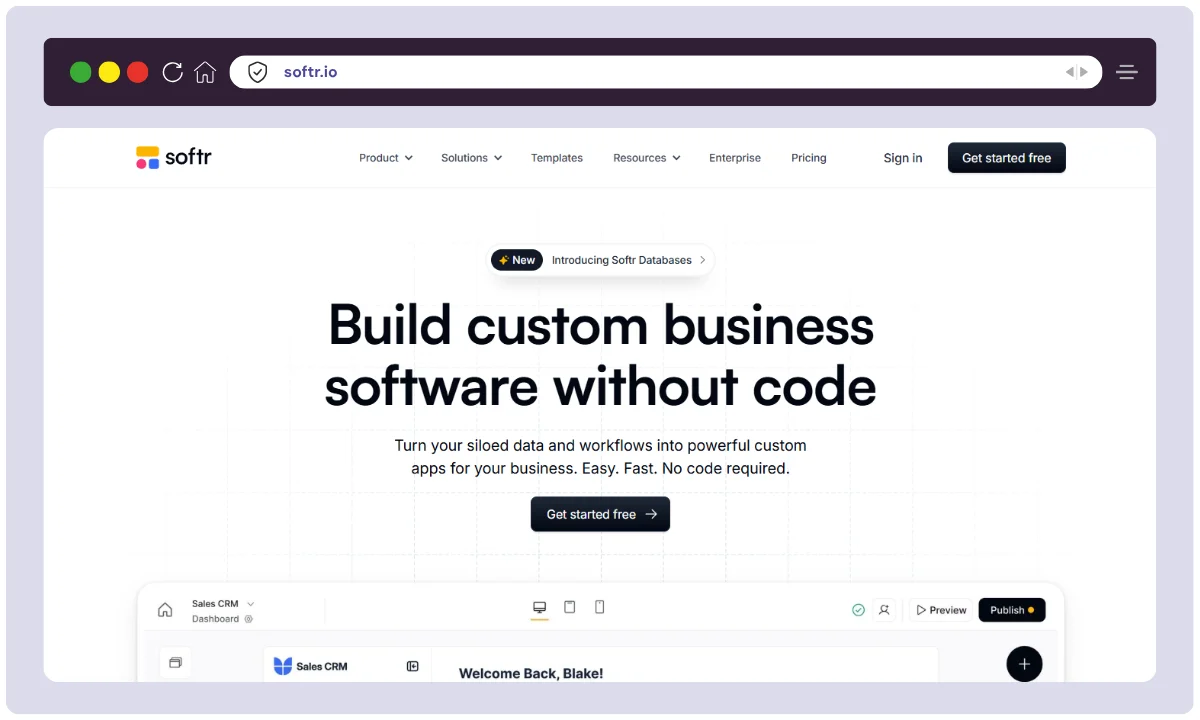
Softr is a no-code app builder for creating client portals, internal tools, marketplaces, and CRMs without writing code. It was founded in 2020 by Mariam Hakobyan and Artak Hambardzumyan, is based in Berlin, Germany, and came out of Y Combinator’s W21 batch. The core idea is simple: point Softr at a spreadsheet or database, and it becomes the front end—pages, lists, forms, and logins included.
| Product Name | Softr |
| Official Website | https://softr.io |
| Developer | Softr Inc. |
| USPs | No-code builder, Airtable & Sheets integration, user authentication, SSO |
| Category | No-code Web App Builder |
| Integrations | Airtable, Google Sheets, HubSpot, Xano, BigQuery, Supabase, SmartSuite |
| Best For | Startups, agencies, freelancers, SMBs, internal teams |
| Support Options | Email, Live Chat, Help Docs, Community Forum |
| Documentation | Available on Softr Docs portal |
| Headquarters | Berlin, Germany |
| Number of Employees | Fewer than 100 |
| Starting Price | $0/month (Free Plan) |
| Alternatives | Bubble, Glide, Webflow, Stacker, Adalo |
| Affiliate Program | ✅ Yes |
| Affiliate Commission | 30% recurring for 12 months |
| Money-Back Guarantee | 14-day refund policy |
| Mobile App Support | Progressive Web App (PWA) enabled |
| Custom Domain Support | ✅ Yes (from Free Plan) |
| Security Options | SSL encryption, role-based access, SSO (on Business plan) |
Softr Key Features
Here’s what actually matters once you start building, based on projects I ran through the platform.
Drag-and-Drop Builder
Softr is built around a block-based editor—pre-designed sections you stack and style without touching code. Building a customer portal took me under an hour from blank canvas to something I could hand to a client, mostly because you’re arranging proven blocks instead of designing from zero.
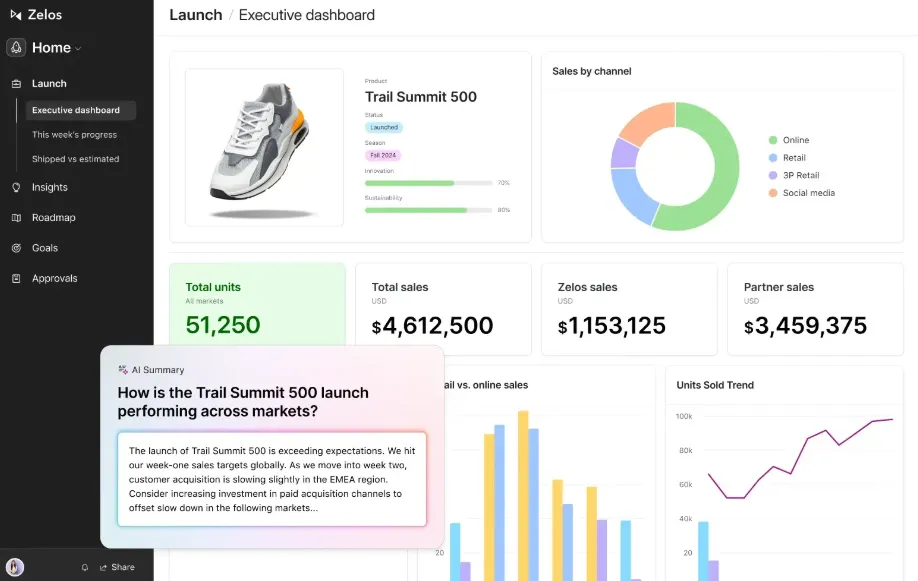
The block library covers most of what a real app actually needs—lists, tables, charts, kanban boards, forms, calendars, and detail pages—and every block wires straight into your data. You spend your time deciding what goes where instead of fighting layout code, which is exactly why non-developers get functional results so quickly. Reusable sections and a shared style system also keep a multi-page app looking consistent without extra effort.
Airtable & Google Sheets Integration
This is the heart of the platform. Softr uses your Airtable base or Google Sheet as the live database, so lists, directories, and dashboards update in real time as the data changes. For a community directory I built, managing entries and filters from Airtable was far simpler than wiring up a traditional backend—though it also means your app is only ever as flexible as the spreadsheet behind it.
Templates Library
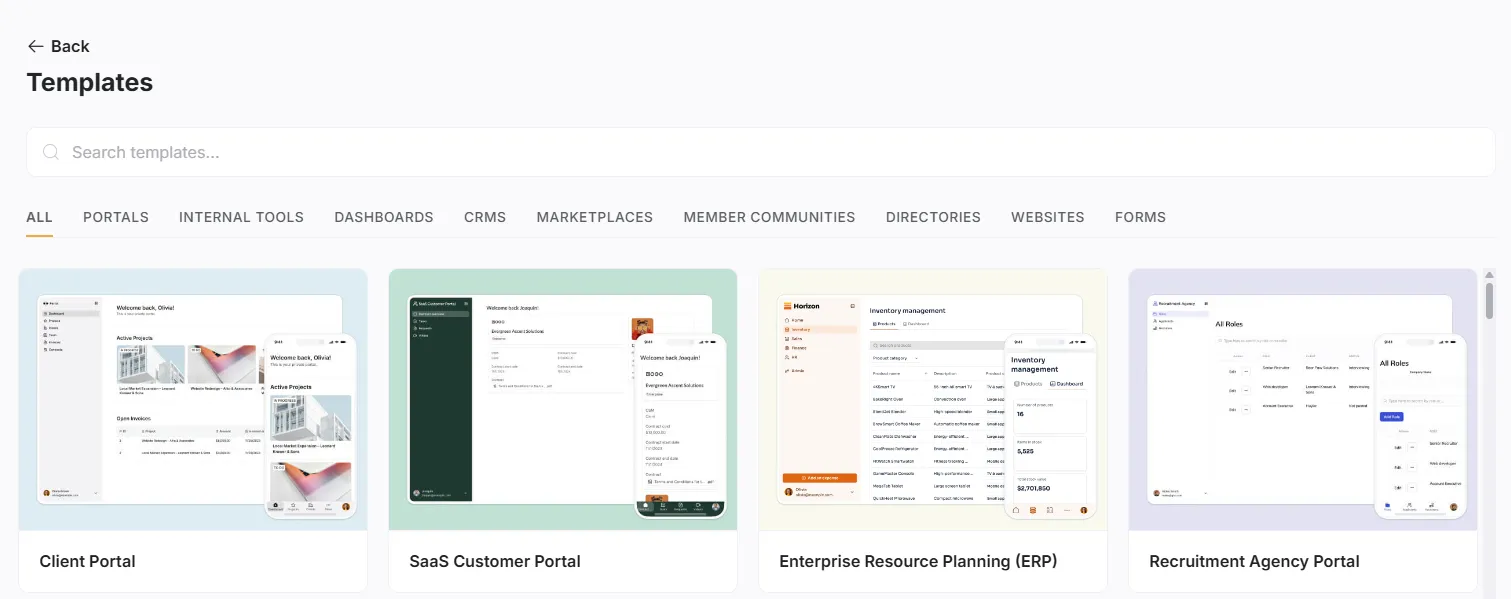
Softr ships with templates for portals, CRMs, marketplaces, membership sites, and more, all fully editable. I started a CRM from a template that already had contact management and a lead-tracking dashboard, then rebranded it in minutes instead of building the structure by hand.
User Authentication & Roles
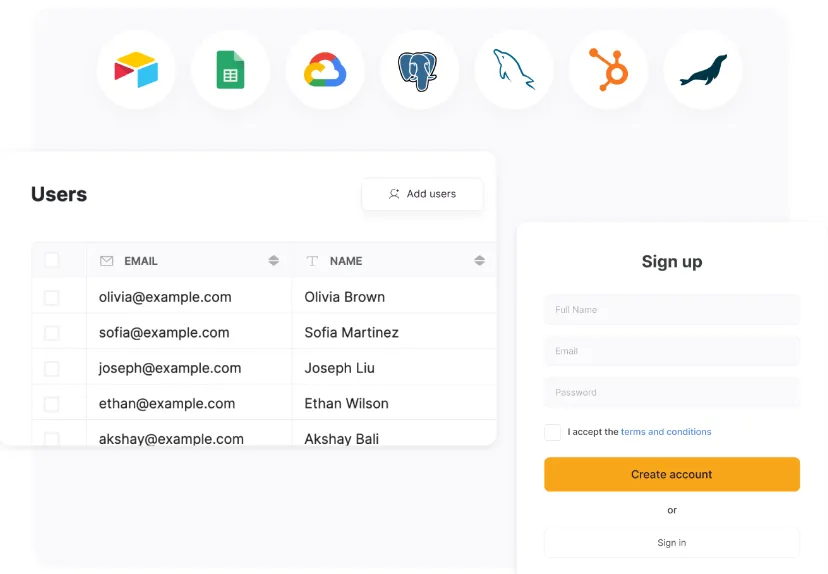
For anything with private data, Softr handles logins, gated content, and role-based access (admin, editor, viewer). On an internal team dashboard, this let me lock confidential reports to specific roles so only managers saw the full picture—no custom auth code required.
Responsive by Default
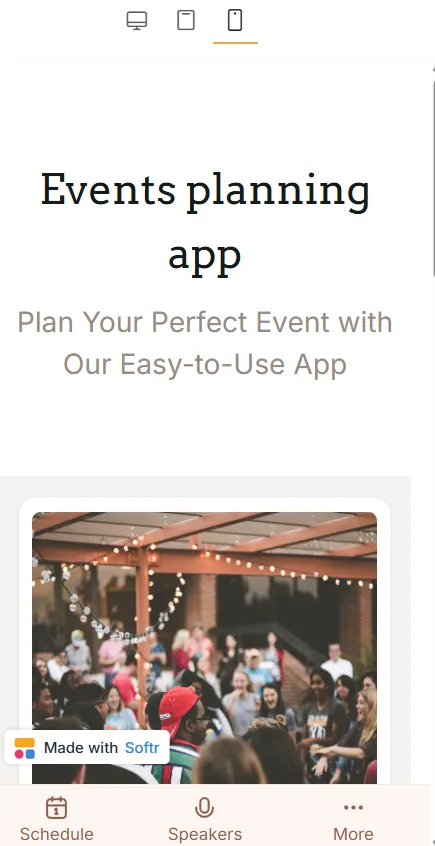
Every app adapts to phones, tablets, and desktops automatically. When I built a simple event app, I never had to think about breakpoints; attendees opened it on any device and it just worked.
SEO Controls
Meta titles, descriptions, and page settings are all editable, so a public Softr site can be tuned for search rather than left as generic pages. On a small business site, adjusting these gave organic traffic a noticeable lift over the following weeks.
Payments & Monetization
Softr connects to Stripe and PayPal, so you can charge for memberships, products, or gated content. On a subscription site, Stripe handled recurring billing cleanly with no manual setup on my end.
Dynamic Content & Personalization
Blocks can show or hide based on who’s logged in or what a user does, which is what makes personalized dashboards and booking flows possible. I used it on a fitness dashboard so each user saw only their own workout and calorie data.
Collaboration
Multiple team members can work on the same app at once, which keeps larger projects moving without a single editor becoming the bottleneck.
How to Use Softr
Getting from idea to a live app is a short, linear process. Here is the exact flow I follow each time, from sign-up to a published, shareable app.
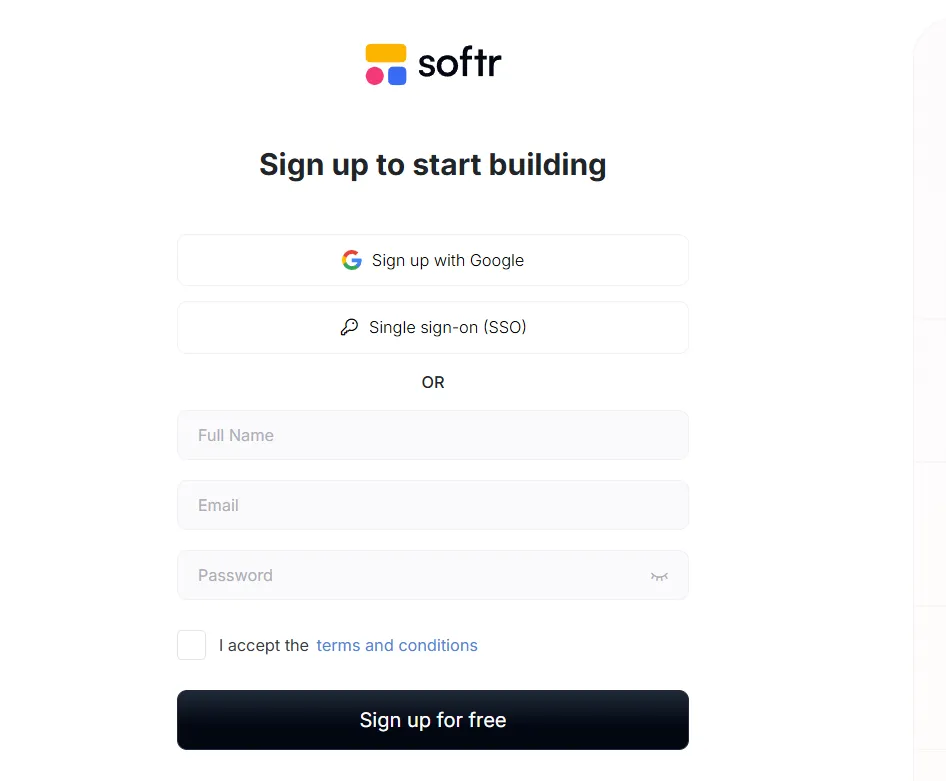
Step 1: Sign Up & Log In
- Head to Softr.io and create a free account using your email or a Google login.
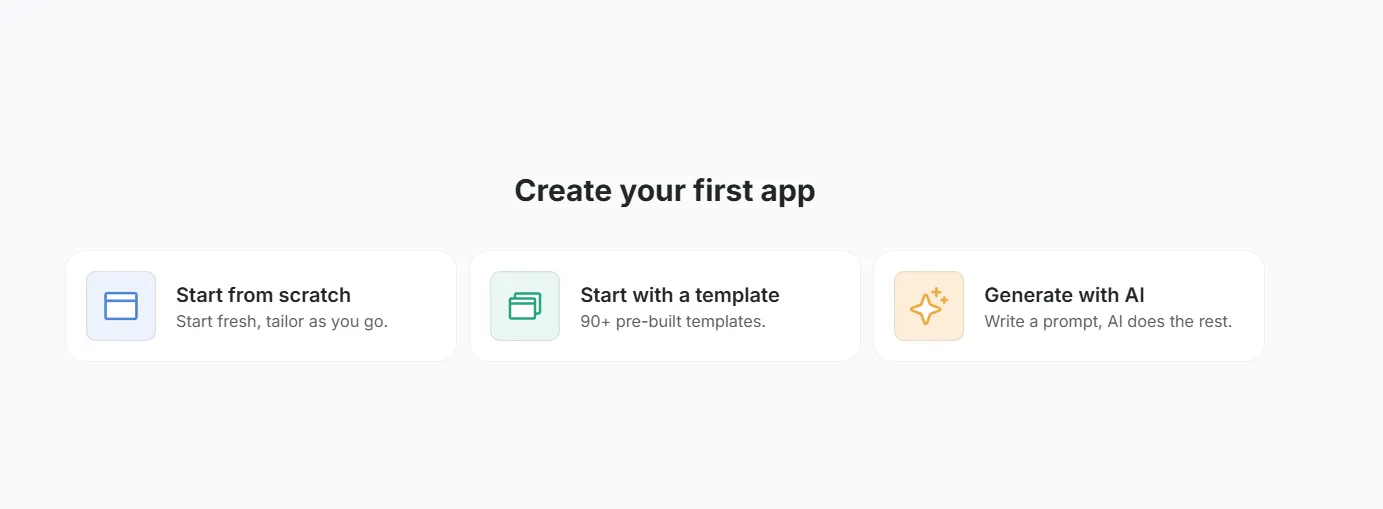
Step 2: Choose a Template or Start From Scratch
- Pick a pre-built template for a marketplace, client portal, or dashboard—or start from a blank canvas for full control.
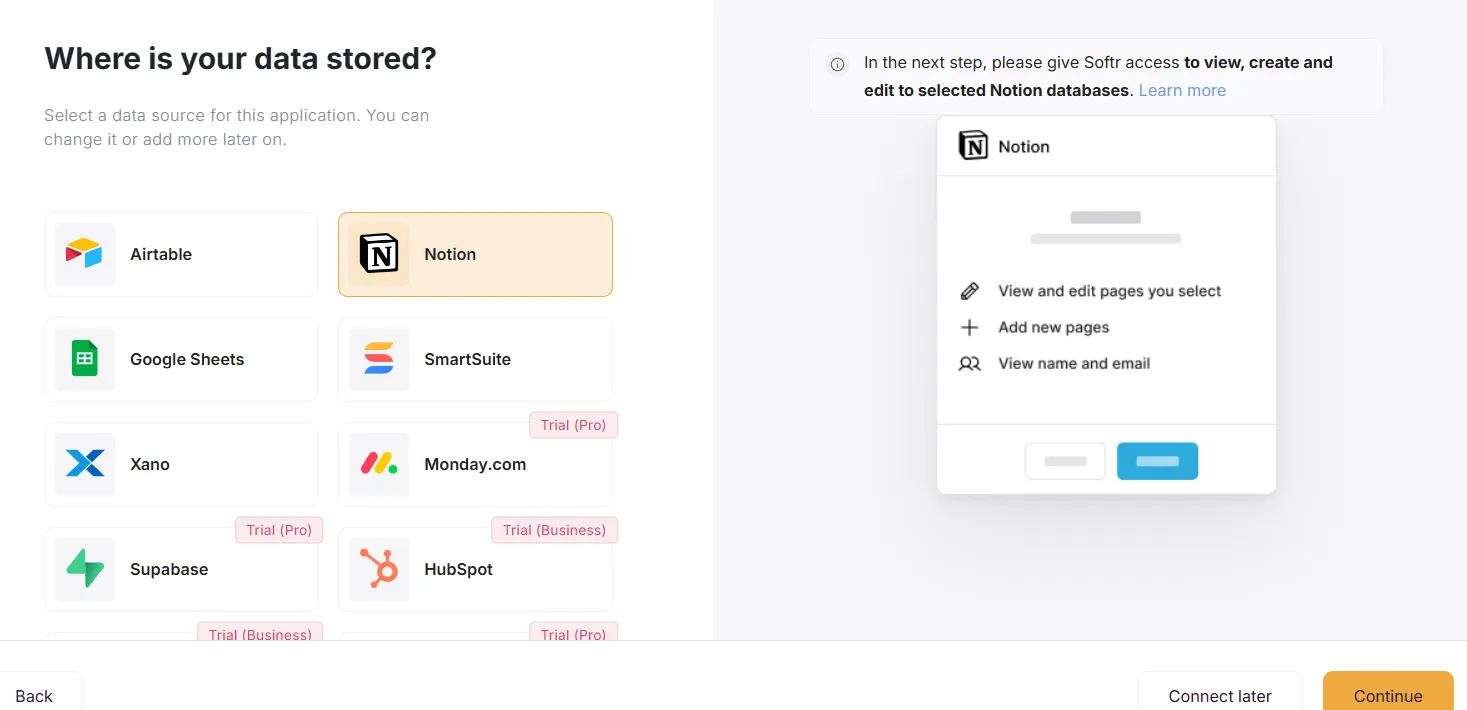
Step 3: Connect Your Data Source
- Sync your app with Airtable, Google Sheets, or another supported database to power dynamic content.
Step 4: Customize Your App
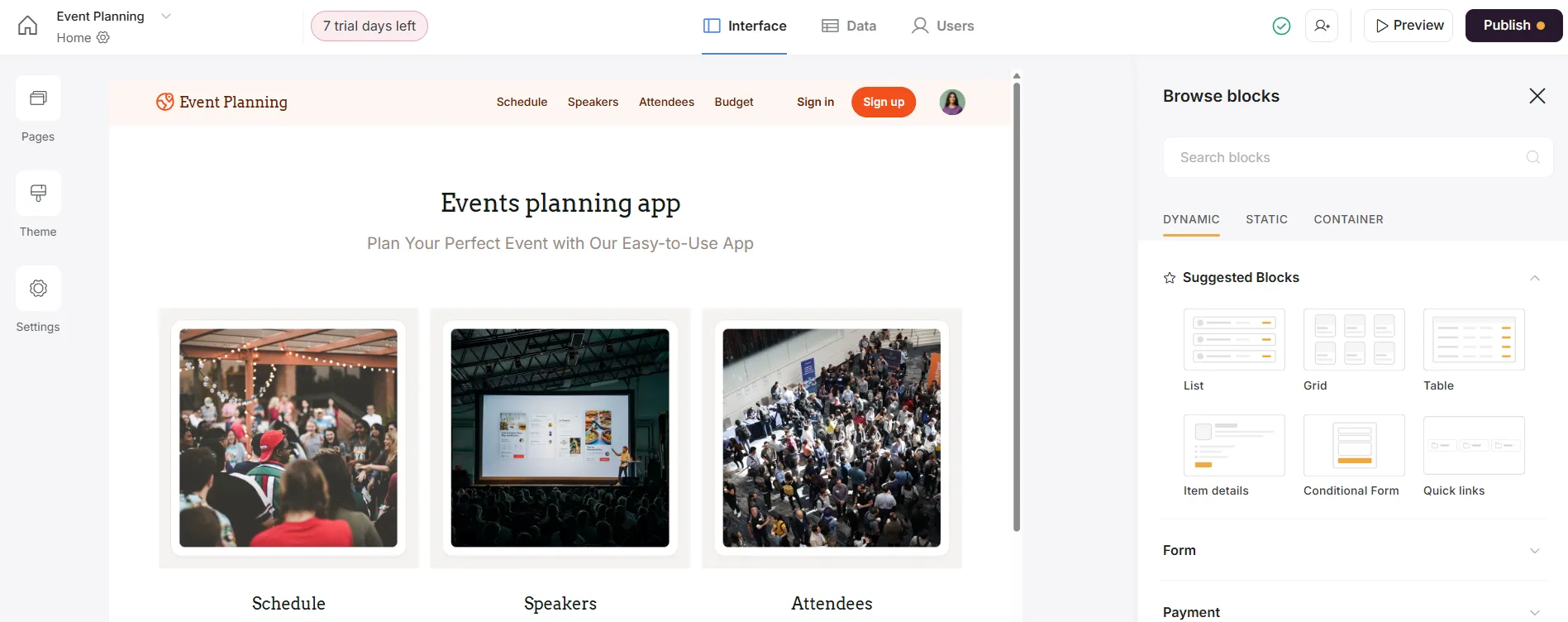
- Use the drag-and-drop builder to add text, images, buttons, and forms, then adjust colors, fonts, and layouts to match your brand.
Step 5: Set Up User Authentication (Optional)
- If you need restricted access, enable user authentication to create login portals, then configure roles and permissions to control who sees what.
Step 6: Add Integrations & Automations
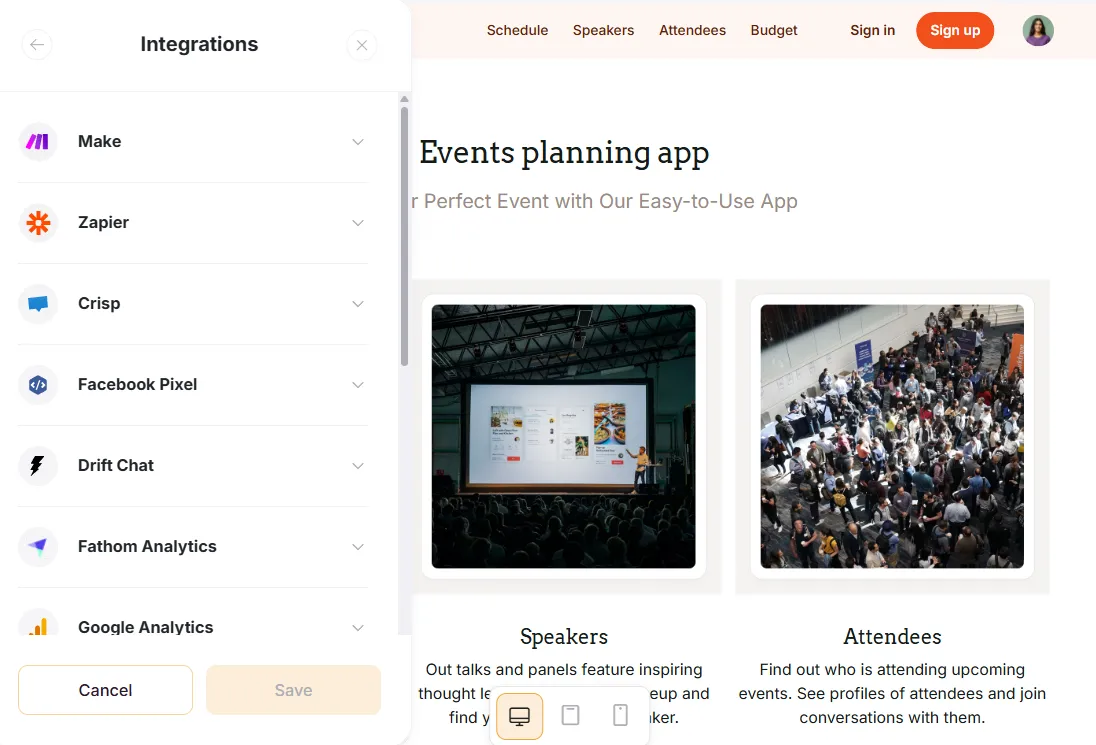
- Connect Stripe for payments, Zapier for automation, and HubSpot for CRM to streamline your workflows.
Step 7: Preview, Test & Publish
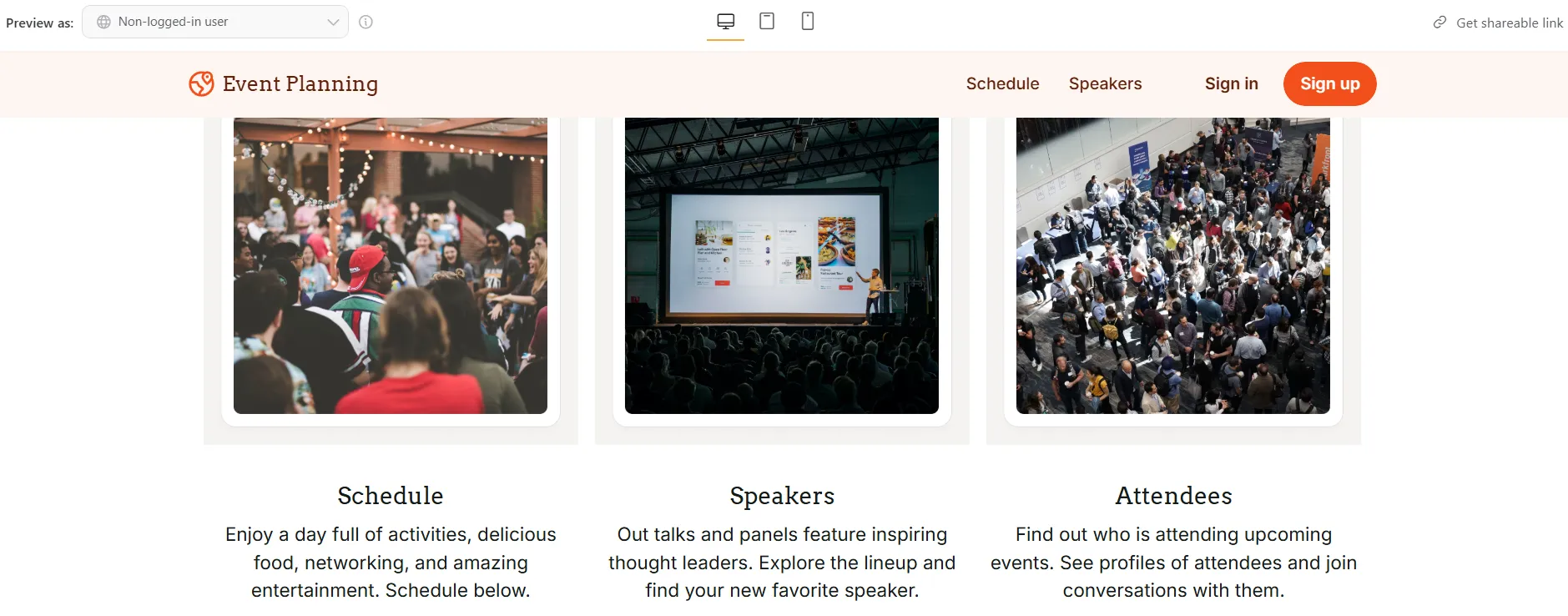
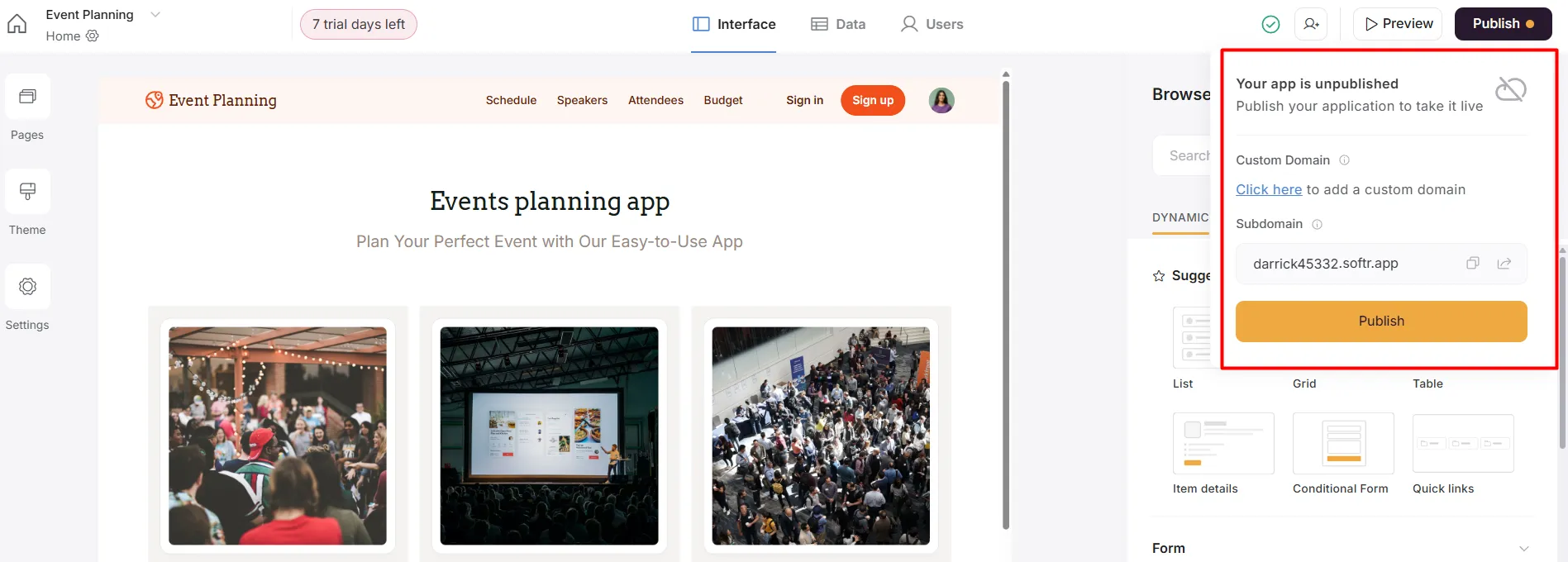
- Preview your app to catch design or functionality issues, test key user interactions, then publish it live—add a custom domain (on paid plans) for a professional finish.
What You Can Build With Softr
Softr’s versatility is its selling point. Across my own projects and common real-world use, it comfortably handles:
- Customer portals — secure client dashboards for orders, invoices, and resources, with Airtable syncing account-specific data.
- Internal team tools — task boards, employee directories, and sales dashboards with role-based access, replacing pricey custom software.
- Directories & marketplaces — searchable, filterable listings you can monetize with featured or premium placements.
- Membership sites — gated content and subscriptions via user auth plus Stripe or PayPal.
- E-commerce & digital stores — product showcases with checkout, including automatic delivery of digital downloads.
- Event platforms — RSVPs, schedules, and ticketing in one place.
- Portfolios — clean, responsive showcase sites with galleries and contact forms.
- Lightweight LMS — lessons, progress tracking, and quizzes as a low-cost alternative to dedicated course platforms.
In practice these overlap. One agency project I built started as a simple client portal, then grew a billing view, a resource library, and separate logins for three client tiers—all on the same Airtable base, with no rebuild. That kind of compounding, where a small tool quietly turns into a real platform, is where Softr earns its keep.
Softr Pricing
Softr has five tiers, from a free plan up to custom enterprise pricing. The number to watch is app users and records: cost scales with them, so a growing audience can push you up a tier faster than you’d expect.
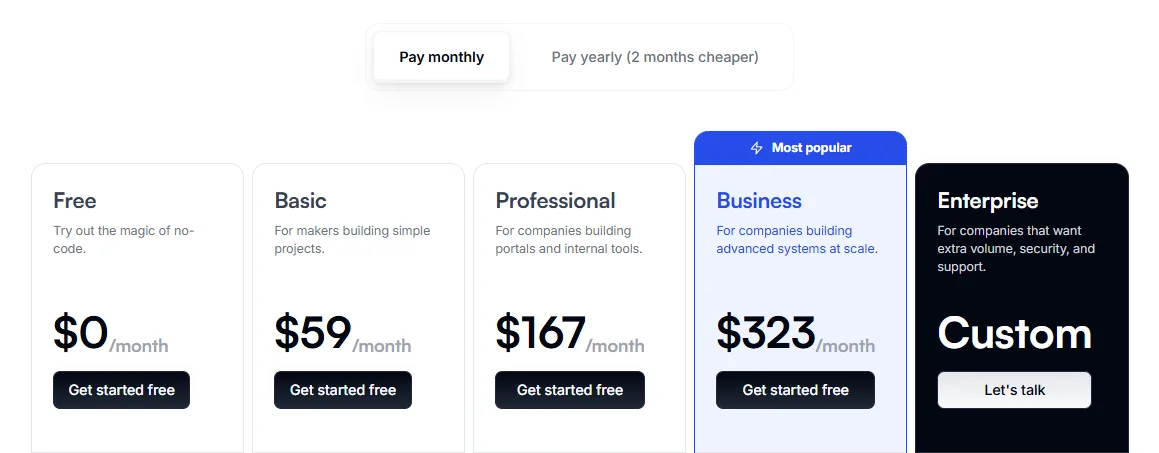
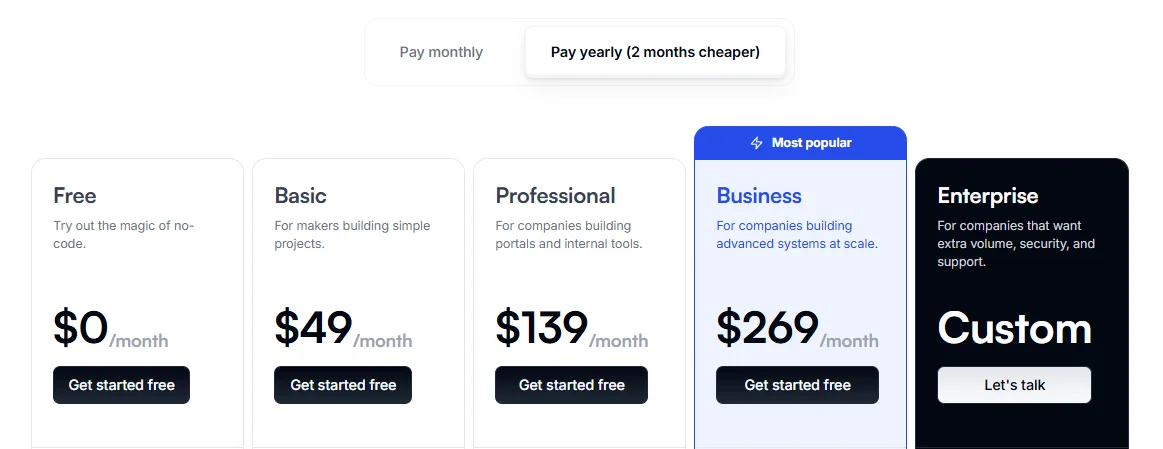
| Plan | Yearly Plan | Monthly Plan | Data Sources | Usage Limits |
|---|---|---|---|---|
| Free | $0 | $0/month | Google Sheets, Airtable, Notion, Excel, Xano, Coda | 1 published app, 10 app users, 2 user groups |
| Basic | $49 /month | $59/month | Google Sheets, Airtable, Notion, Excel, Xano, Coda | 3 published apps, 20 app users, 2 user groups |
| Professional | $139 /month | $167/month | Google Sheets, Airtable, Notion, Excel, Xano, Webflow, Zapier, Integromat, Coda | Unlimited apps, 100 app users (+$10/extra 10 users), 5 user groups |
| Business | $269 /month | $323/month | Google Sheets, Airtable, Notion, Excel, Xano, Webflow, Zapier, Integromat, Coda, others | Unlimited apps, 2500 app users, unlimited user groups |
| Enterprise | Custom Pricing | Custom Pricing | Google Sheets, Airtable, Notion, Excel, Xano, Webflow, Zapier, Integromat, Coda, others | Customizable to business needs |
Which Plan Should You Choose?
- Free: ideal for testing Softr before you commit.
- Basic: good for small projects and individual creators.
- Professional: best for businesses needing advanced integrations and unlimited apps.
- Business: built for large-scale operations with high user limits.
- Enterprise: fully customizable for corporate needs.
A realistic tip: most freelancers and small businesses land on Basic or Professional. The jump to Professional matters most for its unlimited apps and richer integrations, while Business is really about high user counts and unlimited groups. Before upgrading, check whether it is users, records, or integrations that are actually capping you—often only one is.
Softr Alternatives
| Platform | Best For | Key Features | Ease of Use | Pricing | Strengths | Weaknesses |
|---|---|---|---|---|---|---|
| Softr | Versatile no-code app and website builder | Drag-and-drop interface, Airtable integration, templates, user authentication | Beginner-friendly | Free, $49/month (Basic), $139/month (Pro), $269/month (Business) | Affordable, great integrations, beginner-friendly | Limited customization for advanced design |
| Bubble | Web applications with robust backend | Visual development, flexible backend workflow, database scalability | Moderate | Free, $25/month (Personal), custom pricing for enterprises | Highly scalable, ideal for advanced web apps | Steeper learning curve, requires time to master |
| Webflow | Visually stunning websites | Advanced design tools, responsive layouts, SEO capabilities | Moderate to challenging | Free, $14/month (Basic), $28/month (CMS), $212/month (Business) | Best for designers, rich customization options | Complex for beginners, more focused on websites |
| Glide | Mobile-first applications | Google Sheets integration, mobile app templates, user-friendly interface | Easy | Free, $25/month (Pro), $99/month (Business) | Fast app deployment, great for mobile tools | Limited capabilities for desktop apps |
| Carrd | Lightweight one-page websites | Simple editor, pre-designed templates | Very easy | Free, $19/year (Pro) | Excellent for quick, simple websites | Limited to single-page designs |
| Adalo | Mobile applications | Drag-and-drop editor, app deployment for iOS and Android | Beginner-friendly | Free, $45/month (Pro), custom pricing for larger teams | Best for mobile apps, excellent deployment support | Less ideal for complex web development |
Which one fits depends on your goal. Softr wins for spreadsheet-driven portals and tools, Bubble for complex custom apps, Webflow for design-led websites, and Glide or Adalo for mobile-first builds. If design freedom is your top priority, our Webflow vs Framer comparison is a useful next read.
Softr Customer Support
- Live Chat: connect with support agents in real time, straight from the platform interface.
- Help Docs: a detailed help center with step-by-step guides, tutorials, and troubleshooting tips.
- Email Support: reliable for more complex, non-urgent issues.
- Community: an active forum and webinars where creators share best practices.
Users consistently rate Softr’s support as approachable and quick to respond, and the self-help resources are deep enough that many issues never need a ticket at all.
Softr Limitations Worth Knowing
Softr is genuinely capable, but it is not a do-everything platform, and knowing where it stops saves you a painful migration later.
You are tied to your data source. Because Airtable or Google Sheets is the backend, your app inherits their limits. Airtable record caps and API rate limits become your caps, and restructuring data mid-project means reworking the spreadsheet, not just the interface.
Design freedom is boxed in. You style blocks, not a blank canvas. That keeps things fast and consistent, but if you need a bespoke layout or fine-grained visual control, a tool like Webflow will take you further.
Large datasets can drag. Lists and directories stay snappy at modest sizes, but push into many thousands of records with heavy filtering and you will notice load times climb—this is a spreadsheet-backed tool, not a tuned database app.
Complex logic hits a wall. Conditional visibility and basic automations cover a lot, but multi-step workflows and custom business logic often need Zapier, Make, or a service like Xano bolted on—which adds cost and moving parts.
Pricing scales with success. Plans are tied to app users and records, so the more your app is used, the more you pay. Budget for the tier you will grow into, not the one you start on.
Who Should Use Softr (and Who Shouldn’t)
Best for: founders, freelancers, agencies, and internal teams who already keep data in Airtable or Google Sheets and need a polished portal, directory, or tool live in days rather than months. The learning curve is gentle, and the built-in logins, roles, and payments cover most real business needs out of the box.
Not ideal for: teams that need pixel-level design control, heavy custom logic, or apps expecting very large datasets and huge user counts. There you’ll hit Softr’s ceilings—design flexibility, backend depth, and per-user pricing all start to bite. Bubble scales further for complex apps, and Webflow gives designers far more control.
FAQs
What is Softr and how does it work?
Softr is a no-code platform that lets you build custom web apps, portals, CRMs, and internal tools by connecting data from Airtable or Google Sheets. It uses a drag-and-drop interface, so no programming is needed, and adds features like user authentication, conditional visibility, and role-based access.
Is Softr free to use?
Yes. Softr’s Free plan includes one published app, 10 app users, custom domain support, and essential blocks. It’s ideal for individuals or small teams who want to test the platform before upgrading.
What types of apps can you build with Softr?
You can build client portals, internal dashboards, marketplaces, knowledge bases, online directories, and custom CRMs. It’s designed for turning spreadsheets into interactive, functional tools.
What integrations are available on Softr?
Softr integrates with Airtable, Google Sheets, HubSpot, Stripe, Zapier, Xano, BigQuery, and Supabase, making it easy to connect live data, automate workflows, and accept payments through your app.
Does Softr offer a money-back guarantee?
Yes. Softr provides a 14-day money-back guarantee on paid plans. If you’re not satisfied within the first two weeks, you can request a full refund from their support team.
Can I use Softr to build apps for clients?
Yes. Softr is popular with freelancers and agencies. From the Professional plan onward it supports unlimited apps, white-label branding, and user role management, making it well suited to client work.
Conclusion
Softr is one of the fastest ways to turn a spreadsheet into a real, login-protected web app. If you’re a non-developer who needs a client portal, internal tool, or membership site shipped quickly, it earns its place—especially when your data already lives in Airtable or Google Sheets.
Just go in clear-eyed: you’re tied to that spreadsheet backend, design freedom is narrower than a true website builder, and pricing climbs as your users and records grow. For simple-to-moderate projects that trade-off is well worth it; for complex, large-scale apps, look at Bubble or a custom build.
The smart move is to start on the free plan, build your core screens against real data, and only upgrade once it’s clearly pulling its weight. Try Softr free and see if it fits your project.
The Review
Softr
Softr empowers you to build professional web apps like client portals and internal tools without code. Its intuitive drag-and-drop interface transforms Airtable or Google Sheets data into dynamic websites, offering robust user management and responsive design for a seamless experience.
PROS
- Genuinely easy to use, minimal learning curve
- Live Airtable & Google Sheets integration
- Fast to build and launch real apps
- Strong, editable template library
- Built-in logins, roles & permissions
- Responsive on every device by default
CONS
- Locked to a spreadsheet/database backend
- Limited design and custom-logic flexibility
- Pricing scales with users and records
- Can strain on very large datasets




