

You’ve narrowed your website build down to two names everyone keeps recommending: Webflow and Framer. Both promise a professional site without hiring a developer, both look stunning in the demos, and both will happily bill you every month. The catch is that they’re built for different people. Pick the wrong one and you’ll fight the tool for weeks. This guide skips the marketing and shows you exactly which one fits your project, your skills, and your budget in 2026, so you know which tool to open tomorrow and why.
Quick verdict: Choose Framer for design-first launches, marketing pages, portfolios, and rich animations you can ship in a weekend. Choose Webflow for content-heavy, CMS-driven, or e-commerce sites where you need fine CSS control and room to scale. Designers chasing speed lean Framer; teams building complex sites lean Webflow.
Webflow vs Framer: The Short History
Webflow launched in 2013, built by Vlad Magdalin, Sergie Magdalin, and Bryant Chou after they got fed up with existing web tools. It grew slowly and deliberately into a company valued at around $4 billion, with a visual editor that outputs real, production-ready code. If you’ve ever wanted the control of hand-written CSS without actually writing it, this is the platform chasing that idea.

Framer came from the opposite direction. It began as a prototyping tool for designers and only became a full website builder around 2022. That heritage shows: the interface feels like Figma, the workflow is fast, and the whole thing is tuned for people who think visually and want to launch quickly rather than configure everything.
| Feature | Webflow | Framer |
|---|---|---|
| Official Website | webflow.com | framer.com |
| Founded | 2012 (Launched 2013) | 2014 (Website builder 2022) |
| Founders | Vlad Magdalin, Sergie Magdalin, Bryant Chou | Koen Bok, Jorn van Dijk |
| Headquarters | San Francisco, USA | Amsterdam, Netherlands |
| Category | Visual Website Builder, No-Code Platform | Design-First Website Builder |
| Best For | Agencies, enterprises, complex CMS sites, e-commerce | Designers, startups, landing pages, portfolios |
| Starting Price | $14/month (Basic plan) | $10/month (Basic plan) |
| Free Plan | Yes (Starter) | Yes (Free plan) |
| Hosting Included | Yes (AWS CloudFront + Fastly) | Yes (Vercel Edge Network) |
| CMS Capability | Up to 10,000+ items | Up to thousands of pages |
| E-commerce | Full native support | Limited (requires integrations) |
| Integrations | 1,500+ apps | 100+ integrations |
| SEO Capabilities | Advanced built-in tools | Basic to moderate tools |
| Code Export | Yes | No |
| Collaboration | Advanced (staging, roles, approvals) | Real-time multiplayer editing |
| AI Features | AI Assistant, AI Site Builder | AI site generator, AI Workshop |
| Learning Curve | Steep (3-4 weeks) | Moderate (1-2 weeks) |
| Top Alternatives | WordPress, Squarespace, Wix Studio, Bubble | Webflow, Wix, Squarespace, WordPress |
Strip away the feature lists and the split is simple: Webflow is a visual development tool that happens to be approachable, while Framer is a design tool that happens to build real websites. Webflow rewards people who want control and structure; Framer rewards people who want to design fast and ship. Almost every difference below traces back to that one distinction.
Webflow vs Framer Features
🎨 Design & Visual Editor
Webflow’s Designer gives you pixel-level control over every element. You’re working with real HTML, CSS, and JavaScript, just visually, with a proper box model, CSS grid, flexbox, and GSAP-powered interactions. The payoff is precision; the cost is a steeper first week.
- ✅ Box model control over margins, padding, and positioning
- ✅ CSS grid and flexbox for professional layouts
- ✅ GSAP interactions and custom animations without code
- ✅ Responsive breakpoints for desktop, tablet, and mobile
Framer’s canvas feels instant. It’s a freeform, Figma-style workspace where you drag elements anywhere, lean on smart auto-layout, and preview motion in real time. Less exact, far faster to get moving.
- ✅ Freeform canvas with drag-anywhere placement
- ✅ Smart layout for automatic responsive behavior
- ✅ Built-in motion design with real-time preview
- ✅ Figma import for a familiar starting point
Winner: Framer for speed and ease, Webflow for precision and control.
📝 Content Management (CMS)
Webflow’s CMS is the real reason a lot of people pick it. Collections, relational and multi-reference fields, conditional visibility, and support for up to 10,000+ items let you model genuinely complex content, think large blogs, directories, or product catalogs, and manage it all without plugins.
- 📊 Collections for custom content structures
- 🔗 Relational and multi-reference fields to link data
- 🎯 Conditional visibility to show or hide content by rule
- ⚡ Up to 10,000+ items for large libraries
Framer’s CMS is simpler and lighter. It handles portfolios, landing pages, and modest blogs comfortably, but tighter collection limits and shallower relationships make it a poor fit for big content operations.
- 🎨 Visual management directly on the canvas
- 📸 Built-in media handling with image optimization
- ✏️ Simple content editor anyone can use
- 🔢 Enough scale for portfolios and medium sites
Winner: Webflow for content-heavy sites; Framer for simpler needs.
🤖 AI-Powered Features

Webflow’s AI, the AI Assistant and AI Site Builder, can generate full site structures from a prompt, draft copy, and build page sections that match your existing styles.
- 🎯 AI Site Builder generates full structures from a prompt
- ✍️ Content generation for copy and blog drafts
- 🎨 Design suggestions and layout recommendations
- 🔍 SEO help for meta titles and descriptions

Framer’s AI leans into design: AI Styles restyles a whole project in one click, plus AI image generation, a component Workshop, and prompt-to-site generation.
- 🎨 AI Styles for one-click design transformations
- 📷 AI image generation for custom visuals
- 🛠️ Workshop to build interactive components
- 🚀 Prompt-to-site generation for fast starts
Winner: A tie. Both are strong; they just point their AI at different problems.
🛍️ E-commerce
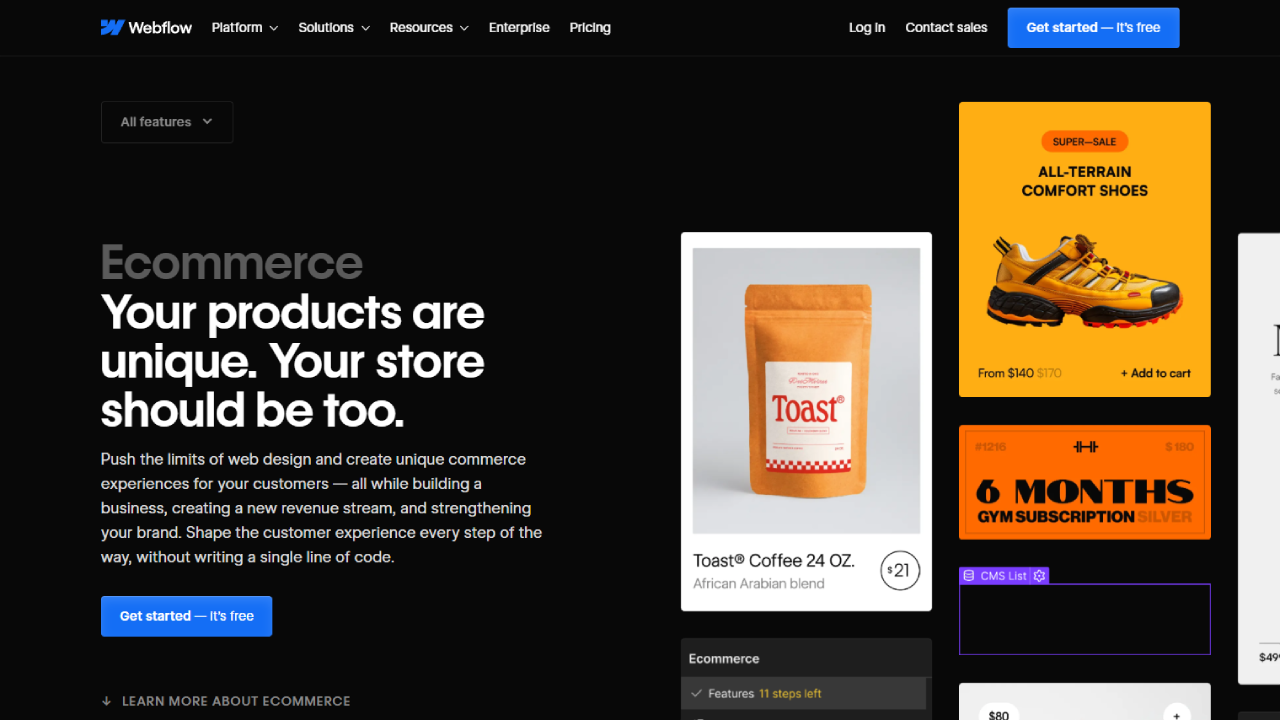
Webflow ships native e-commerce: product variants, inventory, Stripe, PayPal and Apple Pay, order management, discount codes, and built-in sales analytics. Plans run from Standard ($29/month) to Advanced ($212/month), with lower transaction fees as you climb.
- 🛒 Product management: variants, categories, inventory
- 💳 Payments: Stripe, PayPal, and Apple Pay
- 📦 Order management and a full fulfillment flow
- 🎁 Discount codes and built-in sales analytics
Framer has no native store as of 2026. Selling means bolting on Shopify, Gumroad, or similar, which adds cost and moving parts.
Winner: Webflow, decisively.
🔌 Integrations

Webflow connects to 1,500+ apps, Mailchimp, HubSpot, Zapier, Google Analytics, Intercom, Make, and webhooks, so it slots into most marketing and automation stacks.
- 📧 Marketing: Mailchimp, HubSpot, Zapier
- 📊 Analytics: Google Analytics, Mixpanel, Hotjar
- 💬 Support: Intercom, Drift, Zendesk
- ⚙️ Automation: Make, Zapier, and webhooks
Framer offers 100+ integrations focused on design and prototyping. The ecosystem is growing but noticeably smaller.
Winner: Webflow.
👥 Collaboration

Webflow is built for structured team workflows: granular roles and permissions, branching, staging sites, comments, and approval gates before anything goes live. What it lacks is true simultaneous editing.
- 👤 Roles and permissions for granular access
- 🌿 Branching to work without touching the live site
- ✅ Approval workflows before publishing
- 📋 Staging sites to test changes first
Framer works like Figma, real-time multiplayer editing, live cursors, contextual comments, and instant previews as a team designs on one shared canvas.
- 👥 Real-time editing with multiple users at once
- 💬 Contextual comments for quick feedback
- 🔄 Version history to track design changes
- 📱 Live previews that update instantly
Winner: Framer for real-time collaboration, Webflow for enterprise approval workflows.
🚀 Performance & SEO
Webflow pairs fast, auto-optimized hosting with deep SEO controls: full meta management, auto-generated sitemaps, schema markup, 301 redirects, and hreflang for multi-language sites. It’s the stronger pick when organic search is your growth channel.
- 🎯 Full meta control over titles and descriptions
- 🗺️ Auto-generated sitemaps and 301 redirects
- 📱 Schema markup and structured data built in
- 🌍 Hreflang tags for multi-language SEO
Framer is genuinely fast out of the box on Vercel’s edge network and covers the SEO basics, meta tags, clean markup, image compression, but gives you fewer advanced levers.
- ⚡ Fast loading on the Vercel edge network
- 📝 Basic SEO: meta tags and descriptions
- 📸 Automatic image compression out of the box
Winner: Webflow for comprehensive SEO, Framer for raw speed.
🌍 Localization
Webflow treats localization as a paid add-on ($9-15 per locale) but goes deep: subdirectory locales, translation-management integrations, custom glossaries, and automatic hreflang tags.
- 🌐 Subdirectory locales for clean URL structures
- 🔄 TMS integration for translation management
- 📚 Custom glossary for consistent terminology
Framer includes basic localization on every paid plan, multiple languages, localized URL paths, and translation right inside the CMS.
- 🌍 Multiple languages supported natively
- 🔄 Localized paths with custom URLs
- 📝 Content translation directly in the CMS
Winner: Framer for included localization, Webflow for advanced control.
Webflow vs Framer Pricing
Webflow Pricing
Webflow splits pricing into Site Plans, Workspace Plans (for teams), and add-ons, which is flexible but easy to under-budget. Paying annually saves up to about 22%.
| Plan | Monthly | Annually | Bandwidth | CMS Items | Best For |
|---|---|---|---|---|---|
| Starter | Free | Free | 1GB | 50 total | Learning & testing |
| Basic | $18 | $14 | 50GB | None | Simple landing pages |
| CMS | $29 | $23 | 200GB | 2,000 | Blogs & portfolios |
| Business | $49+ | $39+ | 400GB+ | 10,000+ | High-traffic business sites |
| Enterprise | Custom | Custom | Custom | Custom | Large organizations |
E-commerce Site Plans
| Plan | Monthly | Annually | Products | Transaction Fee | Best For |
|---|---|---|---|---|---|
| Standard | $32 | $29 | 500 | 2% | Starting stores |
| Plus | $88 | $74 | 5,000 | 0% | Growing stores |
| Advanced | $235 | $212 | 15,000 | 0% | Large stores |
Workspace Plans (For Teams)
| Plan | Monthly | Annually | Unhosted Sites | Staging | Best For |
|---|---|---|---|---|---|
| Starter | Free | Free | 2 staging | Basic | Solo designers |
| Core | $35 | $28 | Unlimited | Yes | Small teams (3 seats) |
| Growth | $60 | $49 | Unlimited | Advanced | Growing teams |
| Enterprise | Custom | Custom | Unlimited | Full suite | Large organizations |
Add-on seats run $28-35/month (full) or $14-18/month (limited), and localization adds $9-15 per locale. For most freelancers and small agencies, the CMS plan (~$23/month annually) is the sweet spot; start on Standard ($29/month) if you need a store.
Framer Pricing
Framer simplified to three core tiers. As of October 2026, the Basic plan dropped to $10/month, the one-page Mini plan disappeared, and Basic now includes just one CMS collection, enough to sting on real projects.
| Plan | Monthly | Annually | Bandwidth | CMS Collections | Visitors/mo | Best For |
|---|---|---|---|---|---|---|
| Free | $0 | $0 | 100MB | 10 | 1,000 | Testing & learning |
| Basic | $15 | $10 | 10GB | 1 | 10,000 | Personal sites |
| Pro | $40 | $30 | 100GB | Unlimited | 200,000 | Professional sites |
| Scale | $133 | $100 | 500GB+ | Unlimited | Usage-based | Growing companies |
| Enterprise | Custom | Custom | Custom | Unlimited | Custom | Large organizations |
Extra editor seats run $20/month and locales $10/month. The Pro plan ($30/month annually) is where Framer makes sense for client work; Basic’s single collection is too tight for most.
Choose Webflow if you:
- Need a store or a CMS with thousands of items
- Want advanced, technical SEO control
- Need code export and hosting flexibility
- Run complex client or team workflows
Choose Framer if you:
- Prioritize design speed and animation
- Want real-time collaboration
- Prefer a Figma-like workflow
- Are building simple to medium sites
Head to head on the plans most people actually buy:
| Feature | Webflow CMS | Framer Pro |
|---|---|---|
| Annual Price | $23/month | $30/month |
| Monthly Price | $29/month | $40/month |
| Bandwidth | 200GB | 100GB |
| CMS Collections | 2,000 items | Unlimited collections |
| Custom Domain | ✅ Included | ✅ Included |
| Form Submissions | Limited | Unlimited |
| Staging | Requires Workspace | ✅ Included |
| Collaboration | Requires Workspace | ✅ Real-time included |
Which Should You Choose? Common Scenarios
Matching real situations to a pick makes the choice easier than any feature list:
- Agency shipping client marketing sites fast → Framer, for the speed and animation.
- SaaS or media brand with a large, structured blog → Webflow, for CMS depth and SEO.
- Solo founder launching a portfolio this weekend → Framer, on the free or Basic plan.
- Store owner who needs checkout and inventory → Webflow, for native e-commerce.
- Developer who wants a visual editor but owns the code → Webflow, for code export.
- Marketer running animated landing-page campaigns → Framer, for motion without code.
Webflow vs Framer Alternatives
Neither one quite fits? A few builders worth a look, and who each suits:
| Platform | Best for | Pricing |
|---|---|---|
| WordPress | Maximum flexibility if you’ll manage hosting, updates, and security yourself | Free + hosting ($5-50/mo) |
| Wix | Beginners wanting easy drag-and-drop with built-in e-commerce | $16-59/mo |
| Squarespace | Photographers and creatives wanting beautiful templates fast | $16-65/mo |
| Bubble | Founders building functional web apps, not just websites | $29-399/mo |
| Wix Studio | Agencies wanting Wix simplicity with pro, white-label features | $24-159/mo |
| Unbounce | Marketers running conversion-focused landing page campaigns | $99-625/mo |
Webflow vs Framer Pros & Cons
Webflow
Pros: Clean, production-ready code you can export and host anywhere; a CMS that scales to 10,000+ items; native e-commerce; advanced SEO; 1,500+ integrations; enterprise-grade roles and staging.
Cons: A real 3-4 week learning curve; higher, more confusing pricing once add-ons stack up; no true real-time co-editing.
Framer
Pros: Ship polished sites in hours; a Figma-like canvas designers love; real-time collaboration; standout animations; a $10/month entry point with a generous free plan; fast Vercel-backed hosting.
Cons: Limited CMS scale (Basic is one collection); no native e-commerce; smaller integration ecosystem; no code export, so full platform lock-in; basic SEO tools; assumes some design sense.
FAQs
Is Framer easier to learn than Webflow for non-developers?
Yes. Framer’s freeform, Figma-style canvas lets you drag elements anywhere without learning the box model first, so a designer can build a polished site in an afternoon. Webflow rewards a basic grasp of HTML and CSS structure and takes a few weeks to feel natural. For non-developers who value speed over deep control, Framer wins.
Which platform is better for SEO and organic search?
Webflow, for anything SEO-serious. It gives you granular control over titles and meta, 301 redirects, custom sitemaps, schema markup, and CMS metadata. Framer covers the basics well, clean meta tags and fast static pages, but offers fewer advanced levers. If organic search is your main growth channel, Webflow is the safer long-term bet.
Can I build a full e-commerce store on Framer?
Not natively. Framer has no built-in checkout or inventory system, so selling means integrating third-party tools like Shopify buy buttons, Lemon Squeezy, or Gumroad. Webflow includes a native e-commerce engine that handles products, carts, and payments in one place, which makes it the stronger choice for a dedicated online store.
Can I export code from Webflow and host it elsewhere?
Yes. On paid Workspace plans, Webflow exports clean HTML, CSS, and JavaScript you can host anywhere, which is why many developers use it as a visual editor and deploy on their own stack. Framer has no equivalent export; its sites are tied to Framer’s own infrastructure, so you commit to the platform long term.
Which tool is better for a complex, content-heavy blog?
Webflow. Its CMS supports large item counts and relational fields, so you can link authors, categories, and products in the ways big blogs and directories need. Framer’s CMS keeps improving but suits simpler portfolios and small news sections better than heavy, interconnected content structures.
Which builder is better for high-end animations?
Framer. Its motion tools make sophisticated scroll effects, transforms, and spring physics fast to build without code, which is ideal for marketing pages. Webflow is capable too, especially with GSAP built in, but Framer’s interface makes complex motion design quicker and more intuitive to execute.
Conclusion
Neither platform is better across the board, they win at different jobs. Match the tool to the work:
Go with Framer for design-first sites, marketing pages, portfolios, and anything where launch speed and animation matter more than deep structure, especially on a smaller budget and a shorter learning curve.
Go with Webflow for complex CMS builds, online stores, serious SEO, and projects that demand fine control, code export, and room to scale, provided you can invest a few weeks learning it.
One warning: Framer has no code export, so a Framer site is a long-term commitment to Framer. If owning and moving your own code matters, weigh that before you build.
On budget and effort: Framer is cheaper to start ($10/month vs $14) and quicker to learn, so it wins on time-to-launch. Webflow costs more, especially once add-ons and a Workspace plan stack up, and asks for a few weeks upfront, but it pays that back on ambitious, long-lived sites.
Next step: Both offer free plans. Rough out your actual project on each for an afternoon, the right choice usually becomes obvious once your own content is sitting in front of you.




