Most WordPress donation plugins fall down at the same place: the second donation. Anyone can take a one-off payment. Keeping a monthly donor for three years is the hard part.
GiveWP is built around that problem. It’s a free WordPress donation plugin with a donor database, recurring giving and proper receipting bolted on top, and it’s running on more than 100,000 sites.
The catch is what the paid tiers now cost. Here’s our honest GiveWP review, prices checked July 2026.

Quick verdict
GiveWP is the strongest donation plugin on WordPress if you actually need donor management. Not just a payment button, but a searchable donor record, lifetime giving totals, recurring subscriptions donors can manage themselves, and receipts that hold up at tax time. The free plugin covers a surprising amount of that and takes no cut of donations.
The problem is the ladder above it. Recurring giving, the single feature most nonprofits are here for, sits in the Pro tier at $399 a year. That’s a real budget line for a small charity, and it’s the reason this review lands at a strong-but-not-perfect score.
- Best for: nonprofits, churches and campaigns that need donor records and recurring giving on their own site.
- Not ideal for: a one-page fundraiser or a hobby site that just needs a Stripe button, and anyone whose budget stops at $200 a year but who needs recurring donations.
- Full score, pros and cons are in the review box on this page.
GiveWP at a glance
- Plugin
- GiveWP (donation and fundraising for WordPress)
- Official site
- givewp.com
- Category
- WordPress plugin / nonprofit fundraising
- Our rating
- Starting price
- Free core plugin; paid tiers from $199/year (checked July 2026)
- Free version
- Yes unlimited forms, Stripe and PayPal
- Active installs
- 100,000+ on WordPress.org
- Platform fee on donations
- None. You pay only your payment gateway.
- Key integrations
- Stripe, PayPal, Square, Mailchimp, Constant Contact, Salesforce NPSP, Zapier
- Best for
- Nonprofits that need recurring giving and a real donor database
- Owned by
- Liquid Web / Nexcess
We may earn a commission when you buy through links on this page. This does not affect our reviews.
Why nonprofits keep landing on GiveWP
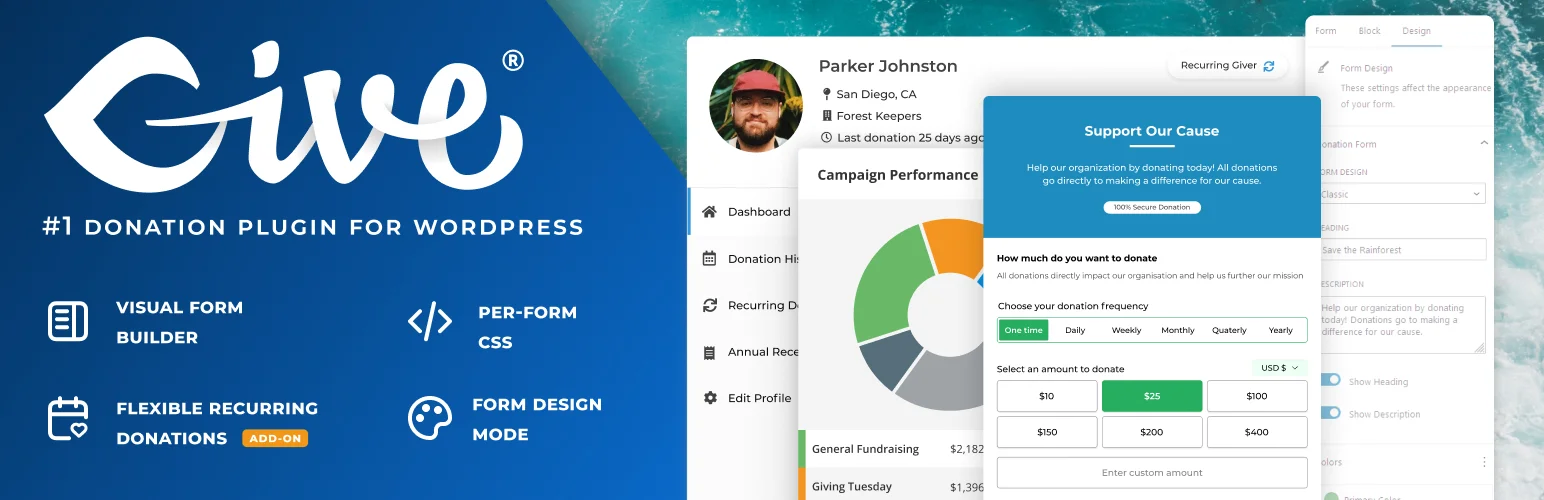
A PayPal button collects money. It doesn’t tell you that Sarah has given $25 a month for four years, or let her update her card without emailing you. GiveWP’s whole design is around that gap: every donation is attached to a donor record, and the donor gets a portal to manage their own giving.
That matters more than it sounds. Failed card renewals are the quiet killer of monthly giving programmes, and a self-serve portal is the cheapest fix there is.
GiveWP takes no cut of donations on any tier, free included. You pay Stripe or PayPal their processing fee and nothing else. Compare that with hosted platforms that add their own percentage on top, and the maths flips in GiveWP’s favour surprisingly fast at volume. If you’re building the site from scratch, our guide to cloud hosting for WordPress covers what a donation site actually needs.
The three features that carry the plugin
Donation forms you can shape
Multi-level giving amounts, custom fields, goal meters, and a visual builder that produces forms which don’t look like a 2014 plugin. You can embed a form in a page, run it as a standalone page, or drop it in a modal.
One genuinely useful touch: the fee-recovery option that asks donors to cover the processing fee. On our test form that setting is a single toggle, and for most charities it’s free money. Pair it with a general form builder plugin for everything that isn’t a donation.
Recurring giving with a donor portal
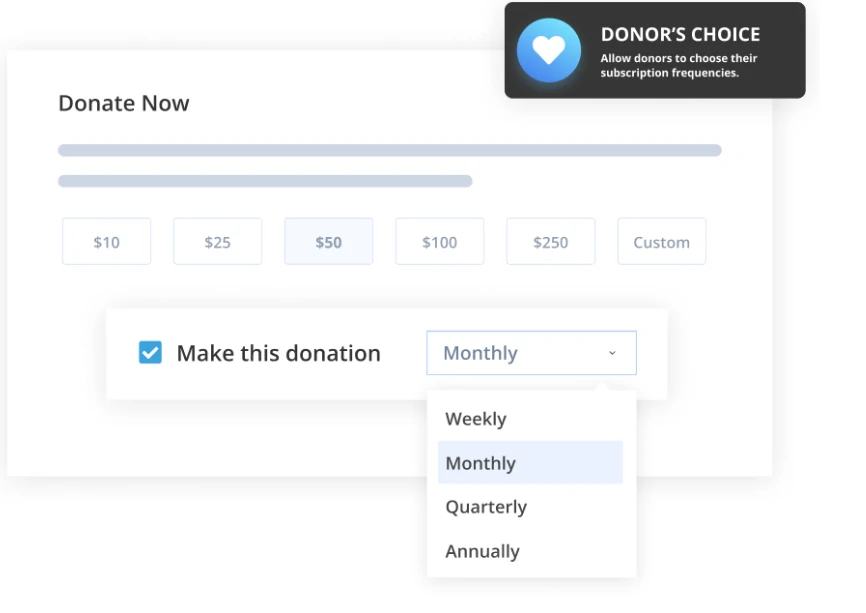
Donors can give weekly, monthly, quarterly or annually. You choose whether the donor picks the frequency or you lock it to a schedule you set.
- Donor’s choice: the donor sets their own frequency. Higher conversion, messier forecasting.
- Admin’s choice: you fix the schedule. Cleaner reporting, slightly more friction at checkout.
Be clear on the cost, though: recurring donations are not in the free plugin, and they’re not in the entry paid tier either. This is the feature that pushes most organisations to the $399 Pro plan.
Donor management and reporting
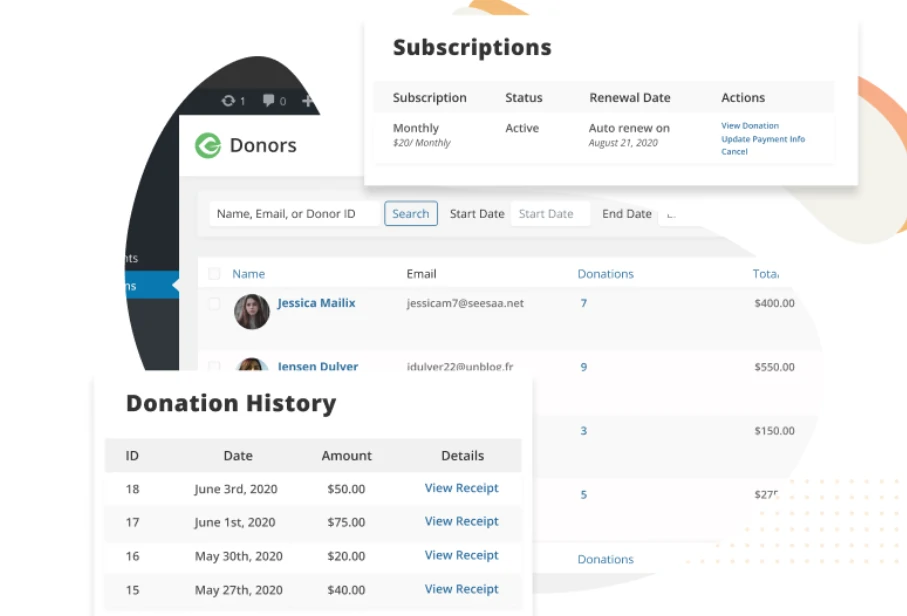
Every donor gets a record with lifetime giving, donation history and active subscriptions in one screen. Reports break giving down by form, campaign and period, and the data syncs out to Mailchimp, Constant Contact, Zapier or Salesforce NPSP depending on your tier.
Worth knowing before you commit: donor tables get heavy. On a site with tens of thousands of records, reporting queries slow down noticeably, and you’ll want real hosting rather than shared budget hosting. That’s not unique to GiveWP, but it is the thing large charities complain about.
GiveWP pricing, and the part that stings
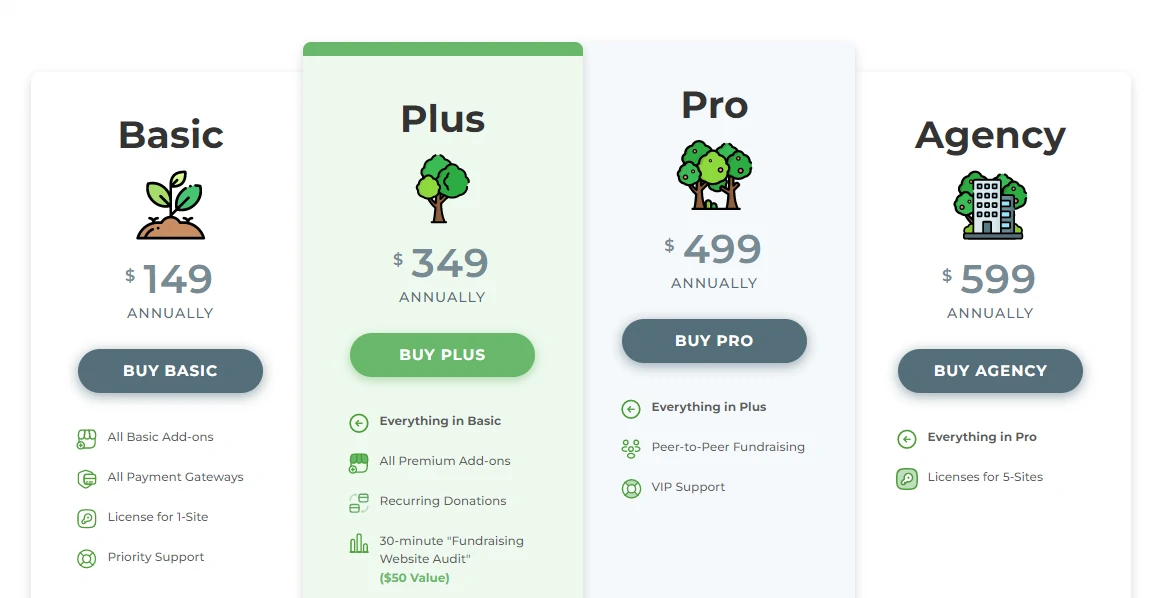
GiveWP plans
Checked July 2026 on the official pricing page
- Included: Unlimited donation forms and campaigns
- Included: Stripe, Square and PayPal
- Included: Donor database and PDF receipts
- Included: Basic reporting and Google Analytics tracking
- Not included: Recurring donations
- Not included: Fee recovery
- Not included: Peer-to-peer fundraising
- Included: Everything in Essentials
- Included: Recurring donations with donor portal
- Included: Fee recovery
- Included: Mailchimp and Constant Contact
- Included: Advanced reporting
- Included: 15+ international payment gateways
- Included: Zapier and Salesforce integrations
- Not included: Peer-to-peer fundraising
- Included: Everything in Pro
- Included: Peer-to-peer fundraising
- Included: Funds and designations
- Included: Tributes and custom fields builder
- Included: Currency switcher
- Included: WooCommerce upsells
The core GiveWP plugin stays free on WordPress.org with unlimited forms, Stripe and PayPal. All paid tiers are billed yearly and GiveWP charges no platform fee on donations.
We may earn a commission when you buy through links on this page. This does not affect our reviews.
Our take: Essentials at $199 is awkward. It costs real money and still can’t take a monthly gift, which is what most people install a donation plugin to do. Either stay on the free plugin, or jump straight to Pro and treat the $399 as the actual price of GiveWP. Anything in between is paying for a half-solution.
Installing GiveWP
Start with the free plugin regardless of which tier you’ll end up on. It’s the same core codebase, so nothing is wasted.
Step 1: Install and activate the free plugin
From your dashboard, go to Plugins > Add New.
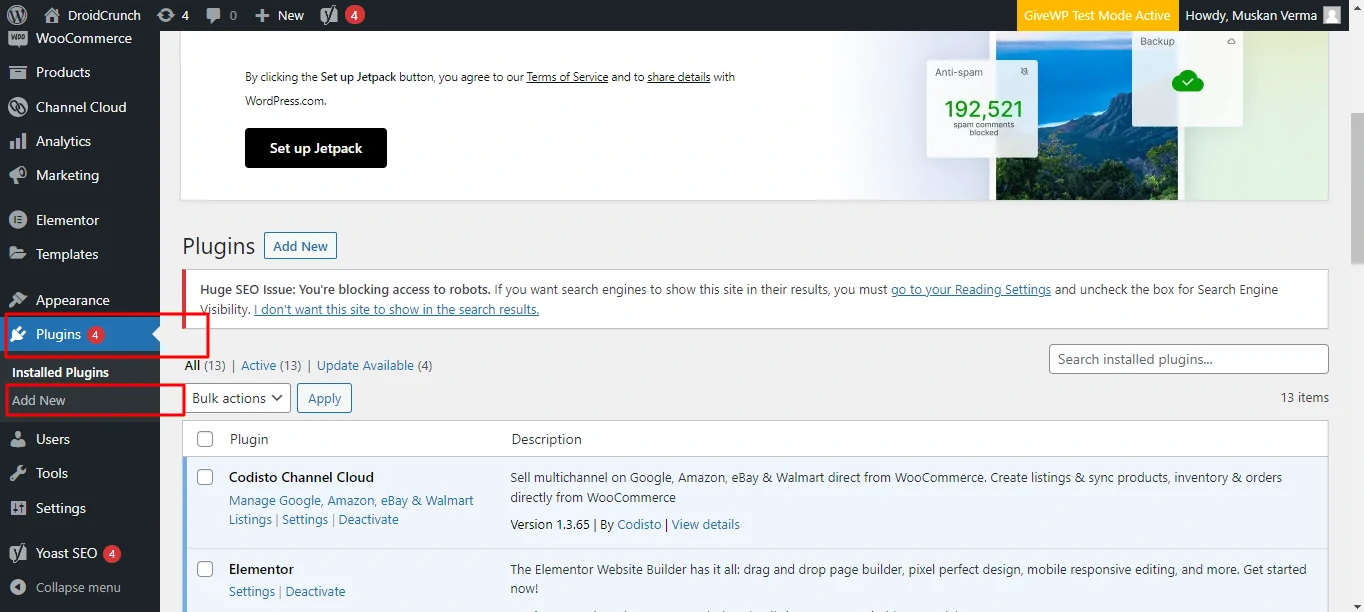
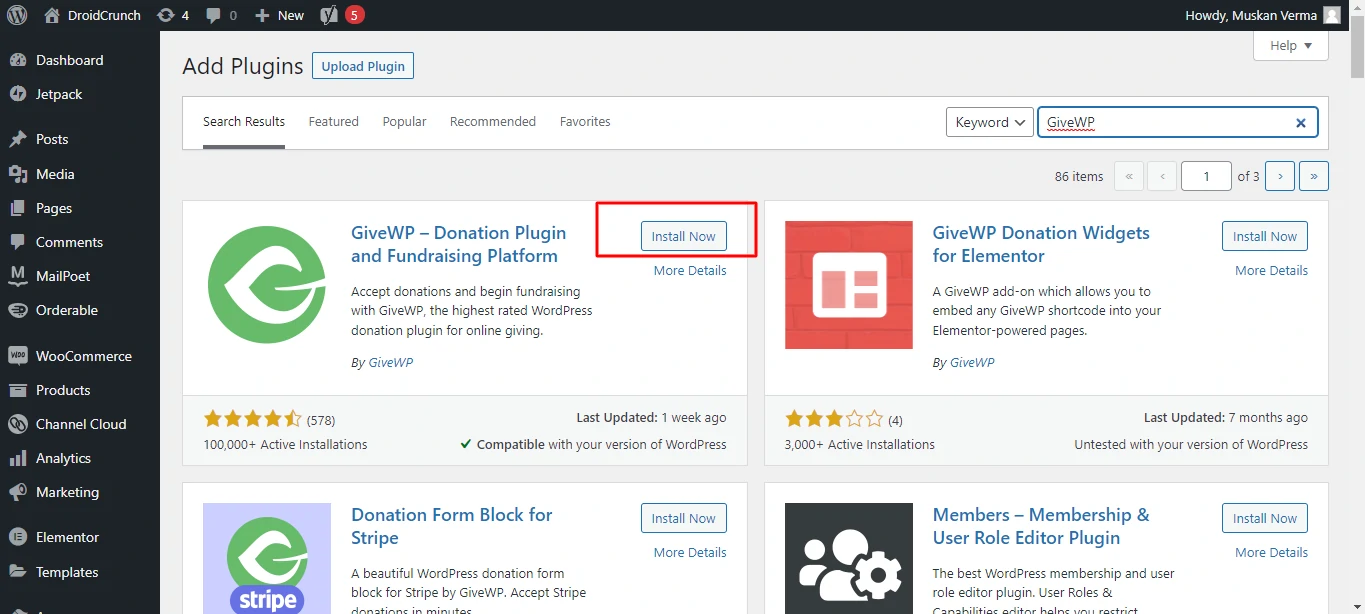
Search for GiveWP and hit Install.
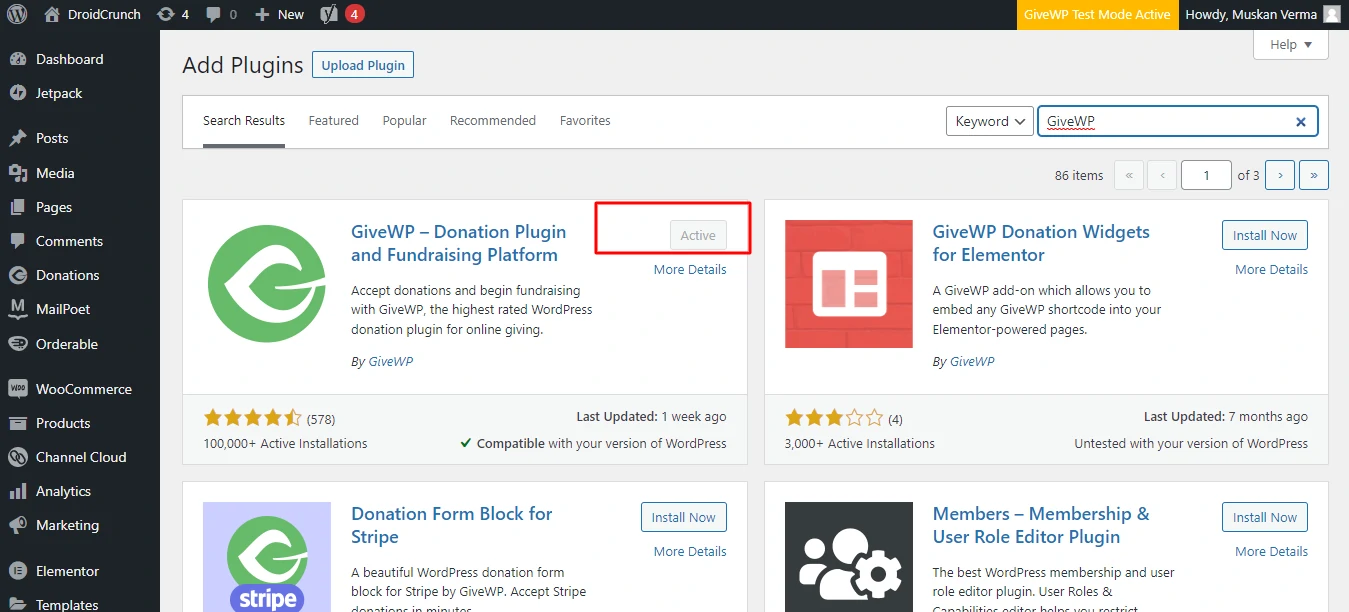
Then Activate. You land on a welcome screen with a short setup wizard covering your cause, location and currency. You can skip it and come back through the Set Up menu.
Step 2: Activate your licence key
Only relevant if you bought a tier. Go to Donations > Settings > Licenses.
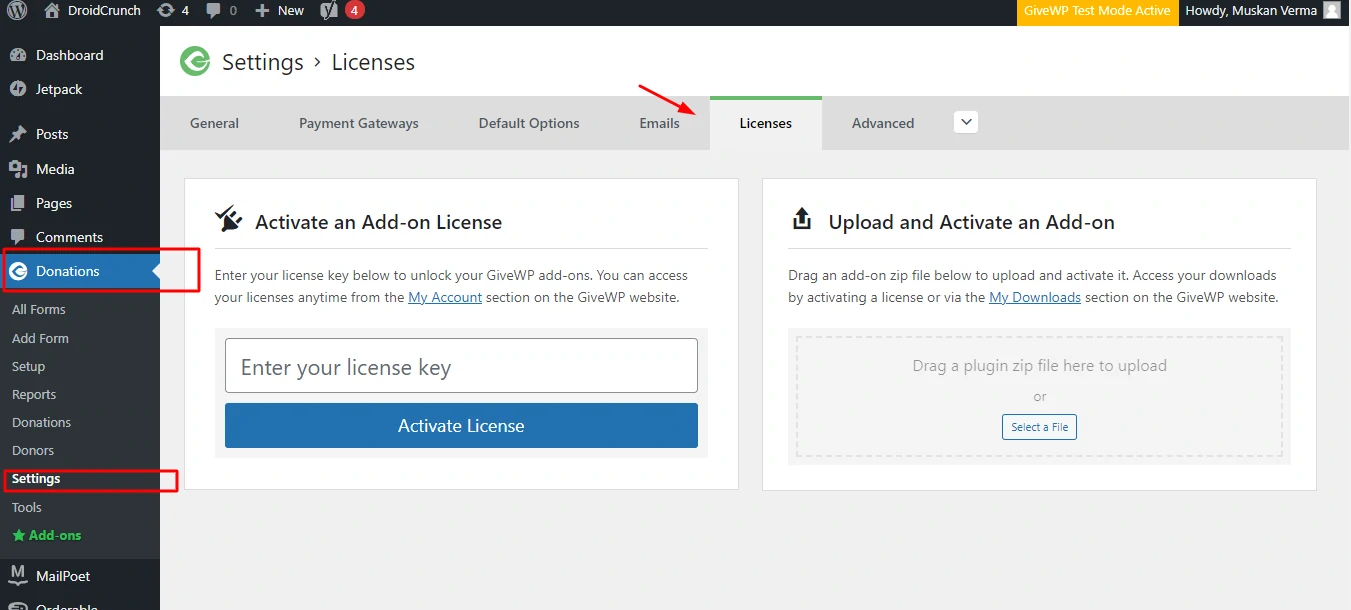
Paste the key from your account and click Activate License.
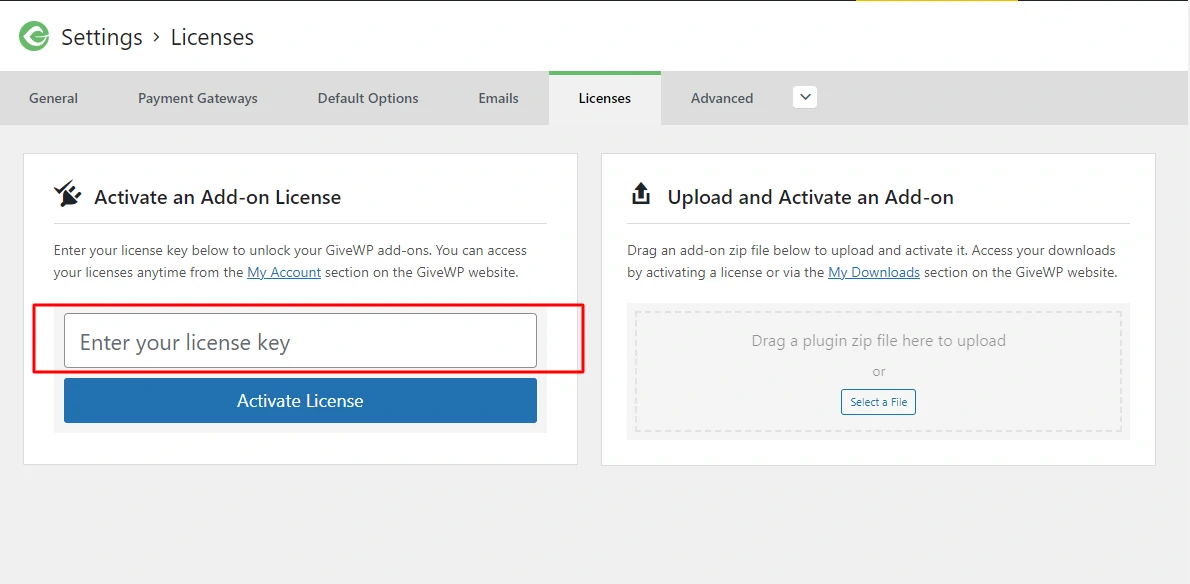
Step 3: Add the add-ons you need
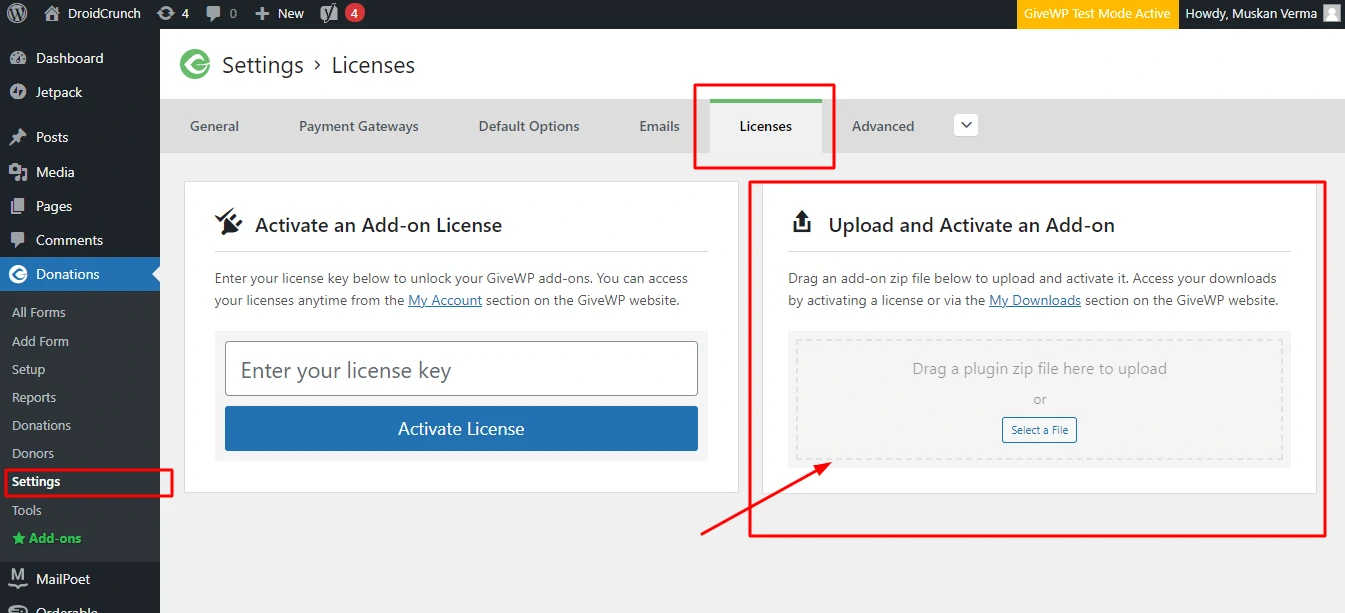
Once the licence is live, scroll down the same page and you’ll see every add-on your plan includes, installable in one click. Downloading zips from your account still works, but it’s slower and there’s no reason to do it.
Resist the urge to activate all of them. Each add-on is more code on every page load, and a donation site that takes four seconds to render loses donors. Turn on what you’ll use this month.
Building your first donation form
Create the form
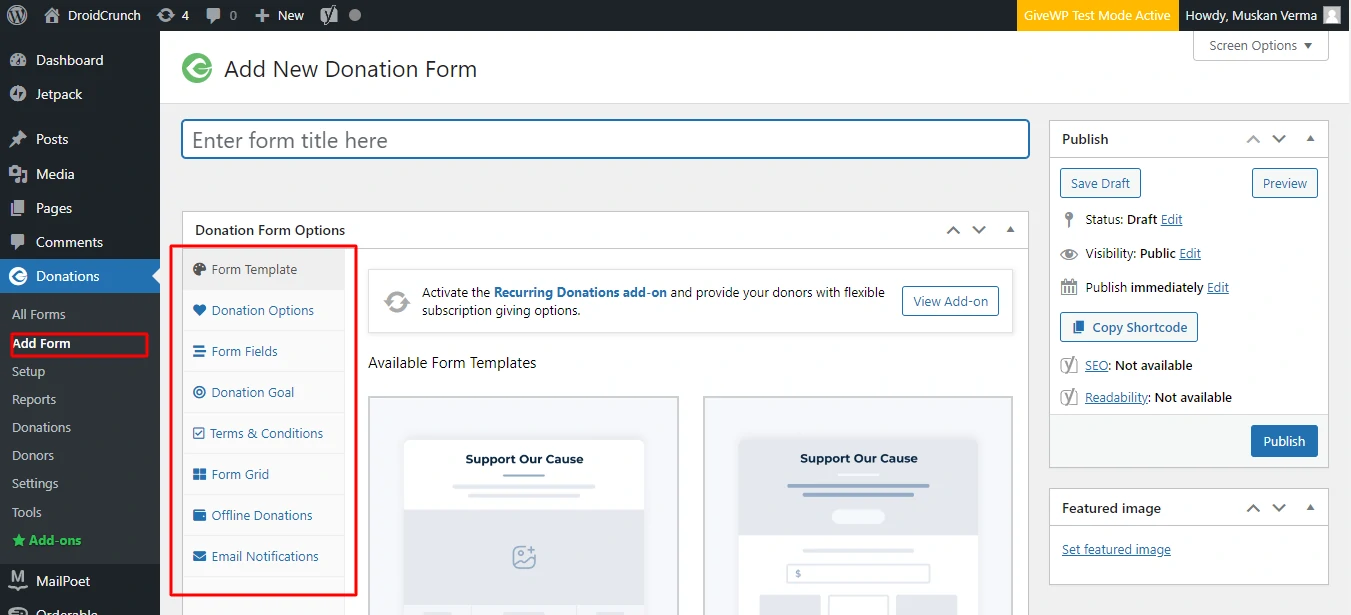
Go to Donations > Add Form and give it a name you’ll recognise in reports six months from now. Not “Donation Form 1”.
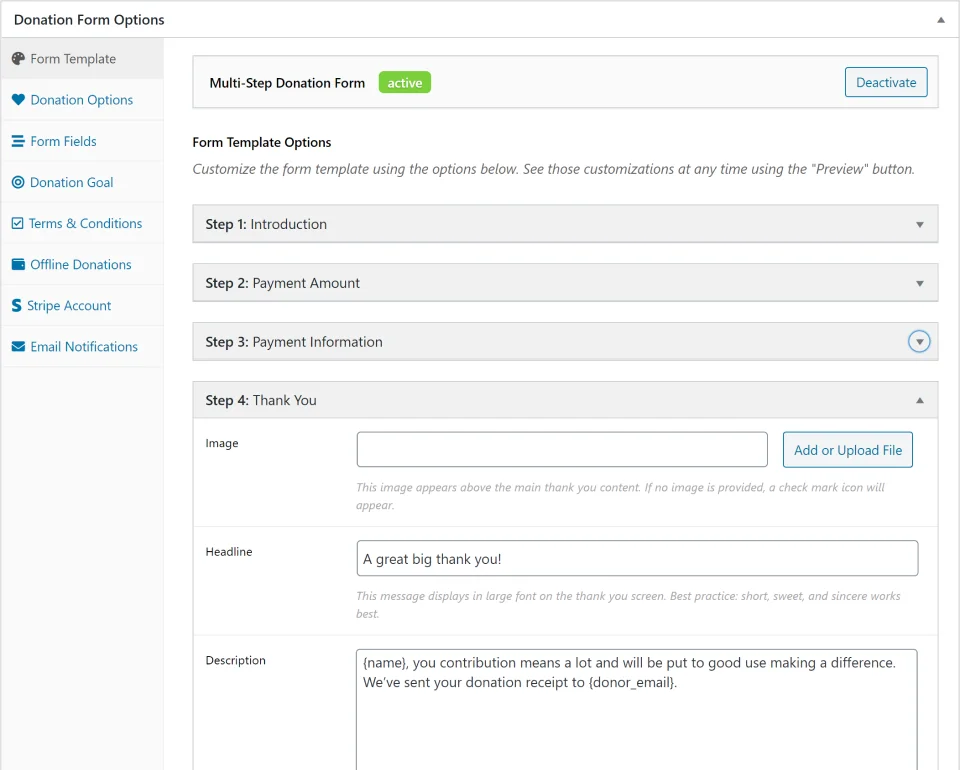
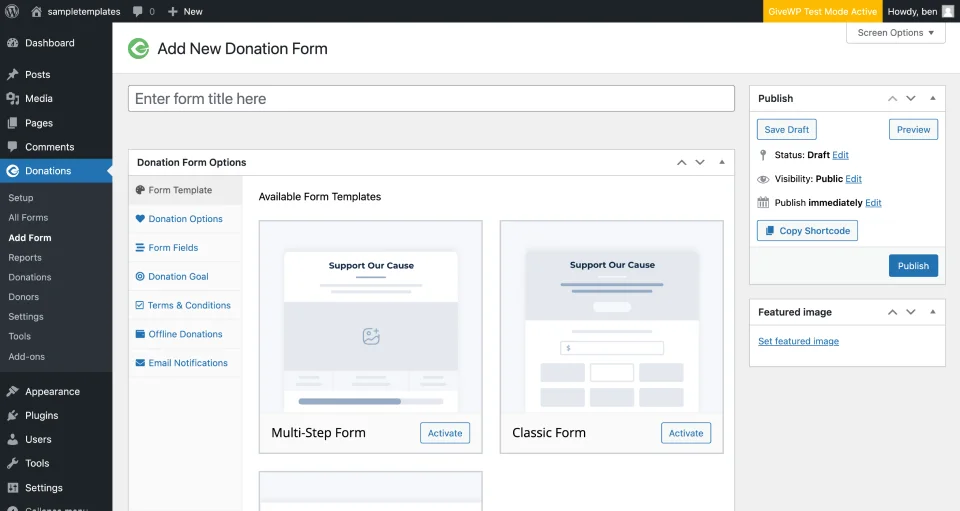
Scroll down for the templates. Multi-Step, Classic and Legacy. If you are laying the page out in a builder, our Elementor review covers how well that plays with plugin blocks. Multi-Step converts best in our experience because it asks for the amount before it asks for personal details, which is the right order psychologically.
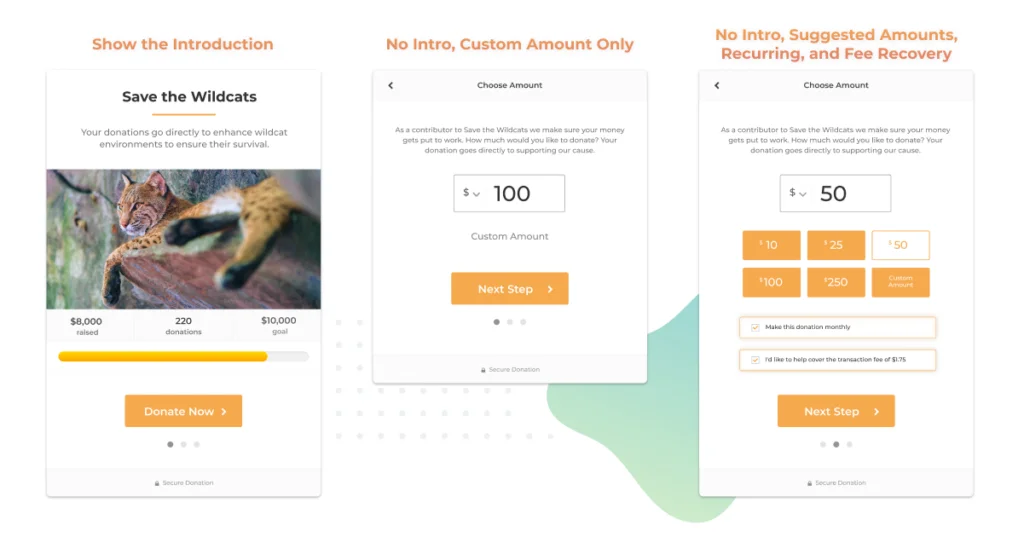
From there you can change colours, fonts, fields and goals.
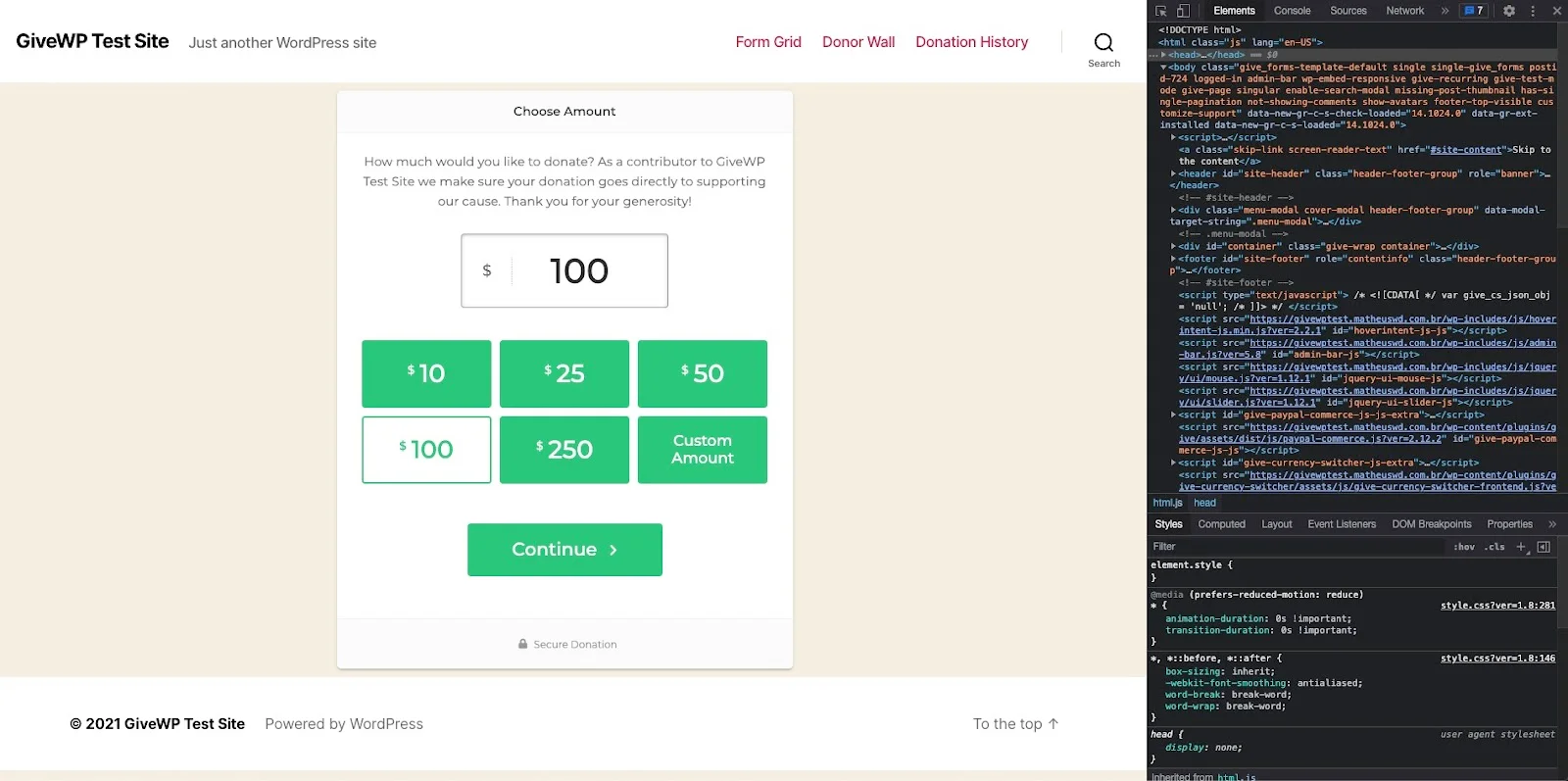
Save a draft before you go near payment settings.
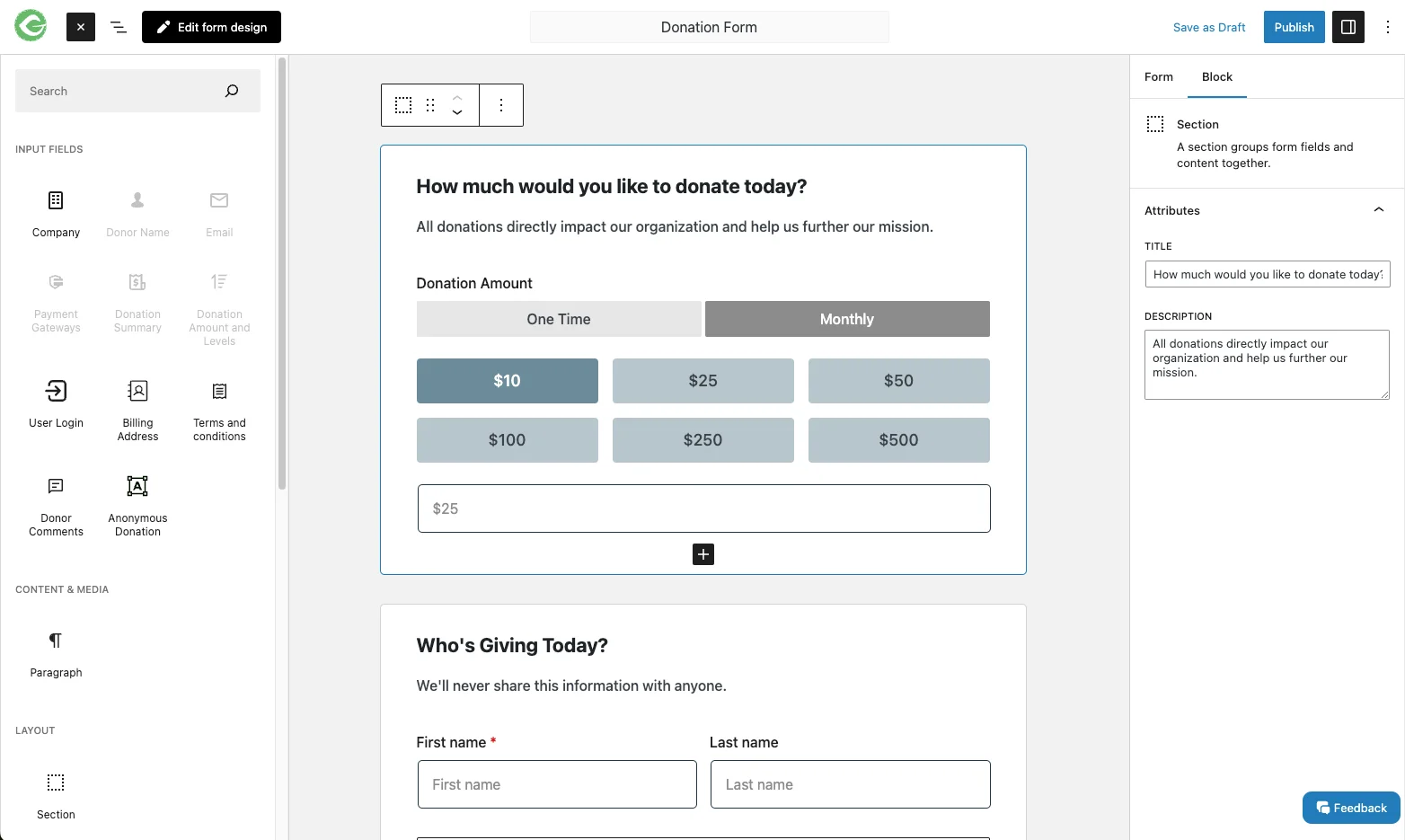
Connect a payment gateway
Head to Settings > Payment Gateways. Out of the box you get Offline Donations, PayPal and Stripe.
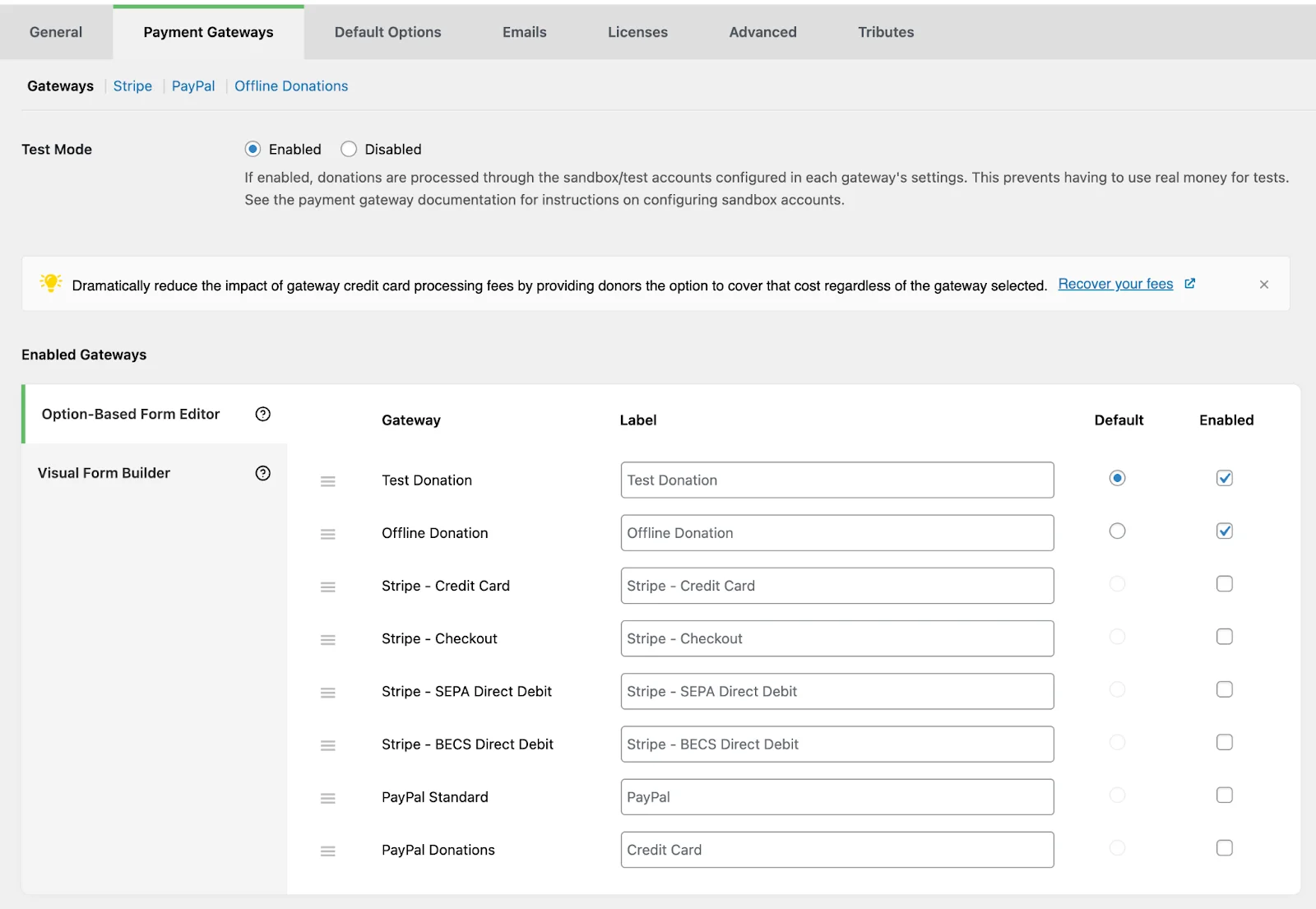
Click the gateway, connect the account, save. Lock the site down properly before you go live, too; our list of WordPress security plugins covers the basics a payment page needs. Donations land directly in that account with no intermediary holding your money, which is a meaningful difference from hosted fundraising platforms.
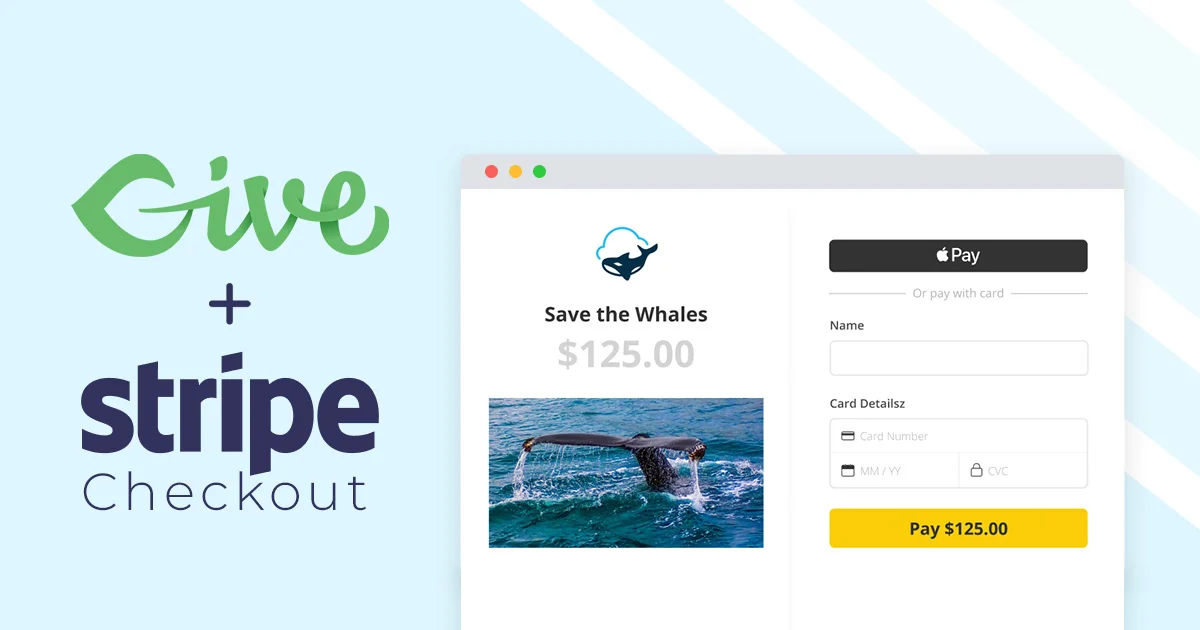
Test with a real card and a $1 donation before you publish. Every payment integration looks fine until money moves.
Put the form on a page
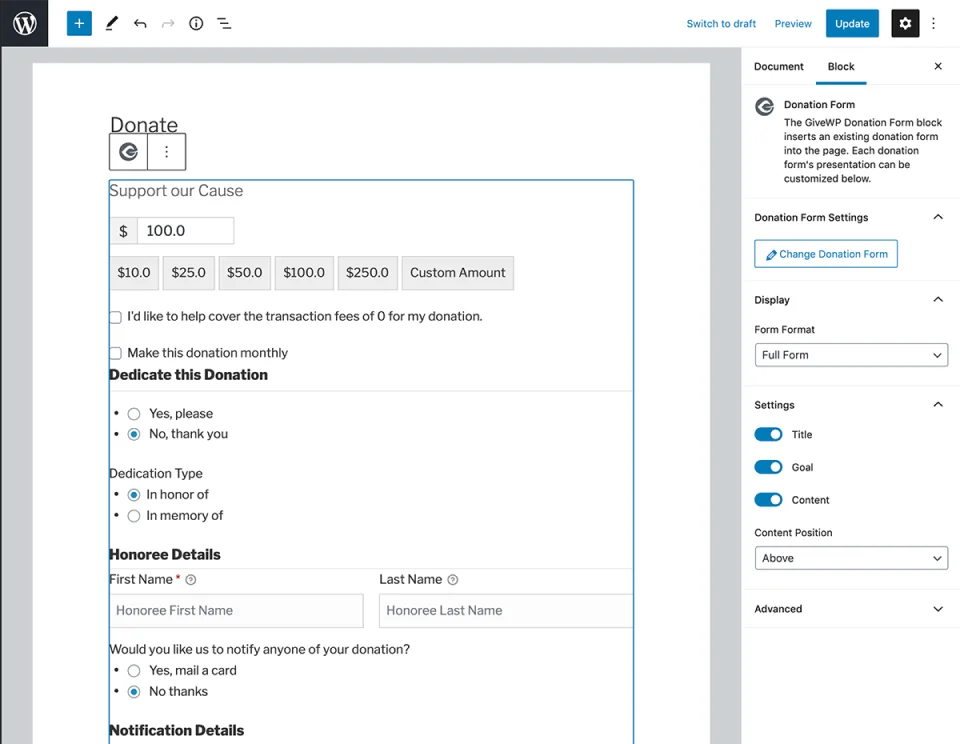
Publish the form directly from All Forms, or create a page, add the Donation Form block, pick your form from the dropdown and hit Publish.
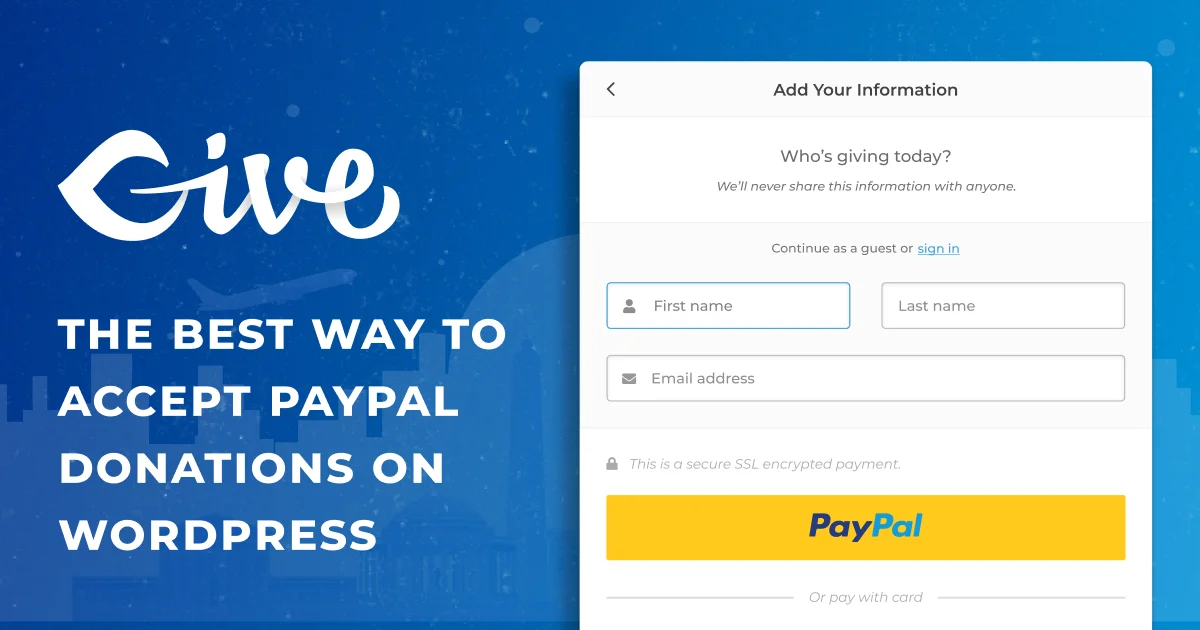
Take a fresh backup first if you have not already; our roundup of WordPress backup plugins covers the ones worth trusting. Then load it on the live site, on a phone, and give yourself a dollar. Most donation traffic is mobile and most broken forms are broken on mobile only.
GiveWP vs the alternatives
Two names come up every time somebody weighs GiveWP: Charitable and Donorbox. They solve the same job differently.
| Feature |
CharitableBest for: Lean budgets, self-hosted |
DonorboxBest for: Non-WordPress teams |
|
|---|---|---|---|
| Free version | Yes | Yes | Yes |
| Self-hosted on your WordPress site | Yes(winner for this row) | Yes | No |
| Platform fee on donations | None(winner for this row) | None | Yes, on top of gateway fees |
| Recurring donations | Pro tier and up | Paid add-on | Included |
| Donor portal for self-service | Yes | Yes | Yes |
| Peer-to-peer fundraising | Yes | No | Yes |
| Donor data stays in your database | Yes(winner for this row) | Yes | No |
| Entry paid price | $199/yr | Lower entry tier | Free plan, fee-based |
We may earn a commission when you buy through links on this page. This does not affect our reviews.
Short version. Charitable is the value pick and costs less to get started. Donorbox is easier if nobody on your team touches WordPress, but it takes a percentage and holds your donor data. GiveWP wins when donor management is the actual job, and loses on price.
Frequently Asked Questions
Does GiveWP take a cut of donations?
No. GiveWP charges no platform fee on any tier, including the free plugin. Your only cost per donation is what Stripe, PayPal or Square charge. That is a real difference from hosted platforms like Donorbox, which add their own percentage on top of gateway fees.
Can I run recurring donations on the free GiveWP plugin?
No, and this is the single most important thing to know before you install it. Recurring giving is an add-on that sits in the Pro tier at $399 a year. The free plugin handles one-off donations, donor records and receipts perfectly well, but monthly giving means paying.
Who owns GiveWP now?
GiveWP is owned by Liquid Web and sits under its Nexcess brand. The plugin pages redirect to liquidweb.com, and the plan names changed from Basic / Plus / Pro / Agency to Essentials / Pro / Elite after the move. Older reviews quoting $149 or $349 tiers are describing pricing that no longer exists.
Will GiveWP slow down my site?
On a small site, no. On a site with tens of thousands of donor records and half a dozen add-ons active, yes, noticeably, mostly in the admin reporting screens. Keep add-ons to the ones you actually use and put the site on hosting with decent database performance.
Is GiveWP better than a plain Stripe or PayPal button?
If you only ever need one-off gifts and nobody is going to look at donor history, a payment button is simpler and cheaper. GiveWP earns its place the moment you need to know who gave what, when, and whether their card is about to expire.
Can I move my donors out of GiveWP later?
Yes. Donations and donor records live in your own WordPress database and GiveWP exports to CSV. That is the practical advantage of a self-hosted plugin over a hosted fundraising platform, where your donor list lives on somebody else’s server.
Does GiveWP work with Salesforce?
Yes, through a dedicated add-on built for the Salesforce Nonprofit Success Pack, available on the Pro tier and above. You connect it from GiveWP settings rather than routing through Zapier, which keeps the sync tighter.
What happens when my licence expires?
The plugin and your existing forms keep working, but you stop receiving updates and support for the paid add-ons. On a site handling payments that is a security problem rather than an inconvenience, so treat renewal as non-optional if you rely on the paid tiers.
The bottom line
GiveWP is the most capable WordPress donation plugin we’ve used, and the free version is one of the more generous freemium offerings on WordPress.org. Unlimited forms, Stripe, PayPal, a real donor database and no cut of your donations is a lot to give away.
The honest warning is price. If recurring donations matter to you, budget $399 a year, not $199, and decide whether that money is better spent on the plugin or on the campaign itself. For a charity raising five figures a year online, it’s an easy yes. For one raising four figures, Charitable is the smarter buy.
Start free this week, run one real campaign, and upgrade when the donor list gives you a reason to.
The Review
GiveWP
GiveWP is the most capable donation plugin on WordPress, and the free version is genuinely generous: unlimited forms, Stripe and PayPal, a real donor database and no cut of your donations. The catch is the ladder above it. Recurring giving, the reason most nonprofits install a donation plugin at all, sits in the Pro tier rather than the entry plan, so budget accordingly.
PROS
- Free core plugin with unlimited donation forms
- No platform fee on donations, ever
- Real donor database with lifetime giving and history
- Donor portal lets supporters manage their own recurring gifts
- Fee recovery option that asks donors to cover processing costs
- Salesforce NPSP, Mailchimp and Zapier integrations
- Donor data stays in your own database and exports to CSV
CONS
- Recurring donations need the $399/year Pro tier, not the $199 entry plan
- Entry Essentials tier costs real money yet still cannot take a monthly gift
- Admin reporting slows down on sites with very large donor tables
- Stacking add-ons adds page weight to a site where speed affects conversions
- Peer-to-peer fundraising is locked to the top $599 Elite tier
Review Breakdown
-
Ease of Use
-
Features
-
Donor Management
-
Documentation
-
Support
-
Value for Money
GiveWP DEALS
We collect information from many stores for best price available