

Your email list is scattered. Half of it lives in a Mailchimp account you never fully figured out, and the rest sits in a spreadsheet and a handful of sign-up forms that refuse to talk to each other. Every time you want to send one simple broadcast to the right people, you end up wrestling the tool instead of writing to your readers. Kit (formerly ConvertKit) was built to kill exactly that mess.
This is email marketing designed for creators first, not corporate marketing departments. Whether you write a newsletter, sell digital products, or run a blog, and you have outgrown clunky automations, Kit keeps your whole audience in one place and your sends dead simple, sitting neatly alongside the rest of your blogging apps. Here is our hands-on Kit review for 2026, with the features, pricing, and the honest trade-offs.
A note on the name: ConvertKit renamed itself Kit and completed the rebrand in October 2024, moving to kit.com. The product is the same, so this review uses the new name throughout.
Kit’s homepage gives you the forms and features you need, and the tool stays easy and flexible to use. Read on for the in-depth details.
What is Kit?
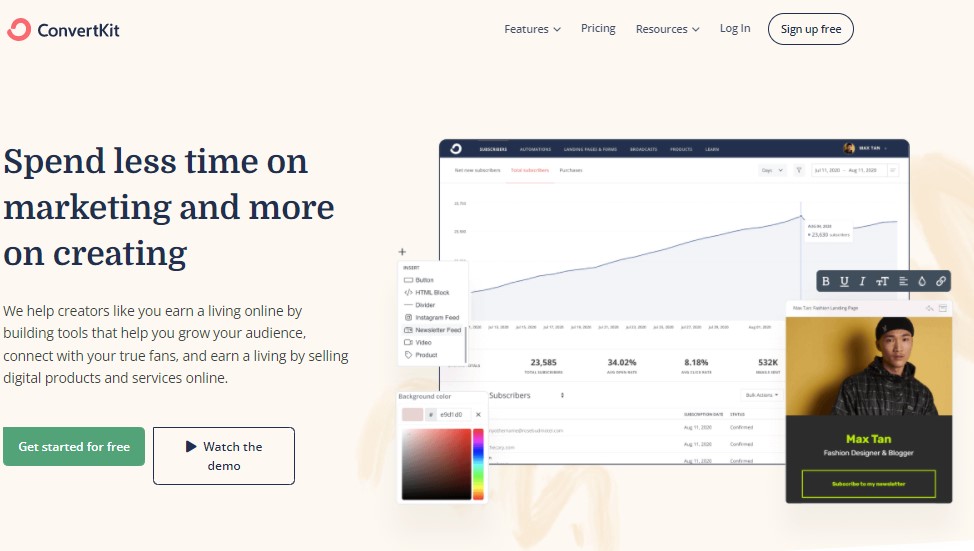
Kit is an email marketing platform that helps promote, manage, and grow your audience while generating more leads for your business.
With the beautiful landing pages created with Kit, you can gain more subscribers and leads. Not only this, you will get sign-up forms and links that with outshine your work. It is an amazing creator marketing platform for your podcast, newsletter, books, albums, and collections. Many famous creators also use Kit to reach out to their audience.
How does Kit work?
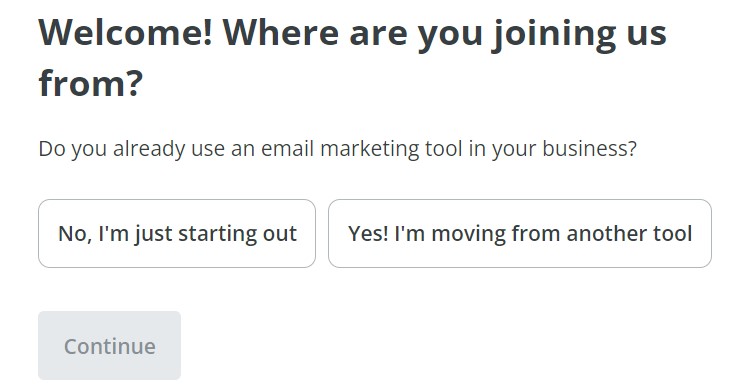
Using Kit is easy. All you have to do is sign up with your email and get going. After signing up you will have to answer a few questions that will help Kit to know your preferences and set up accordingly.
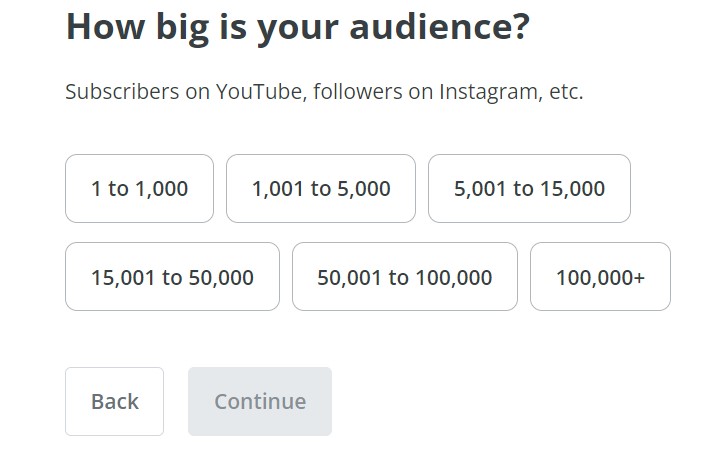
You can choose the size of your audience and then plan your business marketing similarly. There are various options to choose from in the sizes available.
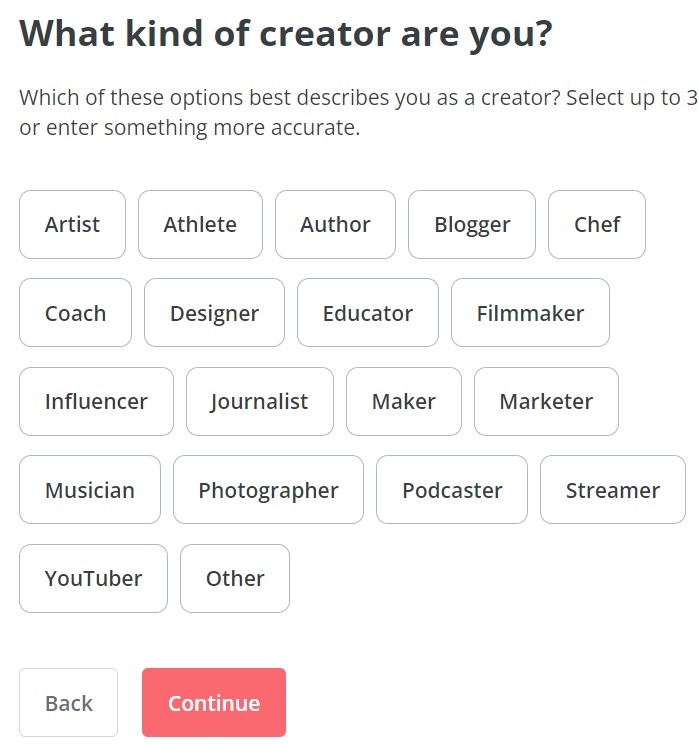
Tell Kit what kind of a creator are you. What are your products and where do you want to target your audience? It will help you and Kit set up your business outlook according to your content.
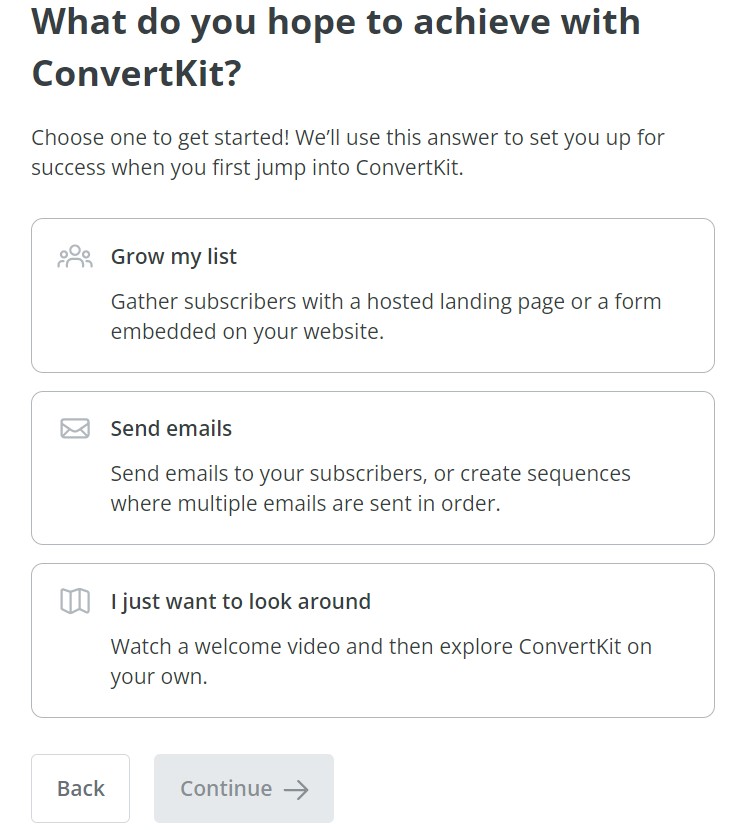
After answering questions, the last step before getting started will be choosing the marketing type you require for your business. It can be either sending emails or growing your list.
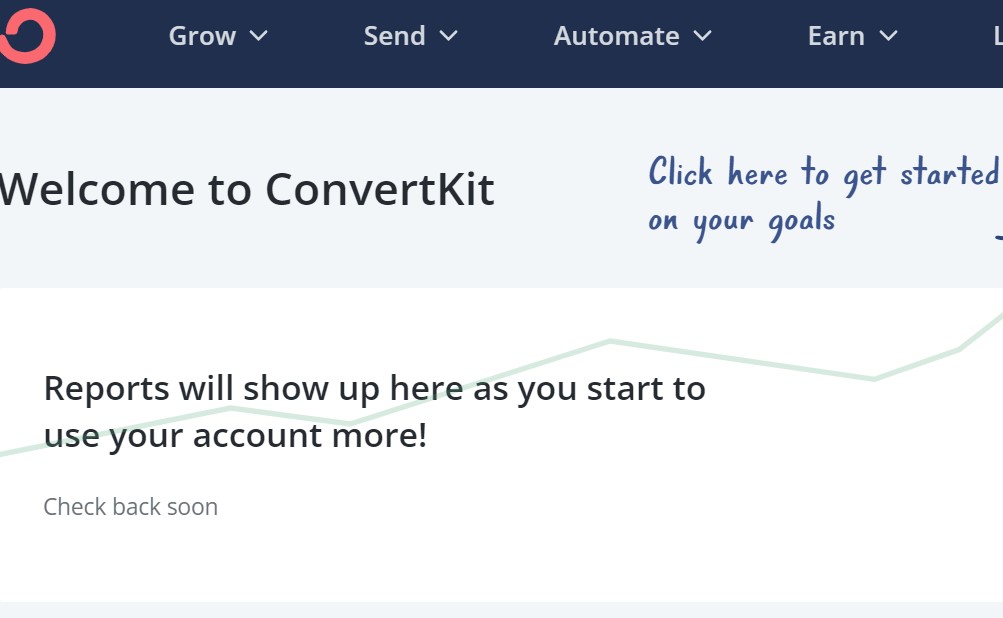
After this, you are set up and good to go. Now the reports for your business will be generated. This report will help you to get all the information you require regarding your business marketing.
Kit Features
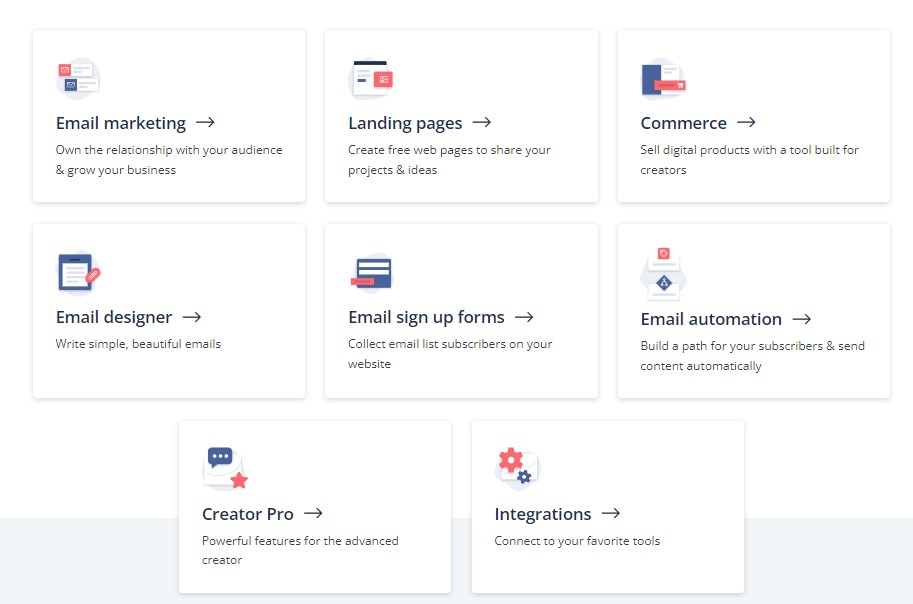
Features offered by Kit will help you to convert your visitors into subscribers and therefore help gain traffic for your website. It is easy to share your ideas with custom landing pages. You can offer your users free downloads against their email addresses. This will help you to build a meaningful relationship with your followers. This can be done by sending personalized content and emails. For emails, you have easy yet efficient templates to use. Selling your digital products will easily earn you money and automate your sales funnel. There are a lot of other features, including:
Email Marketing
Email Marketing will help you to build a relationship with your and eventually grow your business. You get easy email templates and a clutter-free experience. Kit allows you to build beautiful pages in minutes and automatic free download delivery. You can even add tags automatically to your subscriber’s action.
Landing Pages
You can create free web pages to share your projects and ideas. Collect custom data and has Automatic lead magnet delivery. It also has customizable success messages. Connect to automation and has GDPR compliant and integrations with other tools.
Commerce
You can sell digital products with a tool built for creators. Kit also offers an easy path for creators to experiment with earning a living online. Moreover, it can be done without needing to invest in another platform.
Email Designer
Write simple yet beautiful emails. The writing as well as editing experience of email marketing can be a sticky point for many creators. Kit email designer helps you breeze through the editing for you to focus on writing your content. This is the most important part of the email.
Email Sign up forms
You can collect email list subscribers on your website. This feature allows you to invite your team and have priority support. It does not matter if you are using a pop-up sign-up form or a sidebar; you will get templates that are responsive to any of the platforms. You can even use templates at the start and then go on to customize your forms.
Email Automation
Build a path for your subscribers and then send content automatically. Looking for a way to create powerful automated funnels? Well, this feature will help you create and set up the rules. You can even customize your subscriber’s path, and based on their activities, you can even know what should be the right way to market for them. Moreover, you can also send targeted content to the right audience at the correct time.
Pro Plan
Kit’s Pro plan is built for bigger lists. On top of everything in Creator, it adds Subscriber Signals, engagement analytics, deliverability reporting and unlimited team members, which helps you see who is engaged and aim your sends at them.
Integration
Connect your favorite tools to Kit and make it easy for you to work. This platform has integrated various software, including Teachable, Squarespace, and Shopify. These three are just the top listed; otherwise, Kit has integrations with many platforms! This will ensure easy access and working with various other platforms as well.
Why choose Kit?
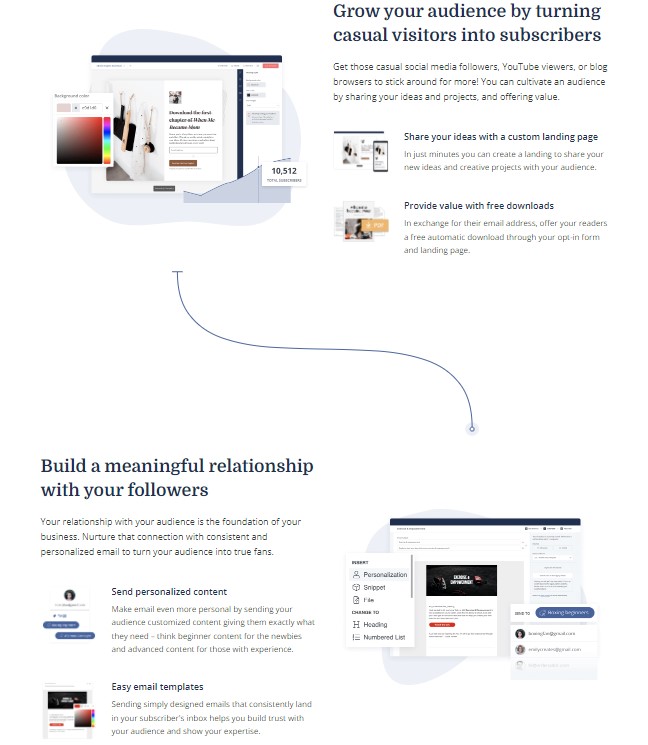
There are various reasons to use Kit and grow with it. It has helped various users to grow their audience. It can be effortlessly done by promoting your latest projects and collecting subscribers with beautiful landing pages, sign-up forms, and link pages that make your work stand out. Not only this, but the platform will also help foster your community. You can create lasting connections and also promote easily. All this can be done with Kit’s powerful sales funnels and intuitive email editor. You can easily earn online by selling digital products and subscriptions directly to your users. Make a living by selling your work without having to learn tech skills.
Kit Pricing
Kit prices every plan by list size. The free plan covers up to 10,000 subscribers. The paid prices below are the entry prices at 1,000 subscribers, and both rise as your list grows.
| Plan | Price at 1,000 subscribers | What it adds |
|---|---|---|
| Free | $0 (up to 10,000 subscribers) | Unlimited landing pages, forms and broadcasts, tagging and segmentation, digital product and subscription sales |
| Creator | $33/month, or $390/year billed annually | Unlimited visual automations and email sequences, subject-line A/B tests, SMS marketing, Kit MCP for AI assistants |
| Pro | $66/month | Subscriber Signals, engagement analytics, deliverability reporting, unlimited users, Growth Concierge team |
We took these prices from kit.com in October 2026. Kit was also offering a first-year discount on Pro ($593 for the first year on annual billing) that renews at the standard rate. Check the pricing page for the exact price at your list size before you upgrade.
Pros of Kit
- Affordable pricing, as well as a free trial, are available.
- Offers various modes of marketing
- Easy to use and, therefore, a good choice for beginners.
- It offers automation to save entrepreneurs time and money.
- Kit offers CRM for potential leads.
Cons of Kit
Kit focuses mainly on email marketing and landing pages, so it does less than all-in-one suites that bundle CRM, e-commerce, and SMS. Pricing is also per subscriber, so the monthly cost climbs as your list grows.
Our take: the deliverability and clean, simple automations are the real draw here; if you need cheap bulk email or deep store integrations, another tool will fit better.
Alternatives of Kit
- Mailerlite
- Moosend
- Mailchimp
- Aweber
- Constant Contact
Disclosure: some links in this review are affiliate links — if you sign up through them we may earn a commission at no extra cost to you. It never changes our rating; Kit earns its 8.6 on merit.
Frequently asked questions
Is Kit (formerly ConvertKit) worth it?
For creators who live and die by their email list, yes. Kit is worth it if you send newsletters, run a paid audience, or sell digital products and you want automations that are simple to set up. If you only email a list a few times a year, a cheaper or free-only tool may be enough.
Is there a free Kit plan?
Yes. Kit’s free plan covers up to 10,000 subscribers. It includes unlimited landing pages, forms and email broadcasts, tagging and segmentation, and selling digital products and subscriptions. Unlimited visual automations and email sequences start on the Creator plan.
Kit vs Mailchimp: which is better?
Kit is built creator-first, so its tagging and automation feel simpler for newsletters, courses, and digital products. Mailchimp leans more toward ecommerce and small businesses with heavier template and reporting tools. If your growth runs on content and audience, Kit usually wins on ease of use.
Is Kit good for beginners?
It is one of the friendlier email tools for beginners. The onboarding walks you through your audience size and goals, the editor is clean, and you can send your first broadcast without touching a manual. You can start with templates and customise your forms and funnels as you grow.
Does Kit have landing pages?
Yes. Kit includes customisable landing pages and sign-up forms, even on the free plan. You can collect subscribers, deliver a free lead magnet automatically, set custom success messages, and connect the page to your automations without needing a separate page builder.
How much does Kit cost?
Kit prices by subscriber count. The free plan covers up to 10,000 subscribers. At 1,000 subscribers, Creator costs $33 a month (or $390 a year billed annually) and Pro costs $66 a month. Both rise as your list grows, so check Kit’s pricing page for your list size.
Can you sell digital products with Kit?
Yes. Kit’s built-in commerce tools let you sell digital products, subscriptions, and paid newsletters directly, without bolting on a separate checkout platform. It is aimed at creators who want to earn from their audience while keeping selling and emailing under one roof.
Conclusion
That wraps up our Kit review. Using Kit is genuinely easy, and you don’t need to hire someone else to run your list. If you are a creator, you can manage your email list, build landing pages, and send campaigns to the audience you have built without a steep learning curve.
Best for: bloggers, newsletter writers, and course or digital-product sellers who want simple automations, clean tagging, and reliable deliverability without wrestling a manual.
Not ideal for: teams chasing the cheapest bulk sending, advanced e-commerce and SMS features, or the lowest possible price as their list scales.
Our take: Kit earns its place if email is the core of how you reach your audience, and the simplicity is worth the per-subscriber pricing. Bargain hunters and store-heavy sellers should compare alternatives first.
However, as I said, Kit is just a tool for building arts, and for the better arts, it requires qualified artists. Similarly, you may need a marketing professional to help you execute the management stuff more organized and better when your list grows.
As an email marketing tool, Kit has helped many businesses grow. Let us know your views on Kit in the comment section of this review.
The Review
Kit
Kit (formerly ConvertKit) is a creator-focused email platform for newsletters, landing pages, automations and selling digital products. The free plan covers up to 10,000 subscribers, and paid plans start at $33 a month at 1,000 subscribers. It is simple and reliable, but the price climbs as your list grows.
PROS
- Genuinely free up to 10,000 subscribers
- Clean, visual automations that are easy to build
- Creator-first: sell digital products and build landing pages
- Strong email deliverability
- Simple tagging and segmentation
CONS
- Cost climbs as your subscriber list grows
- Fewer polished email templates than some rivals
- Light on advanced e-commerce and CRM features




