

You shot the footage. The idea is good. Then the edit eats your entire evening.
VEED.io exists for that problem. It is a browser-based video editor with auto subtitles, a screen recorder and a pile of AI tools, and nothing to install. For short-form video it is genuinely quick.
It also stalls on long projects and charges per editor, which changes the maths for teams. Here is where it earns its money and where it does not. If you want the wider field first, see our roundup of video editing software for YouTube.

Our verdict in 30 seconds
VEED is the fastest way we know to turn a talking-head clip into a captioned, branded, publishable video without opening desktop software. Subtitles, noise removal and the brand kit do most of the heavy lifting, and none of it needs editing experience.
It is not a replacement for a real editor. Long timelines lag, 4K source files test the browser, and subtitle accuracy drops hard on strong accents or technical vocabulary. Per-editor pricing also stings once more than one person needs access.
Best for: social clips, tutorials, course videos, marketing teams with no dedicated editor, and anyone whose main need is subtitles.
Not ideal for: multi-cam projects, colour grading, feature-length edits, or podcasters who would be better served by transcript-based editing. Full score, pros and cons are in the review box below.
VEED.io at a glance
- Product
- VEED.io browser-based video editor
- Official Website
- veed.io
- Category
- Online video editor with AI tools
- Starting Price
- Free, paid from about $10/editor/mo billed annually (checked July 2026)
- Free Plan
- Yes 720p, watermark, 10 minute limit
- Standout Features
- Auto subtitles and translation, screen recorder, Magic Cut, AI voiceovers and avatars, background removal, brand kit
- Platforms
- Any modern browser, no install. Mobile browser works but is cramped
- Integrations
- YouTube, Google Drive, Dropbox, Zoom
- Best For
- Social clips, subtitled talking-head video, marketing teams without an editor
- Support
- Help centre, email and chat. Expect a bot first
- Alternatives
- Kapwing, Descript, Canva, InVideo, CapCut
We may earn a commission when you buy through links on this page. This does not affect our reviews.
What VEED is genuinely good at
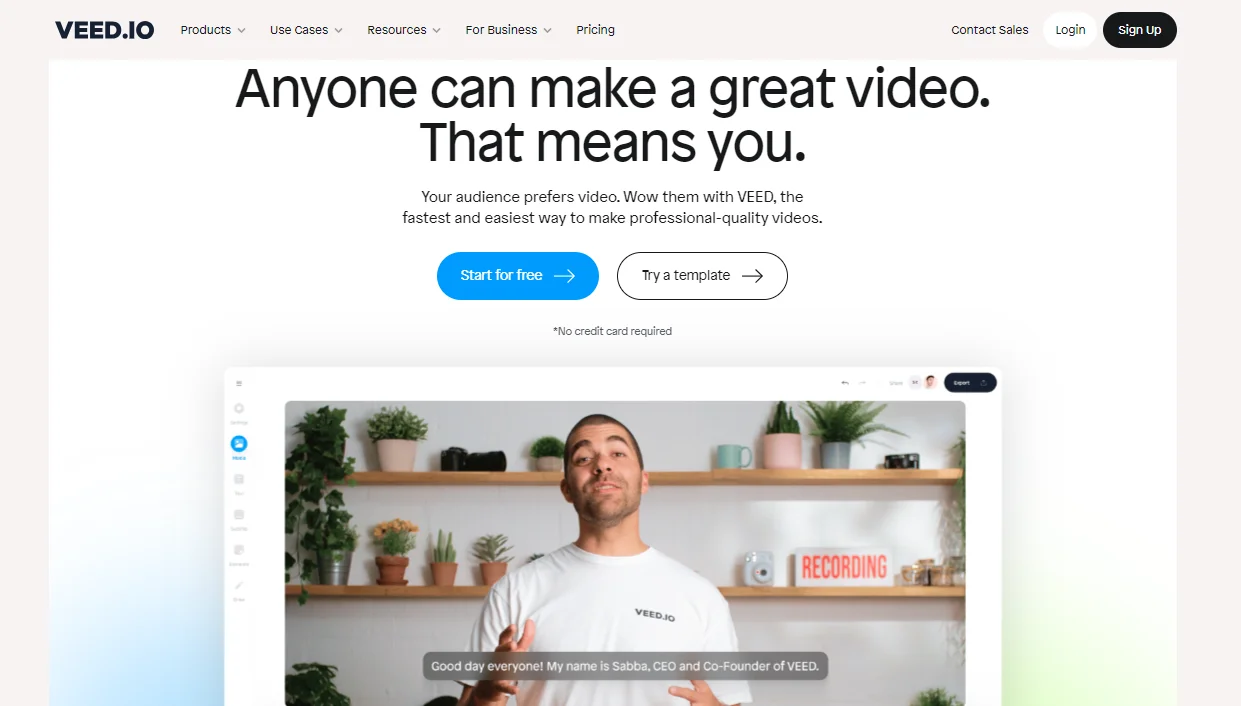
VEED launched in 2019, founded by Sabba Keynejad and Tim Beech, and is based in London. It started as a subtitle tool and it still shows. The captioning workflow is the most polished part of the product by some distance.
An interface that does not fight you
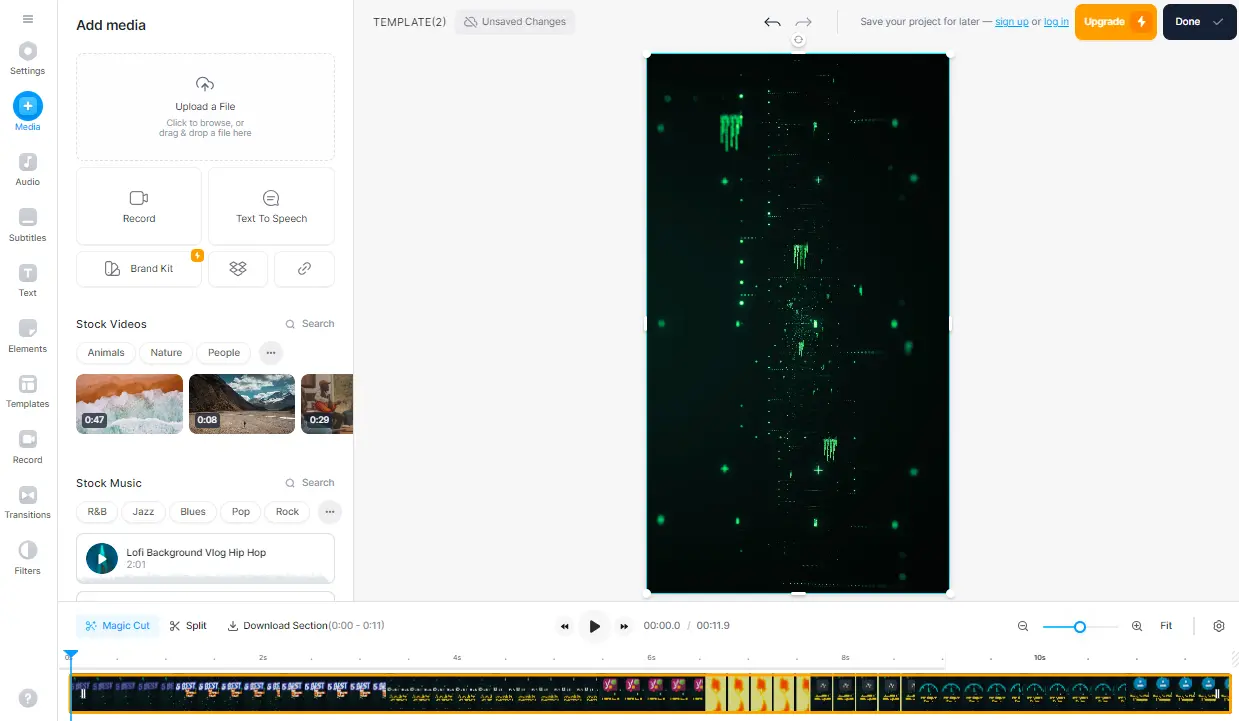
Most online editors bury the useful tools behind panels. VEED keeps a single left rail and a simplified timeline, and a first-time user can trim a clip and add a caption inside five minutes. That restraint is the product, not a limitation of it.
The basics work, quickly
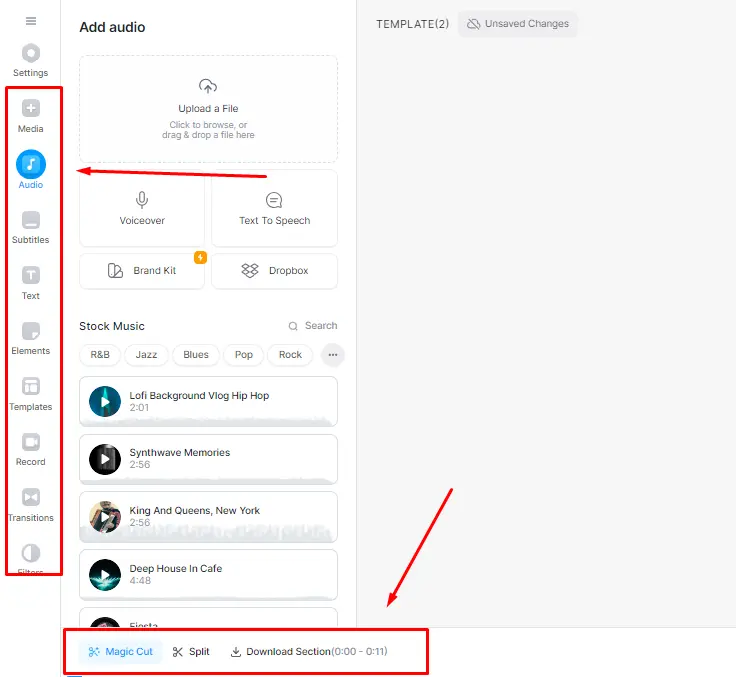
Trim, split, merge, text overlays, music and sound effects, plus keyframing, speed ramping and colour adjustment when you need them. Nothing here is unique. It is the fact that all of it runs in a tab, on a laptop that would choke on Premiere, that matters.
Screen recording built in
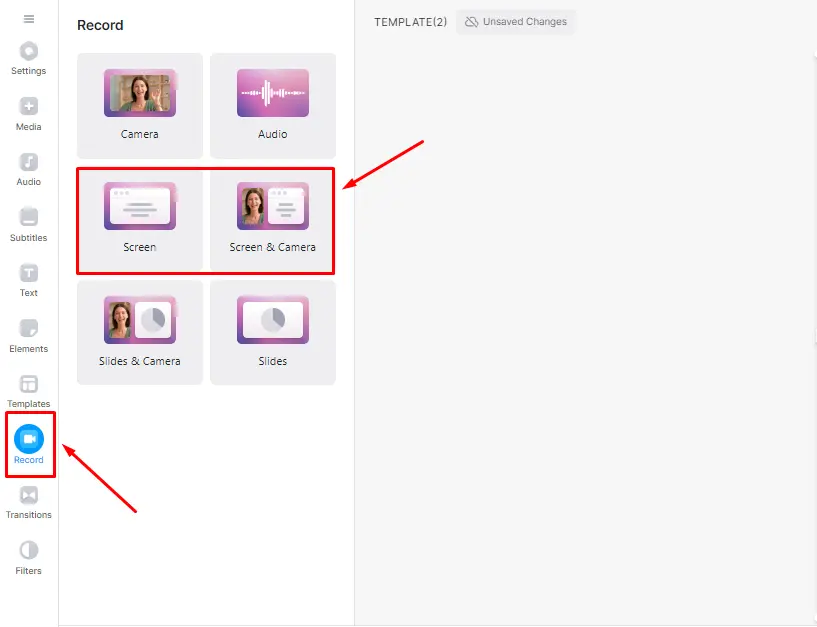
Capture screen and webcam together, then edit the result without exporting anything. For product demos and tutorials and walkthroughs this removes a whole step. Camtasia still wins on precision, VEED wins on speed.
Subtitles are the reason most people stay
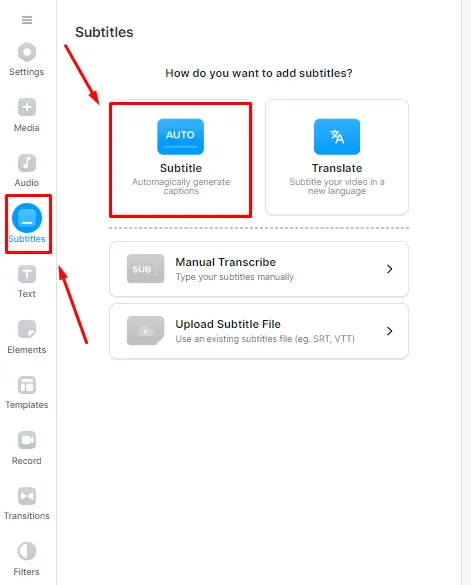
Auto subtitles across a long list of languages, generated in a couple of minutes, with an editor that makes fixing lines painless. Accuracy on clear audio is strong. Accuracy on accented speech, crosstalk or industry jargon is where you will spend your proofreading time, so build that into your schedule rather than pretending it is a one-click job.
Translation for reaching another audience
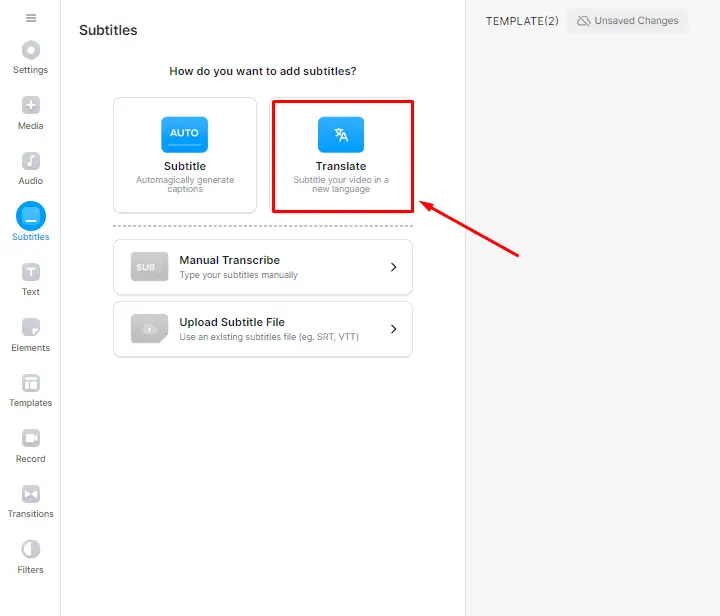
Translate an existing subtitle track into another language in a few clicks. Treat the output as a solid first draft rather than a finished localisation, especially for anything commercial.
AI features, ranked by how often we would use them
Background noise removal is the standout and genuinely rescues bad recordings. Magic Cut, which strips silences and filler, saves real time on rambling takes. Auto framing and Eye Contact AI are fun and occasionally uncanny. AI voiceovers and AI avatars are impressive demos that most creators will use once and abandon.
Hosting, sharing and team review
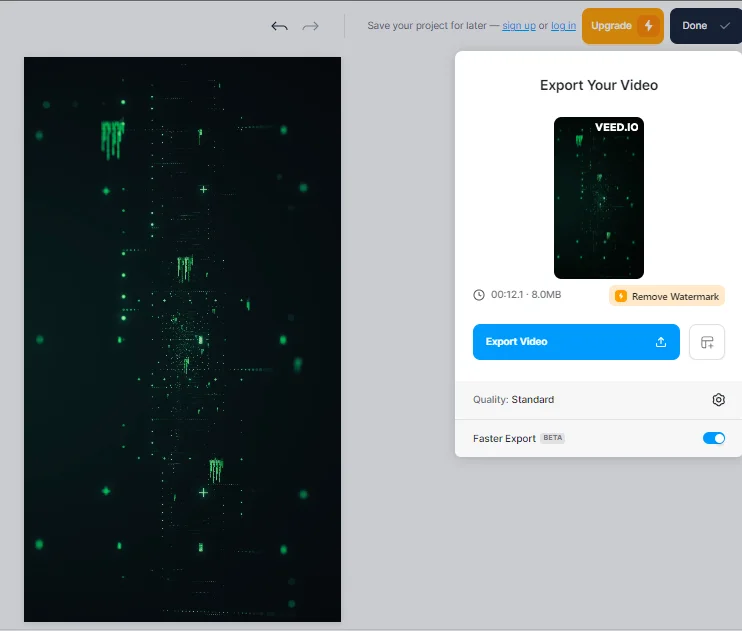
Host a finished video on VEED and send a link, or embed it. Multiple people can work in the same project, which is the feature that justifies the team tiers for agencies handling client feedback.
How VEED actually works
From raw clip to captioned export, no install involved.
-
Step 1 of 6
Upload or record
Drag a file in, pull one from Google Drive or Dropbox, or use the built-in screen and webcam recorder. Files upload before you can edit, so a large clip on slow broadband means a wait.
-
Step 2 of 6
Cut on the timeline
Trim, split, merge, reorder. It is a simplified timeline with layers for video, audio and text rather than a professional NLE, and that is deliberate.
-
Step 3 of 6
Generate subtitles, then fix them
Auto subtitles land in a minute or two and the editor lets you correct lines quickly. Always read them before exporting. Names and jargon are where the model slips.
-
Step 4 of 6
Clean up the audio and framing
Background noise removal, auto framing and Eye Contact AI run as one-click passes. Noise removal is the one that earns its place most often.
-
Step 5 of 6
Brand it
Apply a brand kit with fonts, colours and a logo so every clip matches. On paid plans this is what makes VEED faster than a general design tool.
-
Step 6 of 6
Export or share a link
Render to MP4 at up to 1080p or 4K depending on plan, or host it on VEED and share a link. Export time depends on their queue, not your machine.
What VEED costs
VEED has renamed its plans more than once, so ignore any review still quoting Lite, Basic or Business tiers. Here is the current shape.
VEED pricing
- Included: 720p exports
- Included: 10 minute video limit
- Not included: No watermark
- Not included: Full subtitle allowance
- Included: 1080p, no watermark
- Included: Basic brand kit
- Included: Subtitle allowance included
- Not included: 4K export
- Included: 4K export
- Included: AI voiceovers and avatars
- Included: Larger storage and subtitle limits
- Not included: Team workspaces
- Included: Shared workspaces and review
- Included: Highest storage tier
- Included: Priority support
- Not included: Custom AI workflows (Enterprise)
Prices are per editor, per month on annual billing, checked July 2026. Monthly billing is close to double. VEED renamed its tiers, so older reviews quoting Lite, Basic and Business are describing plans that no longer exist. Verify current figures on veed.io/pricing before you buy.
We may earn a commission when you buy through links on this page. This does not affect our reviews.
The detail that catches teams out: pricing is per editor. Three people who need editing access on Pro is roughly $63 a month, not $21. Annual billing roughly halves the monthly rate, which makes it a real commitment rather than a casual subscription.
The free plan is a demo. A watermark, 720p and a 10 minute cap rule out anything client-facing, and that is a fair trade for a tool this capable.
Where VEED frustrates people
Performance on long projects. The complaint we see most often. Timelines beyond fifteen or twenty minutes, or projects with lots of 4K source, bring lag, frozen previews and slow renders. It is the price of running an editor in a browser tab.
Subtitle accuracy varies. Excellent on clean audio, mediocre on accents and specialist vocabulary. Always proofread.
Support is bot-first. Reaching a human takes persistence, and billing questions are exactly where you want a human.
Watch the renewal. Check the current refund and cancellation terms at checkout. They have changed over time and older reviews quote figures that no longer apply.
It is not a professional NLE. No serious colour grading, no multi-cam sync, limited audio mixing. If those words mean something to you, VEED is not the tool.
VEED vs the alternatives
Four browser-first tools cover most of this market. Prices are approximate, checked July 2026, and every one of them changes tiers regularly.
| Feature |
Kapwingfrom ~$16/moBest for: Team social editing |
Descriptfrom ~$12/moBest for: Podcasts and long interviews |
Canvafrom ~$15/moBest for: Design-led brand video |
|
|---|---|---|---|---|
| Free plan without watermark | No | No | Yes | Yes |
| Auto subtitles | Yes | Yes | Yes | Yes |
| Edit video by editing text | No | No | Yes(winner for this row) | No |
| Built-in screen recorder | Yes | Yes | Yes | No |
| Handles long timelines well | Struggles | Struggles | Good(winner for this row) | Struggles |
| Speed for short social clips | (winner for this row) |
We may earn a commission when you buy through links on this page. This does not affect our reviews.
Our read: pick VEED for captioned social video and quick branded edits. Pick Descript if you edit long conversations and want transcript-based cutting. Pick Canva if your team already lives there and video is a side dish. Pick InVideo if you want template-driven promo clips more than manual editing.
Who VEED is really for
Social and short-form creators. Vertical clips, burned-in captions, quick trims. This is the sweet spot and nothing on this page beats it for speed.
Marketing teams without an editor. A brand kit plus templates means a product manager can ship a decent video without a design ticket.
Course creators and teachers. Screen record, subtitle, export, upload. The accessibility win from automatic captions alone is worth the subscription.
Anyone repurposing audio. Turning a podcast segment into a captioned clip takes minutes rather than an afternoon.
If you are cutting a 40 minute documentary or matching footage from three cameras, buy a desktop editor. VEED will make you miserable and you will blame the wrong tool.
Frequently Asked Questions
How much does VEED cost?
Free, then roughly 10 dollars a month for Creator, 21 for Pro and 35 for Studio when billed annually. Monthly billing costs close to double. Every paid tier is priced per editor, so a three-person team pays three times the listed figure. Checked July 2026.
Does the free plan put a watermark on exports?
Yes, and it caps you at 720p with a 10 minute limit and a small monthly subtitle allowance. It is fine for testing the editor and unusable for client work.
Is VEED good enough for YouTube?
For talking-head videos, tutorials and short-form clips, yes. For multi-cam edits, colour grading or anything longer than about 20 minutes, a desktop editor will be faster and far less likely to stall.
How accurate are the auto subtitles?
Good on clear audio in mainstream accents, noticeably worse on strong accents, technical vocabulary and overlapping speech. Budget time to proofread rather than assuming you can publish straight from the transcript.
Why does VEED get slow on long videos?
Everything runs in the browser, so your machine handles the preview and VEED servers handle the render. Long timelines and 4K source files are where people hit lag, frozen previews and slow exports.
Can I cancel VEED easily?
You cancel from account settings, and it stops the next renewal rather than refunding the current period. Refund terms have changed over time, so read the current policy at checkout instead of trusting older reviews.
Is VEED better than Descript?
They solve different problems. Descript edits video by editing a transcript, which suits podcasts and long interviews. VEED is faster for captions, social clips and quick branded edits. Podcasters should pick Descript.
Does VEED work on a phone?
It runs in a mobile browser and there are companion apps, but the editing experience is built for a desktop screen. Treat mobile as review and light trimming rather than your main workflow.
What happens to my projects if I downgrade?
Projects stay in your account but paid-only features stop applying, so exports revert to free plan limits including the watermark. Export anything you need at full quality before the plan changes.
The bottom line
VEED.io is a very good tool with clearly drawn edges. If most of your output is short, spoken and needs auto subtitles, it will save you hours a week and the Creator plan is easy to justify. The browser-based editor means you can work from any machine, which is worth more than it sounds.
If your work is long, layered or colour-critical, it will fight you. Run the free plan on a real project before you pay, watch how it behaves at the ten-minute mark, and count how many people on your team actually need an editor seat. That headcount is what decides whether VEED is cheap or expensive.
This review is based on VEED official documentation, its published pricing checked in July 2026, and aggregated public user feedback. Some links on this page are affiliate links, which does not change what we write.
The Review
Veed.io
VEED is a browser-based video editor that turns a talking-head clip into a captioned, branded video faster than anything installed on your machine. Subtitles and noise removal are the real draw. Long timelines lag, subtitle accuracy varies with accent, and pricing is per editor, so it suits short-form creators far better than serious post-production.
PROS
- Fastest route from raw clip to captioned social video
- Auto subtitles and translation across a long language list
- Screen recorder, noise removal and Magic Cut built in
- Runs in any browser, no install and no powerful machine needed
- Brand kit keeps a team output consistent
CONS
- Lags and stalls on long timelines or heavy 4K footage
- Priced per editor, so team costs scale fast
- Subtitle accuracy drops on accents and technical vocabulary
- Free plan is watermarked, 720p and capped at 10 minutes
- No multi-cam, serious colour grading or audio mixing
- Support starts with a bot and billing queries can drag




