

You already know your links get clicked. What you probably don’t know is who clicked them, or how to reach those people again.
That’s the gap Switchy aims to fill. It shortens URLs like everyone else, then bolts on retargeting pixels, branded previews and A/B testing. Whether that’s worth the monthly bill depends entirely on what you do after the click. Here’s what it does well, where it falls short, and who should skip it.
Switchy Review: The Quick Verdict
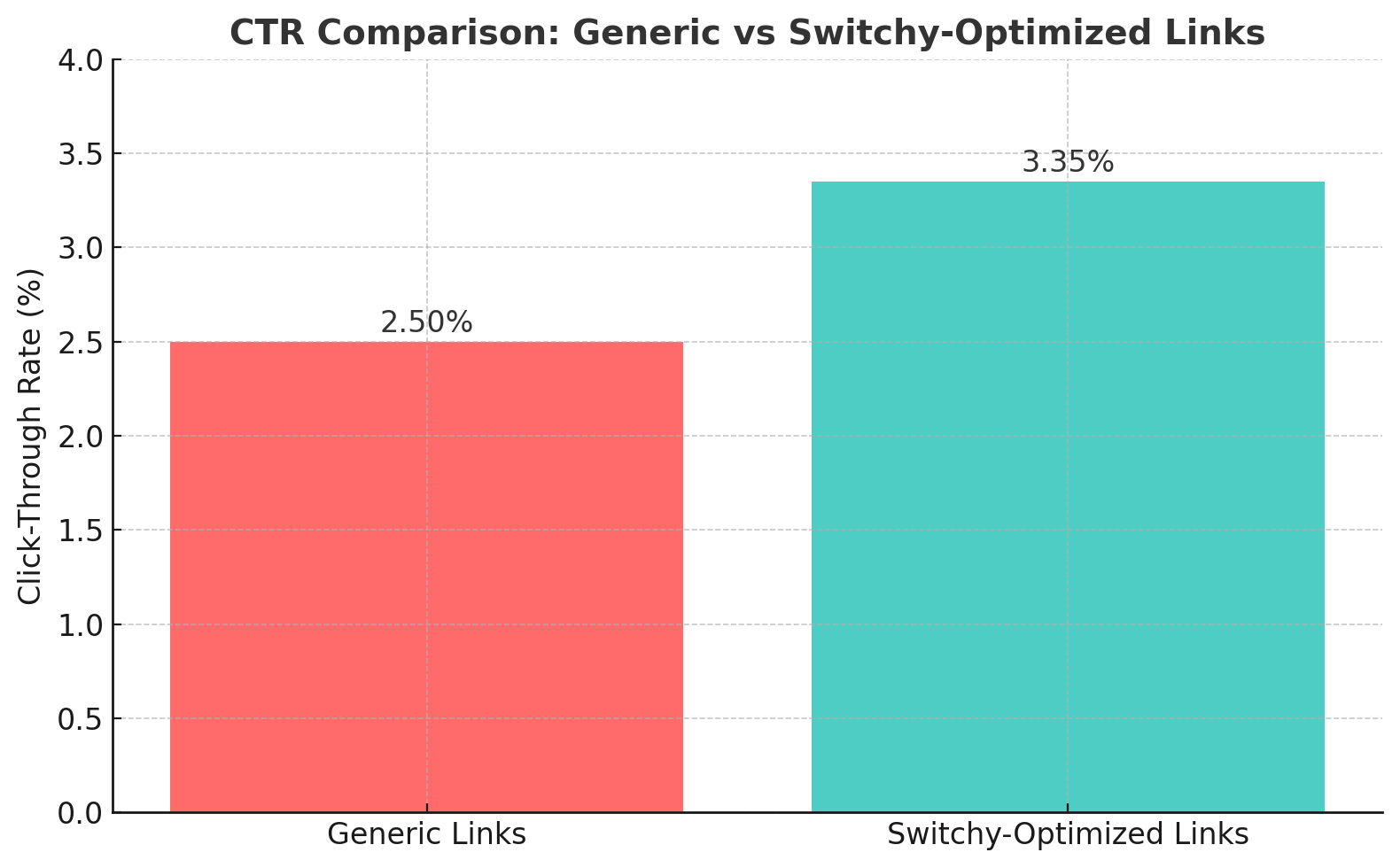
Switchy is a good buy if retargeting is the point. Pixel-loaded links, smart pages and link-level A/B testing are genuinely useful when you run paid social and want to rebuild audiences from clicks on content you don’t even own. If you just need tidy short links, you’re paying a steep premium for a dashboard you’ll mostly ignore.
- Best for: performance marketers, agencies and affiliates already running paid ads who want a retargeting audience out of every click.
- Not ideal for: casual users, publishers who only want short URLs, or anyone whose click volume will blow past the cap on the entry tier.
How We Evaluated Switchy
This review is built from Switchy’s public pricing page and help centre, the feature set the vendor documents, and publicly posted user reviews such as those on Capterra. We have not run a months-long paid campaign through Switchy’s pixels, so we don’t vouch for retargeting match rates at scale, and we haven’t monitored uptime ourselves. Where a point rests on other people’s reports rather than vendor documentation, we say so.
Switchy Overview
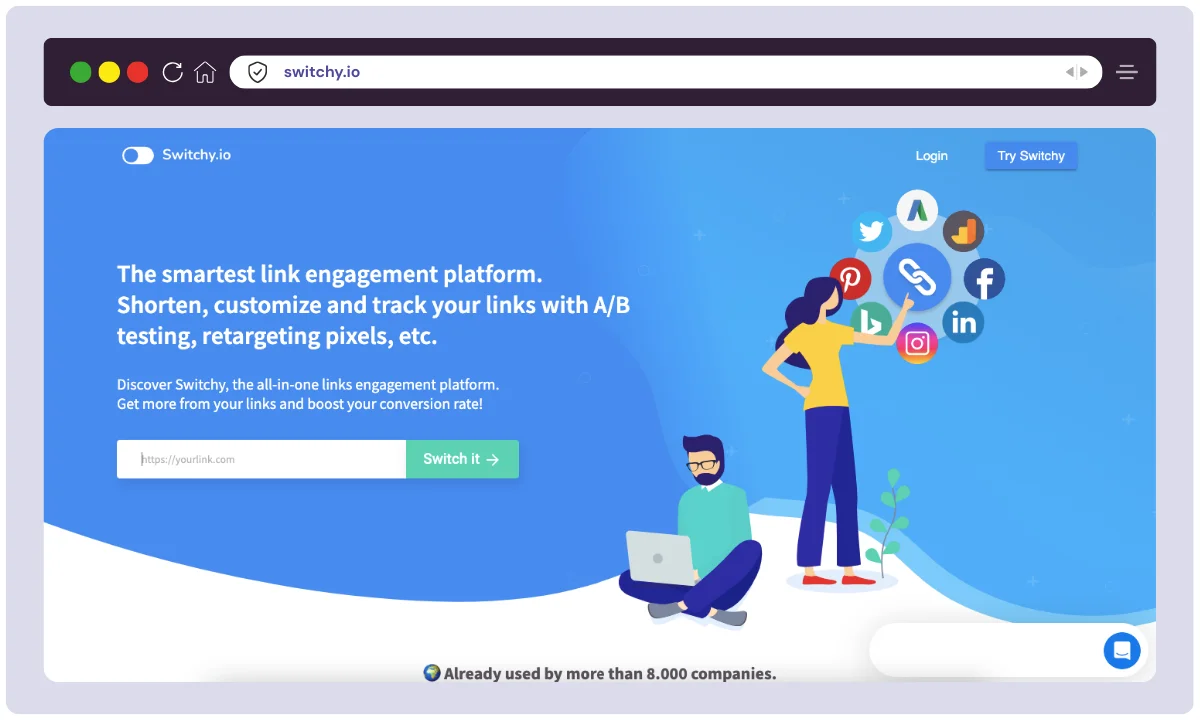
Switchy is an all-in-one link engagement and management platform launched in 2019 by the French company OBY SAS. Created to help marketers boost their click-through rates, retarget audiences, and track campaigns more effectively, Switchy has quickly become a favorite among digital creators, performance marketers, and agencies.
The company is a small French team that has kept the product tightly focused rather than sprawling. Switchy is not one of the giants of link management, and that is worth knowing up front: Bitly and Rebrandly are far larger, better funded and more widely integrated. Switchy is a niche tool that does a handful of things those bigger shorteners still do not.
| Product Name | Switchy |
| Official Website | switchy.io |
| Developers | OBY SAS (France) |
| USPs | Branded previews, pixel retargeting, A/B testing, smart pages |
| Category | Link Management / Marketing Tool |
| Integrations | Zapier plus native integrations (Facebook, Google, LinkedIn, ActiveCampaign) |
| Best For | Marketers, influencers, agencies, affiliate experts |
| Support Options | Email, Help Center, Tutorials |
| Documentation | Available through their Help Center |
| Company Headquarters | France |
| Starting Price | $47/mo monthly, about $39/mo billed annually (entry tier; check current pricing) |
| Alternatives | Bitly, Rebrandly, Sniply, Linktree, Capsulink, TinyURL |
| Affiliate Program | Yes |
| Affiliate Commission | Varies (Details available upon signup) |
| Money-back Guarantee | 60 days on the historical AppSumo lifetime deal; verify current terms before buying |
| Launch Year | 2019 |
Switchy Features
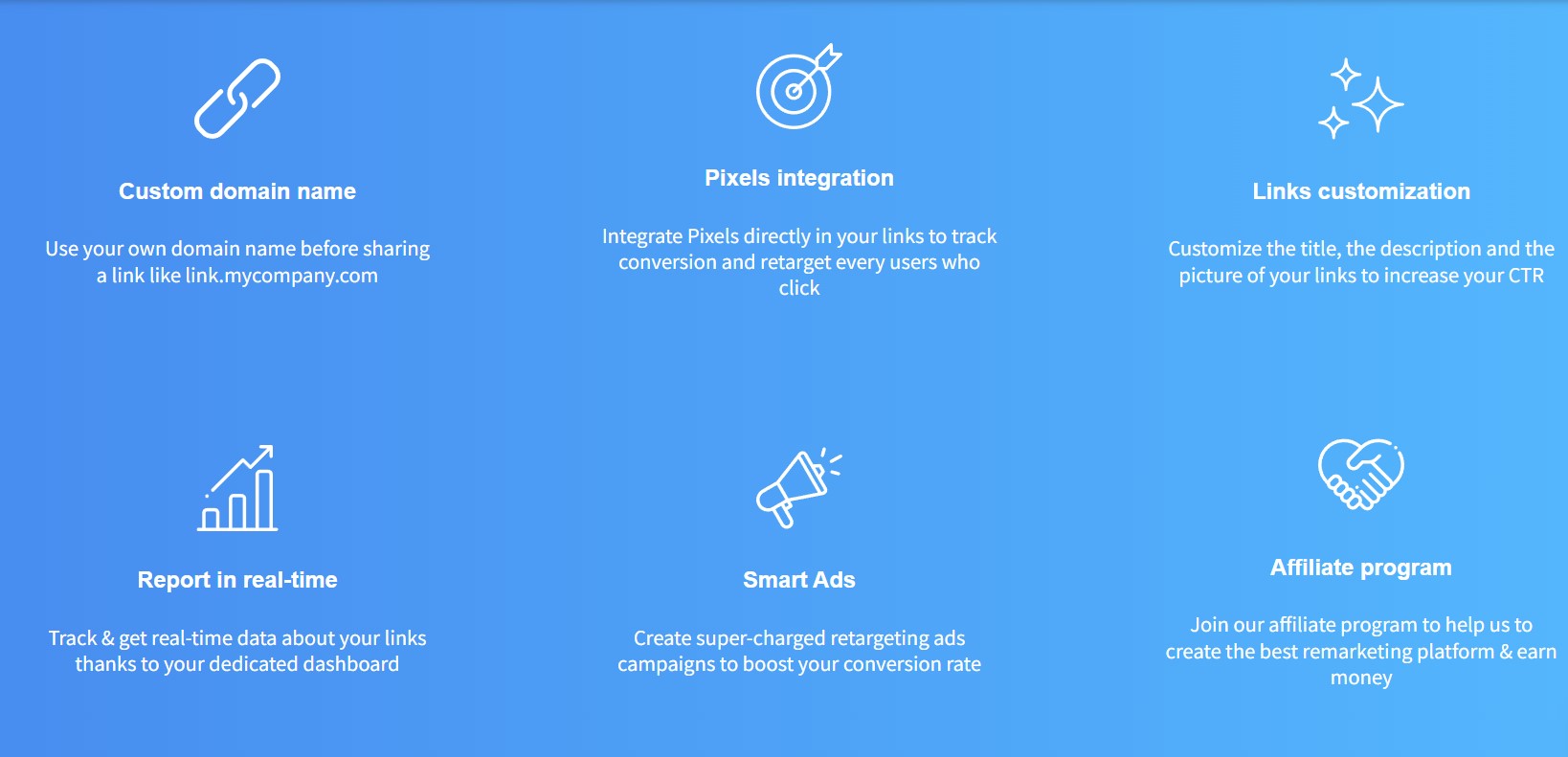
Link Customization
Customize your links in a way that suits a specific platform. Before you share your blog article on your Instagram feed, customize how you want it to appear to your viewers.
Link Analytics
To keep track of how your links are doing, then Link Analytics is a great way to do so. You can even see which of them are converting most of the customers.
Moreover, you will also get link filters, to view detailed metrics for a month, week, or even present-day, or all-time statistics.
Link Shortening
Long URLs may hurt your website. They are hard to memorize and bad from the SEO point Using Switchy, you can switch the URL of a link and create shorter links for your articles, affiliate products, blogs, etc.
A/B Testing
The A/B Testing feature of Switchy is excellent, it is also known as Link Rotator. It enables you to assign two different web pages to the same URL. You also get to set the percentage of the traffic forwarded to those links.
Advanced QR code builder
Switchy has an advanced QR code builder that lets you convert your links into QR codes. All you are supposed to do is select the link you wish to convert and then click on the QR code present beside it.
How to use Switchy?
Switchy is very easy to use. You have to do a few simple things-
Step 1- Create a workspace for yourself.
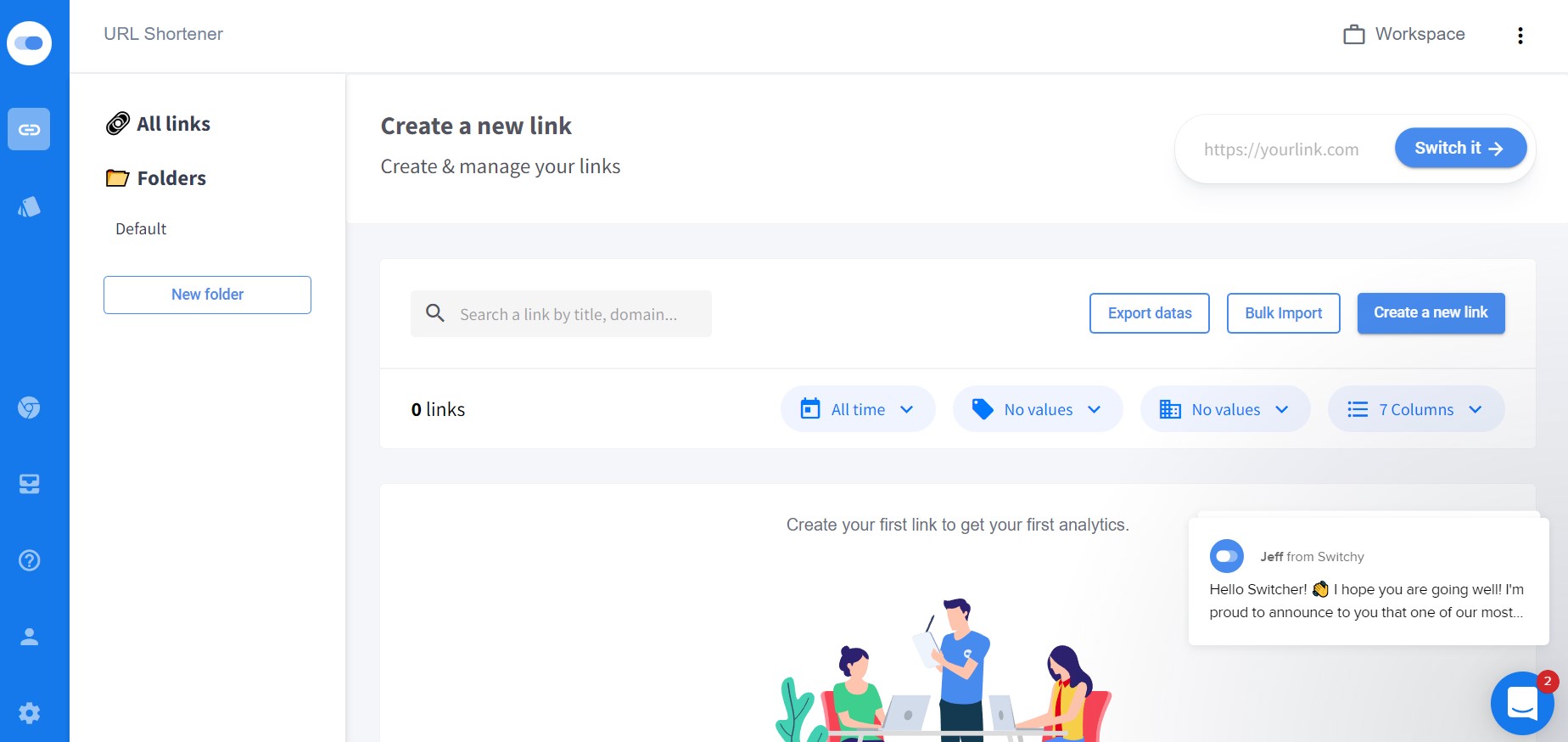
Step 2- Once the workspace is created, you can easily create customized links and add them to different folders.
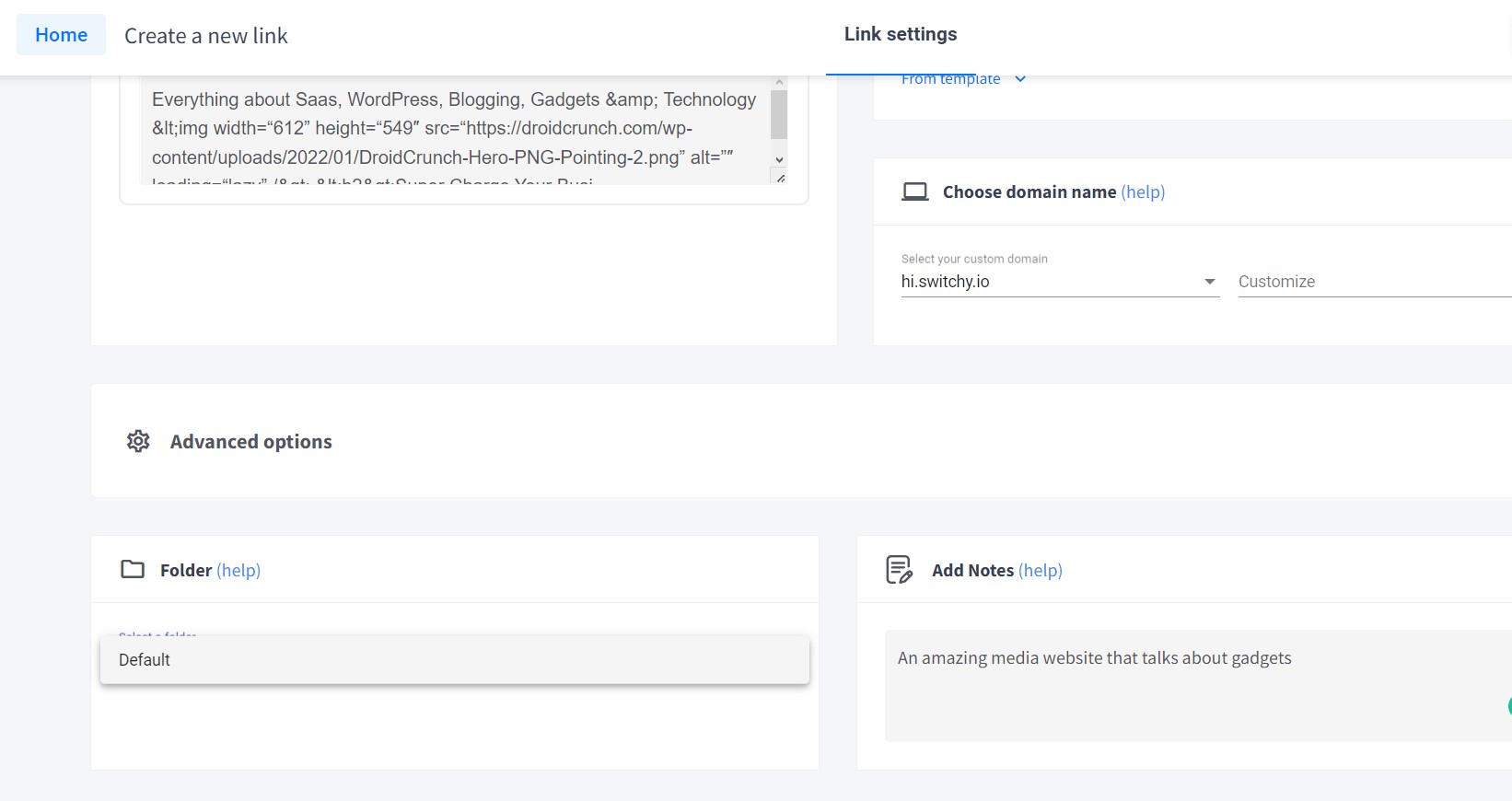
Step 3- Access different Settings from the left panel. Even solve your queries using the chat button available at the bottom right.
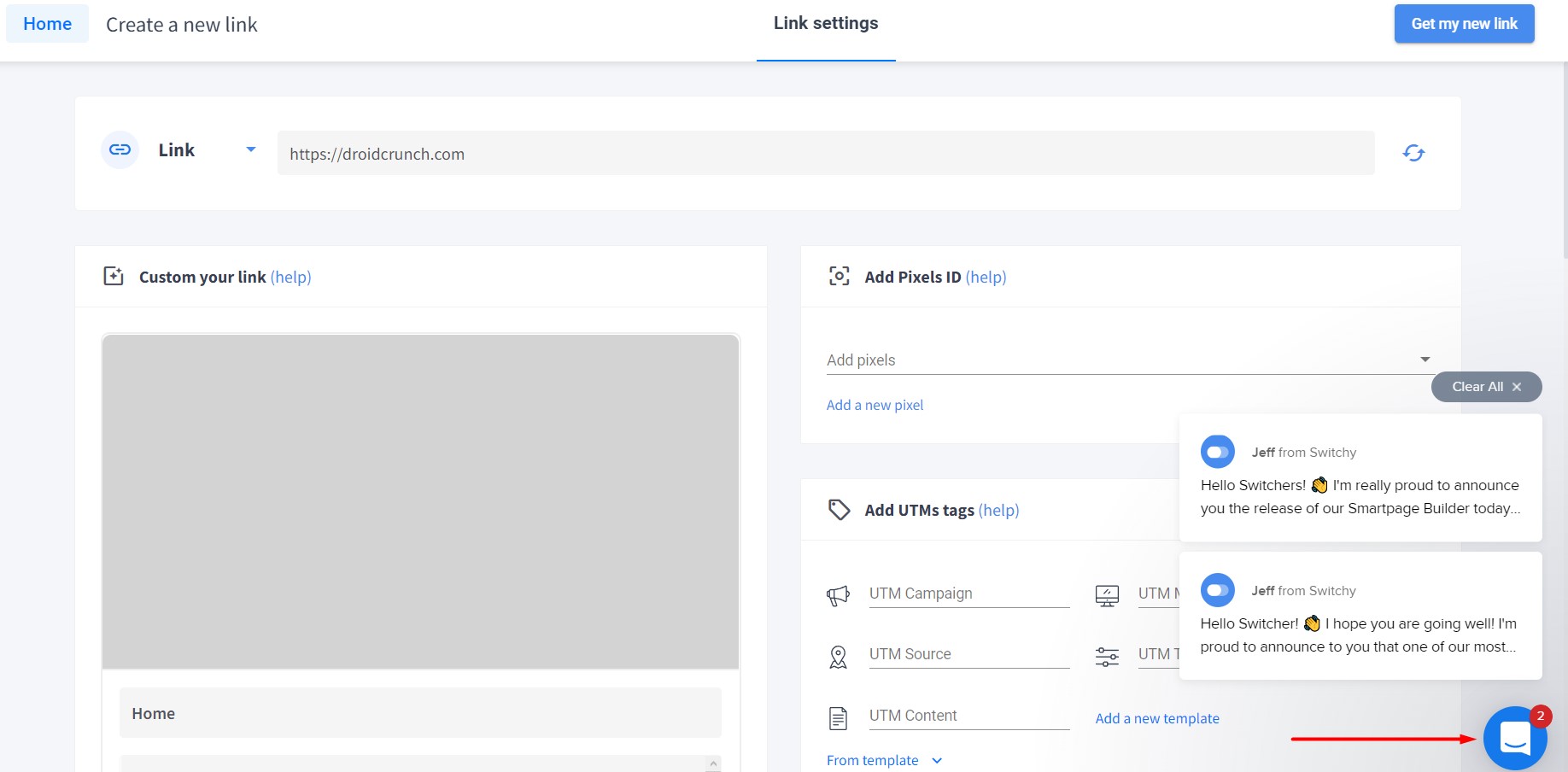
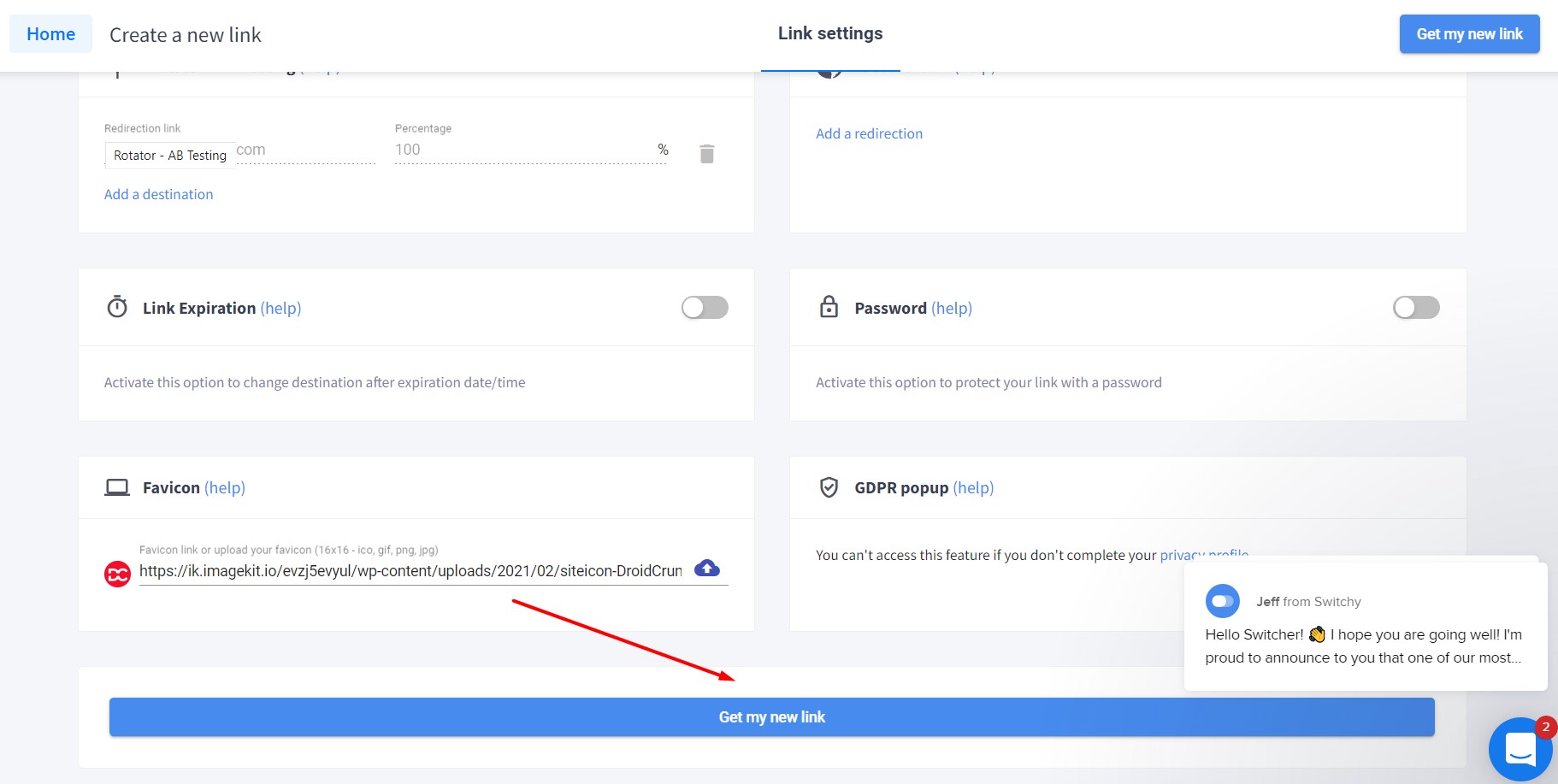
Step 4- Click “Create a new link” and get started. Then click on “Get my link”.
Switchy Pricing
There is no free plan, so the tier you pick on day one matters. Every plan carries the core features, including branded previews, pixel retargeting, A/B testing and real-time analytics. What changes as you move up is click allowance, custom domains and user seats. Here is how the tiers looked for 2026.
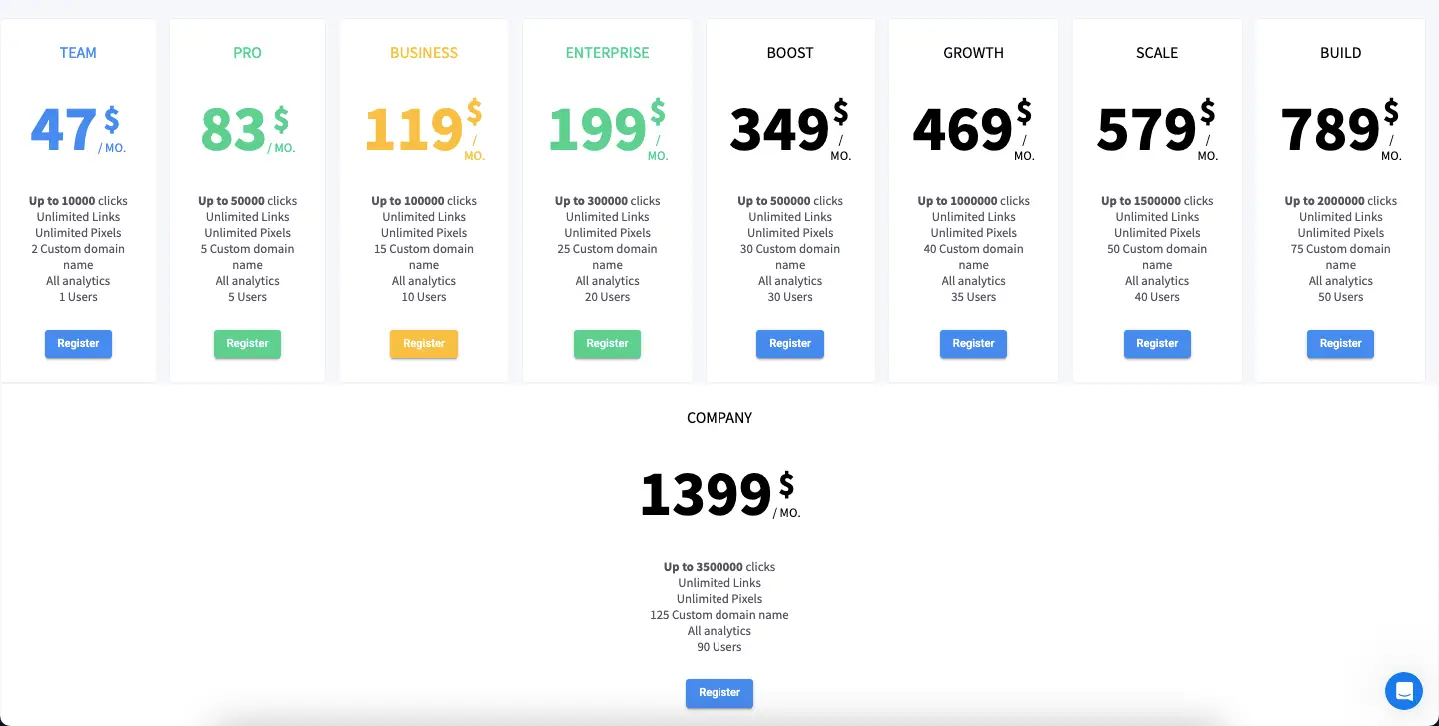
| Plan | Price | Clicks | Links | Custom Domain Names | Users | Analytics |
|---|---|---|---|---|---|---|
| Team | $47/mo | Up to 10,000 | Unlimited | 2 | 1 | All |
| Pro | $83/mo | Up to 50,000 | Unlimited | 5 | 5 | All |
| Business | $119/mo | Up to 100,000 | Unlimited | 15 | 10 | All |
| Enterprise | $199/mo | Up to 300,000 | Unlimited | 25 | 20 | All |
| Boost | $349/mo | Up to 500,000 | Unlimited | 30 | 30 | All |
| Growth | $469/mo | Up to 1,000,000 | Unlimited | 40 | 35 | All |
| Scale | $579/mo | Up to 15,00,000 | Unlimited | 50 | 40 | All |
| Build | $789/mo | Up to 20,00,000 | Unlimited | 75 | 50 | All |
| Company | $1399/mo | Up to 35,00,000 | Unlimited | 125 | 90 | All |
Yearly prices are billed annually (2 months free)
Which Plan Should You Pick?
Pick by clicks, not by links. Every tier gives you unlimited links, so the only number that matters is how many times those links get clicked in a month.
- Solo creators and small teams under roughly 10,000 clicks a month sit on Team, the entry tier. It includes the branding, analytics and pixel tracking most people bought Switchy for.
- Growing marketing teams and small agencies want Pro or Business, mainly for the extra custom domains and user seats rather than the click headroom.
- High-volume advertisers pushing past 300,000 clicks a month need Enterprise or higher. At that point compare the annual cost against an enterprise plan from a larger vendor before you commit.
Annual billing knocks roughly two months off the yearly cost, which is the single easiest saving here. Pricing pages change, so confirm current numbers on Switchy’s own pricing page before you enter card details.
Switchy Alternatives
While Switchy is a powerful tool for branded links, retargeting, and analytics, it’s always smart to explore what else is out there. Whether you’re looking for a more affordable solution, simpler interface, or different feature set, there are several strong alternatives worth considering in 2026.
Below is a comparison table of some of the top Switchy alternatives to help you choose the best link management platform based on your specific needs.
| Tool | Best For | Key Features | Starting Price | Retargeting | Custom Domains | Bio Links | Free Plan |
|---|---|---|---|---|---|---|---|
| Bitly | Basic users & startups | URL shortening, analytics, branded links | $8/month | ❌ | ✅ | ❌ | ✅ |
| Rebrandly | Branding & domain control | Domain management, team roles, analytics | $13/month | ✅ (Pro+) | ✅ | ❌ | ✅ |
| Sniply | Content curation & CTA overlays | CTA buttons on shared content, retargeting | $29/month | ✅ | ✅ | ❌ | ❌ |
| Linktree | Social media influencers | Bio link pages, eCommerce integrations | $0 (basic) | ❌ | ✅ (Pro) | ✅ | ✅ |
| Capsulink | Marketing teams & agencies | Smart links, A/B testing, detailed analytics | $25/month | ✅ | ✅ | ❌ | ✅ |
| TinyURL | Simplicity & quick use | Fast link shortening, no login needed | Free | ❌ | ✅ (Pro) | ❌ | ✅ |
Switchy Use Cases
Switchy pays for itself in specific situations rather than for everyone. These four are the ones worth checking yourself against.
- Social media managers and agencies. Custom previews make posts look deliberate instead of auto-generated, folders keep each client’s links separate for clean reporting, and pixels turn every shared post into an audience. Smart Pages cover the link-in-bio slot for Instagram and TikTok.
- Performance marketers. Split traffic from one link across several landing pages to test offers without publishing multiple posts, then pair the built-in UTM builder with your existing analytics for a full picture of the journey. Link cloaking also helps campaigns clear review on platforms that dislike raw affiliate URLs.
- Affiliate marketers and bloggers. Turn long tracking URLs into clean branded links readers will actually click, retarget people who clicked a product link with a follow-up offer, and get real traffic numbers from YouTube descriptions instead of guessing.
- Brands and businesses. One custom domain across social posts, newsletters and printed QR codes keeps branding consistent, and pixelled links let you capture an audience from curated third-party content you did not create.
What Users Actually Report
On Capterra, Switchy holds roughly 4.9 out of 5 across about 30 reviews at the time of writing, so public sentiment skews positive. We are summarising the recurring themes below rather than quoting individual reviewers, and the live score can shift, so check the source for the current number.
What reviewers praise: the tool is generally called easy to use, with link customization and cloaking, click analytics and the included Smartpages builder singled out most often. Several reviewers also describe reliable day-to-day performance with little downtime.
What reviewers flag: the interface is repeatedly called dated, with requests for a visual refresh. Others note that feature development can feel slow and that creating even a simple short link takes a few steps. Reliability reports are not unanimous, so keep a fallback plan if a broken link would cost you money.
Where Switchy Falls Short
No tool this specialised is a clean win. Four things are worth weighing before you pay.
1. Click caps bite before link caps do
Links are unlimited on every tier. Clicks are not. The entry plan tops out around 10,000 clicks a month, and clicks are what you actually run out of. One post that unexpectedly takes off can swallow a month’s allowance, and the gap between tiers is a real step up in cost rather than a gentle slope. Estimate your peak month honestly before you choose a tier.
2. Retargeting has a real learning curve
Dropping a Facebook or Google pixel into a link sounds like a two-minute job, and mechanically it is. Making it produce anything useful is not. You still need a live ad account, a correctly configured pixel, an audience definition that will actually populate, and enough click volume to clear the minimum audience size your ad platform demands. If you have never built a custom audience before, budget a few evenings rather than a few minutes. The help centre covers the mechanics, not the strategy.
3. It is a niche tool, and the niche is narrow
Switchy solves one specific problem well: turning clicks into ad audiences. If that is not your problem, most of the dashboard sits unopened. Smart pages compete with dedicated bio-link tools that do the job for free. The analytics are solid but rarely tell you more than Google Analytics does once your UTMs are tagged properly.
4. Cheaper plain shorteners exist, and they are fine
If branded short links and basic click stats are the whole requirement, Bitly, Rebrandly and TinyURL all start at a fraction of Switchy’s entry price, and several offer a free tier. Paying Switchy’s rate only adds up if you will genuinely use the retargeting and smart-page layer. Work out that maths first.
Who Switchy Is Really For
Strip away the marketing and one capability justifies the price: you can pixel a link that points at somebody else’s website. Share an industry article, a YouTube video or a news story, and everyone who clicks joins a retargeting audience you own. Most shorteners cannot do that, and for anyone buying paid traffic it changes what sharing other people’s content is worth.
Frequently Asked Questions
Is Switchy worth it compared with a plain link shortener?
Only if you will use the retargeting layer. Switchy costs several times what Bitly or Rebrandly charge at entry level, and the extra money buys pixel-loaded links, smart pages and A/B testing. If you run paid ads and want an audience out of every click, that pays for itself quickly. If you just want short branded links and click counts, a cheaper shortener does the same job.
Does Switchy have a free plan?
No. Switchy has no permanent free tier, which is a meaningful difference from Bitly, Rebrandly and TinyURL. You pick a paid plan from the start, so it is worth checking the current trial or refund terms on the official pricing page before you commit.
What happens if I go over my monthly click limit?
Click allowance, not link count, is the constraint on every tier. Links stay unlimited, but clicks are capped, and the entry plan is the one people outgrow first. Plan against your busiest expected month rather than your average, because a single post that performs well can consume an allowance early and force an upgrade mid-campaign.
Can I cancel Switchy or get a refund?
Plans are cancellable, and Switchy has historically offered a 60-day money-back window on its AppSumo lifetime deal. Refund terms on current subscription plans change over time, so confirm the exact window on the official site before paying rather than relying on any review, including this one.
Switchy vs Bitly: which should I choose?
Bitly is the safer default for straightforward branded shortening. It is cheaper at entry level, has a free tier, and is the more established platform. Choose Switchy when you specifically need retargeting pixels on links, including links pointing at content you do not own, plus smart pages and link-level split testing. That capability is the deciding factor.
Is Switchy good for beginners?
The dashboard itself is beginner-friendly: creating a link, folder or QR code takes a minute. The retargeting side is not. Configuring a pixel, defining an audience and reaching the minimum audience size your ad platform requires assumes prior experience with ad accounts. Beginners can use Switchy happily as a shortener, but the features that justify its price need some ads knowledge first.
Can I use my own domain and import links I already have?
Yes to both. Switchy supports custom domains, so links can run through something like links.yourbrand.com instead of the default switchy.io domain, and you can import existing URLs into your account rather than rebuilding them. There is also a WordPress plugin for managing Switchy links from your dashboard.
Final Verdict: Should You Buy Switchy?
If you run paid social, Switchy earns its keep. Turning every shared link, including links to articles and videos you did not create, into a retargeting audience is the one thing it does that cheaper shorteners cannot, and it does it well.
If you run an agency, the folders, custom domains and multi-seat tiers make client work easy to keep separated and reportable, which is worth real money at billing time.
If you are a blogger or affiliate who just wants clean branded links, look at Bitly or Rebrandly first. You will spend far less and miss very little.
One warning before you buy: watch the click ceiling. Links are unlimited, clicks are not, and the jump between tiers is steep enough that a single strong month can force an upgrade you had not budgeted for.
Your next step is simple. Open Switchy’s pricing page, map your realistic peak monthly click volume to a tier, and confirm the current refund window before you enter card details.
The Review
Switchy
Switchy is an all-in-one link engagement and management tool that is a complete value-for-money tool and provides a variety of amazing features that are aimed at improving engagements and conversion rates.
PROS
- Pixel retargeting works on links pointing to third-party content
- Smart Pages cover the link-in-bio job without another subscription
- Link-level A/B testing and UTM builder built in
- Clean dashboard with folders that suit agency client work
CONS
- Monthly click caps, not link caps, are what you run out of
- Retargeting setup assumes prior ad-platform experience
- Niche tool: most of the dashboard goes unused if you do not run ads
- Far pricier than plain shorteners, and there is no free plan




