

Your restaurant hands a food-delivery app 20–30% of every order. That is the problem Orderable exists to fix.
It’s a WooCommerce add-on that turns a WordPress site into a real online food ordering system: menus, delivery and pickup slots, QR table ordering, add-ons. No commission on any order.
We set it up on a test WooCommerce store to find where it holds up and where it stops. Here’s the honest read on the Orderable WordPress plugin.
Quick verdict
Orderable is the cleanest way to run takeaway ordering on WooCommerce without giving a cut to a marketplace app. The free version already covers menus, date-based delivery and pickup, live order view and receipt printing. Pro adds the scheduling and revenue tools, and at $149 a year for one site it pays for itself after roughly a dozen orders you’d otherwise lose to commission.
It isn’t a full restaurant platform. No driver dispatch, no route planning, no POS. You’re building an ordering page, not replacing your till. If you’re still picking a theme to sit it on, our roundup of restaurant WordPress themes pairs well with this plugin.
- Best for: single-location takeaways, pizzerias, bakeries and cafes already on WooCommerce.
- Not ideal for: multi-branch chains that need driver dispatch, or owners who want a hosted service with zero WordPress upkeep.
- Full score, pros and cons sit in the review box on this page.
Orderable at a glance
- Plugin
- Orderable (WooCommerce restaurant ordering)
- Official site
- orderable.com
- Category
- WordPress plugin / restaurant online ordering
- Our rating
- Starting price
- Free core plugin; Pro $149/year for 1 site (checked July 2026)
- Free version
- Yes on WordPress.org, no order limit
- Refund window
- 30-day money-back guarantee on Pro
- Best for
- Independent restaurants that want commission-free ordering on their own site
- Requires
- WooCommerce, plus any Woo payment gateway (Stripe, PayPal, Apple Pay, Google Pay)
- Transaction fees
- None. Orderable takes no commission per order.
We may earn a commission when you buy through links on this page. This does not affect our reviews.
The three features that actually change your week
Orderable ships a long feature list. Three of them do the heavy lifting.
Timed products
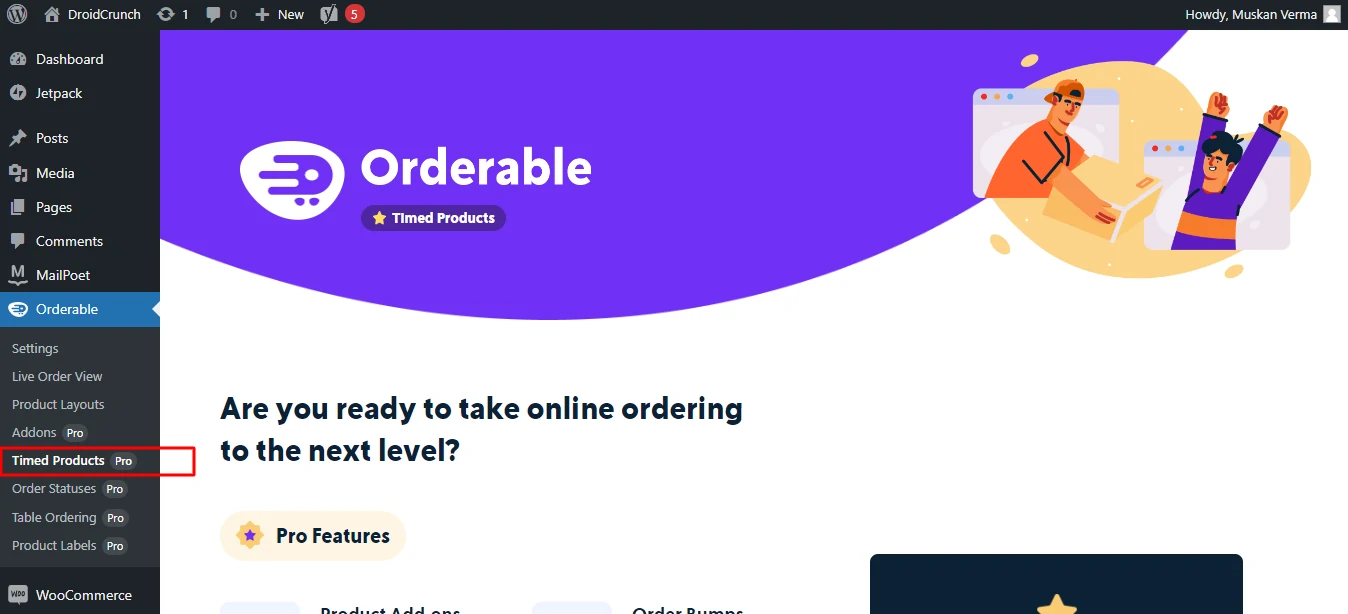
You can make a product available only in a window: a Tuesday lunch special, a weekend-only BOGO, a breakfast menu that disappears at 11am. Sounds small. In practice it kills the most annoying support call in takeaway, the one where somebody orders pancakes at 9pm.
It also gives you a legitimate scarcity lever without lying to customers.
Menu layouts
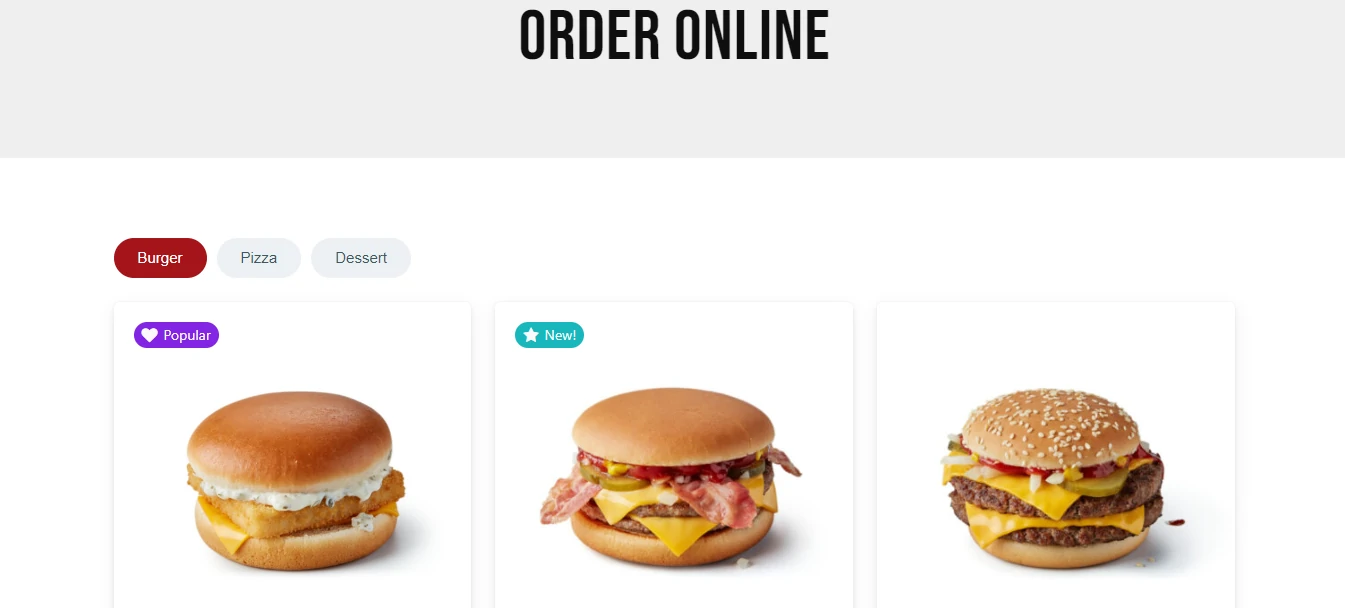
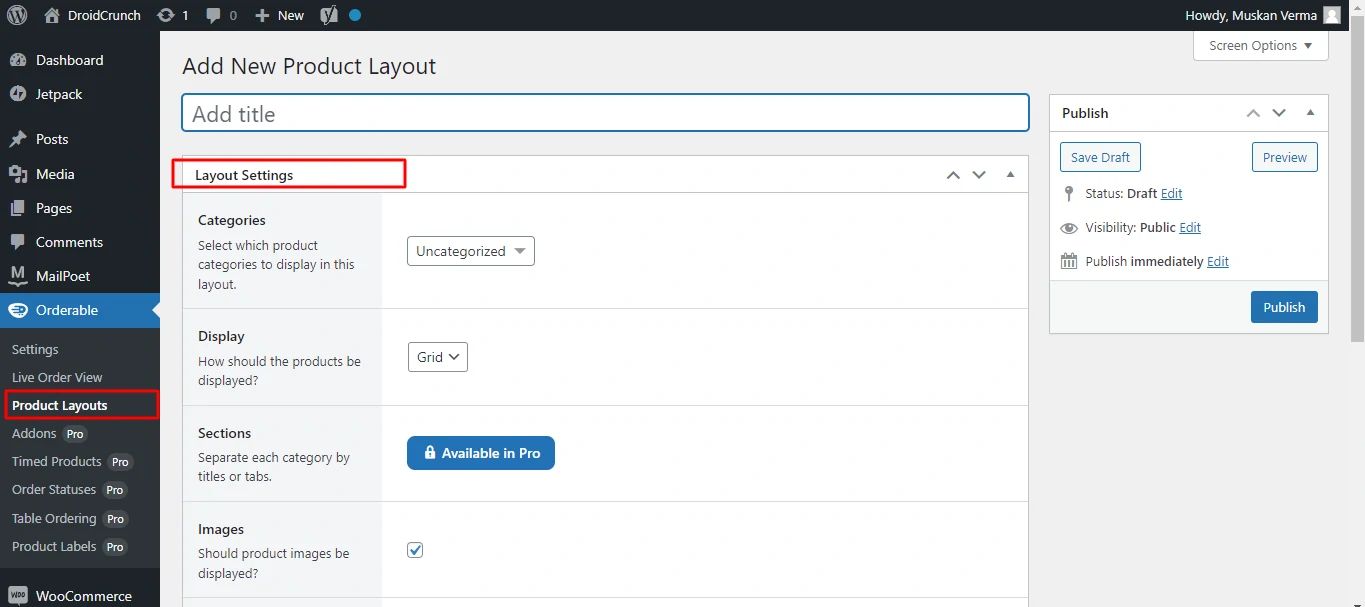
The layout builder produces grid or list menus with categories as a top bar or a side tab, no code involved. A live preview shows changes as you make them, and you drop the finished menu in with a block or a shortcode.
This is the part most WooCommerce restaurant setups get wrong. A standard shop archive is a terrible food menu. Orderable’s layouts read like a menu, which is the whole point.
Product add-ons and order bumps
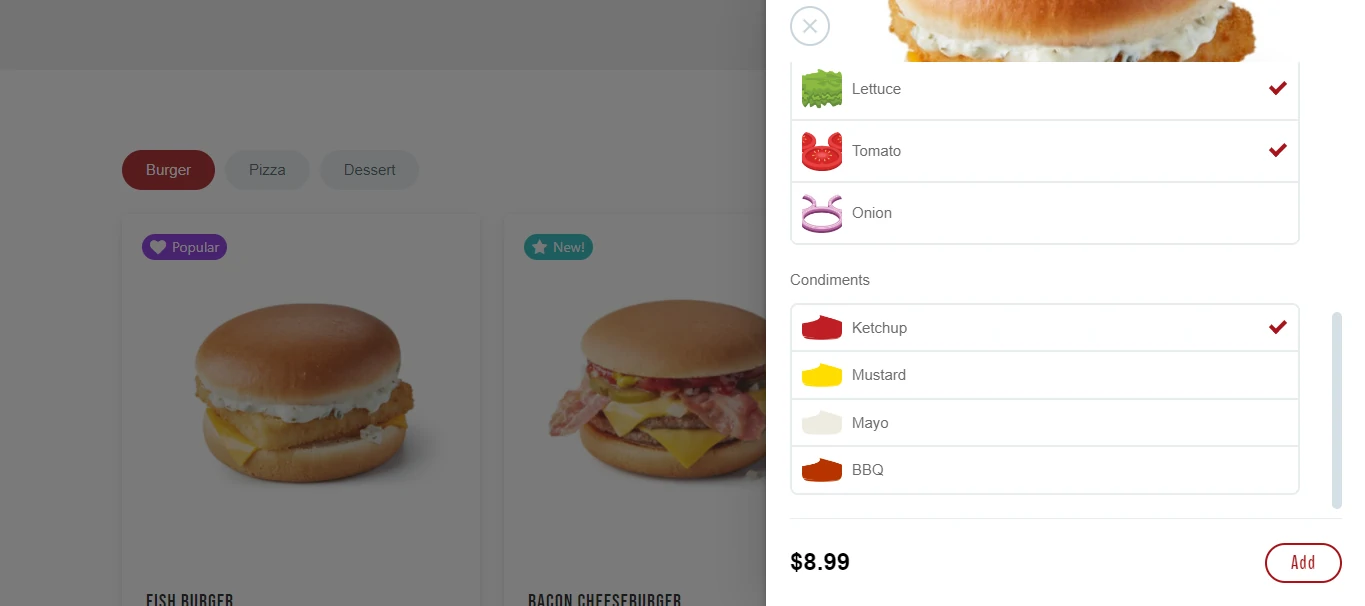
Extra cheese, a side, a larger size, a drink at checkout. Add-ons are configured per product with rules for required and optional choices, and order bumps push one suggestion at the checkout step. It pairs well with the rest of your stack; see our roundup of WooCommerce plugins and addons. This is where the plugin earns back its price, because average order value is the only lever a small kitchen can pull without cooking more.
Setting up a WooCommerce restaurant
If WooCommerce is already installed you’re most of the way there. If not, Orderable walks you through it during setup. Take a backup before you start, using one of our recommended WordPress backup plugins. Budget an afternoon for the whole thing, and make sure you’re on hosting that can handle a dinner rush; our notes on cloud hosting for WordPress cover what to look for.
Step 1: Install Orderable
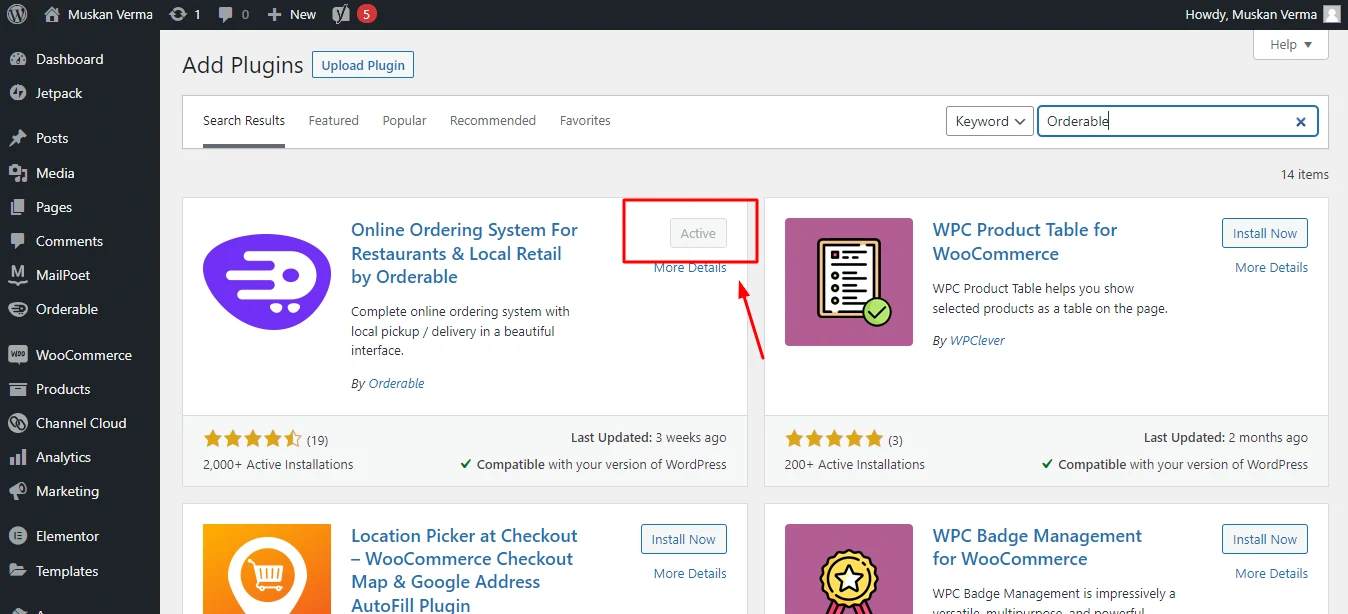
In your dashboard go to Plugins > Add New, search for Orderable, install, activate. You land on a menu page with a short video series covering each function.
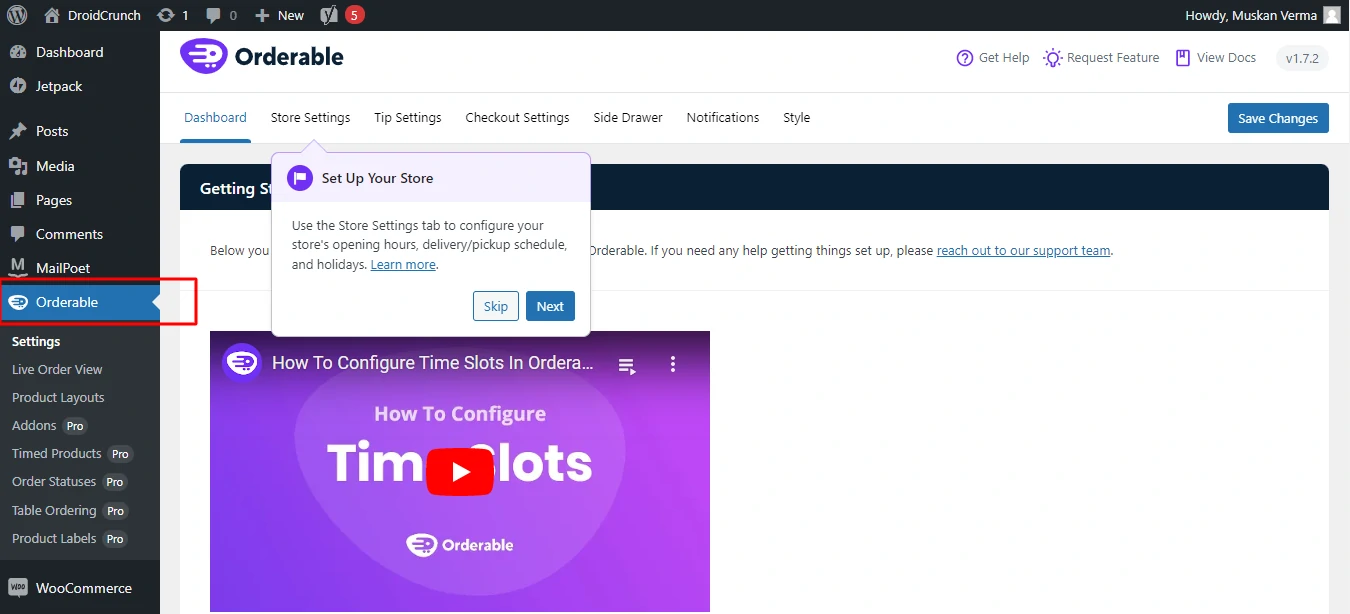
Step 2: Set your restaurant hours
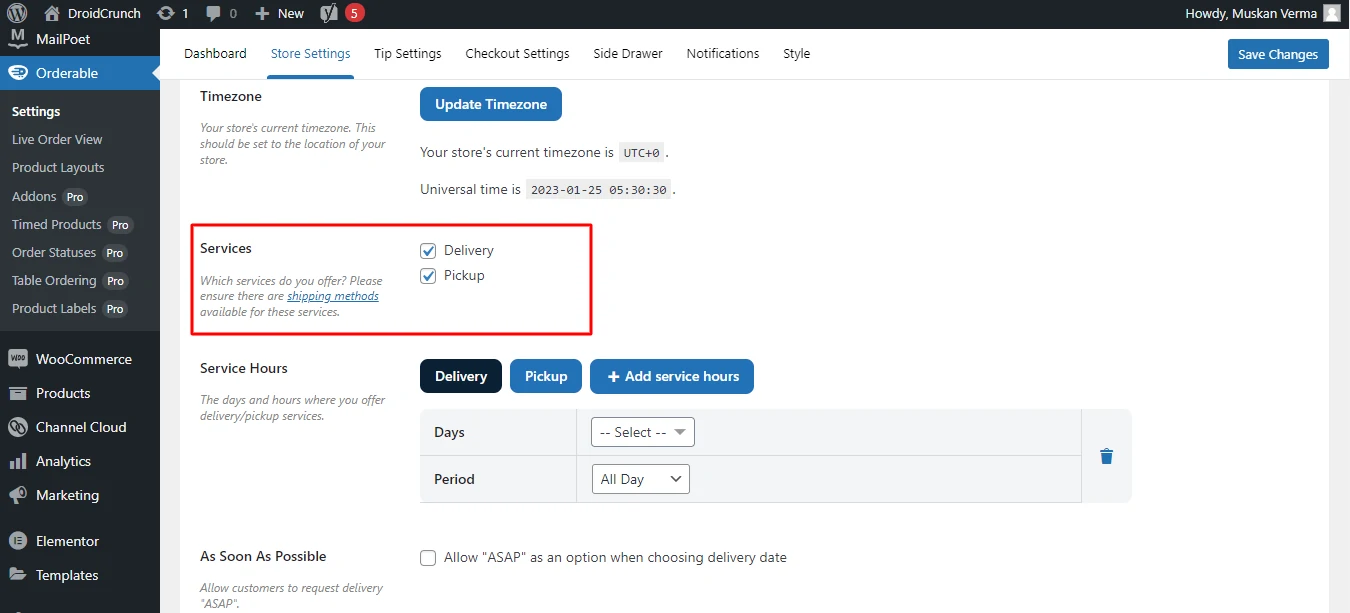
Open Store Settings from the top menu and set opening hours. Check that your WordPress timezone matches your actual timezone first. Get that wrong and every delivery slot is off by hours, which is the single most common setup mistake we see.
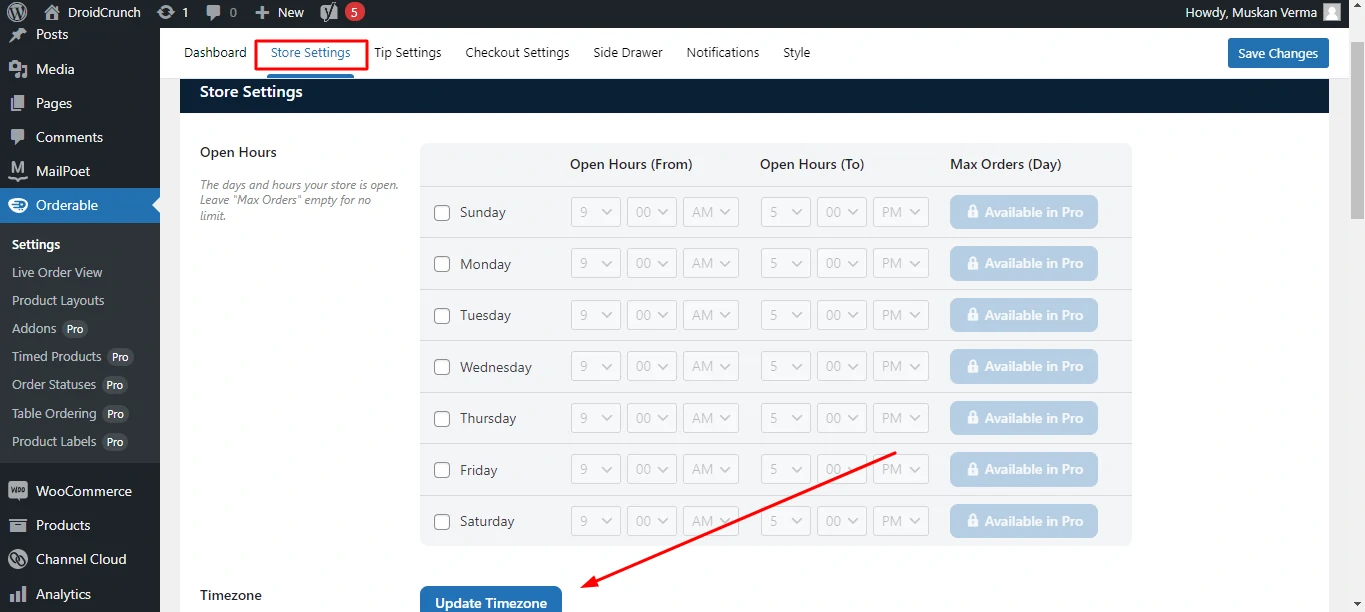
The same screen holds delivery and pickup options, lead time and holiday hours. Checkout, tipping and layout settings sit alongside it.
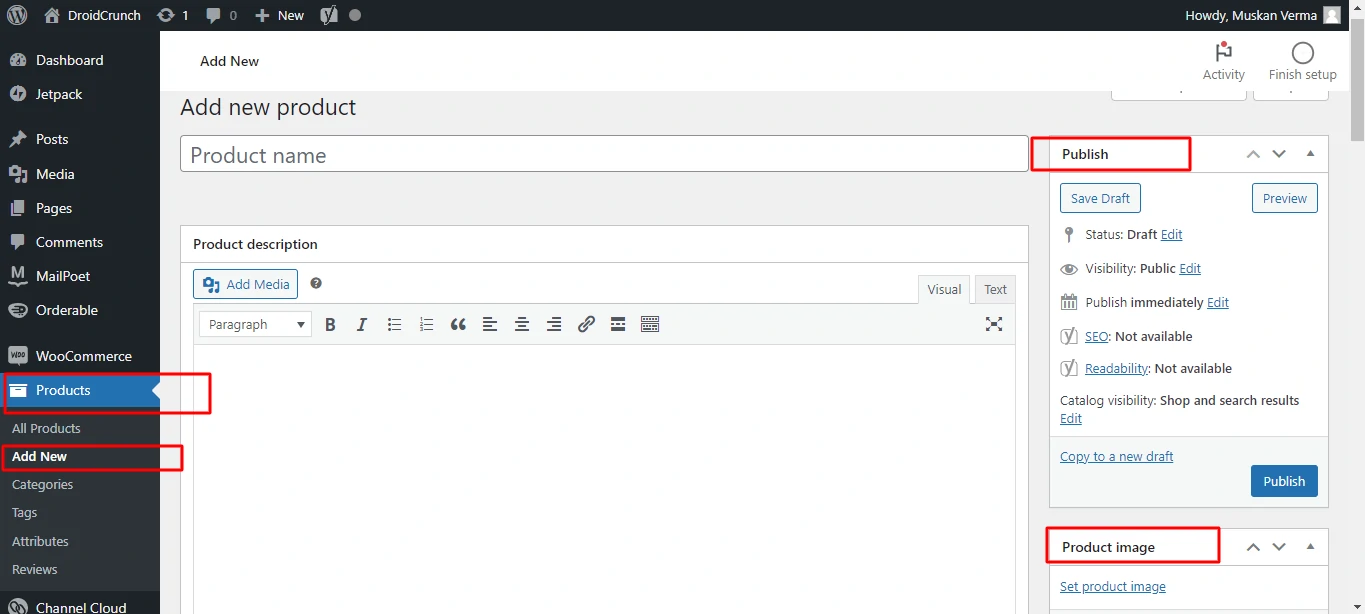
Step 3: Add your food items
Food items are ordinary WooCommerce products. Products > Add New, add details, price, image and category, then publish.
Step 4: Build your add-ons
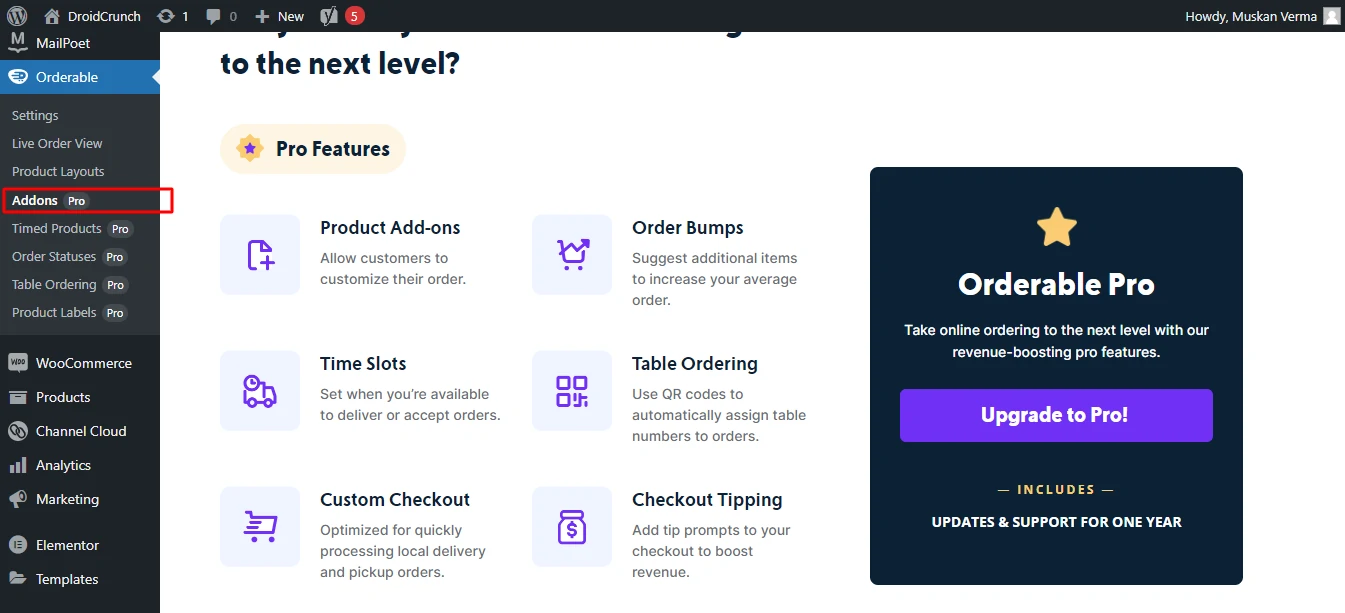
Under Orderable’s Product Addons, click Add New, fill in the options and set the rules for which are required. Do this before you launch, not after; retro-fitting add-ons across an existing menu is tedious.
Step 5: Create a menu layout
Open the Layout Builder, click Add New, pick categories, a grid or list view, and whether the whole card or just a button is clickable. Preview it before saving.
Step 6: Drop the menu on a page
Add Orderable’s Product Layout block to any page, or paste the shortcode the builder gives you. That’s the storefront done. If the surrounding design still looks like a default shop, our list of free WooCommerce themes is a decent starting point.
How orders actually flow
- Customer picks items from the layout, with add-ons and quantity handled inline.
- They choose delivery or pickup and a date, or a time slot on Pro, limited by your opening hours and lead time.
- Checkout runs through WooCommerce, so any gateway you already use keeps working, with optional tipping on top.
- You see it live on the order screen with a notification, and print the ticket.
- Order caps and pause stop the kitchen drowning when tickets pile up. That one is Pro only, and it is the feature busy kitchens end up buying Pro for.
Pricing: two plans, no upsell maze
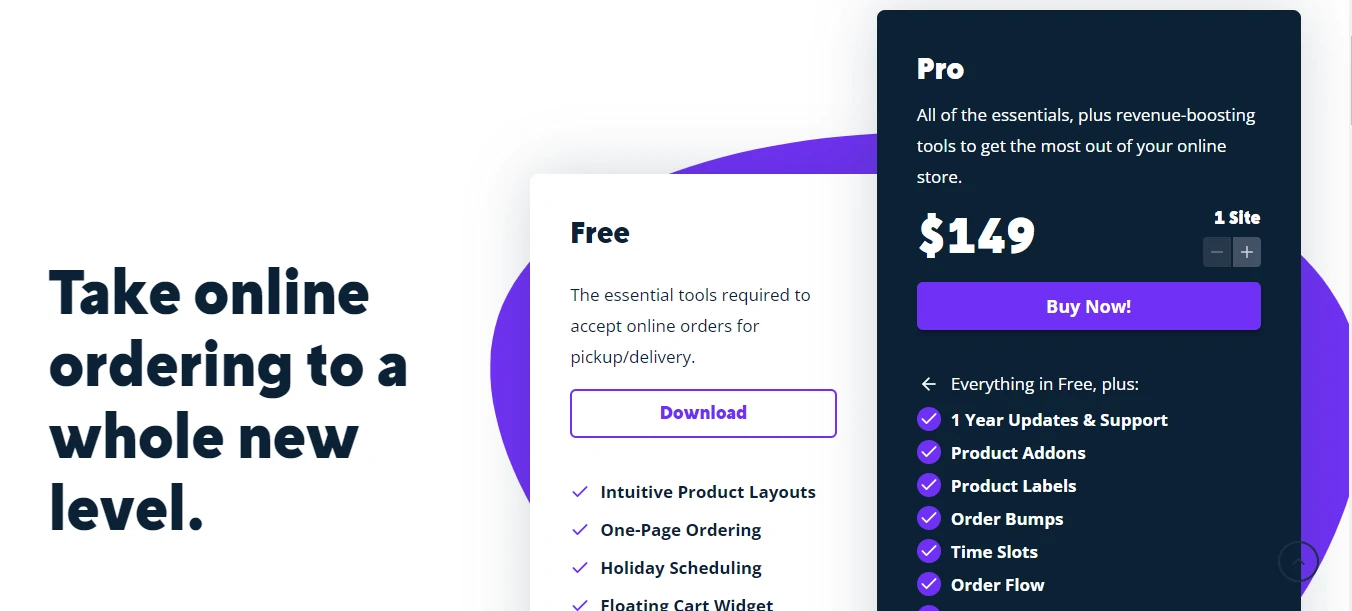
Orderable pricing
Checked July 2026 on the official pricing page
- Included: Online ordering menu layouts
- Included: Delivery and pickup date slots
- Included: Live order view and receipt printing
- Included: Zero transaction fees
- Not included: Delivery and pickup time slots
- Not included: QR table ordering, add-ons, order bumps
- Not included: Priority support
- Included: Everything in Free
- Included: Delivery and pickup time slots
- Included: QR table ordering
- Included: Product add-ons and order bumps
- Included: Checkout tipping and custom checkout
- Included: Multiple store locations
- Included: Timed products, order caps, pause orders
- Included: Allergen and nutritional information
- Included: Priority ticket support
Pro is billed yearly for one site and includes a 30-day money-back guarantee. Orderable charges no per-order commission on either plan.
We may earn a commission when you buy through links on this page. This does not affect our reviews.
Our take on the money: $149 a year is not cheap for a single-site plugin, and the free version is genuinely usable, so don’t buy Pro on day one. Launch free, take orders for a fortnight, then upgrade the moment you hit the first real limit, which is almost always time slots or order caps. The 30-day refund window means a wrong guess costs you nothing.
Alternatives worth a look
Orderable isn’t the only route. Three of these are cheaper to start, and one is a better fit if you mostly need a list, not a restaurant.
WooCommerce Product Table
Turns products into a filterable table with quantity boxes and an add-to-cart column. Faster to order from than any grid, and great for wholesale-style menus. It has no concept of opening hours, delivery slots or add-ons, so it solves a different problem.
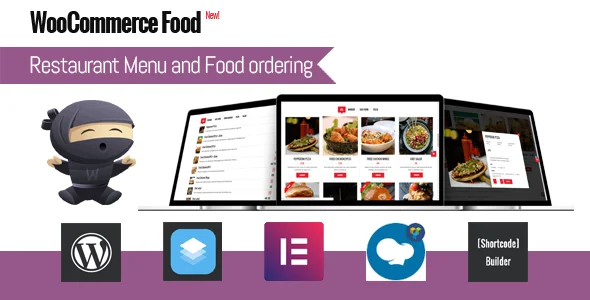
WooCommerce Food
A restaurant-focused Woo extension with menus, ordering and table reservations. Reservations are the reason to pick it: Orderable doesn’t do table booking at all. The menu builder feels dated next to Orderable’s.
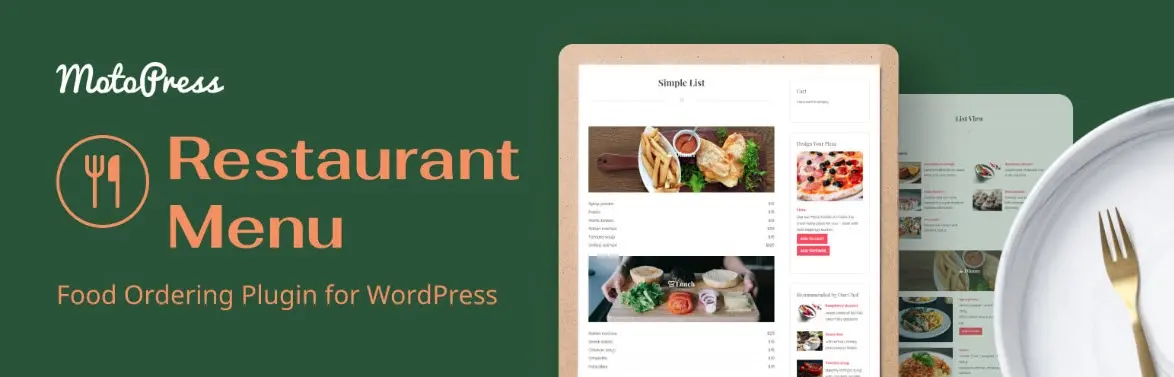
Restaurant Menu by MotoPress
Strong menu presentation with a free version on WordPress.org, and it works without WooCommerce if you only need to display a menu rather than sell from it. Ordering and scheduling are thinner than Orderable’s.
WPPizza
The old guard. Free core plugin with paid add-ons, built for pizza and takeaway ordering, and it works independently of WooCommerce. Cheapest way to start. The interface shows its age and you’ll be buying add-ons quickly.
| Feature |
WooCommerce Product TableBest for: Fast list-style ordering |
Restaurant Menu by MotoPressBest for: Displaying a menu |
WPPizzaBest for: Budget takeaway setups |
|
|---|---|---|---|---|
| Free version | Yes | No | Yes | Yes |
| Starting price | $149/yr (1 site) | Premium only | Free + paid tiers | Free + paid add-ons |
| Delivery and pickup time slots | Yes(winner for this row) | No | No | Yes |
| Product add-ons | Yes | No | Yes | Yes |
| QR table ordering | Yes(winner for this row) | No | No | No |
| Needs WooCommerce | Yes | Yes | No | No |
| Per-order commission | None | None | None | None |
We may earn a commission when you buy through links on this page. This does not affect our reviews.
Frequently Asked Questions
Does Orderable charge a commission on orders?
No. Neither the free plugin nor Pro takes a cut of your sales. You pay your payment gateway its normal processing fee and nothing else, which is the entire argument for running ordering on your own site instead of a delivery marketplace.
Is the free version of Orderable actually usable for a real restaurant?
Yes, and we would launch on it. Free covers the ordering menu, delivery and pickup dates, ASAP delivery, lead time, holiday scheduling, live order view and receipt printing. What you lose is time slots, order caps, table ordering, add-ons and tipping.
Do I need WooCommerce to use Orderable?
Yes. Orderable is a WooCommerce extension, so products, checkout and payments all run through Woo. If you would rather not run WooCommerce at all, WPPizza or MotoPress Restaurant Menu are the closest standalone options.
Can Orderable handle more than one restaurant location?
Pro supports multiple store locations from one site, each with its own hours and delivery settings. The Pro licence is per site, not per location, so a second location on the same WordPress install does not cost extra.
Will Orderable manage my delivery drivers?
No, and this is the honest limit of the plugin. There is no dispatch, no driver app and no route planning. Orderable takes the order and schedules it; getting the food to the door is still your own process or a third-party courier.
What happens to my orders if I let the Pro licence lapse?
The plugin keeps working and your existing orders are untouched. You stop getting updates and support, which matters because WooCommerce ships breaking changes often enough that running an unmaintained ordering plugin is a genuine risk.
Is $149 a year worth it for a small takeaway?
If you take even ten orders a month that a marketplace app would have taken 25% of, yes, comfortably. If you are doing two or three orders a week, stay on the free plugin until volume justifies the upgrade.
How long does setup take?
An afternoon for a first menu of 20 to 30 items, most of it spent writing product descriptions and add-ons rather than configuring the plugin. The one step people rush is the WordPress timezone setting, which quietly breaks every delivery slot.
The bottom line
Orderable does one thing properly: it lets an independent restaurant take orders on its own site without paying a marketplace 25% for the privilege. The menu builder is the best in this category, the scheduling is genuinely thought through, and the free tier is honest rather than crippled.
Where it stops is delivery logistics. There’s no driver dispatch and no POS, so treat it as an online ordering system for WooCommerce rather than a restaurant management suite.
Start on the free plugin this week. Upgrade to Orderable Pro the day you need time slots or order caps, and use the 30-day guarantee if it doesn’t fit. That’s the low-risk path, and it’s the one we’d take.
The Review
Orderable
Orderable is the most practical way for an independent restaurant to take orders on its own WooCommerce site without paying a delivery app a cut. The menu builder and scheduling are excellent and the free version is genuinely usable. The trade-off is scope: no driver dispatch, no POS, and the tools busy kitchens want most sit behind the $149-a-year Pro licence.
PROS
- Zero commission on every order, unlike marketplace apps
- Best menu layout builder in the WooCommerce restaurant category
- Genuinely usable free version, not a crippled demo
- Delivery and pickup time slots with lead time and holiday hours
- QR table ordering and order bumps on Pro
- Works with any WooCommerce payment gateway
- 30-day money-back guarantee
CONS
- No driver dispatch, routing or delivery-tracking of any kind
- No POS or table reservations
- $149/year covers one site only, and there is no lifetime option
- Requires WooCommerce, so it inherits Woo maintenance and speed overhead
- Time slots and order caps, the features busy kitchens need most, are Pro only
Review Breakdown
-
Ease of Use
-
Menu Builder
-
Scheduling & Order Control
-
Flexibility
-
Support
-
Value for Money
Orderable DEALS
We collect information from many stores for best price available




