

Zapier’s bill climbs every time your automations get more useful. That’s the trap n8n is built to break — you pay per workflow run, not per step, and you can host the whole thing yourself for nothing.
The catch is that n8n asks more of you up front: a real learning curve, and self-hosting is a devops job. Here’s what it does well, where it hurts, and whether it’s worth switching.
⚡ Quick Verdict: n8n
Our score: 8.0/10. n8n trades hand-holding for flexibility, and for the right team that is a good trade. Execution-based pricing and self-hosting make it far cheaper than Zapier at scale, and the AI agent nodes are genuinely useful. The catch is a real learning curve — it rewards technical users, not total beginners.
✅ Best for: developers, technical marketers, and teams running high-volume or multi-step workflows who want control and predictable costs.
⛔ Not ideal for: non-technical users who just want to connect two apps in five minutes — Zapier is gentler there.
n8n Overview
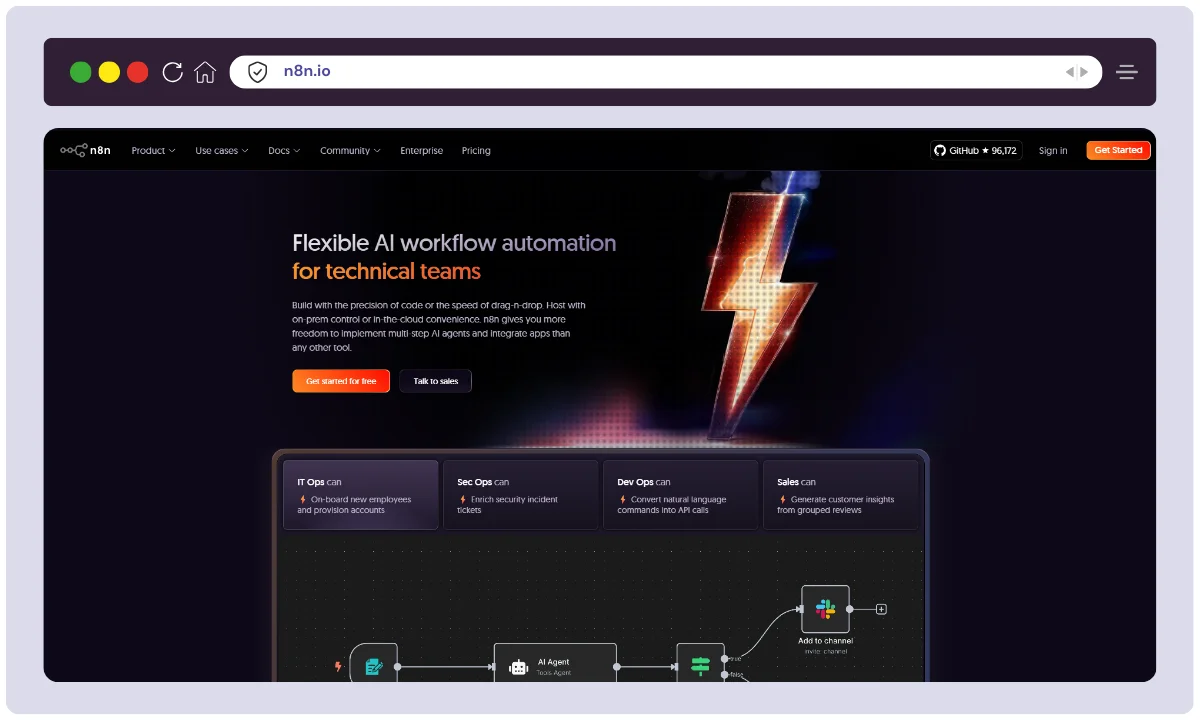
n8n was founded in 2019 by Jan Oberhauser, a visual effects artist turned programmer who got tired of rebuilding the same glue code. The company is based in Berlin; the name is short for nodemation.
The detail that actually affects you is the licence. n8n is fair-code, not classic open source: you get the source, self-host it free, and modify it for internal use. What you cannot do is resell n8n as a hosted service or embed it in a product you sell. For a team automating its own operations that never comes up; if you plan to build a business on top of it, read the Sustainable Use Licence first.
| Attribute | Details |
|---|---|
| Product Name | n8n (nodemation) |
| Official Website | n8n.io |
| Developer / Founder | Jan Oberhauser (Founder & CEO) |
| Company Headquarters | Berlin, Germany |
| Year Founded | 2019 |
| USPs | Fair-code licence, self-hosting, unlimited users, execution-based pricing, custom code, AI agent nodes |
| Total Integrations | Hundreds of native app integrations, plus any REST API via the HTTP node |
| Best For | Developers, IT teams, technical marketers |
| Support Options | Community forum (free), email (paid), Enterprise SLA |
| Starting Price | Free (self-hosted); cloud from €20/month billed annually |
n8n Features
Here are the parts that should actually change your decision.
🔗 A Deep Node Library — Just Not as Wide as Zapier’s
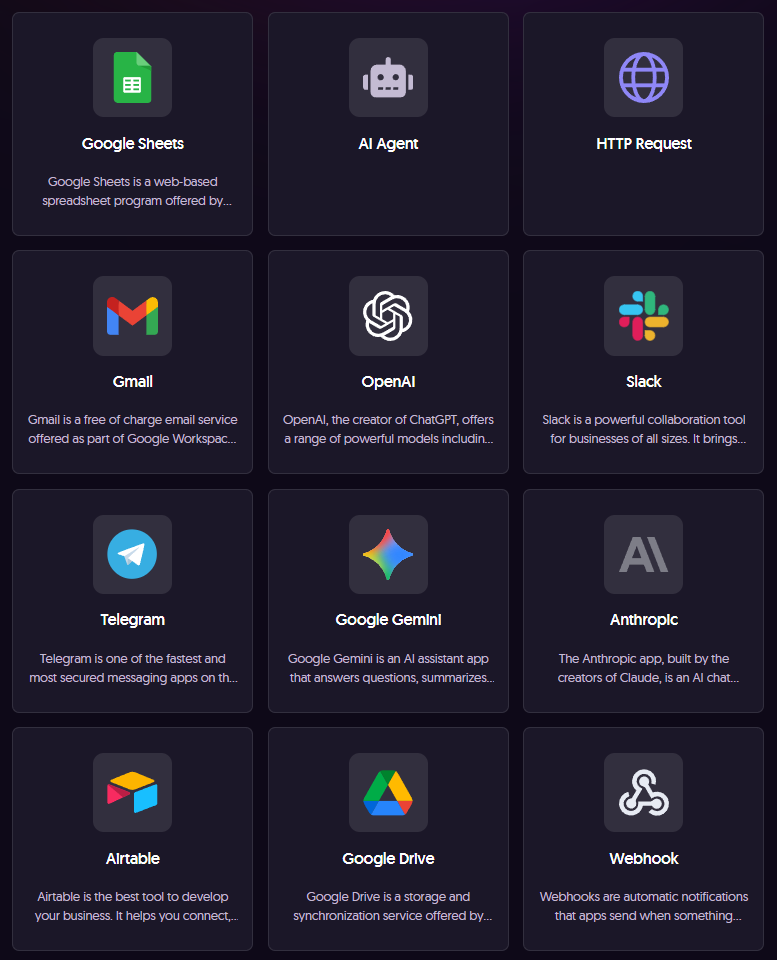
n8n covers the obvious apps well — Google Sheets, Slack, Notion, HubSpot, Postgres, OpenAI — and its nodes usually expose more of each service’s API than an equivalent Zapier action.
The breadth gap is real, though. Zapier lists thousands of apps; n8n doesn’t. If your stack has a niche CRM or a small vertical tool, Zapier probably has a connector and n8n won’t. The fallback is the HTTP Request node, which talks to any REST API — but that means reading docs, handling auth and mapping fields yourself. Budget an hour per unsupported service, not five minutes.
⚙️ Execution-Based Pricing
This is why most people leave Zapier. n8n counts one full workflow run as a single execution, however many nodes it passes through — a 40-step workflow costs the same as a 3-step one. Per-task platforms charge for every step, so the more careful your automation gets, the more you pay.
The effect is that you stop designing around the price list. Add the retry logic. Add the alert. It costs nothing.
🎨 Visual Workflow Builder (With a Ceiling)
The canvas is drag-and-drop, every node shows the data going in and coming out, and you can run a single node in isolation while you build. For debugging that’s excellent — you see the exact JSON at each hop instead of guessing.
It has a ceiling. Past roughly 30 or 40 nodes with several branches the canvas gets hard to read: connectors cross, you pan constantly, and finding what broke means hunting. The fix is discipline — split big automations into sub-workflows and name every node. n8n won’t make you.
💻 Custom Code (JavaScript & Python)
When no node fits, the Code node takes JavaScript or Python inline — parsing an awkward response, reshaping arrays, applying rules that would otherwise need ten nodes. It’s the escape hatch that stops you hitting a hard wall, and the main reason developers choose n8n over pure no-code tools.
It cuts both ways: you’ll often need it. Comfort with JSON and expression syntax isn’t optional here.
🤖 AI Agent Nodes
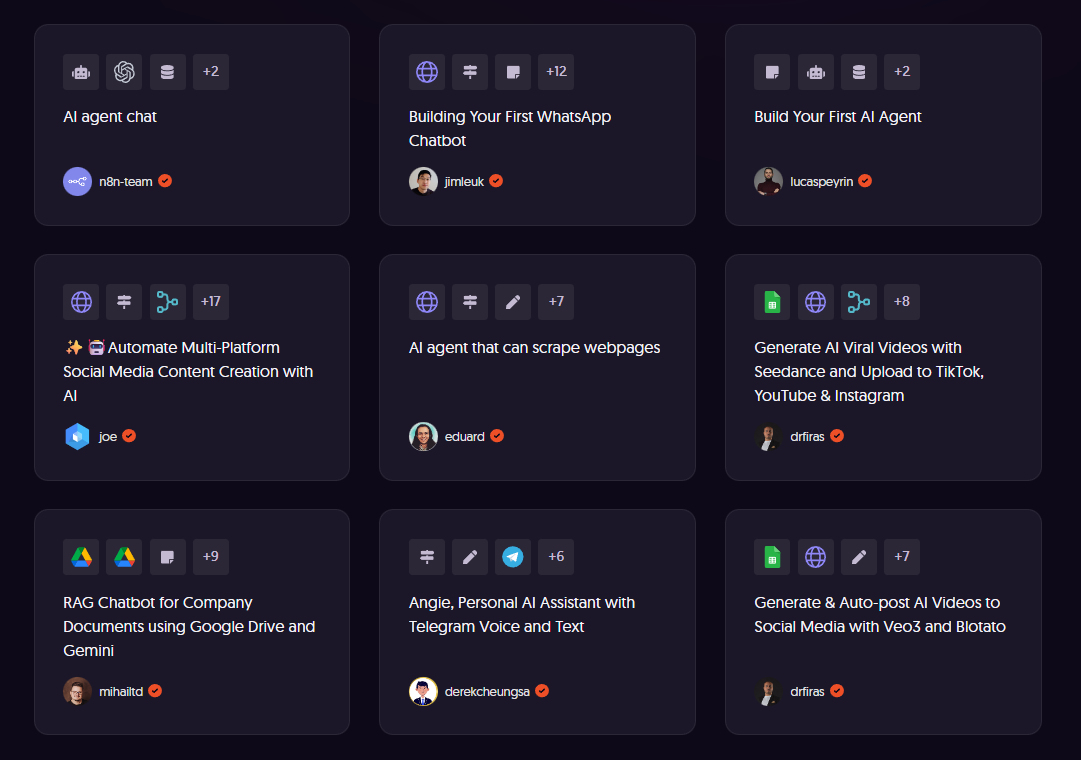
AI agent nodes let you plug any language model into a workflow and hand it tools — other n8n nodes it can call on its own. That covers routing tickets by intent, summarising documents, drafting replies or scoring leads, without a separate AI service. You pick the model, so you’re not locked to one vendor.
Two caveats: model API costs are yours and sit outside your n8n bill, and agent runs are non-deterministic. Test against real inputs before one touches customer-facing output.
🔀 Advanced Workflow Capabilities
Beyond the basics, n8n handles the awkward cases:
- Multiple triggers – schedules, webhooks or real-time events.
- Conditional branching – route data on conditions with IF nodes.
- Error handling – built-in catching stops one bad node killing the run.
- Loops – process arrays and datasets item by item.
🏠 Self-Hosting Option
Self-hosting is n8n’s headline advantage and its most under-explained cost. Free, unlimited executions, and no customer data leaving your infrastructure — which matters in healthcare, finance, or anywhere with data-residency rules.
Then the work. A Docker container on a small VPS takes twenty minutes and is fine for testing. Production is not: Postgres instead of SQLite, a reverse proxy with TLS so webhooks resolve, your encryption key backed up, a tested restore path, and queue mode with Redis as concurrency climbs. Then you own upgrades forever. If nobody on your team runs servers, cloud is cheaper than it looks.
👥 Unlimited Users, Workflow History and Webhooks
Every plan includes unlimited users and unlimited workflows, so adding a colleague costs nothing — a real difference from per-seat tools, where automation quietly becomes one person’s job because seats are expensive.
Workflow history, from Pro up, lets you open a past execution and inspect data at every node. On lower tiers retention is short, so intermittent bugs can vanish before you catch them.
Support is tiered as you’d expect: a free community forum, email on paid cloud plans, an SLA at Enterprise. If you self-host the free edition, the forum is all you get — weigh that before an unsupported instance becomes business-critical.
🔐 Enterprise Security Features
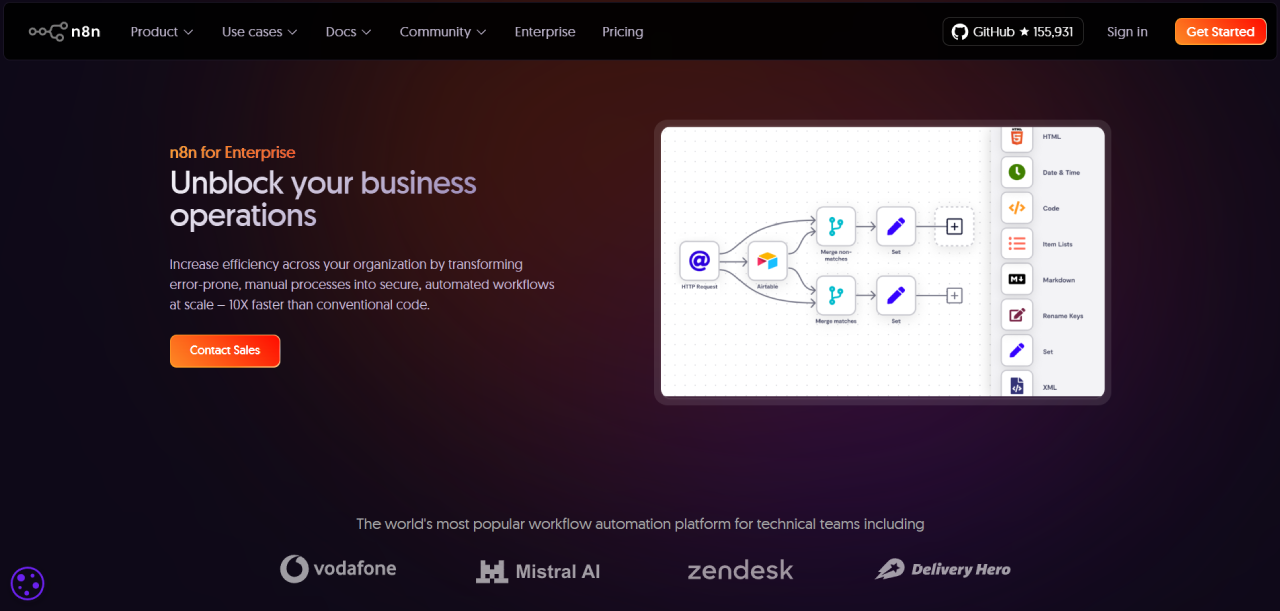
SSO/SAML, role-based access control, Git version control and separate dev, staging and production environments — the governance features compliance teams ask for. All sit on the Business tier and above, or behind an enterprise licence if you self-host.
📦 Template Library
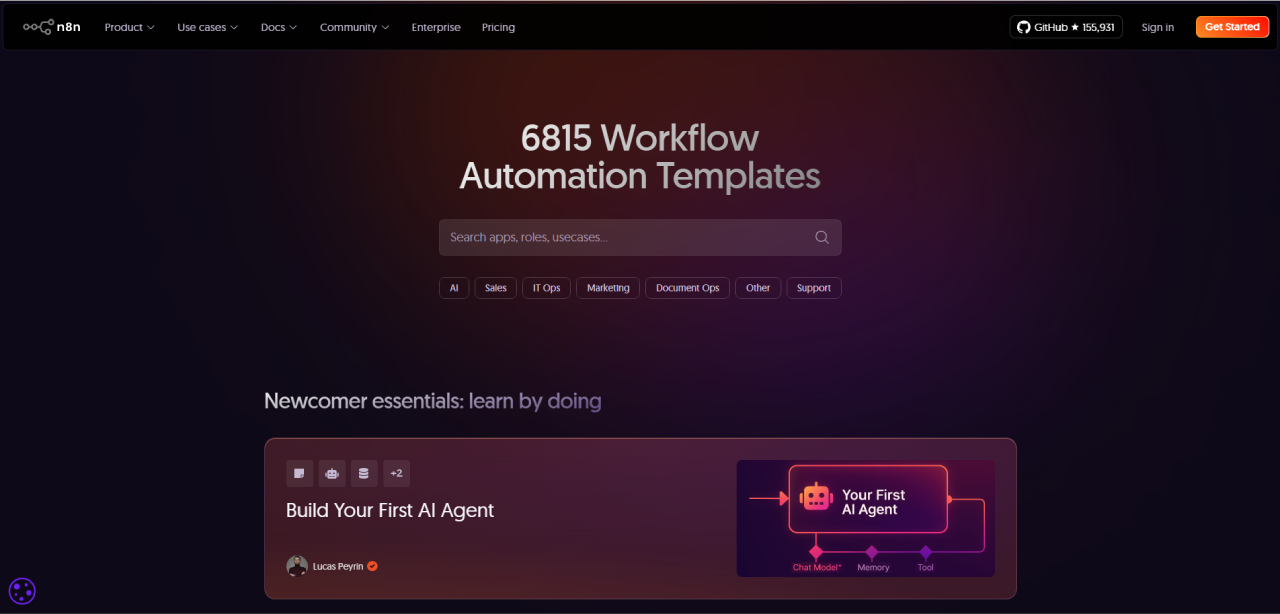
The template library gives you working workflows to clone rather than a blank canvas, which shortens the learning curve. It is smaller than Zapier’s, but entries tend to be full automations rather than two-step recipes.
🔄 Data Transformation
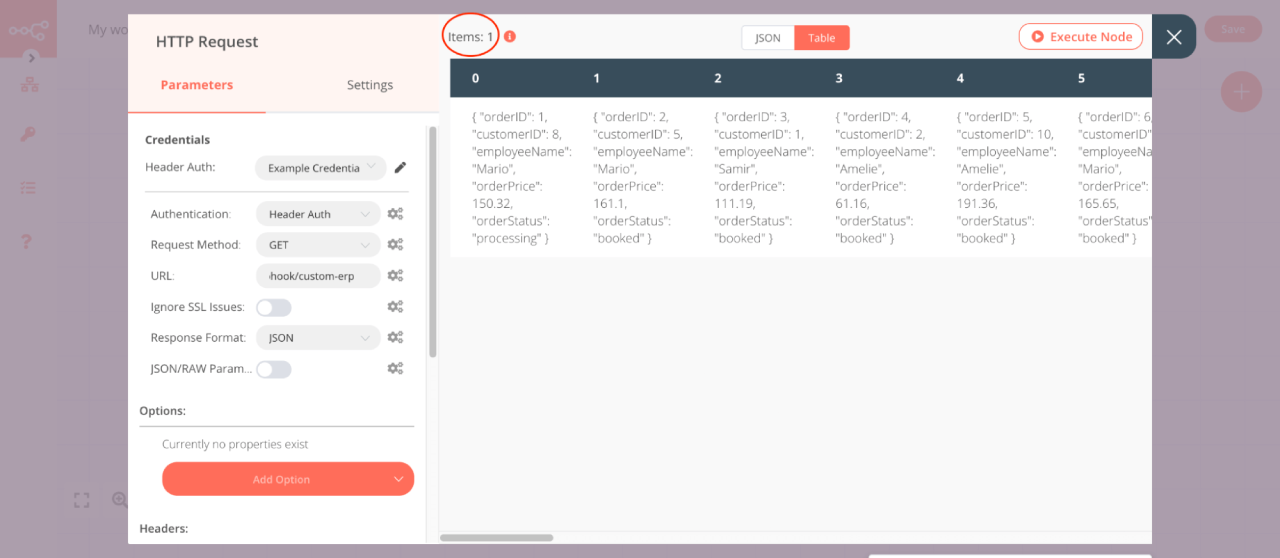
Dedicated nodes reshape, filter, merge, split and aggregate data so each downstream system gets exactly the shape it expects. This is where n8n outclasses simpler tools — and where JSON knowledge stops being optional.
n8n Pros and Cons
The good, and the parts that will bite you if you are not ready for them.
✅ Pros
- Execution-based pricing — pay per workflow run, not per step or seat, so costs stay sane at scale.
- Self-hosting gives full data control and a genuinely free, uncapped option.
- Hundreds of native integrations, plus any REST API through the HTTP node.
- Drop into JavaScript or Python when no-code hits a wall.
- Native AI agent nodes for building LLM-powered workflows.
- Unlimited users and workflows, even on lower tiers.
⛔ Cons
- Steeper learning curve than Zapier or Make — expect to invest a weekend.
- Self-hosting means you handle setup, updates, and maintenance yourself.
- Big jump from Pro (€50/mo) to Business (€667/mo) with almost nothing in between.
- Fewer ready-made app connectors than Zapier — niche tools mean building HTTP requests yourself.
- Fair-code licence, not true open source: you can’t resell or embed n8n commercially.
- The canvas can feel busy on very large, branching workflows.
n8n Pricing
Pricing moves, so treat these as a snapshot and confirm on the official pricing page before you commit. Self-hosting? The official docs are your setup reference.
The model is simple: you pay for completed workflow executions, not steps and not seats. Cloud plans are priced in euros and cost less billed annually.
Free Self-Hosted Plan
The self-hosted community edition is genuinely free with no execution cap — a cheap VPS will do for light workloads. What it doesn’t include are the licensed extras: SSO, advanced permissions, environments and Git version control sit behind paid tiers.
Free isn’t zero-cost. Add your server, database, backups and the hours spent patching. For light use that still lands under a cloud plan. For anything business-critical the honest comparison is a subscription versus a server bill plus engineer time — a far closer call than it looks.
Cloud Plans
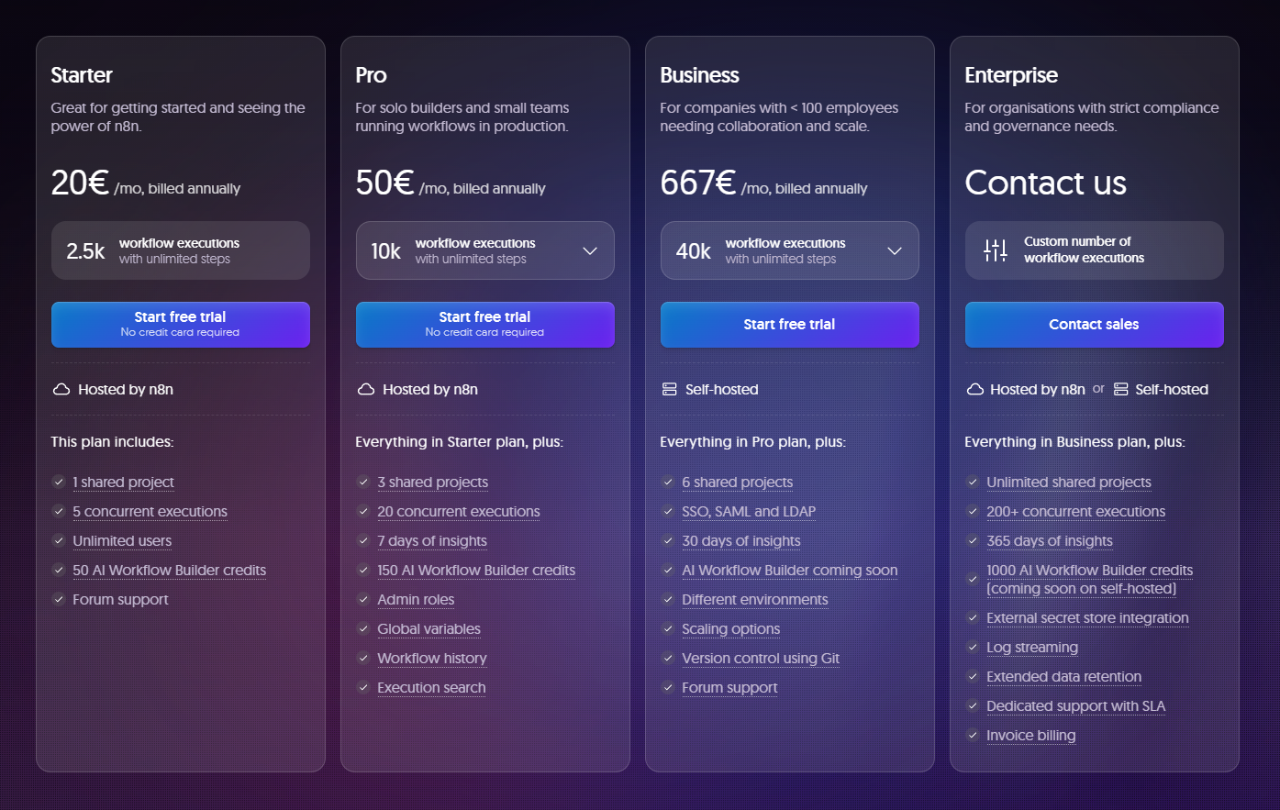
| Plan | Price / Month | Executions | Active Workflows | Shared Projects | Concurrent Runs | Execution Logs | Best For |
|---|---|---|---|---|---|---|---|
| Self-Hosted | Free | Unlimited | Unlimited | N/A | Unlimited | N/A | Technical teams with infrastructure |
| Starter | €20 | 2,500 | 5 | 1 | 5 | 7 days | Solo builders, small teams |
| Pro | €50 | 10,000 | 15 | 3 | 20 | 7 days | Small businesses, moderate use |
| Business | €667 | 40,000+ | Unlimited | 6 | 30+ | 30 days | Mid-sized companies |
| Start-up (discounted Business) | €333 | 40,000+ | Unlimited | 6 | 30+ | 30 days | Startups under 20 employees |
| Enterprise | Custom | Custom | Unlimited | Custom | Custom | 365 days | Large enterprises |
What Each Tier Actually Buys You
Starter suits one person proving the idea works. The binding limit isn’t executions, it’s the five active workflows — most people hit that long before 2,500 runs.
Pro is the sweet spot for most paying customers: 15 active workflows, higher concurrency, admin roles, and the workflow history that makes debugging bearable. If the business depends on your automations, start here.
Business is where pricing gets awkward. It unlocks SSO/SAML, environments, Git version control and 30-day logs — governance any compliance team insists on. But the jump from Pro is more than tenfold with nothing in between, so if you need SSO and not the volume, you are paying a lot for a checkbox. That is where self-hosting, or negotiating, starts to make sense.
Enterprise is custom: your own limits, 365-day logs, data residency and an SLA — worth a conversation only if audit requirements or real volume force it.
One thing n8n handles well: on higher tiers, exceeding your allowance bills the overage instead of halting your workflows. Automations that stop silently mid-month cost more than a bigger invoice.
Start-up Plan – 50% off Business
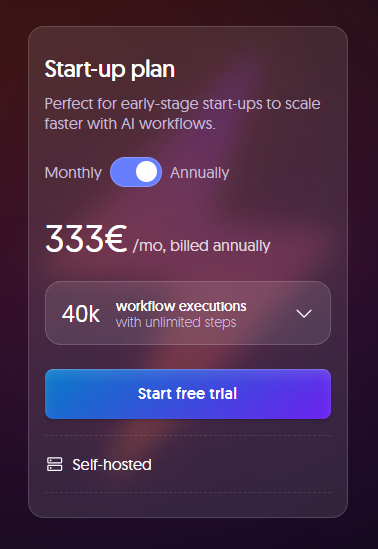
Startups under 20 employees can get the Business plan at roughly half price — worth applying for if you need the governance features but not the budget.
Money-Back Guarantee
n8n has offered a 30-day money-back guarantee on cloud subscriptions via support. Confirm it still applies before paying — guarantee terms change more often than headline prices. You can cancel any time and keep access until the billing period ends.
n8n Alternatives
We’ve put n8n head-to-head against its closest rivals — read our full breakdowns of Zapier vs n8n and Make vs n8n. For the wider field, our best workflow automation tools roundup ranks them all.
n8n isn’t the right answer for everyone. Here’s the field and when you’d genuinely pick something else.
| Tool | Best For | Hosting / Deployment | Key Strengths | Key Trade-Offs |
|---|---|---|---|---|
| Zapier | SMBs, marketers, non-technical teams | Cloud | Largest connector library by far; the easiest builder to hand to a non-technical colleague. | Expensive at scale; no self-hosting; strict task limits. |
| Make (Integromat) | Teams needing advanced data manipulation | Cloud | Strong scenario builder and data transformation; good branching. | Steeper curve than Zapier; no self-hosting; costs rise with volume. |
| n8n | Developers, IT teams, privacy-focused orgs | Self-Hosted or Cloud | Fair-code, self-hostable, execution-based pricing, unlimited users, deep customisation. | Self-hosting needs real devops; fewer plug-and-play connectors than Zapier. |
| Microsoft Power Automate | Microsoft 365 / Azure shops | Cloud / Hybrid | Deep Microsoft 365 integration, desktop RPA, enterprise governance. | Complex for beginners; tied to the Microsoft stack. |
| Workato | Large enterprises with compliance needs | Cloud (Enterprise) | Enterprise iPaaS: governance, lifecycle management, wide connector set. | Very expensive; overkill for small and mid-size businesses. |
| Tray.io | Teams building embedded, API-driven integrations | Cloud (Enterprise) | API-first; built for embedded, customer-facing integrations. | High pricing; not ideal for beginners. |
1. Zapier
Zapier is the one to beat on breadth and ease: thousands of connectors, a builder your marketing team can use unsupervised, no infrastructure to think about.
Pricing: paid tiers start around US$20/month for a small task allowance and climb steeply with volume.
Best for: non-technical teams wiring up mainstream SaaS apps quickly.
Not ideal for: high-volume or many-step workflows, where per-task billing gets punishing, or anyone who has to keep data in-house.
2. Make (formerly Integromat)
Make sits between Zapier’s simplicity and n8n’s depth. The scenario canvas handles branching and data mapping properly, and it’s usually cheaper per operation than Zapier.
Pricing: entry plans start in single-digit euros.
Best for: teams who need real data manipulation but don’t want to run servers.
Not ideal for: anyone who needs self-hosting, or the freedom to drop into arbitrary code mid-workflow.
3. Microsoft Power Automate
Microsoft Power Automate only makes sense as a Microsoft decision. Inside Microsoft 365, Azure and Dynamics it is strong and often already paid for; outside it, fiddly fast.
Pricing: bundled with many Microsoft 365 plans; standalone per-user tiers on top.
Best for: organisations already standardised on Microsoft, especially if you need desktop RPA.
Not ideal for: mixed stacks, or teams who want to move without a licensing conversation.
4. Workato
Workato is enterprise iPaaS: governance, lifecycle management, audit trails and a sales process to match — at a price most teams reading this won’t want to pay.
Pricing: custom, firmly enterprise-budget.
Best for: large organisations with compliance obligations and a dedicated integration team.
Not ideal for: small and mid-size businesses — it’s overkill and you’ll feel it.
5. Tray.io
Tray.io is API-first, built for embedding integrations into a product you sell — a different job from automating your own back office.
Pricing: custom, mid-market and enterprise.
Best for: software companies offering customer-facing integrations.
Not ideal for: internal ops automation, where n8n does the same work for a fraction of the cost.
How This Review Was Put Together
This review is built from n8n’s official documentation, its public pricing page and the text of the Sustainable Use Licence — not from a lab benchmark. Plan limits and prices change often, so treat every figure here as a snapshot and confirm current terms on n8n.io before you commit.
Frequently Asked Questions
Is n8n actually free, or is that just a trial?
The self-hosted community edition is free with no execution limit — not a trial. You run it on your own server and pay n8n nothing; the costs are the server and your time. Cloud is the paid managed version, and licensed extras like SSO sit behind paid tiers either way.
Is n8n worth switching to if I already pay for Zapier?
It depends on your bill. Zapier charges per task, so a 20-step automation costs twenty times a one-step one; n8n charges per completed run regardless of length. Long or high-volume workflows save real money immediately. A handful of simple two-app connections mostly buys you a learning curve.
Do I need to know how to code to use n8n?
No, but you need to be comfortable with data. Plenty is buildable without writing a line, yet the moment a field arrives in the wrong shape you will be reading JSON and writing expressions. Teams with a developer or a data-minded ops person cope easily. Teams without one usually struggle.
Is self-hosting n8n really cheaper than the cloud plan?
For light workloads, yes — a small VPS costs less than a subscription. For anything the business depends on, add the database, backups, TLS, monitoring and the hours spent on upgrades and incidents. Once engineer time is priced honestly, cloud often wins.
Can I cancel n8n or get a refund?
Cloud subscriptions can be cancelled any time and you keep access until the period ends. n8n has also offered a 30-day money-back guarantee through support — confirm current terms before paying, as guarantee policies change more often than prices. A self-hosted instance has nothing to cancel.
Is n8n a good choice for a complete beginner?
It is not the gentlest starting point. Expect a weekend to get comfortable, not an afternoon. If you want a first automation live in ten minutes, Zapier is kinder. If you will spend the weekend, n8n gives far more room to grow and costs less as you do.
Can I use n8n commercially, or does the licence stop me?
Using n8n to run your own business is the normal case and fully allowed. The Sustainable Use Licence restricts something narrower: reselling n8n as a hosted service, or embedding it in a product you sell. If either describes your plan, read the terms or ask n8n about an embed licence.
Conclusion
If you’re technical — or one person on your team is — n8n is the best value in automation right now. Execution-based pricing stops your bill tracking how thorough your workflows are, the Code node means you never hit a hard wall, and the AI agent nodes are the real thing.
Pick n8n if you run high-volume or many-step workflows, you’re already paying Zapier more than about €50 a month, your data has to stay on your own infrastructure, or you’re building AI agents that call real tools.
Pick something else if nobody on the team is comfortable with JSON, you only need two apps talking, or you need SSO without the volume to justify the Business tier. Zapier or Make will cost less pain.
One warning: don’t self-host something business-critical on day one. A container on a spare VPS is easy; a production instance with Postgres, TLS, backups and a year of upgrades is a standing job. Plenty of teams self-host to save €20 a month and lose far more in engineer time.
Next step: start free and rebuild your single most annoying manual process, end to end. How long that one workflow takes will tell you more than any review can.
The Review
n8n
n8n is a fair-code workflow automation platform you can self-host for free or run as a managed cloud service. It bills per completed workflow run rather than per step, includes unlimited users and workflows on every plan, and lets you drop into JavaScript or Python whenever no ready-made node fits. The trade-offs are a real learning curve and, if you self-host in production, genuine devops work.
PROS
- Execution-based pricing — you pay per workflow run, not per step or seat
- Free self-hosted edition with no execution cap and full data control
- Code node (JavaScript & Python) means you never hit a hard wall
- Native AI agent nodes that work with any LLM you choose
- Unlimited users and workflows on every plan — no per-seat fees
- Node-level debugging shows the exact data at every step
CONS
- Steeper learning curve than Zapier — expect a weekend, not an afternoon
- Self-hosting in production is genuine devops work: Postgres, TLS, backups, upgrades
- The canvas gets unwieldy past roughly 30–40 nodes with branching
- Smaller app-integration library than Zapier; niche tools mean hand-built HTTP calls
- Fair-code licence restricts reselling or embedding n8n commercially
- More than tenfold jump from Pro to Business with nothing in between




