

Modern teams are overwhelmed by fragmented tools for documenting processes, training new hires, and keeping SOPs current, which slows execution and creates inconsistencies across departments. Clear, repeatable documentation is essential, yet producing it—screenshots, videos, and written steps—often consumes hours that could be spent on higher‑value work.
Kommodo addresses this problem by turning a simple screen recording into a structured, step‑by‑step guide that pairs video with written instructions. The goal is to standardize knowledge, cut time spent on documentation, and make updates effortless as workflows evolve.
This review evaluates Kommodo for 2026 with a focus on real‑world usability: core features, pricing, and how it compares to leading alternatives. The outcome is a practical assessment to help decide whether Kommodo can streamline training, improve documentation quality, and return meaningful time back to teams.
A note on the name: Komodo Decks now goes by Kommodo, and komododecks.com redirects to kommodo.ai. It is the same screen recorder and guide maker, so this review uses the new name throughout.
Kommodo Overview
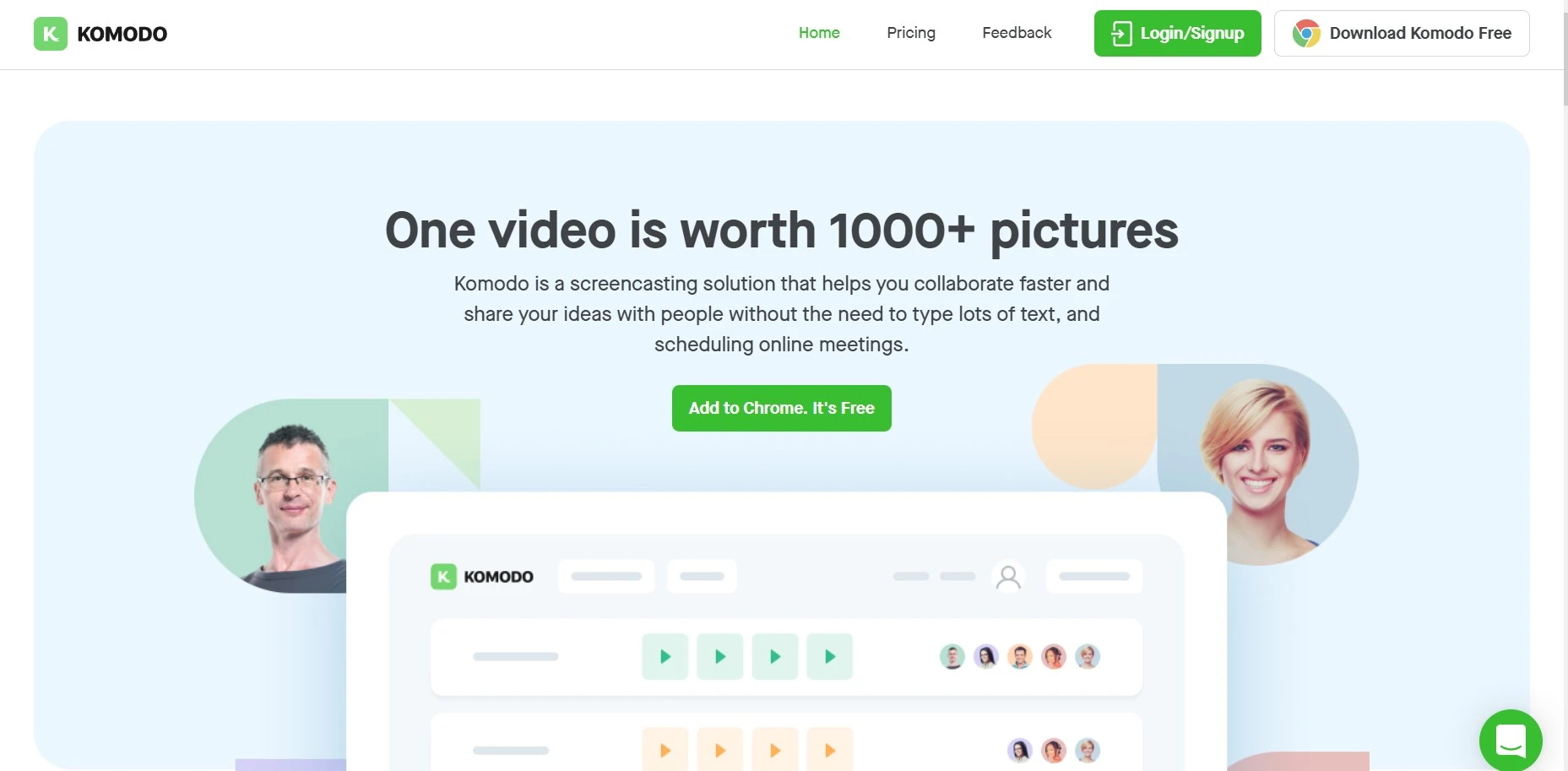
Kommodo emerged not from a sprawling corporate campus, but from a practical need identified by its founder, Khanan Grauer. What began as a personal project in 2018 quickly found its footing during the global shift to remote work in 2020. Initially embraced by educators for its simplicity, the company, co-founded by Harry Brodsky, strategically pivoted towards the business sector, recognizing a larger need for efficient, asynchronous communication and process documentation.
Based in Brooklyn, NY, Kommodo operates as a lean, bootstrapped company, a fact that it wears as a badge of honor, emphasizing its close relationship with its user community and its focus on sustainable growth over venture-backed scaling.
The company’s agenda is clear: to eliminate unnecessary meetings and confusing text-based instructions by making video and automated documentation creation accessible to everyone. This user-centric approach is evident in its rapid development cycle, which often incorporates direct feedback from its active user base.
| Product Name | Kommodo (formerly Komodo Decks) |
| Official Website | https://kommodo.ai |
| Developers | Khanan Grauer (Founder) & Harry Brodsky (Co-Founder) |
| Category | Screen Recording, SOP & Guide Generation, Asynchronous Communication |
| Integrations | Google Calendar, Google Chrome, with sharing capabilities for Slack, Jira, etc. |
| Best for | Teams creating training materials, onboarding documents, product demos, and internal knowledge bases. |
| Support Options | 💬 Live Chat, 📧 Email Support, 📚 Knowledge Base, 👥 Community Forum |
| Documentation | The tool itself is for creating documentation; user guides and tutorials are provided. |
| Company Headquarter | Brooklyn, NY, United States |
| Starting Price | Free-forever plan available. Paid plans start at ~$9/user/month. |
| Alternatives | Loom, Scribe, Tango, Descript, Berrycast |
| Affiliate Program | ✅ Yes |
| Affiliate Commission | 50% Lifetime Recurring Commission |
| Money-Back Guarantee | None advertised, and paid plans have no free trial. Test it on the free Starter plan first. |
Kommodo Features
One-click Screencasting
Kommodo lets you screencast anything you wish using its Mac app or Chrome extension. You just need one click to start screencasting on this amazing software.
You can even change the setup, like you can add your face or set up what you wish to record. But the thing to note is, that the basic process to start the video requires just a single click.
Commentary
The viewers can comment freely whenever they wish to during the process of your walkthrough. You will be able to view those comments on the screen and simply access them if you wish or want to/ The software will send you email notifications of all those comments. So, it can be said that it is simpler to learn about those comments event after the video finishes.
Video Editing
Kommodo allows you to do video editing in a very simple manner. You can delete your mistakes or add voiceover on the video using the software.
You can even share the video that you have just recorded very easily, there is no compulsion to export or encode, and you can share your video directly from the Kommodo application.
Add Your Face
Kommodo can even add your face to the screen while your session is going. You just have to turn on the camera with a single click using this software.
Track Video Engagement
Kommodo provides you with a complete into the viewer’s engagements. The software will help you to know where or when someone has watched your video, and how many people have watched it yet, it also tells you when someone has commented on it. Other than that, you will also get screenshots of the video clicks via the software.
How to use Kommodo?
Using Kommodo is straightforward. Here’s a simple guide to help you get started:
Sign Up: Go to the Kommodo website and create an account. You can use the free version to start.

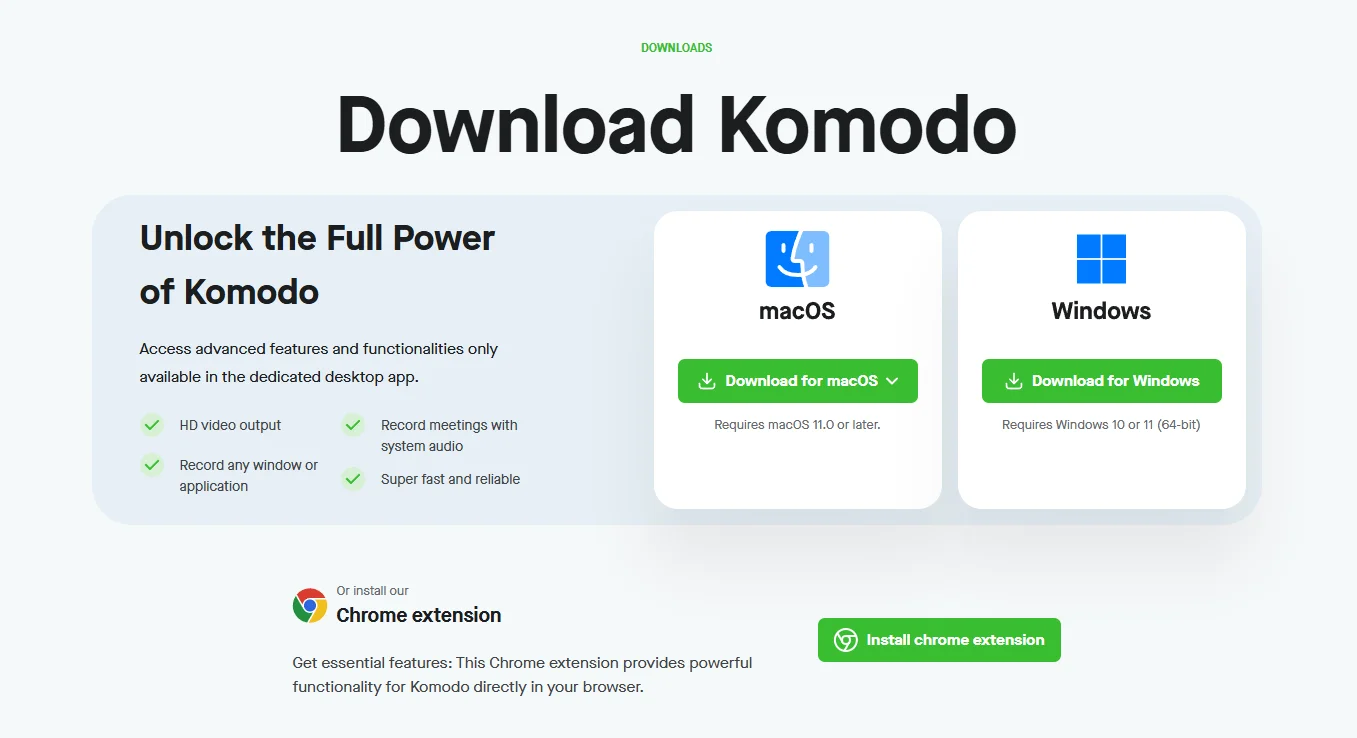
Download the App: Install the Kommodo app on your computer or add the Chrome extension. This will let you record your screen easily.
Start Recording:
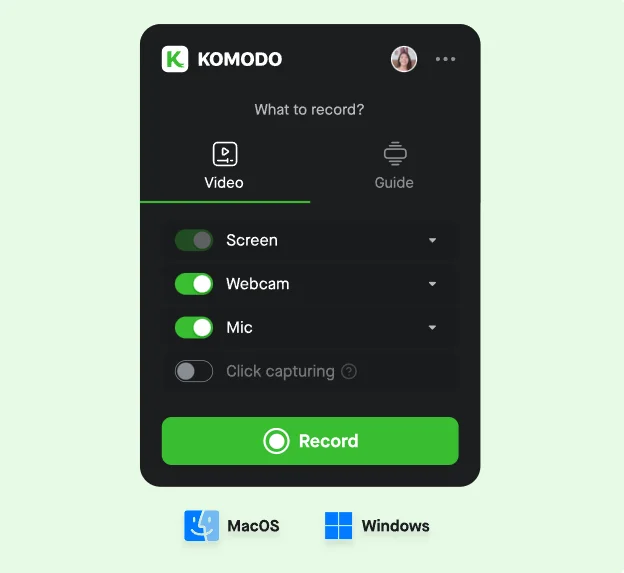

- Open the app or extension.
- Choose whether you want to record your entire screen, a specific window, or a browser tab.
- Click the “Record” button to start.
Use the Guides Feature: While recording, Kommodo automatically tracks your clicks and actions. This lets you create guides easily. Just follow the steps you want to show, and Kommodo will record everything for you.
Editing Your Video:
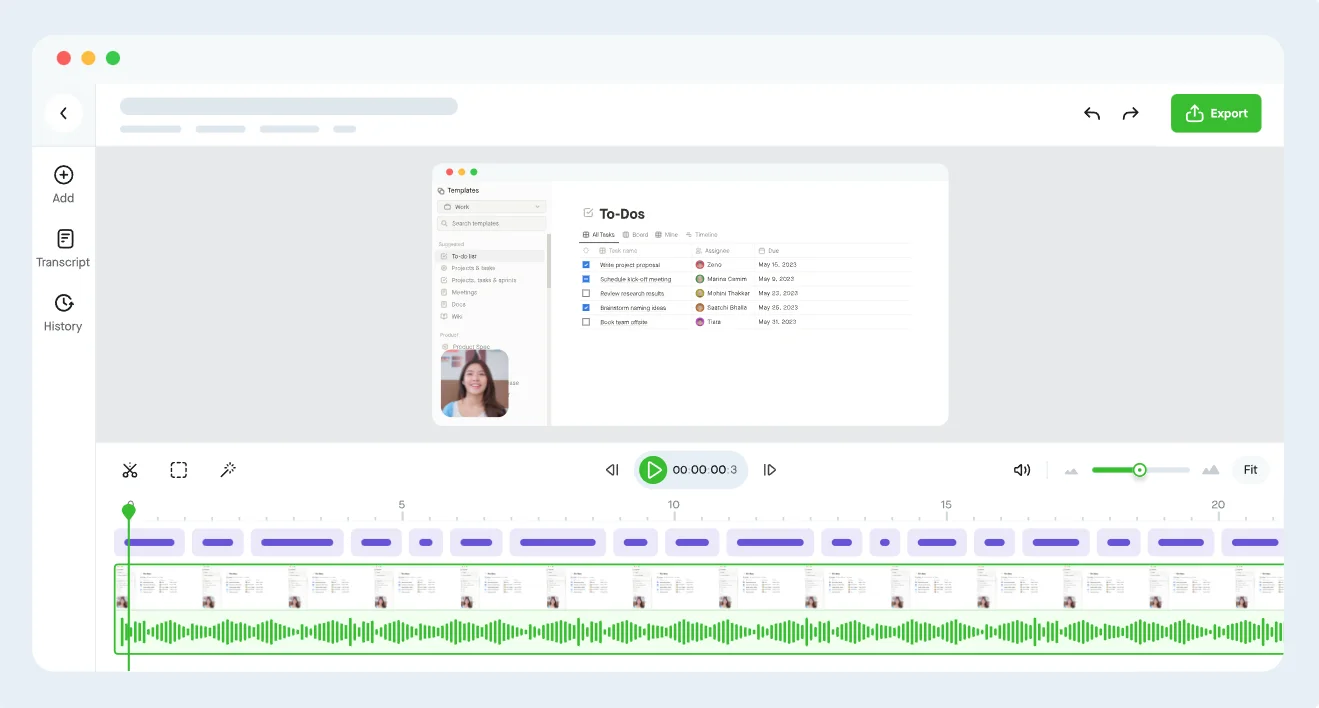
- After recording, you can edit your video in the app.
- Trim any unnecessary parts and add voiceovers if needed.
Share Your Video:
- Once you’re happy with your video, click “Share.”
- You can get a link to send to others or embed it in documents or websites.
Check Analytics: If you want to see how many people watched your video, Kommodo provides analytics. This helps you understand your audience better.
Explore Other Features: Look into creating team folders, adding custom branding, and using the white-label option if you need more professional touches.
Kommodo Pricing
Kommodo has a free Starter plan and one paid plan, Kommodo Premium, which is priced per user. Premium costs $9 per user a month billed yearly or $15 billed monthly, and there is no free trial of the paid plans.
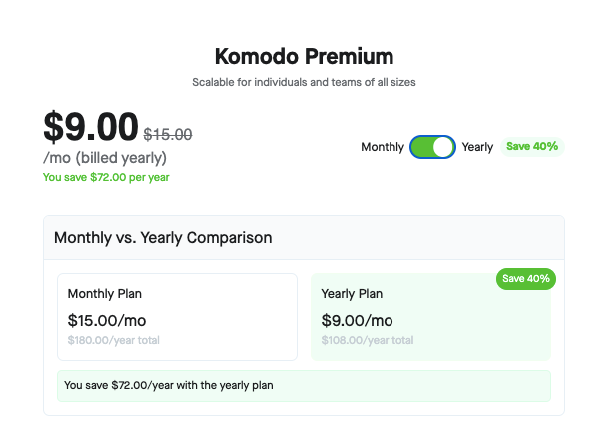
| Plan | Price | Billing | Yearly total |
|---|---|---|---|
| Starter | $0 | Free, 1 user | $0 |
| Premium, monthly | $15.00/mo | Billed monthly | $180.00/year |
| Premium, yearly | $9.00/mo | Billed yearly | $108.00/year |
Notes
- The toggle indicates the comparison between Monthly and Yearly, highlighting the yearly plan as the discounted option with “Save 40%.”
- The configurator includes a “Number of users” slider; totals would scale linearly per user at the same per‑user rate shown.
- Starter is for one user. Recordings are unlimited with no length limit, but each one stays available to you and your viewers for 60 days. It includes AI transcription and 3 auto-generated guides of up to 10 steps each.
- Premium keeps recordings available while your plan is active and adds unlimited guides and steps, higher-resolution recording up to 4K, and team folders, roles and permissions.
What makes Kommodo stand out?
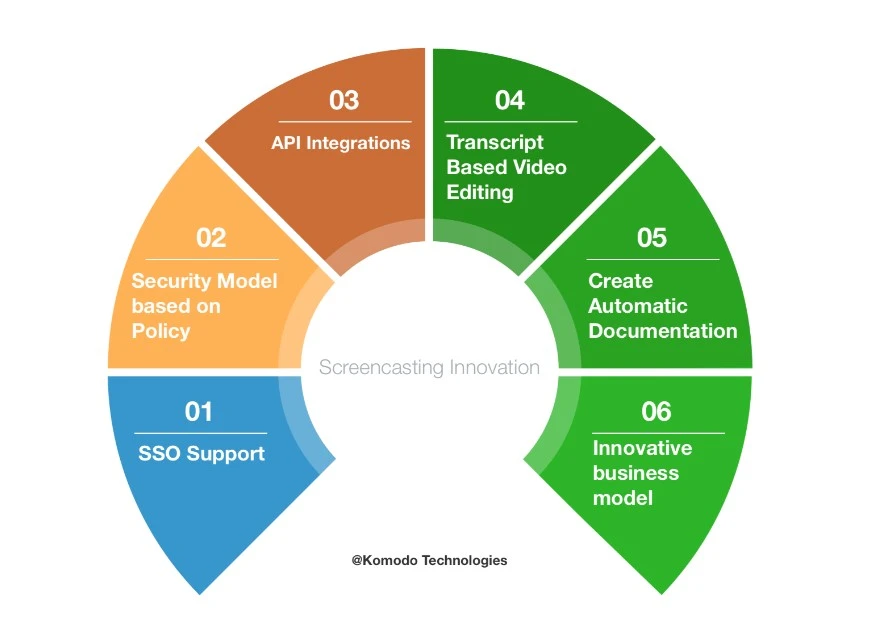
It has a transcript-based video editor that lets you delete mistakes and dub over the recordings quickly. Along with screencasting to the viewers, it also lets you record every single click along the timeline of the video. Kommodo also saves all these recordings as a screenshot in the sidebar, letting you analyze the user activity at any time you wish to.
Kommodo also lets you embed your videos anywhere, including the tools you use every day like- Gmail, Slack, Notion, and Jira. It also allows you to embed your videos with gif summaries that will highlight each of the steps, letting the viewers find fast exactly what they need.
The software also sends you automatic notifications via email at any time when the viewers leave comments on your video. And lets you see when and where your videos have been seen, you can even check the view count, and get notifications on when the users are dropping any comments.
Kommodo Alternatives
While Kommodo excels at creating video-based guides and SOPs, the productivity software space is filled with excellent tools, each with its own unique strengths. Maybe you need a tool focused purely on lightning-fast video messaging, or perhaps a solution that automatically generates beautiful written guides without any video at all.
To give you a complete picture, we’ve analyzed several top-tier alternatives. This will help you see how Kommodo stacks up and decide which platform truly aligns with your team’s specific workflow and documentation needs.
| Alternative | Primary Use Case | Free Plan Limitations | Starting Price (Paid) | Best For |
| Kommodo | AI-powered screen recording to create video-centric SOPs and step-by-step guides. | Unlimited recordings of any length, but each stays available for 60 days; 3 auto-generated guides. | ~$9 per user/month | Teams needing both video and written instructions for comprehensive training. |
| Loom | Quick, asynchronous video messaging for team communication and screen sharing. | Limited: Up to 25 videos per person, with a 5-minute recording limit. | $12.50 per user/month | Teams that rely heavily on quick video updates, feedback, and async communication. |
| Scribe | Automatically generating written, screenshot-based step-by-step guides. | Limited: Up to 25 guides, with Scribe branding on all exports. | $23 per user/month | Teams that prefer clear, written documentation and need to generate guides rapidly. |
| Tango | Creating beautiful how-to guides and process documentation with screenshots. | Limited: Up to 25 workflows, with basic branding and sharing options. | $16 per user/month | Individuals and teams who prioritize the visual presentation of their how-to guides. |
| Descript | Full-fledged video and podcast editing with a unique text-based editing interface. | Limited: 1 hour of transcription/month, one watermark-free video export. | $12 per user/month | Content creators, marketers, and podcasters needing powerful, AI-driven editing tools. |
Kommodo Use Cases
Kommodo is a versatile tool that extends far beyond simple screen recording. Its core strength lies in its ability to rapidly generate both video and written documentation, making it invaluable for any scenario that requires clear, step-by-step instructions. From our experience, here are the most impactful use cases for the platform:
- Employee Onboarding & Training: Create a complete library of training materials for new hires. Instead of repeating instructions, managers can build a standardized set of guides on everything from setting up email to using internal software, ensuring a consistent and efficient onboarding experience.
- Creating Standard Operating Procedures (SOPs): This is a primary function where Kommodo excels. Teams can quickly document any digital workflow, turning a complex process into an easy-to-follow guide. This is perfect for operations, finance, and IT teams that rely on procedural accuracy.
- Customer Support & Troubleshooting: Support agents can create and share quick, personalized video guides to resolve customer tickets. Showing a customer exactly where to click is far more effective than writing a long email, leading to faster resolutions and happier customers.
- Product Demos & Feature Announcements: Marketing and product teams can effortlessly record polished demos of their software for potential clients or create walkthroughs to announce new features to existing users. The automatically generated guide serves as a great leave-behind document.
- Building an Internal Knowledge Base: Empower your team with a self-service knowledge base. By documenting common tasks and processes with Kommodo, you reduce repetitive questions and create a centralized hub of information that everyone can access on demand.
- Software Implementation & Rollouts: When introducing new software to the company, IT and implementation teams can create custom training modules tailored to different departments. This helps drive user adoption and reduces the burden on support staff.
- Sales Enablement: Sales teams can record personalized walkthroughs for prospects to highlight specific features that solve their unique pain points. This adds a personal touch to the sales process and can significantly improve engagement.
FAQs
What is Kommodo (formerly Komodo Decks)?
Kommodo is a screen recording and video-sharing tool that lets you record your screen, edit videos, create guides, and share them easily. It’s ideal for creating tutorials, team training, and demos. Plus, it includes features for organizing and sharing content with others.
Does Kommodo offer a money-back guarantee?
Kommodo’s pricing page doesn’t mention a money-back guarantee, and there is no free trial of the paid plans. The free Starter plan is the way to test it: unlimited recordings, though each one stays available for 60 days.
Is Kommodo legit? Can you trust it?
Yes. Kommodo is legit. So many people use this platform and take benefit from it. You can trust the software; the application is completely secure and safe.
Who should buy Kommodo?
Kommodo is great for anyone who wishes to create demo videos simply. The application is perfect if you are searching for software that helps you eliminate the process of video casting.
How to work with Kommodo?
You don’t require coding knowledge or expertise to capture your screen with Kommodo. Simply connect your camera, share your screen, and select a record. For even more convenience, you can also utilize the Chrome extension.
What platforms does Kommodo work on?
Kommodo works on macOS, Windows, and as a Chrome extension. You can also use it on Android and iOS devices, making it flexible for different setups.
Can I share Kommodo videos with my team?
Yes, sharing is simple. Once your video is ready, you can share it via a link, embed it on a website, or organize it into folders for your team. The team folders also help you keep things organized when working with others.
Does Kommodo have analytics?
Yes, Kommodo offers basic analytics to track how many people have viewed your videos, their watch times, and other engagement metrics. This feature is especially useful if you’re using videos for training or sales.
Conclusion
No matter if you wish to conduct user testing, create product demos, or develop training videos, this software has it all covered for you.
Kommodo makes it easier for you to screencast from almost all browsers and whip up HD videos with zero or no technical knowledge.
With this, I have come to the end of my Kommodo review. And you must have gone through the brief details about this tool. Hope it helped you understand the software better and make better decisions for your business.
The Review
Kommodo
Kommodo, formerly Komodo Decks, is an AI screen recorder that turns recordings into step-by-step guides with video and written instructions. The free Starter plan keeps each recording for 60 days, and Kommodo Premium costs $9 per user a month billed yearly ($15 monthly). It suits teams that document processes, though its ecosystem is smaller than Loom's.
PROS
- Records screen and camera in a couple of clicks
- Turns a recording into a step-by-step guide or a shareable page
- Viewer analytics show who actually watched
- Fast, no-install sharing
- Good fit for async sales demos
CONS
- Smaller and newer than Loom, with a thinner ecosystem
- Free plan recordings expire after 60 days
- Fewer native integrations than the big players
- Niche use case if you rarely record




