

You can guess where your keywords rank, or you can know. Guessing is how bloggers spend six months polishing a page-three post that was never going to move.
SERPwatch is built for exactly that gap: daily rank tracking, clean charts, no 40-tool dashboard to learn first. But it is a tracker, not an SEO suite, and the keyword caps bite sooner than you would expect. Here is what it does well, where it falls short, and who should actually pay for it.
Quick Verdict
SERPwatch is a good rank tracker and nothing more, which is rather the point. If you already own a research tool and simply want dependable daily positions with client-ready reports, it does that job cleanly and cheaply. If you want backlinks, audits and content gap analysis behind the same login, this is not the tool.
Best for: bloggers, solo SEOs and small agencies that need reliable daily rankings plus white-label client portals.
Not ideal for: anyone who wants a single tool for everything, teams that need years of back-dated rank history, or sites tracking thousands of keywords on a tight budget.
How We Evaluated SERPwatch
This review comes from a couple of months of using SERPwatch on our own projects, and the screenshots below are from that account. Plan limits and prices change, so treat the figures here as a guide and confirm them on the official pricing page.
SERPwatch Review: Features Highlights
Multiple Projects
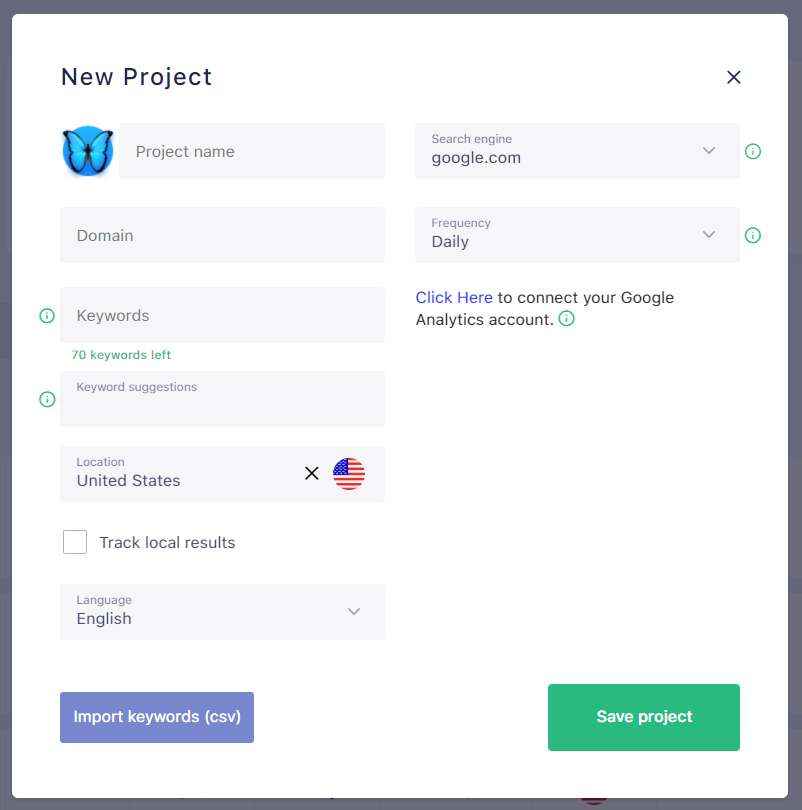 With SERPwatch, you can add all your projects in the system. For your project, you can set the desired location, tracking frequency and search engine. You can also import the keywords via a CSV file from this window itself. To quickly recognize your project you can also set a favicon to it from the library. You can also upload a custom logo for this purpose.
Multiple Search Engines
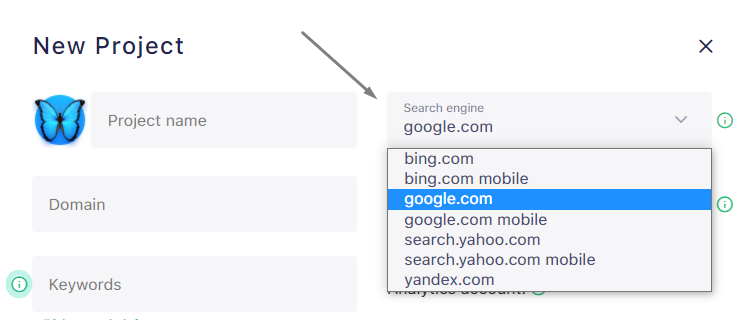 SERPwatch allows you track the keywords of your given project from any specific search engine. Currently, SERPwatch offers to choose Bing, Google and Yandex for this purpose. As such, you can track the project keywords from various search engines by creating segregated projects. This will allow you to examine the strength and weekness of your project as well for any search engine.
Accurate Data
A rank tracker is only worth paying for if you trust the numbers. Across a couple of months of use, when data ran late SERPwatch pushed a status notice rather than quietly serving stale figures. That transparency matters more than it sounds the day you send a client a report.Favorite Keywords
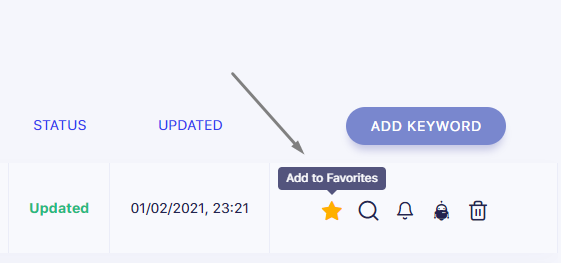 SERPwatch lets you add your high value keyword to favorites list by click on Add to favorites icon as shown above. Favorite keywords are shown right on the dashboard page under the head “Starred Keywords”. As such, you don’t need to first open the project to see the details of that keyword.
Daily Email Notification
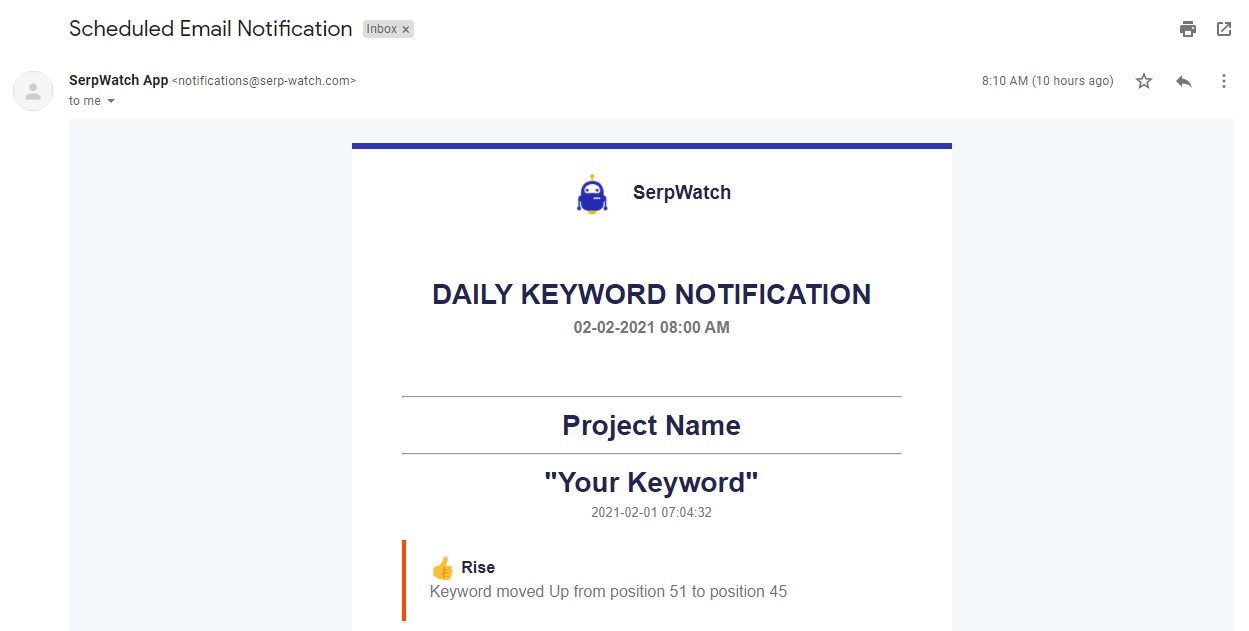 Many of us are busy in our daily schedules. As such, SERPwatch lets you enable daily scheduled email notification that lists down your keywords that showed drastic upward or down movement. It also tells you the changed position and previous keyword position.
Keyword Notification Toggle
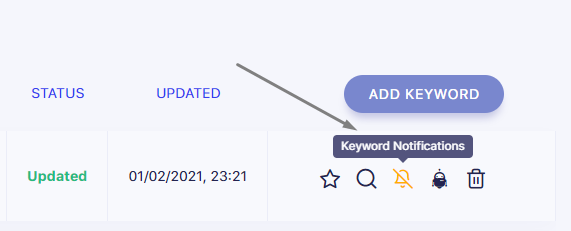 You can easily disable or allow email notification for any keyword inside your project. Within SERPwatch dashboard, you can also disable or allow notification for any project.
Advanced Keywords Data
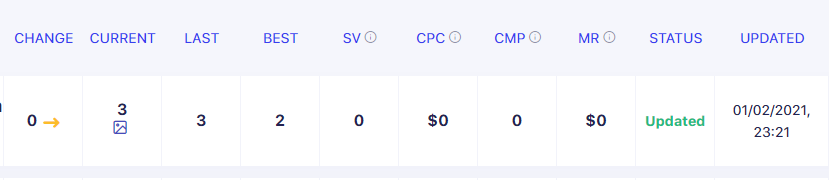 For each keyword that you add in the system, SERPwatch tells you detailed information about that keyword. It tells you daily change in position, current position, last tracked position and best position till now. SERPwatch also shows you search volume of the keyword, expected average cost per click based on historical values, relative competition, expected monthly revenue and competitors on that keyword.
Algorithm Updates Tracking
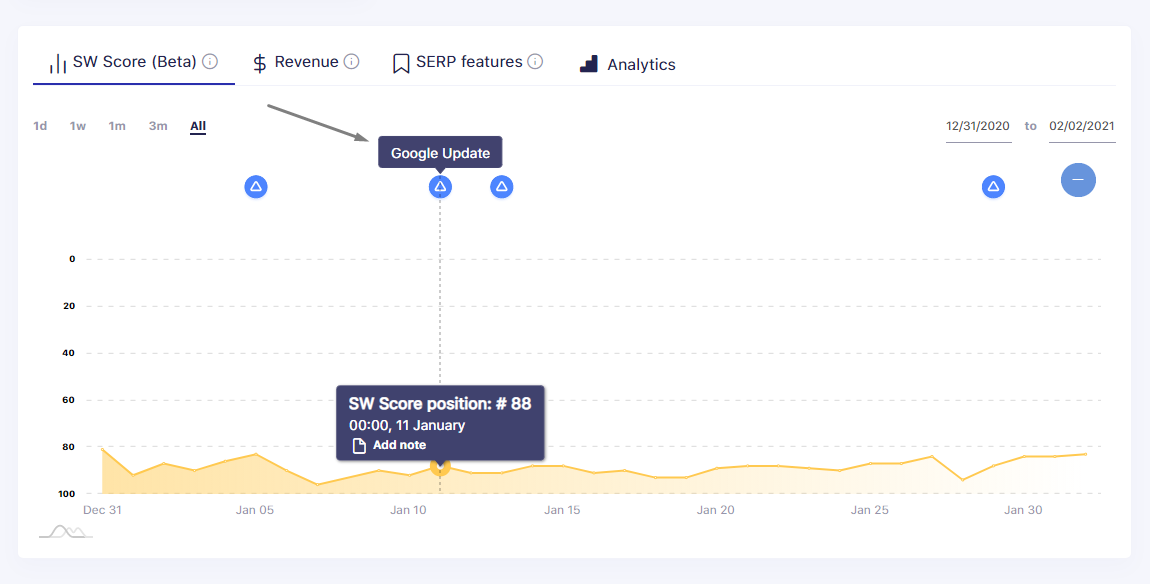 SERPwatch also shows a Google Update mark in the graph. When you click the mark, it shows you details about that algorithm update fetched from various webmaster forums. As such, it lets you quickly examine the impact of any given update from the graph it self. If you see any major changes after the mark, you can assume that it can be due to the google update.
UI Features
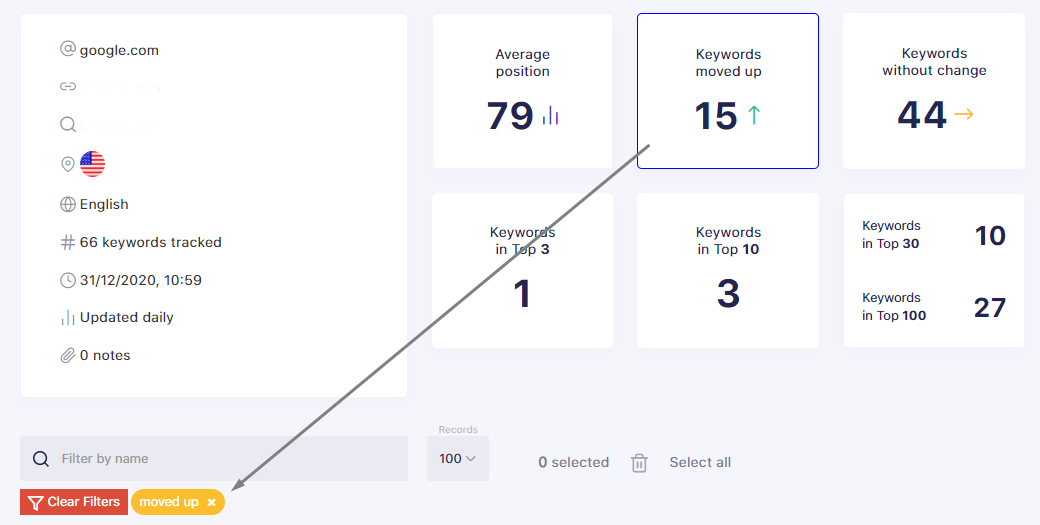 You can quickly clone any project. It is possible to reorder the projects and keywords in the dashboard. One can also sort by name or apply custom sorting. You can also apply keyword filters by clicking on “keywords moved up”, “keywords without change”, “Keywords moved down”, “Keywords in Top 3” and “Keywords in Top 10” boxes. One can also apply keyword filters by name as shown in the above screenshot.
Clients Management
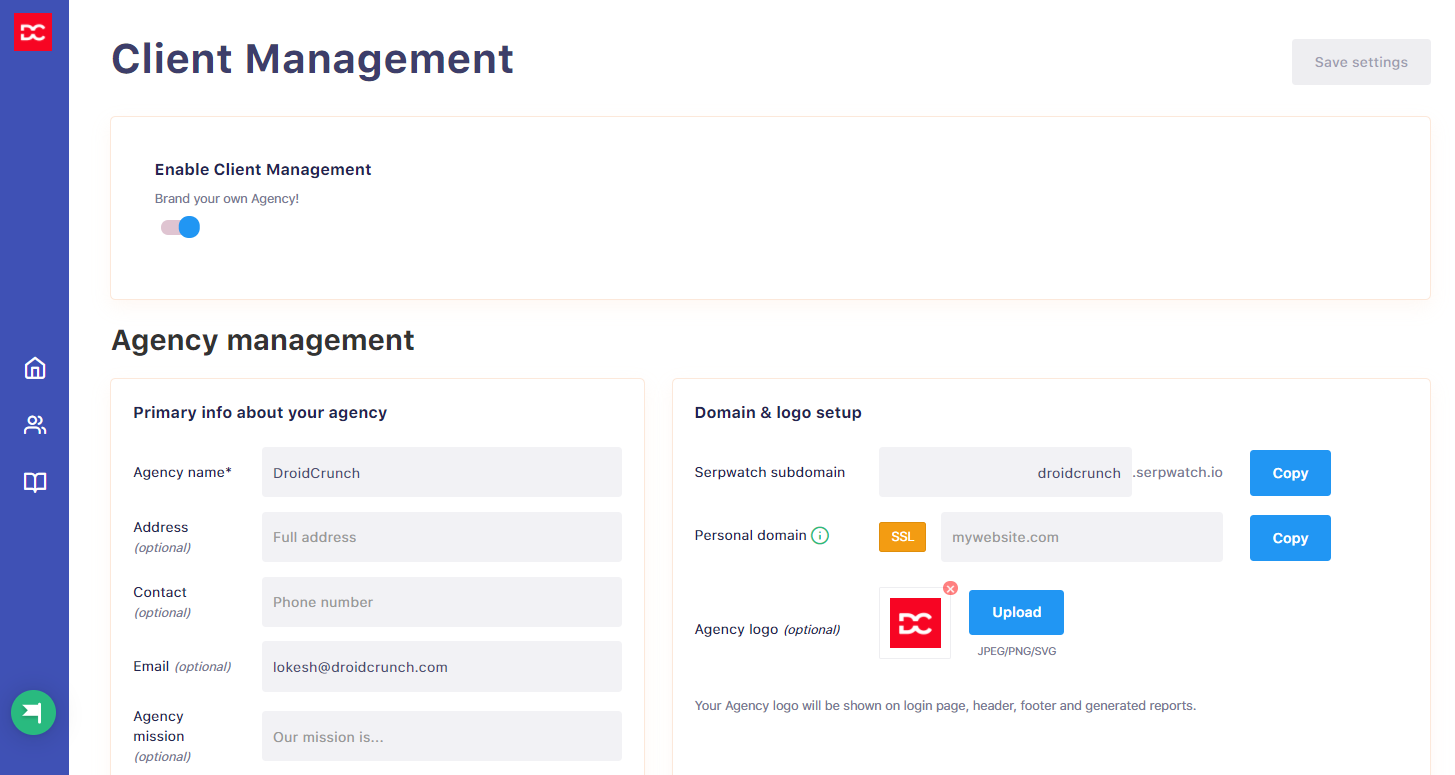 SERPwatch offers you client management feature where you can add your clients. For better management of clients, SERPwatch lets you add subdomain, upload your agency logo, input agency details such as name, address, contact, and Email. You can also change the software look and feel for your clients.
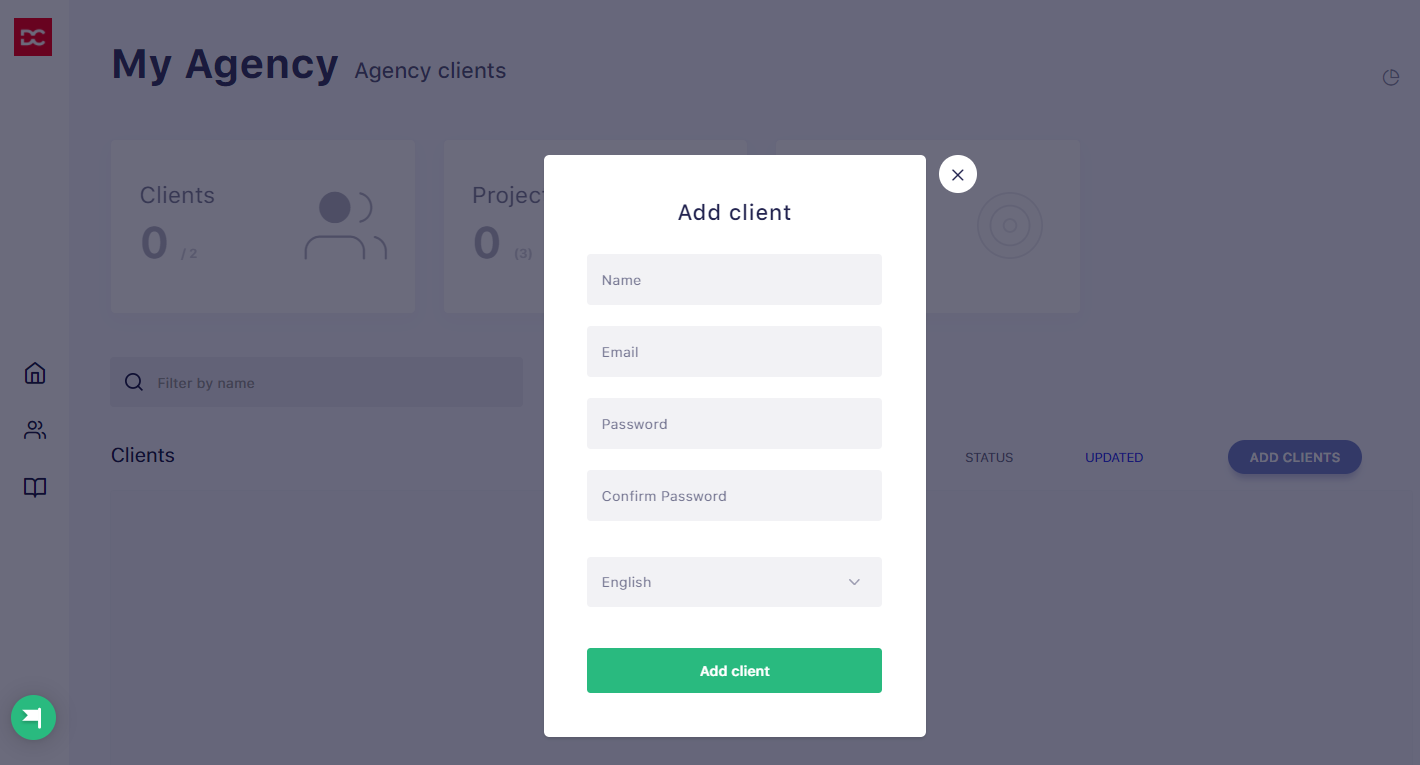 Agency clients can login from your subdomain url e.g. subdomain.serpwatch.io/login. You can assign any of your project to any of your client.
Change Appearance
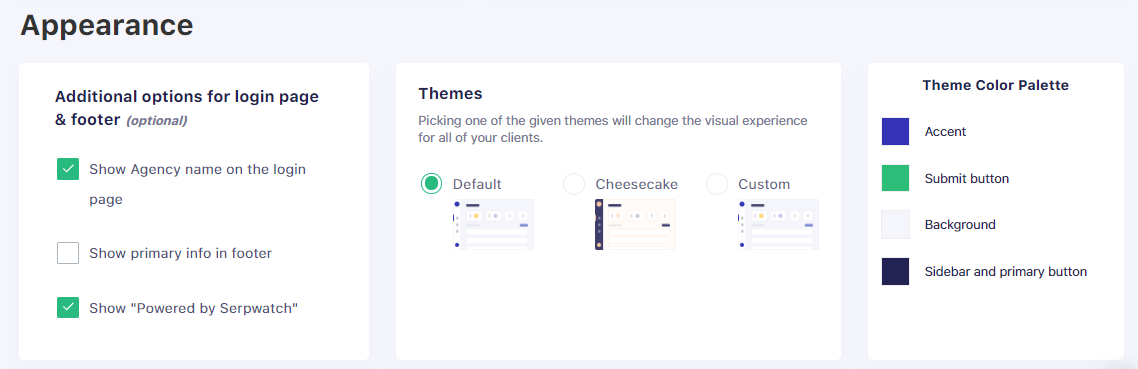 You can also recolour the dashboard for client logins under custom themes, so the portal reads as your agency rather than as a third-party tool.
Community Forum
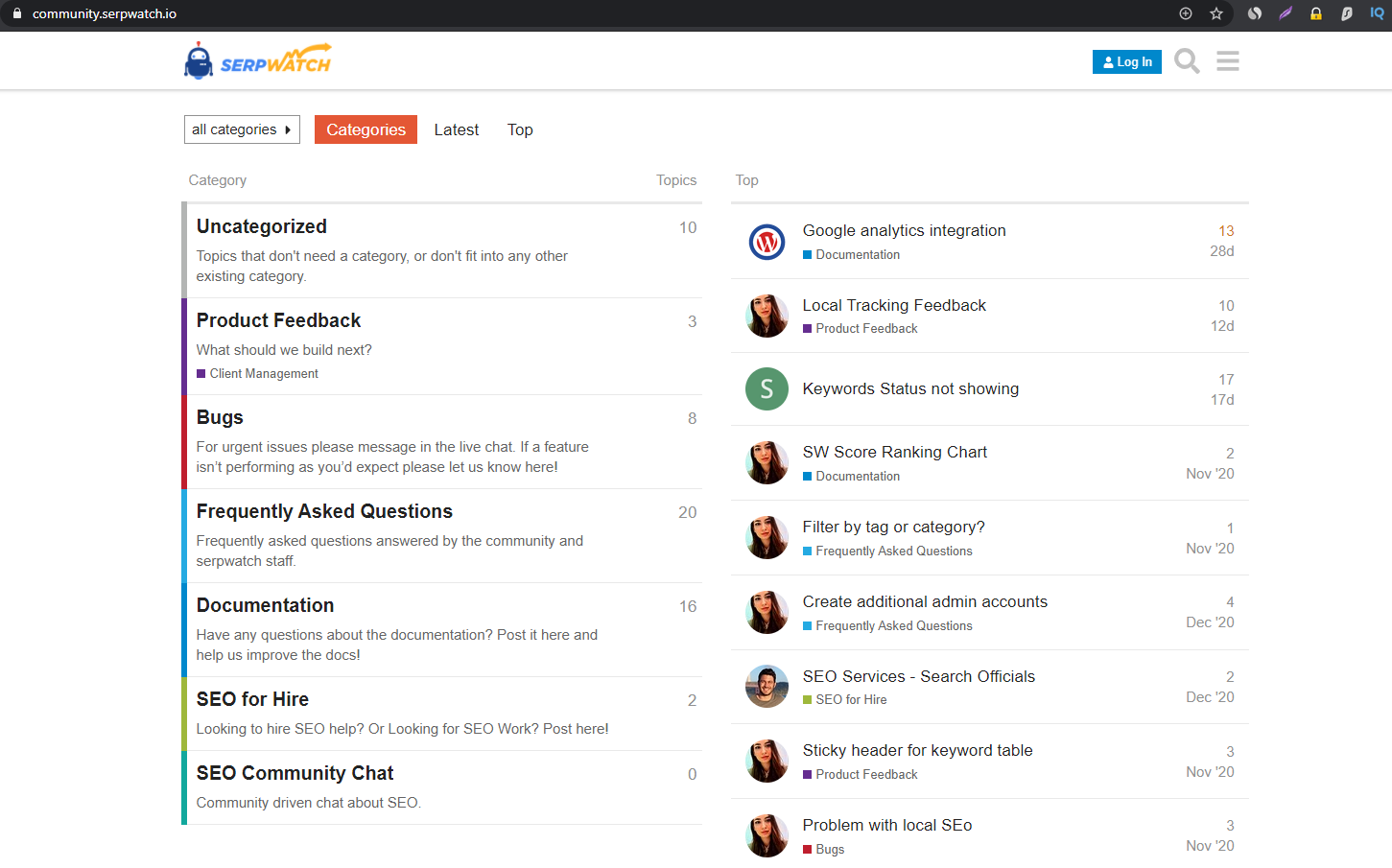 SERPwatch runs a public community forum alongside a roadmap and a feature-request board. You can see what is being built next, vote on issues, and raise queries in the open. For a smaller tool this is a useful signal: you can check whether development is still active before you commit to an annual plan.
Various Integrations
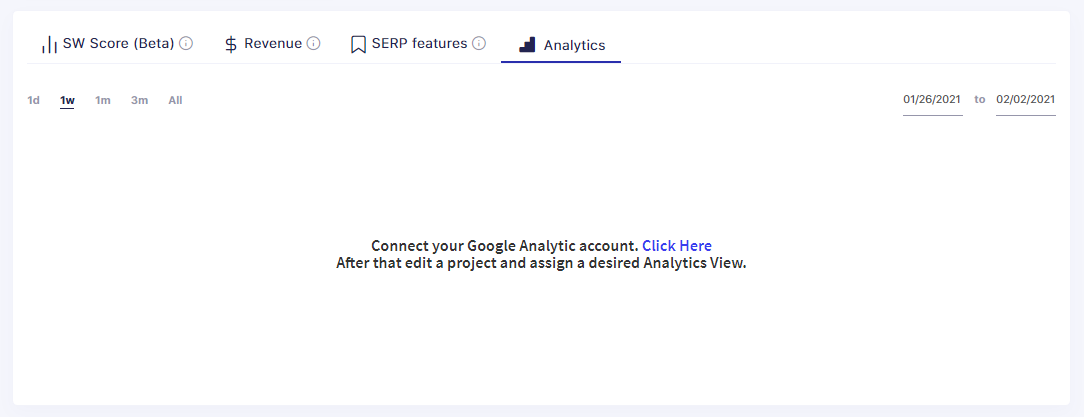 SERPwatch also allows you to integrate software with other applications to get most out of it. You can also integrate the software with Google Analytics account to see more advanced data analytics in your dashboard. After connecting your google analytics, you can then assign any project to desired analytics view.
Project Reports
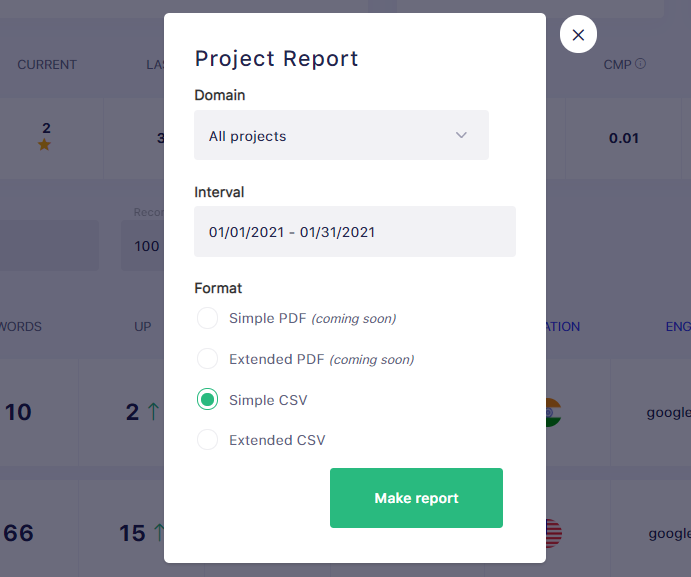 If you are handling other person project or even if you are working on your own project, Reports play a major role while working on a medium or large scale project. Weekly or Monthly reports give you enough of data to make various decisions. With SERPwatch, you can create quick report for all or any of your project. Reports can be generated for today, yesterday, last week or any custom interval. You can make a report in PDF, extended PDF, CSV and in an Extended CSV format.
Where SERPwatch Falls Short
No tool is a ten out of ten. These are the limits worth knowing before you pay.
Keyword limits are the real price tag
SERPwatch charges by tracked keywords, and those slots vanish faster than most people plan for. Slots are typically consumed per location and per search engine, so one term watched in three cities across two engines is not one slot; confirm the exact counting rules on the pricing page before you choose a tier. Work out your true keyword count first, then pick the plan, or you will be upgrading inside a month.
It is a tracker, not a full SEO suite
There is no backlink index, no site crawler and no content gap analysis. SERPwatch tells you where you rank and how that changed; it will not tell you why, or what to publish next. Budget for a second tool for research and link work, and judge this one on tracking alone.
A thinner feature set than Ahrefs or Semrush
Next to the big suites the tracking module is lean: fewer SERP feature breakdowns, lighter competitor tracking, less granular segmentation. For a solo blogger that trade is fine, because you get a dashboard you can read in ten seconds rather than one you need a course to learn. An in-house team that wants deep slicing will find it basic.
Rank history starts the day you add the keyword
Like every tracker, SERPwatch only knows what it has measured. Add a keyword today and the graph begins today; there is no back-filled history to browse. Load your important keywords on day one, and keep your report exports if long-range comparison matters to you.
SERPwatch vs Ahrefs vs Semrush
A quick sense of what you gain and what you give up:
| Capability | SERPwatch | Ahrefs | Semrush |
|---|---|---|---|
| Main job | Rank tracking | Full SEO suite | Full SEO suite |
| Daily rank tracking | Core focus | One module | One module |
| Keyword research | Basic metrics only | Extensive | Extensive |
| Backlink index | No | Yes | Yes |
| Site audit crawler | No | Yes | Yes |
| White-label client portal | Yes | Limited | Limited |
| Learning curve | Low | Steep | Steep |
| Cost position | Entry level | Premium | Premium |
SERPwatch Pricing
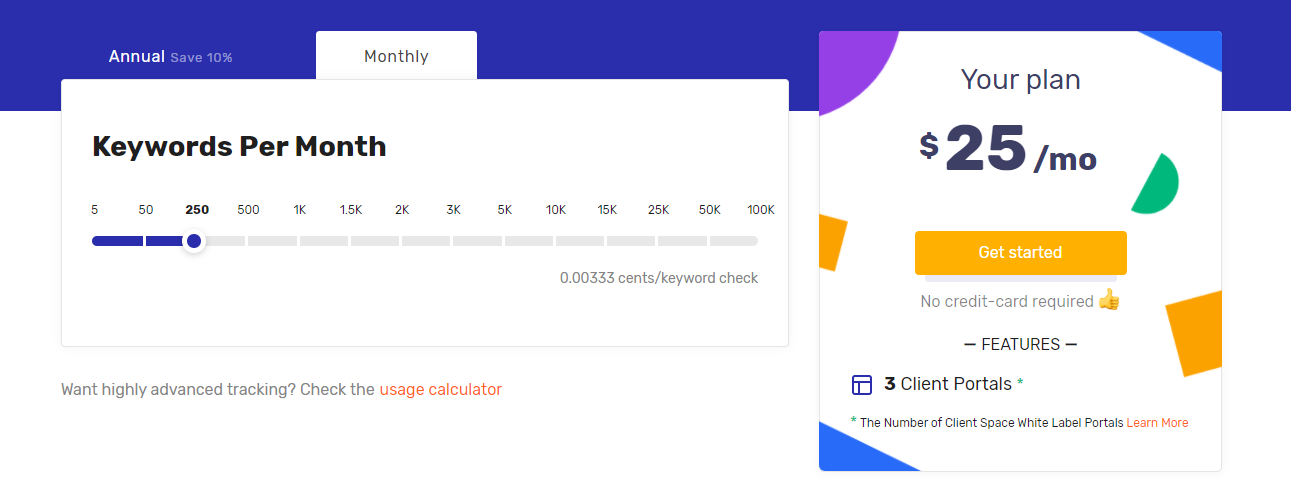
SERPwatch prices by keyword volume rather than by feature tier. Its pricing page uses a draggable calculator: slide to your keyword count and it shows the monthly and annual cost. On the pricing calculator at the time of writing, 250 keywords (enough for most single-site bloggers) sat around $25 per month, with roughly a 10% discount for paying annually. The number of client portals also scales with the keyword tier, so check that column if agency work is the reason you are buying.
Prices and limits change, so confirm current numbers on the official SERPwatch pricing page before you commit.
Frequently Asked Questions
Is SERPwatch worth it if I already pay for Ahrefs or Semrush?
Often yes, for one reason: suite trackers are keyword-capped too, and extra slots there usually cost far more than a standalone tracker. If your existing plan already covers every keyword you care about, skip it.
Does SERPwatch have a free plan?
SERPwatch is a paid tool rather than a freemium one. Trial offers change over time, so check the official pricing page for the current trial or refund terms before you sign up.
How many keywords do I actually need to track?
Most single-site bloggers do fine on 100 to 250. Count your money pages, your main commercial terms and a few competitor benchmarks, then add headroom, because each location and search engine consumes its own slot.
Can I cancel or downgrade my SERPwatch plan?
Monthly subscriptions are normally cancelled from account settings and run to the end of the billing period. Annual plans are paid upfront, so a downgrade takes effect at renewal. Confirm the current terms before buying.
Is SERPwatch good for beginners?
It is one of the easier rank trackers to start with, because there is only one job to learn. Create a project, import keywords, read the graph. There is no sprawling suite to get lost in.
Can I track the same keyword in different locations and search engines?
Yes. You set location, search engine and tracking frequency per project, and Google, Bing and Yandex are supported. Remember that each combination counts as a separate tracked keyword against your plan limit.
Is SERPwatch a good choice for agencies and client reporting?
This is its strongest use case. You get client logins on your own subdomain, agency branding, custom theme colours and one-click PDF or CSV reports, which removes most of the manual reporting work.
The Verdict: Should You Buy SERPwatch?
Buy it if you are a blogger or solo SEO who already owns a research tool and just wants trustworthy daily positions, starred keywords and a graph you will actually open. It is the cheapest way to stop guessing.
Buy it if you run a small agency and client reporting eats your Fridays. The white-label subdomain, agency branding and one-click PDF and CSV exports are the strongest part of the product.
Skip it if you want one login for everything, or if your keyword list runs into the thousands across many locations, because a suite plan often lands closer in price at that scale.
One warning: count your keyword slots properly before choosing a plan. Locations and search engines multiply, and the tier that looked cheap on the calculator is usually one size too small.
Next step: price your real keyword count on the SERPwatch pricing calculator, start on the smallest plan that fits, then give it two full weeks of daily data before you judge it.
The Review
SERPwatch
SERPWatch is a focused keyword rank tracker rather than a full SEO suite. It delivers dependable daily positions, algorithm-update markers and white-label client reporting at an entry-level price, but you will still need a separate tool for keyword research, backlinks and site audits.
PROS
- Clean, single-purpose interface you can read at a glance
- Reliable daily position updates with status notices when data is late
- White-label client portals on your own subdomain
- Google algorithm update markers plotted on the graphs
- PDF, extended PDF and CSV report exports
- Google Analytics integration per project
CONS
- Keyword slots fill fast: locations and search engines typically consume separate slots
- No backlink index, site audit or content gap tools
- Thinner feature set than Ahrefs or Semrush
- Rank history only starts the day you add a keyword




