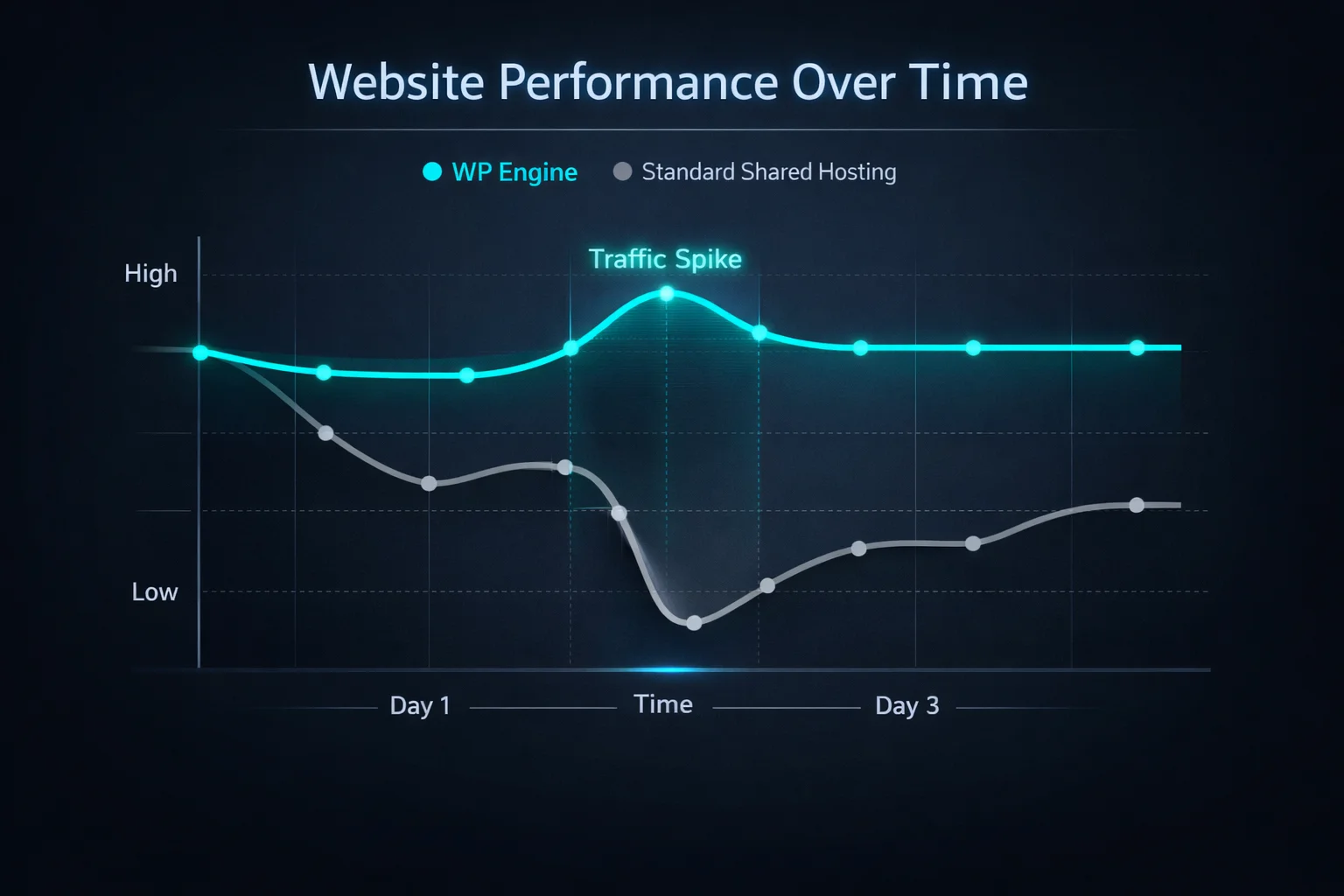
Your blog post goes viral, traffic spikes 50x in an hour — and your cheap shared host buckles, serving error pages to the exact audience you waited years for. That nightmare is precisely what managed WordPress hosting exists to prevent, and WP Engine is the name that defined the category.
WordPress runs over 40% of all websites, and a whole industry has grown up around hosting it properly — not generic shared hosting with a one-click installer bolted on. WP Engine, founded in 2010, is the premium end of that market: fast, secure, hands-off, and priced to match.
But two things make people hesitate in 2026: the price (it’s not cheap), and the very public dispute with Automattic that made headlines. So is WP Engine still worth it? We break down the features, real pricing, pros, cons and honest alternatives so you can decide without the guesswork.
⚡ Quick Verdict
Our rating: 4.4 / 5. WP Engine is premium managed WordPress hosting done right — genuinely fast, properly secure, and so hands-off that backups, caching, updates and threats are simply handled for you. You’re paying for time saved, not just a server. The catches: it’s noticeably pricier than shared hosting, it bans some popular plugins, and the Automattic spat adds a little baggage (more on that below).
- Best for: businesses, high-traffic blogs, WooCommerce stores, agencies and developers who value time over money.
- Skip it if: you’re on a tight budget or running a small hobby site — a cheaper host will do the job for a fraction of the cost.
- Price: from ~$20–30/month (annual billing); 60-day money-back guarantee.
WP Engine Overview

WP Engine is a leading managed WordPress hosting provider founded in 2010 by Jason Cohen. Headquartered in Austin, Texas, it was built around one idea: high-performance, secure, scalable hosting made specifically for WordPress. Over the years it has expanded globally and acquired notable WordPress brands (StudioPress/Genesis, Flywheel, Local) to build out its ecosystem.
Today WP Engine says it powers over a million sites worldwide — from solo bloggers to enterprise brands. Its appeal comes down to enterprise-grade infrastructure, proactive security, and support staffed by people who actually know WordPress rather than reading from a generic script.
📋 WP Engine at a Glance
| Feature | Details |
| Product Name | WP Engine |
| Official Website | wpengine.com |
| Founder / CEO | Jason Cohen (Founder); Heather Brunner (CEO) |
| USPs | EverCache® technology, proprietary security, 24/7 expert support |
| Category | Managed WordPress Hosting |
| Integrations | Cloudflare, New Relic, AWS, HubSpot, Stripe |
| Best For | High-traffic blogs, WooCommerce, agencies, enterprise |
| Support | 24/7 live chat, phone (higher tiers), ticketing |
| Headquarters | Austin, Texas, USA |
| Starting Price | ~$20–30/mo (with annual billing) |
| Alternatives | Kinsta, Cloudways, SiteGround, Nexcess, Pressable |
| Money-Back Guarantee | 60 days (risk-free) |
⚠️ The Automattic dispute, in plain English: In late 2024, a public falling-out between WP Engine and Automattic (the company behind WordPress.com) briefly cut WP Engine’s access to WordPress.org resources, before a court ordered access restored while the legal case continues. For day-to-day hosting customers the impact has been minimal — sites kept running and WP Engine added tools to handle plugin/theme updates throughout. It’s worth knowing the backstory, but it shouldn’t be the deciding factor for most users.
WP Engine Features
WP Engine doesn’t just give you a server to run WordPress on — it gives you an entire ecosystem built around making WordPress perform at its best. Here’s a closer look at the features that matter:
🚀 EverCache Technology
WP Engine’s proprietary EverCache® system is one of its standout differentiators. Rather than relying on generic caching solutions, EverCache was built specifically for WordPress, automatically caching pages at the server level so they load fast for every visitor — without requiring you to install or configure a caching plugin. It handles complex scenarios like logged-in users, WooCommerce carts and dynamic content gracefully, which generic caching plugins often struggle with.
🌍 Global CDN (Content Delivery Network)
Every WP Engine plan includes a built-in CDN spanning global data centres via Google Cloud. Static assets like images, CSS and JavaScript are served from the edge location closest to your visitor, dramatically reducing load times around the world. You don’t need to pay extra for a separate CDN service — it’s baked right in.
🔒 Enterprise-Grade Security
Security is where WP Engine genuinely earns its premium price tag. The platform includes:
- Automatic malware scanning and threat detection
- Free SSL certificates via Let’s Encrypt on all plans
- Real-time DDoS attack mitigation
- Two-factor authentication (2FA) for dashboard access
- IP allowlisting and blocking
- Managed WordPress core updates with compatibility checks
- Proactive security patches applied before vulnerabilities go public
🛠️ Developer Tools & Git Integration
WP Engine is a favourite among developers because it provides a genuinely developer-friendly environment. Key tools include:
- One-click staging environments to test changes before pushing live
- Full Git integration for version-controlled deployments
- SSH and SFTP access on all plans
- WP-CLI support for command-line WordPress management
- PHP version selection (up to 8.3)
- Local — a free local development app that integrates directly with WP Engine
📦 Automated Daily Backups
WP Engine automatically backs up your entire site every day and retains those backups for 30 days. You can also trigger a manual backup at any time with a single click — useful before making major changes. Restoring is equally simple: choose a restore point, click restore, done. No FTP, no database exports required.
⚡ Genesis Framework + Premium Themes
Every WP Engine account includes access to the Genesis Framework and StudioPress premium themes at no extra cost. Genesis is widely regarded as one of the best WordPress theme frameworks — clean code, SEO-friendly structure, fast load times and highly customisable. For many customers that alone offsets a chunk of the price.
📊 Smart Plugin Manager
One of WP Engine’s more unique features is its Smart Plugin Manager — an automated system that keeps your plugins up to date safely. It runs updates on a schedule, uses visual regression testing to check nothing broke after an update, and rolls back automatically if something goes wrong. It takes the nerve-wracking task of plugin updates off your plate entirely.
🏢 Multisite & Agency Tools
Agencies and developers managing multiple client sites will appreciate WP Engine’s User Portal, which lets you manage all your sites from a single dashboard. You can add team members with granular permissions, transfer sites between accounts, and white-label the platform for client access. The Agency Partner Program adds perks like priority support, co-marketing and dedicated account management.
📈 Application Performance Monitoring
WP Engine integrates with New Relic APM on higher-tier plans, giving developers detailed insight into database query times, PHP execution, server response and more. That visibility is invaluable for diagnosing performance bottlenecks on complex, high-traffic WordPress sites.
Who WP Engine Is For (and Who Should Skip It)
After hands-on use, here’s the honest read on who gets the most from WP Engine:
- Great for businesses & bloggers who want a fully managed, stress-free setup — updates, security and backups handled, so you focus on content, not servers.
- Great for developers & agencies who’ll use staging, Git, SSH and the multi-site portal to cut development and client-management time.
- Great for WooCommerce & growing sites that need isolated resources and headroom so a traffic spike doesn’t take the store down.
- Not ideal if you’re a hobbyist or on a tight budget, need email hosting bundled in, or rely on a banned plugin like WP Rocket — in those cases, look elsewhere.
WP Engine Pricing
Let’s be honest about the elephant in the room: WP Engine isn’t cheap hosting, it’s value hosting. You pay more and get performance, security and support you’d otherwise piece together yourself. Here are the current plan families for 2026 — prices and specs change often, so confirm the latest on the official site.
Which plan is right for you?
- Bloggers & small businesses: the entry Essential tier is plenty — pick the visitor allowance that matches your traffic.
- WooCommerce & high-traffic sites: step up to a higher Essential tier or Core for isolated resources and a 99.99% uptime SLA — don’t skimp where lost sales are the cost.
- Mission-critical / enterprise: Enterprise adds high-availability, failover and a dedicated team.
💰 Pricing Tiers (Approximate)

| Feature | Essential | Core | Enterprise |
| Best For | Small businesses & freelancers | Growing businesses & scalability | Mission-critical & high-traffic sites |
| Price | From ~$20–30/mo | From ~$400/mo | Custom pricing |
| Ideal Use Case | Simplicity, reliability, easy management | Enhanced performance, isolated resources, expert guidance | High availability, custom infrastructure, strategic advisory |
| Traffic & Specs | Tiered by traffic (entry ~25,000 visits/mo) Storage & bandwidth scale by tier | Isolated resources for consistent speed Designed for scaling traffic | High-capacity architecture for massive spikes |
| Key Performance Features | • Edge CDN • Managed WP/PHP/MySQL updates | • 99.99% uptime SLA • AI-powered plugin/theme updates • GeoTarget delivery | • Failover & high availability • Git-powered CI/CD pipelines |
| Support Level | 24/7 technical support | Fast-track senior support | VIP dedicated expert team |
| Add-Ons | • Auto plugin updates (+$4/mo) • Extra security (+$31/mo) • Page Speed Boost (+$20/mo) | Essential features + advanced options | Custom enterprise extensions |
WP Engine Alternatives
WP Engine is excellent, but it’s not the only option. Here are six strong alternatives worth considering:
1. Kinsta
Kinsta is arguably WP Engine’s closest competitor. Built entirely on Google Cloud’s premium tier, it offers excellent performance, a beautiful dashboard, daily backups and 24/7 expert support, from around $35/month for a single site. Kinsta tends to edge out WP Engine on dashboard UX and often includes more visits in its lower tiers.
2. Cloudways
Cloudways is flexible managed cloud hosting that lets you run WordPress on Google Cloud, AWS, DigitalOcean, Linode or Vultr. From around $14/month, it offers far more control and flexibility than WP Engine, though it asks for a bit more technical know-how. See our guide to cloud hosting for WordPress for the wider picture.
3. SiteGround
SiteGround is one of the most recommended WordPress hosts — fast servers, excellent support and beginner-friendly tools. Promo pricing starts low (renewals rise sharply), so it’s dramatically cheaper than WP Engine but lacks the dedicated managed-WordPress infrastructure. Best for blogs and small sites that don’t need enterprise-grade performance.
4. Flywheel (a WP Engine brand)
Flywheel was acquired by WP Engine in 2019 and runs as a sibling brand aimed at designers and creative agencies. From around $15/month, it offers a more design-centric dashboard and workflow. If you like WP Engine’s infrastructure but prefer a different interface, Flywheel is worth a look.
5. Nexcess
Nexcess (owned by Liquid Web) offers managed WordPress and WooCommerce hosting with solid performance from around $21/month. It bundles automatic plugin updates, performance testing and image optimisation — a strong pick for WooCommerce stores, where its optimisation runs deep.
6. Pressable
Pressable is a lesser-known but capable managed host running on Automattic’s infrastructure (the same company behind WordPress.com). From around $25/month for a single site, it includes Jetpack Security, daily backups, malware scanning and free migrations — enterprise-grade reliability at a mid-range price.
WP Engine Pros & Cons
No host is perfect. After our deep dive, here’s the honest breakdown.
| ✅ Pros | ❌ Cons |
| Genuinely fast NGINX, EverCache and current PHP versions make sites fly. | Banned-plugin list It blocks certain caching/backup plugins (like WP Rocket or BackupBuddy) that conflict with its internal systems. |
| 60-day money-back guarantee Double the industry-standard 30 days. | The Automattic friction The dispute added some complexity; access to WordPress.org resources was disrupted before being restored by court order. |
| Support that knows WordPress You’re talking to genuine WP experts, not a generic script-reader. | Higher cost Significantly pricier than standard shared hosting (Bluehost, GoDaddy, Hostinger). |
| Free premium themes Genesis Framework and StudioPress themes included. | Overage charges Exceed your visitor cap and you’ll pay for overages (though they usually warn you first). |
| Scales under pressure If a post goes viral, your site stays up. | No email hosting You’ll need a separate provider like Google Workspace or Microsoft 365. |
Frequently Asked Questions
What is WP Engine used for?
WP Engine is a managed hosting provider built specifically to host, optimise and secure WordPress websites. It handles server maintenance, performance tuning, caching, backups and security patching so you don’t have to.
Is WP Engine better than shared hosting like GoDaddy?
For performance and reliability, yes. Unlike shared hosting where your site competes for server resources, WP Engine provides managed resources, superior caching and WordPress-specific security, so sites load faster and stay up under load. The trade-off is a higher price.
Does WP Engine include free email hosting?
No. WP Engine focuses strictly on web hosting to keep server performance high, so it does not bundle email. You’ll need a third-party provider such as Google Workspace or Microsoft 365 for professional email.
How much does WP Engine cost?
Pricing in 2026 starts at roughly $20 to $30 per month for the entry Essential plan when billed annually, covering one website with a tiered monthly visitor allowance. Higher Essential tiers, Core and Enterprise scale up for more traffic and isolated resources.
Does WP Engine use cPanel?
No. WP Engine uses a custom-built User Portal designed specifically for managing WordPress sites, rather than a generic cPanel interface. It’s cleaner for WordPress tasks but different if you’re used to cPanel.
Is WP Engine good for WooCommerce?
Yes. WP Engine offers infrastructure optimised for eCommerce, with features like cart caching and enhanced product search on its store-focused plans, helping WooCommerce sites stay fast during busy sales periods.
Does WP Engine offer a money-back guarantee?
Yes. WP Engine provides a generous 60-day money-back guarantee on standard hosting plans — double the usual 30 days — so you can test the platform risk-free before committing.
The Bottom Line
WP Engine remains the benchmark managed WordPress host for people who value time over money. If you run a business, the hours you don’t spend worrying about backups, security and uptime are worth far more than the monthly fee — and the 60-day guarantee makes it low-risk to try.
Here’s the decision in one line: choose WP Engine if you want premium, hands-off WordPress hosting and your site earns its keep. Look at Kinsta for a near-identical rival with a slicker dashboard, Cloudways if you want cloud flexibility for less, or a budget host if it’s a hobby project. One honest caveat: check the banned-plugin list and visitor caps before you commit — and use the 60-day guarantee as your real test drive, on your actual site.
Disclosure: this review contains affiliate links. If you sign up through them, we may earn a commission at no extra cost to you. Our verdict is based on hands-on evaluation, not the payout.
The Review
WPEngine
WP Engine delivers premium, managed WordPress hosting that eliminates server maintenance. Featuring proprietary EverCache technology, automated daily backups, and robust security, it guarantees blazing-fast, secure websites. Perfect for scaling businesses and agencies, it provides a seamless user experience backed by expert 24/7 support.
PROS
- Optimized Performance
- Robust Security
- Advanced Workflow Tools
- Automated Maintenance
- Specialized Support
CONS
- Strict Resource Limits
- Plugin Restrictions
- No Included Extras