

Large language models are brilliant conversationalists trapped in a glass box. Out of the box, a model like Claude or ChatGPT can reason and write beautifully — but it can’t read your files, query your database, check today’s calendar, or open a pull request. Everything it knows is frozen at training time and locked inside the chat window. Model Context Protocol (MCP) is the open standard that finally lets AI reach outside that box in a safe, consistent way.
Introduced by Anthropic in late 2024 and now adopted across the AI industry, MCP has quickly become the plumbing behind AI assistants, coding tools, and AI agents. This guide explains what MCP is, the problem it solves, how it works under the hood, and why it might be the most important AI standard you’ve never heard of — all in plain English.
What is MCP, in one sentence?
Model Context Protocol (MCP) is an open standard that lets AI applications connect to external tools, data, and services through one universal interface — instead of a custom, one-off integration for every single connection.
The analogy that stuck — and the one Anthropic itself uses — is “USB-C for AI.” Before USB-C, every device needed its own proprietary cable and charger. USB-C replaced that mess with a single connector that works everywhere. MCP does the same for AI: any MCP-compatible app can plug into any MCP server, no bespoke wiring required. Build a connector once, and every AI tool that speaks MCP can use it.
The problem MCP solves: the M×N mess
To see why MCP matters, picture the world before it. Say you have M AI applications (Claude Desktop, a chatbot, a coding IDE, an agent) and you want each to talk to N systems (GitHub, Slack, a Postgres database, Google Drive). Without a standard, every team has to build and maintain a custom integration for each pairing — that’s M × N connectors. Ten apps and ten data sources means a hundred brittle, one-off integrations that all break in different ways.
MCP collapses that into an M + N problem. Each application implements MCP once (the client side), and each system is wrapped in an MCP server once. Now any app works with any server automatically. Ten apps plus ten servers is twenty pieces to build — not a hundred — and each one is reusable. That single shift from multiplication to addition is the whole point of MCP.

How MCP works: hosts, clients, and servers
MCP uses a simple client–server model with three roles. Once you know them, every MCP setup makes sense:
- Host — the AI application the user actually interacts with: Claude Desktop, an AI-powered IDE like Cursor or VS Code, or a custom agent. The host contains the LLM and orchestrates everything.
- Client — a connector that lives inside the host and maintains a dedicated, one-to-one link to a single server. If a host talks to three servers, it runs three clients.
- Server — a lightweight program that wraps a specific capability or data source (your files, a GitHub repo, a database) and exposes it to the AI in the standard MCP format.

Under the hood, clients and servers talk using JSON-RPC 2.0 — a lightweight, well-established messaging format. Communication runs over one of two transports: stdio (standard input/output) for servers running locally on your machine, and HTTP for remote servers reached over the network. You never see this layer as a user — the host handles the handshake, discovers what each server offers, and presents those capabilities to the model.
What an MCP server actually exposes
An MCP server can offer three kinds of building blocks (called “primitives”). This is where MCP gets its real power:
- Tools — actions the model can call, like functions: “search the database,” “create a GitHub issue,” “send a Slack message.” Tools are model-controlled — the AI decides when to use them (with your approval).
- Resources — read-only data the model can pull in as context: file contents, database records, documentation, API responses. Think of these as the “nouns” the model reads.
- Prompts — reusable, templated workflows a server can offer, like a pre-built “review this pull request” or “summarize this ticket” recipe that the user can trigger.
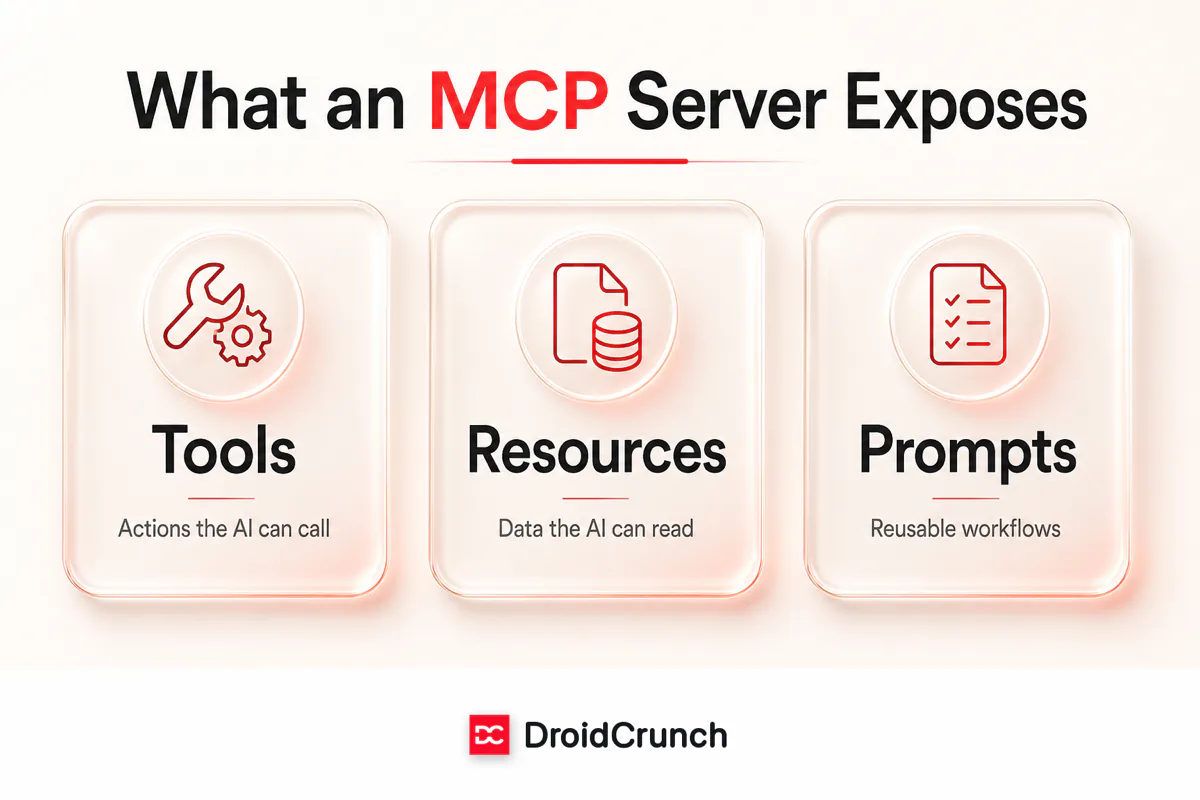
A GitHub MCP server, for example, might expose tools to open issues and merge PRs, resources that surface repository files, and prompts for common code-review tasks — all discoverable automatically the moment the host connects.
MCP vs. the alternatives
MCP is often confused with related ideas. Here’s how it compares to the approaches it builds on or replaces:
| Approach | What it does | How MCP differs |
|---|---|---|
| Custom API integration | Hand-coded connection for one app to one service | MCP standardizes it so the connector is reusable across every AI app |
| Plugins (e.g. early ChatGPT plugins) | Vendor-specific add-ons tied to one platform | MCP is open and model-agnostic — not locked to a single vendor |
| RAG (Retrieval-Augmented Generation) | Fetches relevant documents to ground answers | Complementary — an MCP resource can feed a RAG pipeline; MCP also adds actions, not just retrieval |
| Function calling | Lets a model call developer-defined functions | MCP is the standard transport and discovery layer that makes those functions portable between apps |
The key insight: MCP doesn’t compete with these so much as tie them together under one open protocol, so the ecosystem stops reinventing the same connectors.
Real-world MCP servers you can use today
Since launch, a large open ecosystem of MCP servers has appeared — official ones from companies and thousands from the community. Common examples include:
- Filesystem — let the AI read and write files in a folder you approve.
- GitHub / GitLab — browse repos, open issues, review and merge pull requests.
- Databases — Postgres, SQLite, and others, so the model can query your data safely.
- Slack — read channels and post messages on your behalf.
- Google Drive — search and pull in documents as context.
- Web & search — fetch live pages or run searches to get current information.
Because they all speak the same protocol, you can mix and match: connect a filesystem server, a GitHub server, and a database server to the same assistant, and it can reason across all three in a single conversation.
Why MCP is a big deal for AI agents
MCP isn’t just about chatbots reading files — it’s foundational infrastructure for AI agents. An agent’s whole job is to take actions in the real world: check something, decide, act, repeat. To do that reliably it needs a dependable way to use tools and access context. MCP gives agents exactly that — a standard menu of capabilities they can discover and call without custom code for each one.
This is why MCP took off so fast: as the industry shifts from simple chat toward autonomous agents and AI automation, a shared protocol for connecting models to the world becomes essential. It turns “my agent can only do what I hard-coded” into “my agent can use any capability someone has wrapped in an MCP server.”
Is MCP secure?
Giving an AI access to your files, code, and messages is powerful — and rightly raises security questions. MCP is built with several safeguards, but it also asks users to stay in control:
- User consent by design. Hosts are expected to ask for explicit approval before a server reads data or runs a tool — you see and confirm what the AI wants to do.
- Local first. Many servers run locally over stdio, so your data never leaves your machine unless you choose a remote server.
- Authentication for remote servers. Remote MCP servers use standard authentication like OAuth, so access is scoped and revocable — the same principles that secure any modern API.
- Only install servers you trust. An MCP server is real software running with real permissions. Treat third-party servers like any other app: vet the source before connecting.
How to try MCP yourself
You don’t need to be a developer to experience MCP. The easiest path is an app that already supports it — Claude Desktop, for instance, lets you add MCP servers through a config file, and AI coding tools like Cursor and VS Code have built-in MCP support. Point it at an official server (the filesystem or GitHub server is a great first step), approve the connection, and ask the assistant to do something with your files or repo. Developers who want to go further can build a custom server using the official SDKs (available in Python, TypeScript, and more) documented at modelcontextprotocol.io.
Frequently asked questions
What does MCP stand for?
MCP stands for Model Context Protocol. It is an open standard that lets AI applications connect to external tools, data, and services through one universal interface instead of a custom integration for every connection.
Who created MCP?
MCP was introduced and open-sourced by Anthropic (the company behind Claude) in late 2024. Because it is an open standard, it has since been adopted broadly across the AI industry rather than being tied to any single company.
Is MCP only for Claude?
No. Although Anthropic created it, MCP is open and model-agnostic. Any AI application — including third-party assistants, IDEs, and custom agents — can implement MCP, and any MCP server works with any MCP-compatible app.
What is the difference between MCP and an API?
An API is how one specific service exposes its functionality. MCP is a higher-level standard for how AI apps discover and use tools and data — often wrapping existing APIs. In short, MCP standardizes the connection so a single connector works across every AI app instead of being rebuilt each time.
Do I need to be a developer to use MCP?
Not to use it. Apps like Claude Desktop, Cursor, and VS Code support MCP servers through simple configuration — you add a server, approve the connection, and start asking the AI to work with your files or apps. Building your own server does require coding, using the official SDKs.
The bottom line
Model Context Protocol solves a deceptively simple problem: connecting smart AI models to the messy real world of files, apps, and data — without rebuilding the wiring every time. By standardizing that connection the way USB-C standardized cables, MCP turns a tangle of custom integrations into a clean, reusable ecosystem. As AI moves from answering questions to taking action, that shared plug is quietly becoming one of the most important standards in the field. Learn it now, and the next wave of AI tools will feel a lot less mysterious.
Want to keep going? Read our beginner guides on AI agents vs. traditional automation and what RAG is, or browse more API and integration guides on DroidCrunch.




