

In 2026, the demand for smarter tools that streamline business workflows and personalize experiences has skyrocketed, and Trupeer AI has emerged as one of the standout platforms in this space. Designed for businesses and professionals alike, Trupeer AI promises to redefine how artificial intelligence simplifies operations through automation, insights, and integrations.
What makes Trupeer AI stand out is its intuitive design, powerful machine-learning capabilities, and commitment to delivering value. Whether you’re a solopreneur looking to improve customer interactions or an enterprise wanting to automate processes, Trupeer AI caters to diverse needs. Backed by its growing user community and robust support, it’s carving a niche in a highly competitive market.
But what really sets Trupeer AI apart from the pack? In this review, we’ll take a deep dive into key features, pricing, and alternatives, as well as weigh its advantages and challenges.
Trupeer AI Overview
| Product Name | Trupeer AI |
| Official Website | https://trupeer.ai |
| Developers | Siddharth Jain & Team |
| USPs | Auto screen-to-video + docs, AI voiceover, multilingual, branded templates |
| Category | AI-Powered Product Demo & Documentation Tool |
| Integrations | Chrome Extension, export to PDF/MP4/Markdown |
| Best For | Product marketers, customer education, SMBs, onboarding teams |
| Support Options | Email, live chat, knowledge base, onboarding (Scale & Enterprise) |
| Documentation | Available on website knowledge base |
| Company Headquarter | Bangalore, India |
| Starting Price | Free plan available (10-day trial) |
| Alternatives | Loom, Descript, Synthesia, HeyGen, Camtasia |
| Affiliate Program | ✅ Yes |
| Affiliate Commission | ~20% recurring on referrals (subject to official partner terms) |
| Money-back Guarantee | ❌ No direct money-back, but a 10-day free trial is offered |
| Compliance | SOC 2 & ISO 27001 certified |
| Team Size | Approx. 50–100 employees |
| Launch Year | 2024 |
| Browser Compatibility | Chrome only (extension-based) |
Trupeer AI is a SaaS tool built to change how product demos, tutorials, and training materials are created. Founded in 2023 by Siddharth Jain, the platform officially launched in early 2024, quickly capturing attention for its AI-powered screen recording, multilingual support, and automated content generation.
Headquartered in Bangalore, India, Trupeer AI is run by a dynamic team of around 50–100 employees, with backgrounds in product design, AI development, and user education. The company’s core mission is to simplify knowledge sharing at scale—allowing businesses to generate professional content without relying on traditional video editing or technical skills.
It is aimed squarely at product marketers, onboarding teams, and customer success specialists — anyone who has to turn a screen recording into something presentable more than once a week.
Trupeer AI Key Features
Trupeer AI provides innovative tools that simplify content creation, brand consistency, and multilingual communication. Below is an overview of its notable features as illustrated:
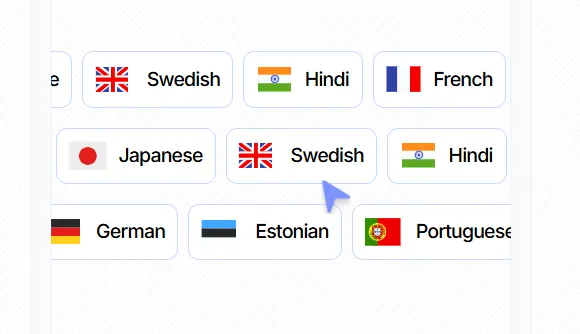
Translation
Trupeer AI enables effortless translation into more than 30 languages with just one click. This feature is particularly useful for businesses targeting global audiences, helping them adapt content for diverse markets and keep their message consistent across languages.
Whether for website localization or marketing content, this tool ensures language barriers no longer hinder engagement.
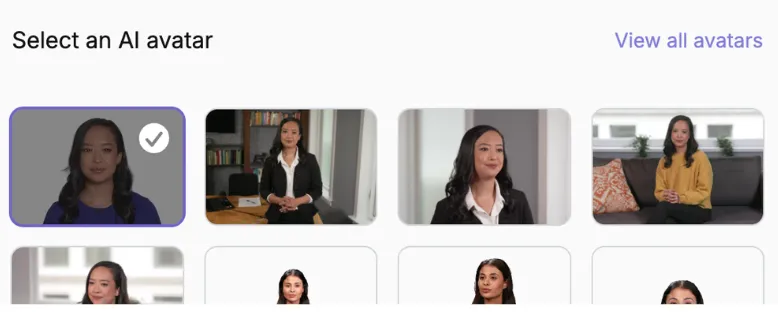
AI Avatars
With AI Avatars, users can create videos that feature personalized, avatar-ready characters. This feature is ideal for training videos, online presentations, or marketing campaigns.
Businesses can use AI-generated avatars to deliver professional-looking, customizable content without requiring on-camera talent or extensive video editing skills.
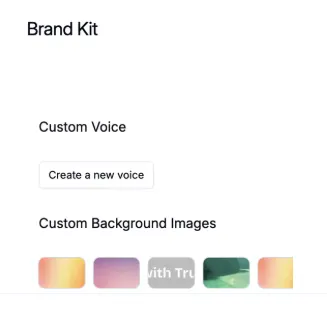
Brand Kits
The Brand Kits feature allows users to maintain consistency in branded content creation. By integrating essential brand elements such as logos, fonts, and color schemes, it helps businesses produce on-brand visuals and materials every time.
It’s particularly suited for marketing teams seeking streamlined design processes and consistency across multiple campaigns.
AI Screen Recording
This feature transforms raw screen recordings into polished, professional-quality videos. Perfect for demo videos, tutorials, or product overviews, AI Screen Recording automates edits, enhances quality, and removes the need for extensive technical expertise in video production.
Trupeer AI offers a wide array of features that cater to diverse business needs.
How to use Trupeer AI?
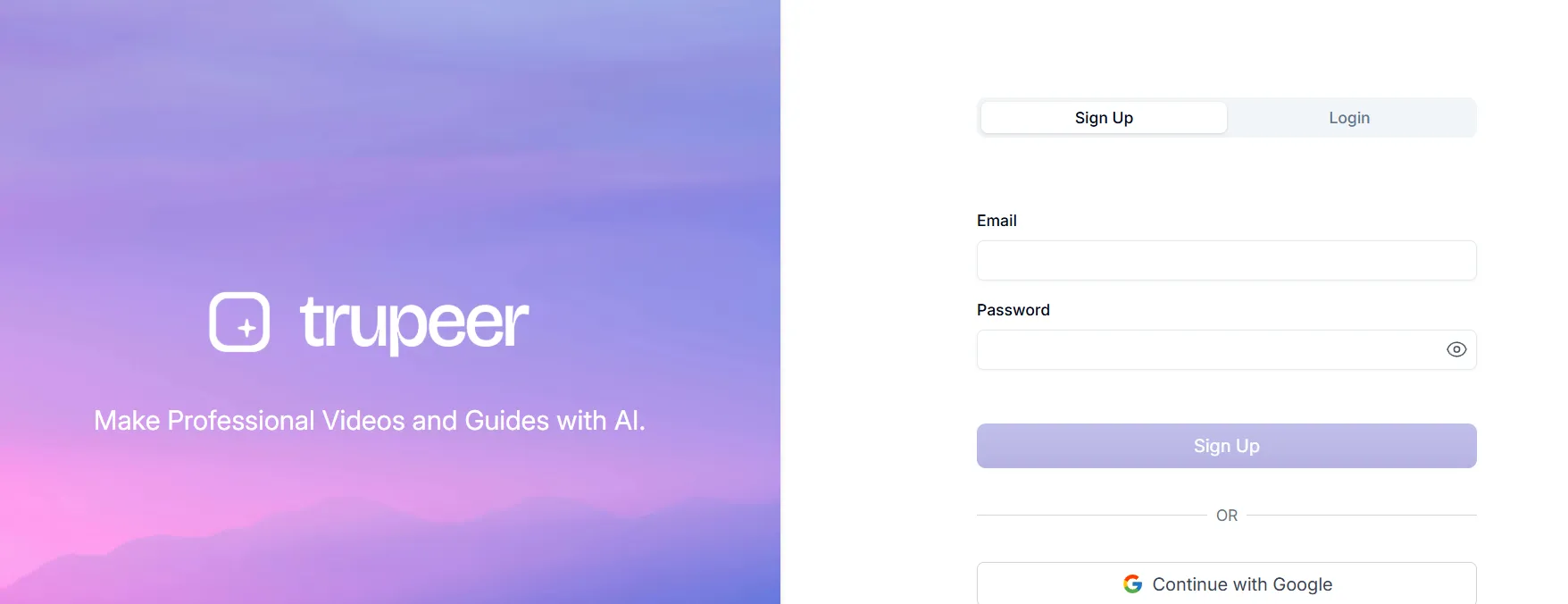
Step 1: Sign Up & Set Up Your Workspace
- Visit https://trupeer.ai and sign up for a free trial or choose a plan.
- Set your workspace defaults once: brand kit, the voice you want for AI voiceovers, and your default output language.
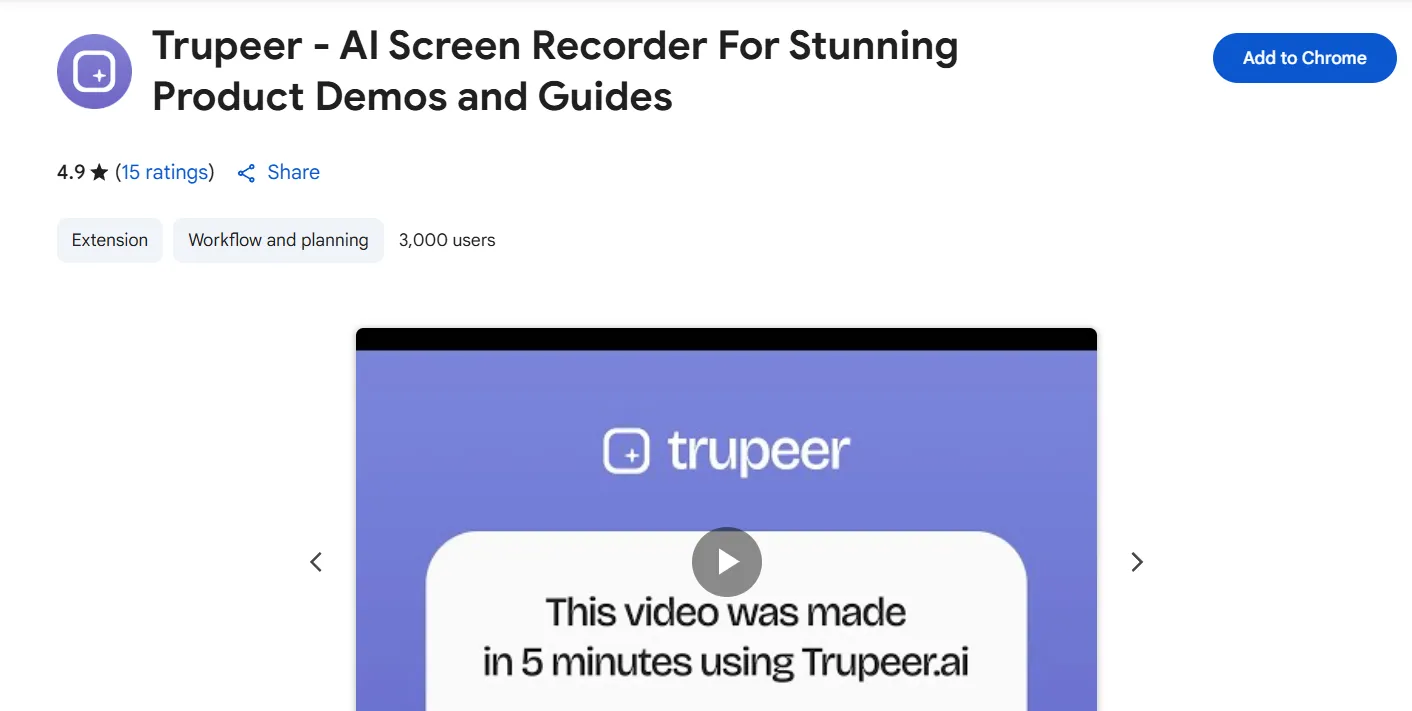
Step 2: Install the Chrome Extension (Optional but Powerful)
- Trupeer offers a Chrome extension that lets you pull data directly from LinkedIn profiles.
- Handy for grabbing a quick recording without leaving the tab you are already working in.
Step 3: Record Your Screen
- Hit record in the web app or the Chrome extension and walk through the flow you want to document.
- You do not need a clean take. Stumbles, long pauses, and filler words get handled in the next step.
Step 4: Let the AI Clean Up the Recording
- Trupeer strips filler words and dead air, then adds smooth zooms and cursor highlights around the places you actually clicked.
- Swap your raw audio for a studio-grade AI voiceover, or keep your own voice if you prefer it.
Step 5: Generate the Step-by-Step Guide
- The same recording is turned into a written document with screenshots and numbered instructions.
- This is the part that earns its keep: one recording gives you a video and an article, which is normally two jobs.
Step 6: Apply Your Brand Kit
- Drop in your logo, fonts, and colours so the output looks like your product rather than a generic screen capture.
- Add an AI avatar presenter if you want a face on the video without filming one.
Step 7: Translate for Other Markets (Optional)
- Generate the same video and written guide in another language without re-recording anything.
Step 8: Export and Share
- Share a link, embed the video in your docs or help centre, or export the written guide for internal use.
Trupeer AI Use Cases
Trupeer earns its place anywhere you have to explain software more than once. These are the jobs it actually fits:
- Product demos and launch videos — record the flow once, get a polished walkthrough without booking an editor.
- Customer onboarding and help-centre docs — the video and the written guide come out of the same recording, so both stay in sync.
- Internal SOPs and training — document a process properly instead of leaving it in one person’s head.
- Support deflection — turn your five most repeated tickets into clear guides and stop answering them by hand.
- Sales walkthroughs — send a branded, on-message demo instead of squeezing another call into the calendar.
- Localising content — ship the same guide in another language without re-recording it.
Where it does not fit: anything needing real creative editing — brand films, emotive marketing spots, or heavily cut social video. Trupeer is built for instructional clarity, not storytelling.
Trupeer AI Pricing
Trupeer.ai offers a tiered pricing model designed to accommodate a diverse range of users, from individuals exploring AI content creation to large organizations requiring advanced features and support.
The structure consists of four distinct plans: a 10-day Free trial, a Pro plan for individuals, a Scale plan for professionals and teams, and a customizable Enterprise plan for rapidly growing companies.
The key differentiators between the plans are monthly usage limits for AI video and guides, recording length, and access to advanced features like team collaboration, custom branding, and enterprise-grade security.
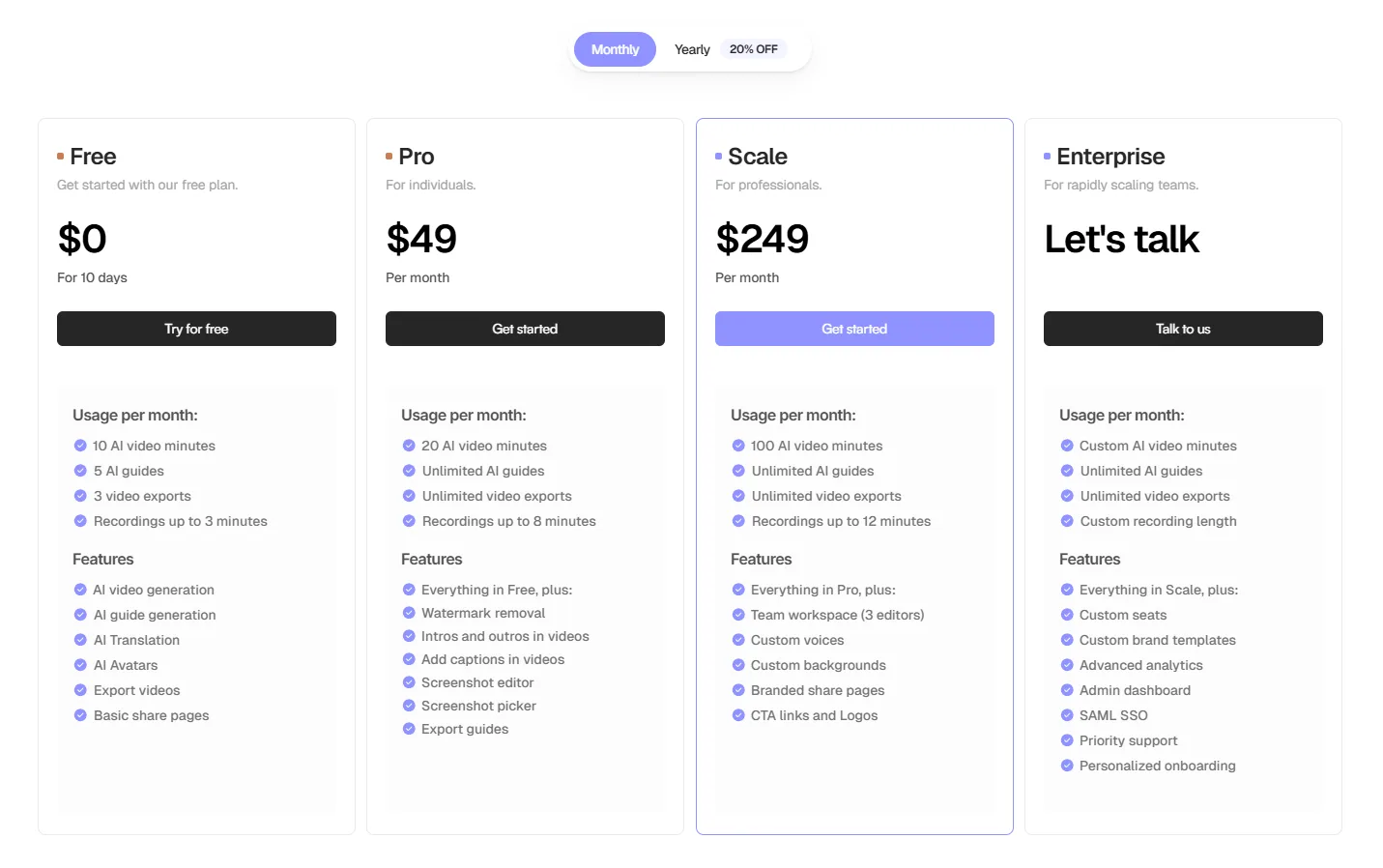
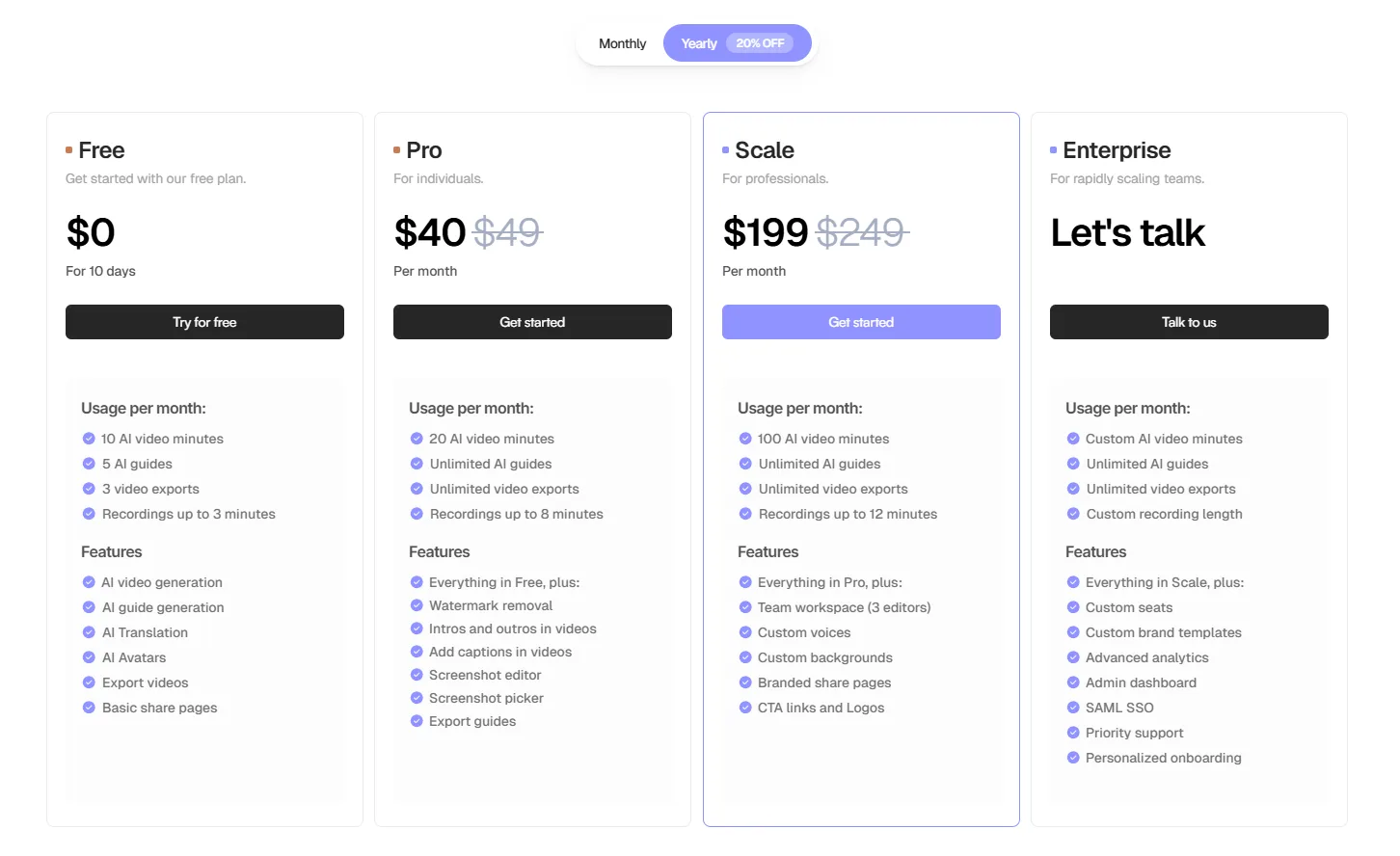
The following table provides a detailed, side-by-side comparison of the features and limits included in each plan.
| Feature | Free | Pro | Scale | Enterprise |
| Monthly Price | $0 (For 10 Days) | $49 / month | $249 / month | Custom (Let’s Talk) |
| Yearly Plan | $0 (For 10 Days) | $40 / month | $199 / month | Custom (Let’s Talk) |
| Target Audience | First-time users | Individuals | Professionals & Teams | Scaling Teams |
| AI Video Minutes | 10 per month | 20 per month | 100 per month | Custom |
| AI Guides | 5 per month | Unlimited | Unlimited | Unlimited |
| Video Exports | 3 per month | Unlimited | Unlimited | Unlimited |
| Recording Length | Up to 3 minutes | Up to 8 minutes | Up to 12 minutes | Custom |
| Watermark Removal | ❌ | ✅ | ✅ | ✅ |
| Intros & Outros | ❌ | ✅ | ✅ | ✅ |
| Add Captions | ❌ | ✅ | ✅ | ✅ |
| Team Workspace | ❌ | ❌ | ✅ (3 editors) | Custom Seats |
| Custom Voices | ❌ | ❌ | ✅ | ✅ |
| Custom Backgrounds | ❌ | ❌ | ✅ | ✅ |
| CTA Links & Logos | ❌ | ❌ | ✅ | ✅ |
| Advanced Analytics | ❌ | ❌ | ❌ | ✅ |
| Admin Dashboard | ❌ | ❌ | ❌ | ✅ |
| SAML SSO | ❌ | ❌ | ❌ | ✅ |
| Priority Support | ❌ | ❌ | ❌ | ✅ |
| Personalized Onboarding | ❌ | ❌ | ❌ | ✅ |
- Free Plan: This is a 10-day trial designed for new users to experience the platform’s core functionality. It includes basic AI video and guide generation with strict limits on usage and recording length. This plan is ideal for evaluating the tool before committing to a paid subscription.
- Pro Plan: Aimed at individual users like content creators and professionals, this plan offers a significant upgrade. It removes the watermark, provides unlimited AI guides and video exports, and increases the recording length to 8 minutes. It also unlocks essential editing features such as adding intros, outros, and captions.
- Scale Plan: This plan is built for professionals and small teams who need to collaborate and produce content at a higher volume. It drastically increases the AI video minutes to 100 per month and introduces critical team-oriented features, including a shared workspace for up to 3 editors, custom voices, custom backgrounds, and branded share pages with CTA links.
- Enterprise Plan: Tailored for large, rapidly scaling organizations, this plan offers maximum flexibility and control. All limits are customizable, and it includes advanced features crucial for enterprise use: custom brand templates, an admin dashboard, advanced analytics, SAML SSO for security, priority support, and personalized onboarding to ensure a smooth integration for the entire team. Pricing is determined through a direct consultation.
Alternatives
Trupeer sits in a crowded space. Here is who else does this job, and when one of them is the better call. Pricing moves often, so confirm current plans on each vendor’s own site.
| Tool | Best for | Pricing |
|---|---|---|
| Loom | Fast async screen recording with the widest team adoption | Free tier plus paid plans |
| Scribe | Auto-generated written step-by-step guides, less video focus | Free tier plus paid plans |
| Guidde | AI video documentation aimed at support and enablement teams | Free tier plus paid plans |
| Tango | Lightweight how-to guides captured straight from your clicks | Free tier plus paid plans |
| Descript | Real editing control when the AI-polished output is not enough | Paid plans, limited free tier |
Our take: pick Loom if you mostly need quick recordings your team already knows how to use, Scribe or Tango if you only want written guides, and Descript if you need genuine editing control. Trupeer’s edge is producing the video and the written guide from one recording — if you only need one of those, a cheaper specialist wins.
Trupeer AI Customer Support
Support is one of the areas Trupeer has invested in, and it shows in how quickly you can get unstuck. Whether you’re a small business owner or part of a large enterprise, Trupeer AI’s support options are tailored to meet your needs effectively. Here’s what you can expect:
1. Multi-Channel Support Options
Trupeer AI provides a variety of support channels to cater to different preferences:
- Email Support: Users can reach out to the support team via email for queries, troubleshooting, and assistance. Response times are prompt, ensuring critical issues are addressed quickly.
- Live Chat: For real-time assistance, live chat support is available directly on the website or dashboard. This feature is especially helpful for urgent matters.
- Ticket System: Customers can submit detailed tickets for more complex issues, which are then escalated to specialized teams for resolution.
- Comprehensive Documentation: Trupeer AI offers well-organized documentation, including user guides, FAQs, and video tutorials, which serve as a self-service resource for new and experienced users alike.
2. Dedicated Account Managers (For Premium Plans)
Enterprise users and businesses on higher-tier plans can benefit from dedicated account managers. These managers act as a single point of contact for support, onboarding, and ongoing assistance, ensuring a smooth user experience.
3. 24/7 Availability
To accommodate global customers, Trupeer AI’s support operates 24/7. Users can access help regardless of their time zone, making it ideal for international businesses.
4. Onboarding & Training
Trupeer AI provides onboarding sessions to help new users become familiar with the platform. For teams with advanced needs, training sessions are available to maximize the use of Trupeer AI’s features.
5. Community Forums & Peer Support
Trupeer AI fosters a vibrant community through its forums and user groups. These platforms allow users to share tips, solutions, and best practices while also learning from others’ experiences.
What Users Report
Across public review sites, the praise clusters on one thing: speed. Teams in support and marketing roles consistently call out getting a tutorial video and a written knowledge-base article from a single recording, which is normally two separate jobs.
The complaints cluster just as tightly. Users with real video-editing needs run into the trade-off between automation and creative control — the output is clean and professional, but you do not get the fine-grained cutting you would in a proper editor. The AI voiceover is widely rated good for instructional content and noticeably weaker for emotive, high-end marketing work.
That matches our read of the tool: excellent at clarity, not built for storytelling.
FAQs
What is Trupeer AI best for?
Turning a raw screen recording into two finished assets at once: a polished walkthrough video and a written step-by-step guide with screenshots. That makes it a strong fit for product demos, customer onboarding, internal SOPs, and help-centre documentation.
Is there a free plan or a free trial?
Trupeer offers a free trial (10 days at the time of writing) rather than a permanent free tier, so you can test the record-to-guide flow before paying. Trial length and limits change, so confirm the current terms on their pricing page.
Does Trupeer replace a proper video editor?
No, and it is not trying to. Trupeer is built for instructional clarity, so you trade fine-grained editing control for speed. If you need real cutting, layering, and creative polish, a tool like Descript is the better buy.
Can it create written documentation as well as video?
Yes, and this is the main reason to choose it. One recording produces both the video and a structured written guide, so your tutorial and your knowledge-base article stay in sync instead of drifting apart.
Does Trupeer support other languages?
Yes. You can generate the same video and written guide in another language without recording it again, which is useful if you support customers across multiple markets.
Trupeer AI vs Loom: which should I pick?
Pick Loom if you mainly want fast async recordings and the widest team adoption. Pick Trupeer if you need the finished, branded output plus the written guide from the same take. Loom is the better everyday recorder; Trupeer is the better documentation engine.
Do I need editing or coding skills to use it?
No. The whole point is that the AI handles the cleanup, zooms, and voiceover, so a non-technical person can record a flow and ship a presentable result the same day.
Conclusion
After thorough research and hands-on testing, it’s clear that Trupeer AI is a powerful, scalable, and user-friendly platform capable of meeting diverse needs. From its automation capabilities to insightful analytics, it truly stands out as an all-in-one solution for businesses aiming to grow efficiently.
For this review, we explored its core features, highlighted advantages, compared alternatives, and analyzed pricing—all to offer a comprehensive perspective on how Trupeer AI performs. Whether you’re scaling a growing business or improving customer interactions, Trupeer AI is worth considering.
The Review
Trupeer AI
Trupeer.ai streamlines content creation by transforming a single screen recording into both a polished AI-narrated video and a detailed step-by-step guide. This unique dual-output feature offers a seamless, automated experience, empowering teams to produce professional tutorials and documentation with exceptional speed and efficiency.
PROS
- One recording gives you both a polished video and a written guide
- AI cleans filler words, dead air, and adds zooms automatically
- Brand kits keep output looking like your product
- Translate into other languages without re-recording
- Genuinely usable by non-editors
CONS
- Limited fine-grained editing control compared with a real editor
- AI voiceover suits instructional content, not emotive marketing
- Newer tool with a smaller ecosystem than Loom
- Browser extension is Chrome-only
Trupeer AI DEALS
We collect information from many stores for best price available




